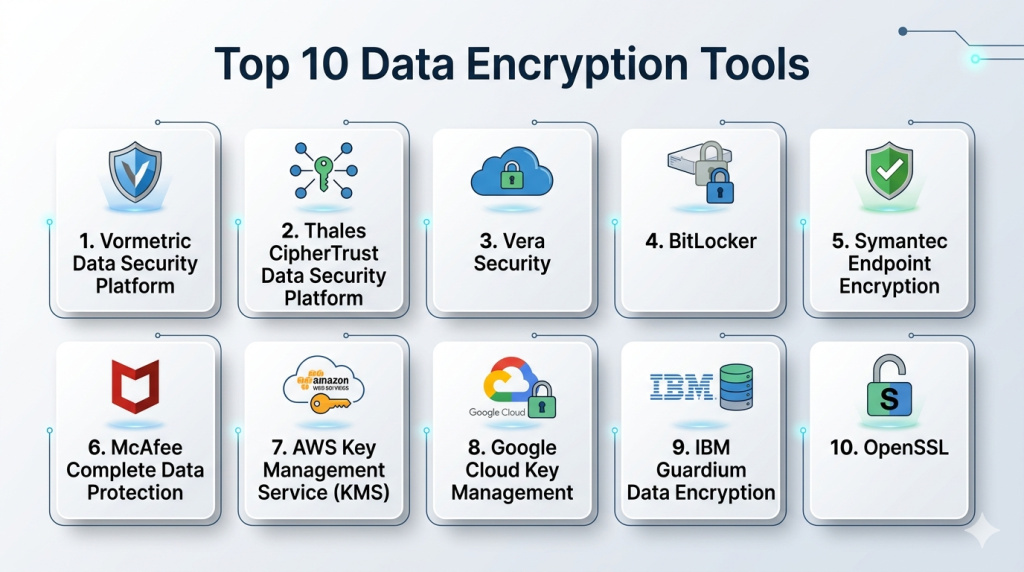
Introduction
Data Encryption Tools are essential for protecting sensitive information by converting it into unreadable formats, accessible only to authorized users. With cyberattacks increasing and privacy regulations tightening, organizations need robust encryption to secure customer data, intellectual property, financial records, and internal communications. Encryption ensures confidentiality, integrity, and compliance while supporting secure collaboration across digital environments.
Real-world use cases include encrypting cloud storage data, securing financial transactions, protecting intellectual property, enabling safe file sharing across distributed teams, and complying with regulations in healthcare, finance, and government sectors. Buyers should evaluate tools based on encryption strength, key management, ease of use, deployment flexibility, integrations, compliance support, performance, audit capabilities, support resources, and pricing.
Best for: Security and IT teams, compliance officers, developers, and organizations of all sizes in finance, healthcare, government, and technology sectors.
Not ideal for: Small organizations with minimal sensitive data or basic file protection needs, where native OS encryption may suffice.
Key Trends in Data Encryption Tools
- AI-assisted automatic data classification and encryption
- Cloud-native encryption for AWS, Azure, and Google Cloud
- Zero-trust integration to secure data at rest and in motion
- Hybrid deployment support for on-prem and multi-cloud environments
- Automated key rotation and lifecycle management
- Compliance-oriented features for GDPR, HIPAA, and PCI DSS
- End-to-end encryption in collaboration tools
- API-first integration for SaaS and custom applications
- Optimized encryption algorithms to minimize performance impact
- Flexible subscription and licensing models
How We Selected These Tools
- Market adoption and mindshare among enterprises and SMBs
- Feature completeness including encryption algorithms and key management
- Performance and reliability signals from benchmarks
- Security posture including certifications and compliance capabilities
- Ecosystem integrations and API support
- Customer fit across small, mid-market, and enterprise segments
- Vendor support and community engagement
- Cost-effectiveness and pricing transparency
- Ease of deployment and management
Top 10 Data Encryption Tools
#1 — Vormetric Data Security Platform
Short description: Vormetric delivers enterprise-grade encryption and centralized key management for structured and unstructured data. Ideal for large organizations in regulated industries seeking comprehensive data security.
Key Features
- Transparent file and database encryption
- Centralized key management
- Tokenization and data masking
- Role-based access control and audit logs
- Multi-cloud support
- SIEM and DLP integrations
Pros
- Scales across large enterprises
- Strong regulatory compliance support
Cons
- Complex initial configuration
- Higher cost for small deployments
Platforms / Deployment
- Windows / Linux / macOS
- Cloud / Self-hosted / Hybrid
Security & Compliance
- AES-256 encryption, RBAC, audit logs
- SOC 2, ISO 27001, GDPR, HIPAA
Integrations & Ecosystem
Integrates with cloud services, databases, and security platforms
- AWS, Azure, Google Cloud
- Oracle, SQL Server, Db2
- DLP and SIEM tools
Support & Community
Enterprise support tiers, onboarding guides, knowledge base, strong community forums
#2 — Thales CipherTrust Data Security Platform
Short description: CipherTrust provides encryption, tokenization, and centralized key management. Suitable for multinational enterprises requiring regulatory compliance and data protection at scale.
Key Features
- Centralized key management and policy enforcement
- Format-preserving tokenization
- Cloud and hybrid deployment
- Detailed audit and reporting
- HSM integration
Pros
- Extensive compliance coverage
- Flexible deployment options
Cons
- Requires technical expertise for setup
- Licensing complexity for multi-region use
Platforms / Deployment
- Windows / Linux / macOS
- Cloud / Self-hosted / Hybrid
Security & Compliance
- AES-256 encryption, MFA, RBAC
- SOC 2, ISO 27001, GDPR, HIPAA
Integrations & Ecosystem
Supports cloud platforms, enterprise apps, and DLP solutions
- AWS, Azure, Google Cloud
- Oracle, SQL Server
- SIEM and DLP integration
Support & Community
Enterprise support, training resources, active user community
#3 — Vera Security
Short description: Vera provides dynamic file encryption with real-time policy enforcement. Ideal for enterprises prioritizing secure collaboration across devices and cloud applications.
Key Features
- Persistent file-level encryption
- Dynamic policy updates
- Cloud and on-prem file protection
- Compliance audit logs
- Integration with collaboration platforms
Pros
- Real-time control over shared files
- User-friendly for collaborative workflows
Cons
- Limited database encryption
- Premium pricing for SMBs
Platforms / Deployment
- Windows / macOS / iOS / Android
- Cloud / Hybrid
Security & Compliance
- AES-256 encryption, MFA, RBAC
- GDPR, SOC 2, HIPAA
Integrations & Ecosystem
Works with Microsoft 365, Google Workspace, Box, Dropbox
- REST APIs for custom integration
- SIEM connectors
Support & Community
Enterprise support packages, detailed documentation, community forums
#4 — BitLocker
Short description: BitLocker is a native Windows full-disk encryption tool. Best for SMBs and individual users seeking straightforward endpoint protection.
Key Features
- Full-disk encryption
- TPM support and secure boot
- BitLocker To Go for removable drives
- Group Policy management
- Active Directory integration
Pros
- Easy deployment for Windows devices
- No additional licensing cost
Cons
- Windows-only
- Limited key management
Platforms / Deployment
- Windows
- Self-hosted
Security & Compliance
- AES-256 encryption, TPM support
- Varies / N/A
Integrations & Ecosystem
- Active Directory
- Limited external integrations
Support & Community
Microsoft support, active user forums
#5 — Symantec Endpoint Encryption
Short description: Symantec Endpoint Encryption secures endpoints and removable media with centralized management. Suitable for enterprises needing compliance support.
Key Features
- Full-disk and removable media encryption
- Centralized management console
- Policy enforcement and reporting
- SIEM and DLP integration
Pros
- Enterprise-grade security
- Strong compliance support
Cons
- Complex setup
- May impact performance
Platforms / Deployment
- Windows / macOS
- Cloud / Self-hosted / Hybrid
Security & Compliance
- AES-256 encryption, audit logs, RBAC
- SOC 2, GDPR, HIPAA
Integrations & Ecosystem
- SIEM, DLP, Active Directory
- REST APIs for automation
Support & Community
Enterprise support plans, knowledge base, community forums
#6 — McAfee Complete Data Protection
Short description: McAfee combines endpoint encryption with DLP. Suitable for SMBs and enterprises seeking unified data protection.
Key Features
- Endpoint and removable media encryption
- Centralized management
- DLP integration
- Cloud encryption
- Compliance reporting
Pros
- Broad device coverage
- Unified security suite
Cons
- Some features require extra licenses
- Complex setup for smaller teams
Platforms / Deployment
- Windows / macOS / Linux
- Cloud / Self-hosted / Hybrid
Security & Compliance
- AES-256 encryption, RBAC, audit logs
- SOC 2, ISO 27001, GDPR
Integrations & Ecosystem
- SIEM, cloud storage platforms, Active Directory
- APIs for automation
Support & Community
Enterprise support, onboarding guides, community forums
#7 — AWS Key Management Service (KMS)
Short description: AWS KMS manages cloud-native encryption keys for applications and storage. Ideal for developers using AWS.
Key Features
- Managed encryption keys
- API-driven integration
- Automatic key rotation
- IAM access control
- Multi-region key management
Pros
- Scales with cloud workloads
- Seamless AWS integration
Cons
- AWS ecosystem only
- Extra tools needed for non-AWS apps
Platforms / Deployment
- Web / AWS Cloud
- Cloud
Security & Compliance
- AES-256 encryption, IAM controls
- SOC 2, ISO 27001, HIPAA, GDPR
Integrations & Ecosystem
- AWS S3, RDS, Lambda, EC2
- SDKs and APIs
- CloudTrail logging
Support & Community
AWS support tiers, documentation, developer community
#8 — Google Cloud Key Management
Short description: Google Cloud KMS secures cloud-native applications with centralized key management and compliance support.
Key Features
- Centralized key management
- Automatic rotation
- IAM access control
- API and SDK support
- Integration with Google Cloud services
Pros
- Tight Google Cloud integration
- Developer-friendly APIs
Cons
- Limited outside Google Cloud
- Auditing may require setup
Platforms / Deployment
- Web / Google Cloud
- Cloud
Security & Compliance
- AES-256 encryption, IAM policies
- SOC 2, ISO 27001, GDPR, HIPAA
Integrations & Ecosystem
- Google Cloud Storage, BigQuery, Compute Engine
- APIs for automation
- SIEM integration
Support & Community
Google Cloud support, documentation, active forums
#9 — IBM Guardium Data Encryption
Short description: IBM Guardium secures structured and unstructured data with encryption, key management, and compliance reporting. Suitable for large enterprises.
Key Features
- Transparent encryption for files and databases
- Centralized key management
- Tokenization and data masking
- Audit and compliance reporting
- SIEM and DLP integration
Pros
- Strong compliance and reporting
- Scalable enterprise workloads
Cons
- Complex deployment
- Licensing costs
Platforms / Deployment
- Windows / Linux / macOS
- Cloud / Self-hosted / Hybrid
Security & Compliance
- AES-256 encryption, RBAC, MFA
- SOC 2, ISO 27001, GDPR, HIPAA
Integrations & Ecosystem
- Databases (Oracle, SQL Server, Db2)
- SIEM, DLP tools
- Cloud connectors
Support & Community
Enterprise support, documentation, professional services
#10 — OpenSSL
Short description: OpenSSL is an open-source toolkit for SSL/TLS and general-purpose cryptography. Ideal for developers needing customizable encryption solutions.
Key Features
- SSL/TLS certificate management
- PKI support
- Symmetric and asymmetric encryption
- Command-line tools and libraries
- Open-source extensibility
Pros
- Free and open-source
- Flexible for developers
Cons
- Requires technical expertise
- No official managed support
Platforms / Deployment
- Windows / Linux / macOS
- Self-hosted
Security & Compliance
- AES, RSA, SHA, TLS protocols
- Compliance depends on configuration
Integrations & Ecosystem
- Custom applications and servers
- Libraries for multiple languages
- APIs and plugins
Support & Community
Community-driven support, extensive documentation, active developer forums
Comparison Table
| Tool Name | Best For | Platform(s) Supported | Deployment | Standout Feature | Public Rating |
|---|---|---|---|---|---|
| Vormetric Data Security Platform | Enterprises, regulated industries | Windows, Linux, macOS | Cloud/Self-hosted/Hybrid | Centralized key management | N/A |
| Thales CipherTrust | Multinational organizations | Windows, Linux, macOS | Cloud/Self-hosted/Hybrid | Tokenization and key control | N/A |
| Vera Security | Enterprise collaboration | Windows, macOS, iOS, Android | Cloud/Hybrid | Real-time file policy enforcement | N/A |
| BitLocker | SMBs, Windows endpoints | Windows | Self-hosted | Native OS integration | N/A |
| Symantec Endpoint Encryption | Enterprises | Windows, macOS | Cloud/Self-hosted/Hybrid | Endpoint encryption + compliance | N/A |
| McAfee Complete Data Protection | Enterprises, SMBs | Windows, macOS, Linux | Cloud/Self-hosted/Hybrid | Unified encryption + DLP | N/A |
| AWS KMS | Cloud-native developers | Web / AWS | Cloud | Managed key lifecycle | N/A |
| Google Cloud KMS | Cloud-first orgs | Web / Google Cloud | Cloud | API-driven key management | N/A |
| IBM Guardium | Large enterprises | Windows, Linux, macOS | Cloud/Self-hosted/Hybrid | Enterprise compliance reporting | N/A |
| OpenSSL | Developers, custom apps | Windows, Linux, macOS | Self-hosted | Open-source flexibility | N/A |
Evaluation & Scoring
| Tool Name | Core (25%) | Ease (15%) | Integrations (15%) | Security (10%) | Performance (10%) | Support (10%) | Value (15%) | Weighted Total |
|---|---|---|---|---|---|---|---|---|
| Vormetric | 9 | 7 | 8 | 9 | 9 | 8 | 7 | 8.5 |
| Thales CipherTrust | 9 | 6 | 8 | 9 | 8 | 7 | 6 | 8.0 |
| Vera Security | 8 | 8 | 7 | 8 | 8 | 7 | 7 | 7.8 |
| BitLocker | 6 | 9 | 5 | 7 | 8 | 6 | 9 | 7.4 |
| Symantec Endpoint Encryption | 8 | 7 | 7 | 8 | 8 | 7 | 7 | 7.7 |
| McAfee Complete Data Protection | 8 | 7 | 7 | 8 | 8 | 7 | 7 | 7.7 |
| AWS KMS | 7 | 8 | 8 | 9 | 9 | 7 | 8 | 8.0 |
| Google Cloud KMS | 7 | 8 | 8 | 9 | 9 | 7 | 8 | 8.0 |
| IBM Guardium | 9 | 6 | 7 | 9 | 8 | 7 | 6 | 7.9 |
| OpenSSL | 8 | 5 | 7 | 8 | 8 | 5 | 9 | 7.5 |
Which Tool Is Right for You
Solo / Freelancer: BitLocker or OpenSSL for simple, low-cost encryption.
SMB: Vera Security or McAfee for cloud-ready management and file protection.
Mid-Market: AWS KMS, Google Cloud KMS, or Symantec Endpoint Encryption for cloud integration and compliance.
Enterprise: Vormetric, Thales CipherTrust, or IBM Guardium for advanced key management, auditing, and multi-cloud support.
Budget vs Premium: OpenSSL and BitLocker for low cost; Vormetric and Thales for full enterprise capabilities.
Feature Depth vs Ease of Use: IBM Guardium and Thales offer depth but require expertise; Vera emphasizes usability.
Integrations & Scalability: Cloud-native tools scale efficiently; enterprise tools support hybrid environments.
Security & Compliance Needs: Organizations with strict compliance should prioritize Vormetric and Thales for audit and reporting features.
Frequently Asked Questions
1. What pricing models are available?
Pricing ranges from free/open-source to subscription or enterprise licenses. Options include per user, per server, or per cloud instance.
2. How long does deployment take?
Endpoint solutions like BitLocker deploy quickly. Enterprise platforms like Vormetric may take several weeks for full integration.
3. Are encryption tools hard to manage?
Ease of management depends on the tool. Cloud-native tools simplify management. Enterprise solutions require expertise in key management and policies.
4. Does encryption affect performance?
Full-disk and real-time encryption may reduce performance slightly. Most tools optimize algorithms to minimize overhead.
5. How do encryption tools handle cloud data?
Modern tools offer native cloud encryption or integrate with providers. AWS KMS, Google Cloud KMS, and Vera Security support cloud workloads.
6. What compliance standards are supported?
Enterprise tools often support SOC 2, ISO 27001, GDPR, HIPAA, and PCI DSS. Open-source or basic tools may require manual configuration.
7. Can encryption tools integrate into applications?
Yes. Tools like AWS KMS, Google Cloud KMS, and OpenSSL provide APIs and SDKs for custom application integration.
8. What common mistakes do organizations make?
Common errors include weak key management, inconsistent deployment, using weak algorithms, or insufficient staff training.
9. Are encryption tools scalable?
Cloud-native and enterprise solutions scale efficiently for hybrid or multi-cloud deployments. Endpoint-only solutions scale with devices.
10. Is switching encryption tools easy?
Switching can be complex due to key management and encryption methods. Proper planning, testing, and phased adoption are critical.
Conclusion
Selecting the right data encryption tool depends on organizational size, regulatory requirements, and IT environment. Enterprises benefit from Vormetric, Thales CipherTrust, and IBM Guardium, while SMBs and cloud-first organizations can leverage Vera Security, AWS KMS, or Google Cloud KMS. Developers and individual users can use OpenSSL or BitLocker for low-cost protection. Evaluate tools based on integration, scalability, usability, and compliance support. Shortlist suitable options, pilot them in controlled scenarios, and verify compatibility with workflows to ensure strong security, performance, and operational efficiency.

Find Trusted Cardiac Hospitals
Compare heart hospitals by city and services — all in one place.
Explore Hospitals
Encrypting data is not enough if the team cannot access the keys when a system fails or needs to be restored. It is important to test key backups, recovery procedures, permissions, and restore processes regularly. This helps make sure encrypted data can still be recovered when it is actually needed.