Introduction
Bring Your Own Device (BYOD) Management Tools help organizations securely manage employee-owned smartphones, tablets, laptops, and remote work devices while protecting company data and applications. These platforms combine mobile device management, endpoint security, identity controls, application management, compliance enforcement, and remote administration into a centralized management system. As hybrid work environments continue expanding, BYOD policies have become a core part of modern IT operations. Organizations now need secure access controls, zero-trust enforcement, mobile threat defense, conditional access, and AI-driven device monitoring to protect corporate data across distributed teams. BYOD tools also help reduce hardware costs while improving employee flexibility and productivity.
Real-world use cases include:
- Managing employee-owned smartphones for remote teams
- Securing contractor and third-party access
- Enforcing compliance policies on personal devices
- Protecting SaaS and cloud application access
- Managing mixed Windows, macOS, Android, and iOS environments
Evaluation Criteria for Buyers
- Device compatibility and OS support
- Security and compliance controls
- Application and content management
- Ease of deployment and onboarding
- Identity and access management integrations
- Automation and policy enforcement
- Scalability for remote workforce growth
- Reporting and analytics capabilities
Best for: Enterprises, SMBs, healthcare organizations, financial institutions, education providers, and distributed remote-first teams that need centralized device security and compliance.
Not ideal for: Very small teams with limited remote access requirements or organizations using only company-owned locked-down devices where lightweight endpoint management may be sufficient.
Key Trends in BYOD Management Tools
- AI-driven threat detection and automated compliance remediation are becoming standard.
- Unified Endpoint Management platforms are replacing standalone mobile management tools.
- Zero Trust Network Access integration is expanding rapidly.
- Identity-first security policies now drive device access decisions.
- Containerization and work profile separation are improving employee privacy.
- More organizations are adopting passwordless authentication and passkey support.
- Cross-platform management for Windows, macOS, Linux, iOS, and Android is now expected.
- Automation workflows for onboarding and device provisioning continue to improve.
- Cloud-native management platforms are replacing traditional on-premise systems.
- Real-time analytics and risk scoring are becoming major differentiators.
How We Selected These Tools
The tools in this list were selected based on practical enterprise adoption and modern BYOD management requirements.
Selection criteria included:
- Market reputation and enterprise adoption
- Multi-platform device support
- Security and compliance capabilities
- Identity and access management integrations
- Automation and policy management depth
- Performance and reliability at scale
- Support for remote and hybrid workforces
- Integration ecosystem maturity
- Reporting and analytics capabilities
- Suitability for SMBs through large enterprises
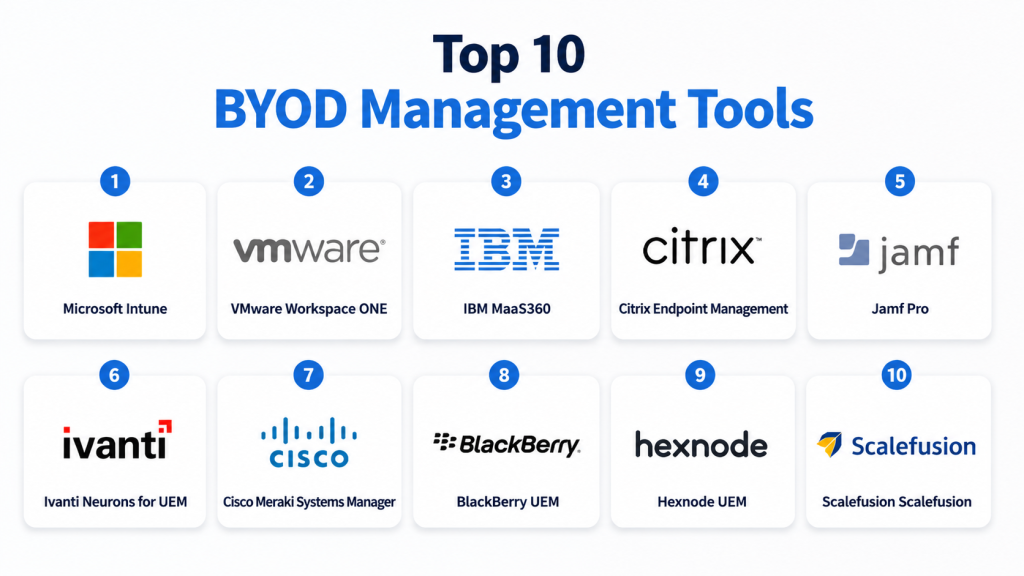
Top 10 BYOD Management Tools
1 — Microsoft Intune
Microsoft Intune is one of the most widely adopted BYOD and endpoint management platforms for enterprises using Microsoft ecosystems. It provides centralized device management, compliance enforcement, conditional access, and application protection across remote and hybrid environments.
Key Features
- Unified endpoint management
- Mobile application management
- Conditional access policies
- Endpoint security controls
- Automated device enrollment
- Policy-based compliance enforcement
- Integration with Microsoft Defender
Pros
- Strong Microsoft ecosystem integration
- Excellent security and compliance capabilities
- Scales effectively for large enterprises
Cons
- Advanced configurations can be complex
- Best experience requires Microsoft ecosystem adoption
- Licensing structures may confuse smaller businesses
Platforms / Deployment
Web / Windows / macOS / Linux / iOS / Android
Cloud
Security & Compliance
Supports MFA, SSO/SAML, RBAC, audit logs, encryption, GDPR, and conditional access policies.
Integrations & Ecosystem
Microsoft Intune integrates deeply with Microsoft 365, Azure Active Directory, Defender, Teams, and Windows security services.
- Microsoft 365
- Azure Active Directory
- Microsoft Defender
- Teams
- Power Platform
Support & Community
Strong enterprise documentation, extensive deployment resources, large IT community, and multiple enterprise support tiers.
2 — VMware Workspace ONE
VMware Workspace ONE combines endpoint management, virtual desktop infrastructure, and identity management into a unified BYOD platform. It is widely used by enterprises managing diverse device environments.
Key Features
- Unified endpoint management
- Digital workspace management
- Identity and access controls
- Remote device provisioning
- Application lifecycle management
- AI-powered automation
- Endpoint analytics
Pros
- Excellent cross-platform support
- Strong enterprise scalability
- Mature automation capabilities
Cons
- Premium pricing for advanced features
- Initial setup can be complex
- Requires experienced IT administration
Platforms / Deployment
Web / Windows / macOS / Linux / iOS / Android
Cloud / Hybrid
Security & Compliance
Supports MFA, SSO, RBAC, encryption, compliance policies, and audit logging.
Integrations & Ecosystem
Workspace ONE integrates with VMware infrastructure, identity providers, and enterprise security ecosystems.
- VMware Horizon
- Okta
- Active Directory
- ServiceNow
- Carbon Black
Support & Community
Strong enterprise support with mature documentation and a large virtualization-focused user community.
3 — IBM MaaS360
IBM MaaS360 is a cloud-based endpoint management platform designed for secure BYOD deployments with AI-driven insights and compliance management.
Key Features
- AI-powered security analytics
- Mobile device management
- Threat management
- Secure containerization
- Identity integration
- Compliance reporting
- Remote troubleshooting
Pros
- Strong AI-driven insights
- Good compliance reporting
- Reliable cloud-based deployment
Cons
- User interface feels dated in some areas
- Advanced customization may require expertise
- Smaller ecosystem than some competitors
Platforms / Deployment
Web / Windows / macOS / iOS / Android
Cloud
Security & Compliance
Supports encryption, MFA, RBAC, compliance management, audit trails, and enterprise security policies.
Integrations & Ecosystem
IBM MaaS360 integrates with IBM security products and third-party identity providers.
- IBM Security
- Azure AD
- Okta
- Active Directory
- SIEM platforms
Support & Community
Enterprise-grade support options with solid onboarding assistance and technical resources.
4 — Citrix Endpoint Management
Citrix Endpoint Management focuses on secure application and device access for remote and hybrid workforces. It is commonly deployed in regulated industries.
Key Features
- Secure mobile application management
- Endpoint compliance controls
- Identity-based access management
- App containerization
- Unified endpoint visibility
- Secure remote access
- Automated policy enforcement
Pros
- Excellent remote workforce capabilities
- Strong virtualization integrations
- Good app-level security controls
Cons
- Can become expensive at scale
- Learning curve for administrators
- Best suited for Citrix environments
Platforms / Deployment
Web / Windows / macOS / iOS / Android
Cloud / Hybrid
Security & Compliance
Supports MFA, SSO, app-level encryption, RBAC, and compliance enforcement.
Integrations & Ecosystem
Strong integration with Citrix virtual apps and enterprise infrastructure platforms.
- Citrix Virtual Apps
- Active Directory
- Microsoft 365
- Endpoint analytics platforms
- Identity providers
Support & Community
Large enterprise support network with mature training and implementation resources.
5 — Jamf Pro
Jamf Pro specializes in Apple device management and is highly regarded for managing BYOD deployments across macOS, iPhone, and iPad environments.
Key Features
- Apple device lifecycle management
- Automated enrollment
- Application deployment
- Security policy enforcement
- Inventory management
- Self-service portal
- Compliance monitoring
Pros
- Best-in-class Apple management
- Excellent user experience
- Strong automation for Apple ecosystems
Cons
- Limited outside Apple environments
- Enterprise features may raise costs
- Less suitable for mixed-device ecosystems
Platforms / Deployment
Web / macOS / iOS / iPadOS
Cloud
Security & Compliance
Supports encryption enforcement, RBAC, SSO, compliance monitoring, and device security policies.
Integrations & Ecosystem
Jamf integrates deeply with Apple Business Manager and identity management systems.
- Apple Business Manager
- Microsoft Intune
- Okta
- Azure AD
- Google Workspace
Support & Community
Very strong Apple-focused community with extensive training and documentation resources.
6 — Ivanti Neurons for UEM
Ivanti Neurons for UEM combines endpoint management with automation and AI-powered remediation capabilities.
Key Features
- Unified endpoint management
- Automated remediation
- AI-powered insights
- Patch management
- Device compliance enforcement
- Remote management tools
- Endpoint analytics
Pros
- Strong automation capabilities
- Good security controls
- Broad endpoint management coverage
Cons
- User interface can feel complex
- Some advanced features require additional modules
- Setup complexity for large environments
Platforms / Deployment
Web / Windows / macOS / Linux / iOS / Android
Cloud / Hybrid
Security & Compliance
Supports RBAC, MFA, compliance policies, encryption management, and audit logging.
Integrations & Ecosystem
Integrates with enterprise ITSM, identity, and security platforms.
- ServiceNow
- Azure AD
- Active Directory
- SIEM tools
- Endpoint security tools
Support & Community
Enterprise support options are strong, though community resources are smaller than Microsoft ecosystems.
7 — Cisco Meraki Systems Manager
Cisco Meraki Systems Manager offers cloud-based endpoint management with strong networking integrations and simplified device administration.
Key Features
- Cloud-native device management
- Endpoint monitoring
- Security policy management
- Network-aware controls
- Automated enrollment
- Remote troubleshooting
- Application management
Pros
- Simple deployment process
- Strong networking integration
- Easy-to-use management console
Cons
- Advanced enterprise features may be limited
- Best suited for Cisco environments
- Reporting depth can vary
Platforms / Deployment
Web / Windows / macOS / iOS / Android
Cloud
Security & Compliance
Supports encryption policies, SSO, RBAC, and centralized device monitoring.
Integrations & Ecosystem
Integrates tightly with Cisco networking and security infrastructure.
- Cisco SecureX
- Meraki networking
- Active Directory
- Identity providers
- VPN solutions
Support & Community
Strong Cisco ecosystem support with reliable documentation and deployment assistance.
8 — BlackBerry UEM
BlackBerry UEM focuses heavily on enterprise-grade mobile security and compliance management for regulated industries.
Key Features
- Secure endpoint management
- Mobile threat defense
- Application containerization
- Identity and access management
- Compliance enforcement
- Secure communications
- Centralized policy management
Pros
- Excellent security reputation
- Strong regulated-industry support
- Advanced mobile threat protection
Cons
- Interface may feel enterprise-heavy
- Smaller modern ecosystem
- Higher learning curve
Platforms / Deployment
Web / Windows / macOS / iOS / Android
Cloud / Hybrid
Security & Compliance
Supports encryption, MFA, RBAC, secure containers, and compliance management.
Integrations & Ecosystem
BlackBerry UEM integrates with secure communication and enterprise identity platforms.
- Microsoft 365
- Active Directory
- Secure communication tools
- Enterprise identity providers
- Security monitoring tools
Support & Community
Strong enterprise support with deep security expertise and regulated-industry experience.
9 — Hexnode UEM
Hexnode UEM provides flexible endpoint management for SMBs and enterprises looking for simplified BYOD administration.
Key Features
- Multi-platform device management
- Remote device control
- Application management
- Kiosk management
- Compliance automation
- Policy enforcement
- Device tracking
Pros
- User-friendly interface
- Good SMB pricing flexibility
- Broad device support
Cons
- Advanced enterprise analytics are limited
- Smaller ecosystem than major competitors
- Some advanced workflows require customization
Platforms / Deployment
Web / Windows / macOS / Linux / iOS / Android
Cloud
Security & Compliance
Supports device encryption, RBAC, policy enforcement, and audit logging.
Integrations & Ecosystem
Hexnode integrates with common enterprise identity and productivity systems.
- Azure AD
- Google Workspace
- Active Directory
- Microsoft 365
- Enterprise APIs
Support & Community
Good onboarding support with growing community adoption among SMB and mid-market users.
10 — Scalefusion
Scalefusion is a modern endpoint management platform focused on BYOD, kiosk management, and remote workforce enablement.
Key Features
- BYOD management
- Kiosk mode support
- Endpoint security policies
- Remote troubleshooting
- Device monitoring
- Application management
- Content distribution
Pros
- Easy deployment and onboarding
- Good pricing for SMBs
- Strong kiosk management features
Cons
- Enterprise depth may lag premium competitors
- Limited advanced analytics
- Smaller integration ecosystem
Platforms / Deployment
Web / Windows / macOS / Linux / iOS / Android
Cloud
Security & Compliance
Supports policy enforcement, encryption management, audit logs, and access controls.
Integrations & Ecosystem
Scalefusion integrates with productivity, identity, and enterprise management systems.
- Azure AD
- Google Workspace
- Microsoft 365
- ITSM tools
- Enterprise APIs
Support & Community
Responsive support experience with improving documentation and onboarding resources.
Comparison Table
| Tool Name | Best For | Platform(s) Supported | Deployment | Standout Feature | Public Rating |
|---|---|---|---|---|---|
| Microsoft Intune | Microsoft-centric enterprises | Windows, macOS, iOS, Android | Cloud | Deep Microsoft security integration | N/A |
| VMware Workspace ONE | Large enterprises | Windows, macOS, Linux, iOS, Android | Cloud / Hybrid | Unified digital workspace | N/A |
| IBM MaaS360 | Compliance-focused organizations | Windows, macOS, iOS, Android | Cloud | AI-powered analytics | N/A |
| Citrix Endpoint Management | Remote workforce security | Windows, macOS, iOS, Android | Cloud / Hybrid | Secure app access | N/A |
| Jamf Pro | Apple device management | macOS, iOS | Cloud | Apple ecosystem specialization | N/A |
| Ivanti Neurons for UEM | Automated endpoint operations | Windows, macOS, Linux, iOS, Android | Cloud / Hybrid | AI remediation | N/A |
| Cisco Meraki Systems Manager | Networking-centric IT teams | Windows, macOS, iOS, Android | Cloud | Network-aware management | N/A |
| BlackBerry UEM | Regulated industries | Windows, macOS, iOS, Android | Cloud / Hybrid | Advanced mobile security | N/A |
| Hexnode UEM | SMBs and mid-market teams | Windows, macOS, Linux, iOS, Android | Cloud | Ease of deployment | N/A |
| Scalefusion | SMB BYOD environments | Windows, macOS, Linux, iOS, Android | Cloud | Kiosk management | N/A |
Evaluation & Scoring of BYOD Management Tools
| Tool | Core | Ease | Integrations | Security | Performance | Support | Value | Weighted Total |
|---|---|---|---|---|---|---|---|---|
| Microsoft Intune | 9.5 | 8.5 | 9.5 | 9.5 | 9.0 | 9.0 | 8.5 | 9.1 |
| VMware Workspace ONE | 9.3 | 8.0 | 9.2 | 9.3 | 9.1 | 8.8 | 8.0 | 8.9 |
| IBM MaaS360 | 8.8 | 8.2 | 8.5 | 9.0 | 8.7 | 8.4 | 8.5 | 8.6 |
| Citrix Endpoint Management | 8.7 | 7.9 | 8.8 | 9.0 | 8.8 | 8.5 | 7.9 | 8.5 |
| Jamf Pro | 9.0 | 9.1 | 8.2 | 8.8 | 9.0 | 8.9 | 8.0 | 8.7 |
| Ivanti Neurons for UEM | 8.9 | 7.8 | 8.7 | 8.9 | 8.7 | 8.3 | 8.2 | 8.5 |
| Cisco Meraki Systems Manager | 8.3 | 8.8 | 8.0 | 8.4 | 8.5 | 8.4 | 8.8 | 8.4 |
| BlackBerry UEM | 8.8 | 7.4 | 7.9 | 9.4 | 8.8 | 8.2 | 7.5 | 8.3 |
| Hexnode UEM | 8.2 | 8.9 | 7.9 | 8.2 | 8.3 | 8.2 | 9.0 | 8.4 |
| Scalefusion | 8.0 | 8.8 | 7.6 | 8.1 | 8.2 | 8.0 | 9.1 | 8.2 |
These scores are comparative evaluations based on enterprise functionality, usability, security maturity, ecosystem strength, and pricing flexibility. Organizations with strict compliance requirements may prioritize security scores, while SMBs may focus more on value and ease of deployment. Enterprise infrastructure alignment can also significantly influence the practical fit of a platform.
Which BYOD Management Tool Is Right for You?
Solo / Freelancer
Freelancers and consultants typically need lightweight device security with minimal administration overhead. Scalefusion and Hexnode UEM are good options because they offer simple onboarding and flexible pricing.
SMB
Small and medium-sized businesses often prioritize ease of deployment and affordability. Cisco Meraki Systems Manager, Hexnode UEM, and Scalefusion are practical choices for lean IT teams.
Mid-Market
Mid-sized organizations usually require stronger automation, compliance controls, and integration support. IBM MaaS360 and Ivanti Neurons for UEM provide balanced enterprise functionality without excessive infrastructure complexity.
Enterprise
Large enterprises with hybrid workforces often benefit from Microsoft Intune, VMware Workspace ONE, and BlackBerry UEM because of their advanced security, scalability, and policy enforcement capabilities.
Budget vs Premium
Budget-focused organizations may prefer Hexnode UEM or Scalefusion for cost efficiency. Premium enterprise environments with strict compliance needs often justify the investment in Intune or Workspace ONE.
Feature Depth vs Ease of Use
Jamf Pro delivers exceptional usability for Apple ecosystems, while Workspace ONE and Ivanti provide deeper enterprise-level functionality with more administrative complexity.
Integrations & Scalability
Organizations deeply invested in Microsoft infrastructure typically gain the most value from Intune. VMware and Citrix environments often align best with Workspace ONE or Citrix Endpoint Management.
Security & Compliance Needs
Healthcare, finance, and government organizations generally require advanced compliance and threat defense capabilities. BlackBerry UEM, Intune, and IBM MaaS360 are strong choices for security-sensitive deployments.
Frequently Asked Questions
1. What are BYOD Management Tools?
BYOD Management Tools help organizations securely manage employee-owned devices used for work. They enforce security policies, manage applications, and protect company data across smartphones, laptops, and tablets.
2. Why are BYOD tools important for remote work?
Remote work increases the number of unmanaged devices accessing business systems. BYOD tools help IT teams secure access, monitor compliance, and reduce security risks in distributed work environments.
3. What is the difference between BYOD and MDM?
MDM focuses primarily on managing mobile devices, while BYOD management includes broader security, identity, application management, and compliance controls for personally owned devices.
4. Are BYOD platforms suitable for SMBs?
Yes. Many BYOD platforms now offer SMB-friendly pricing and simplified deployment. Solutions like Hexnode and Scalefusion are particularly popular among smaller organizations.
5. Can BYOD tools manage both laptops and smartphones?
Most modern BYOD platforms support Windows, macOS, Android, and iOS devices. Unified endpoint management capabilities are increasingly standard across leading vendors.
6. Do BYOD tools affect employee privacy?
Modern BYOD solutions often separate personal and work data using containers or work profiles. This allows organizations to secure business information without monitoring personal content.
7. What security features should buyers prioritize?
Key security features include MFA, encryption, compliance monitoring, RBAC, conditional access, remote wipe capabilities, and threat detection integrations.
8. Are cloud-based BYOD tools replacing on-premise systems?
Yes. Cloud-native BYOD platforms have become the preferred model for many organizations because they simplify deployment, remote management, and scalability.
9. How difficult is implementation?
Implementation complexity varies by organization size and infrastructure. SMB deployments may take days, while large enterprise rollouts with compliance requirements can take several months.
10. What is the biggest mistake organizations make with BYOD?
A common mistake is deploying BYOD policies without clear employee communication and identity security controls. Successful BYOD strategies balance usability, privacy, and security requirements.
Conclusion
BYOD Management Tools have become essential for modern organizations supporting remote, hybrid, and distributed workforces. The best platforms now combine endpoint management, identity security, automation, analytics, and compliance into unified management ecosystems. Microsoft Intune and VMware Workspace ONE remain strong enterprise leaders, while Jamf Pro dominates Apple-focused deployments. SMBs often benefit from flexible platforms like Hexnode and Scalefusion, while security-sensitive industries may prefer BlackBerry UEM or IBM MaaS360. Ultimately, the right solution depends on your device mix, compliance requirements, IT maturity, and infrastructure ecosystem. Start by shortlisting two or three platforms, running pilot deployments, validating integrations and security policies, and then scaling gradually across your workforce.

Find Trusted Cardiac Hospitals
Compare heart hospitals by city and services — all in one place.
Explore Hospitals
I now understand how BYOD management tools help organizations securely manage employee personal devices while protecting company data and enforcing security policies. I’d like to explore more about how companies balance security with employee privacy in BYOD setups.