Introduction
Design Systems Management Tools are platforms that help organizations create, maintain, and scale consistent design systems across products, teams, and platforms. In plain English, they centralize components, styles, and guidelines so designers and developers can maintain a unified brand and experience. as enterprises scale products across multiple teams and geographies, these tools are essential to reduce duplication, ensure consistency, and speed up design-to-development handoff.
Real-world use cases include:
- Centralizing UI components: Manage reusable buttons, icons, and form elements.
- Cross-platform consistency: Ensure web, mobile, and desktop applications follow the same design language.
- Collaboration across teams: Designers, developers, and product managers can sync updates in real time.
- Version control and change tracking: Maintain a history of design updates and component usage.
- Integration with prototyping and development workflows: Streamline handoff and implementation.
What buyers should evaluate:
- Component library management
- Versioning and change tracking
- Collaboration and permissions
- Cross-platform support (web, iOS, Android, desktop)
- Integration with design and code tools (Figma, Sketch, VS Code, Git)
- Scalability for large teams and multiple products
- Automation and AI-assisted consistency checks
- Analytics and usage reporting
- Security, compliance, and access controls
- Pricing and licensing flexibility
Best for: Design teams, UX/UI teams, product managers, and developers in SMBs and large enterprises.
Not ideal for: Small projects with limited UI complexity or companies without a formal design system in place.
Key Trends in Design Systems Management Tools
- AI-assisted component suggestions for faster design creation.
- Real-time collaboration across distributed teams and time zones.
- Integration with Figma, Sketch, Adobe XD, and development environments for streamlined handoff.
- Version control and automated release notes for design updates.
- Cross-platform design support for web, mobile, and desktop applications.
- Analytics on component usage to optimize and prune unused elements.
- Accessibility compliance monitoring within design systems.
- Template-driven components and style guides for consistent branding.
- Cloud-based and hybrid deployment models for flexibility.
- Flexible subscription and enterprise licensing models.
How We Selected These Tools (Methodology)
- Evaluated market adoption and mindshare among design and product teams.
- Reviewed feature completeness including libraries, style guides, and handoff tools.
- Assessed scalability for enterprise-wide deployment and cross-team collaboration.
- Checked integrations with design, prototyping, and development tools.
- Considered version control, change tracking, and release management.
- Examined security and compliance features (SSO, RBAC, encryption).
- Reviewed analytics and usage reporting capabilities.
- Analyzed ease of use and onboarding experience.
- Considered pricing flexibility and subscription models.
- Verified vendor support quality and community engagement.
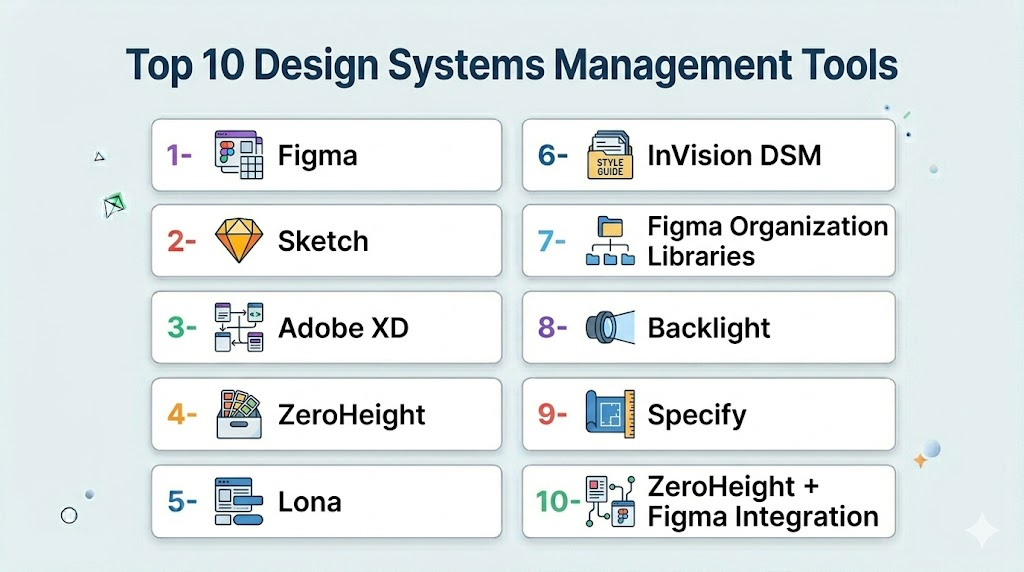
Top 10 Design Systems Management Tools
1- Figma
Short description (2–3 lines): Figma is a cloud-based design tool with a robust design systems management module, allowing teams to collaborate in real time and maintain a consistent UI library across products.
Key Features
- Shared component libraries and styles
- Real-time collaboration
- Version control and history tracking
- Plugin ecosystem for automation
- Cross-platform support
Pros
- Cloud-based with excellent collaboration
- Large community and plugin support
Cons
- Advanced enterprise features require subscription
- Offline access limited
Platforms / Deployment
- Web / macOS / Windows / Linux
- Cloud
Security & Compliance
- Not publicly stated
Integrations & Ecosystem
- Slack / Jira / GitHub
- Plugins for prototyping, accessibility, and analytics
Support & Community
Comprehensive documentation and active user community.
2- Sketch
Short description (2–3 lines): Sketch is a macOS-focused design tool with strong support for reusable components and shared libraries, popular for design system management among Apple ecosystem teams.
Key Features
- Symbols and shared libraries
- Version control with Sketch Cloud
- Plugins for automation and handoff
- Collaboration tools for team editing
- Cross-platform export
Pros
- Optimized for macOS
- Strong third-party plugin ecosystem
Cons
- Windows support limited
- Collaboration features weaker than cloud-native tools
Platforms / Deployment
- macOS / Web
- Cloud / Self-hosted
Security & Compliance
- Not publicly stated
Integrations & Ecosystem
- Jira / Zeplin / Slack
- Plugin ecosystem for prototyping and testing
Support & Community
Documentation and vibrant plugin community.
3- Adobe XD
Short description (2–3 lines): Adobe XD offers design and prototyping with shared libraries and cloud documents, enabling design teams to maintain consistent UI components and styles across projects.
Key Features
- Shared libraries and components
- Cloud documents and collaboration
- Versioning and co-editing
- Integration with Creative Cloud
- Cross-platform prototyping
Pros
- Deep integration with Adobe ecosystem
- Supports advanced prototyping
Cons
- Cloud collaboration may require Adobe subscription
- Plugin ecosystem smaller than Figma
Platforms / Deployment
- macOS / Windows / iOS / Android / Web
- Cloud
Security & Compliance
- Not publicly stated
Integrations & Ecosystem
- Jira / Slack / GitHub
- Adobe Creative Cloud apps
Support & Community
Adobe support and community forums.
4- ZeroHeight
Short description (2–3 lines): ZeroHeight helps teams create interactive design system documentation and style guides, bridging design and development for consistent component usage.
Key Features
- Interactive style guide creation
- Integration with Figma, Sketch, Adobe XD
- Versioning and audit history
- Collaborative editing
- Component usage analytics
Pros
- Enhances designer-developer handoff
- Easy to maintain documentation
Cons
- Limited design editing capabilities
- Enterprise features require subscription
Platforms / Deployment
- Web
- Cloud
Security & Compliance
- Not publicly stated
Integrations & Ecosystem
- Slack / Jira / GitHub
- Figma / Sketch / Adobe XD
Support & Community
Responsive support and active knowledge base.
5- Lona by Airbnb
Short description (2–3 lines): Lona is Airbnb’s internal design system platform that manages components, styles, and design tokens, suitable for large enterprises seeking centralized consistency.
Key Features
- Component library management
- Design token integration
- Version control and CI/CD pipelines
- Cross-platform consistency
- Developer-friendly JSON exports
Pros
- Enterprise-ready scalability
- Strong developer integration
Cons
- Internal tool; public support limited
- Requires technical expertise
Platforms / Deployment
- Web / macOS / Windows
- Cloud / Self-hosted
Security & Compliance
- Not publicly stated
Integrations & Ecosystem
- GitHub / CI/CD pipelines
- Design-to-code tooling
Support & Community
Limited public support; internal documentation.
6- InVision DSM
Short description (2–3 lines): InVision Design System Manager (DSM) centralizes components and assets for teams, providing shared libraries, versioning, and developer handoff tools.
Key Features
- Shared component libraries
- Version control and history
- Collaboration features
- Integration with Sketch and Adobe XD
- Developer handoff tools
Pros
- Centralizes design system management
- Supports collaboration across teams
Cons
- Pricing higher for enterprise plans
- Limited offline capabilities
Platforms / Deployment
- Web / macOS / Windows
- Cloud
Security & Compliance
- Not publicly stated
Integrations & Ecosystem
- Slack / Jira / GitHub
- Sketch / Adobe XD
Support & Community
Documentation, onboarding guides, and support.
7- Figma Organization Libraries
Short description (2–3 lines): Figma’s Organization Libraries extend component and style management across multiple teams and products, supporting enterprise-level design systems.
Key Features
- Centralized component libraries
- Version control and updates
- Cross-team collaboration
- Analytics on component usage
- Integration with design tools
Pros
- Enterprise-scale component management
- Real-time updates
Cons
- Requires enterprise Figma plan
- Limited offline access
Platforms / Deployment
- Web / macOS / Windows / Linux
- Cloud
Security & Compliance
- Not publicly stated
Integrations & Ecosystem
- Slack / Jira / GitHub
- Plugins and API extensions
Support & Community
Enterprise support; active user forums.
8- Backlight
Short description (2–3 lines): Backlight focuses on code-driven design systems, integrating components directly with development workflows for consistency and maintainability.
Key Features
- Code-based component libraries
- Version control and CI/CD integration
- Documentation generation
- Collaboration tools
- Design token management
Pros
- Developer-friendly and maintainable
- Strong version control
Cons
- Learning curve for designers
- Smaller user community
Platforms / Deployment
- Web / macOS / Windows / Linux
- Cloud
Security & Compliance
- Not publicly stated
Integrations & Ecosystem
- GitHub / GitLab / CI/CD pipelines
- Design-to-code integration
Support & Community
Support via documentation; smaller community.
9- Specify
Short description (2–3 lines): Specify is a design system platform focusing on components, tokens, and documentation, bridging the gap between design and development.
Key Features
- Component and token management
- Interactive documentation
- Versioning and audit trails
- Figma and Sketch integration
- Collaboration features
Pros
- Strong developer-designer collaboration
- Maintains design consistency
Cons
- Premium pricing
- Smaller plugin ecosystem
Platforms / Deployment
- Web
- Cloud
Security & Compliance
- Not publicly stated
Integrations & Ecosystem
- Figma / Sketch / GitHub
- Slack / Jira
Support & Community
Responsive support and documentation.
10- Zeroheight + Figma Integration
Short description (2–3 lines): Combines ZeroHeight’s documentation platform with Figma libraries, allowing teams to publish and maintain interactive design system guides.
Key Features
- Live documentation updates
- Component and style syncing
- Team collaboration
- Version control
- Analytics on component usage
Pros
- Enhances adoption of design systems
- Bridges design and development
Cons
- Requires Figma license
- Limited offline functionality
Platforms / Deployment
- Web
- Cloud
Security & Compliance
- Not publicly stated
Integrations & Ecosystem
- Figma / Slack / Jira
- APIs for extensions
Support & Community
Documentation and responsive support team.
Comparison Table (Top 10)
| Tool Name | Best For | Platform(s) Supported | Deployment | Standout Feature | Public Rating |
|---|---|---|---|---|---|
| Figma | Enterprise and SMB design teams | Web / macOS / Windows / Linux | Cloud | Real-time collaboration | N/A |
| Sketch | macOS design teams | macOS / Web | Cloud / Self-hosted | Symbols & shared libraries | N/A |
| Adobe XD | Cross-platform design teams | Web / macOS / Windows / iOS / Android | Cloud | Cloud documents & prototyping | N/A |
| ZeroHeight | Documentation & style guides | Web | Cloud | Interactive design documentation | N/A |
| Lona | Enterprise internal DS | Web / macOS / Windows | Cloud / Self-hosted | Developer-focused design token management | N/A |
| InVision DSM | Shared design systems | Web / macOS / Windows | Cloud | Centralized component library | N/A |
| Figma Org Libraries | Enterprise component sharing | Web / macOS / Windows / Linux | Cloud | Organization-wide library management | N/A |
| Backlight | Code-driven design systems | Web / macOS / Windows / Linux | Cloud | Component-to-code integration | N/A |
| Specify | Design system management | Web | Cloud | Component + token management | N/A |
| ZeroHeight + Figma | Documentation & library sync | Web | Cloud | Live syncing of design libraries | N/A |
Evaluation & Scoring of Design Systems Management Tools
| Tool Name | Core (25%) | Ease (15%) | Integrations (15%) | Security (10%) | Performance (10%) | Support (10%) | Value (15%) | Weighted Total (0–10) |
|---|---|---|---|---|---|---|---|---|
| Figma | 9 | 8 | 9 | 8 | 8 | 8 | 8 | 8.3 |
| Sketch | 8 | 8 | 7 | 7 | 7 | 7 | 7 | 7.4 |
| Adobe XD | 8 | 7 | 8 | 7 | 7 | 7 | 7 | 7.4 |
| ZeroHeight | 8 | 7 | 7 | 7 | 7 | 7 | 7 | 7.2 |
| Lona | 9 | 6 | 8 | 7 | 8 | 7 | 7 | 7.6 |
| InVision DSM | 8 | 7 | 7 | 7 | 7 | 7 | 7 | 7.2 |
| Figma Org Libraries | 9 | 7 | 8 | 7 | 8 | 7 | 7 | 7.7 |
| Backlight | 8 | 6 | 7 | 7 | 7 | 7 | 7 | 7.0 |
| Specify | 8 | 7 | 7 | 7 | 7 | 7 | 7 | 7.2 |
| ZeroHeight + Figma | 8 | 7 | 7 | 7 | 7 | 7 | 7 | 7.2 |
Which Design Systems Management Tool Is Right for You?
Solo / Freelancer
- Figma, Sketch, or Adobe XD provide affordable, easy-to-use platforms for individual designers.
SMB
- Figma, InVision DSM, or ZeroHeight offer collaboration, component libraries, and documentation capabilities.
Mid-Market
- Figma Org Libraries, Specify, or Backlight provide scalable system management and cross-team coordination.
Enterprise
- Figma, Lona, ZeroHeight + Figma, and Backlight offer enterprise-scale component libraries, governance, and analytics.
Budget vs Premium
- Budget: Sketch, Adobe XD, Figma free plan
- Premium: Figma Org, ZeroHeight, Lona, Backlight
Feature Depth vs Ease of Use
- Easier for small teams: Figma, Sketch
- Enterprise-grade: Lona, Backlight, ZeroHeight + Figma
Integrations & Scalability
- Choose tools with plugin, CI/CD, and API support for scalable design system management.
Security & Compliance Needs
- Enterprise teams should select tools supporting SSO, RBAC, and audit logs.
Frequently Asked Questions (FAQs)
- Do these tools integrate with development workflows?
Yes, tools like Figma, ZeroHeight, and Backlight integrate with GitHub, CI/CD pipelines, and project management tools. - Can design tokens be managed centrally?
Platforms like Lona, Specify, and Backlight allow centralized management of design tokens for consistent styles. - Are these tools cross-platform?
Figma, Adobe XD, and ZeroHeight support web, macOS, Windows, and in some cases mobile platforms. - Do they support version control?
Yes, Figma, Lona, and Figma Org Libraries provide versioning for components and updates. - Can multiple teams collaborate in real time?
Yes, Figma, InVision DSM, and ZeroHeight enable real-time collaboration across distributed teams. - Are accessibility checks included?
Some platforms integrate with accessibility auditing tools, but most rely on third-party plugins for full compliance checks. - Can prototypes be linked to components?
Yes, Figma, Adobe XD, and Backlight allow prototypes to utilize live components from libraries. - What is the typical pricing model?
Pricing ranges from free tiers (Sketch, Figma) to enterprise subscriptions (ZeroHeight, Lona, Backlight). - Do these tools provide analytics?
Yes, tools like Figma Org Libraries and ZeroHeight offer usage analytics and adoption metrics. - How to choose the right platform?
Evaluate team size, scale, integrations, design system complexity, and budget; pilot testing is recommended.
Conclusion
Design Systems Management Tools are essential for maintaining consistent and scalable UI across products and teams. Small teams can leverage Figma, Sketch, or Adobe XD for affordable and flexible design system management. Mid-market organizations benefit from Figma Org, Specify, or Backlight for cross-team collaboration and component governance. Enterprise teams should consider Lona, ZeroHeight + Figma, or Backlight for comprehensive versioning, analytics, and large-scale coordination. Teams should shortlist 2–3 platforms, test integration capabilities, and validate usability before adoption. The right tool ensures design consistency, faster development handoff, and improved product quality.

Find Trusted Cardiac Hospitals
Compare heart hospitals by city and services — all in one place.
Explore Hospitals
Great article. I am learning about design systems, and this content helped me understand how different tools can help teams manage components, maintain consistency, and improve collaboration.