Introduction
Geology Modeling Software refers to specialized digital tools that help geoscientists, mining engineers, exploration teams, and environmental consultants visualize, simulate, and analyze subsurface geological data. Instead of relying on paper charts or spreadsheets, geology modeling systems combine drillhole data, seismic data, borehole logs, geostatistics, and other spatial inputs to build detailed 3D models of rock bodies, mineral deposits, fault lines, and stratigraphic layers. These models help teams make better decisions about exploration prospects, resource estimation, mine planning, environmental risk, and infrastructure design. the demand for accurate geological insight has intensified. Commodity price volatility, sustainability requirements, remote operations, and the need for AI‑assisted interpretation are shaping how organizations adopt modeling solutions. Geology modeling is no longer purely academic; it directly influences commercial outcomes, safety, and regulatory compliance.
Real-world use cases include:
- Mineral exploration: Interpreting drillhole and geochemical data to identify promising ore zones.
- Resource estimation: Quantifying mineral resources and reserves for feasibility studies and reporting.
- Oil & gas subsurface interpretation: Building reservoir models to optimize well placement and production forecasts.
- Geotechnical analysis: Assessing rock stability for tunnels, slopes, tailings dams, and infrastructure.
- Environmental risk evaluation: Simulating groundwater flow and contaminant transport around project sites.
What buyers should evaluate (criteria):
- Accuracy of 3D modeling and rendering
- Ability to handle large datasets from drillholes and seismic surveys
- Geostatistical and simulation features
- Integration with GIS and CAD systems
- Support for resource estimation and reporting workflows
- Ease of use and learning curve
- AI/ML capabilities for pattern recognition
- Support for multidisciplinary workflows
- Cloud or on‑prem deployment options
- Mobile or field data capture support
Best for: Geologists, mining engineers, petroleum engineers, geothermal and environmental consultants, exploration teams, academic researchers, and enterprise organizations with complex subsurface modeling needs.
Not ideal for: Small projects where basic spatial tools or spreadsheets suffice, non‑technical stakeholders seeking simple maps or charts, and workflows that do not require 3D or statistical modeling.
Key Trends in Geology Modeling Software
- AI‑augmented interpretation: Machine learning models assist in recognizing geological patterns, interpolating missing data, and flagging anomalies.
- Cloud computing for large datasets: Cloud deployments enable processing heavy 3D geological models and seismic volumes without local hardware constraints.
- Integration with digital twin ecosystems: Geological models increasingly feed into broader digital twins that combine infrastructure, operations, and subsurface data.
- Expanded real‑time data ingestion: Field data from portable scanners, drones, and IoT sensors can be integrated into models faster.
- Advanced visualization technologies: VR, AR, and immersive 3D environments help stakeholders explore subsurface scenarios more intuitively.
- Standardization and interoperability: Open standards and APIs improve data exchange between GIS, CAD, and modeling platforms.
- Focus on ESG and environmental simulation: Tools now include modules to model groundwater, contaminant plumes, and reclamation scenarios.
- Mobile capture and annotation: Field geologists can upload observations that sync directly to central models.
- Collaborative workflows: Version control and multi‑user editing support distributed teams.
- Flexible pricing and modular licensing: Subscription, cloud credits, and modular add‑on pricing lower entry barriers for smaller teams.
How We Selected These Tools (Methodology)
- Prioritized market adoption and mindshare among exploration, mining, and subsurface engineering organizations.
- Evaluated feature completeness in core modeling, simulation, and interpretation workflows.
- Reviewed performance and reliability for handling large subsurface datasets.
- Considered security posture signals around access control, data encryption, and governance.
- Analyzed integration ecosystem with GIS, CAD, ERP, and enterprise data stores.
- Assessed AI/ML capabilities in trend detection and interpolation.
- Reviewed cross‑segment fit for mining, oil & gas, environmental, and engineering sectors.
- Checked mobile and field data support for data capture workflows.
- Evaluated support structures including documentation and training availability.
- Balanced cloud, hybrid, and on‑prem deployment support for diverse IT landscapes.
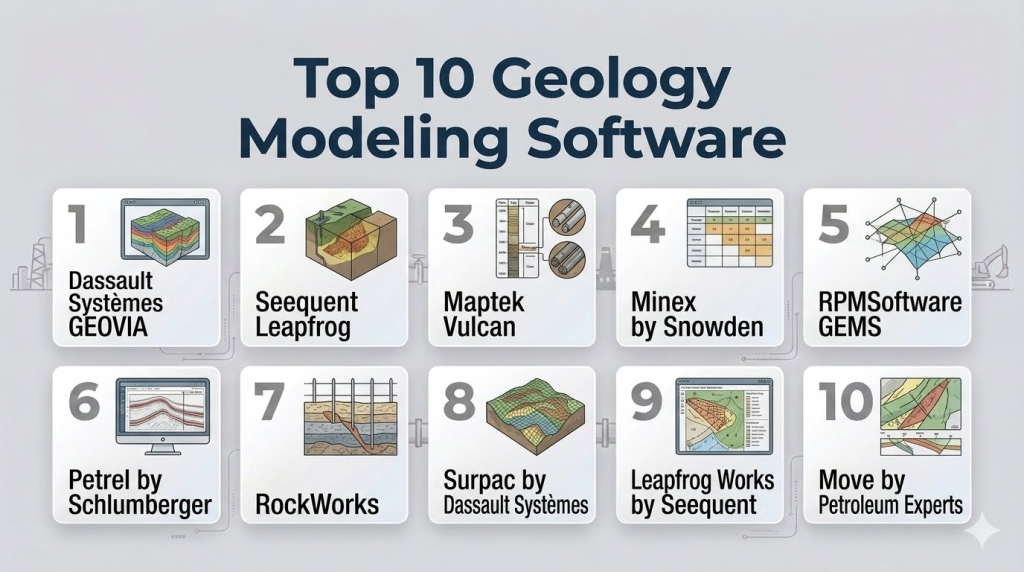
Top 10 Geology Modeling Software Tools
1 — Dassault Systèmes GEOVIA
Short description : GEOVIA from Dassault Systèmes is a comprehensive suite for geological modeling, mine planning, and resource estimation. It supports highly complex subsurface interpretations and simulations across minerals and geotechnical applications.
Key Features
- 3D geological modeling and visualization
- Geostatistical estimation and simulation
- Drillhole data management
- Block modeling and resource estimation
- Scenario analysis and optimization
- Integration with CAD and GIS systems
Pros
- Strong modeling depth for resource and geotechnical studies
- Flexible scenario evaluation workflows
Cons
- Complex for beginners; steep learning curve
- Advanced modules can be expensive
Platforms / Deployment
- Windows / Web
- Cloud / Hybrid
Security & Compliance
- Not publicly stated
Integrations & Ecosystem
GEOVIA integrates with CAD, GIS, ERP systems, and field data capture tools:
- Enterprise GIS systems
- CAD and design platforms
- ERP and planning data sources
Support & Community
Extensive documentation, training programs, and a global user community support adoption.
2 — Seequent Leapfrog
Short description : Leapfrog is a leading 3D geological modeling platform focused on rapid interpretation and robust visualizations, widely used in mineral exploration and geotechnical projects.
Key Features
- Intuitive 3D modeling and interpretation
- Drillhole and surface data integration
- Implicit modeling workflows
- Geological uncertainty visualization
- Scenario testing tools
- Seamless workflow from exploration to reporting
Pros
- User‑friendly interface with fast modeling capabilities
- Strong visualization and interpretation tools
Cons
- High‑end features require dedicated hardware
- Licensing costs can be a barrier for small teams
Platforms / Deployment
- Windows / Hybrid
Security & Compliance
- Not publicly stated
Integrations & Ecosystem
Leapfrog integrates with common geoscience and enterprise systems:
- GIS platforms
- Seismic and survey data formats
- Reporting and visualization systems
Support & Community
Good documentation, regular training workshops, and a vibrant user forum.
3 — Maptek Vulcan
Short description : Vulcan is a comprehensive geological modeling and mine design platform with strong 3D modeling, visualization, and resource estimation features tailored to mining and exploration.
Key Features
- Block modeling and resource estimation
- 3D visualization with geological constraints
- Surface and subsurface analysis tools
- Seamless data conversion and integration
- Support for mine planning workflows
Pros
- Mature toolset with broad industry adoption
- Strong integration with mining planning and design
Cons
- Complexity can be prohibitive for casual users
- Specialized workflows require training
Platforms / Deployment
- Windows / Web
- Cloud / Hybrid
Security & Compliance
- Not publicly stated
Integrations & Ecosystem
Vulcan supports integration with survey, CAD, GIS, and planning platforms:
- Survey and drillhole data formats
- CAD interoperability
- GIS connectors
Support & Community
Training courses and user conferences enable knowledge sharing.
4 — Minex by Snowden
Short description : Minex is a geological and geostatistical modeling solution optimized for block modeling, resource estimation, and mine planning workflows from exploration data.
Key Features
- Block and grade‑control modeling
- Geostatistics and simulation
- Drillhole data management
- Reporting and visualization
- Scenario analysis and pit optimization
Pros
- Well‑structured geostatistical tools
- Efficient block modeling engines
Cons
- Less intuitive UI compared to newer tools
- Limited cloud deployment options
Platforms / Deployment
- Windows
- Hybrid
Security & Compliance
- Not publicly stated
Integrations & Ecosystem
Interoperates with data management, CAD, and mine planning systems:
- GIS and survey data
- ERP data sources
- Mine design tools
Support & Community
Vendor support and documentation available; smaller independent user community.
#5 — RPMSoftware (GEMS)
Short description (2–3 lines): GEMS by RPMSoftware is a geological modeling and geostatistical analysis framework supporting exploration, resource estimation, and mine planning workflows.
Key Features
- Geostatistical workflows
- 3D solid modeling
- Drillhole and surface data integration
- Resource estimation tools
- Reporting and visualization
Pros
- Strong statistical and modeling capabilities
- Flexible workflow support
Cons
- Requires significant setup and configuration
- UI can feel dated
Platforms / Deployment
- Windows / Web
- Hybrid
Security & Compliance
- Not publicly stated
Integrations & Ecosystem
Connects with GIS, mine planning, and reporting tools:
- GIS systems
- Mine design CAD
- Enterprise reporting platforms
Support & Community
Vendor support and professional services; moderate user community.
6 — Petrel by Schlumberger
Short description : Petrel is a subsurface interpretation and geological modeling platform widely used in oil & gas reservoir characterization and exploration workflows.
Key Features
- Integrated seismic interpretation
- 3D geological and reservoir modeling
- Well correlation and stratigraphy tools
- Geostatistical simulation
- Production forecasting integration
Pros
- Deep integration with reservoir workflows
- Strong seismic interpretation capabilities
Cons
- Primarily for oil & gas; may be overkill for mining
- High total cost of ownership
Platforms / Deployment
- Windows / Web
- Hybrid
Security & Compliance
- Not publicly stated
Integrations & Ecosystem
Petrel connects with seismic data ecosystems, production databases, and engineering platforms:
- Seismic interpreters
- Reservoir simulators
- Production data sources
Support & Community
Large user base, extensive training paths, and consulting networks.
7 — RockWorks
Short description : RockWorks is a flexible geological modeling and data visualization suite designed for a wide range of industries including mining, environmental, and groundwater studies.
Key Features
- Borehole and stratigraphic modeling
- 3D solid models and fence diagrams
- Geological cross sections
- Volume calculations
- Geotechnical analytics
Pros
- Broad applicability across industries
- Practical tools for data visualization
Cons
- UI can feel outdated
- Limited advanced geostatistics
Platforms / Deployment
- Windows / Hybrid
Security & Compliance
- Not publicly stated
Integrations & Ecosystem
Integrates with common data formats, GIS, and reporting platforms:
- GIS systems
- Survey data
- Environmental data
Support & Community
Standard vendor support; active forums and documentation.
8 — Surpac by Dassault Systèmes
Short description : Surpac is a geological modeling and mine planning solution that supports routine modeling tasks, reserve estimation, and integration with planning workflows.
Key Features
- 3D geological modeling
- Block modeling and resource estimation
- Seamless integration with planning and design modules
- Drillhole data analytics
- Simple visualization tools
Pros
- Well‑integrated with wider planning ecosystems
- Practical for routine workflows
Cons
- Not as advanced as some specialized modeling tools
- 3D visualization is basic compared to peers
Platforms / Deployment
- Windows / Web
- Cloud / Hybrid
Security & Compliance
- Not publicly stated
Integrations & Ecosystem
Works within Dassault ecosystems and accommodates standard data imports:
- Planning and design modules
- GIS
- Survey data
Support & Community
Documentation and training; large installed base provides shared knowledge.
9 — Leapfrog Works by Seequent
Short description : Leapfrog Works extends core modeling with multidisciplinary tools for geotechnical, environmental, and hydrogeological applications.
Key Features
- Geological and hydrogeological modeling
- Implicit 3D modeling
- Risk and uncertainty visualization
- Field data capture support
- Scenario analysis
Pros
- Supports environmental and hydro workflows
- Intuitive interpretation tools
Cons
- Niche use cases may duplicate existing tools
- Licensing costs vary by module
Platforms / Deployment
- Windows / Hybrid
Security & Compliance
- Not publicly stated
Integrations & Ecosystem
Integrates with GIS, environmental databases, and field capture tools:
- GIS connectors
- Environmental data stores
- Field capture systems
Support & Community
Training and community forums; good documentation.
10 — Move by Petroleum Experts
Short description : Move is an integrated structural geology and geomechanics modeling platform that supports detailed subsurface deformation and fault analysis.
Key Features
- Structural modeling and restoration
- Fault and fracture analysis
- Stress and strain simulation
- Integrated 3D visualization
- Geomechanical workflows
Pros
- Excellent for structural and fracture analysis
- Integrated simulation tools
Cons
- Specialized focus; not a full resource tool
- Requires learning for complex workflows
Platforms / Deployment
- Windows / Hybrid
Security & Compliance
- Not publicly stated
Integrations & Ecosystem
Works with CAD, reservoir, and geological formats:
- CAD systems
- Reservoir simulators
- Data import/export
Support & Community
Vendor support and technical documentation; niche community of specialists.
Comparison Table (Top 10)
| Tool Name | Best For | Platform(s) Supported | Deployment | Standout Feature | Public Rating |
|---|---|---|---|---|---|
| GEOVIA | Enterprise resource modeling | Windows/Web | Cloud/Hybrid | Advanced 3D modeling | N/A |
| Seequent Leapfrog | Rapid 3D interpretation | Windows/Hybrid | Hybrid | Intuitive modeling | N/A |
| Maptek Vulcan | Mining and resource models | Windows/Web | Cloud/Hybrid | Block modeling | N/A |
| Minex | Block modeling & geostatistics | Windows | Hybrid | Geostat tools | N/A |
| GEMS (RPMSoftware) | Statistical modeling | Windows/Web | Hybrid | Geostat analysis | N/A |
| Petrel | Oil & gas subsurface | Windows/Web | Hybrid | Seismic integration | N/A |
| RockWorks | Broad geological use | Windows | Hybrid | Borehole visualization | N/A |
| Surpac | Geology plus planning | Windows/Web | Cloud/Hybrid | Routine workflows | N/A |
| Leapfrog Works | Hydro & geo multidisciplinary | Windows | Hybrid | Environmental modeling | N/A |
| Move | Structural and geomechanics | Windows | Hybrid | Fault & fracture analysis | N/A |
Evaluation & Scoring of Geology Modeling Software
| Tool Name | Core (25%) | Ease (15%) | Integrations (15%) | Security (10%) | Performance (10%) | Support (10%) | Value (15%) | Weighted Total |
|---|---|---|---|---|---|---|---|---|
| GEOVIA | 9 | 7 | 8 | 8 | 9 | 8 | 7 | 8.2 |
| Seequent Leapfrog | 8 | 9 | 7 | 8 | 8 | 8 | 7 | 8.1 |
| Maptek Vulcan | 8 | 7 | 8 | 8 | 8 | 8 | 7 | 7.9 |
| Minex | 7 | 6 | 7 | 8 | 7 | 7 | 7 | 7.1 |
| GEMS | 7 | 6 | 7 | 8 | 7 | 7 | 7 | 7.1 |
| Petrel | 9 | 6 | 9 | 8 | 9 | 8 | 6 | 8.0 |
| RockWorks | 6 | 7 | 7 | 8 | 7 | 7 | 8 | 7.3 |
| Surpac | 7 | 7 | 7 | 8 | 7 | 7 | 7 | 7.4 |
| Leapfrog Works | 8 | 8 | 7 | 8 | 8 | 8 | 7 | 7.9 |
| Move | 8 | 6 | 7 | 8 | 8 | 7 | 7 | 7.7 |
Which Geology Modeling Tool Is Right for You?
Solo / Freelancer
- RockWorks or Minex are approachable entry points for standalone projects where full enterprise suites are overkill.
SMB
- Seequent Leapfrog and Maptek Vulcan offer a balance of power and usability without overly complex setup.
Mid‑Market
- GEOVIA and Leapfrog Works support deeper analysis across exploration and environmental workflows.
Enterprise
- Petrel, GEOVIA, and Maptek Vulcan provide comprehensive modeling at scale, including integration into larger planning and operational ecosystems.
Budget vs Premium
- Budget‑friendly: RockWorks, Minex
- Premium: GEOVIA, Petrel
Feature Depth vs Ease of Use
- Depth‑focused: GEOVIA, Petrel
- Ease‑focused: Seequent Leapfrog
Integrations & Scalability
- Highly integrative: GEOVIA, Petrel
- Field data and GIS workflows: Leapfrog Works, Surpac
Security & Compliance Needs
- Enterprise deployments often sit behind corporate security practices; when strong governance is required, consider platforms that tie into centralized identity and data policies.
Frequently Asked Questions (FAQs)
1- What pricing models are typical for geology modeling software?
Most vendors offer subscription, perpetual licensing with maintenance, or modular pricing where core modeling is priced separately from add‑ons like simulation or geostatistics.
2- How long does implementation take?
Implementation times vary widely depending on dataset size, team experience, and the complexity of workflows. Expect anything from a few weeks for smaller setups to multiple months for comprehensive enterprise deployments.
3- Do these tools support collaborative workflows?
Yes. Many platforms now support multi‑user project sharing, version control, and cloud‑backed databases for distributed teams.
4- Can I import data from GIS or survey systems?
Import support is a critical feature; leading tools accept GIS formats, survey data, borehole logs, seismic formats, and third‑party data exports.
5- Are there mobile or field data options?
Some tools include or integrate with field capture systems that allow geologists to record observations, logs, and photos that sync back into the modeling environment.
6- Is AI used in geology modeling?
AI and machine learning are becoming more common, particularly in pattern recognition, interpolation of sparse data, and uncertainty estimation.
7- What are common mistakes when selecting a geology modeling tool?
Mistakes include choosing based on price alone, ignoring integration needs, underestimating training requirements, and overlooking data governance and version control.
8- How do geology modeling tools handle uncertainty?
Many tools offer visualizations of uncertainty — such as probability envelopes or multiple realizations — to help teams understand model risk.
9- Can I extend these tools with custom scripts?
Yes. Leading platforms provide scripting or API support, enabling automation, custom workflows, and integration with analytics pipelines.
10- What alternatives exist for basic geological tasks?
For simple mapping or 2D cross‑sections, general GIS tools or spreadsheet‑based workflows may suffice, but they lack 3D modeling and statistical rigor required for professional analysis.
Conclusion
Geology Modeling Software is central to data‑driven exploration, resource estimation, environmental assessment, and subsurface engineering. As data volumes grow and teams demand faster, more accurate interpretations, the right modeling platform accelerates insight and reduces uncertainty. From robust enterprise suites like GEOVIA and Petrel to intuitive but powerful tools like Seequent Leapfrog, there is no universal best the right choice depends on your workflows, data complexity, and user expertise. A practical next step is to shortlist 2–3 tools based on your core needs, pilot them with real data, and validate that they integrate smoothly with your GIS, survey, and reporting ecosystems.

Find Trusted Cardiac Hospitals
Compare heart hospitals by city and services — all in one place.
Explore Hospitals
Geology modeling software delivers the greatest value when it integrates geological, geophysical, and drilling data into a unified subsurface model. This comprehensive approach helps geoscientists improve resource estimation, reduce exploration uncertainty, and make better-informed decisions throughout the lifecycle of mining and energy projects.