Introduction
Chemical Process Simulation Software enables engineers and chemists to model, simulate, and optimize chemical processes digitally before actual implementation. These tools allow teams to test reactions, process flows, heat and mass transfer, energy balances, and equipment performance without the risks, costs, or delays of physical experiments. the demand for these platforms is growing as chemical industries prioritize efficiency, sustainability, regulatory compliance, and integration with digital twins and AI-driven process optimization.
Real-world use cases include:
- Designing and testing new chemical production lines virtually.
- Simulating energy efficiency and waste reduction in manufacturing plants.
- Process optimization for pharmaceutical, petrochemical, and specialty chemical industries.
- Evaluating alternative reaction pathways and chemical feedstocks.
- Training engineers and operators in a safe virtual environment.
What buyers should evaluate:
- Accuracy of thermodynamic and kinetic modeling
- Ease of use and learning curve
- Integration with other engineering and ERP tools
- Compliance with industry standards (ISO, OSHA, etc.)
- Performance and computational efficiency
- Scalability for multi-unit operations
- Support and community strength
- Licensing and pricing flexibility
- Deployment options (cloud, desktop, hybrid)
- Availability of AI-driven optimization features
Best for: Chemical engineers, process designers, R&D teams, and manufacturing companies of all sizes aiming to optimize chemical processes, reduce costs, and improve safety.
Not ideal for: Small-scale labs with minimal computational needs or teams looking for basic spreadsheet calculations; simpler tools or standalone calculators may suffice.
Key Trends in Chemical Process Simulation Software
- Increasing adoption of AI-driven process optimization and predictive modeling.
- Integration with digital twins for real-time plant monitoring and control.
- Cloud-based simulation platforms enabling collaborative engineering.
- Enhanced thermodynamic and kinetic models for complex chemistries.
- Emphasis on sustainability, including waste reduction and energy efficiency simulations.
- Interoperability with PLM, ERP, and MES systems for seamless data flow.
- More user-friendly interfaces with drag-and-drop workflows and visual modeling.
- Subscription-based and flexible licensing models replacing traditional perpetual licenses.
- Support for multiphysics simulations, including CFD, heat, and mass transfer.
- Expanded training and knowledge-sharing platforms, including virtual labs.
How We Selected These Tools (Methodology)
- Evaluated market adoption and industry mindshare across chemical, pharma, and energy sectors.
- Assessed feature completeness, including modeling accuracy, multiphysics support, and optimization capabilities.
- Reviewed reliability and performance signals, such as simulation speed, stability, and scalability.
- Checked security posture, including encryption, role-based access, and compliance certifications.
- Considered integrations and ecosystem, including ERP, MES, and CAD interfaces.
- Evaluated customer fit across small, mid-market, and enterprise organizations.
- Reviewed support quality and community engagement, including documentation and forums.
- Ensured inclusion of tools with AI or advanced analytics where relevant.
- Compared pricing flexibility and deployment options (cloud vs desktop).
- Prioritized tools with real-world adoption in diverse chemical industries.
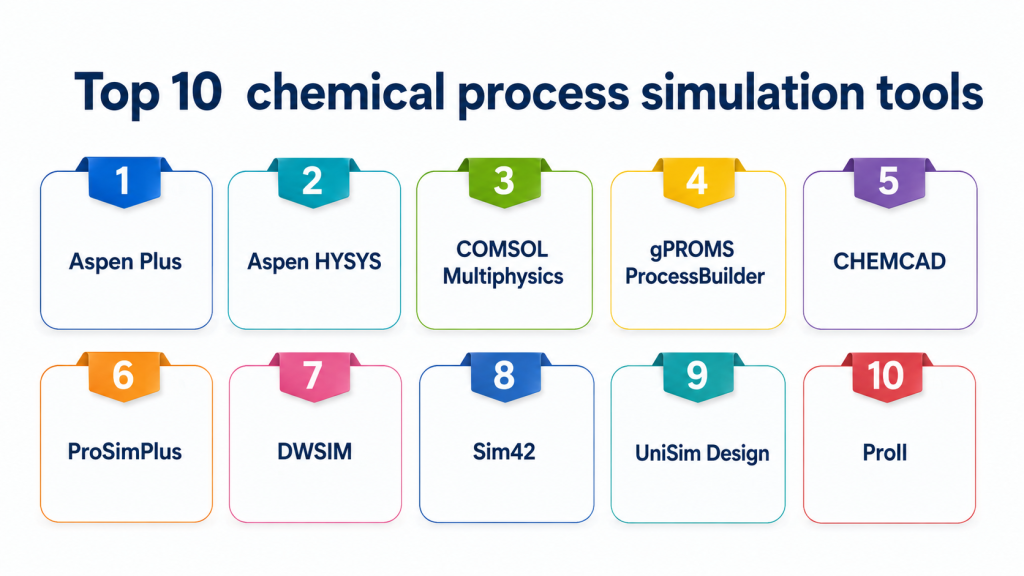
Top 10 Chemical Process Simulation Tools
1- Aspen Plus
Short description: Aspen Plus is a leading process simulation tool for chemical, petrochemical, and pharmaceutical processes, used for steady-state modeling, thermodynamic calculations, and process optimization.
Key Features
- Comprehensive thermodynamic models and property databases
- Steady-state simulation and optimization of chemical processes
- Reactor, distillation, and heat exchanger modeling
- Energy and material balance calculations
- Integration with Aspen HYSYS and Aspen Dynamics
- Advanced process optimization and sensitivity analysis
- Supports AI-driven process recommendations
Pros
- Highly accurate modeling capabilities
- Strong industry adoption and validation
Cons
- Steep learning curve for new users
- High licensing costs
Platforms / Deployment
- Windows / Cloud / Hybrid
Security & Compliance
- Not publicly stated
Integrations & Ecosystem
- Integrates with Aspen HYSYS, MATLAB, Excel, ERP systems
- API support for custom workflows
- Supports digital twin integration
Support & Community
- Extensive documentation, professional training, and active user community
2- COMSOL Multiphysics
Short description: COMSOL Multiphysics is a versatile simulation environment for chemical, thermal, and mechanical processes, enabling multiphysics modeling and coupled simulations.
Key Features
- Multiphysics coupling (chemical reactions, heat transfer, fluid flow)
- Custom PDE modeling for process optimization
- Extensive material and reaction databases
- 3D and 2D modeling with meshing capabilities
- Parametric sweeps and optimization
- Cloud-based simulation options
Pros
- Supports complex coupled simulations
- Flexible for research and advanced process modeling
Cons
- Requires computational expertise
- May be overkill for simple chemical processes
Platforms / Deployment
- Windows / macOS / Linux / Cloud
Security & Compliance
- Not publicly stated
Integrations & Ecosystem
- APIs for MATLAB, CAD imports, and Excel integration
- Simulation results export to visualization tools
Support & Community
- Varies / Not publicly stated
3- Aspen HYSYS
Short description: Aspen HYSYS is widely used for dynamic and steady-state simulations in oil, gas, and chemical industries, focusing on process flow, energy, and safety analysis.
Key Features
- Steady-state and dynamic process modeling
- Detailed thermodynamic property calculations
- Process optimization and energy efficiency analysis
- Advanced control and safety simulations
- Scenario analysis and what-if modeling
Pros
- Highly accurate process flow simulations
- Strong adoption in oil and gas sectors
Cons
- Limited to chemical and energy industries
- Learning curve can be challenging
Platforms / Deployment
- Windows / Hybrid
Security & Compliance
- Not publicly stated
Integrations & Ecosystem
- Integration with Aspen Plus, MATLAB, and plant control systems
- Supports process data historians
Support & Community
- Extensive documentation, training, and user forums
4- gPROMS ProcessBuilder
Short description: gPROMS provides equation-based process modeling for chemical engineering, focusing on optimization, plant design, and advanced process control.
Key Features
- Equation-based modeling with reaction kinetics
- Advanced process optimization tools
- Integration with MATLAB and Python
- Dynamic simulation capabilities
- Energy, material, and environmental impact analysis
Pros
- Suitable for complex chemical systems
- Flexible equation-based modeling
Cons
- Requires modeling expertise
- Interface less intuitive for beginners
Platforms / Deployment
- Windows / Linux / Cloud
Security & Compliance
- Not publicly stated
Integrations & Ecosystem
- MATLAB, Python, process control systems
- Customizable API for advanced workflows
Support & Community
- Professional support and documentation, moderate community presence
5- CHEMCAD
Short description: CHEMCAD offers a user-friendly chemical process simulator suitable for engineers and researchers focusing on process design and thermodynamic analysis.
Key Features
- Modular simulation components for reactors, separators, and heat exchangers
- Thermodynamic property estimation
- Process optimization and scenario analysis
- Customizable flowsheet editor
- Reporting and visualization tools
Pros
- Intuitive interface
- Flexible for small to mid-size chemical plants
Cons
- Less powerful than Aspen in large-scale simulations
- Limited advanced AI features
Platforms / Deployment
- Windows / Hybrid
Security & Compliance
- Not publicly stated
Integrations & Ecosystem
- Excel, ERP systems, and lab data integration
- Supports external scripting via Python
Support & Community
- Documentation and professional training available
6- ProSimPlus
Short description: ProSimPlus focuses on process simulation and optimization, offering robust thermodynamic calculations and heat/mass transfer modeling.
Key Features
- Steady-state and dynamic process simulation
- Energy balance and efficiency calculations
- Reactor and separation unit modeling
- Thermodynamic property databases
- Scenario and sensitivity analysis
Pros
- Good accuracy for diverse chemical processes
- Cost-effective for SMBs
Cons
- Limited global adoption
- Smaller user community
Platforms / Deployment
- Windows / Cloud
Security & Compliance
- Not publicly stated
Integrations & Ecosystem
- CAD and ERP system integrations
- Python scripting support
Support & Community
- Moderate documentation and support
7- DWSIM
Short description: DWSIM is an open-source chemical process simulator providing thermodynamic calculations, flowsheet modeling, and optimization for educational and industrial use.
Key Features
- Open-source and free to use
- Thermodynamic property estimation and reactor modeling
- Steady-state and dynamic simulations
- Visual flowsheet editor
- Multilingual support
Pros
- No licensing costs
- Active community contributions
Cons
- Limited enterprise-level support
- Some advanced features may be missing
Platforms / Deployment
- Windows / macOS / Linux
Security & Compliance
- Not publicly stated
Integrations & Ecosystem
- Supports Excel and Python scripting
- Community-driven plugin support
Support & Community
- Active forums and community tutorials
8- Sim42
Short description: Sim42 focuses on chemical reaction simulations and process optimization, enabling rapid testing of reaction pathways and process conditions.
Key Features
- Chemical kinetics and thermodynamics modeling
- Energy and material balance calculations
- Scenario and sensitivity analysis
- Optimization tools
- Lightweight and fast simulations
Pros
- Rapid prototyping of processes
- User-friendly interface
Cons
- Limited multiphysics capabilities
- Smaller integration ecosystem
Platforms / Deployment
- Windows / Cloud
Security & Compliance
- Not publicly stated
Integrations & Ecosystem
- Excel and Python support
- API access for custom workflows
Support & Community
- Varies / Not publicly stated
9- UniSim Design
Short description: UniSim Design provides chemical process simulation with emphasis on petrochemical, refining, and energy sector applications.
Key Features
- Process flowsheet modeling and optimization
- Detailed thermodynamic models
- Safety and hazard analysis
- Energy and mass balance calculations
- Scenario management
Pros
- Strong industry adoption in refining and petrochemicals
- Comprehensive simulation capabilities
Cons
- Steep licensing costs
- Less suitable for small-scale chemical labs
Platforms / Deployment
- Windows / Hybrid
Security & Compliance
- Not publicly stated
Integrations & Ecosystem
- Integration with process control and ERP systems
- Supports custom scripting
Support & Community
- Extensive support, documentation, and training
10- ProII
Short description: ProII is a chemical process simulator that offers process design, optimization, and steady-state simulation for petrochemical and specialty chemical industries.
Key Features
- Steady-state flowsheet modeling
- Thermodynamic and physical property databases
- Energy and mass balance calculations
- Scenario analysis and optimization
- Reporting and visualization tools
Pros
- Industry-proven accuracy
- Scalable for large chemical plants
Cons
- Limited dynamic simulation features
- Higher learning curve
Platforms / Deployment
- Windows / Hybrid
Security & Compliance
- Not publicly stated
Integrations & Ecosystem
- ERP, CAD, and process control integrations
- API for scripting and automation
Support & Community
- Documentation, training, and professional support
Comparison Table (Top 10)
| Tool Name | Best For | Platform(s) Supported | Deployment | Standout Feature | Public Rating |
|---|---|---|---|---|---|
| Aspen Plus | Large chemical plants | Windows / Cloud / Hybrid | Hybrid | Thermodynamic accuracy | N/A |
| COMSOL | Research / multiphysics | Windows / macOS / Linux / Cloud | Cloud | Multiphysics simulations | N/A |
| Aspen HYSYS | Oil & gas, dynamic simulation | Windows | Hybrid | Process flow & energy optimization | N/A |
| gPROMS | Advanced modeling / optimization | Windows / Linux / Cloud | Cloud | Equation-based modeling | N/A |
| CHEMCAD | SMBs, educational use | Windows / Hybrid | Hybrid | User-friendly interface | N/A |
| ProSimPlus | Mid-size chemical plants | Windows / Cloud | Cloud | Thermodynamic and heat/mass modeling | N/A |
| DWSIM | Open-source, academic use | Windows / macOS / Linux | Cloud/Desktop | Free and community-driven | N/A |
| Sim42 | Rapid reaction pathway testing | Windows / Cloud | Cloud | Fast simulations | N/A |
| UniSim Design | Petrochemical & refining | Windows / Hybrid | Hybrid | Safety and hazard analysis | N/A |
| ProII | Petrochemical & specialty chemicals | Windows / Hybrid | Hybrid | Comprehensive steady-state modeling | N/A |
Evaluation & Scoring of Chemical Process Simulation Software
| Tool Name | Core (25%) | Ease (15%) | Integrations (15%) | Security (10%) | Performance (10%) | Support (10%) | Value (15%) | Weighted Total (0–10) |
|---|---|---|---|---|---|---|---|---|
| Aspen Plus | 10 | 7 | 8 | 7 | 9 | 8 | 6 | 8.1 |
| COMSOL | 9 | 6 | 7 | 6 | 8 | 7 | 7 | 7.4 |
| Aspen HYSYS | 9 | 7 | 8 | 7 | 8 | 7 | 6 | 7.7 |
| gPROMS | 8 | 6 | 7 | 6 | 8 | 6 | 7 | 7.1 |
| CHEMCAD | 7 | 8 | 6 | 6 | 7 | 7 | 8 | 7.3 |
| ProSimPlus | 7 | 7 | 6 | 6 | 7 | 6 | 8 | 7.0 |
| DWSIM | 6 | 7 | 5 | 5 | 6 | 6 | 10 | 6.7 |
| Sim42 | 6 | 8 | 5 | 5 | 6 | 6 | 8 | 6.9 |
| UniSim Design | 9 | 6 | 7 | 6 | 8 | 7 | 6 | 7.5 |
| ProII | 9 | 6 | 7 | 6 | 8 | 7 | 6 | 7.5 |
Which Chemical Process Simulation Tool Is Right for You?
Solo / Freelancer
- DWSIM or CHEMCAD for cost-effective and lightweight simulations.
- Suitable for educational projects, consulting, or research with minimal licensing costs.
SMB
- CHEMCAD or ProSimPlus offer balance between features, ease of use, and value.
- Ideal for small chemical plants needing solid process simulation without enterprise costs.
Mid-Market
- Aspen Plus, gPROMS, or Sim42 for scalable simulations and optimization.
- Supports multiple process units and intermediate-level digital integration.
Enterprise
- Aspen HYSYS, UniSim Design, and ProII for large-scale, multi-unit process plants.
- Offers robust integration, dynamic simulation, and regulatory compliance features.
Budget vs Premium
- Open-source DWSIM or Sim42 for budget-conscious users.
- Aspen Plus or UniSim Design for premium, enterprise-grade simulation accuracy and support.
Feature Depth vs Ease of Use
- COMSOL and gPROMS for advanced feature depth; steeper learning curve.
- CHEMCAD and ProSimPlus for easier onboarding and moderate complexity.
Integrations & Scalability
- Enterprise tools (Aspen, UniSim, ProII) provide seamless ERP, MES, and digital twin integration.
- SMB-focused tools may require additional custom connectors for large-scale automation.
Security & Compliance Needs
- Enterprise tools often meet stricter regulatory and audit requirements.
- Open-source or SMB tools may need supplemental internal security measures.
Frequently Asked Questions (FAQs)
1- What is the typical pricing model for chemical process simulation software?
Pricing varies widely: some tools use perpetual licenses, others subscription or SaaS-based models. Open-source options like DWSIM are free.
2- How long does it take to learn a tool like Aspen Plus or COMSOL?
Expect 2–4 weeks for basic competency, and several months for advanced modeling. Training programs and tutorials accelerate learning.
3- Can these tools handle dynamic simulations?
Yes, Aspen HYSYS, gPROMS, and some COMSOL modules support dynamic simulations and transient process modeling.
4- How secure are cloud-based simulation platforms?
Security depends on the vendor; enterprise tools often include encryption, RBAC, and audit logs, while open-source tools rely on internal IT measures.
5- Can I integrate simulation results with ERP or MES systems?
Most enterprise-grade tools support ERP/MES integration, APIs, and data export for process optimization and reporting.
6- What are common mistakes in using process simulation software?
Common issues include inaccurate property selection, insufficient process validation, ignoring unit constraints, and over-reliance on default parameters.
7- Are there AI-driven features in these platforms?
Yes, modern platforms offer AI-assisted optimization, predictive modeling, and scenario analysis to improve efficiency and reduce trial-and-error.
8- Can small labs benefit from these tools?
Yes, but open-source or lightweight tools like DWSIM are more cost-effective for small-scale operations.
9- How often do simulation databases and models get updated?
Enterprise tools regularly update thermodynamic and kinetic databases; open-source tools rely on community contributions.
10- What alternatives exist for simple calculations?
For straightforward calculations, spreadsheets, calculators, or cloud-based calculators may suffice without full simulation suites.
Conclusion
Chemical process simulation software is essential for designing, optimizing, and validating chemical processes safely and efficiently. Enterprise tools like Aspen Plus and UniSim Design offer high accuracy, advanced features, and strong integration capabilities for large-scale operations. SMBs and mid-market companies may benefit more from CHEMCAD, ProSimPlus, or Sim42, balancing ease of use with functionality. Open-source options like DWSIM provide cost-effective solutions for research, training, or small-scale labs. Buyers should evaluate accuracy, integrations, AI capabilities, deployment models, and total cost before selecting a tool. Piloting 1–2 tools with real workflows helps validate fit, performance, and usability. Ultimately, the best choice aligns with your processes, team expertise, and long-term operational goals.

Find Trusted Cardiac Hospitals
Compare heart hospitals by city and services — all in one place.
Explore Hospitals
Chemical process simulation software provides the greatest value when it enables engineers to evaluate process changes before implementation. Accurate modeling of reactions, energy use, and operating conditions can help optimize plant performance, reduce development costs, and improve both safety and production efficiency.