Introduction
Mac management tools are software platforms that help IT teams efficiently deploy, monitor, secure, and manage Apple macOS devices across organizations. With the rise of hybrid and remote work, Macs have become increasingly common in enterprises, startups, and educational institutions, creating a need for centralized management. These tools simplify device provisioning, policy enforcement, software updates, security compliance, and inventory tracking, reducing administrative overhead while improving user productivity.
Real-world use cases include:
- Enterprise IT operations: Managing hundreds or thousands of Macs with consistent configurations and automated patching.
- Education institutions: Deploying Macs in labs or classrooms while controlling software access and updates.
- SMBs and startups: Simplifying onboarding of employees and ensuring devices comply with security policies.
- Healthcare: Maintaining HIPAA-compliant devices for medical staff using Macs.
- Software development teams: Ensuring standardized development environments and remote management.
When evaluating Mac management tools, buyers should consider:
- Platform support and compatibility
- Deployment flexibility (cloud vs on-premise)
- Security and compliance features
- Ease of use and learning curve
- Integration with existing IT ecosystem
- Scalability for large fleets
- Automation and scripting capabilities
- Cost and pricing models
- Support quality and community strength
- Reporting and analytics
Best for: IT administrators, MSPs, educational IT teams, and enterprises with hybrid Mac environments. Ideal for organizations seeking centralized device management, security enforcement, and automated provisioning.
Not ideal for: Individuals or organizations with fewer than 10 Macs or those without the need for centralized IT controls; simple MDM solutions or built-in Apple tools may suffice.
Key Trends in Mac Management Tools
- Increased adoption of cloud-based MDM solutions for remote management and zero-touch deployment.
- Integration of AI-assisted automation for patch management, device diagnostics, and anomaly detection.
- Enhanced security posture with endpoint detection, MFA, and conditional access policies.
- Support for hybrid and remote workforce environments with self-service portals for employees.
- Deeper interoperability with Microsoft, Google Workspace, and enterprise identity platforms.
- Consolidation of Mac, iOS, and iPadOS management in unified platforms.
- Adoption of compliance templates for GDPR, HIPAA, SOC 2, and ISO standards.
- Improved reporting and analytics dashboards for IT decision-making.
- Emphasis on cost efficiency, subscription-based pricing, and multi-tenant support for MSPs.
- Rising focus on automation-first approaches to reduce manual IT workflows.
How We Selected These Tools (Methodology)
- Analyzed market adoption and mindshare among enterprises and SMBs.
- Reviewed feature completeness including device provisioning, monitoring, security, and automation.
- Evaluated reliability and performance signals from customer feedback and independent reviews.
- Assessed security posture, including encryption, SSO, MFA, and compliance capabilities.
- Checked integration ecosystems with identity providers, cloud apps, and ITSM platforms.
- Verified scalability and customer fit across various segments, from small teams to large enterprises.
- Considered ease of deployment and learning curve for IT teams.
- Factored in vendor support and community strength for ongoing operations.
- Assessed pricing flexibility for SMBs, enterprises, and MSP scenarios.
- Prioritized tools with active innovation and AI/automation capabilities.
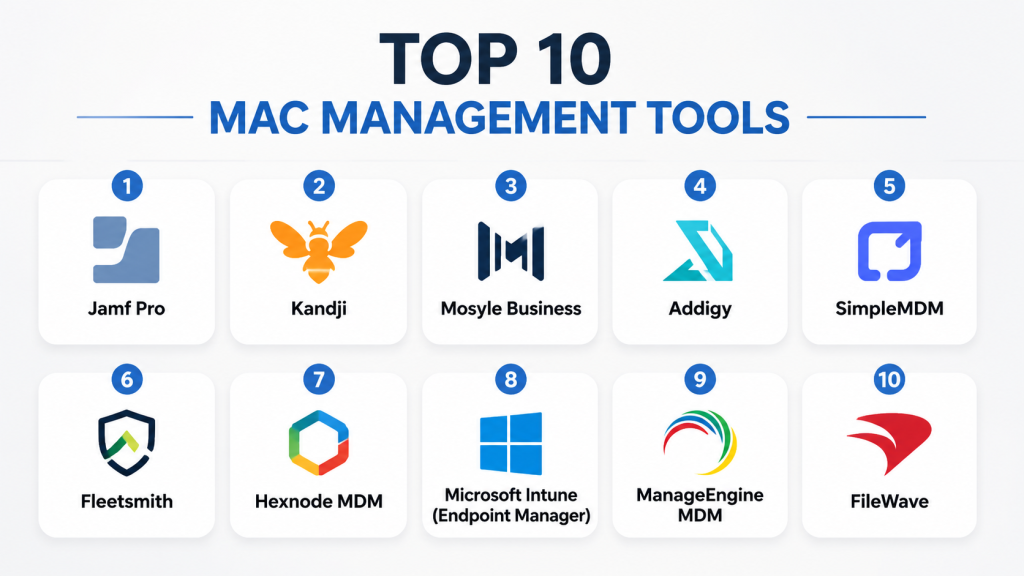
Top 10 Mac Management Tools
1- Jamf Pro
Short description: Comprehensive enterprise Mac management tool for provisioning, security, and lifecycle management, widely used by IT teams.
Key Features
- Zero-touch deployment via Apple Business Manager
- Patch management for macOS and third-party apps
- Advanced inventory and reporting dashboards
- Self-service portal for employees
- Policy automation and scripting
- Integration with identity providers (SSO/SAML)
- Security compliance enforcement
Pros
- Enterprise-grade scalability
- Extensive documentation and community support
- Strong security and compliance controls
Cons
- Higher cost for smaller teams
- Learning curve for complex workflows
- Some third-party app integration requires additional configuration
Platforms / Deployment
- macOS, iOS, iPadOS
- Cloud / On-premise options available
Security & Compliance
- SSO/SAML, MFA, encryption, audit logs
- SOC 2, ISO 27001, GDPR
Integrations & Ecosystem
Jamf integrates broadly across IT ecosystems:
- Microsoft Azure AD, Okta
- Google Workspace
- Endpoint security tools (antivirus, EDR)
- API extensibility for custom workflows
Support & Community
- Enterprise-grade support tiers
- Active community forums
- Comprehensive onboarding resources
2- Kandji
Short description: Modern Mac management platform emphasizing automation, compliance, and security policies for enterprises.
Key Features
- Prebuilt compliance templates for HIPAA, SOC 2, GDPR
- Automated patching for macOS and apps
- Device lifecycle automation
- Security enforcement and alerts
- Cloud-native zero-touch deployment
- Self-service app catalog
Pros
- Rapid deployment and ease of use
- Built-in compliance workflows
- Strong automation capabilities
Cons
- May be cost-prohibitive for small businesses
- Limited customization for complex workflows
Platforms / Deployment
- macOS, iOS
- Cloud-native
Security & Compliance
- SSO/SAML, MFA, encryption
- HIPAA, SOC 2, GDPR compliance templates
Integrations & Ecosystem
- Okta, Azure AD
- Slack, ServiceNow
- API for custom automation
Support & Community
- Dedicated onboarding and support
- Varies / Not publicly stated community size
3- Mosyle Business
Short description: Affordable Mac and iOS management platform for SMBs and enterprises seeking simplified deployment and security.
Key Features
- Automated app deployment
- Device inventory and monitoring
- Remote wipe and lock capabilities
- Security compliance enforcement
- Self-service portal for users
Pros
- Cost-effective for SMBs
- Simple interface and easy onboarding
- Cloud-native for remote management
Cons
- Fewer advanced enterprise features
- Limited integration options
Platforms / Deployment
- macOS, iOS
- Cloud
Security & Compliance
- SSO/SAML, encryption
- Not publicly stated for certifications
Integrations & Ecosystem
- Basic API support
- Compatible with standard identity providers
Support & Community
- Email and chat support
- Varies / Not publicly stated community
4- Addigy
Short description: Cloud-based Mac management solution designed for MSPs and IT teams, combining device management with automation and security.
Key Features
- Centralized fleet monitoring
- Automated patch management
- Compliance enforcement templates
- Remote commands and troubleshooting
- Integration with ticketing and identity systems
- Multi-tenant MSP support
Pros
- Strong MSP-friendly features
- Scalable cloud platform
- Extensive automation
Cons
- UI can be complex for new users
- Some features require scripting knowledge
Platforms / Deployment
- macOS, iOS
- Cloud
Security & Compliance
- SSO/SAML, MFA, encryption
- Not publicly stated certifications
Integrations & Ecosystem
- ServiceNow, ConnectWise, Zendesk
- Identity providers: Okta, Azure AD
- API for custom workflows
Support & Community
- Dedicated MSP support tiers
- Community forums and documentation
5- SimpleMDM
Short description: Streamlined Mac and iOS management platform focusing on simplicity, automation, and cost-effectiveness for SMBs.
Key Features
- Automated device enrollment
- Security and compliance policies
- App distribution and updates
- Remote wipe and lock
- Self-service portal
Pros
- Easy to deploy and use
- Affordable for SMBs
- Cloud-native platform
Cons
- Limited enterprise features
- Fewer integrations than competitors
Platforms / Deployment
- macOS, iOS
- Cloud
Security & Compliance
- SSO/SAML, encryption
- Not publicly stated certifications
Integrations & Ecosystem
- APIs for app deployment
- Integrates with standard identity providers
Support & Community
- Email and chat support
- Varies / Not publicly stated community
6- Fleetsmith
Short description: Apple-first MDM platform for automating deployment, patching, and security across Mac fleets.
Key Features
- Zero-touch device enrollment
- Automated OS and app updates
- Security enforcement policies
- Inventory and reporting dashboards
- Integration with directory services
Pros
- Focused on Apple ecosystem
- Strong automation
- Simple setup
Cons
- Limited cross-platform support
- Less suitable for very large enterprises
Platforms / Deployment
- macOS, iOS
- Cloud
Security & Compliance
- Encryption, SSO/SAML
- Not publicly stated certifications
Integrations & Ecosystem
- Azure AD, Google Workspace
- APIs for custom scripts
Support & Community
- Email support, documentation
- Varies / Not publicly stated
7- Hexnode MDM
Short description: Multi-platform endpoint management tool with macOS support, emphasizing security, compliance, and automation.
Key Features
- Device enrollment and provisioning
- Patch management
- Security policies and compliance
- Remote troubleshooting
- Reporting dashboards
Pros
- Cross-platform support
- Good automation capabilities
- Scalable for enterprise environments
Cons
- Interface can be complex
- Learning curve for non-technical users
Platforms / Deployment
- macOS, Windows, iOS, Android
- Cloud / On-premise
Security & Compliance
- SSO/SAML, encryption
- Not publicly stated certifications
Integrations & Ecosystem
- Directory services integration
- APIs for automation
- Ticketing system integration
Support & Community
- Email and chat support
- Varies / Not publicly stated community
8- Intune (Microsoft Endpoint Manager)
Short description: Enterprise-grade endpoint management with macOS support, ideal for organizations using Microsoft ecosystem.
Key Features
- Device compliance and configuration
- Remote actions and policies
- Integration with Microsoft 365 apps
- Reporting and analytics
- App deployment and patching
Pros
- Strong integration with Microsoft services
- Enterprise-scale
- Unified management with Windows endpoints
Cons
- Complex setup for macOS-specific policies
- Less Apple-native than Jamf or Kandji
Platforms / Deployment
- macOS, Windows, iOS, Android
- Cloud
Security & Compliance
- SSO/SAML, MFA, encryption
- Not publicly stated certifications
Integrations & Ecosystem
- Azure AD, Microsoft 365
- Third-party ITSM tools
- APIs for automation
Support & Community
- Enterprise support tiers
- Large global community
9- ManageEngine MDM
Short description: Unified endpoint management platform with macOS support, focused on security, compliance, and device lifecycle management.
Key Features
- Device provisioning and inventory
- Patch management
- Remote troubleshooting
- Security policy enforcement
- Reporting and analytics
Pros
- Cross-platform support
- Affordable for SMBs and mid-market
- Comprehensive reporting
Cons
- UI less intuitive than Apple-first tools
- Some automation requires scripting
Platforms / Deployment
- macOS, Windows, iOS, Android
- Cloud / On-premise
Security & Compliance
- SSO/SAML, encryption
- Not publicly stated certifications
Integrations & Ecosystem
- Directory services, ticketing systems
- APIs for workflow automation
Support & Community
- Email and chat support
- Community forums
10- FileWave
Short description: Endpoint management platform for Mac and cross-platform devices, combining device lifecycle management and patch automation.
Key Features
- Automated deployment and configuration
- Patch management
- Security compliance policies
- Inventory and reporting
- Self-service app portal
Pros
- Cross-platform support
- Flexible deployment
- Scalable for enterprises
Cons
- Less intuitive interface
- Onboarding may require IT expertise
Platforms / Deployment
- macOS, Windows, iOS, Android
- Cloud / On-premise
Security & Compliance
- SSO/SAML, encryption
- Not publicly stated certifications
Integrations & Ecosystem
- Directory services, ITSM tools
- API extensibility for automation
Support & Community
- Enterprise support options
- Documentation and knowledge base
Comparison Table (Top 10)
| Tool Name | Best For | Platform(s) Supported | Deployment | Standout Feature | Public Rating |
|---|---|---|---|---|---|
| Jamf Pro | Enterprise IT | macOS, iOS, iPadOS | Cloud / On-prem | Zero-touch Apple deployment | N/A |
| Kandji | Enterprise compliance | macOS, iOS | Cloud | Automated compliance workflows | N/A |
| Mosyle Business | SMBs and mid-market | macOS, iOS | Cloud | Affordable, simple interface | N/A |
| Addigy | MSPs and IT teams | macOS, iOS | Cloud | MSP multi-tenant support | N/A |
| SimpleMDM | SMBs | macOS, iOS | Cloud | Streamlined simplicity | N/A |
| Fleetsmith | Apple-first automation | macOS, iOS | Cloud | Apple-native zero-touch deployment | N/A |
| Hexnode MDM | Enterprise multi-platform | macOS, Windows, iOS, Android | Cloud / On-prem | Cross-platform endpoint management | N/A |
| Intune | Microsoft ecosystem | macOS, Windows, iOS, Android | Cloud | Unified Microsoft endpoint management | N/A |
| ManageEngine MDM | SMBs / mid-market | macOS, Windows, iOS, Android | Cloud / On-prem | Comprehensive reporting | N/A |
| FileWave | Cross-platform enterprise | macOS, Windows, iOS, Android | Cloud / On-prem | Device lifecycle management | N/A |
Evaluation & Scoring of Mac Management Tools
| Tool Name | Core (25%) | Ease (15%) | Integrations (15%) | Security (10%) | Performance (10%) | Support (10%) | Value (15%) | Weighted Total |
|---|---|---|---|---|---|---|---|---|
| Jamf Pro | 10 | 8 | 9 | 9 | 9 | 9 | 7 | 8.9 |
| Kandji | 9 | 9 | 8 | 9 | 8 | 8 | 7 | 8.5 |
| Mosyle Business | 8 | 9 | 7 | 7 | 8 | 7 | 9 | 8.0 |
| Addigy | 9 | 7 | 8 | 8 | 8 | 8 | 7 | 8.1 |
| SimpleMDM | 7 | 9 | 7 | 7 | 7 | 7 | 9 | 7.7 |
| Fleetsmith | 8 | 9 | 7 | 8 | 8 | 7 | 8 | 7.9 |
| Hexnode MDM | 8 | 7 | 8 | 7 | 8 | 7 | 8 | 7.7 |
| Intune | 9 | 7 | 9 | 8 | 9 | 8 | 7 | 8.3 |
| ManageEngine MDM | 8 | 7 | 8 | 7 | 8 | 7 | 8 | 7.8 |
| FileWave | 8 | 7 | 7 | 7 | 8 | 7 | 8 | 7.7 |
Which Mac Management Tool Is Right for You?
Solo / Freelancer
- SimpleMDM or Mosyle Business are ideal for individuals managing fewer devices, offering ease of use and low cost.
SMB
- Kandji or Mosyle Business provide compliance features and automation suitable for growing teams.
Mid-Market
- Addigy and ManageEngine MDM offer scalability, integrations, and automation for medium enterprises.
Enterprise
- Jamf Pro, Intune, or Hexnode MDM support large fleets, complex policies, and hybrid deployments.
Budget vs Premium
- SimpleMDM and Mosyle Business suit budget-conscious teams. Jamf Pro and Kandji target premium enterprise needs with advanced compliance.
Feature Depth vs Ease of Use
- Kandji, Jamf Pro, and Addigy excel in depth but require training; SimpleMDM and Mosyle are easier but less comprehensive.
Integrations & Scalability
- Hexnode, Intune, and Addigy provide broad integration ecosystems and MSP support for scalable deployments.
Security & Compliance Needs
- Enterprises requiring HIPAA, SOC 2, or GDPR compliance should prioritize Kandji, Jamf Pro, and Addigy.
Frequently Asked Questions (FAQs)
1- What pricing models are common for Mac management tools?
Most tools offer subscription-based pricing, often per device, with discounts for bulk licensing. Enterprise plans may include premium support and compliance features.
2- How long does deployment typically take?
Cloud-native platforms enable zero-touch deployment within days. On-premise setups may take weeks depending on device count and IT complexity.
3- Can these tools manage iOS and iPadOS devices as well?
Yes, most modern Mac management tools also cover iOS and iPadOS, enabling unified management across Apple devices.
4- Are these tools suitable for remote or hybrid teams?
Absolutely. Cloud-based tools support remote provisioning, software updates, and compliance enforcement without requiring physical access.
5- How secure is the management platform itself?
Reputable platforms offer SSO, MFA, encryption, audit logs, and compliance adherence. Vendors like Jamf and Kandji provide SOC 2 and ISO-aligned controls.
6- What integrations should I expect?
Expect integrations with identity providers (Okta, Azure AD), ticketing systems (ServiceNow), endpoint security solutions, and APIs for automation.
7- Can I switch tools if my
requirements change?
Yes, but migration can be complex. Planning device enrollment, policies, and app deployment during transition is essential to minimize disruption.
8- What common mistakes should organizations avoid?
Common pitfalls include overcomplicating policies, underestimating training needs, neglecting integration planning, and ignoring reporting setup.
9- Do Mac management tools support automation?
Yes, top tools offer automated patching, policy enforcement, reporting, and even AI-assisted anomaly detection for IT efficiency.
10- Are open-source options viable?
Open-source MDM solutions exist but often lack enterprise features, professional support, and advanced compliance capabilities found in commercial offerings.
Conclusion
Mac management tools are essential for modern IT operations, enabling secure, compliant, and efficient management of Apple devices. The best choice depends on organization size, compliance requirements, integration needs, and budget. Small teams may prioritize simplicity and cost, while enterprises require deep features, automation, and scalable policies. Organizations should shortlist 2–3 tools, run pilot deployments, validate integrations and security, and then scale. Staying informed about trends AI, cloud-native deployment, and compliance automation ensures that your Mac management strategy remains future-ready.

Find Trusted Cardiac Hospitals
Compare heart hospitals by city and services — all in one place.
Explore Hospitals
As Mac adoption grows in enterprise environments, the focus often shifts from device enrollment to maintaining a seamless user experience without compromising security. Solutions that balance automated compliance enforcement with minimal disruption to end users tend to deliver the strongest long-term results.