Introduction
Linux fleet management tools are software platforms designed to monitor, manage, secure, and automate large numbers of Linux-based devices across enterprises, data centers, and cloud environments. As organizations increasingly rely on Linux for servers, desktops, and IoT devices, centralized management ensures operational efficiency, security, and compliance while reducing manual administration.
Real-world use cases include:
- Enterprise IT operations: Managing hundreds or thousands of Linux servers across multiple regions.
- Cloud and DevOps environments: Automating deployment, configuration, and scaling of Linux instances.
- IoT and edge devices: Maintaining secure, updated fleets in industrial and retail deployments.
- SMB and mid-market companies: Simplifying patch management and software deployment.
- Security-sensitive environments: Enforcing compliance with internal policies and regulations.
When evaluating Linux fleet management tools, buyers should consider:
- Platform and distro support
- Deployment flexibility (cloud, on-prem, hybrid)
- Security and compliance enforcement
- Automation and orchestration capabilities
- Monitoring, alerting, and reporting
- Integration with existing IT systems
- Scalability for large device fleets
- Ease of use and learning curve
- Cost and pricing model
- Community and vendor support
Best for: IT administrators, DevOps teams, cloud architects, MSPs, and enterprises managing large Linux environments across on-prem and cloud.
Not ideal for: Small teams with only a few Linux systems or organizations with non-Linux dominant environments where lightweight management or manual administration suffices.
Key Trends in Linux Fleet Management Tools
- AI-assisted automation for patching, updates, and configuration drift detection.
- Cloud-native deployment models for remote fleet management.
- Deep integration with DevOps pipelines, CI/CD, and infrastructure-as-code.
- Enhanced security with centralized auditing, RBAC, encryption, and vulnerability monitoring.
- Multi-distro and cross-platform support for hybrid Linux/Windows environments.
- Predictive analytics for performance optimization and resource planning.
- SaaS subscription models with flexible scaling for SMBs and enterprise.
- Self-service portals for users and developers to reduce IT overhead.
- Standardized compliance templates for GDPR, HIPAA, SOC 2, and ISO certifications.
- Container and microservices management integration with Kubernetes and Docker.
How We Selected These Tools (Methodology)
- Evaluated market adoption and mindshare among enterprises and SMBs.
- Analyzed feature completeness including automation, security, monitoring, and reporting.
- Considered performance and reliability signals based on uptime and responsiveness.
- Assessed security posture for encryption, authentication, RBAC, and audit features.
- Examined integration capabilities with CI/CD, cloud providers, and ITSM tools.
- Checked scalability and multi-distro support for diverse Linux environments.
- Reviewed ease of deployment and learning curve for IT teams.
- Evaluated vendor and community support for long-term sustainability.
- Verified cost-effectiveness relative to organization size and device counts.
- Prioritized tools with active innovation and AI-driven management features.
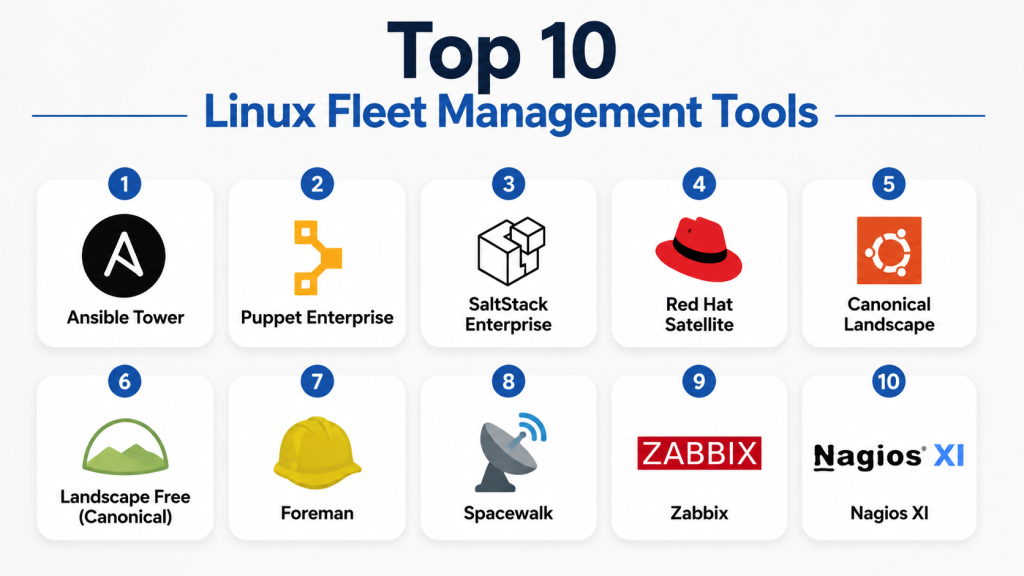
Top 10 Linux Fleet Management Tools
1- Ansible Tower
Short description: Enterprise-grade automation tool for managing Linux fleets with playbook-driven provisioning and configuration.
Key Features
- Agentless automation for configuration and updates
- Centralized dashboard and job scheduling
- Role-based access control and logging
- Integration with CI/CD pipelines
- Multi-distro support
- API for extensibility
Pros
- Powerful automation with minimal agents
- Scales to thousands of nodes
- Tight integration with DevOps pipelines
Cons
- Initial setup complexity
- Steeper learning curve for non-experienced users
- GUI features may require subscription
Platforms / Deployment
- Linux, Unix
- Cloud / On-prem / Hybrid
Security & Compliance
- RBAC, audit logs, encryption
- Not publicly stated
Integrations & Ecosystem
Supports a wide ecosystem:
- Git repositories and CI/CD tools
- Cloud providers (AWS, Azure, GCP)
- API for custom workflows
Support & Community
- Vendor enterprise support
- Active open-source community
2- Puppet Enterprise
Short description: Configuration management and fleet automation platform for Linux, focusing on compliance and standardization.
Key Features
- Declarative configuration management
- Continuous compliance enforcement
- Node reporting and analytics
- Multi-platform support
- Automated provisioning and updates
- API-driven extensibility
Pros
- Mature enterprise solution
- Strong compliance features
- Scalable to large fleets
Cons
- Learning curve for manifests
- Costly for small teams
- GUI can be complex
Platforms / Deployment
- Linux, Unix, Windows
- Cloud / On-prem
Security & Compliance
- SSO, encryption, audit logs
- Not publicly stated
Integrations & Ecosystem
- Cloud integrations (AWS, GCP, Azure)
- CI/CD tools (Jenkins, GitLab)
- APIs and modules for extensibility
Support & Community
- Enterprise support tiers
- Strong community modules and forums
3- SaltStack Enterprise
Short description: Real-time orchestration and configuration tool for Linux fleets, supporting automation and monitoring.
Key Features
- Event-driven automation
- Remote execution and orchestration
- Multi-distro support
- Compliance and security enforcement
- Dashboard and reporting
- API integrations
Pros
- High-speed real-time management
- Flexible orchestration capabilities
- Multi-cloud ready
Cons
- Complexity for new users
- Documentation can be fragmented
- Enterprise version required for full features
Platforms / Deployment
- Linux, Unix
- Cloud / On-prem / Hybrid
Security & Compliance
- MFA, RBAC, encryption
- Not publicly stated
Integrations & Ecosystem
- Cloud APIs, monitoring tools
- CI/CD systems
- Extensible via Salt modules
Support & Community
- Enterprise support
- Active open-source community
4- Red Hat Satellite
Short description: Lifecycle management platform for Red Hat Linux fleets with patching, provisioning, and compliance.
Key Features
- Automated patch management
- System provisioning
- Configuration enforcement
- Content and subscription management
- Reporting and analytics
Pros
- Native Red Hat support
- Comprehensive lifecycle management
- Enterprise-ready
Cons
- Limited to Red Hat and derivatives
- Higher cost for smaller teams
- Complexity in setup
Platforms / Deployment
- Red Hat Enterprise Linux
- On-prem / Hybrid
Security & Compliance
- RBAC, encryption
- Not publicly stated
Integrations & Ecosystem
- Red Hat ecosystem tools
- Cloud management integration
- APIs for custom workflows
Support & Community
- Red Hat enterprise support
- Strong vendor ecosystem
5- Canonical Landscape
Short description: Ubuntu-focused fleet management tool for monitoring, patching, and compliance in Linux environments.
Key Features
- Package and patch management
- System monitoring and reporting
- Compliance dashboards
- User and access management
- Multi-tenant support
Pros
- Optimized for Ubuntu
- Simple deployment and scaling
- Real-time monitoring
Cons
- Limited cross-distro support
- Enterprise features require subscription
Platforms / Deployment
- Ubuntu Linux
- Cloud / On-prem
Security & Compliance
- Encryption, user management
- Not publicly stated
Integrations & Ecosystem
- APIs for automation
- Monitoring tools
- Cloud integrations (AWS, GCP)
Support & Community
- Canonical support tiers
- Active Ubuntu community
6- Landscape Free (Canonical)
Short description: Lightweight, open-source Linux fleet management for small Ubuntu environments.
Key Features
- Monitoring and patching
- Lightweight agent
- Basic reporting
- Multi-user access
- Command execution
Pros
- Free and open-source
- Quick setup
- Ideal for SMBs
Cons
- Limited features for large fleets
- Ubuntu-only
Platforms / Deployment
- Ubuntu Linux
- Cloud / On-prem
Security & Compliance
- Not publicly stated
Integrations & Ecosystem
- Minimal, API-driven
- Limited third-party support
Support & Community
- Community support only
7- Foreman
Short description: Open-source lifecycle management tool for Linux servers, combining provisioning, configuration, and monitoring.
Key Features
- Provisioning and configuration
- Monitoring and reporting
- Multi-distro support
- Role-based access control
- Plugin ecosystem
Pros
- Flexible and extensible
- Community-supported
- Suitable for multi-distro fleets
Cons
- Requires setup expertise
- Limited vendor support
Platforms / Deployment
- Linux, Unix
- On-prem / Hybrid
Security & Compliance
- RBAC, encryption
- Not publicly stated
Integrations & Ecosystem
- Puppet, Ansible, Salt integration
- Cloud providers (AWS, GCP)
- APIs and plugins
Support & Community
- Community-driven
- Extensive documentation
8- Spacewalk
Short description: Open-source Linux server management solution for provisioning, patching, and monitoring.
Key Features
- Package and patch management
- Configuration and provisioning
- Monitoring and reporting
- Multi-distro support
Pros
- Free and open-source
- Good for Red Hat-based servers
Cons
- Limited modern updates
- Community support only
Platforms / Deployment
- Linux (RHEL, CentOS, Fedora)
- On-prem
Security & Compliance
- Not publicly stated
Integrations & Ecosystem
- Red Hat tooling
- Minimal APIs
- Limited cloud support
Support & Community
- Community forums and documentation
9- Zabbix
Short description: Open-source monitoring and management solution for Linux fleets, emphasizing performance and alerting.
Key Features
- Real-time monitoring and alerting
- Graphs, dashboards, reports
- Multi-platform support
- API integrations
- Agent-based or agentless
Pros
- Highly customizable
- Strong community support
- Scalable monitoring
Cons
- Limited automation features
- Requires setup and configuration effort
Platforms / Deployment
- Linux, Windows, Unix
- Cloud / On-prem / Hybrid
Security & Compliance
- Encryption, RBAC
- Not publicly stated
Integrations & Ecosystem
- APIs for custom monitoring
- SNMP devices
- Cloud integrations
Support & Community
- Community-driven, paid support available
10- Nagios XI
Short description: Enterprise-grade monitoring and management platform for Linux fleets, focusing on availability and alerting.
Key Features
- Server and application monitoring
- Alerting and notifications
- Reporting and dashboards
- Plugin ecosystem
- Multi-platform support
Pros
- Enterprise-ready monitoring
- Highly extensible
- Proven reliability
Cons
- Complex setup
- Limited native automation
Platforms / Deployment
- Linux, Windows, Unix
- On-prem / Cloud
Security & Compliance
- RBAC, encryption
- Not publicly stated
Integrations & Ecosystem
- Plugins for cloud, databases, applications
- APIs for custom workflows
Support & Community
- Enterprise support available
- Active plugin community
Comparison Table (Top 10)
| Tool Name | Best For | Platform(s) Supported | Deployment | Standout Feature | Public Rating |
|---|---|---|---|---|---|
| Ansible Tower | Enterprise automation | Linux, Unix | Cloud/On-prem | Agentless automation | N/A |
| Puppet Enterprise | Compliance & config mgmt | Linux, Unix, Windows | Cloud/On-prem | Declarative configuration | N/A |
| SaltStack Enterprise | Real-time orchestration | Linux, Unix | Cloud/Hybrid | Event-driven automation | N/A |
| Red Hat Satellite | RHEL lifecycle mgmt | Red Hat Linux | On-prem/Hybrid | Native Red Hat lifecycle tools | N/A |
| Canonical Landscape | Ubuntu fleet management | Ubuntu Linux | Cloud/On-prem | Patching & monitoring | N/A |
| Landscape Free | Small Ubuntu fleets | Ubuntu Linux | Cloud/On-prem | Free open-source solution | N/A |
| Foreman | Multi-distro provisioning | Linux, Unix | On-prem/Hybrid | Extensible provisioning | N/A |
| Spacewalk | Red Hat provisioning | Linux (RHEL, CentOS, Fedora) | On-prem | Package and patch management | N/A |
| Zabbix | Monitoring & alerting | Linux, Windows, Unix | Cloud/Hybrid | Real-time monitoring | N/A |
| Nagios XI | Enterprise monitoring | Linux, Windows, Unix | On-prem/Cloud | Extensible monitoring and alerts | N/A |
Evaluation & Scoring of Linux Fleet Management Tools
| Tool Name | Core (25%) | Ease (15%) | Integrations (15%) | Security (10%) | Performance (10%) | Support (10%) | Value (15%) | Weighted Total |
|---|---|---|---|---|---|---|---|---|
| Ansible Tower | 10 | 8 | 9 | 8 | 9 | 8 | 7 | 8.7 |
| Puppet Enterprise | 9 | 7 | 8 | 8 | 8 | 8 | 7 | 8.0 |
| SaltStack Enterprise | 9 | 7 | 8 | 7 | 9 | 7 | 7 | 7.9 |
| Red Hat Satellite | 8 | 7 | 7 | 8 | 8 | 8 | 6 | 7.6 |
| Canonical Landscape | 8 | 8 | 6 | 7 | 8 | 7 | 7 | 7.4 |
| Landscape Free | 6 | 9 | 5 | 6 | 7 | 5 | 9 | 6.8 |
| Foreman | 8 | 7 | 7 | 7 | 8 | 6 | 7 | 7.2 |
| Spacewalk | 7 | 6 | 6 | 6 | 7 | 5 | 7 | 6.5 |
| Zabbix | 7 | 6 | 7 | 7 | 8 | 6 | 7 | 6.9 |
| Nagios XI | 8 | 6 | 7 | 7 | 8 | 7 | 7 | 7.3 |
Which Linux Fleet Management Tool Is Right for You?
Solo / Freelancer
- Lightweight tools like Landscape Free, Foreman, or Zabbix community editions offer easy deployment and monitoring for small Linux fleets.
SMB
- Canonical Landscape or Puppet Enterprise provide manageable automation and patching at an affordable scale.
Mid-Market
- Ansible Tower or SaltStack Enterprise offer robust automation, orchestration, and monitoring for growing teams.
Enterprise
- Red Hat Satellite, Puppet Enterprise, and Nagios XI are ideal for large fleets, compliance, and hybrid cloud deployments.
Budget vs Premium
- Open-source options like Zabbix, Foreman, and Landscape Free suit cost-conscious teams. Premium enterprise tools offer advanced automation and compliance.
Feature Depth vs Ease of Use
- Ansible Tower and Puppet provide depth but require experience. Landscape and Zabbix are easier for smaller teams.
Integrations & Scalability
- Enterprise tools (Red Hat Satellite, SaltStack) integrate with CI/CD, ITSM, and cloud platforms for scalable operations.
Security & Compliance Needs
- Enterprises with strict compliance should consider Red Hat Satellite, Puppet Enterprise, or SaltStack Enterprise.
Frequently Asked Questions (FAQs)
1- What pricing models are typical for Linux fleet management tools?
Most tools use subscription-based or perpetual licensing models, sometimes per node or per server. Open-source tools are free but may require paid support.
2- How long does deployment take?
Cloud-based platforms can deploy in days; on-prem tools require weeks for setup and configuration.
3- Can these tools manage non-Linux servers?
Some enterprise tools like Puppet, Foreman, and Zabbix support multi-platform management, including Windows and Unix.
4- Are these tools suitable for hybrid or cloud environments?
Yes, modern Linux fleet management tools support hybrid, multi-cloud, and remote node management.
5- Do the tools include compliance templates?
Enterprise versions often include templates for GDPR, SOC 2, HIPAA, and ISO compliance.
6- How secure are these tools?
Security features typically include RBAC, audit logs, encryption, and authentication. Verify compliance details for specific tools.
7- How scalable are these tools?
Most enterprise tools scale to thousands of nodes with automated orchestration and monitoring.
8- Can I integrate them with CI/CD pipelines?
Yes, Ansible Tower, Puppet, and SaltStack integrate with CI/CD workflows for automation.
9- What common mistakes should organizations avoid?
Avoid over-complicating configurations, underestimating training needs, and neglecting integrations during rollout.
10- Are open-source tools sufficient for large fleets?
Open-source tools like Zabbix and Foreman are viable for small to mid-sized fleets, but enterprises often require commercial support and advanced automation.
Conclusion
Linux fleet management tools streamline provisioning, patching, monitoring, and compliance for large Linux deployments. Choosing the best solution depends on fleet size, distribution types, automation needs, and security requirements. Small teams may prioritize ease of use and cost, while enterprises focus on compliance, scalability, and integrations. Organizations should shortlist 2–3 tools, run pilots, validate automation, and then scale across their fleet. Staying up-to-date with trends AI automation, cloud-native deployment, and compliance templates ensures long-term operational efficiency.

Find Trusted Cardiac Hospitals
Compare heart hospitals by city and services — all in one place.
Explore Hospitals
Managing a large Linux fleet is often less about individual server performance and more about maintaining consistency across hundreds or thousands of systems. Strong automation, configuration control, and patch management capabilities can dramatically reduce operational complexity and prevent environment drift over time.