Introduction
Risk-based Authentication (RBA) tools help organizations dynamically evaluate login and access requests based on contextual risk factors such as device reputation, location, behavior patterns, network characteristics, and user activity. Instead of requiring the same authentication process for every login, these platforms apply additional verification only when risk levels increase. As cyberattacks become more sophisticated and remote work continues to expand, organizations need security controls that improve protection without creating unnecessary friction for users. Risk-based Authentication has become a critical component of modern identity and access management strategies.
Real World Use Cases
- Protecting employee access to cloud applications
- Securing customer logins in banking and fintech platforms
- Preventing account takeover attacks in e-commerce
- Supporting Zero Trust security initiatives
- Enabling adaptive authentication for remote workforces
Evaluation Criteria for Buyers
When evaluating Risk-based Authentication platforms, consider:
- Risk detection accuracy
- Behavioral analytics capabilities
- AI and machine learning functionality
- Identity provider integrations
- MFA orchestration options
- User experience impact
- Compliance support
- Scalability
- Reporting and analytics
- Deployment flexibility
Best for: Enterprises, financial institutions, healthcare organizations, SaaS providers, government agencies, and organizations implementing Zero Trust security models.
Not ideal for: Very small businesses with simple authentication requirements or organizations that only require basic MFA without contextual risk analysis.
Key Trends in Risk-based Authentication
- AI-driven behavioral analytics becoming standard
- Continuous authentication replacing one-time verification
- Passwordless authentication integration
- Zero Trust architecture adoption accelerating
- Identity threat detection capabilities expanding
- Device intelligence becoming more sophisticated
- Increased focus on customer identity protection
- Cloud-native deployment models dominating the market
- Regulatory pressure driving adaptive security controls
- Real-time fraud detection integration with authentication workflows
How We Selected These Tools
The tools in this guide were evaluated using the following methodology:
- Strong market adoption and enterprise presence
- Proven adaptive authentication capabilities
- Advanced risk scoring engines
- Breadth of integrations and ecosystem support
- Identity and access management maturity
- Security and compliance capabilities
- Scalability across organization sizes
- Innovation in AI and behavioral analytics
- Customer support and implementation resources
- Overall platform reliability and performance
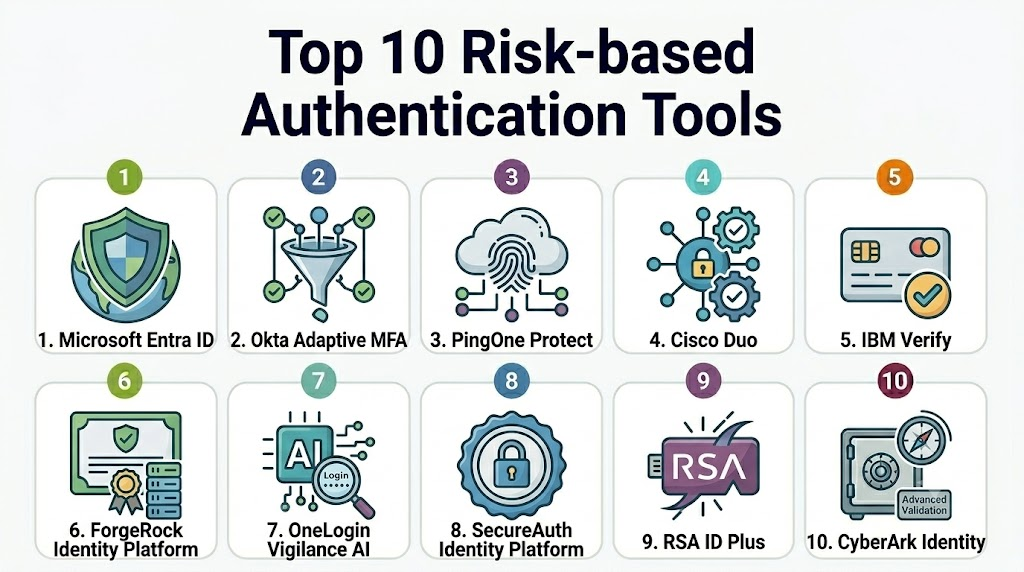
Top 10 Risk-based Authentication Tools
1- Microsoft Entra ID
Short description: Microsoft Entra ID provides enterprise-grade adaptive authentication and conditional access capabilities. It is widely used by organizations operating within the Microsoft ecosystem.
Key Features
- Conditional Access policies
- Risk-based sign-in detection
- Identity Protection
- Continuous access evaluation
- Passwordless authentication
- Device compliance integration
- AI-driven risk scoring
Pros
- Deep Microsoft ecosystem integration
- Strong Zero Trust capabilities
- Comprehensive policy controls
Cons
- Complex configuration for beginners
- Premium features require higher licensing tiers
- Best value within Microsoft-centric environments
Platforms / Deployment
Cloud
Security & Compliance
Supports SSO, SAML, MFA, encryption, audit logs, RBAC, GDPR support, and extensive compliance capabilities.
Integrations & Ecosystem
Microsoft Entra integrates deeply with Microsoft 365, Azure services, enterprise applications, and third-party identity providers.
- Microsoft 365
- Azure
- Salesforce
- ServiceNow
- Thousands of SaaS applications
Support & Community
Strong documentation, enterprise support options, and a large global user community.
2- Okta Adaptive MFA
Short description: Okta Adaptive MFA combines risk analysis with multi-factor authentication to secure workforce and customer identities.
Key Features
- Adaptive authentication
- Device trust analysis
- Context-aware policies
- Risk scoring
- Behavioral signals
- Threat intelligence integration
- Passwordless support
Pros
- Excellent user experience
- Large integration ecosystem
- Flexible policy engine
Cons
- Premium pricing for advanced features
- Initial setup may require expertise
- Complex large-scale deployments
Platforms / Deployment
Cloud
Security & Compliance
Supports SSO, MFA, SAML, audit logging, RBAC, encryption, and enterprise security controls.
Integrations & Ecosystem
Okta offers one of the largest identity integration ecosystems available.
- Office 365
- Google Workspace
- AWS
- Salesforce
- ServiceNow
Support & Community
Extensive documentation, training resources, and active enterprise support.
3- Ping Identity PingOne Protect
Short description: PingOne Protect delivers intelligent risk assessment and adaptive authentication for workforce and customer identity scenarios.
Key Features
- Behavioral biometrics
- Device profiling
- Risk scoring
- Fraud detection
- AI-driven analytics
- Adaptive MFA
- Customer identity protection
Pros
- Strong customer identity capabilities
- Flexible deployment options
- Advanced fraud prevention
Cons
- Higher implementation complexity
- Enterprise-focused pricing
- Requires planning for optimization
Platforms / Deployment
Cloud / Hybrid
Security & Compliance
Supports SSO, MFA, RBAC, audit trails, encryption, and enterprise compliance controls.
Integrations & Ecosystem
Works with enterprise IAM, customer identity platforms, and security tools.
- PingFederate
- SIEM platforms
- Identity providers
- API gateways
Support & Community
Strong enterprise support and implementation services.
4- Cisco Duo
Short description: Cisco Duo provides adaptive authentication and zero-trust access controls designed to balance security and usability.
Key Features
- Adaptive MFA
- Device health checks
- Trusted endpoint verification
- Risk-based access policies
- Passwordless support
- Secure remote access
- User behavior insights
Pros
- Easy deployment
- Strong user experience
- Excellent remote workforce protection
Cons
- Advanced analytics less extensive than some competitors
- Primarily workforce-focused
- Limited customization compared to enterprise IAM suites
Platforms / Deployment
Cloud
Security & Compliance
Supports MFA, SAML, audit logs, encryption, RBAC, and enterprise-grade security controls.
Integrations & Ecosystem
Integrates with identity providers, VPNs, cloud platforms, and security tools.
- Active Directory
- Azure
- VPN solutions
- SaaS applications
Support & Community
Strong documentation and responsive support services.
5- IBM Verify
Short description: IBM Verify combines adaptive authentication, AI-driven risk assessment, and identity governance capabilities.
Key Features
- Adaptive access
- Risk analytics
- Behavioral analysis
- Identity governance integration
- Passwordless authentication
- Threat intelligence
- Access management
Pros
- Comprehensive IAM capabilities
- Enterprise scalability
- Strong governance integration
Cons
- Complex deployment
- Enterprise-oriented pricing
- Steeper learning curve
Platforms / Deployment
Cloud / Hybrid
Security & Compliance
Supports SSO, MFA, RBAC, audit logging, encryption, and compliance frameworks.
Integrations & Ecosystem
Works across enterprise infrastructure and IAM environments.
- Active Directory
- SIEM platforms
- Cloud providers
- Enterprise applications
Support & Community
Strong enterprise support and consulting services.
6- ForgeRock Identity Platform
Short description: ForgeRock provides adaptive authentication and identity security for large enterprises and customer identity environments.
Key Features
- Intelligent access management
- Risk-based authentication
- Device fingerprinting
- Behavioral analytics
- Customer identity management
- AI-powered risk assessment
- Passwordless authentication
Pros
- Strong CIAM capabilities
- Flexible architecture
- Advanced policy controls
Cons
- Complex implementation
- Enterprise-focused deployment
- Requires specialized expertise
Platforms / Deployment
Cloud / Self-hosted / Hybrid
Security & Compliance
Supports SSO, MFA, encryption, audit logs, RBAC, and enterprise compliance requirements.
Integrations & Ecosystem
Broad support for identity, security, and cloud platforms.
- Identity providers
- API management tools
- Enterprise applications
Support & Community
Strong enterprise support and partner ecosystem.
7- OneLogin Vigilance AI
Short description: OneLogin Vigilance AI uses machine learning to identify risky login activity and automate authentication decisions.
Key Features
- AI-powered threat detection
- Adaptive MFA
- Smart risk scoring
- User behavior analytics
- Threat intelligence
- Automated responses
- Identity monitoring
Pros
- AI-focused security capabilities
- Easy integration
- User-friendly interface
Cons
- Fewer advanced features than some enterprise competitors
- Cloud-focused deployment
- Limited customization
Platforms / Deployment
Cloud
Security & Compliance
Supports MFA, SAML, audit logging, encryption, and identity security controls.
Integrations & Ecosystem
Connects with major SaaS applications and identity systems.
- Microsoft 365
- Google Workspace
- Salesforce
- Cloud platforms
Support & Community
Good documentation and enterprise support options.
8- SecureAuth Identity Platform
Short description: SecureAuth focuses on adaptive authentication and identity security with extensive risk analysis capabilities.
Key Features
- Risk-based authentication
- Behavioral analytics
- Adaptive MFA
- Passwordless authentication
- Device intelligence
- Fraud prevention
- Access controls
Pros
- Strong security focus
- Flexible authentication options
- Good fraud detection capabilities
Cons
- Smaller ecosystem than major vendors
- Enterprise deployment complexity
- Limited community resources
Platforms / Deployment
Cloud / Hybrid
Security & Compliance
Supports MFA, encryption, RBAC, audit logging, and identity security controls.
Integrations & Ecosystem
Integrates with identity providers, enterprise systems, and security tools.
- Active Directory
- Cloud applications
- Security platforms
Support & Community
Enterprise support available; community size varies.
9- RSA ID Plus
Short description: RSA ID Plus extends traditional authentication with adaptive risk analysis and intelligent access controls.
Key Features
- Risk-based authentication
- MFA orchestration
- Identity intelligence
- Device trust
- Threat detection
- Passwordless support
- Access governance integration
Pros
- Long-established security expertise
- Strong enterprise capabilities
- Broad authentication support
Cons
- Interface may feel dated
- Implementation complexity
- Premium pricing
Platforms / Deployment
Cloud / Hybrid
Security & Compliance
Supports MFA, encryption, audit trails, RBAC, and enterprise security frameworks.
Integrations & Ecosystem
Works across enterprise identity and security environments.
- SIEM platforms
- IAM systems
- Enterprise applications
Support & Community
Strong enterprise support and security expertise.
10- CyberArk Identity
Short description: CyberArk Identity combines adaptive authentication with privileged access management and identity security.
Key Features
- Adaptive authentication
- Identity threat detection
- Behavioral analytics
- Passwordless login
- Privileged access integration
- Risk-based policies
- Continuous verification
Pros
- Strong privileged identity protection
- Advanced security controls
- Enterprise-ready architecture
Cons
- Higher pricing tiers
- Best suited for larger organizations
- More complex implementation
Platforms / Deployment
Cloud
Security & Compliance
Supports SSO, MFA, RBAC, encryption, audit logs, and enterprise compliance requirements.
Integrations & Ecosystem
Integrates with privileged access management, IAM platforms, and cloud services.
- CyberArk PAM
- Cloud platforms
- Enterprise applications
- Security ecosystems
Support & Community
Strong enterprise support and growing identity security community.
Comparison Table
| Tool Name | Best For | Platform Supported | Deployment | Standout Feature | Public Rating |
|---|---|---|---|---|---|
| Microsoft Entra ID | Enterprise Workforce Security | Web | Cloud | Conditional Access | N/A |
| Okta Adaptive MFA | Enterprise Identity | Web | Cloud | Adaptive MFA | N/A |
| PingOne Protect | Customer Identity Security | Web | Cloud/Hybrid | Behavioral Biometrics | N/A |
| Cisco Duo | Remote Workforce Protection | Web | Cloud | Device Trust | N/A |
| IBM Verify | Large Enterprises | Web | Cloud/Hybrid | AI Risk Analytics | N/A |
| ForgeRock | CIAM Deployments | Web | Cloud/Self-hosted/Hybrid | Identity Platform Flexibility | N/A |
| OneLogin Vigilance AI | Mid-Market Organizations | Web | Cloud | AI Threat Detection | N/A |
| SecureAuth | Security-Focused Enterprises | Web | Cloud/Hybrid | Risk Intelligence | N/A |
| RSA ID Plus | Traditional Enterprises | Web | Cloud/Hybrid | Identity Intelligence | N/A |
| CyberArk Identity | Privileged Identity Security | Web | Cloud | Identity Threat Detection | N/A |
Evaluation & Scoring of Risk-based Authentication Tools
| Tool | Core | Ease | Integrations | Security | Performance | Support | Value | Weighted Total |
|---|---|---|---|---|---|---|---|---|
| Microsoft Entra ID | 10 | 8 | 10 | 10 | 9 | 9 | 8 | 9.20 |
| Okta Adaptive MFA | 10 | 9 | 10 | 9 | 9 | 9 | 8 | 9.15 |
| PingOne Protect | 9 | 8 | 9 | 9 | 9 | 8 | 8 | 8.65 |
| Cisco Duo | 8 | 10 | 8 | 9 | 9 | 9 | 9 | 8.85 |
| IBM Verify | 9 | 7 | 8 | 9 | 9 | 8 | 7 | 8.25 |
| ForgeRock | 9 | 7 | 9 | 9 | 9 | 8 | 7 | 8.40 |
| OneLogin Vigilance AI | 8 | 9 | 8 | 8 | 8 | 8 | 8 | 8.15 |
| SecureAuth | 8 | 7 | 7 | 9 | 8 | 7 | 8 | 7.80 |
| RSA ID Plus | 8 | 7 | 8 | 9 | 8 | 8 | 7 | 7.95 |
| CyberArk Identity | 9 | 8 | 8 | 10 | 9 | 8 | 7 | 8.50 |
Which Risk-based Authentication Tool Is Right for You?
Solo / Freelancer
Most freelancers can rely on basic MFA solutions. Risk-based authentication platforms are generally unnecessary unless handling highly sensitive customer data.
SMB
Cisco Duo and OneLogin Vigilance AI provide strong security without excessive complexity. Both offer good usability and manageable deployments.
Mid-Market
Okta Adaptive MFA and PingOne Protect provide advanced adaptive authentication while remaining scalable and integration-friendly.
Enterprise
Microsoft Entra ID, IBM Verify, ForgeRock, and CyberArk Identity offer the depth, governance, and security controls required by large organizations.
Budget vs Premium
- Budget-focused: Cisco Duo, OneLogin
- Premium enterprise: Microsoft Entra ID, Okta, CyberArk, ForgeRock
Feature Depth vs Ease of Use
- Best ease of use: Cisco Duo, Okta
- Deepest feature sets: Microsoft Entra ID, ForgeRock, CyberArk
Integrations & Scalability
- Largest ecosystems: Microsoft Entra ID and Okta
- Strong enterprise scalability: ForgeRock, Ping Identity, IBM Verify
Security & Compliance Needs
- High-compliance industries: Microsoft Entra ID, CyberArk Identity, IBM Verify
- Customer identity protection: PingOne Protect and ForgeRock
Frequently Asked Questions
1- What is Risk-based Authentication?
Risk-based Authentication evaluates contextual login risks and adjusts authentication requirements dynamically.
2- How is it different from MFA?
MFA applies additional verification consistently, while Risk-based Authentication triggers stronger verification only when risk increases.
3- Is Risk-based Authentication suitable for small businesses?
Some SMBs benefit from it, especially those handling sensitive customer information or operating in regulated industries.
4- Does Risk-based Authentication improve user experience?
Yes. Low-risk users often experience fewer authentication challenges while security remains strong.
5- What signals do these tools analyze?
Common signals include device reputation, location, IP address, behavior patterns, login history, and threat intelligence.
6- Can Risk-based Authentication support passwordless login?
Yes. Many modern platforms combine adaptive authentication with passwordless technologies.
7- How long does implementation take?
Deployment timelines vary from a few days for simple environments to several months for large enterprises.
8- Are these tools compatible with Zero Trust architectures?
Yes. Risk-based Authentication is a foundational component of many Zero Trust strategies.
9- What is the biggest implementation mistake?
Organizations often deploy policies that are either too restrictive or too permissive without sufficient testing.
10- Can I switch vendors later?
Yes, but migration planning is important because authentication policies, integrations, and user workflows must be transferred carefully.
Conclusion
Risk-based Authentication has become a core security requirement for organizations protecting workforce and customer identities. As cyber threats evolve, static authentication approaches struggle to balance security and user experience. The best platforms use AI, behavioral analytics, and contextual intelligence to evaluate risk in real time and apply authentication controls only when necessary. For organizations heavily invested in Microsoft technologies, Microsoft Entra ID is a compelling option. Okta remains one of the strongest independent identity platforms, while Cisco Duo excels in simplicity and usability. Enterprises requiring advanced customer identity protection should evaluate PingOne Protect and ForgeRock, while CyberArk Identity stands out for organizations prioritizing privileged access security. Start by shortlisting two or three platforms, run a pilot deployment, validate integrations and compliance requirements, and measure user experience before making a long-term commitment.

Find Trusted Cardiac Hospitals
Compare heart hospitals by city and services — all in one place.
Explore Hospitals
One aspect worth examining is the transparency of risk scoring decisions. Clear explanations and customizable policies can help security teams build trust in automated authentication workflows while simplifying troubleshooting and compliance reviews.