Introduction
Knowledge Base Software is a centralized platform that helps organizations create, organize, and share information such as FAQs, guides, documentation, and troubleshooting content. It acts as a single source of truth, enabling both customers and employees to find answers quickly without relying on manual support.
In modern digital environments, speed and accuracy of information access directly impact customer satisfaction and operational efficiency. Knowledge base tools reduce repetitive support queries, empower self-service, and help teams scale without increasing support costs.
Common Use Cases
- Customer self-service help centers
- Internal IT or HR documentation hubs
- Product guides and API documentation
- Employee onboarding and training
- Troubleshooting and support workflows
What Buyers Should Evaluate
- Search accuracy and relevance
- Content organization and taxonomy
- Ease of content creation and editing
- Integration with support and CRM tools
- Analytics and feedback tracking
- Scalability for large knowledge bases
- Security and access control
- Multi-language support
- AI-driven recommendations
Best for: Customer support teams, IT departments, SaaS companies, enterprises, and organizations managing large volumes of structured knowledge.
Not ideal for: Teams with minimal documentation needs or businesses that rely purely on human-based support interactions.
Key Trends in Knowledge Base Software
- AI-powered search delivering intent-based results
- Integration with chatbots and virtual assistants
- Self-service support replacing traditional ticketing
- Cloud-native platforms enabling global access
- Real-time analytics for content optimization
- Automated knowledge suggestions and gap detection
- Multi-language and localization capabilities
- API-first platforms for integration flexibility
- Collaboration tools for distributed teams
- Personalized knowledge delivery based on user behavior
How We Selected These Tools (Methodology)
- Evaluated market adoption across industries
- Compared search and knowledge retrieval capabilities
- Assessed content creation and workflow features
- Reviewed integration ecosystems and APIs
- Considered scalability for large knowledge bases
- Evaluated security and access control capabilities
- Included tools across SMB, mid-market, and enterprise segments
- Assessed documentation quality and support
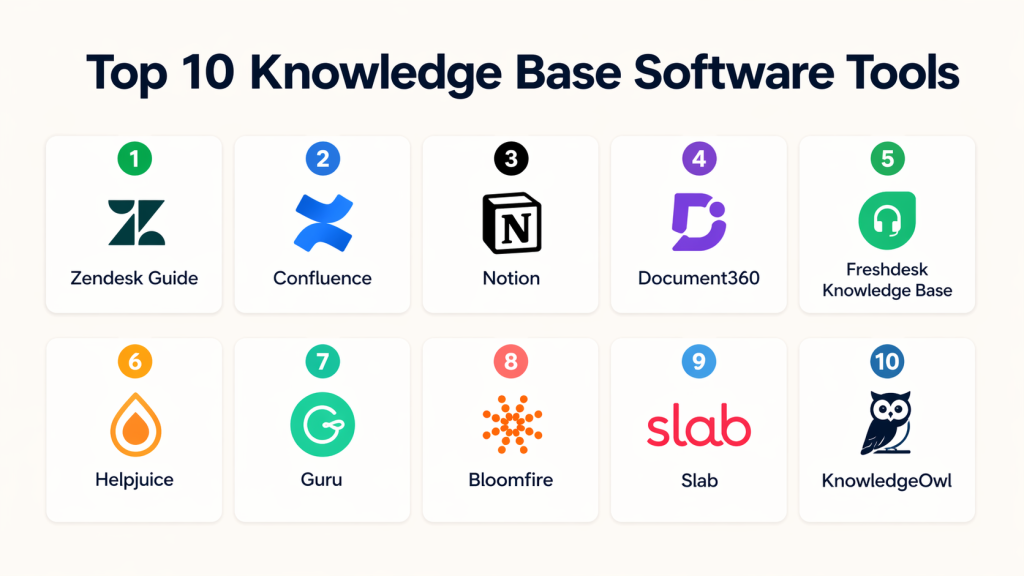
Top 10 Knowledge Base Software Tools
#1 — Zendesk Guide
Short description: A robust knowledge base platform integrated with a leading customer support ecosystem.
Key Features
- AI-powered search
- Self-service help center
- Content categorization
- Analytics and reporting
- Workflow automation
Pros
- Strong support ecosystem
- Highly scalable
Cons
- Expensive
- Requires setup
Platforms / Deployment
Web / Cloud
Security & Compliance
Not publicly stated
Integrations & Ecosystem
Deep integrations with support tools and automation platforms
- APIs
- CRM systems
- Customer support tools
Support & Community
Enterprise-level support
#2 — Confluence
Short description: A collaboration-focused knowledge management platform widely used for internal documentation.
Key Features
- Rich content editor
- Team collaboration
- Document versioning
- Search functionality
- Access control
Pros
- Strong collaboration
- Ideal for internal use
Cons
- Not ideal for customer-facing KB
- Learning curve
Platforms / Deployment
Web / Cloud / Self-hosted
Security & Compliance
Not publicly stated
Integrations & Ecosystem
- Project management tools
- APIs
- Developer tools
Support & Community
Large active community
#3 — Notion
Short description: Flexible all-in-one workspace for knowledge management, notes, and collaboration.
Key Features
- Modular content blocks
- Knowledge organization
- Collaboration tools
- Databases and tagging
- Cross-platform support
Pros
- Very flexible
- Easy to use
Cons
- Limited advanced KB features
- Not enterprise-focused
Platforms / Deployment
Web / Windows / macOS / iOS / Android
Security & Compliance
Not publicly stated
Integrations & Ecosystem
- APIs
- Productivity tools
Support & Community
Strong community
#4 — Document360
Short description: Dedicated knowledge base platform designed for building customer-facing help centers.
Key Features
- AI-powered search
- Category organization
- Analytics
- SEO optimization
- Multi-language support
Pros
- Purpose-built for KB
- Easy content management
Cons
- Limited beyond KB use
- Pricing varies
Platforms / Deployment
Web / Cloud
Security & Compliance
Not publicly stated
Integrations & Ecosystem
- APIs
- Support tools
Support & Community
Good support
#5 — Freshdesk Knowledge Base
Short description: Integrated knowledge base within a customer support platform.
Key Features
- Self-service portal
- Ticket deflection
- Content management
- Automation workflows
- Analytics
Pros
- Easy integration with support
- Quick deployment
Cons
- Limited customization
- Ecosystem dependency
Platforms / Deployment
Web / Cloud
Security & Compliance
Not publicly stated
Integrations & Ecosystem
- Help desk tools
- APIs
Support & Community
Good support
#6 — Helpjuice
Short description: Customizable knowledge base platform with strong analytics capabilities.
Key Features
- Advanced analytics
- Custom branding
- Collaboration tools
- Content versioning
- Search optimization
Pros
- Data-driven insights
- Customizable
Cons
- Pricing varies
- Smaller ecosystem
Platforms / Deployment
Web / Cloud
Security & Compliance
Not publicly stated
Integrations & Ecosystem
- APIs
- CRM tools
Support & Community
Moderate support
#7 — Guru
Short description: AI-powered knowledge management platform focused on real-time knowledge sharing.
Key Features
- AI suggestions
- Browser extension
- Real-time updates
- Verification workflows
- Search functionality
Pros
- Smart knowledge delivery
- Easy integration
Cons
- Limited customization
- Dependency on integrations
Platforms / Deployment
Web / Cloud
Security & Compliance
Not publicly stated
Integrations & Ecosystem
- Collaboration tools
- CRM systems
- APIs
Support & Community
Strong support
#8 — Bloomfire
Short description: Enterprise knowledge sharing platform focused on content discovery and collaboration.
Key Features
- Centralized knowledge hub
- AI search
- Content tagging
- Analytics
- Multimedia support
Pros
- Strong search
- Enterprise-ready
Cons
- Expensive
- Learning curve
Platforms / Deployment
Web / Cloud
Security & Compliance
Not publicly stated
Integrations & Ecosystem
- APIs
- Enterprise tools
Support & Community
Enterprise support
#9 — Slab
Short description: Simple and clean knowledge base tool for internal team documentation.
Key Features
- Clean UI
- Content organization
- Collaboration tools
- Search functionality
- Integration support
Pros
- Easy to use
- Lightweight
Cons
- Limited advanced features
- Not enterprise-focused
Platforms / Deployment
Web / Cloud
Security & Compliance
Not publicly stated
Integrations & Ecosystem
- APIs
- Productivity tools
Support & Community
Good support
#10 — KnowledgeOwl
Short description: Knowledge base software focused on documentation and help centers.
Key Features
- Content management
- Customization
- Analytics
- User feedback tools
- Search optimization
Pros
- Easy setup
- Flexible
Cons
- Smaller ecosystem
- Limited enterprise features
Platforms / Deployment
Web / Cloud
Security & Compliance
Not publicly stated
Integrations & Ecosystem
- APIs
- Documentation tools
Support & Community
Good support
Comparison Table (Top 10)
| Tool Name | Best For | Platform(s) Supported | Deployment | Standout Feature | Public Rating |
|---|---|---|---|---|---|
| Zendesk Guide | Support teams | Web | Cloud | Help desk integration | N/A |
| Confluence | Internal teams | Multi | Hybrid | Collaboration | N/A |
| Notion | Flexible teams | Multi | Cloud | Workspace flexibility | N/A |
| Document360 | Help centers | Web | Cloud | AI search | N/A |
| Freshdesk | Support teams | Web | Cloud | Ticket deflection | N/A |
| Helpjuice | Analytics | Web | Cloud | Insights | N/A |
| Guru | AI knowledge | Web | Cloud | AI suggestions | N/A |
| Bloomfire | Enterprise | Web | Cloud | Search | N/A |
| Slab | Teams | Web | Cloud | Simplicity | N/A |
| KnowledgeOwl | Documentation | Web | Cloud | Customization | N/A |
Conclusion
Knowledge Base Software has become a core component of modern organizations, enabling faster access to information, reduced support workload, and improved user satisfaction. By centralizing knowledge into a structured system, businesses can scale efficiently while maintaining consistency across teams and customer interactions.
From flexible tools like Notion to enterprise platforms like Zendesk and Bloomfire, the market offers solutions for every use case. The right choice depends on your team size, integration needs, and level of automation required

Find Trusted Cardiac Hospitals
Compare heart hospitals by city and services — all in one place.
Explore Hospitals
This makes it clear how knowledge base tools help teams find answers faster and avoid repeating the same questions.