Introduction
Task Management Tools are software solutions designed to help individuals and teams plan, track, and manage their work efficiently. These tools centralize tasks, assign responsibilities, track progress, and ensure deadlines are met, improving productivity and accountability across organizations.
In today’s fast-paced work environments, teams are often distributed, projects are complex, and transparency is critical. Task management tools provide a single source of truth, enabling collaboration, prioritization, and real-time updates. They are increasingly important for organizations seeking to streamline workflows and improve operational efficiency.
Real-world use cases include:
- Managing project deliverables across multiple teams
- Coordinating agile sprints in software development
- Tracking marketing campaigns and deadlines
- Handling administrative tasks in HR or finance
- Monitoring customer support requests
Key evaluation criteria for buyers:
- Task creation, assignment, and prioritization features
- Visualization options (Kanban, Gantt, lists)
- Collaboration tools and communication
- Integration with email, calendar, and project management platforms
- Automation and recurring task management
- Security and compliance standards
- Reporting and analytics dashboards
- Mobile and cross-platform support
- Ease of onboarding and user adoption
- Pricing and scalability
Best for: Project managers, team leads, operations managers, marketing and IT teams, and enterprises of all sizes.
Not ideal for: Individuals or organizations with minimal task complexity who may manage workflows effectively with simple spreadsheets or basic checklists.
Key Trends in Task Management Tools
- Integration of AI for predictive task prioritization and automated suggestions
- Enhanced collaboration features, including chat, commenting, and notifications
- Cross-platform and mobile-first experiences for distributed teams
- Advanced analytics dashboards for resource utilization and project tracking
- Automation of recurring tasks and workflow triggers
- Integration with calendar, email, CRM, and cloud storage platforms
- Compliance and security-focused solutions with SOC 2, ISO 27001, GDPR adherence
- Subscription-based flexible pricing models and SaaS delivery
- Increased support for remote and hybrid work models
- Customizable templates and low-code/no-code workflow builders
How We Selected These Tools (Methodology)
- Market adoption and enterprise recognition
- Feature completeness, including task creation, visualization, and automation
- Reliability and performance under multi-team usage
- Security posture and regulatory compliance
- Integrations with major productivity, collaboration, and cloud platforms
- Suitability for various organization sizes (SMB to enterprise)
- Ease of use and onboarding experience
- AI-assisted capabilities for task prioritization and workflow optimization
- Community engagement and vendor support offerings
- Scalability and long-term viability
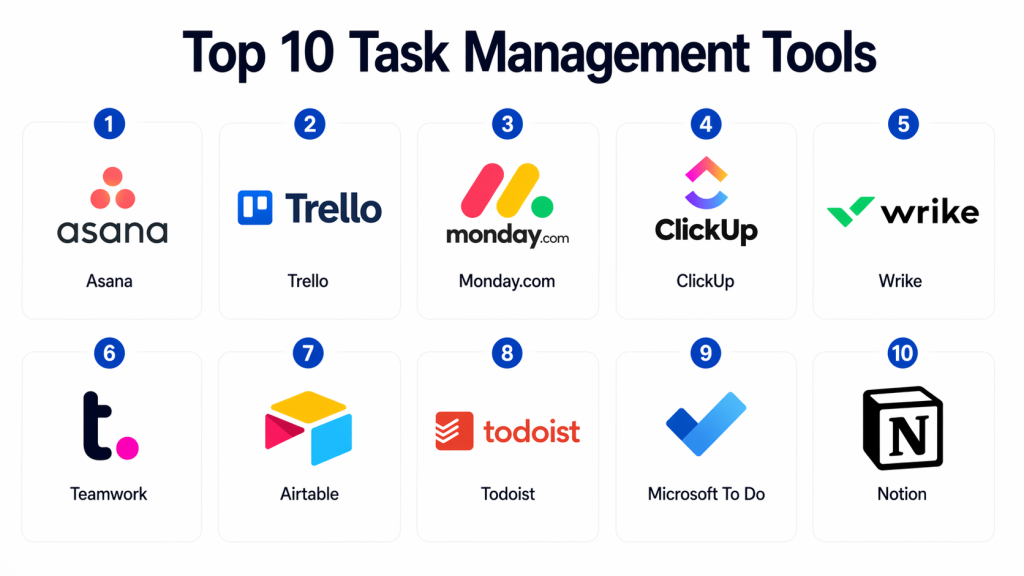
Top 10 Task Management Tools
#1 — Asana
Short description: Asana is a robust task management platform for teams of all sizes, offering task lists, boards, timelines, and advanced project tracking features.
Key Features
- Task creation, assignment, and prioritization
- Kanban boards and Gantt-style timelines
- Automation rules and workflow triggers
- Integrations with Slack, Google Workspace, Microsoft Teams
- Reporting dashboards and project analytics
- Custom templates for different project types
- Mobile apps for iOS and Android
Pros
- Highly versatile for various teams and project types
- Strong collaboration and integration ecosystem
Cons
- Can be overwhelming for smaller teams
- Some advanced features require premium subscription
Platforms / Deployment
- Web / Windows / macOS / iOS / Android
- Cloud
Security & Compliance
- SSO, MFA, encryption, SOC 2, GDPR
Integrations & Ecosystem
Supports major productivity and collaboration platforms
- Slack, Microsoft Teams, Google Workspace
- API access for custom workflows
- Zapier and native connectors
Support & Community
- Extensive documentation, webinars, premium support, active user community
#2 — Trello
Short description: Trello is a visually intuitive task management tool based on Kanban boards, suitable for individuals and teams seeking simple workflow organization.
Key Features
- Kanban-style boards and cards
- Task labeling, due dates, and attachments
- Automation via Butler
- Power-Ups for extended integrations
- Collaboration and commenting on tasks
- Mobile apps for cross-platform access
Pros
- Easy to use and visually appealing
- Free tier suitable for small teams
Cons
- Limited advanced reporting and analytics
- Can become cluttered with large projects
Platforms / Deployment
- Web / Windows / macOS / iOS / Android
- Cloud
Security & Compliance
- SSO, encryption, GDPR
Integrations & Ecosystem
- Slack, Google Workspace, Jira, Zapier
- APIs for custom automation
- Power-Ups library
Support & Community
- Documentation, community forums, email support
#3 — Monday.com
Short description: Monday.com is a flexible work OS that combines task management, project tracking, and workflow automation for collaborative teams.
Key Features
- Task and project tracking with customizable boards
- Workflow automation and recurring tasks
- Reporting dashboards and analytics
- Timeline and Gantt views
- Integrations with Slack, Microsoft Teams, Google Workspace
- Mobile applications
Pros
- Highly customizable for different workflows
- Rich visualization and analytics options
Cons
- Can be expensive for larger teams
- Learning curve for new users
Platforms / Deployment
- Web / Windows / macOS / iOS / Android
- Cloud
Security & Compliance
- SSO, MFA, encryption, SOC 2, GDPR
Integrations & Ecosystem
- Slack, Jira, Salesforce, Google Workspace
- API access for custom workflows
- Extensive marketplace of integrations
Support & Community
- Documentation, tutorials, 24/7 support, active user community
#4 — ClickUp
Short description: ClickUp is an all-in-one productivity platform that centralizes task management, goals, and project tracking in a single interface.
Key Features
- Hierarchical task lists, boards, and timelines
- Goals, reminders, and task dependencies
- Built-in docs and note-taking
- Time tracking and workload management
- Automation and custom templates
- Mobile apps
Pros
- All-in-one platform reduces need for multiple apps
- Strong automation features
Cons
- Interface can be overwhelming for beginners
- Some features require paid plans
Platforms / Deployment
- Web / Windows / macOS / iOS / Android
- Cloud
Security & Compliance
- SSO, encryption, GDPR, SOC 2
Integrations & Ecosystem
- Slack, Google Workspace, Zoom, Jira
- APIs and webhooks for custom automation
- Marketplace apps
Support & Community
- Knowledge base, tutorials, live chat support, active community
#5 — Wrike
Short description: Wrike is an enterprise-ready task and project management platform designed for collaborative teams needing real-time visibility.
Key Features
- Task and project tracking
- Gantt charts and timelines
- Custom workflows and automation
- Resource management and workload view
- Reporting and analytics
- Mobile support
Pros
- Suitable for complex projects and larger teams
- Strong reporting and analytics
Cons
- Can be complex for small teams
- Higher cost for enterprise features
Platforms / Deployment
- Web / Windows / macOS / iOS / Android
- Cloud
Security & Compliance
- SSO, MFA, encryption, SOC 2, GDPR
Integrations & Ecosystem
- Slack, Microsoft Teams, Salesforce, Google Workspace
- API and webhooks
- Marketplace apps
Support & Community
- Enterprise support, documentation, training materials
#6 — Teamwork
Short description: Teamwork offers task management with project planning, time tracking, and collaboration features for professional teams.
Key Features
- Task lists, subtasks, and dependencies
- Milestones and Gantt charts
- Time tracking and reporting
- Collaboration via comments and messaging
- Integrations with CRM, email, and cloud apps
Pros
- Strong for client-facing projects
- Integrated time tracking
Cons
- UI can feel dated
- Limited automation compared to other tools
Platforms / Deployment
- Web / Windows / macOS / iOS / Android
- Cloud
Security & Compliance
- SSO, encryption, GDPR
Integrations & Ecosystem
- Slack, Microsoft Teams, Google Workspace
- API for custom integrations
- Time tracking and CRM tools
Support & Community
- Documentation, email support, tutorials
#7 — Airtable
Short description: Airtable combines spreadsheet functionality with task management and database capabilities for flexible project tracking.
Key Features
- Grid, Kanban, calendar, and gallery views
- Task assignment and linking
- Automations and reminders
- Collaboration and commenting
- Templates for workflows
Pros
- Flexible and customizable
- Suitable for small to mid-sized teams
Cons
- Less structured for complex project management
- Limited reporting features
Platforms / Deployment
- Web / Windows / macOS / iOS / Android
- Cloud
Security & Compliance
- SSO, encryption, GDPR
Integrations & Ecosystem
- Slack, Zapier, Google Workspace
- API for custom apps
- Pre-built templates
Support & Community
- Documentation, tutorials, community forums
#8 — Todoist
Short description: Todoist is a simple yet powerful task manager focused on individual productivity and team collaboration.
Key Features
- Task lists, priorities, and labels
- Recurring tasks and reminders
- Project boards and filters
- Collaboration with comments and attachments
- Mobile and desktop apps
Pros
- Easy to use and quick to adopt
- Strong mobile experience
Cons
- Less suitable for complex projects
- Limited automation
Platforms / Deployment
- Web / Windows / macOS / iOS / Android
- Cloud
Security & Compliance
- SSO, encryption, GDPR
Integrations & Ecosystem
- Google Calendar, Slack, Zapier
- API access
- Productivity apps
Support & Community
- Help center, email support, user community
#9 — Microsoft To Do
Short description: Microsoft To Do offers task lists and planning for individuals and teams, integrated with the Microsoft 365 ecosystem.
Key Features
- Task lists and subtasks
- Integration with Outlook and Teams
- Reminders and due dates
- Collaboration features
- Mobile and desktop apps
Pros
- Tight Microsoft 365 integration
- Free tier available
Cons
- Limited advanced project management features
- Less visual than other tools
Platforms / Deployment
- Web / Windows / macOS / iOS / Android
- Cloud
Security & Compliance
- SSO, MFA, encryption, GDPR
Integrations & Ecosystem
- Outlook, Teams, OneDrive
- API access for Microsoft ecosystem
Support & Community
- Microsoft documentation, community forums
#10 — Notion
Short description: Notion combines task management, documentation, and database capabilities, allowing flexible workflows for teams.
Key Features
- Task boards, lists, and calendars
- Notes and documentation
- Database and table views
- Collaboration and commenting
- Mobile and desktop apps
Pros
- Highly flexible and all-in-one workspace
- Supports complex workflows
Cons
- Steeper learning curve
- Limited advanced reporting
Platforms / Deployment
- Web / Windows / macOS / iOS / Android
- Cloud
Security & Compliance
- SSO, encryption, GDPR
Integrations & Ecosystem
- Slack, Google Workspace, Zapier
- API and webhooks
- Templates for workflow customization
Support & Community
- Documentation, tutorials, active community
Comparison Table (Top 10)
| Tool Name | Best For | Platform(s) Supported | Deployment | Standout Feature | Public Rating |
|---|---|---|---|---|---|
| Asana | Enterprise & teams | Web, Windows, macOS, iOS, Android | Cloud | Advanced automation and boards | N/A |
| Trello | Visual workflow management | Web, Windows, macOS, iOS, Android | Cloud | Kanban-based simplicity | N/A |
| Monday.com | Custom workflows | Web, Windows, macOS, iOS, Android | Cloud | Flexible boards & automation | N/A |
| ClickUp | All-in-one platform | Web, Windows, macOS, iOS, Android | Cloud | Task hierarchy and goals | N/A |
| Wrike | Enterprise projects | Web, Windows, macOS, iOS, Android | Cloud | Gantt charts & reporting | N/A |
| Teamwork | Client-facing projects | Web, Windows, macOS, iOS, Android | Cloud | Time tracking and billing | N/A |
| Airtable | Flexible, spreadsheet-style | Web, Windows, macOS, iOS, Android | Cloud | Database-backed tasks | N/A |
| Todoist | Individual productivity | Web, Windows, macOS, iOS, Android | Cloud | Simple task management | N/A |
| Microsoft To Do | Microsoft ecosystem | Web, Windows, macOS, iOS, Android | Cloud | Tight integration with 365 | N/A |
| Notion | Knowledge & workflow hub | Web, Windows, macOS, iOS, Android | Cloud | Flexible all-in-one workspace | N/A |
Evaluation & Scoring of Task Management Tools
| Tool Name | Core (25%) | Ease (15%) | Integrations (15%) | Security (10%) | Performance (10%) | Support (10%) | Value (15%) | Weighted Total |
|---|---|---|---|---|---|---|---|---|
| Asana | 9 | 8 | 9 | 9 | 9 | 8 | 7 | 8.55 |
| Trello | 7 | 9 | 8 | 8 | 8 | 7 | 9 | 8.1 |
| Monday.com | 9 | 8 | 9 | 9 | 8 | 8 | 7 | 8.45 |
| ClickUp | 9 | 8 | 8 | 8 | 8 | 8 | 8 | 8.35 |
| Wrike | 8 | 7 | 8 | 8 | 8 | 7 | 7 | 7.7 |
| Teamwork | 8 | 8 | 7 | 8 | 8 | 7 | 7 | 7.7 |
| Airtable | 8 | 8 | 7 | 8 | 7 | 7 | 7 | 7.55 |
| Todoist | 7 | 9 | 6 | 7 | 7 | 6 | 9 | 7.45 |
| Microsoft To Do | 7 | 9 | 6 | 8 | 7 | 6 | 8 | 7.45 |
| Notion | 8 | 7 | 7 | 8 | 7 | 6 | 8 | 7.55 |
Interpretation: Higher weighted totals suggest enterprise-grade capabilities for managing complex team workflows. Lower scores indicate suitability for individual users or SMBs.
Which Task Management Tools Tool Is Right for You?
Solo / Freelancer
- Todoist, Trello for simple task tracking and project organization
SMB
- Airtable, ClickUp, Teamwork for collaborative task and project management
Mid-Market
- Asana, Monday.com for structured workflows, automation, and reporting
Enterprise
- Wrike, Asana, Monday.com for cross-team collaboration and complex projects
Budget vs Premium
- Budget: Trello, Todoist, Airtable
- Premium: Asana, Monday.com, Wrike
Feature Depth vs Ease of Use
- Feature-rich: Monday.com, Asana, ClickUp
- Easy-to-use: Trello, Todoist
Integrations & Scalability
- Enterprise-ready: Asana, Monday.com, Wrike
- Moderate: ClickUp, Teamwork
Security & Compliance Needs
- Enterprise-grade: Asana, Monday.com, Wrike
- Standard compliance: Trello, Todoist
Frequently Asked Questions (FAQs)
1. What is a task management tool?
A task management tool helps organize, assign, and track tasks across teams, ensuring deadlines are met and responsibilities are clear.
2. How do I choose the right task management tool?
Consider team size, complexity of workflows, integration needs, security requirements, and ease of use.
3. Can task management tools improve productivity?
Yes, by centralizing tasks, tracking progress, and automating reminders, teams work more efficiently.
4. Are these tools suitable for remote teams?
Most tools offer cloud-based access, mobile apps, and collaboration features ideal for remote and hybrid teams.
5. Do task management tools integrate with other apps?
Yes, they often integrate with calendars, email, CRM, chat, and project management platforms.
6. Are these tools secure?
Enterprise solutions provide encryption, SSO, MFA, RBAC, and compliance with SOC 2, ISO 27001, and GDPR.
7. Can they manage complex projects?
Yes, advanced tools like Asana, Monday.com, and Wrike support Gantt charts, dependencies, and workload management.
8. What are common mistakes when using task tools?
Overcomplicating workflows, ignoring automation, and poor adoption planning.
9. Do these tools support automation?
Many tools support recurring tasks, notifications, workflow automation, and AI-based recommendations.
10. Can small teams use these tools effectively?
Yes, tools like Trello, Todoist, and Airtable are lightweight, easy to adopt, and cost-effective for small teams.
Conclusion
Task Management Tools empower teams to organize, track, and complete work efficiently while improving collaboration and accountability. Choosing the right tool depends on team size, project complexity, integration needs, and security requirements. SMBs may benefit from Trello, Todoist, or Airtable for lightweight tracking, while mid-market and enterprise teams will find Asana, Monday.com, and Wrike suitable for complex, cross-functional workflows. Shortlisting 2–3 tools and running pilot projects helps identify the best fit for your organization.

Find Trusted Cardiac Hospitals
Compare heart hospitals by city and services — all in one place.
Explore Hospitals
This explains how task management tools help organize work, assign responsibilities, and track progress in one place.