Introduction
Static Code Analysis Tools are software platforms that analyze source code without executing it, identifying bugs, security vulnerabilities, code smells, and coding standard violations. They are essential for maintaining code quality, improving maintainability, and detecting issues early in the development lifecycle. In , as software systems grow more complex and cybersecurity threats intensify, static code analysis has become a cornerstone of DevSecOps and quality engineering.
Common use cases include early detection of security vulnerabilities, compliance checks, automated code quality enforcement, integration with CI/CD pipelines, and reporting for audits and management visibility. Buyers should evaluate tools based on language support, automation capabilities, security and compliance features, integration with version control and CI/CD systems, reporting and dashboards, scalability, usability, licensing models, and support options.
Best for: Developers, QA engineers, security teams, and DevOps teams in SMBs and enterprise organizations focused on code quality and security.
Not ideal for: Teams with minimal code complexity or projects with limited development cycles where automated analysis may be excessive.
Key Trends in Static Code Analysis Tools
- AI-powered vulnerability detection and code suggestions
- Automated enforcement of coding standards and style guides
- Integration with CI/CD pipelines for continuous feedback
- Multi-language support for polyglot codebases
- Cloud-based and hybrid deployment models
- Enhanced reporting and analytics dashboards
- Security compliance automation (OWASP, CWE, PCI DSS)
- Real-time code scanning during pull requests and commits
- Subscription-based pricing models and scalable licensing
- Collaboration and review features for distributed teams
How We Selected These Tools (Methodology)
- Market adoption and recognition in software development communities
- Feature completeness including security, style, and maintainability checks
- Reliability and performance signals across large-scale codebases
- Security posture, including compliance and encryption features
- Ecosystem integrations with CI/CD, VCS, and IDEs
- Customer fit across SMBs, mid-market, and enterprise segments
- Usability, ease of onboarding, and learning curve
- Documentation, training resources, and vendor support
- Flexibility and extensibility via APIs and plugins
- Community activity and contribution to open-source tooling
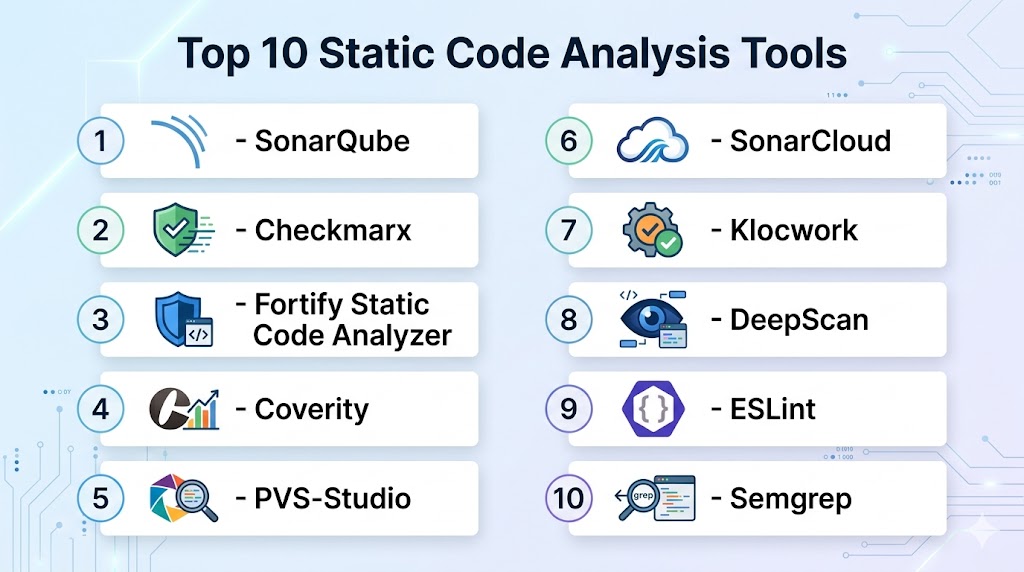
Top 10 Static Code Analysis Tools
#1 — SonarQube
Short description: SonarQube is an enterprise-grade platform for static code analysis, offering extensive rulesets, security checks, and integration with CI/CD pipelines. Suitable for organizations aiming to enforce code quality and security.
Key Features
- Multi-language support
- Security and vulnerability detection
- Code quality metrics and dashboards
- Pull request and branch analysis
- CI/CD integration
- Customizable rulesets
Pros
- Strong enterprise adoption
- Comprehensive reporting and dashboards
Cons
- Requires setup and maintenance for self-hosting
- Advanced features need commercial edition
Platforms / Deployment
- Web, Windows, Linux, macOS
- Cloud / Self-hosted / Hybrid
Security & Compliance
- MFA, SSO, audit logging
- SOC 2, ISO 27001, GDPR
Integrations & Ecosystem
- GitHub, GitLab, Jenkins, Azure DevOps
- REST APIs for automation
- IDE plugins for real-time analysis
Support & Community
- Enterprise support, extensive documentation, active community
#2 — Checkmarx
Short description: Checkmarx provides static application security testing (SAST) for identifying vulnerabilities in source code and ensuring compliance.
Key Features
- Security-focused static analysis
- Multiple language support
- Integration with CI/CD pipelines
- Compliance reporting for OWASP, CWE
- Developer training and remediation guidance
Pros
- Strong focus on security
- Detailed reporting and remediation suggestions
Cons
- Pricing may be high for small teams
- Learning curve for initial setup
Platforms / Deployment
- Web
- Cloud / Self-hosted
Security & Compliance
- SSO, encryption, audit logs
- SOC 2, ISO 27001, GDPR, HIPAA
Integrations & Ecosystem
- Jira, Jenkins, GitHub, GitLab
- REST APIs, IDE plugins
Support & Community
- Vendor support, professional services, active knowledge base
#3 — Fortify Static Code Analyzer
Short description: Fortify SCA scans code for security vulnerabilities and provides actionable remediation guidance across multiple languages and frameworks.
Key Features
- Multi-language support
- Security and vulnerability analysis
- Compliance and regulatory reporting
- Integration with CI/CD pipelines
- Detailed vulnerability remediation guidance
Pros
- Enterprise-grade security coverage
- Supports compliance with industry standards
Cons
- High cost for smaller organizations
- Complex setup and tuning
Platforms / Deployment
- Web, Windows, Linux
- Cloud / Self-hosted
Security & Compliance
- SSO, encryption, RBAC
- ISO 27001, GDPR, HIPAA
Integrations & Ecosystem
- Jenkins, GitHub, GitLab, IDE plugins
- REST API, SIEM integration
Support & Community
- Vendor support, documentation, training programs
#4 — Coverity
Short description: Coverity provides static analysis for identifying critical software defects, security vulnerabilities, and quality issues during development.
Key Features
- Automated defect detection
- Security vulnerability identification
- Multi-language support
- Integration with CI/CD pipelines
- Quality metrics and dashboards
Pros
- High accuracy in defect detection
- Scales well for large codebases
Cons
- Premium pricing
- Requires dedicated resources for setup
Platforms / Deployment
- Windows, Linux, macOS
- Cloud / Self-hosted
Security & Compliance
- Not publicly stated
Integrations & Ecosystem
- GitHub, GitLab, Jenkins, IDE plugins
- API for automation
Support & Community
- Vendor support, community forums
#5 — PVS-Studio
Short description: PVS-Studio analyzes C, C++, C#, and Java code for errors, potential vulnerabilities, and code smells with detailed reports.
Key Features
- Static code analysis for multiple languages
- Integration with CI/CD pipelines
- Detects code smells, errors, and security issues
- Detailed reports with recommendations
- IDE plugins for real-time analysis
Pros
- Accurate detection of coding issues
- Lightweight and fast analysis
Cons
- Primarily focused on specific languages
- Commercial licensing required
Platforms / Deployment
- Windows, Linux, macOS
- Cloud / Self-hosted
Security & Compliance
- Not publicly stated
Integrations & Ecosystem
- Visual Studio, JetBrains IDEs, Jenkins
- APIs for automation
Support & Community
- Vendor support, documentation, active user community
#6 — SonarCloud
Short description: SonarCloud is a cloud-based static code analysis platform with automated quality and security checks for multi-language projects.
Key Features
- Multi-language support
- Automated code quality and security analysis
- CI/CD integration
- Pull request decoration and reporting
- Quality gates and dashboards
Pros
- Fully managed cloud service
- Easy integration with Git platforms
Cons
- Subscription-based pricing
- Limited offline capabilities
Platforms / Deployment
- Web
- Cloud
Security & Compliance
- SSO, encryption
- SOC 2, GDPR
Integrations & Ecosystem
- GitHub, GitLab, Bitbucket, Azure DevOps
- APIs and IDE plugins
Support & Community
- Documentation, support plans, community forums
#7 — Klocwork
Short description: Klocwork performs static code analysis with focus on security, compliance, and code quality for enterprise development.
Key Features
- Security vulnerability detection
- Compliance with standards (MISRA, CWE)
- Multi-language support
- Integration with CI/CD pipelines
- Automated code reviews
Pros
- Enterprise-grade security coverage
- Strong compliance features
Cons
- Expensive for small teams
- Setup and integration can be complex
Platforms / Deployment
- Windows, Linux
- Cloud / Self-hosted
Security & Compliance
- SSO, RBAC, encryption
- ISO 27001, GDPR
Integrations & Ecosystem
- Jenkins, Git, IDEs
- REST API for automation
Support & Community
- Vendor support, documentation, training
#8 — DeepScan
Short description: DeepScan focuses on JavaScript and TypeScript analysis, detecting runtime errors, code smells, and quality issues with deep insights.
Key Features
- JavaScript/TypeScript analysis
- Real-time code scanning
- CI/CD integration
- Inline reports and dashboards
- Code smell detection
Pros
- Highly accurate for JS/TS projects
- Cloud-based and fast
Cons
- Limited language support
- Paid subscription
Platforms / Deployment
- Web
- Cloud
Security & Compliance
- Not publicly stated
Integrations & Ecosystem
- GitHub, GitLab, Bitbucket
- CI/CD integration and API
Support & Community
- Vendor support, active forums
#9 — ESLint
Short description: ESLint is an open-source JavaScript linter that enforces coding standards and detects potential errors in JS/TS projects.
Key Features
- Rule-based linting
- Plugin support for custom rules
- Integration with CI/CD and editors
- Real-time analysis and reporting
Pros
- Free and widely adopted
- Customizable and extensible
Cons
- Focused solely on JS/TS
- Limited enterprise reporting
Platforms / Deployment
- Windows, macOS, Linux
- Self-hosted
Security & Compliance
- Not publicly stated
Integrations & Ecosystem
- IDE plugins, CI/CD pipelines, custom rules
- APIs for automation
Support & Community
- Open-source community, extensive documentation
#10 — Semgrep
Short description: Semgrep is a fast, open-source static analysis tool for multi-language security and quality checks with pattern-based rules.
Key Features
- Pattern-based static analysis
- Multi-language support
- CI/CD integration
- Security and quality checks
- Real-time reporting
Pros
- Open-source with flexibility
- Lightweight and fast
Cons
- Requires rule configuration
- Enterprise features require subscription
Platforms / Deployment
- Windows, macOS, Linux
- Cloud / Self-hosted
Security & Compliance
- Not publicly stated
Integrations & Ecosystem
- GitHub, GitLab, Bitbucket, CI/CD tools
- API for custom rules and automation
Support & Community
- Documentation, open-source community
Comparison Table (Top 10)
| Tool Name | Best For | Platform(s) Supported | Deployment | Standout Feature | Public Rating |
|---|---|---|---|---|---|
| SonarQube | Enterprise quality | Web, Windows, Linux, macOS | Cloud / Self-hosted | Multi-language & dashboards | N/A |
| Checkmarx | Security-focused | Web | Cloud / Self-hosted | SAST & compliance | N/A |
| Fortify SCA | Enterprise security | Web, Windows, Linux | Cloud / Self-hosted | Vulnerability remediation | N/A |
| Coverity | Defect & security | Windows, Linux, macOS | Cloud / Self-hosted | Automated defect detection | N/A |
| PVS-Studio | C/C++/C#/Java | Windows, Linux, macOS | Cloud / Self-hosted | Accurate code analysis | N/A |
| SonarCloud | Cloud-based quality | Web | Cloud | Pull request integration | N/A |
| Klocwork | Enterprise compliance | Windows, Linux | Cloud / Self-hosted | MISRA & CWE checks | N/A |
| DeepScan | JS/TS analysis | Web | Cloud | Real-time analysis | N/A |
| ESLint | JS/TS linting | Windows, macOS, Linux | Self-hosted | Customizable rules | N/A |
| Semgrep | Multi-language & security | Windows, macOS, Linux | Cloud / Self-hosted | Pattern-based analysis | N/A |
Evaluation & Scoring of Static Code Analysis Tools
| Tool Name | Core (25%) | Ease (15%) | Integrations (15%) | Security (10%) | Performance (10%) | Support (10%) | Value (15%) | Weighted Total |
|---|---|---|---|---|---|---|---|---|
| SonarQube | 9 | 8 | 9 | 8 | 9 | 8 | 8 | 8.5 |
| Checkmarx | 9 | 7 | 8 | 9 | 8 | 7 | 7 | 8.0 |
| Fortify SCA | 9 | 7 | 8 | 9 | 8 | 7 | 7 | 8.0 |
| Coverity | 8 | 7 | 8 | 8 | 8 | 7 | 7 | 7.7 |
| PVS-Studio | 8 | 8 | 7 | 7 | 8 | 7 | 7 | 7.6 |
| SonarCloud | 8 | 9 | 8 | 8 | 8 | 7 | 7 | 7.9 |
| Klocwork | 8 | 7 | 7 | 8 | 8 | 7 | 7 | 7.6 |
| DeepScan | 8 | 8 | 7 | 7 | 8 | 7 | 7 | 7.5 |
| ESLint | 7 | 9 | 7 | 7 | 7 | 7 | 8 | 7.6 |
| Semgrep | 8 | 8 | 7 | 8 | 8 | 7 | 7 | 7.7 |
Scores are comparative and reflect feature richness, usability, integrations, and overall value.
Which Static Code Analysis Tools Tool Is Right for You?
Solo / Freelancer
- ESLint, Semgrep – lightweight, free, ideal for small JS/TS projects
SMB
- SonarCloud, DeepScan – cloud-based, easy to integrate with CI/CD
Mid-Market
- SonarQube, PVS-Studio – robust analysis, multi-language support
Enterprise
- Checkmarx, Fortify SCA, Klocwork – strong security, compliance, and scalability
Budget vs Premium
- Budget: ESLint, DeepScan, Semgrep
- Premium: SonarQube, Checkmarx, Fortify SCA
Feature Depth vs Ease of Use
- Feature Depth: Checkmarx, Fortify SCA, SonarQube
- Ease of Use: ESLint, SonarCloud, DeepScan
Integrations & Scalability
- Enterprise: SonarQube, Checkmarx, Fortify SCA
- Small teams: ESLint, Semgrep
Security & Compliance Needs
- High compliance: Checkmarx, Fortify SCA, Klocwork
Frequently Asked Questions (FAQs)
1. Are static code analysis tools free?
Some tools like ESLint and Semgrep are open-source; enterprise tools require subscriptions.
2. Can they integrate with CI/CD pipelines?
Yes, all major tools support CI/CD integration via plugins or APIs.
3. Are they suitable for multi-language projects?
Yes, tools like SonarQube, Checkmarx, and Fortify support multiple programming languages.
4. Can they enforce coding standards?
Yes, many tools automatically enforce style and coding guidelines.
5. Do they provide security checks?
Enterprise tools provide automated vulnerability and compliance checks.
6. Are cloud-based options available?
Yes, SonarCloud, DeepScan, and Semgrep offer cloud deployments.
7. Can they analyze pull requests?
Yes, tools like SonarCloud and SonarQube analyze code during pull requests.
8. Do they provide detailed reports?
Most tools offer dashboards, metrics, and remediation guidance.
9. Can they be self-hosted?
Tools like SonarQube, PVS-Studio, and Klocwork support self-hosting.
10. How to choose the right tool?
Consider team size, languages, security compliance, CI/CD integration, and project complexity.
Conclusion
Static Code Analysis Tools are vital for detecting vulnerabilities, improving maintainability, and enforcing code quality. For freelancers and small teams, ESLint, Semgrep, and DeepScan are lightweight and effective. Medium and enterprise organizations benefit from SonarQube, Checkmarx, and Fortify SCA for comprehensive analysis and compliance. Selecting the right tool depends on language support, integration capabilities, security requirements, and team size. Pilot tools and validate integration with your development workflow for optimal results.

Find Trusted Cardiac Hospitals
Compare heart hospitals by city and services — all in one place.
Explore Hospitals
Static analysis tools can sometimes report a lot of issues that are not equally important. Developers may start ignoring warnings if the tool produces too many low-value findings. Setting clear rules for which issues should block a build can make the results more useful without slowing down development.