Introduction
Code editors are software applications designed for writing, editing, and managing source code efficiently. They form the foundation of software development workflows, providing syntax highlighting, debugging tools, version control integrations, and customizable environments. In code editors have evolved to include AI-assisted coding, seamless cloud collaboration, and deep integrations with CI/CD and DevOps pipelines, making them essential for modern software teams.
Real-world use cases include developing web and mobile applications, automating tasks via scripts, debugging and testing code, collaborating in distributed teams, and managing multi-language projects. When evaluating code editors, buyers should consider language support, extensibility, debugging capabilities, version control integration, AI features, performance, ease of use, cross-platform compatibility, pricing, and community support.
Best for: Developers, software engineers, DevOps teams, and organizations of any size seeking efficient coding workflows.
Not ideal for: Users who only require minimal text editing without programming support.
Key Trends in Code Editors
- AI-assisted code completion and refactoring
- Cloud-based and collaborative coding environments
- Multi-language and polyglot project support
- Deep integration with Git, CI/CD, and DevOps tools
- Cross-platform support (Windows, macOS, Linux, Web)
- Lightweight editors optimized for speed and performance
- Enhanced debugging and live error detection
- Subscription and freemium pricing models
- Plugin ecosystems for customization
- GitOps and Infrastructure-as-Code support
How We Selected These Tools (Methodology)
- Market adoption and popularity among developers
- Feature completeness, including syntax, debugging, and AI tools
- Reliability and performance across multiple OS and projects
- Security posture including encryption, SSO, and auditability
- Ecosystem integration with Git, CI/CD, and DevOps pipelines
- Customer fit across solo, SMB, mid-market, and enterprise
- Extensibility through plugins and API support
- Documentation quality and support options
- Cross-platform availability and cloud support
- Scalability for large, complex codebases
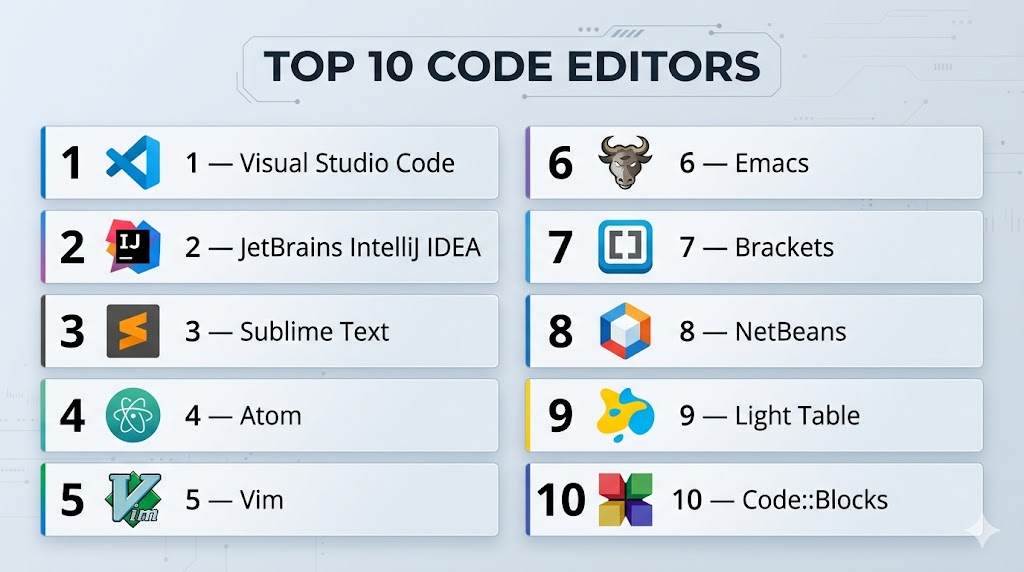
Top 10 Code Editors
#1 — Visual Studio Code
Short description: VS Code is a free, open-source, cross-platform code editor with powerful extensions, AI features, and Git integration. Ideal for developers in web, cloud, and full-stack development.
Key Features
- IntelliSense and AI-assisted code suggestions
- Integrated terminal and debugger
- Git and GitHub integration
- Extensible via marketplace plugins
- Cross-platform support (Windows, macOS, Linux)
Pros
- Highly extensible and customizable
- Lightweight and fast performance
Cons
- Can consume more memory with many extensions
- Some advanced features require configuration
Platforms / Deployment
- Windows / macOS / Linux
- Self-hosted / Cloud integrations
Security & Compliance
- SSO/SAML via extensions
- Encryption for settings and cloud sync
Integrations & Ecosystem
- GitHub, GitLab, Azure DevOps
- Docker, Kubernetes extensions
- Marketplace plugins for AI, testing, and UI
Support & Community
- Large active community, extensive documentation, forums
#2 — JetBrains IntelliJ IDEA
Short description: IntelliJ IDEA is a premium IDE known for Java development, offering advanced code analysis, debugging, and integration with version control and build tools.
Key Features
- Intelligent code completion and refactoring
- Built-in Git, GitHub, and VCS support
- Advanced debugging and profiling tools
- Plugin ecosystem for multiple languages
- CI/CD integration support
Pros
- High productivity for Java and JVM languages
- Robust code analysis and error detection
Cons
- Paid license for full features
- Heavyweight compared to lightweight editors
Platforms / Deployment
- Windows / macOS / Linux
- Self-hosted
Security & Compliance
- Encryption of project files
- Role-based access for team editions
Integrations & Ecosystem
- Git, GitHub, Bitbucket
- Docker, Kubernetes, Maven, Gradle
- Plugin support for additional languages
Support & Community
- Official support and vibrant JetBrains community
#3 — Sublime Text
Short description: Sublime Text is a fast, lightweight, and extensible code editor with cross-platform support and a focus on speed and performance. Ideal for developers working across multiple languages.
Key Features
- Multi-caret and split editing
- Syntax highlighting for multiple languages
- Command palette and plugin ecosystem
- Lightweight and fast
Pros
- Extremely responsive
- Highly customizable
Cons
- Paid license required for continued use
- Less built-in collaboration tools
Platforms / Deployment
- Windows / macOS / Linux
- Self-hosted
Security & Compliance
- Not publicly stated
Integrations & Ecosystem
- Git plugins, build system integrations
- REST API for extensions
Support & Community
- Community forums, extensive documentation
#4 — Atom
Short description: Atom is an open-source code editor by GitHub, designed for collaboration and extensibility. Best suited for web developers and open-source contributors.
Key Features
- GitHub integration and collaboration tools
- Cross-platform support
- Plugin ecosystem for customization
- Syntax highlighting and smart autocompletion
Pros
- Free and open-source
- Built for collaboration
Cons
- Can be slower with large projects
- Development updates slower post-GitHub acquisition
Platforms / Deployment
- Windows / macOS / Linux
- Self-hosted
Security & Compliance
- SSO via GitHub
- MFA optional through GitHub
Integrations & Ecosystem
- Git, GitHub, npm packages
- Plugins for CI/CD, testing
Support & Community
- Community forums, GitHub issues for support
#5 — Vim
Short description: Vim is a highly configurable text editor built for efficiency, widely used by programmers for fast editing and scripting.
Key Features
- Keyboard-centric editing
- Extensive plugin system
- Cross-platform support
- Minimalist and lightweight
Pros
- Extremely fast once mastered
- Low resource usage
Cons
- Steep learning curve
- Limited GUI for beginners
Platforms / Deployment
- Windows / macOS / Linux
- Self-hosted
Security & Compliance
- Not publicly stated
Integrations & Ecosystem
- Git plugins, scripting with Python or Lua
- IDE integrations via plugins
Support & Community
- Strong community, documentation via tutorials
#6 — Emacs
Short description: Emacs is an extensible, customizable text editor with a strong ecosystem for programming, scripting, and productivity tools.
Key Features
- Lisp-based customization
- Built-in version control
- Multi-language support
- Extensive plugin ecosystem
Pros
- Highly extensible
- Powerful text manipulation
Cons
- Steep learning curve
- Older interface may be challenging for new users
Platforms / Deployment
- Windows / macOS / Linux
- Self-hosted
Security & Compliance
- Not publicly stated
Integrations & Ecosystem
- Git integration, scripting plugins
- IDE-style extensions
Support & Community
- Community forums, documentation, mailing lists
#7 — Brackets
Short description: Brackets is an open-source editor tailored for web development, with live preview and preprocessor support for CSS and HTML.
Key Features
- Live preview in browsers
- Preprocessor support (LESS, SCSS)
- Git integration through extensions
- Inline editing
Pros
- Excellent for front-end developers
- Lightweight and intuitive
Cons
- Limited for back-end or enterprise use
- Slower updates and plugin ecosystem
Platforms / Deployment
- Windows / macOS / Linux
- Self-hosted
Security & Compliance
- Not publicly stated
Integrations & Ecosystem
- Git, browser plugins, extensions for CI/CD
Support & Community
- Active community, open-source forums
#8 — NetBeans
Short description: NetBeans is a free, open-source IDE focused on Java development with cross-language support and integrated tools for debugging and version control.
Key Features
- Multi-language support (Java, PHP, JavaScript)
- Built-in Git and SVN integration
- Project management tools
- Debugging and profiling
Pros
- Comprehensive feature set for Java developers
- Free and open-source
Cons
- Can be heavy and slower than lightweight editors
- Less modern UI
Platforms / Deployment
- Windows / macOS / Linux
- Self-hosted
Security & Compliance
- Not publicly stated
Integrations & Ecosystem
- Git, SVN, CI/CD plugins
- Extensions for frameworks
Support & Community
- Active open-source community, documentation
#9 — Light Table
Short description: Light Table is an interactive IDE and code editor focused on real-time feedback and debugging.
Key Features
- Real-time evaluation of code
- Plugin system for extensibility
- Multi-language support
- Lightweight and fast
Pros
- Interactive feedback for faster development
- Minimalist interface
Cons
- Limited enterprise features
- Smaller community
Platforms / Deployment
- Windows / macOS / Linux
- Self-hosted
Security & Compliance
- Not publicly stated
Integrations & Ecosystem
- Git, plugin APIs
- Basic CI/CD integration
Support & Community
- Community forums, GitHub-based support
#10 — Code::Blocks
Short description: Code::Blocks is a free, open-source IDE mainly for C/C++ development, providing an integrated compiler and debugging tools.
Key Features
- Multi-compiler support
- Debugging and profiling
- Plugin-based extensibility
- Project and build management
Pros
- Free and lightweight for C/C++
- Cross-platform
Cons
- UI less modern
- Limited language support
Platforms / Deployment
- Windows / macOS / Linux
- Self-hosted
Security & Compliance
- Not publicly stated
Integrations & Ecosystem
- Git integration via plugins
- Build system extensions
Support & Community
- Documentation, active community forums
Comparison Table (Top 10)
| Tool Name | Best For | Platform(s) Supported | Deployment | Standout Feature | Public Rating |
|---|---|---|---|---|---|
| VS Code | Cross-platform developers | Windows/macOS/Linux | Self-hosted/Cloud | AI-assisted code | N/A |
| IntelliJ IDEA | Java developers | Windows/macOS/Linux | Self-hosted | Advanced refactoring | N/A |
| Sublime Text | Multi-language devs | Windows/macOS/Linux | Self-hosted | Lightweight & fast | N/A |
| Atom | Open-source collaboration | Windows/macOS/Linux | Self-hosted | GitHub integration | N/A |
| Vim | CLI power users | Windows/macOS/Linux | Self-hosted | Keyboard-centric editing | N/A |
| Emacs | Advanced extensibility | Windows/macOS/Linux | Self-hosted | Lisp-based plugins | N/A |
| Brackets | Web developers | Windows/macOS/Linux | Self-hosted | Live preview | N/A |
| NetBeans | Java/PHP devs | Windows/macOS/Linux | Self-hosted | Multi-language support | N/A |
| Light Table | Interactive coding | Windows/macOS/Linux | Self-hosted | Real-time feedback | N/A |
| Code::Blocks | C/C++ developers | Windows/macOS/Linux | Self-hosted | Compiler integration | N/A |
Evaluation & Scoring of Code Editors
| Tool Name | Core (25%) | Ease (15%) | Integrations (15%) | Security (10%) | Performance (10%) | Support (10%) | Value (15%) | Weighted Total |
|---|---|---|---|---|---|---|---|---|
| VS Code | 9 | 9 | 9 | 8 | 8 | 8 | 8 | 8.6 |
| IntelliJ IDEA | 9 | 8 | 8 | 8 | 8 | 8 | 8 | 8.2 |
| Sublime Text | 8 | 9 | 7 | 7 | 8 | 7 | 8 | 7.8 |
| Atom | 8 | 8 | 7 | 7 | 7 | 7 | 8 | 7.6 |
| Vim | 7 | 8 | 5 | 6 | 8 | 6 | 7 | 6.8 |
| Emacs | 7 | 7 | 6 | 6 | 7 | 6 | 7 | 6.6 |
| Brackets | 7 | 8 | 5 | 6 | 7 | 6 | 7 | 6.8 |
| NetBeans | 8 | 7 | 7 | 7 | 7 | 7 | 8 | 7.6 |
| Light Table | 7 | 8 | 5 | 6 | 7 | 6 | 6 | 6.6 |
| Code::Blocks | 7 | 7 | 5 | 6 | 7 | 6 | 6 | 6.4 |
Which Code Editor Tool Is Right for You?
Solo / Freelancer
- VS Code, Sublime Text – lightweight, free, and fast for individual projects
SMB
- Atom, Brackets – collaborative and web-friendly
Mid-Market
- IntelliJ IDEA, VS Code – integration with CI/CD and team projects
Enterprise
- IntelliJ IDEA, VS Code – robust, scalable, secure
Budget vs Premium
- Budget: VS Code, Atom, Vim
- Premium: IntelliJ IDEA, Sublime Text
Feature Depth vs Ease of Use
- Depth: IntelliJ IDEA, Emacs
- Ease: VS Code, Sublime Text
Integrations & Scalability
- Enterprise teams: VS Code, IntelliJ IDEA
- Small teams: Atom, Brackets
Security & Compliance Needs
- High compliance: IntelliJ IDEA, VS Code
Frequently Asked Questions (FAQs)
1. Are code editors free?
Many editors like VS Code, Atom, Vim, and Brackets are free; IntelliJ IDEA and Sublime Text have premium versions.
2. Can code editors integrate with Git?
Yes, most editors have built-in or plugin-based Git integration.
3. Are code editors suitable for collaborative work?
Yes; cloud-enabled editors and GitHub integration allow team collaboration.
4. Do they support multiple programming languages?
Yes; most support web, scripting, and enterprise languages.
5. Can they handle large projects?
VS Code, IntelliJ IDEA, and Sublime Text handle large-scale projects efficiently.
6. Do they provide debugging tools?
Yes, most editors include integrated or plugin-based debugging.
7. Are extensions necessary?
Extensions provide additional functionality for languages, CI/CD, and productivity tools.
8. Can code editors be used offline?
Yes, all desktop editors support offline development.
9. Are they cross-platform?
Most editors run on Windows, macOS, and Linux.
10. How to choose the best editor?
Consider project size, language requirements, collaboration, integrations, and personal workflow preferences.
Conclusion
Choosing the right code editor depends on team size, workflow complexity, programming languages, and integration requirements. VS Code and Sublime Text are excellent for freelancers and small teams, whereas IntelliJ IDEA and VS Code offer enterprise-grade features for larger teams. Evaluate integration capabilities, AI assistance, security compliance, and performance. Pilot the editor with your team and validate that it meets project and organizational needs.

Find Trusted Cardiac Hospitals
Compare heart hospitals by city and services — all in one place.
Explore Hospitals
A good code editor should also make it easy for teams to keep a consistent setup. Different extensions, settings, and formatting rules can sometimes cause small differences between developers. Using shared configuration files can make the development experience more consistent across the team.