Introduction
Secrets Management Tools are specialized platforms designed to securely store, manage, and distribute sensitive information such as API keys, passwords, certificates, encryption keys, and other confidential data. In a world where remote work, cloud adoption, and microservices architectures are ubiquitous, protecting secrets is critical to maintaining application security and organizational compliance.
Organizations of all sizes rely on these tools to prevent unauthorized access, reduce the risk of data breaches, and simplify credential rotation. By centralizing secrets, businesses reduce operational overhead while improving auditability and access control.
Real-world use cases include:
- Centralized storage of API keys for microservices and serverless applications.
- Automated credential rotation for cloud environments to reduce exposure risks.
- Protecting database credentials in DevOps pipelines and CI/CD workflows.
- Ensuring compliance with security standards such as SOC 2, ISO 27001, GDPR, and HIPAA.
- Managing encryption keys for secure communication across distributed systems.
Buyers should evaluate these criteria:
- Security and compliance capabilities (encryption, audit logs, MFA, RBAC)
- Ease of integration with existing DevOps and cloud platforms
- Secret rotation and automation support
- Scalability and performance
- Usability and developer experience
- Deployment flexibility (cloud, on-prem, hybrid)
- Pricing and licensing models
- Community support and documentation
- API and ecosystem extensibility
- Reporting and monitoring capabilities
Best for: IT security teams, DevOps engineers, enterprise organizations, SaaS providers, and companies handling sensitive customer data.
Not ideal for: Small businesses with minimal secret requirements, teams relying solely on internal manual credential storage, or situations where lightweight password managers suffice.
Key Trends in Secrets Management Tools
- Increasing integration with cloud-native platforms like AWS, Azure, and GCP.
- Automated secret rotation and lifecycle management using AI-driven workflows.
- Support for multi-cloud and hybrid environments.
- Enhanced compliance and reporting features to meet GDPR, SOC 2, and HIPAA requirements.
- Developer-focused tools with CLI and API-first designs for CI/CD pipelines.
- Adoption of zero-trust principles for granular access control.
- Emergence of open-source solutions with enterprise-grade features.
- AI-assisted anomaly detection for unusual secret access patterns.
- Consolidation with broader identity and access management (IAM) platforms.
- Flexible pricing models including usage-based and subscription plans.
How We Selected These Tools (Methodology)
- Evaluated market adoption, brand recognition, and mindshare.
- Reviewed feature completeness including encryption, rotation, and access policies.
- Considered reliability and performance signals from user reports and benchmarks.
- Verified security posture based on certifications, audits, and known practices.
- Analyzed integration capabilities with DevOps, cloud, and developer tooling ecosystems.
- Examined suitability across organization sizes from SMBs to enterprise.
- Reviewed customer reviews and testimonials for real-world usability.
- Balanced open-source and commercial solutions for diversity.
- Checked update frequency and vendor roadmap transparency.
- Focused on tools with strong community support and active developer engagement.
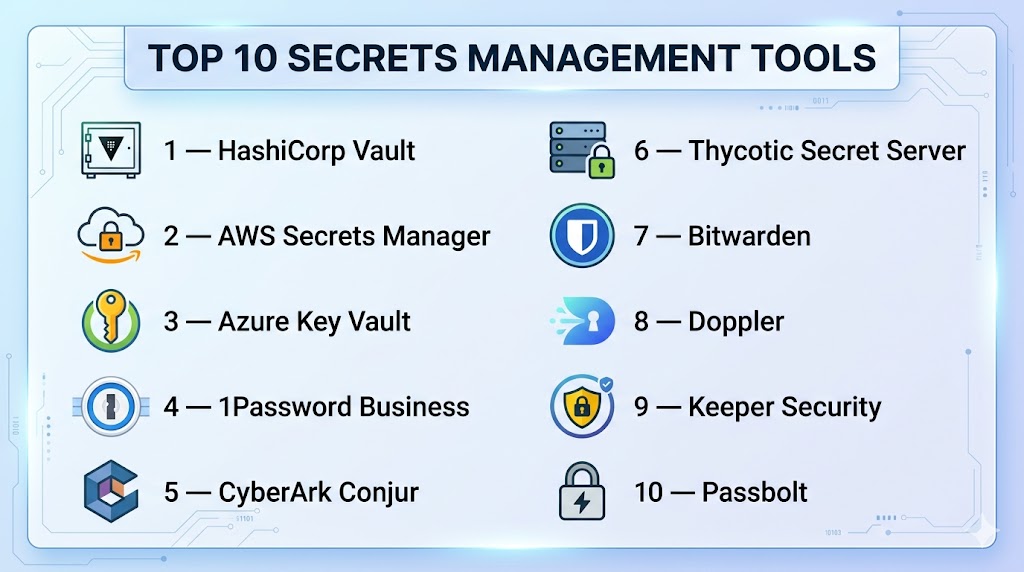
Top 10 Secrets Management Tools
#1 — HashiCorp Vault
Short description: HashiCorp Vault is an enterprise-grade tool for managing secrets, encryption keys, and access policies across diverse environments. It is widely used by developers and security teams for cloud and on-prem deployments.
Key Features
- Dynamic secrets generation
- Identity-based access control and RBAC
- Secret leasing and automatic revocation
- Audit logging and detailed reporting
- Encryption as a service for applications
- CLI and API-first integration
- Multi-cloud and hybrid environment support
Pros
- Strong community and extensive documentation
- Flexible deployment and enterprise-grade security
Cons
- Steep learning curve for beginners
- Self-hosting requires careful configuration
Platforms / Deployment
- Web / Windows / macOS / Linux
- Cloud / Self-hosted / Hybrid
Security & Compliance
- SSO/SAML, MFA, encryption, audit logs, RBAC
- SOC 2, ISO 27001, GDPR
Integrations & Ecosystem
Integrates with CI/CD tools, cloud providers, databases, and messaging platforms.
- AWS, Azure, GCP
- Kubernetes, Terraform
- Jenkins, GitLab CI/CD
- REST API and SDK support
Support & Community
- Enterprise support available
- Active open-source community
- Extensive tutorials and guides
#2 — AWS Secrets Manager
Short description: AWS Secrets Manager provides secure storage, automatic rotation, and fine-grained access control for secrets within the AWS ecosystem. Ideal for organizations heavily invested in AWS.
Key Features
- Automated secret rotation
- Tight integration with AWS IAM and CloudTrail
- Audit and monitoring via AWS CloudWatch
- Encryption with AWS KMS
- SDKs for programmatic access
Pros
- Native AWS integration
- Automatic rotation reduces manual management
Cons
- Limited outside AWS ecosystem
- Cost can scale with number of secrets
Platforms / Deployment
- Web / Linux / Windows / macOS
- Cloud (AWS)
Security & Compliance
- SSO, encryption at rest and in transit
- SOC 2, ISO 27001, HIPAA, GDPR
Integrations & Ecosystem
Primarily integrates with AWS services:
- EC2, Lambda, RDS
- CloudFormation, CodePipeline
- SDKs in multiple languages
Support & Community
- AWS support tiers available
- Extensive documentation and forums
#3 — Azure Key Vault
Short description: Azure Key Vault centralizes the management of application secrets, keys, and certificates with native integration to Microsoft Azure services, simplifying cloud security.
Key Features
- Centralized secret storage and management
- Key rotation and certificate management
- Access control via Azure AD
- Logging and monitoring with Azure Monitor
- Integration with Azure DevOps pipelines
Pros
- Native Azure integration
- Enterprise-grade security and compliance
Cons
- Limited non-Azure platform integration
- Pricing based on number of operations
Platforms / Deployment
- Web / Windows / Linux
- Cloud (Azure)
Security & Compliance
- SSO/SAML, encryption, RBAC
- ISO 27001, SOC 2, GDPR
Integrations & Ecosystem
Works seamlessly with Azure services and DevOps tools:
- Azure DevOps, Logic Apps, Functions
- PowerShell, SDKs
- REST APIs
Support & Community
- Microsoft support tiers
- Active community forums
#4 — 1Password Business
Short description: 1Password Business focuses on storing and sharing credentials securely for teams, with robust access controls and encrypted vaults.
Key Features
- Vault-based secret storage
- Access control and sharing permissions
- Encrypted password storage
- Secure password generator
- Browser extensions and mobile apps
- Team activity logs
Pros
- Easy to use for non-technical teams
- Cross-platform access
Cons
- Less suitable for programmatic secret management
- Not ideal for complex cloud infrastructure secrets
Platforms / Deployment
- Web / Windows / macOS / Linux / iOS / Android
- Cloud
Security & Compliance
- End-to-end encryption, MFA, audit logs
- SOC 2, ISO 27001, GDPR
Integrations & Ecosystem
Integrates with productivity tools and team apps:
- Slack, Jira, GitHub
- Browser extensions
- REST API
Support & Community
- 24/7 support for business plans
- Active user community
#5 — CyberArk Conjur
Short description: CyberArk Conjur provides open-source and enterprise solutions for managing secrets in DevOps environments, focusing on automation and containerized applications.
Key Features
- Secret storage and management
- Role-based access control
- API key and credential management
- Kubernetes and Docker integration
- Audit logging and compliance reports
Pros
- Strong open-source and enterprise support
- Developer-friendly with CLI and API
Cons
- Enterprise features can be costly
- Requires initial setup effort
Platforms / Deployment
- Web / Linux / Windows
- Cloud / Self-hosted / Hybrid
Security & Compliance
- MFA, RBAC, encryption, audit logs
- SOC 2, ISO 27001, GDPR
Integrations & Ecosystem
- Kubernetes, Docker, Jenkins, CI/CD pipelines
- REST API
- Cloud integrations: AWS, Azure
Support & Community
- Enterprise support available
- Open-source community contributions
#6 — Thycotic Secret Server
Short description: Secret Server is an enterprise password and secrets management solution, offering automated password rotation, auditing, and vaulting capabilities.
Key Features
- Centralized credential vault
- Automatic password rotation
- Role-based access control
- Audit logs and reporting
- Active Directory integration
- High-availability deployment options
Pros
- Enterprise-grade security
- Extensive auditing and reporting features
Cons
- Can be complex to deploy for SMBs
- Licensing costs may be high
Platforms / Deployment
- Windows / Web
- Cloud / Self-hosted / Hybrid
Security & Compliance
- Encryption, MFA, RBAC, audit logs
- SOC 2, ISO 27001, HIPAA
Integrations & Ecosystem
- Active Directory, LDAP
- API access for automation
- SIEM integrations
Support & Community
- Dedicated enterprise support
- Documentation and community forums
#7 — Bitwarden
Short description: Bitwarden offers secure password and secrets management for teams and individuals, with open-source transparency and cross-platform availability.
Key Features
- Encrypted vaults for secrets
- Cross-platform access (desktop, mobile, browser)
- Team and organization sharing
- CLI and API for automation
- Password generator and audit
Pros
- Open-source and transparent
- Cost-effective for SMBs and teams
Cons
- Enterprise features less extensive than competitors
- Limited cloud automation
Platforms / Deployment
- Web / Windows / macOS / Linux / iOS / Android
- Cloud / Self-hosted
Security & Compliance
- End-to-end encryption, MFA
- SOC 2, GDPR
Integrations & Ecosystem
- CI/CD pipelines, browser extensions, APIs
- Slack and team apps integration
Support & Community
- Email and priority support for enterprise
- Strong open-source community
#8 — Doppler
Short description: Doppler centralizes secrets for applications and infrastructure, emphasizing simplicity, developer experience, and CI/CD integration.
Key Features
- Secrets management across environments
- Automatic environment sync
- Team collaboration and role-based access
- CLI and SDK support
- Audit logs and activity tracking
Pros
- Developer-first approach
- Easy multi-environment management
Cons
- Cloud-only solution
- Limited advanced enterprise compliance
Platforms / Deployment
- Web / Windows / macOS / Linux
- Cloud
Security & Compliance
- Encryption, MFA, RBAC
- SOC 2, GDPR
Integrations & Ecosystem
- AWS, GCP, Azure, Kubernetes, CI/CD pipelines
- REST API and SDK support
Support & Community
- Live chat support and documentation
- Active developer community
#9 — Keeper Security
Short description: Keeper provides secure password and secrets management for enterprises, with strong encryption and compliance-focused features.
Key Features
- Encrypted vaults for secrets
- Password and credential rotation
- Role-based access and auditing
- Secure file storage
- Reporting and compliance tools
Pros
- Strong compliance focus
- Multi-device access
Cons
- May be overkill for small teams
- Pricing can be higher than SMB alternatives
Platforms / Deployment
- Web / Windows / macOS / Linux / iOS / Android
- Cloud
Security & Compliance
- MFA, encryption, audit logs, RBAC
- SOC 2, ISO 27001, HIPAA, GDPR
Integrations & Ecosystem
- Active Directory, SSO providers
- REST API, browser extensions
- CI/CD pipeline integrations
Support & Community
- Enterprise support plans
- Knowledge base and community forums
#10 — Passbolt
Short description: Passbolt is an open-source secrets management solution focused on team password sharing and API key management for developers.
Key Features
- Encrypted password and API key storage
- Team and group access management
- Browser extensions and CLI support
- Audit logging
- API-first design
Pros
- Open-source and transparent
- Developer-friendly
Cons
- Enterprise support limited compared to commercial solutions
- Less automated rotation features
Platforms / Deployment
- Web / Windows / macOS / Linux
- Self-hosted / Cloud
Security & Compliance
- End-to-end encryption, MFA
- SOC 2, GDPR
Integrations & Ecosystem
- REST API, CI/CD pipelines
- GitHub, GitLab, Slack integrations
- Browser extensions
Support & Community
- Community support
- Documentation and forums
Comparison Table (Top 10)
| Tool Name | Best For | Platform(s) Supported | Deployment | Standout Feature | Public Rating |
|---|---|---|---|---|---|
| HashiCorp Vault | Enterprise DevOps teams | Web, Windows, macOS, Linux | Cloud/Self-hosted/Hybrid | Dynamic secrets generation | N/A |
| AWS Secrets Manager | AWS-heavy environments | Web, Windows, Linux, macOS | Cloud (AWS) | Automatic rotation | N/A |
| Azure Key Vault | Azure-integrated teams | Web, Windows, Linux | Cloud (Azure) | Centralized key & secret management | N/A |
| 1Password Business | SMBs, non-technical teams | Web, Windows, macOS, Linux, iOS, Android | Cloud | Easy team sharing and vault management | N/A |
| CyberArk Conjur | DevOps & containerized apps | Web, Windows, Linux | Cloud/Self-hosted/Hybrid | DevOps-focused automation | N/A |
| Thycotic Secret Server | Enterprise password management | Windows, Web | Cloud/Self-hosted/Hybrid | Automated password rotation | N/A |
| Bitwarden | SMBs, open-source enthusiasts | Web, Windows, macOS, Linux, iOS, Android | Cloud/Self-hosted | Open-source, cost-effective | N/A |
| Doppler | Developers & multi-environment | Web, Windows, macOS, Linux | Cloud | Developer-first experience | N/A |
| Keeper Security | Compliance-heavy enterprises | Web, Windows, macOS, Linux, iOS, Android | Cloud | Strong compliance focus | N/A |
| Passbolt | Developer teams & open-source | Web, Windows, macOS, Linux | Cloud/Self-hosted | Open-source API-first design | N/A |
Evaluation & Scoring of Secrets Management Tools
| Tool Name | Core (25%) | Ease (15%) | Integrations (15%) | Security (10%) | Performance (10%) | Support (10%) | Value (15%) | Weighted Total (0–10) |
|---|---|---|---|---|---|---|---|---|
| HashiCorp Vault | 9 | 7 | 9 | 10 | 9 | 8 | 7 | 8.8 |
| AWS Secrets Manager | 8 | 8 | 8 | 9 | 9 | 7 | 6 | 8.1 |
| Azure Key Vault | 8 | 7 | 7 | 9 | 8 | 7 | 6 | 7.7 |
| 1Password Business | 6 | 9 | 6 | 8 | 7 | 8 | 7 | 7.3 |
| CyberArk Conjur | 8 | 7 | 8 | 9 | 8 | 7 | 6 | 7.8 |
| Thycotic Secret Server | 8 | 7 | 7 | 9 | 8 | 7 | 6 | 7.6 |
| Bitwarden | 6 | 8 | 6 | 8 | 7 | 7 | 8 | 7.1 |
| Doppler | 7 | 8 | 7 | 8 | 8 | 7 | 7 | 7.5 |
| Keeper Security | 7 | 8 | 7 | 9 | 7 | 7 | 6 | 7.4 |
| Passbolt | 6 | 7 | 6 | 8 | 7 | 6 | 7 | 6.8 |
Scores are comparative, illustrating relative strengths and weaknesses. Weighted totals reflect a balance across features, usability, integrations, security, performance, support, and value.
Which Secrets Management Tools Tool Is Right for You?
Solo / Freelancer
Choose lightweight tools like Bitwarden or 1Password for simple credential management with minimal overhead.
SMB
Consider 1Password Business, Doppler, or Bitwarden for team collaboration and cloud-based access.
Mid-Market
HashiCorp Vault, CyberArk Conjur, or AWS Secrets Manager provide robust automation, multi-environment support, and compliance features.
Enterprise
Select enterprise-grade solutions like HashiCorp Vault, CyberArk Conjur, Thycotic Secret Server, or Azure Key Vault for comprehensive security, auditing, and scaling across thousands of users.
Budget vs Premium
Open-source tools (Bitwarden, Passbolt) suit budget-conscious teams, while premium solutions (CyberArk, Thycotic, Keeper) offer enterprise-level compliance and advanced features.
Feature Depth vs Ease of Use
Vault and Conjur offer deep features for developers but require learning. 1Password and Bitwarden prioritize ease of use over complex automation.
Integrations & Scalability
Choose HashiCorp Vault or AWS Secrets Manager for cloud-native apps; Thycotic Secret Server works well in hybrid enterprise deployments.
Security & Compliance Needs
For strict regulatory compliance, CyberArk Conjur, Thycotic Secret Server, and Keeper Security provide extensive audit logs, RBAC, and encryption standards.
Frequently Asked Questions (FAQs)
1. What is a secrets management tool and why is it important?
Secrets management tools store and control access to sensitive information like passwords and API keys. They reduce the risk of data breaches, enable automated rotation, and help maintain regulatory compliance.
2. How do these tools integrate with DevOps workflows?
Most tools offer APIs, SDKs, and CLI support, allowing automated retrieval and rotation of secrets within CI/CD pipelines and infrastructure-as-code workflows.
3. What deployment options are available?
Many solutions offer cloud, self-hosted, or hybrid deployments. Cloud solutions provide ease of use, while self-hosted options give full control over data and security policies.
4. Are open-source tools secure enough for enterprise use?
Yes, open-source tools like Bitwarden and Passbolt can be highly secure if properly configured. Enterprises may combine them with additional compliance and monitoring measures.
5. How often should secrets be rotated?
Best practices suggest regular rotation based on sensitivity and risk. Many tools automate this process to ensure credentials are refreshed without downtime.
6. What industries benefit most from these tools?
Finance, healthcare, SaaS providers, and any organization managing sensitive customer data benefit from robust secrets management due to regulatory and operational needs.
7. Can these tools integrate with multi-cloud environments?
Yes. Tools like HashiCorp Vault, Doppler, and AWS Secrets Manager support AWS, Azure, GCP, and hybrid deployments for seamless secret management across platforms.
8. What mistakes should teams avoid?
Common mistakes include hardcoding credentials, neglecting automated rotation, insufficient access controls, and ignoring audit logging.
9. How is pricing typically structured?
Pricing varies by tool and deployment, ranging from free open-source options, subscription-based SaaS, or enterprise licenses with tiered support.
10. Can secrets management tools replace password managers?
Not entirely. While some solutions support individual credentials, enterprise secrets management focuses on application secrets, automation, and compliance beyond personal password management.
Conclusion
Secrets Management Tools are essential for securing sensitive data, reducing operational risk, and maintaining compliance in modern digital environments. Selecting the right tool depends on team size, technical expertise, deployment model, regulatory requirements, and budget. Organizations should evaluate solutions based on security, ease of integration, automation, and support to identify the best fit. A practical approach involves shortlisting tools, piloting them in real environments, and validating features such as secret rotation, audit capabilities, and developer workflow integration. By doing so, teams can safeguard critical credentials while maintaining operational efficiency and compliance.

Find Trusted Cardiac Hospitals
Compare heart hospitals by city and services — all in one place.
Explore Hospitals
Secrets can become difficult to manage when old credentials are still stored in applications or deployment systems. Regularly checking where a secret is being used before rotating or removing it can prevent unexpected service failures. This is especially important when the same secret is connected to multiple applications.