Introduction
Code Signing Tools are specialized platforms that enable software developers and organizations to digitally sign applications, scripts, and binaries to ensure authenticity and integrity. Digital signatures confirm that code originates from a trusted source and has not been tampered with, enhancing user trust and protecting against malware distribution.
With the rise of cloud-native applications, open-source software, and distributed deployment pipelines, secure code signing has become a critical component of software development and release processes. These tools automate key management, signing workflows, and integration into CI/CD pipelines, helping teams maintain compliance with security standards.
Real-world use cases include:
- Signing desktop, mobile, and web applications for verified distribution.
- Securing scripts and executables in automated DevOps pipelines.
- Managing code signing certificates for multi-platform releases.
- Ensuring compliance with industry standards such as ISO 27001 and SOC 2.
- Automating certificate rotation to prevent expired or invalid signatures.
Buyers should evaluate these criteria:
- Automation and integration capabilities for CI/CD pipelines
- Certificate lifecycle management and renewal automation
- Multi-platform and multi-language support
- Compliance and audit features
- Security features (HSM integration, MFA, RBAC)
- Ease of use and developer adoption
- Scalability across enterprise and distributed teams
- Deployment flexibility (cloud, on-prem, hybrid)
- Support for third-party and internal certificate authorities
- Pricing and licensing structures
Best for: Software development teams, DevOps engineers, enterprises distributing trusted applications, SaaS providers, and organizations with strict compliance requirements.
Not ideal for: Small development teams with minimal software distribution, internal scripts only, or teams that rely solely on lightweight or manual code signing methods.
Key Trends in Code Signing Tools
- Integration with DevOps and CI/CD pipelines for automated signing
- Hardware Security Module (HSM) and cloud-based key storage support
- AI-driven anomaly detection for suspicious signing activity
- Support for multi-platform and cross-language code signing
- Compliance reporting for ISO, SOC, and industry-specific standards
- Cloud-native SaaS offerings for distributed teams
- Adoption of keyless signing to reduce dependency on static certificates
- Streamlined developer experience with CLI, APIs, and SDKs
- Centralized certificate management and rotation automation
- Flexible subscription and usage-based pricing models
How We Selected These Tools (Methodology)
- Assessed market adoption, industry recognition, and mindshare
- Evaluated feature completeness including automation, multi-platform support, and certificate management
- Reviewed reliability and performance in real-world deployment scenarios
- Verified security posture including encryption standards, HSM integration, and access controls
- Analyzed integration capabilities with CI/CD tools, DevOps platforms, and cloud providers
- Checked customer fit across SMB, mid-market, and enterprise segments
- Examined community engagement, open-source contributions, and support forums
- Considered update frequency and vendor roadmap for future improvements
- Balanced enterprise, SMB, developer-first, and open-source solutions
- Prioritized tools with strong documentation, onboarding, and professional support
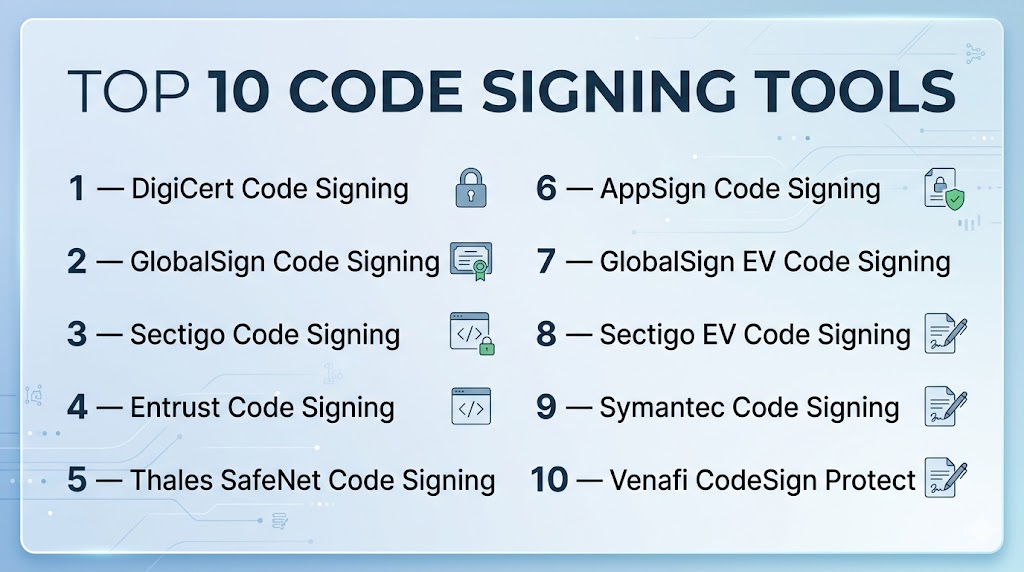
Top 10 Code Signing Tools
#1 — DigiCert Code Signing
Short description: DigiCert Code Signing enables organizations to securely sign applications and binaries, ensuring authenticity and integrity for enterprise and public distribution.
Key Features
- Support for Windows, macOS, and mobile application signing
- Automated certificate issuance and renewal
- Timestamping to maintain signature validity
- Integration with CI/CD pipelines
- Hardware Security Module (HSM) support
- Multi-user management and RBAC
- Compliance reporting for audits
Pros
- Strong enterprise security and reliability
- Simplifies certificate lifecycle management
Cons
- Premium pricing for smaller teams
- Learning curve for multi-platform deployments
Platforms / Deployment
- Windows / macOS / Linux
- Cloud / On-prem / Hybrid
Security & Compliance
- MFA, encryption, RBAC, audit logs
- SOC 2, ISO 27001, Not publicly stated
Integrations & Ecosystem
Integrates with DevOps and CI/CD pipelines for automated signing:
- Jenkins, GitLab CI/CD, Azure DevOps
- API and SDK support
- HSM and cloud key management
Support & Community
- Enterprise support available
- Documentation, training, and community forums
#2 — GlobalSign Code Signing
Short description: GlobalSign provides enterprise-grade code signing certificates for software and device manufacturers, ensuring trust and compliance for distributed applications.
Key Features
- Support for Microsoft Authenticode and Apple Developer IDs
- Automated certificate lifecycle management
- Cloud-based and on-premise signing
- Timestamping services
- Integration with DevOps pipelines
- Audit logging for compliance
Pros
- Simplifies multi-platform code signing
- Strong reputation for certificate trust
Cons
- Pricing scales with certificate volume
- May require dedicated staff for large-scale deployments
Platforms / Deployment
- Windows / macOS / Linux
- Cloud / On-prem
Security & Compliance
- MFA, encryption, RBAC, audit logs
- SOC 2, ISO 27001, Not publicly stated
Integrations & Ecosystem
Supports integrations with DevOps and CI/CD workflows:
- Jenkins, Bamboo, GitHub Actions
- API and CLI access
- HSM compatibility
Support & Community
- Enterprise support tiers
- Knowledge base and documentation
#3 — Sectigo Code Signing
Short description: Sectigo offers comprehensive code signing solutions for software developers, enabling secure distribution of applications, scripts, and binaries across multiple platforms.
Key Features
- Digital signatures for Windows, macOS, and mobile apps
- Automatic certificate renewal and management
- Timestamping to maintain trust over time
- Integration with DevOps and build pipelines
- HSM support for enhanced security
- Audit and compliance reporting
Pros
- Flexible deployment options
- Multi-platform signing support
Cons
- UI can be complex for small teams
- Advanced features may require enterprise plan
Platforms / Deployment
- Windows / macOS / Linux
- Cloud / On-prem
Security & Compliance
- MFA, encryption, RBAC, audit logs
- SOC 2, ISO 27001, Not publicly stated
Integrations & Ecosystem
- CI/CD pipelines (Jenkins, GitLab, Azure DevOps)
- API and SDK integration
- HSM and cloud key management
Support & Community
- Enterprise support
- Documentation and forums
#4 — Entrust Code Signing
Short description: Entrust provides secure code signing certificates for developers and enterprises, supporting multiple platforms and ensuring integrity and authenticity.
Key Features
- Support for Microsoft Authenticode and Apple Developer ID
- Automated certificate lifecycle management
- Timestamping for long-term signature validity
- Integration with DevOps and build tools
- Audit and compliance reporting
Pros
- Strong compliance and security focus
- Supports complex enterprise environments
Cons
- Enterprise pricing
- Initial setup may require dedicated resources
Platforms / Deployment
- Windows / macOS / Linux
- Cloud / On-prem
Security & Compliance
- MFA, encryption, RBAC, audit logs
- SOC 2, ISO 27001, Not publicly stated
Integrations & Ecosystem
- Jenkins, Azure DevOps, GitHub Actions
- API and CLI support
- HSM integration
Support & Community
- Enterprise support available
- Documentation and knowledge base
#5 — Thales SafeNet Code Signing
Short description: Thales SafeNet provides secure key storage and code signing solutions, integrating with hardware security modules for enhanced trust and compliance.
Key Features
- HSM-backed code signing
- Multi-platform support for Windows, macOS, and Linux
- Automated certificate issuance and renewal
- Timestamping and long-term validation
- Integration with DevOps pipelines
Pros
- Strong security and key management
- Suitable for regulated industries
Cons
- Costly for small teams
- HSM deployment adds complexity
Platforms / Deployment
- Windows / macOS / Linux
- Cloud / On-prem / Hybrid
Security & Compliance
- MFA, encryption, RBAC, audit logs
- SOC 2, ISO 27001, Not publicly stated
Integrations & Ecosystem
- CI/CD tools (Jenkins, GitLab CI/CD)
- API and SDK support
- HSM integration
Support & Community
- Enterprise support tiers
- Documentation and training
#6 — AppSign Code Signing
Short description: AppSign offers automated and cloud-based code signing services for software developers, emphasizing ease of use and CI/CD integration.
Key Features
- Cloud-based signing platform
- Automated certificate renewal
- Timestamping for long-term validity
- API-first design for CI/CD integration
- Multi-platform support
Pros
- SaaS delivery reduces infrastructure overhead
- Developer-friendly interface
Cons
- Cloud-only limits on-premise options
- Enterprise compliance features may be limited
Platforms / Deployment
- Web / Windows / macOS / Linux
- Cloud
Security & Compliance
- MFA, encryption, RBAC
- SOC 2, ISO 27001
Integrations & Ecosystem
- CI/CD pipelines (Jenkins, GitLab, GitHub Actions)
- API and SDK support
Support & Community
- Enterprise support available
- Documentation and knowledge base
#7 — GlobalSign EV Code Signing
Short description: GlobalSign EV Code Signing offers extended validation certificates for software publishers, ensuring maximum trust and reduced warnings during installation.
Key Features
- Extended validation for publisher identity
- Multi-platform signing
- Automated certificate renewal and timestamping
- Integration with DevOps pipelines
- Audit and compliance reporting
Pros
- Enhanced user trust and security
- Automation reduces manual errors
Cons
- Cost higher than standard certificates
- Requires organization validation
Platforms / Deployment
- Windows / macOS / Linux
- Cloud / On-prem
Security & Compliance
- MFA, encryption, RBAC
- SOC 2, ISO 27001
Integrations & Ecosystem
- CI/CD pipelines, build servers
- API and CLI support
- HSM support
Support & Community
- Enterprise support available
- Documentation and training
#8 — Sectigo EV Code Signing
Short description: Sectigo provides enterprise-grade extended validation code signing certificates, automating signing workflows for software publishers.
Key Features
- Extended validation certificates
- Multi-platform signing
- Timestamping and renewal automation
- Integration with DevOps tools
- Audit and compliance reporting
Pros
- High trust level with end users
- Supports enterprise-scale automation
Cons
- Higher cost tier
- Advanced setup may require dedicated staff
Platforms / Deployment
- Windows / macOS / Linux
- Cloud / On-prem
Security & Compliance
- MFA, encryption, RBAC, audit logs
- SOC 2, ISO 27001
Integrations & Ecosystem
- CI/CD pipelines (Jenkins, Azure DevOps)
- API and SDK support
- HSM integration
Support & Community
- Enterprise support tiers
- Documentation and knowledge base
#9 — Symantec Code Signing
Short description: Symantec Code Signing provides secure signing of applications and executables, integrating with enterprise security infrastructure to ensure trust.
Key Features
- Multi-platform code signing
- Extended validation certificates
- Automated certificate lifecycle management
- Timestamping and audit logging
- API and CLI integration
Pros
- Trusted brand for enterprise security
- Automation reduces signing errors
Cons
- Higher pricing
- Legacy interface may be less intuitive
Platforms / Deployment
- Windows / macOS / Linux
- Cloud / On-prem
Security & Compliance
- MFA, encryption, audit logs
- SOC 2, ISO 27001
Integrations & Ecosystem
- CI/CD pipelines, HSMs, build servers
- API and SDK support
Support & Community
- Enterprise support available
- Documentation and training
#10 — Venafi CodeSign Protect
Short description: Venafi CodeSign Protect automates code signing across enterprise environments, protecting keys and certificates while integrating with DevOps pipelines.
Key Features
- Centralized key and certificate management
- Automated code signing workflows
- HSM and cloud key protection
- CI/CD pipeline integration
- Audit logs and compliance reporting
Pros
- Enterprise-grade security and compliance
- Scales for large software teams
Cons
- Complex setup for small organizations
- Premium pricing tier
Platforms / Deployment
- Web / Windows / macOS / Linux
- Cloud / On-prem / Hybrid
Security & Compliance
- MFA, encryption, RBAC, audit logs
- SOC 2, ISO 27001
Integrations & Ecosystem
- Jenkins, GitLab CI/CD, Azure DevOps
- API and SDK access
- HSM integration
Support & Community
- Enterprise support available
- Documentation and professional training
Comparison Table (Top 10)
| Tool Name | Best For | Platform(s) Supported | Deployment | Standout Feature | Public Rating |
|---|---|---|---|---|---|
| DigiCert Code Signing | Enterprise software teams | Windows, macOS, Linux | Cloud/On-prem/Hybrid | Centralized certificate management | N/A |
| GlobalSign Code Signing | Multi-platform software | Windows, macOS, Linux | Cloud/On-prem | Enterprise-grade trust | N/A |
| Sectigo Code Signing | Developers & enterprises | Windows, macOS, Linux | Cloud/On-prem | Multi-platform support | N/A |
| Entrust Code Signing | Enterprises needing compliance | Windows, macOS, Linux | Cloud/On-prem | Automated lifecycle management | N/A |
| Thales SafeNet Code Signing | Regulated industries | Windows, macOS, Linux | Cloud/On-prem/Hybrid | HSM-backed signing | N/A |
| AppSign Code Signing | SaaS developers | Web, Windows, macOS, Linux | Cloud | Cloud-based code signing | N/A |
| GlobalSign EV Code Signing | High trust software publishers | Windows, macOS, Linux | Cloud/On-prem | Extended validation | N/A |
| Sectigo EV Code Signing | Enterprise-grade software | Windows, macOS, Linux | Cloud/On-prem | Extended validation with automation | N/A |
| Symantec Code Signing | Trusted enterprise brands | Windows, macOS, Linux | Cloud/On-prem | Brand trust and multi-platform | N/A |
| Venafi CodeSign Protect | Large enterprise teams | Windows, macOS, Linux | Cloud/On-prem/Hybrid | Automated code signing workflows | N/A |
Evaluation & Scoring of Code Signing Tools
| Tool Name | Core (25%) | Ease (15%) | Integrations (15%) | Security (10%) | Performance (10%) | Support (10%) | Value (15%) | Weighted Total (0–10) |
|---|---|---|---|---|---|---|---|---|
| DigiCert Code Signing | 9 | 8 | 9 | 9 | 8 | 8 | 7 | 8.5 |
| GlobalSign Code Signing | 8 | 7 | 8 | 9 | 8 | 7 | 7 | 8.0 |
| Sectigo Code Signing | 8 | 7 | 7 | 8 | 8 | 7 | 7 | 7.7 |
| Entrust Code Signing | 8 | 7 | 7 | 8 | 8 | 7 | 6 | 7.5 |
| Thales SafeNet Code Signing | 9 | 7 | 8 | 9 | 8 | 7 | 6 | 7.9 |
| AppSign Code Signing | 7 | 8 | 7 | 8 | 7 | 7 | 6 | 7.4 |
| GlobalSign EV Code Signing | 8 | 7 | 7 | 9 | 8 | 7 | 6 | 7.5 |
| Sectigo EV Code Signing | 8 | 7 | 7 | 9 | 8 | 7 | 6 | 7.5 |
| Symantec Code Signing | 8 | 7 | 7 | 9 | 8 | 7 | 6 | 7.5 |
| Venafi CodeSign Protect | 9 | 7 | 8 | 9 | 8 | 8 | 6 | 7.9 |
Scores are comparative, highlighting relative strengths and trade-offs across features, usability, integrations, security, performance, support, and value.
Which Code Signing Tool Is Right for You?
Solo / Freelancer
Choose lightweight SaaS tools like AppSign Code Signing or Sectigo Code Signing for individual application distribution.
SMB
Tools like DigiCert Code Signing or GlobalSign Code Signing provide automation and multi-platform support for small-to-medium development teams.
Mid-Market
Entrust Code Signing and Thales SafeNet offer enterprise-grade security with certificate lifecycle management for growing organizations.
Enterprise
Select Venafi CodeSign Protect, GlobalSign EV Code Signing, or Sectigo EV Code Signing for large-scale automation, compliance, and high trust for widely distributed software.
Budget vs Premium
SaaS and entry-level tools (AppSign, Sectigo standard) reduce overhead, while premium solutions (Venafi, DigiCert, Thales) offer advanced automation and compliance features.
Feature Depth vs Ease of Use
Enterprise solutions provide deep automation and security but require specialized staff; SaaS solutions prioritize usability and faster deployment.
Integrations & Scalability
Tools with APIs and CI/CD integrations (DigiCert, Venafi, Sectigo) scale efficiently across hybrid and cloud environments.
Security & Compliance Needs
Organizations requiring strict compliance should prioritize Venafi CodeSign Protect, Thales SafeNet, or GlobalSign EV for audit logging, RBAC, and HSM support.
Frequently Asked Questions (FAQs)
1. What is a code signing tool?
It is a platform that digitally signs applications, scripts, and binaries to ensure authenticity, integrity, and user trust.
2. How do these tools integrate with CI/CD pipelines?
Most tools provide APIs, SDKs, and CLI support for automated signing during builds and deployments.
3. Can code signing prevent malware distribution?
Yes, digital signatures verify source authenticity, protecting users from tampered or malicious code.
4. How are code signing certificates issued?
Certificates are typically issued by trusted certificate authorities (CAs) and may require organizational validation.
5. What platforms do these tools support?
Windows, macOS, Linux, and mobile platforms depending on the certificate type and signing workflow.
6. Are extended validation (EV) certificates necessary?
EV certificates provide higher trust by verifying publisher identity, reducing warnings during installation.
7. How often should code signing certificates be renewed?
Certificates should be renewed before expiration, often 1–3 years depending on CA policy and organization requirements.
8. Do these tools support HSM integration?
Yes, many enterprise-grade tools support HSM or cloud key management for enhanced security.
9. What mistakes should teams avoid?
Avoid manual signing, expired certificates, improper key management, and neglecting audit logging.
10. Can open-source teams benefit from these tools?
Yes, SaaS and developer-friendly platforms like AppSign or Sectigo standard offer scalable solutions even for open-source projects.
Conclusion
Code Signing Tools are essential for securing software distribution, ensuring application integrity, and maintaining user trust. Selecting the right tool depends on team size, deployment model, platform support, and regulatory compliance needs. Enterprises benefit from advanced automation, HSM support, and compliance features, while SMBs and solo developers may prioritize SaaS solutions for simplicity and ease of use. Organizations should pilot shortlisted tools, validate CI/CD integrations, and assess audit and security capabilities before full adoption. Effective code signing reduces the risk of tampered software, enhances user confidence, and streamlines secure software delivery across platforms.

Find Trusted Cardiac Hospitals
Compare heart hospitals by city and services — all in one place.
Explore Hospitals
Code signing is easy to overlook when a team is focused on fast releases. It is also important to control who is allowed to sign software and review signing activity when something unusual happens. Keeping signing access limited and checking it regularly can reduce the risk of a trusted signing key being misused.