Introduction
Network Analysis Tools provide IT teams with the visibility and insights needed to monitor, analyze, and optimize network performance. They capture traffic patterns, device metrics, and connection data, helping organizations detect anomalies, troubleshoot issues, and ensure network reliability. By visualizing dependencies and performance metrics, these tools support proactive decision-making and efficient resource management.
In networks are increasingly complex due to hybrid cloud deployments, IoT expansion, and high-volume traffic. Network analysis is critical for maintaining performance, security, and user experience. Real-world use cases include identifying bandwidth bottlenecks, monitoring application performance, troubleshooting network outages, analyzing traffic for security risks, and planning capacity upgrades. Buyers should evaluate data collection methods, protocol support, alerting mechanisms, AI analytics, deployment flexibility, integration options, reporting capabilities, security and compliance, ease of use, and scalability.
Best for: IT operations, network engineers, security teams, managed service providers, enterprises with complex networks.
Not ideal for: Small organizations with static networks or limited IT resources where manual monitoring suffices.
Key Trends in Network Analysis Tools
- AI-driven anomaly detection and root cause analysis
- Real-time network traffic visualization and dashboards
- Integration with AIOps, ITSM, and cloud platforms
- Multi-cloud and hybrid network support
- Automated alerting and predictive maintenance
- IoT device and edge network monitoring
- Subscription and usage-based pricing models
- Compliance-ready reporting and audit trails
- Low-code workflow automation for incident management
- Enhanced security monitoring and threat detection
How We Selected These Tools (Methodology)
- Reviewed market adoption and reputation in network operations
- Evaluated feature completeness including AI/ML capabilities
- Assessed reliability and performance under large-scale network conditions
- Examined security and compliance features such as encryption and audit logs
- Analyzed integration ecosystem with monitoring, ITSM, and cloud tools
- Considered scalability for enterprise and hybrid networks
- Evaluated ease of deployment and usability
- Assessed analytics, reporting, and visualization capabilities
- Reviewed vendor support, documentation, and community engagement
- Balanced cost-effectiveness for SMBs and enterprises
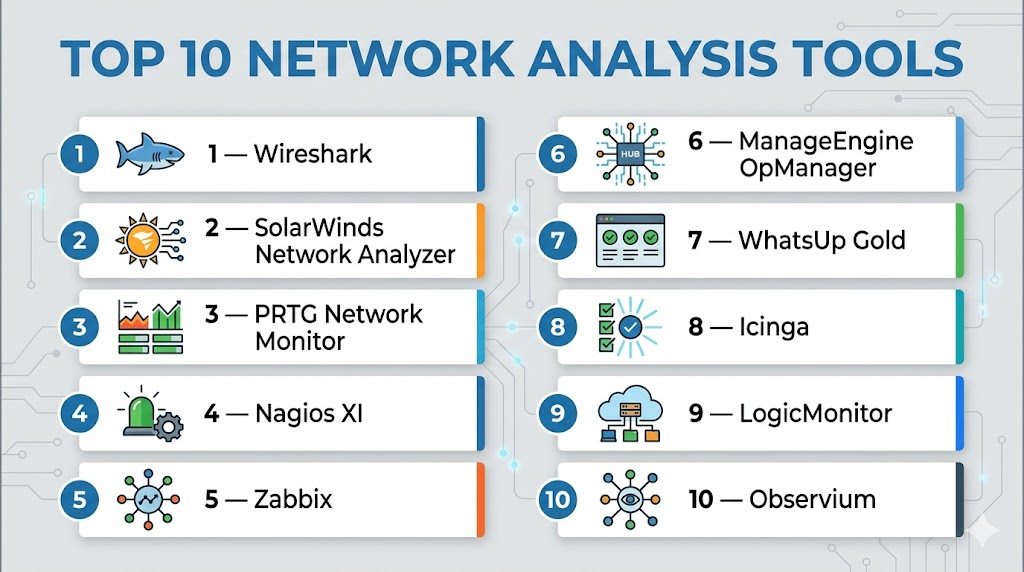
Top 10 Network Analysis Tools
#1 — Wireshark
Short description : Wireshark is a widely used open-source network protocol analyzer that captures and inspects network packets for troubleshooting and analysis.
Key Features
- Deep packet inspection
- Real-time traffic capture
- Multi-platform support
- Extensive protocol library
- Filtering and advanced search
- Export to multiple formats
Pros
- Free and open-source
- Highly flexible for protocol analysis
- Strong community support
Cons
- Steep learning curve
- Manual packet analysis required
- Limited automation
Platforms / Deployment
- Windows, macOS, Linux
- Self-hosted
Security & Compliance
- Not publicly stated
Integrations & Ecosystem
- Extensible via plugins
- APIs for custom analysis
Support & Community
Active open-source community, online documentation.
#2 — SolarWinds Network Analyzer
Short description : Provides enterprise-grade network traffic monitoring, performance analysis, and troubleshooting tools for IT teams.
Key Features
- Real-time network performance monitoring
- Automated alerts and reporting
- Protocol and traffic analysis
- Bandwidth utilization tracking
- Multi-vendor device support
- ITSM integrations
Pros
- Scalable for enterprise networks
- Comprehensive analytics
- Easy-to-use dashboards
Cons
- Enterprise pricing
- Learning curve for advanced features
Platforms / Deployment
- Windows, Web
- On-premises / Hybrid
Security & Compliance
- SOC 2, ISO 27001
- Encryption, SSO
Integrations & Ecosystem
- ITSM: ServiceNow, Jira
- Cloud platforms: AWS, Azure
Support & Community
Enterprise support, professional services, and documentation.
#3 — PRTG Network Monitor
Short description : PRTG monitors network traffic, devices, and applications with customizable sensors and real-time alerts for IT operations.
Key Features
- Multi-protocol monitoring
- Real-time dashboards
- Automated notifications
- Bandwidth and traffic analysis
- Historical reporting
- Cloud and ITSM integration
Pros
- User-friendly interface
- Flexible sensor-based monitoring
- Scalable
Cons
- High sensor count increases cost
- Limited AI capabilities
Platforms / Deployment
- Windows, Web
- On-premises / Hybrid
Security & Compliance
- Encryption, SSO
Integrations & Ecosystem
- Cloud: AWS, Azure
- ITSM: ServiceNow, Jira
- APIs for automation
Support & Community
Professional support, knowledge base, and active community.
#4 — Nagios XI
Short description : Enterprise-grade network and server monitoring platform offering performance tracking, alerting, and plugin-based extensions.
Key Features
- Multi-device and protocol monitoring
- Customizable alerts
- Historical performance graphs
- Plugin ecosystem for extensions
- ITSM and cloud integrations
- Reporting dashboards
Pros
- Highly flexible and extensible
- Scalable for large networks
- Active plugin community
Cons
- Technical expertise required
- Complex setup for advanced features
Platforms / Deployment
- Windows, Linux, Web
- Self-hosted / Hybrid
Security & Compliance
- Encryption, RBAC
Integrations & Ecosystem
- ITSM: ServiceNow, Jira
- Monitoring: Datadog, Splunk
Support & Community
Enterprise support, community forums, documentation.
#5 — Zabbix
Short description : Open-source monitoring tool providing real-time analytics, alerting, and visualization for network devices and applications.
Key Features
- Multi-device monitoring
- Real-time dashboards
- Alerting and notifications
- Historical data and reporting
- API for automation
- Multi-cloud support
Pros
- Open-source and flexible
- Scalable for large networks
- Strong community support
Cons
- Setup complexity
- Technical expertise required
Platforms / Deployment
- Windows, Linux, Web
- Self-hosted / Hybrid
Security & Compliance
- Encryption, SSO
Integrations & Ecosystem
- Cloud: AWS, Azure
- ITSM: ServiceNow, Jira
- APIs and webhooks
Support & Community
Community-driven support, enterprise support options.
#6 — ManageEngine OpManager
Short description : Real-time network monitoring tool offering bandwidth analysis, device performance tracking, and alerting for IT teams.
Key Features
- Network performance monitoring
- Multi-vendor support
- Automated alerts
- Bandwidth utilization analysis
- Dashboards and reports
- ITSM integrations
Pros
- Intuitive interface
- Quick deployment
- Scalable
Cons
- Limited AI features
- Advanced analytics may require configuration
Platforms / Deployment
- Windows, Web
- On-premises / Hybrid
Security & Compliance
- Encryption, SSO
Integrations & Ecosystem
- ITSM: ServiceNow, Jira
- Cloud: AWS, Azure
- APIs for automation
Support & Community
Enterprise support, knowledge base, documentation.
#7 — WhatsUp Gold
Short description : Provides network and application monitoring with alerts, visualization, and multi-site support for enterprises.
Key Features
- Device and application monitoring
- Automated alerting
- Bandwidth and traffic analysis
- Custom dashboards
- Multi-site monitoring
- ITSM integrations
Pros
- Easy to deploy
- Visual dashboards
- Multi-site scalability
Cons
- Limited AI features
- Cloud monitoring may need extra modules
Platforms / Deployment
- Windows, Web
- On-premises / Hybrid
Security & Compliance
- Encryption, SSO
Integrations & Ecosystem
- Cloud: AWS, Azure
- ITSM: ServiceNow, Jira
- APIs
Support & Community
Enterprise support and documentation.
#8 — Icinga
Short description : Open-source network and server monitoring tool providing alerting, performance metrics, and historical analytics.
Key Features
- Device monitoring
- Custom alerting
- Performance dashboards
- Historical analytics
- API for automation
- ITSM integrations
Pros
- Open-source flexibility
- Scalable
- Active community
Cons
- Setup complexity
- Limited AI features
Platforms / Deployment
- Windows, Linux, Web
- Self-hosted / Hybrid
Security & Compliance
- Encryption, RBAC
Integrations & Ecosystem
- ITSM: Jira, ServiceNow
- APIs for automation
Support & Community
Community-driven; enterprise support optional.
#9 — LogicMonitor
Short description : Cloud-based network monitoring platform with automated discovery, AI-driven alerts, and full-stack analytics.
Key Features
- Automated device discovery
- Real-time dashboards
- AI anomaly detection
- Multi-cloud monitoring
- ITSM integration
- Custom alerts
Pros
- Cloud-native
- Predictive insights
- Scalable
Cons
- Enterprise pricing
- Customization requires expertise
Platforms / Deployment
- Web
- Cloud
Security & Compliance
- SOC 2, ISO 27001
- Encryption, SSO
Integrations & Ecosystem
- Cloud: AWS, Azure, GCP
- ITSM: ServiceNow, Jira
- APIs for automation
Support & Community
Enterprise support, documentation, professional services.
#10 — Observium
Short description : Provides automated device discovery, network visibility, and performance analysis for enterprises.
Key Features
- Auto-discovery
- Device and network performance graphs
- Alerts and notifications
- Multi-vendor support
- Reporting
- ITSM integrations
Pros
- Simple setup
- Open-source flexibility
- Scalable
Cons
- Limited AI analytics
- Cloud features require configuration
Platforms / Deployment
- Linux, Web
- Self-hosted / Hybrid
Security & Compliance
- Encryption
Integrations & Ecosystem
- ITSM: Jira, ServiceNow
- SNMP devices
- APIs for automation
Support & Community
Community support; professional support optional.
Comparison Table (Top 10)
| Tool Name | Best For | Platform(s) Supported | Deployment | Standout Feature | Public Rating |
|---|---|---|---|---|---|
| Wireshark | Protocol Analysis | Windows, macOS, Linux | Self-hosted | Deep packet inspection | N/A |
| SolarWinds NPM | Enterprise IT | Windows, Web | On-prem / Hybrid | Multi-vendor monitoring | N/A |
| PRTG Network Monitor | SMB to Enterprise | Windows, Web | On-prem / Hybrid | Sensor-based monitoring | N/A |
| Nagios XI | Enterprise & DevOps | Windows, Linux, Web | Self-hosted / Hybrid | Plugin ecosystem | N/A |
| Zabbix | IT Operations | Windows, Linux, Web | Self-hosted / Hybrid | Open-source customization | N/A |
| ManageEngine OpManager | Mid-market & Enterprise | Windows, Web | On-prem / Hybrid | Traffic & bandwidth analysis | N/A |
| WhatsUp Gold | SMB to Enterprise | Windows, Web | On-prem / Hybrid | Multi-site monitoring | N/A |
| Icinga | Enterprise IT | Windows, Linux, Web | Self-hosted / Hybrid | Flexible open-source | N/A |
| LogicMonitor | Enterprise & Cloud IT | Web | Cloud | AI anomaly detection | N/A |
| Observium | Enterprise IT | Linux, Web | Self-hosted / Hybrid | Device auto-discovery | N/A |
Evaluation & Scoring of Network Analysis Tools
| Tool Name | Core (25%) | Ease (15%) | Integrations (15%) | Security (10%) | Performance (10%) | Support (10%) | Value (15%) | Weighted Total (0–10) |
|---|---|---|---|---|---|---|---|---|
| Wireshark | 9 | 6 | 7 | 7 | 8 | 6 | 9 | 7.6 |
| SolarWinds NPM | 9 | 7 | 8 | 9 | 9 | 8 | 6 | 8.2 |
| PRTG Network Monitor | 8 | 8 | 7 | 8 | 8 | 7 | 7 | 7.7 |
| Nagios XI | 8 | 7 | 8 | 7 | 8 | 7 | 6 | 7.5 |
| Zabbix | 8 | 7 | 7 | 7 | 8 | 7 | 6 | 7.4 |
| ManageEngine OpManager | 8 | 8 | 7 | 7 | 8 | 7 | 7 | 7.6 |
| WhatsUp Gold | 7 | 8 | 7 | 7 | 7 | 7 | 7 | 7.3 |
| Icinga | 8 | 7 | 7 | 7 | 8 | 7 | 6 | 7.4 |
| LogicMonitor | 9 | 8 | 8 | 9 | 9 | 8 | 6 | 8.2 |
| Observium | 7 | 7 | 6 | 7 | 7 | 7 | 6 | 7.0 |
Interpretation: Weighted scores help compare monitoring capabilities, ease of use, integrations, and overall value. Higher scores indicate enterprise readiness; selection should match network complexity and operational requirements.
Which Network Analysis Tool Is Right for You?
Solo / Freelancer
Wireshark, Zabbix, or Observium for small, flexible setups with open-source support.
SMB
PRTG, ManageEngine OpManager, or WhatsUp Gold for mid-scale monitoring with simpler deployment.
Mid-Market
SolarWinds NPM, LogicMonitor, or PRTG Hosted Monitor for hybrid networks with predictive insights.
Enterprise
Nagios XI, LogicMonitor, SolarWinds NPM for large-scale, multi-vendor, AI-assisted network analysis.
Budget vs Premium
Open-source options provide cost savings but may require technical setup; enterprise tools offer analytics, automation, and professional support.
Feature Depth vs Ease of Use
SolarWinds NPM and LogicMonitor provide advanced features; PRTG and OpManager are simpler to deploy.
Integrations & Scalability
Enterprise teams benefit from LogicMonitor, SolarWinds NPM, and Nagios XI for multi-site, multi-cloud monitoring.
Security & Compliance Needs
Platforms with SOC 2, ISO, encryption, and SSO like SolarWinds NPM, LogicMonitor, and PRTG are recommended for compliance-driven organizations.
Frequently Asked Questions (FAQs)
1. What pricing models exist?
Open-source tools are free; enterprise platforms use subscription or usage-based pricing.
2. How long does onboarding take?
Small setups can be operational in hours; enterprise deployments may take several days.
3. Can these tools scale globally?
Yes, platforms like SolarWinds NPM and LogicMonitor are designed for multi-site, multi-cloud environments.
4. Are AI features standard?
Enterprise tools may include anomaly detection; open-source platforms typically lack advanced AI.
5. What platforms are supported?
Most have web dashboards; some include Windows, Linux, and mobile apps.
6. How secure are these tools?
Enterprise-grade tools include encryption, SSO, MFA, and compliance certifications where stated.
7. Can these tools integrate with ITSM systems?
Yes, integrations with ServiceNow, Jira, and cloud monitoring platforms are common.
8. Do these tools replace network engineers?
No, they assist teams by providing visibility, analytics, and proactive alerting.
9. What are common implementation mistakes?
Ignoring integration complexity, misconfiguring alerts, and inadequate staff training.
10. Are open-source options viable?
Yes, Wireshark, Zabbix, and Icinga offer flexibility, though enterprise features may require paid support.
Conclusion
Network Analysis Tools are essential for IT operations, SRE teams, and managed service providers to maintain performance, security, and reliability. Enterprise platforms like SolarWinds NPM, LogicMonitor, and Nagios XI provide AI-assisted insights and predictive analytics, while open-source tools like Zabbix and Wireshark offer flexibility for SMBs. Selection depends on network size, complexity, compliance needs, and budget. Organizations should pilot solutions, validate integrations, and leverage analytics for proactive network management.

Find Trusted Cardiac Hospitals
Compare heart hospitals by city and services — all in one place.
Explore Hospitals
Network analysis gives teams a lot of useful information, but collecting too much data can also make troubleshooting harder. It helps to keep only the metrics and traffic details that are actually useful for daily operations. This can make dashboards easier to understand and help teams find the real cause of a problem faster.