Introduction
Patch Management Tools help organizations automate the process of updating operating systems, applications, firmware, and endpoints with the latest security patches and software fixes. These platforms reduce security risks, improve compliance, minimize downtime, and ensure systems remain protected against known vulnerabilities. Modern IT environments now include remote employees, hybrid infrastructure, cloud workloads, mobile devices, and distributed endpoints. Because cyberattacks increasingly target outdated software and unpatched systems, automated patch management has become a critical part of cybersecurity and IT operations strategies. Organizations also rely on patch management tools to simplify software maintenance and reduce manual administrative work.
Real-world use cases include:
- Automating Windows and third-party application updates
- Managing remote workforce endpoint patching
- Reducing ransomware and vulnerability exposure
- Supporting compliance audits and reporting
- Streamlining enterprise IT operations
Evaluation Criteria for Buyers
- Automation and scheduling flexibility
- Operating system and application coverage
- Remote endpoint management capabilities
- Security and compliance reporting
- Vulnerability detection and remediation
- Integration with ITSM and RMM tools
- Scalability across distributed environments
- Ease of deployment and usability
- Rollback and testing functionality
- Cloud and hybrid infrastructure support
Best for: Enterprises, MSPs, healthcare organizations, financial services firms, government agencies, and hybrid workforce environments needing centralized endpoint security and update automation.
Not ideal for: Very small organizations managing only a few manually maintained devices or businesses operating entirely through SaaS platforms with minimal endpoint infrastructure.
Key Trends in Patch Management Tools
- AI-driven vulnerability prioritization is becoming more common.
- Unified Endpoint Management integration is rapidly expanding.
- Cloud-native patch management platforms continue replacing legacy systems.
- Zero Trust security frameworks are increasing compliance requirements.
- Automated rollback and testing workflows are improving deployment reliability.
- Real-time compliance dashboards are becoming standard enterprise features.
- Cross-platform support for Windows, macOS, Linux, and mobile devices is expanding.
- Integration with threat intelligence and endpoint detection tools is increasing.
- Remote workforce patching remains a major operational priority.
- API-first automation and orchestration capabilities are becoming essential.
How We Selected These Tools
The tools included in this list were selected using practical enterprise and SMB operational requirements.
Selection criteria included:
- Market adoption and enterprise reputation
- Automation and scheduling capabilities
- Cross-platform operating system support
- Security and compliance functionality
- Reliability and deployment stability
- Integration ecosystem maturity
- Support for remote and hybrid environments
- Ease of administration and onboarding
- Scalability across large infrastructures
- Overall value and operational flexibility
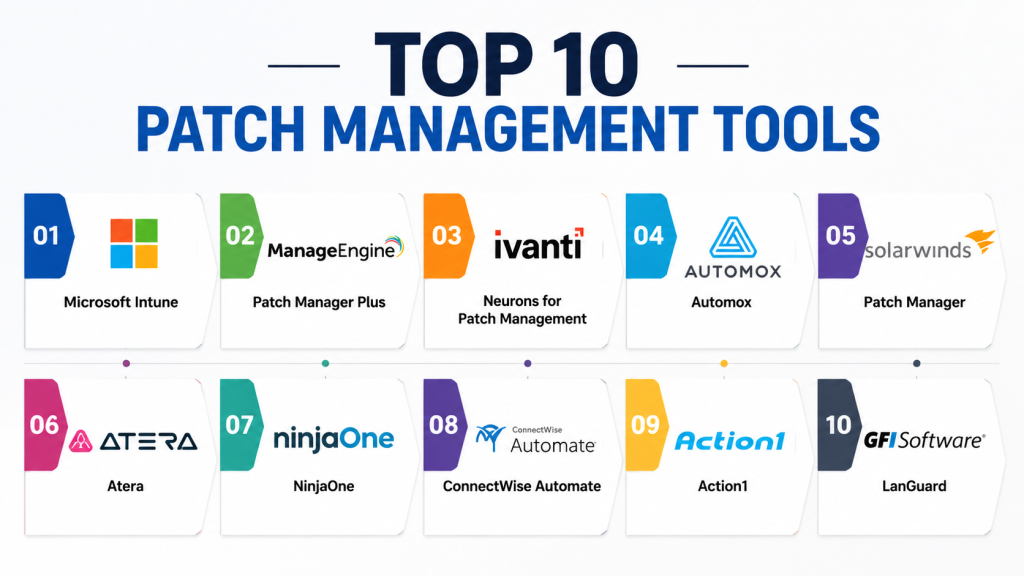
Top 10 Patch Management Tools
1 — Microsoft Intune
Microsoft Intune is a cloud-based endpoint and patch management platform designed for organizations using Microsoft infrastructure and hybrid work environments. It combines patch deployment, device management, endpoint security, and compliance monitoring into a centralized platform.
Key Features
- Windows update management
- Endpoint compliance enforcement
- Automated patch deployment
- Conditional access policies
- Device inventory management
- Mobile device management
- Security baseline configuration
Pros
- Deep Microsoft ecosystem integration
- Strong enterprise security capabilities
- Excellent scalability for large organizations
Cons
- Advanced administration can be complex
- Best suited for Microsoft-centric environments
- Licensing models may be difficult for SMBs
Platforms / Deployment
Web / Windows / macOS / iOS / Android
Cloud
Security & Compliance
Supports RBAC, MFA, SSO/SAML, encryption, audit logs, and compliance enforcement.
Integrations & Ecosystem
Microsoft Intune integrates deeply with Microsoft security, productivity, and identity platforms.
- Microsoft 365
- Azure Active Directory
- Microsoft Defender
- Teams
- Power Platform
Support & Community
Large enterprise community with extensive documentation, training resources, and support options.
2 — ManageEngine Patch Manager Plus
ManageEngine Patch Manager Plus provides centralized patch automation for operating systems and third-party applications across enterprise and SMB environments.
Key Features
- Automated patch deployment
- Third-party application patching
- Vulnerability scanning
- Remote office patching
- Compliance reporting
- Patch testing workflows
- Deployment scheduling automation
Pros
- Strong third-party patching support
- Good pricing flexibility
- User-friendly interface
Cons
- Interface may feel crowded
- Advanced workflows require configuration
- Reporting customization can be limited
Platforms / Deployment
Web / Windows / macOS / Linux
Cloud / On-premise
Security & Compliance
Supports RBAC, audit logging, compliance reporting, and endpoint security controls.
Integrations & Ecosystem
ManageEngine integrates with IT management, endpoint administration, and helpdesk ecosystems.
- Endpoint Central
- ServiceDesk Plus
- Active Directory
- SIEM tools
- Enterprise APIs
Support & Community
Strong SMB and enterprise support with detailed technical documentation and onboarding resources.
3 — Ivanti Neurons for Patch Management
Ivanti Neurons combines automated patch deployment with vulnerability remediation and endpoint analytics for enterprise IT environments.
Key Features
- AI-powered patch automation
- Vulnerability prioritization
- Endpoint analytics
- Automated remediation
- Patch rollback workflows
- Compliance monitoring
- Unified endpoint management
Pros
- Strong enterprise automation capabilities
- Advanced remediation workflows
- Good scalability for large environments
Cons
- Learning curve for administrators
- Premium features increase costs
- Complex configuration for advanced workflows
Platforms / Deployment
Web / Windows / macOS / Linux
Cloud / Hybrid
Security & Compliance
Supports encryption, audit logging, RBAC, MFA integrations, and compliance policies.
Integrations & Ecosystem
Ivanti integrates with enterprise security, ITSM, and automation ecosystems.
- ServiceNow
- Active Directory
- SIEM tools
- Endpoint security platforms
- Enterprise APIs
Support & Community
Enterprise-grade support with implementation assistance and strong operational resources.
4 — Automox
Automox is a cloud-native patch management platform designed for remote workforce management and modern distributed infrastructure.
Key Features
- Cloud-native patching
- Automated endpoint updates
- Cross-platform OS support
- Policy-based automation
- Compliance dashboards
- Custom scripting
- Vulnerability remediation
Pros
- Excellent remote endpoint support
- Modern cloud-first experience
- Strong automation capabilities
Cons
- Some enterprise customization requires scripting
- Advanced analytics can feel limited
- On-premise flexibility is lower
Platforms / Deployment
Web / Windows / macOS / Linux
Cloud
Security & Compliance
Supports audit logs, RBAC, endpoint compliance controls, and encryption management.
Integrations & Ecosystem
Automox integrates with identity management, ITSM, and endpoint security tools.
- Okta
- ServiceNow
- CrowdStrike
- Splunk
- Webhooks and APIs
Support & Community
Responsive support experience with growing enterprise and MSP adoption.
5 — SolarWinds Patch Manager
SolarWinds Patch Manager helps organizations automate patching for Microsoft and third-party applications while simplifying update administration.
Key Features
- Automated patch deployment
- WSUS integration
- Compliance reporting
- Patch testing workflows
- Third-party software updates
- Scheduled deployments
- Endpoint inventory management
Pros
- Mature Microsoft ecosystem support
- Reliable reporting functionality
- Good centralized administration
Cons
- Primarily Windows-focused
- Interface feels traditional
- Advanced automation requires expertise
Platforms / Deployment
Web / Windows
On-premise / Hybrid
Security & Compliance
Supports audit logs, administrative controls, RBAC, and compliance reporting.
Integrations & Ecosystem
SolarWinds integrates with infrastructure monitoring and IT operations platforms.
- WSUS
- Active Directory
- SolarWinds Orion
- ITSM systems
- Reporting tools
Support & Community
Large IT operations community with strong technical resources and documentation.
6 — Atera
Atera combines remote monitoring, patch management, automation, and helpdesk capabilities into a unified cloud platform popular among SMBs and MSPs.
Key Features
- Automated patch deployment
- Remote monitoring and management
- Endpoint scripting
- IT automation workflows
- Compliance reporting
- Remote troubleshooting
- Third-party patch support
Pros
- MSP-friendly pricing
- Easy cloud deployment
- Unified RMM functionality
Cons
- Enterprise depth may be limited
- Reporting customization varies
- Advanced compliance workflows are lighter
Platforms / Deployment
Web / Windows / macOS / Linux
Cloud
Security & Compliance
Supports audit trails, role-based access controls, and endpoint management policies.
Integrations & Ecosystem
Atera integrates with remote support and IT management ecosystems.
- TeamViewer
- Splashtop
- Azure AD
- QuickBooks
- Automation tools
Support & Community
Strong SMB and MSP-focused support with active onboarding resources.
7 — NinjaOne
NinjaOne is a cloud-native endpoint management and patching platform focused on simplicity, automation, and fast deployment.
Key Features
- Automated patch management
- Remote endpoint administration
- Monitoring and alerting
- Compliance dashboards
- Endpoint scripting
- Backup integrations
- Software inventory tracking
Pros
- Easy-to-use interface
- Strong automation workflows
- Fast cloud deployment
Cons
- Some enterprise features are limited
- Linux management depth varies
- Advanced custom reporting can require workarounds
Platforms / Deployment
Web / Windows / macOS / Linux
Cloud
Security & Compliance
Supports MFA, RBAC, audit logs, and compliance enforcement controls.
Integrations & Ecosystem
NinjaOne integrates with remote support, backup, and endpoint security tools.
- TeamViewer
- Splashtop
- SentinelOne
- Backup platforms
- PSA tools
Support & Community
Strong onboarding experience with responsive support and growing enterprise adoption.
8 — ConnectWise Automate
ConnectWise Automate provides enterprise-grade patch automation and endpoint management capabilities designed for MSPs and IT operations teams.
Key Features
- Automated patch deployment
- Endpoint monitoring
- Remote scripting
- Compliance reporting
- Asset discovery
- Third-party software patching
- Automated remediation workflows
Pros
- Powerful automation engine
- Strong MSP-focused workflows
- Flexible scripting support
Cons
- Steeper learning curve
- Interface complexity
- Requires experienced administration
Platforms / Deployment
Web / Windows / macOS / Linux
Cloud / On-premise
Security & Compliance
Supports RBAC, audit logging, MFA integrations, and endpoint management controls.
Integrations & Ecosystem
ConnectWise integrates with PSA, RMM, and security management ecosystems.
- ConnectWise PSA
- Security tools
- SIEM platforms
- Backup systems
- Remote support tools
Support & Community
Large MSP-focused community with strong automation and scripting resources.
9 — Action1
Action1 is a lightweight cloud-based patch management platform focused on remote endpoint administration and vulnerability remediation.
Key Features
- Remote patch deployment
- Vulnerability assessment
- Endpoint inventory management
- Real-time compliance reporting
- Automation workflows
- Third-party application updates
- Remote administration tools
Pros
- Easy deployment experience
- Strong remote workforce support
- Simple management interface
Cons
- Smaller ecosystem than enterprise competitors
- Limited advanced customization
- Large enterprise scaling may vary
Platforms / Deployment
Web / Windows
Cloud
Security & Compliance
Supports audit logs, RBAC, patch compliance monitoring, and secure administration controls.
Integrations & Ecosystem
Action1 integrates with security and endpoint administration systems.
- Active Directory
- SIEM platforms
- Endpoint security tools
- Reporting APIs
- Remote administration systems
Support & Community
Responsive support with growing adoption among SMB and mid-market environments.
10 — GFI LanGuard
GFI LanGuard combines patch management, vulnerability scanning, and network auditing into a unified IT security management platform.
Key Features
- Vulnerability scanning
- Automated patch deployment
- Network auditing
- Compliance reporting
- Asset inventory management
- Security monitoring
- Third-party application patching
Pros
- Strong vulnerability assessment functionality
- Good compliance reporting
- Useful network visibility features
Cons
- Traditional interface design
- Limited cloud-native capabilities
- Primarily Windows-focused
Platforms / Deployment
Web / Windows
On-premise
Security & Compliance
Supports audit logging, vulnerability assessment workflows, and compliance reporting controls.
Integrations & Ecosystem
LanGuard integrates with infrastructure monitoring and security management platforms.
- Active Directory
- WSUS
- SIEM tools
- Security monitoring systems
- Reporting platforms
Support & Community
Established enterprise support with mature IT administration documentation.
Comparison Table
| Tool Name | Best For | Platform(s) Supported | Deployment | Standout Feature | Public Rating |
|---|---|---|---|---|---|
| Microsoft Intune | Enterprise Microsoft environments | Windows, macOS, iOS, Android | Cloud | Unified endpoint security | N/A |
| ManageEngine Patch Manager Plus | SMB and enterprise patching | Windows, macOS, Linux | Cloud / On-premise | Third-party patch automation | N/A |
| Ivanti Neurons for Patch Management | Enterprise automation | Windows, macOS, Linux | Cloud / Hybrid | AI-driven remediation | N/A |
| Automox | Remote workforce patching | Windows, macOS, Linux | Cloud | Cloud-native automation | N/A |
| SolarWinds Patch Manager | Windows-centric IT teams | Windows | On-premise / Hybrid | WSUS integration | N/A |
| Atera | MSP and SMB operations | Windows, macOS, Linux | Cloud | Integrated RMM platform | N/A |
| NinjaOne | Fast cloud deployment | Windows, macOS, Linux | Cloud | Simplified automation | N/A |
| ConnectWise Automate | MSP automation workflows | Windows, macOS, Linux | Cloud / On-premise | Advanced scripting engine | N/A |
| Action1 | Lightweight remote patching | Windows | Cloud | Simplicity and usability | N/A |
| GFI LanGuard | Vulnerability-focused environments | Windows | On-premise | Vulnerability scanning | N/A |
Evaluation & Scoring of Patch Management Tools
| Tool | Core | Ease | Integrations | Security | Performance | Support | Value | Weighted Total |
|---|---|---|---|---|---|---|---|---|
| Microsoft Intune | 9.5 | 8.5 | 9.5 | 9.5 | 9.0 | 9.0 | 8.5 | 9.1 |
| ManageEngine Patch Manager Plus | 8.9 | 8.7 | 8.5 | 8.6 | 8.5 | 8.6 | 9.0 | 8.7 |
| Ivanti Neurons for Patch Management | 9.1 | 7.9 | 8.9 | 9.0 | 8.8 | 8.5 | 8.1 | 8.7 |
| Automox | 8.8 | 8.9 | 8.4 | 8.5 | 8.7 | 8.4 | 8.8 | 8.7 |
| SolarWinds Patch Manager | 8.4 | 7.9 | 8.1 | 8.3 | 8.4 | 8.3 | 8.0 | 8.2 |
| Atera | 8.2 | 8.9 | 8.0 | 8.1 | 8.3 | 8.4 | 9.0 | 8.4 |
| NinjaOne | 8.7 | 9.0 | 8.3 | 8.4 | 8.8 | 8.7 | 8.8 | 8.7 |
| ConnectWise Automate | 8.8 | 7.5 | 8.7 | 8.5 | 8.6 | 8.4 | 8.1 | 8.4 |
| Action1 | 8.1 | 8.8 | 7.7 | 8.0 | 8.2 | 8.1 | 8.9 | 8.2 |
| GFI LanGuard | 8.0 | 7.8 | 7.9 | 8.4 | 8.1 | 8.0 | 8.3 | 8.0 |
These scores represent comparative evaluations based on automation capabilities, security functionality, usability, platform coverage, scalability, and operational value. Organizations with strict compliance requirements should prioritize security and reporting capabilities, while SMBs may place greater emphasis on ease of use and pricing flexibility. Infrastructure alignment and endpoint diversity should also influence final purchasing decisions.
Which Patch Management Tool Is Right for You?
Solo / Freelancer
Freelancers and consultants typically benefit from lightweight cloud-based tools with simple deployment and low administrative overhead. Action1 and Atera are practical choices for smaller environments.
SMB
Small and medium-sized businesses often prioritize ease of use, affordability, and remote management capabilities. NinjaOne, Atera, and ManageEngine Patch Manager Plus provide balanced functionality for growing IT teams.
Mid-Market
Mid-sized organizations usually need stronger automation, compliance reporting, and endpoint management capabilities. Automox and Ivanti provide scalable workflows for hybrid environments.
Enterprise
Large enterprises managing distributed infrastructure and compliance-heavy environments often benefit most from Microsoft Intune and Ivanti Neurons because of their advanced security integrations and scalability.
Budget vs Premium
Budget-focused organizations may prefer Action1 or Atera for lower operational costs. Premium enterprise environments with strict compliance requirements often justify investment in Intune or Ivanti.
Feature Depth vs Ease of Use
NinjaOne and Automox provide strong usability and fast onboarding, while ConnectWise Automate and Ivanti deliver deeper customization and enterprise automation.
Integrations & Scalability
Organizations heavily invested in Microsoft ecosystems typically gain significant operational value from Intune integrations. MSPs often benefit from ConnectWise and Atera because of PSA and RMM connectivity.
Security & Compliance Needs
Highly regulated industries should prioritize tools offering advanced compliance reporting, audit logging, vulnerability management, and endpoint security integrations such as Intune, Ivanti, or ManageEngine.
Frequently Asked Questions
1. What are Patch Management Tools?
Patch Management Tools automate the deployment of software updates and security patches across operating systems, applications, and endpoints to reduce vulnerabilities and maintain operational stability.
2. Why is patch management important?
Unpatched systems are among the most common causes of ransomware attacks and data breaches. Automated patch management helps organizations reduce exposure and improve cybersecurity resilience.
3. Can these tools support remote employees?
Yes. Most modern patch management platforms are cloud-based and designed to manage remote endpoints without requiring traditional VPN-based administration.
4. What operating systems are commonly supported?
Most leading tools support Windows, macOS, Linux, and third-party applications. Some also support mobile devices and cloud workloads.
5. Are cloud-based patch management platforms replacing on-premise tools?
Cloud-native solutions are becoming increasingly popular because they simplify deployment, remote administration, and scalability across distributed environments.
6. Do patch management tools include vulnerability scanning?
Many modern platforms combine vulnerability assessment with patch deployment and compliance reporting to streamline security operations.
7. How often should organizations deploy patches?
Critical security patches should generally be deployed as quickly as possible after testing. Many organizations use weekly or monthly automated deployment cycles.
8. What is the biggest patch management mistake?
One common mistake is deploying patches without proper testing, which can create compatibility issues or operational downtime.
9. Are patch management tools useful for MSPs?
Yes. Many vendors specifically design patch management platforms for MSP workflows, including multi-tenant administration and remote automation.
10. How long does implementation usually take?
Implementation timelines vary based on infrastructure complexity and organization size. SMB deployments may take days, while enterprise rollouts can require several weeks.
Conclusion
Patch Management Tools have become critical components of modern cybersecurity and IT operations strategies. As organizations continue expanding hybrid workforces and distributed infrastructure, automated patch deployment, compliance monitoring, and vulnerability remediation are more important than ever. Microsoft Intune and Ivanti Neurons remain strong enterprise leaders because of their security integrations and automation capabilities, while NinjaOne, Automox, and ManageEngine provide excellent balance for growing IT teams. MSP-focused platforms such as Atera and ConnectWise Automate deliver additional operational flexibility and automation for service providers. Ultimately, the best solution depends on infrastructure complexity, compliance requirements, operating system diversity, and automation maturity. Start by identifying your most critical patching gaps, shortlist two or three platforms, run pilot deployments, validate integrations and reporting workflows, and then scale gradually across your environment.

Find Trusted Cardiac Hospitals
Compare heart hospitals by city and services — all in one place.
Explore Hospitals
I now understand how patch management tools help keep systems secure by automatically updating software and fixing vulnerabilities on time. I’d like to explore more about how these tools handle critical zero-day updates in real environments.