Introduction
Virtual Desktop Infrastructure VDI platforms allow organizations to deliver secure virtual desktops and applications from centralized infrastructure to users across different devices and locations. Instead of relying entirely on local desktops or physical workstations, VDI solutions host computing environments in data centers or cloud platforms, enabling employees to securely access enterprise applications and data remotely. VDI has become increasingly important as hybrid work, cloud transformation, cybersecurity concerns, and distributed operations continue expanding across industries. Modern VDI platforms now include advanced GPU acceleration, zero-trust access controls, cloud-native deployment models, centralized administration, endpoint management, and AI-assisted optimization capabilities. Organizations use VDI to improve operational flexibility, strengthen security, simplify desktop management, and support remote work at scale.
Common Real-world use cases include:
- Hybrid workforce desktop access
- Secure contractor and vendor access
- Call center and customer support operations
- Healthcare and financial compliance environments
- GPU-powered engineering and creative workloads
When Evaluating VDI solutions, buyers should assess:
- Deployment flexibility
- Performance and scalability
- Security and identity management
- Cloud compatibility
- User experience and latency optimization
- GPU and graphics support
- Administrative complexity
- Monitoring and analytics
- Integration ecosystem
- Total infrastructure and licensing cost
Best for: Enterprises, hybrid workforce organizations, MSPs, healthcare providers, financial institutions, educational organizations, and companies managing distributed desktops and applications.
Not ideal for: Small teams with minimal remote access needs or organizations without centralized IT management capabilities.
Key Trends in Virtual Desktop Infrastructure VDI
- Cloud-native VDI deployments are rapidly replacing traditional on-premises-only architectures.
- Zero-trust remote access security is becoming mandatory for enterprise virtual desktops.
- AI-driven resource optimization is improving desktop performance and workload balancing.
- GPU virtualization support is expanding for engineering, media, and AI workloads.
- Browser-based desktop access is reducing endpoint complexity.
- Hybrid multi-cloud deployments are becoming increasingly common.
- Centralized endpoint governance is improving compliance and operational visibility.
- Desktop-as-a-Service DaaS models continue growing due to operational simplicity.
- Identity-first access management is becoming a core VDI requirement.
- Automation and self-healing infrastructure capabilities are improving operational efficiency.
How We Selected These Tools
The tools in this list were selected using practical enterprise and operational evaluation criteria focused on scalability, performance, and security.
Our Evaluation methodology included:
- Market adoption and enterprise recognition
- Virtual desktop performance and reliability
- Security architecture and compliance readiness
- Cloud and hybrid deployment flexibility
- GPU and graphics optimization capabilities
- Identity and access management integrations
- Monitoring and operational management features
- Ecosystem maturity and API support
- Suitability across SMB, mid-market, and enterprise environments
- Vendor support quality and long-term platform maturity
The final list balances enterprise-grade VDI platforms, cloud-native solutions, SMB-friendly providers, and performance-focused virtualization platforms.
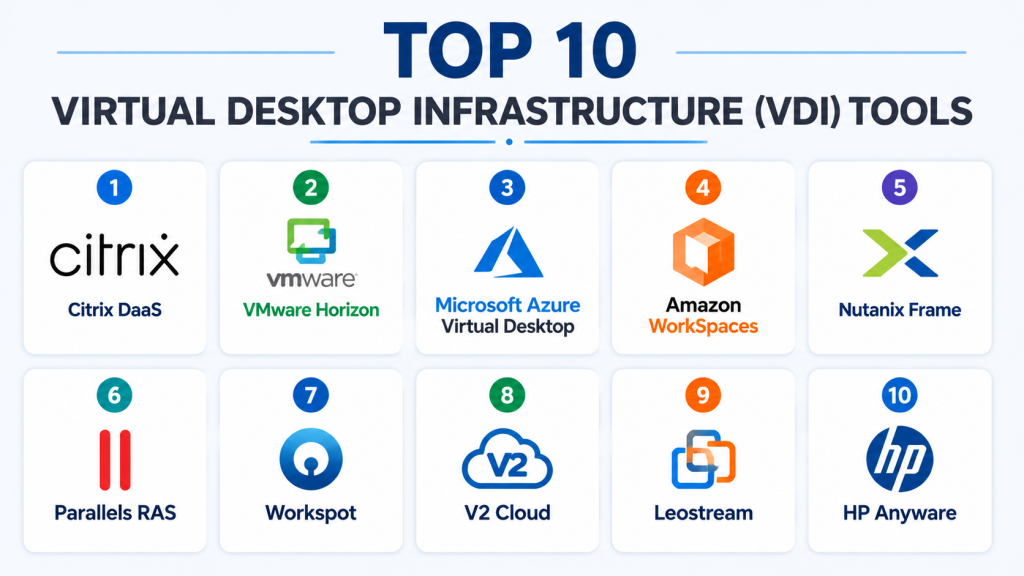
Top 10 Virtual Desktop Infrastructure VDI Tools
1- Citrix DaaS
Short Description:
Citrix DaaS is one of the most established enterprise virtual desktop platforms, designed for secure application delivery, centralized desktop management, and high-performance remote work environments. It is widely used in healthcare, finance, government, and large enterprise operations.
Key Features
- Centralized desktop delivery
- Advanced HDX performance optimization
- Multi-cloud deployment support
- Secure remote application access
- GPU virtualization support
- Session monitoring and analytics
- Zero-trust security integration
Pros
- Excellent enterprise scalability
- Strong remote performance optimization
- Mature security and governance capabilities
Cons
- Complex deployment architecture
- Premium enterprise pricing
- Requires experienced administration
Platforms / Deployment
Windows / Linux / Web / Cloud / Hybrid
Security & Compliance
Supports MFA, SSO, RBAC, encrypted sessions, audit logging, and enterprise access management.
Integrations & Ecosystem
Citrix integrates deeply with enterprise identity, cloud, and infrastructure ecosystems.
- Microsoft Azure integration
- AWS compatibility
- Active Directory support
- Endpoint management integrations
- API support
Support & Community
Strong enterprise support ecosystem with global implementation and consulting services.
2- VMware Horizon
Short Description:
VMware Horizon is an enterprise virtual desktop and application delivery platform focused on centralized management, secure remote access, and hybrid cloud operations. It is widely adopted by enterprises standardizing on VMware infrastructure.
Key Features
- Virtual desktop delivery
- Application virtualization
- Instant cloning technology
- Centralized desktop management
- Hybrid cloud support
- Workspace integration
- GPU acceleration support
Pros
- Strong VMware ecosystem integration
- Reliable enterprise performance
- Scalable hybrid cloud deployment
Cons
- Infrastructure complexity
- Licensing costs can be high
- Requires VMware expertise
Platforms / Deployment
Windows / Linux / Cloud / Hybrid
Security & Compliance
Supports MFA, SSO, encrypted sessions, access controls, and enterprise identity integration.
Integrations & Ecosystem
VMware Horizon integrates tightly into VMware infrastructure and enterprise cloud environments.
- VMware vSphere integration
- Microsoft ecosystem support
- Workspace ONE compatibility
- API access
- Hybrid cloud deployment support
Support & Community
Large enterprise user community with mature support and operational documentation.
3- Microsoft Azure Virtual Desktop
Short Description:
Azure Virtual Desktop is Microsoft’s cloud-native VDI platform designed for organizations heavily invested in Microsoft infrastructure and Azure cloud services. It simplifies desktop virtualization using integrated cloud management capabilities.
Key Features
- Cloud-native desktop virtualization
- Windows multi-session support
- Microsoft 365 optimization
- Azure integration
- Centralized management
- Security and compliance controls
- Autoscaling support
Pros
- Excellent Microsoft ecosystem integration
- Flexible cloud scalability
- Simplified management experience
Cons
- Azure dependency for best experience
- Cost management can become complex
- Limited flexibility outside Microsoft ecosystem
Platforms / Deployment
Windows / Web / Cloud
Security & Compliance
Supports MFA, SSO, encryption, RBAC, and Azure security controls.
Integrations & Ecosystem
Azure Virtual Desktop integrates deeply into Microsoft enterprise environments.
- Microsoft Entra ID
- Microsoft 365
- Azure infrastructure
- Endpoint Manager
- Security Center integration
Support & Community
Strong enterprise documentation with extensive Microsoft ecosystem support.
4- Amazon WorkSpaces
Short Description:
Amazon WorkSpaces is a managed cloud desktop platform designed for organizations seeking scalable cloud-based desktop virtualization without maintaining complex infrastructure.
Key Features
- Managed cloud desktops
- Flexible scaling
- Persistent desktop environments
- AWS ecosystem integration
- Centralized provisioning
- Secure remote access
- Usage-based pricing
Pros
- Simplified infrastructure management
- Strong AWS integration
- Flexible scalability
Cons
- AWS-centric ecosystem
- Limited advanced customization
- GPU capabilities vary by plan
Platforms / Deployment
Windows / Linux / Web / Cloud
Security & Compliance
Supports MFA, encryption, IAM integration, and AWS security controls.
Integrations & Ecosystem
Amazon WorkSpaces integrates naturally into AWS operational environments.
- AWS IAM integration
- Amazon storage services
- Cloud monitoring tools
- Security management support
Support & Community
Strong cloud-focused documentation with enterprise AWS support services.
5- Nutanix Frame
Short Description:
Nutanix Frame is a cloud-native desktop virtualization platform focused on simplicity, browser-based delivery, and multi-cloud flexibility. It is commonly used for hybrid workforce and contractor access environments.
Key Features
- Browser-based virtual desktops
- Multi-cloud deployment
- Simplified administration
- GPU acceleration
- Centralized desktop management
- Application delivery
- Flexible scaling
Pros
- Easy deployment model
- Strong browser accessibility
- Multi-cloud flexibility
Cons
- Smaller ecosystem than major vendors
- Advanced enterprise customization can vary
- GPU optimization depends on infrastructure
Platforms / Deployment
Windows / Web / Cloud / Hybrid
Security & Compliance
Supports encrypted access, MFA, identity integration, and secure browser-based sessions.
Integrations & Ecosystem
Nutanix Frame supports modern cloud-native operational workflows.
- Azure integration
- AWS compatibility
- Google Cloud support
- Identity management integration
- API access
Support & Community
Growing enterprise support ecosystem with strong cloud-focused documentation.
6- Parallels RAS
Short Description:
Parallels RAS is a remote application and desktop virtualization platform designed for SMBs and mid-market organizations seeking simplified VDI deployment and administration.
Key Features
- Application virtualization
- Remote desktop delivery
- Centralized management
- Multi-platform access
- Load balancing
- HTML5 browser access
- Session management
Pros
- Easier deployment than many enterprise VDI platforms
- Strong SMB usability
- Good pricing flexibility
Cons
- Less advanced enterprise functionality
- Smaller ecosystem
- Fewer deep cloud-native capabilities
Platforms / Deployment
Windows / macOS / Linux / Web / Cloud / Hybrid
Security & Compliance
Supports MFA, encryption, RBAC, and secure remote access controls.
Integrations & Ecosystem
Parallels RAS integrates into hybrid infrastructure and SMB operational environments.
- Active Directory integration
- Azure compatibility
- Hypervisor support
- API integrations
Support & Community
Strong SMB-focused onboarding and operational guidance.
7- Workspot
Short Description:
Workspot is a cloud-native enterprise VDI platform focused on modern Desktop-as-a-Service deployment, centralized administration, and secure remote workforce enablement.
Key Features
- Cloud-native VDI architecture
- Centralized analytics
- GPU-powered desktops
- Multi-cloud support
- Secure remote access
- Performance monitoring
- Desktop orchestration
Pros
- Strong cloud-native architecture
- Good scalability
- Centralized operational visibility
Cons
- Smaller market presence
- Advanced customization may vary
- Enterprise deployment expertise required
Platforms / Deployment
Windows / Cloud / Hybrid
Security & Compliance
Supports encrypted sessions, MFA, centralized monitoring, and secure desktop management.
Integrations & Ecosystem
Workspot integrates with enterprise cloud and identity infrastructure.
- Azure integration
- AWS support
- Identity management systems
- Monitoring tools
Support & Community
Enterprise-focused support with growing ecosystem adoption.
8- V2 Cloud
Short Description:
V2 Cloud is an SMB-focused cloud desktop platform designed for organizations seeking simple virtual desktop deployment without complex infrastructure management.
Key Features
- Cloud-hosted desktops
- Browser-based access
- Centralized administration
- Secure remote access
- Backup support
- User management
- Simplified provisioning
Pros
- Easy setup process
- SMB-friendly pricing
- Minimal infrastructure complexity
Cons
- Limited enterprise scalability
- Fewer advanced governance features
- Smaller integration ecosystem
Platforms / Deployment
Windows / Web / Cloud
Security & Compliance
Supports encryption, MFA, secure remote access, and user authentication controls.
Integrations & Ecosystem
V2 Cloud focuses on lightweight business continuity and remote desktop workflows.
- Cloud infrastructure support
- Browser access
- Backup integration
- User provisioning workflows
Support & Community
Strong SMB support experience with simplified onboarding.
9- Leostream
Short Description:
Leostream is a hybrid remote desktop connection management platform designed for organizations managing complex virtual desktop infrastructure across cloud and on-premises environments.
Key Features
- Hybrid desktop orchestration
- Resource brokering
- Centralized connection management
- Multi-platform access
- Cloud compatibility
- GPU workstation support
- Secure remote access
Pros
- Flexible hybrid infrastructure support
- Strong orchestration capabilities
- Useful for specialized workloads
Cons
- Requires infrastructure expertise
- More complex deployment
- Smaller market ecosystem
Platforms / Deployment
Windows / Linux / Cloud / Hybrid
Security & Compliance
Supports MFA, access controls, encrypted sessions, and centralized management.
Integrations & Ecosystem
Leostream supports hybrid infrastructure orchestration and resource management.
- Cloud integrations
- GPU workstation support
- Hypervisor compatibility
- API access
Support & Community
Technical support focused on enterprise infrastructure deployments.
10- HP Anyware
Short Description:
HP Anyware is a high-performance remote workstation platform optimized for graphics-intensive workflows, engineering environments, and secure enterprise remote collaboration.
Key Features
- High-performance remote desktops
- GPU acceleration
- Secure workstation access
- Multi-user collaboration
- Low-latency streaming
- Hybrid deployment support
- Creative workflow optimization
Pros
- Excellent graphics performance
- Strong remote workstation optimization
- Secure collaboration support
Cons
- Premium pricing
- Specialized use-case focus
- Less suitable for general office VDI
Platforms / Deployment
Windows / Linux / macOS / Cloud / Hybrid
Security & Compliance
Supports encrypted sessions, secure authentication, and enterprise-grade remote access controls.
Integrations & Ecosystem
HP Anyware integrates into engineering, media, and creative production environments.
- GPU workstation integration
- Cloud rendering workflows
- Creative application support
- Enterprise infrastructure compatibility
Support & Community
Strong enterprise and professional services support for graphics-intensive environments.
Comparison Table
| Tool Name | Best For | Platform(s) Supported | Deployment | Standout Feature | Public Rating |
|---|---|---|---|---|---|
| Citrix DaaS | Enterprise VDI | Windows, Linux, Web | Hybrid | HDX optimization | N/A |
| VMware Horizon | VMware environments | Windows, Linux | Hybrid | VMware ecosystem integration | N/A |
| Azure Virtual Desktop | Microsoft cloud environments | Windows, Web | Cloud | Microsoft ecosystem integration | N/A |
| Amazon WorkSpaces | Managed cloud desktops | Windows, Linux | Cloud | AWS scalability | N/A |
| Nutanix Frame | Browser-based VDI | Windows, Web | Hybrid | Browser-first deployment | N/A |
| Parallels RAS | SMB virtualization | Windows, macOS, Linux | Hybrid | Simplified management | N/A |
| Workspot | Cloud-native enterprise VDI | Windows | Hybrid | Centralized analytics | N/A |
| V2 Cloud | SMB cloud desktops | Windows, Web | Cloud | Simple deployment | N/A |
| Leostream | Hybrid orchestration | Windows, Linux | Hybrid | Resource brokering | N/A |
| HP Anyware | GPU-intensive workloads | Windows, Linux, macOS | Hybrid | High-performance graphics | N/A |
Evaluation & Scoring of Virtual Desktop Infrastructure VDI
| Tool Name | Core 25% | Ease 15% | Integrations 15% | Security 10% | Performance 10% | Support 10% | Value 15% | Weighted Total |
|---|---|---|---|---|---|---|---|---|
| Citrix DaaS | 10 | 7 | 9 | 10 | 9 | 9 | 6 | 8.7 |
| VMware Horizon | 9 | 7 | 9 | 9 | 9 | 8 | 7 | 8.4 |
| Azure Virtual Desktop | 9 | 8 | 10 | 9 | 8 | 8 | 8 | 8.7 |
| Amazon WorkSpaces | 8 | 8 | 8 | 8 | 8 | 8 | 8 | 8.0 |
| Nutanix Frame | 8 | 8 | 8 | 8 | 8 | 7 | 8 | 7.9 |
| Parallels RAS | 8 | 9 | 7 | 8 | 7 | 8 | 9 | 8.1 |
| Workspot | 8 | 7 | 8 | 8 | 8 | 7 | 7 | 7.7 |
| V2 Cloud | 7 | 9 | 6 | 7 | 7 | 7 | 9 | 7.5 |
| Leostream | 8 | 6 | 8 | 8 | 8 | 7 | 7 | 7.5 |
| HP Anyware | 9 | 7 | 7 | 8 | 10 | 8 | 6 | 8.0 |
These scores are comparative evaluations rather than absolute rankings. Enterprise organizations often prioritize governance, scalability, GPU performance, and compliance capabilities, while SMBs usually value ease of deployment and pricing flexibility more heavily. Buyers should evaluate the scoring model based on operational complexity, security priorities, and long-term infrastructure strategy.
Which Virtual Desktop Infrastructure VDI Tool Is Right for You?
Solo / Freelancer
Freelancers and small remote teams may benefit most from V2 Cloud or Parallels RAS because of their simplified deployment and lower infrastructure complexity.
SMB
SMBs often prefer Parallels RAS, V2 Cloud, and Nutanix Frame due to their balance of affordability, usability, and centralized desktop management.
Mid-Market
Mid-sized organizations requiring hybrid infrastructure support and stronger governance should evaluate VMware Horizon and Nutanix Frame.
Enterprise
Large enterprises typically prioritize Citrix DaaS, VMware Horizon, and Azure Virtual Desktop because of their scalability, compliance readiness, and advanced administration capabilities.
Budget vs Premium
SMB-focused solutions such as V2 Cloud provide strong operational simplicity and affordability, while enterprise platforms justify higher costs through governance, scalability, and advanced optimization.
Feature Depth vs Ease of Use
Azure Virtual Desktop and Parallels RAS balance usability with strong capabilities. Citrix DaaS and VMware Horizon provide deeper enterprise functionality but require more specialized expertise.
Integrations & Scalability
Organizations heavily invested in Microsoft, VMware, or AWS ecosystems should prioritize platforms with deep native integrations and cloud scalability.
Security & Compliance Needs
Highly regulated organizations should prioritize encrypted sessions, MFA, RBAC, audit logging, centralized governance, and identity-first security controls.
Frequently Asked Questions FAQs
1. What is Virtual Desktop Infrastructure VDI?
VDI is a technology that delivers virtual desktops and applications from centralized servers or cloud infrastructure to users across multiple devices and locations.
2. Why are organizations adopting VDI platforms?
Organizations adopt VDI to improve security, simplify desktop management, support hybrid work, centralize operations, and reduce dependency on physical workstations.
3. Which VDI platform is best for enterprises?
Citrix DaaS, VMware Horizon, and Azure Virtual Desktop are among the most commonly used enterprise-grade VDI platforms because of their scalability and governance capabilities.
4. Is cloud-based VDI better than on-premises VDI?
Cloud VDI simplifies scalability and infrastructure management, while on-premises deployment provides greater infrastructure control and customization flexibility.
5. What security features should organizations prioritize in VDI?
Important features include MFA, RBAC, encrypted sessions, audit logging, centralized identity management, and zero-trust access controls.
6. Can VDI platforms support GPU-intensive workloads?
Yes. Platforms such as HP Anyware, Citrix DaaS, and VMware Horizon support GPU acceleration for engineering, AI, media, and design workloads.
7. Are VDI platforms suitable for SMBs?
Yes. Solutions such as Parallels RAS and V2 Cloud are designed specifically to simplify VDI deployment for SMB environments.
8. What is Desktop-as-a-Service DaaS?
DaaS is a cloud-based delivery model where virtual desktops are hosted and managed by cloud providers instead of being entirely managed on-premises.
9. Can VDI integrate with enterprise identity systems?
Yes. Most modern VDI platforms integrate with Active Directory, Microsoft Entra ID, SSO providers, and enterprise identity management systems.
10. When should businesses move to enterprise-grade VDI?
Organizations should consider enterprise-grade VDI when they require centralized desktop management, compliance governance, secure hybrid work support, and scalable infrastructure management.
Conclusion
Virtual Desktop Infrastructure VDI platforms have become foundational technologies for hybrid work, centralized desktop management, secure remote operations, and enterprise digital transformation initiatives. While SMB-focused solutions such as V2 Cloud and Parallels RAS provide simplified deployment and operational affordability, enterprise organizations increasingly require the advanced scalability, governance, GPU optimization, and compliance capabilities offered by platforms such as Citrix DaaS, VMware Horizon, and Azure Virtual Desktop. The right VDI solution ultimately depends on infrastructure maturity, operational complexity, cloud strategy, security priorities, and workforce requirements. Some organizations prioritize simplicity and rapid deployment, while others require highly customizable enterprise-grade environments with deep integration capabilities. Before selecting a platform, organizations should shortlist several solutions, validate real-world performance, test cloud and identity integrations, confirm security alignment, and evaluate long-term operational scalability.

Find Trusted Cardiac Hospitals
Compare heart hospitals by city and services — all in one place.
Explore Hospitals
It helped me understand how VDI tools improve remote access, security, and desktop management. I’d like to explore which platform fits best for hybrid work environments.