Introduction
Certificate Management Tools help organizations discover, issue, renew, monitor, revoke, and govern digital certificates used across websites, APIs, applications, cloud workloads, internal systems, Kubernetes clusters, servers, devices, and enterprise networks. These certificates are essential for encrypted communication, trusted identity, secure authentication, and compliance-ready digital operations. Without proper certificate management, businesses can face expired certificates, website downtime, broken integrations, failed API communication, customer trust issues, and serious security gaps. Modern organizations use certificates everywhere: public websites, internal apps, service-to-service communication, DevOps pipelines, IoT devices, VPNs, load balancers, email security, private PKI, and Zero Trust systems. As infrastructure becomes more distributed, manual tracking through spreadsheets or calendar reminders is no longer reliable. Buyers should evaluate certificate discovery, automated renewal, CA integration, private PKI support, policy enforcement, audit logging, RBAC, API access, cloud compatibility, and DevOps integration before choosing a platform.
Common Real-world use cases include:
- Managing SSL and TLS certificates for websites and customer portals
- Securing APIs, microservices, and service-to-service communication
- Automating certificate renewal across cloud and hybrid infrastructure
- Managing internal PKI for employees, devices, workloads, and applications
- Supporting Zero Trust, machine identity, and compliance workflows
When Evaluating Certificate Management Tools, buyers should assess:
- Certificate discovery and inventory visibility
- Automated renewal and lifecycle workflows
- Public and private certificate authority support
- Certificate ownership and approval workflows
- RBAC, MFA, audit logs, and governance controls
- DevOps, Kubernetes, and CI/CD integrations
- API and automation flexibility
- Cloud, hybrid, and self-hosted deployment support
- Reporting and compliance readiness
- Ease of onboarding and long-term operational management
Best for
Certificate Management Tools are best for IT security teams, DevOps engineers, cloud operations teams, infrastructure leaders, compliance managers, enterprise architects, SaaS companies, managed service providers, financial institutions, healthcare organizations, and any business managing many certificates across distributed systems.
Not ideal for
These tools may not be necessary for very small teams with only one or two basic website certificates, organizations fully covered by a hosting provider’s certificate automation, or users who only need occasional manual SSL certificate purchase and renewal.
Key Trends in Certificate Management Tools
- Certificate lifecycle automation is now a major priority because manual renewal tracking creates downtime and security risk.
- Machine identity management is expanding certificate management beyond websites into workloads, services, containers, APIs, and devices.
- Short-lived certificates are becoming more common in cloud-native and Zero Trust environments because they reduce long-term credential exposure.
- Private PKI adoption is growing as organizations secure internal services, users, devices, applications, and microservices.
- DevOps-first certificate automation is increasingly important through APIs, CLI tools, Kubernetes operators, and CI/CD workflows.
- Multi-cloud certificate visibility is becoming essential as certificates are spread across AWS, Azure, Google Cloud, SaaS tools, and on-premises systems.
- Policy-based governance is helping security teams enforce certificate standards such as key length, ownership, expiration rules, approval workflows, and trusted issuers.
- Certificate discovery and shadow certificate detection are now critical because many organizations have unmanaged certificates outside central IT control.
- Security operations integration is increasing through SIEM, ITSM, monitoring, vulnerability management, and incident response workflows.
- Compliance reporting is becoming more important for regulated industries that need audit trails, certificate ownership records, and governance evidence.
How We Selected These Tools Methodology
The tools in this list were selected using practical cybersecurity, infrastructure, cloud, and DevOps evaluation criteria. The goal is to provide a balanced view of enterprise-grade certificate lifecycle platforms, CA-backed solutions, DevOps-friendly systems, private PKI tools, and IT operations platforms.
Our Evaluation methodology included:
- Market adoption and recognition across security, IT, cloud, and DevOps teams
- Certificate discovery and inventory management capabilities
- Automated issuance, renewal, revocation, and monitoring features
- Support for public CAs, private CAs, and internal PKI workflows
- Security controls such as RBAC, audit logs, MFA, policy enforcement, and access governance
- Integration maturity across cloud platforms, Kubernetes, CI/CD, ITSM, and infrastructure systems
- Scalability for SMB, mid-market, enterprise, and regulated environments
- Ease of administration for security, infrastructure, and platform teams
- Reporting, compliance visibility, and operational risk reduction
- Customer fit across centralized IT, DevOps, hybrid cloud, and machine identity use cases
The final list balances large enterprise platforms, certificate authority solutions, IT operations tools, developer-first options, and internal PKI-focused platforms.
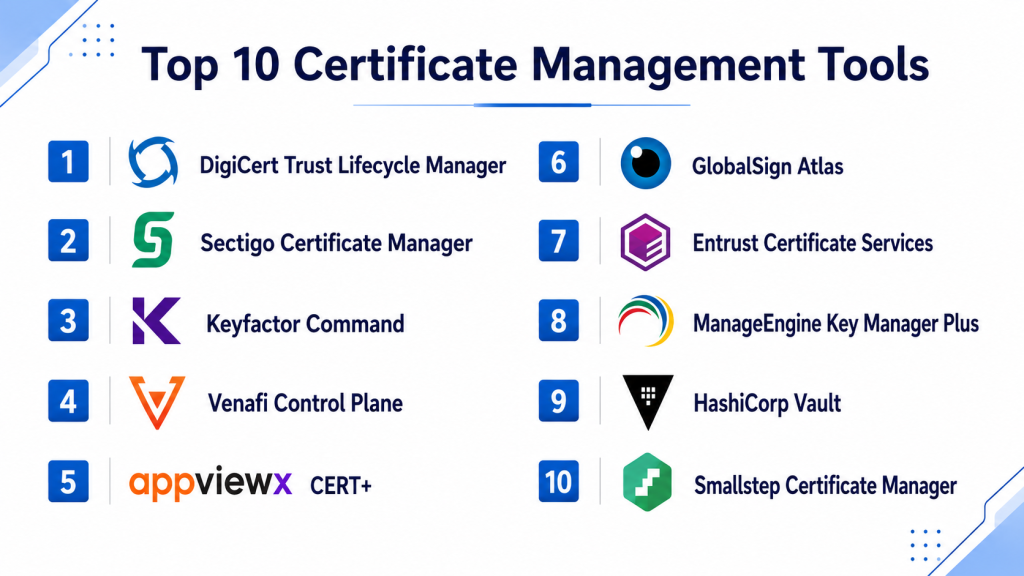
Top 10 Certificate Management Tools
1 — DigiCert Trust Lifecycle Manager
Short description:
DigiCert Trust Lifecycle Manager is an enterprise-focused certificate lifecycle management platform designed to help organizations discover, manage, automate, and govern public and private digital certificates across complex environments.
Key Features
- Centralized certificate discovery and inventory management
- Automated certificate issuance, renewal, and revocation
- Public and private trust lifecycle support
- Policy-based certificate governance
- Certificate expiration monitoring and alerts
- Reporting dashboards for certificate risk visibility
- Enterprise-scale certificate ownership and workflow management
Pros
- Strong fit for large organizations managing many certificates
- Good lifecycle coverage from discovery to governance
- Useful for both public certificates and internal trust environments
Cons
- May be more advanced than smaller teams require
- Enterprise implementation can require planning and internal coordination
- Pricing and deployment scope may vary by use case
Platforms / Deployment
Cloud / Hybrid
Security & Compliance
Supports enterprise certificate governance, access control workflows, audit visibility, policy enforcement, and certificate risk reporting. Specific compliance certifications should be verified directly with the vendor.
Integrations & Ecosystem
DigiCert Trust Lifecycle Manager is designed to connect certificate management with enterprise infrastructure, security tools, cloud environments, and certificate authority workflows.
Common integrations include:
- Public certificate authority services
- Private PKI environments
- Cloud platforms
- IT service management systems
- Monitoring and reporting workflows
- DevOps and automation tools
Support & Community
DigiCert provides documentation, enterprise support options, onboarding assistance, and professional services depending on the customer plan and environment complexity.
2 — Sectigo Certificate Manager
Short description:
Sectigo Certificate Manager is a certificate lifecycle management platform built for organizations that need centralized SSL, TLS, public certificate, and private certificate management across multiple environments.
Key Features
- SSL and TLS certificate lifecycle management
- Certificate discovery across networks and systems
- Automated issuance and renewal workflows
- Public and private certificate authority support
- Policy management and role-based administration
- Certificate expiration alerts and reporting dashboards
- Multi-certificate visibility for enterprise teams
Pros
- Good choice for organizations managing many SSL and TLS certificates
- Supports automation for public and private certificate workflows
- Helpful for reducing manual renewal and certificate tracking work
Cons
- Advanced configuration may require implementation effort
- Some integrations depend on environment complexity
- Best suited for teams with recurring certificate management needs
Platforms / Deployment
Cloud / Hybrid
Security & Compliance
Includes certificate governance, administrative controls, role-based workflows, reporting, and policy enforcement features. Specific compliance claims should be verified directly with the vendor.
Integrations & Ecosystem
Sectigo Certificate Manager works across IT, security, infrastructure, and application environments where certificates need centralized control.
Common integrations include:
- Public certificate authorities
- Private PKI environments
- Directory services
- Cloud infrastructure
- Network systems
- Application platforms
Support & Community
Sectigo provides documentation, support resources, and enterprise assistance depending on licensing and implementation scope.
3 — Keyfactor Command
Short description:
Keyfactor Command is an enterprise certificate lifecycle and machine identity management platform designed for organizations that need strong PKI visibility, certificate automation, and governance at scale.
Key Features
- Certificate lifecycle automation
- Discovery across network, cloud, and application environments
- Public and private PKI support
- Machine identity visibility and governance
- Policy enforcement and certificate ownership tracking
- API-based automation and integration support
- Risk reporting and certificate health dashboards
Pros
- Strong fit for complex enterprise PKI environments
- Useful for managing machine identities and certificate risk
- Good automation depth for large-scale certificate estates
Cons
- May require careful implementation planning
- Can be more technical than basic certificate tools
- Pricing is generally better suited to larger organizations
Platforms / Deployment
Cloud / Hybrid
Security & Compliance
Supports access control, audit visibility, certificate ownership tracking, policy enforcement, and governance workflows. Specific compliance certifications should be verified with the vendor.
Integrations & Ecosystem
Keyfactor Command is built for organizations that need certificate and machine identity management across diverse infrastructure.
Common integrations include:
- Public and private certificate authorities
- Microsoft PKI environments
- Cloud platforms
- DevOps tools
- Hardware security modules
- IT and security operations platforms
Support & Community
Keyfactor provides enterprise support, documentation, implementation assistance, and partner ecosystem support. It is well suited for teams with dedicated PKI, security, and infrastructure ownership.
4 — Venafi Control Plane
Short description:
Venafi Control Plane is a machine identity and certificate lifecycle management platform designed for large organizations that need policy-driven visibility, automation, and governance across complex certificate environments.
Key Features
- Enterprise-wide certificate discovery
- Machine identity management
- Policy-driven automation and governance
- Certificate ownership tracking
- Risk visibility for unmanaged and expiring certificates
- Cloud-native and traditional infrastructure support
- Security workflow integrations
Pros
- Strong for large enterprises with complex machine identity needs
- Helps reduce risk from unknown or expired certificates
- Good fit for governance-heavy security teams
Cons
- May be too complex for smaller organizations
- Implementation may require cross-team coordination
- Premium enterprise positioning may not fit limited budgets
Platforms / Deployment
Cloud / Hybrid
Security & Compliance
Supports certificate governance, policy enforcement, machine identity visibility, role-based workflows, and audit-focused reporting. Specific compliance certifications should be verified directly with the vendor.
Integrations & Ecosystem
Venafi Control Plane connects certificate and machine identity management with security, infrastructure, cloud, and automation workflows.
Common integrations include:
- Certificate authorities
- Cloud environments
- Kubernetes platforms
- DevOps tools
- Security monitoring systems
- IT operations workflows
Support & Community
Venafi provides enterprise-focused support, documentation, training resources, and professional services. It is best suited for mature security and infrastructure teams.
5 — AppViewX CERT+
Short description:
AppViewX CERT+ is a certificate lifecycle automation and orchestration platform designed to help enterprises manage certificates across multiple certificate authorities, application delivery systems, and infrastructure environments.
Key Features
- Certificate lifecycle automation and orchestration
- Certificate discovery and inventory management
- Multi-CA certificate management
- Expiration alerts and renewal automation
- Policy-based certificate workflows
- Reporting and dashboard visibility
- API support for infrastructure automation
Pros
- Strong automation for certificate operations
- Useful for organizations managing multiple certificate authorities
- Helps reduce manual renewal and approval workflows
Cons
- Complex workflows may require configuration effort
- Enterprise capabilities may exceed smaller team needs
- Implementation quality depends on planning and environment readiness
Platforms / Deployment
Cloud / Hybrid
Security & Compliance
Includes access controls, audit visibility, workflow governance, and certificate policy controls. Specific compliance certifications should be verified with the vendor.
Integrations & Ecosystem
AppViewX CERT+ is useful for teams that want certificate operations connected with application delivery, infrastructure, and automation platforms.
Common integrations include:
- Certificate authorities
- Load balancers
- Cloud platforms
- IT service management tools
- DevOps pipelines
- Monitoring systems
Support & Community
AppViewX provides documentation, enterprise support, onboarding assistance, and implementation services depending on the customer plan and deployment model.
6 — GlobalSign Atlas
Short description:
GlobalSign Atlas is a certificate lifecycle and PKI platform designed to help organizations manage public and private trust, identity-based certificates, and scalable certificate services.
Key Features
- Certificate lifecycle management
- Public and private trust support
- PKI management capabilities
- Automated certificate issuance and renewal
- Centralized certificate visibility
- Identity and certificate service support
- Scalable certificate services for distributed teams
Pros
- Good fit for organizations already using GlobalSign certificate services
- Supports public trust and private PKI scenarios
- Useful for businesses that want certificate services and lifecycle control together
Cons
- Best fit may depend on GlobalSign ecosystem alignment
- Advanced enterprise workflows may require validation
- Integration depth should be checked for specific use cases
Platforms / Deployment
Cloud
Security & Compliance
Supports PKI-related security controls and certificate governance. Specific compliance details should be verified directly with the vendor.
Integrations & Ecosystem
GlobalSign Atlas is designed for certificate lifecycle and digital identity use cases across enterprise and service environments.
Common integrations include:
- Public certificate services
- Private PKI workflows
- Enterprise identity systems
- Device certificate workflows
- API automation
- Application and infrastructure environments
Support & Community
GlobalSign provides vendor support, documentation, and account assistance. Support depth may vary based on certificate service package and enterprise requirements.
7 — Entrust Certificate Services
Short description:
Entrust Certificate Services helps organizations issue, manage, monitor, and govern digital certificates used for websites, applications, enterprise identity, and trusted communication.
Key Features
- SSL and TLS certificate lifecycle management
- Certificate inventory and monitoring
- Certificate issuance and renewal workflows
- Public and private certificate support
- Expiration alerts and certificate visibility
- Administrative controls for certificate teams
- Reporting for risk and compliance visibility
Pros
- Strong option for organizations needing trusted certificate services
- Useful for enterprise SSL and certificate operations
- Combines certificate issuance with lifecycle management features
Cons
- May be more than small teams need
- Advanced management capabilities may require enterprise licensing
- Specific integration needs should be validated before purchase
Platforms / Deployment
Cloud
Security & Compliance
Provides certificate management controls, administrative governance, and reporting capabilities. Specific compliance certifications should be confirmed directly with the vendor.
Integrations & Ecosystem
Entrust Certificate Services supports certificate operations and digital trust workflows for enterprise environments.
Common integrations include:
- Public certificate services
- Private PKI environments
- Identity and access systems
- Enterprise applications
- Cloud infrastructure
- Security operations workflows
Support & Community
Entrust provides support resources, documentation, account management, and enterprise service options depending on customer plan and certificate requirements.
8 — ManageEngine Key Manager Plus
Short description:
ManageEngine Key Manager Plus is an IT operations-focused platform for managing SSL certificates and SSH keys from a centralized interface.
Key Features
- SSL certificate discovery and inventory
- SSH key management capabilities
- Certificate expiration alerts
- Centralized key and certificate visibility
- Audit reports and administrative tracking
- Renewal workflow support where applicable
- Dashboards for IT operations teams
Pros
- Good fit for IT teams managing certificates and SSH keys together
- Practical option for mid-sized organizations
- Works well for teams already using ManageEngine products
Cons
- May not provide the same machine identity depth as enterprise-first platforms
- Advanced automation may require additional setup
- Best suited for operational certificate and key management use cases
Platforms / Deployment
Windows / Linux
Self-hosted
Security & Compliance
Supports administrative controls, audit reports, and certificate/key management features. Specific compliance certifications should be verified with the vendor.
Integrations & Ecosystem
ManageEngine Key Manager Plus fits IT operations environments where certificate management, SSH key control, and infrastructure administration overlap.
Common integrations include:
- Windows and Linux servers
- Network devices
- Certificate authorities
- IT operations workflows
- Reporting systems
- ManageEngine ecosystem tools
Support & Community
ManageEngine offers documentation, support channels, knowledge base resources, and a broad IT management user ecosystem.
9 — HashiCorp Vault
Short description:
HashiCorp Vault is a secrets management and encryption platform that also supports PKI workflows, dynamic certificate issuance, and internal certificate authority use cases for DevOps and platform teams.
Key Features
- PKI secrets engine for certificate issuance
- Internal certificate authority workflows
- Dynamic certificate generation
- Secure secrets management
- Policy-based access control
- API-first automation
- Audit logging and infrastructure integration
Pros
- Strong fit for DevOps and platform engineering teams
- Useful for internal PKI and service-to-service certificate needs
- Highly automation-friendly for cloud-native environments
Cons
- Not a traditional full public certificate lifecycle platform
- Requires technical skill to configure and operate well
- Enterprise capabilities may require paid editions
Platforms / Deployment
Windows / macOS / Linux
Cloud / Self-hosted / Hybrid
Security & Compliance
Supports encryption, audit logging, identity-based access, policy controls, and secure secret handling. Specific compliance certifications depend on edition and deployment model.
Integrations & Ecosystem
HashiCorp Vault is commonly used in DevOps and cloud-native environments where secrets and certificates must be managed programmatically.
Common integrations include:
- Kubernetes
- Terraform
- CI/CD pipelines
- Cloud identity systems
- Service mesh environments
- Application runtime platforms
Support & Community
HashiCorp Vault has strong documentation, a large technical community, open-source adoption, and enterprise support options through commercial plans.
10 — Smallstep Certificate Manager
Short description:
Smallstep Certificate Manager is a developer-friendly certificate management and private PKI platform focused on internal certificate automation, short-lived certificates, and workload identity.
Key Features
- Private certificate authority management
- Automated certificate issuance for internal systems
- Developer-friendly certificate workflows
- Short-lived certificate support
- Workload, service, and device identity support
- API and command-line automation
- Integration with modern infrastructure environments
Pros
- Strong fit for DevOps, platform, and internal PKI teams
- Developer-friendly approach to certificate automation
- Useful for Zero Trust service identity and internal trust models
Cons
- May not replace a full enterprise public certificate management platform
- Requires technical ownership from infrastructure teams
- Best value depends on internal PKI maturity
Platforms / Deployment
Cloud / Self-hosted / Hybrid
Security & Compliance
Supports internal PKI, certificate issuance controls, and identity-based certificate workflows. Specific compliance certifications should be verified directly with the vendor.
Integrations & Ecosystem
Smallstep Certificate Manager is designed for teams that need automated internal certificate issuance and developer-friendly PKI workflows.
Common integrations include:
- Kubernetes
- DevOps pipelines
- Internal services
- Cloud infrastructure
- Identity providers
- Workload and device identity systems
Support & Community
Smallstep provides documentation, developer resources, and commercial support options. Community strength is strongest among DevOps, platform engineering, and cloud-native users.
Comparison Table Top 10
| Tool Name | Best For | Platform Supported | Deployment | Standout Feature | Public Rating |
|---|---|---|---|---|---|
| DigiCert Trust Lifecycle Manager | Enterprise certificate lifecycle management | Web | Cloud / Hybrid | Public and private trust lifecycle coverage | N/A |
| Sectigo Certificate Manager | SSL and TLS certificate operations | Web | Cloud / Hybrid | Multi-certificate renewal automation | N/A |
| Keyfactor Command | Enterprise PKI and machine identity | Web | Cloud / Hybrid | Certificate discovery and machine identity governance | N/A |
| Venafi Control Plane | Large-scale machine identity security | Web | Cloud / Hybrid | Policy-driven certificate governance | N/A |
| AppViewX CERT+ | Certificate automation and orchestration | Web | Cloud / Hybrid | Multi-CA workflow automation | N/A |
| GlobalSign Atlas | Public and private trust services | Web | Cloud | PKI-backed certificate lifecycle management | N/A |
| Entrust Certificate Services | Enterprise SSL and certificate services | Web | Cloud | Certificate issuance with lifecycle visibility | N/A |
| ManageEngine Key Manager Plus | IT operations and SSH key management | Windows / Linux / Web | Self-hosted | Certificate and SSH key inventory | N/A |
| HashiCorp Vault | DevOps internal PKI and secrets workflows | Windows / macOS / Linux / API | Cloud / Self-hosted / Hybrid | PKI secrets engine and API-first automation | N/A |
| Smallstep Certificate Manager | Developer-friendly private PKI | CLI / API / Web | Cloud / Self-hosted / Hybrid | Internal PKI and short-lived certificates | N/A |
Evaluation & Scoring of Certificate Management Tools
| Tool Name | Core 25% | Ease 15% | Integrations 15% | Security 10% | Performance 10% | Support 10% | Value 15% | Weighted Total |
|---|---|---|---|---|---|---|---|---|
| DigiCert Trust Lifecycle Manager | 9 | 8 | 8 | 9 | 9 | 9 | 8 | 8.55 |
| Sectigo Certificate Manager | 8 | 8 | 8 | 8 | 8 | 8 | 8 | 8.00 |
| Keyfactor Command | 9 | 7 | 9 | 9 | 9 | 8 | 8 | 8.45 |
| Venafi Control Plane | 9 | 7 | 9 | 9 | 9 | 8 | 7 | 8.30 |
| AppViewX CERT+ | 8 | 8 | 8 | 8 | 8 | 8 | 8 | 8.00 |
| GlobalSign Atlas | 8 | 8 | 7 | 8 | 8 | 8 | 8 | 7.85 |
| Entrust Certificate Services | 8 | 8 | 7 | 8 | 8 | 8 | 8 | 7.85 |
| ManageEngine Key Manager Plus | 7 | 8 | 7 | 7 | 8 | 8 | 9 | 7.70 |
| HashiCorp Vault | 8 | 6 | 9 | 9 | 9 | 8 | 8 | 8.00 |
| Smallstep Certificate Manager | 7 | 8 | 8 | 8 | 8 | 7 | 8 | 7.65 |
These scores are comparative evaluations rather than absolute rankings. Enterprise organizations typically prioritize governance, machine identity visibility, policy enforcement, and multi-CA support. DevOps teams may focus more on APIs, Kubernetes compatibility, short-lived certificates, and internal PKI automation. SMBs may value ease of use, alerts, renewal automation, and price efficiency more heavily. Buyers should align scoring priorities with certificate volume, infrastructure complexity, security maturity, and compliance requirements.
Which Certificate Management Tool Is Right for You
Solo / Freelancer
Independent developers and freelancers usually do not need a full enterprise certificate lifecycle platform. If the need is limited to a few public website certificates, a hosting provider, cloud certificate service, or basic CA dashboard may be enough. For technical users who want internal certificate automation, Smallstep Certificate Manager and HashiCorp Vault can be useful, but they require stronger technical ownership.
SMB
SMBs should prioritize simplicity, certificate inventory, expiration alerts, automated renewal, and clear reporting. Sectigo Certificate Manager, ManageEngine Key Manager Plus, GlobalSign Atlas, and Entrust Certificate Services are practical options depending on whether the company needs public certificates, internal certificates, or both.
Mid-Market
Mid-market organizations often need more structure around ownership, approval workflows, cloud visibility, and audit reporting. DigiCert Trust Lifecycle Manager, AppViewX CERT+, Keyfactor Command, and Sectigo Certificate Manager are strong choices for growing teams that need automation without losing governance control.
Enterprise
Large enterprises should prioritize discovery, machine identity management, private PKI, multi-CA support, policy enforcement, audit trails, and integrations with security operations. Venafi Control Plane, Keyfactor Command, DigiCert Trust Lifecycle Manager, and AppViewX CERT+ are strong enterprise-focused options for complex certificate estates.
Budget vs Premium
Budget-conscious teams should choose tools that solve immediate risks such as missing certificate inventory, expiration alerts, and basic renewal automation. ManageEngine Key Manager Plus, Smallstep Certificate Manager, and cloud-native certificate services may provide strong value. Premium platforms are better when organizations need governance, automation, compliance visibility, machine identity security, and enterprise-wide scalability.
Feature Depth vs Ease of Use
If ease of use matters most, buyers should choose tools with simple dashboards, guided workflows, practical alerts, and low administrative overhead. Sectigo Certificate Manager, GlobalSign Atlas, and Entrust Certificate Services can be practical choices. If feature depth matters more, Keyfactor Command, Venafi Control Plane, DigiCert Trust Lifecycle Manager, and HashiCorp Vault offer stronger automation and governance capabilities.
Integrations & Scalability
Organizations with hybrid infrastructure, cloud platforms, Kubernetes, DevOps pipelines, multiple CAs, and many business units should prioritize API support, automation workflows, and integration maturity. HashiCorp Vault and Smallstep Certificate Manager are strong for developer-first environments, while Keyfactor Command, Venafi Control Plane, DigiCert Trust Lifecycle Manager, and AppViewX CERT+ are better for enterprise-wide scalability.
Security & Compliance Needs
Security-focused teams should prioritize RBAC, MFA, audit logs, certificate ownership, approval workflows, encryption controls, policy enforcement, and reporting. Regulated organizations should verify specific compliance requirements directly with vendors. Venafi Control Plane, Keyfactor Command, and DigiCert Trust Lifecycle Manager are strong options for governance-heavy environments, while HashiCorp Vault and Smallstep Certificate Manager are useful for secure internal PKI and workload identity.
Frequently Asked Questions FAQs
1. What are Certificate Management Tools?
Certificate Management Tools help organizations manage digital certificates across their full lifecycle. This includes discovery, issuance, renewal, monitoring, revocation, ownership tracking, reporting, and governance across websites, applications, cloud workloads, and internal systems.
2. Why are Certificate Management Tools important?
They are important because expired or misconfigured certificates can cause website downtime, API failures, authentication problems, and security gaps. A certificate management platform helps teams automate renewals, improve visibility, and reduce operational risk.
3. What types of certificates do these tools manage?
These tools commonly manage SSL and TLS certificates, internal PKI certificates, device certificates, workload certificates, user certificates, API certificates, and certificates used across Kubernetes, servers, load balancers, and cloud services.
4. What is certificate lifecycle management?
Certificate lifecycle management is the process of handling certificates from discovery and issuance through deployment, monitoring, renewal, revocation, and retirement. Strong lifecycle management reduces outages and improves trust governance.
5. What is the difference between certificate management and PKI management?
Certificate management focuses on tracking and controlling certificates. PKI management is broader and includes certificate authorities, trust models, key handling, identity policies, issuance rules, and governance infrastructure. Some platforms support both.
6. Can Certificate Management Tools prevent outages?
Yes. They help prevent outages by discovering certificates, monitoring expiration dates, sending alerts, automating renewals, assigning ownership, and enforcing policies. This reduces dependency on manual reminders and spreadsheets.
7. Are these tools useful for DevOps teams?
Yes. DevOps teams use certificate management tools for APIs, Kubernetes, service-to-service encryption, CI/CD workflows, internal PKI, infrastructure automation, and short-lived certificates. API-first tools are especially useful in cloud-native environments.
8. What security features should buyers prioritize?
Buyers should prioritize RBAC, MFA, audit logging, encryption, secure key handling, approval workflows, policy enforcement, ownership tracking, and reporting. Regulated industries should also validate compliance support directly with vendors.
9. Are cloud-native certificate tools enough?
Cloud-native tools may be enough for teams operating mostly inside one cloud provider. However, businesses with hybrid infrastructure, multiple clouds, internal PKI, compliance needs, and many certificates usually benefit from a dedicated certificate management platform.
10. What are common certificate management mistakes?
Common mistakes include using spreadsheets, ignoring internal certificates, failing to assign ownership, missing renewal deadlines, allowing inconsistent certificate policies, and not monitoring certificates across cloud and on-premises systems.
11. How long does implementation usually take?
Implementation depends on certificate volume, infrastructure complexity, CA integrations, and automation goals. Smaller teams may start with inventory and alerts quickly, while larger enterprises often need phased discovery, policy design, and workflow rollout.
12. Which Certificate Management Tool is best overall?
There is no single best tool for every organization. DigiCert Trust Lifecycle Manager, Keyfactor Command, and Venafi Control Plane are strong enterprise options, while HashiCorp Vault, Smallstep Certificate Manager, and ManageEngine Key Manager Plus may fit specific DevOps or IT operations needs.
Conclusion
Certificate Management Tools have become essential for organizations that rely on secure websites, APIs, cloud services, internal applications, private PKI, DevOps pipelines, and machine identity workflows. The right platform helps teams reduce downtime, discover unmanaged certificates, automate renewal, enforce policies, and improve digital trust governance. Enterprise buyers should prioritize multi-CA support, machine identity visibility, compliance reporting, private PKI, and large-scale automation, while SMB and mid-market buyers may focus on usability, alerts, cost, and basic certificate inventory. DigiCert Trust Lifecycle Manager, Keyfactor Command, and Venafi Control Plane are strong choices for complex enterprise environments, while ManageEngine Key Manager Plus, HashiCorp Vault, and Smallstep Certificate Manager are practical options for IT operations and DevOps-led use cases. The best next step is to shortlist two or three tools, test them with real certificates, validate integrations with your cloud and CA ecosystem, confirm security controls, and scale gradually across the organization.

Find Trusted Cardiac Hospitals
Compare heart hospitals by city and services — all in one place.
Explore Hospitals
I learned how certificate management tools help automate renewals, prevent security risks, and keep digital systems running smoothly. I’d like to explore more about which tools are easiest to manage for growing teams.
This gave me a better understanding of how certificate management tools automate renewals and improve security. I’d like to explore which tool fits best for managing certificates at scale.