Introduction
Code Signing Tools help software teams digitally sign applications, scripts, drivers, containers, binaries, installers, packages, mobile apps, firmware, and software updates so users and operating systems can verify that the code is trusted and has not been altered. Code signing protects software integrity, reduces tampering risk, supports secure release pipelines, and helps organizations build trust with customers, partners, marketplaces, and enterprise IT teams. As software supply chain security becomes more important, code signing has moved from a final release step to a core part of DevSecOps, CI/CD governance, and secure software delivery.
Common Real-world use cases include:
- Signing Windows, macOS, Linux, mobile, and enterprise applications
- Signing software updates, installers, packages, and binaries
- Protecting DevOps pipelines from unsigned or tampered releases
- Signing containers, artifacts, and open-source packages
- Managing signing keys for distributed engineering teams
- Supporting compliance, auditability, and secure release governance
When Evaluating Code Signing Tools, buyers should assess:
- Private key protection and HSM support
- Certificate authority compatibility
- CI/CD and DevOps integration
- Role-based access control and approval workflows
- Audit logging and release traceability
- Support for multiple platforms and artifact types
- Cloud, self-hosted, and hybrid deployment flexibility
- Developer experience and signing automation
- Policy enforcement and separation of duties
- Scalability for enterprise software release teams
Best for
Code Signing Tools are best for software companies, DevOps teams, security engineering teams, platform engineering teams, enterprise IT teams, mobile app teams, firmware teams, open-source maintainers, and regulated organizations that need trusted, verifiable, and secure software releases.
Not ideal for
Code signing platforms may not be necessary for very small internal scripts, non-distributed prototypes, or personal projects that are never shared outside a local environment. However, once software is distributed to users, partners, app stores, production systems, or enterprise customers, code signing becomes an important security and trust requirement.
Key Trends in Code Signing Tools
- Cloud-based key protection is becoming more common as organizations move away from locally stored signing keys and manual certificate handling.
- Hardware security module integration is increasingly important for protecting private keys and meeting enterprise security requirements.
- CI/CD-native signing workflows are now expected because modern software teams need automated signing inside build and release pipelines.
- Software supply chain security is pushing teams to sign not only applications but also containers, packages, artifacts, and release metadata.
- Policy-based signing approvals are gaining importance as enterprises require separation of duties, release approvals, and signing governance.
- Open-source signing ecosystems are growing as developers look for transparent, identity-based, and automation-friendly signing workflows.
- Certificate lifecycle automation is becoming more important because signing certificates need secure issuance, renewal, storage, and revocation controls.
- Zero Trust release pipelines are increasing demand for identity-aware signing, short-lived credentials, audit logs, and least-privilege access.
- Multi-platform signing support is now a key buyer requirement for teams releasing software across Windows, macOS, Linux, mobile, containers, and cloud environments.
- Compliance and audit reporting are becoming critical for regulated industries that need proof of who signed what, when, and under which policy.
How We Selected These Tools Methodology
The tools in this list were selected using practical software security, DevOps, enterprise release, and supply chain governance evaluation criteria. The list includes a balanced mix of enterprise code signing services, certificate authority-backed platforms, cloud-native signing services, DevOps-friendly tools, and open-source signing ecosystems.
Our Evaluation methodology included:
- Market adoption and recognition across software security and DevOps teams
- Breadth of code signing use cases across applications, scripts, packages, containers, and artifacts
- Key protection capabilities, including cloud key management and HSM support
- Certificate authority support and trusted certificate workflows
- CI/CD, API, and developer workflow integration
- Access control, approval workflows, audit logging, and governance maturity
- Support for enterprise, SMB, developer-first, and open-source use cases
- Scalability for distributed engineering and release teams
- Platform coverage across Windows, macOS, Linux, containers, cloud, and mobile ecosystems
- Long-term fit for secure software supply chain management
The final list balances enterprise-grade signing platforms, certificate-backed signing services, cloud-native signing tools, and open-source artifact signing solutions.
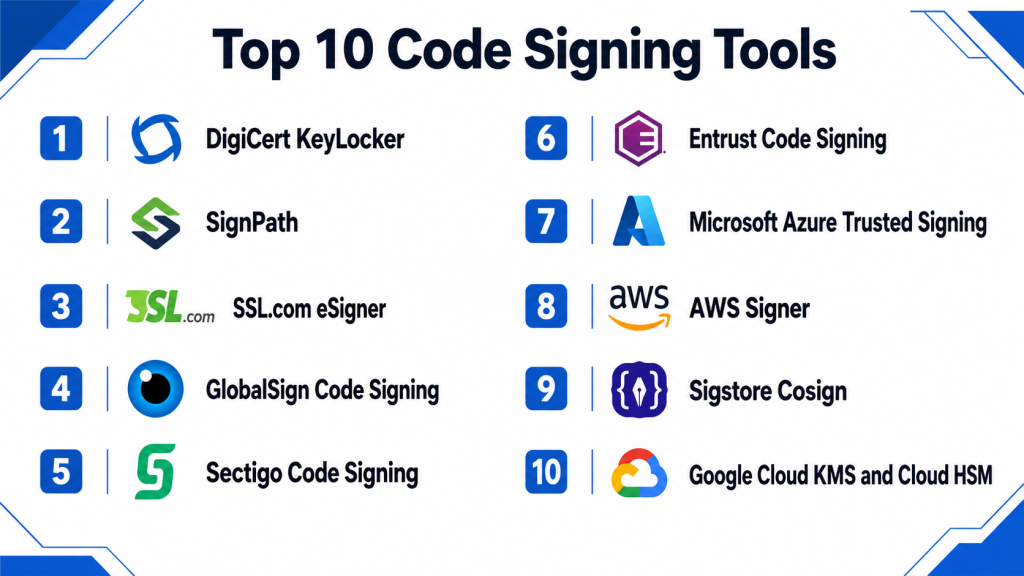
Top 10 Code Signing Tools
1 — DigiCert KeyLocker
Short description:
DigiCert KeyLocker is a cloud-based code signing key protection and signing platform designed to help organizations securely manage signing keys, certificates, and software release workflows without exposing private keys locally.
Key Features
- Cloud-based signing key protection
- Secure code signing certificate management
- Support for automated signing workflows
- Role-based access and policy controls
- Signing activity logging and reporting
- Integration with build and release pipelines
- Designed for software teams needing secure key custody
Pros
- Strong fit for organizations that already use DigiCert certificates
- Helps reduce risks from locally stored private keys
- Good option for teams modernizing code signing governance
Cons
- Best value is usually seen in teams with formal release workflows
- May require process changes for developers used to local signing
- Pricing and deployment details can vary by certificate and signing needs
Platforms / Deployment
Cloud
Security & Compliance
Supports secure key protection, access controls, audit visibility, and certificate-based signing workflows. Specific compliance certifications should be verified directly with the vendor.
Integrations & Ecosystem
DigiCert KeyLocker is designed to fit into enterprise code signing and software release workflows where trusted certificate-backed signing is required.
Common integrations include:
- CI/CD pipelines
- Build servers
- Software release workflows
- Code signing certificates
- Enterprise identity systems
- Developer automation tools
Support & Community
DigiCert provides vendor documentation, enterprise support options, certificate lifecycle guidance, and onboarding resources depending on plan and customer requirements.
2 — SignPath
Short description:
SignPath is a code signing platform focused on secure, policy-controlled software signing for development teams, DevOps pipelines, open-source projects, and enterprise release workflows.
Key Features
- Centralized code signing workflow management
- Policy-based signing approvals
- CI/CD integration support
- Audit trails for signed artifacts
- Support for multiple signing formats and release types
- Role-based access and separation of duties
- Signing workflow automation for teams
Pros
- Strong governance model for software release signing
- Useful for teams needing approval workflows and traceability
- Good fit for both commercial and open-source signing scenarios
Cons
- Advanced workflows may require setup and process planning
- Teams with very simple signing needs may find it more structured than necessary
- Some platform-specific signing requirements should be validated before purchase
Platforms / Deployment
Cloud / Self-hosted / Hybrid
Security & Compliance
Supports signing governance, audit logs, access controls, approval workflows, and policy-based signing. Specific compliance certifications should be verified directly with the vendor.
Integrations & Ecosystem
SignPath integrates with modern development and release environments where signed artifacts must be controlled and traceable.
Common integrations include:
- CI/CD systems
- Build automation tools
- Source control workflows
- Windows signing workflows
- Release management platforms
- Enterprise approval processes
Support & Community
SignPath provides documentation, product support, and guidance for teams implementing controlled code signing workflows. Community visibility is strongest among software security and release engineering users.
3 — SSL.com eSigner
Short description:
SSL.com eSigner is a cloud-based code signing service that helps teams sign software without storing private keys on local machines, making it useful for distributed developers and modern release workflows.
Key Features
- Cloud-based code signing
- Certificate-backed signing workflows
- Support for remote signing operations
- Key protection without local private key exposure
- Signing automation support
- Developer and team-oriented signing access
- Suitable for modern software release pipelines
Pros
- Helps reduce key exposure risk for distributed teams
- Useful for remote and cloud-based signing workflows
- Practical option for teams needing certificate-backed signing
Cons
- Best fit depends on certificate and platform requirements
- Advanced enterprise governance may vary by plan
- Integration details should be validated for specific CI/CD environments
Platforms / Deployment
Cloud
Security & Compliance
Supports secure remote signing and certificate-based workflows. Specific access controls, audit logging, and compliance details should be verified directly with the vendor.
Integrations & Ecosystem
SSL.com eSigner supports teams that need remote, cloud-based, certificate-backed signing for software releases.
Common integrations include:
- Build systems
- CI/CD pipelines
- Windows signing workflows
- Developer release environments
- Certificate management workflows
- Software packaging tools
Support & Community
SSL.com provides documentation, certificate support resources, and customer support. Support depth may vary based on certificate type and service plan.
4 — GlobalSign Code Signing
Short description:
GlobalSign Code Signing provides trusted code signing certificates and related signing workflows for software vendors, enterprises, developers, and organizations distributing applications across public and private environments.
Key Features
- Trusted code signing certificates
- Support for standard software signing workflows
- Certificate lifecycle support
- Identity verification for software publishers
- Compatibility with common signing tools
- Support for software integrity verification
- Useful for public software distribution
Pros
- Good fit for teams needing trusted publisher identity
- Supports common application signing workflows
- Suitable for organizations distributing software externally
Cons
- Certificate management may require additional operational controls
- Advanced DevOps automation may require complementary tooling
- Governance capabilities depend on how signing workflows are implemented
Platforms / Deployment
Cloud / Varies / N/A
Security & Compliance
Supports certificate-based software trust and publisher identity validation. Specific access control, audit logging, and compliance features should be verified based on product and service package.
Integrations & Ecosystem
GlobalSign Code Signing fits traditional and modern software publishing workflows where trusted signing certificates are required.
Common integrations include:
- Windows application signing
- Installer signing workflows
- Release build systems
- Certificate management processes
- Software distribution channels
- Enterprise release workflows
Support & Community
GlobalSign provides certificate support, documentation, and account assistance. Support depth may vary by certificate product and enterprise package.
5 — Sectigo Code Signing
Short description:
Sectigo Code Signing provides code signing certificates and signing solutions for developers, software vendors, and organizations that need to prove software authenticity and prevent tampering warnings.
Key Features
- Code signing certificate issuance
- Support for standard application signing workflows
- Publisher identity validation
- Software integrity protection
- Compatibility with common signing utilities
- Certificate lifecycle support
- Options for different software distribution needs
Pros
- Practical option for software vendors and development teams
- Helps reduce trust warnings for signed software
- Well suited for traditional code signing certificate needs
Cons
- Full governance may require additional process or tooling
- Enterprise automation depth may vary by setup
- Teams should verify platform-specific signing requirements
Platforms / Deployment
Cloud / Varies / N/A
Security & Compliance
Supports certificate-based code signing and publisher validation. Specific security controls, audit logging, and compliance details should be verified directly with the vendor.
Integrations & Ecosystem
Sectigo Code Signing works with common software release and application signing processes.
Common integrations include:
- Windows signing tools
- Application installers
- Software release workflows
- Build automation systems
- Certificate lifecycle management
- Developer signing environments
Support & Community
Sectigo provides certificate support, documentation, and customer assistance. Support experience may vary by certificate type, plan, and organization size.
6 — Entrust Code Signing
Short description:
Entrust Code Signing helps organizations sign applications, scripts, drivers, firmware, and software releases using trusted certificates and enterprise-oriented certificate services.
Key Features
- Code signing certificate services
- Support for application and software signing
- Publisher identity verification
- Certificate lifecycle support
- Suitable for enterprise software release workflows
- Trusted signing for distributed software
- Helps protect software integrity and authenticity
Pros
- Strong fit for enterprises needing trusted certificate services
- Useful for signing software distributed to customers or internal users
- Good option for organizations already using Entrust digital trust services
Cons
- Advanced workflow automation may require additional tooling
- Certificate operations may require internal governance processes
- Specific platform support should be validated for each use case
Platforms / Deployment
Cloud / Varies / N/A
Security & Compliance
Supports certificate-backed code signing and digital trust workflows. Specific access control, audit, and compliance features should be verified directly with the vendor.
Integrations & Ecosystem
Entrust Code Signing fits enterprise release workflows where software authenticity and trusted publisher identity matter.
Common integrations include:
- Application signing tools
- Enterprise software release processes
- Certificate lifecycle workflows
- Internal IT security processes
- Software distribution platforms
- Digital trust ecosystems
Support & Community
Entrust provides documentation, enterprise support, account management, and digital certificate assistance depending on the customer plan.
7 — Microsoft Azure Trusted Signing
Short description:
Microsoft Azure Trusted Signing is a cloud-based code signing service designed to help developers and organizations sign applications through Microsoft’s cloud ecosystem with centralized signing workflows.
Key Features
- Cloud-based code signing workflow
- Integration with Microsoft development environments
- Support for application signing use cases
- Centralized signing management
- Useful for Windows software distribution
- Identity and access-based signing control
- Cloud-native signing automation potential
Pros
- Strong fit for Microsoft-focused development teams
- Useful for organizations building and signing Windows applications
- Helps reduce local key handling complexity
Cons
- Best suited for Microsoft ecosystem workflows
- Cross-platform needs should be carefully validated
- Feature availability and workflow fit may vary by region and account setup
Platforms / Deployment
Cloud
Security & Compliance
Supports cloud-based signing workflows and identity-based access patterns within the Microsoft ecosystem. Specific compliance details should be verified directly with Microsoft.
Integrations & Ecosystem
Azure Trusted Signing is most useful for teams already using Microsoft development, cloud, and release tooling.
Common integrations include:
- Azure DevOps
- Microsoft identity services
- Windows application signing
- Build and release pipelines
- Developer tooling
- Enterprise cloud workflows
Support & Community
Microsoft provides cloud documentation, enterprise support options, and ecosystem guidance. Support depth depends on Azure plan and enterprise support agreement.
8 — AWS Signer
Short description:
AWS Signer is a managed code signing service used to sign code and validate software integrity within AWS-centered development, deployment, and cloud security workflows.
Key Features
- Managed code signing service
- Integration with AWS cloud workflows
- Signing support for supported AWS deployment use cases
- Policy-controlled signing operations
- API-based automation
- Helps validate code integrity
- Useful for cloud-native release governance
Pros
- Strong fit for AWS-native teams
- Reduces the need to build custom signing infrastructure
- Useful for cloud deployment and software integrity workflows
Cons
- Best suited for AWS-centered environments
- May not replace broader multi-platform code signing tools
- Use-case coverage should be validated before adoption
Platforms / Deployment
Cloud
Security & Compliance
Supports AWS identity and access control patterns, managed signing workflows, and cloud-native governance. Specific compliance details depend on AWS account configuration and service usage.
Integrations & Ecosystem
AWS Signer works best for teams using AWS services as part of their build, deployment, and software integrity workflows.
Common integrations include:
- AWS Lambda
- AWS IAM
- AWS deployment workflows
- CI/CD pipelines
- Cloud-native security processes
- Infrastructure automation
Support & Community
AWS provides service documentation, cloud support options, and a large ecosystem of developer and enterprise resources.
9 — Sigstore Cosign
Short description:
Sigstore Cosign is an open-source signing tool widely used for signing and verifying containers, software artifacts, and supply chain metadata in cloud-native and open-source ecosystems.
Key Features
- Container image signing
- Artifact signing and verification
- Keyless signing workflow support
- Open-source software supply chain security
- Integration with transparency log concepts
- CLI-based developer workflows
- Strong fit for Kubernetes and cloud-native ecosystems
Pros
- Excellent fit for container and artifact signing
- Strong open-source ecosystem adoption
- Useful for modern software supply chain security workflows
Cons
- Requires technical knowledge to implement correctly
- Enterprise governance may require additional tooling
- Not a traditional certificate authority code signing platform
Platforms / Deployment
Linux / macOS / Windows
Self-hosted / Cloud-native workflows
Security & Compliance
Supports artifact signing, verification workflows, and identity-based signing patterns. Compliance depends on implementation, policy design, and supporting infrastructure.
Integrations & Ecosystem
Sigstore Cosign fits cloud-native, DevOps, Kubernetes, and open-source software supply chain workflows.
Common integrations include:
- Container registries
- Kubernetes
- GitHub Actions
- CI/CD pipelines
- Software artifact repositories
- Policy enforcement tools
Support & Community
Sigstore Cosign has strong open-source community support, active ecosystem adoption, and documentation maintained by the broader cloud-native security community.
10 — Google Cloud KMS and Cloud HSM
Short description:
Google Cloud KMS and Cloud HSM provide managed cryptographic key protection that can support signing-related workflows for teams building secure release, encryption, and key governance processes inside Google Cloud.
Key Features
- Cloud-based key management
- Hardware-backed key protection options
- IAM-based access control
- Cryptographic signing support
- Audit logging through cloud services
- Integration with Google Cloud workflows
- Useful for custom signing architectures
Pros
- Strong fit for Google Cloud-native teams
- Good key protection and access governance capabilities
- Useful for teams building custom secure signing workflows
Cons
- Not a complete out-of-the-box code signing platform for every use case
- Requires engineering effort to build full signing workflows
- Best suited for teams already operating in Google Cloud
Platforms / Deployment
Cloud
Security & Compliance
Supports IAM-based access, encryption, cloud audit logging, and hardware-backed key protection options. Specific compliance certifications and requirements should be verified directly with the vendor.
Integrations & Ecosystem
Google Cloud KMS and Cloud HSM are useful for teams building custom signing and key protection workflows in cloud-native environments.
Common integrations include:
- Google Cloud IAM
- Cloud Build
- Container workflows
- Security operations workflows
- Custom application signing systems
- Infrastructure automation
Support & Community
Google Cloud provides cloud documentation, enterprise support options, and ecosystem resources. Support depth depends on Google Cloud plan and organizational setup.
Comparison Table Top 10
| Tool Name | Best For | Platform Supported | Deployment | Standout Feature | Public Rating |
|---|---|---|---|---|---|
| DigiCert KeyLocker | Enterprise cloud code signing | Web / CI/CD | Cloud | Secure cloud-based signing key protection | N/A |
| SignPath | Policy-controlled software signing | Web / CI/CD | Cloud / Self-hosted / Hybrid | Approval-based signing workflows | N/A |
| SSL.com eSigner | Remote certificate-backed signing | Web / CI/CD | Cloud | Cloud-based signing without local key exposure | N/A |
| GlobalSign Code Signing | Trusted publisher software signing | Web / Varies | Cloud / Varies | Trusted code signing certificates | N/A |
| Sectigo Code Signing | Standard application code signing | Web / Varies | Cloud / Varies | Practical certificate-backed signing | N/A |
| Entrust Code Signing | Enterprise digital trust workflows | Web / Varies | Cloud / Varies | Enterprise certificate-backed signing | N/A |
| Microsoft Azure Trusted Signing | Microsoft ecosystem signing | Web / Azure | Cloud | Cloud-native Windows signing workflow | N/A |
| AWS Signer | AWS-native code signing | Web / AWS | Cloud | Managed signing for AWS workflows | N/A |
| Sigstore Cosign | Container and artifact signing | Windows / macOS / Linux / CLI | Cloud-native / Self-hosted | Open-source artifact signing | N/A |
| Google Cloud KMS and Cloud HSM | Custom cloud signing architectures | Web / API | Cloud | Cloud key protection for signing workflows | N/A |
Evaluation & Scoring of Code Signing Tools
| Tool Name | Core 25% | Ease 15% | Integrations 15% | Security 10% | Performance 10% | Support 10% | Value 15% | Weighted Total |
|---|---|---|---|---|---|---|---|---|
| DigiCert KeyLocker | 9 | 8 | 8 | 9 | 9 | 9 | 8 | 8.55 |
| SignPath | 9 | 8 | 8 | 9 | 8 | 8 | 8 | 8.35 |
| SSL.com eSigner | 8 | 8 | 7 | 8 | 8 | 8 | 8 | 7.85 |
| GlobalSign Code Signing | 8 | 8 | 7 | 8 | 8 | 8 | 8 | 7.85 |
| Sectigo Code Signing | 8 | 8 | 7 | 8 | 8 | 8 | 8 | 7.85 |
| Entrust Code Signing | 8 | 8 | 7 | 8 | 8 | 8 | 8 | 7.85 |
| Microsoft Azure Trusted Signing | 8 | 8 | 8 | 8 | 8 | 8 | 8 | 8.00 |
| AWS Signer | 8 | 8 | 8 | 8 | 8 | 8 | 8 | 8.00 |
| Sigstore Cosign | 8 | 7 | 9 | 8 | 8 | 8 | 10 | 8.25 |
| Google Cloud KMS and Cloud HSM | 7 | 7 | 8 | 9 | 9 | 8 | 8 | 7.85 |
These scores are comparative evaluations rather than absolute rankings. Enterprise buyers usually prioritize private key protection, auditability, approval workflows, certificate trust, and compliance readiness. DevOps teams may value automation, APIs, CI/CD compatibility, container signing, and developer experience more heavily. Open-source and cloud-native teams may prefer artifact signing and identity-based workflows, while traditional software vendors may focus on trusted certificate-backed application signing. Buyers should validate tool fit using real release pipelines, signing certificates, policy requirements, and deployment environments.
Which Code Signing Tool Is Right for You
Solo / Freelancer
Solo developers and freelancers usually need a practical code signing certificate or lightweight signing workflow rather than a complex enterprise governance platform. Sectigo Code Signing, GlobalSign Code Signing, and SSL.com eSigner can be practical options for standard application signing. Developers working with containers and open-source artifacts may prefer Sigstore Cosign because it fits modern cloud-native workflows.
SMB
SMBs should focus on ease of use, certificate trust, secure key handling, and simple release integration. SSL.com eSigner, DigiCert KeyLocker, Sectigo Code Signing, and GlobalSign Code Signing are practical choices depending on signing volume and platform needs. SMBs with Microsoft or AWS-heavy environments may also consider Azure Trusted Signing or AWS Signer.
Mid-Market
Mid-market organizations often need stronger controls around who can sign software, how signing approvals work, where keys are stored, and how releases are audited. SignPath, DigiCert KeyLocker, Azure Trusted Signing, and AWS Signer are strong options for teams that want more structure without fully custom signing infrastructure.
Enterprise
Enterprises should prioritize secure key custody, HSM-backed protection, audit logs, approval policies, CI/CD integration, separation of duties, and support for multiple software release teams. DigiCert KeyLocker, SignPath, Entrust Code Signing, Azure Trusted Signing, and AWS Signer are strong candidates depending on cloud ecosystem and governance requirements.
Budget vs Premium
Budget-conscious teams should start by identifying the minimum signing requirements for their target platforms. Certificate-backed tools may be enough for basic software distribution, while Sigstore Cosign can be cost-effective for open-source and container-focused workflows. Premium platforms are better when teams need centralized governance, approval workflows, audit trails, key custody, and enterprise support.
Feature Depth vs Ease of Use
If ease of use matters most, teams should choose platforms that reduce local key handling and simplify signing workflows. SSL.com eSigner, Sectigo Code Signing, and GlobalSign Code Signing are practical for straightforward signing needs. If feature depth matters more, DigiCert KeyLocker, SignPath, Azure Trusted Signing, and AWS Signer offer stronger governance and automation alignment.
Integrations & Scalability
Organizations with modern CI/CD pipelines, container registries, DevOps automation, and multiple release teams should prioritize API support and automation. SignPath, DigiCert KeyLocker, AWS Signer, Azure Trusted Signing, and Sigstore Cosign are strong choices depending on platform strategy. Teams building custom cloud-native signing workflows may also evaluate Google Cloud KMS and Cloud HSM.
Security & Compliance Needs
Security-focused buyers should prioritize private key protection, HSM support, access control, audit logging, signing approval workflows, and traceability. Regulated organizations should verify compliance details directly with vendors. Enterprise teams should also separate signing permissions from build permissions and require approval workflows for production releases.
Frequently Asked Questions FAQs
1. What are Code Signing Tools?
Code Signing Tools help developers and organizations digitally sign software so users, operating systems, and security tools can verify that the code is authentic and has not been modified. They are used for applications, scripts, installers, containers, packages, drivers, and software updates.
2. Why is code signing important?
Code signing helps prove software authenticity and integrity. It reduces tampering risk, improves user trust, supports secure software distribution, and helps organizations protect release pipelines from unauthorized or modified code.
3. What types of software can be signed?
Teams can sign desktop applications, mobile apps, installers, scripts, drivers, firmware, containers, packages, binaries, software updates, and build artifacts. The exact supported artifact types depend on the signing tool and target platform.
4. What is the difference between a code signing certificate and a code signing platform?
A code signing certificate verifies publisher identity and enables software signing. A code signing platform usually adds secure key storage, signing workflows, approvals, audit logs, automation, and governance around how certificates and keys are used.
5. Should signing keys be stored locally?
Local key storage can create security risks if developer machines are compromised or keys are mishandled. Many organizations now prefer cloud-based signing, HSM-backed storage, or centralized signing platforms to reduce private key exposure.
6. Can code signing be automated in CI/CD pipelines?
Yes. Many modern tools support signing automation inside CI/CD pipelines. Buyers should validate API support, build tool compatibility, approval workflows, and secure key access before automating production signing.
7. What is artifact signing?
Artifact signing means digitally signing build outputs such as containers, packages, binaries, and release metadata. It helps teams verify that artifacts were produced by trusted pipelines and were not modified before deployment.
8. Is Sigstore Cosign a replacement for traditional code signing?
Sigstore Cosign is excellent for container and artifact signing, especially in cloud-native and open-source workflows. However, it may not replace traditional certificate-backed application signing for every operating system, enterprise, or software distribution requirement.
9. What security features should buyers prioritize?
Buyers should prioritize secure key custody, HSM support, RBAC, MFA, audit logs, approval workflows, policy enforcement, certificate lifecycle management, and CI/CD integration. These controls help prevent unauthorized or risky signing activity.
10. What are common code signing mistakes?
Common mistakes include storing private keys on developer laptops, sharing signing credentials, skipping audit logs, signing from uncontrolled machines, failing to rotate certificates, and allowing production signing without approval workflows.
11. How long does implementation usually take?
Implementation depends on the number of platforms, certificates, build systems, and approval requirements involved. A small team may start quickly with a simple signing certificate, while enterprise teams often need phased rollout across CI/CD, key custody, policy design, and audit workflows.
12. Which Code Signing Tool is best overall?
There is no single best tool for every organization. DigiCert KeyLocker and SignPath are strong for governed signing workflows, SSL.com eSigner, Sectigo, and GlobalSign are practical for certificate-backed signing, while Sigstore Cosign, AWS Signer, and Azure Trusted Signing fit cloud-native and ecosystem-specific workflows.
Conclusion
Code Signing Tools are now essential for secure software delivery, trusted application distribution, DevSecOps governance, and modern software supply chain protection. The right tool helps teams protect private keys, automate signing, verify software integrity, prevent tampering, and prove who signed what across release pipelines. Traditional software vendors may prioritize trusted code signing certificates and remote signing services, while cloud-native teams may need container signing, artifact verification, and CI/CD-friendly automation. Enterprise organizations should focus on key protection, approval workflows, audit logging, HSM support, and policy-based signing governance. DigiCert KeyLocker, SignPath, and SSL.com eSigner are strong options for controlled code signing workflows, while Sigstore Cosign, AWS Signer, Azure Trusted Signing, and Google Cloud KMS with Cloud HSM fit cloud-native and platform-specific signing needs. The best next step is to shortlist two or three tools, test them with real release pipelines, validate key protection and approval workflows, confirm platform compatibility, and scale gradually across development teams.

Find Trusted Cardiac Hospitals
Compare heart hospitals by city and services — all in one place.
Explore Hospitals
I learned how code signing tools help verify software authenticity and protect users from tampered applications. I’d like to explore more about how automated code signing fits into modern DevSecOps pipelines.
This gave me a better understanding of how code signing tools improve software trust and security. I’d like to explore which tool fits best for secure development workflows.