Introduction
Ad Blocking Tools help users reduce intrusive ads, pop-ups, autoplay videos, trackers, malicious ad scripts, cookie banners, and cluttered page elements while browsing the internet. These tools matter now because online advertising has become more aggressive across websites, video platforms, mobile browsers, apps, and tracking networks. A good ad blocker improves browsing speed, reduces distractions, protects privacy, lowers data usage, and can help reduce exposure to malvertising and scam domains. Modern ad blockers may work as browser extensions, standalone apps, DNS filters, system-wide blockers, privacy browsers, or content blockers for Safari and mobile devices. Buyers should evaluate browser compatibility, Manifest V3 support, tracker blocking, custom filters, mobile coverage, privacy policy, performance impact, ease of use, security risk, and long-term update reliability.
Real-world Use Cases
- Cleaner web browsing: Users can remove banner ads, pop-ups, floating ads, autoplay ads, and cluttered page elements for a calmer browsing experience.
- Privacy protection: Ad blockers can reduce tracking scripts, third-party cookies, analytics pixels, fingerprinting attempts, and behavioral advertising exposure.
- Malvertising risk reduction: Blocking ad networks and suspicious scripts can reduce the chance of landing on scam pages, fake downloads, or malicious ad redirects.
- Faster page loading: By blocking unnecessary ad assets and trackers, pages can load faster and use fewer system resources.
- Lower mobile data usage: Mobile users can reduce data consumption by blocking heavy ads, video ads, and tracking requests.
- Focus and productivity: Students, professionals, and researchers can reduce visual distractions while reading, studying, or working online.
- Family browsing comfort: Families can reduce exposure to inappropriate, misleading, or aggressive ad content while browsing.
- Battery saving on mobile devices: Blocking ads and trackers can reduce background requests and improve battery efficiency on some devices.
Evaluation Criteria for Buyers
- Browser compatibility: Check whether the tool works on Chrome, Firefox, Edge, Safari, Brave, Opera, Android browsers, or iOS Safari.
- Manifest V3 readiness: Chrome users should verify whether the blocker still works under Manifest V3 or requires a Lite version.
- Ad-blocking depth: Evaluate how well it blocks banners, pop-ups, video ads, social ads, cookie banners, and tracking scripts.
- Tracker and privacy protection: Look for anti-tracking, fingerprinting protection, third-party script blocking, and privacy-focused filter lists.
- Custom filter support: Advanced users may need custom blocklists, allowlists, cosmetic filters, element picker tools, and rule management.
- System-wide coverage: Some users need blocking beyond the browser, including apps, games, mobile traffic, and DNS-level ad domains.
- Performance impact: A good blocker should reduce page weight without slowing the browser or consuming too much memory.
- Ease of use: Beginners should look for simple defaults, clear controls, and minimal technical configuration.
- Security and trust: Users should install only reputable tools because browser extensions can access sensitive browsing data.
- Pricing and value: Compare free tools, paid apps, premium filters, device limits, family options, and long-term support.
Best for
Best for: Students, professionals, privacy-conscious users, families, researchers, streamers, mobile users, and everyday browsers who want fewer ads and safer browsing.
It is useful for people who want faster pages, reduced tracking, fewer distractions, less data usage, and better control over what loads in their browser.
It also fits users who need browser-level, mobile-level, or system-wide ad blocking across multiple devices.
Not ideal for: Users who do not want to manage browser extensions, allowlists, broken site exceptions, or compatibility changes caused by browser updates.
It may also be less useful for people who already use a privacy browser with built-in blocking and only need light protection.
For very basic needs, built-in browser tracking protection, DNS filtering, or a privacy-focused browser may be enough.
Key Trends in Ad Blocking Tools
- Manifest V3 has changed Chrome ad blocking: Full-power extension blocking is more limited in Chrome, so users are evaluating uBlock Origin Lite, AdGuard, Ghostery, and alternative browsers more carefully.
- Firefox remains important for advanced blocking: Users who want deeper filter control and classic extension capabilities often prefer Firefox with stronger content-blocking extensions.
- System-wide blockers are gaining attention: Users increasingly want ad blocking beyond browsers, including apps, DNS requests, mobile traffic, and desktop applications.
- Privacy and tracking protection are now core features: Ad blocking is no longer only about hiding ads; it also includes tracker blocking, fingerprinting reduction, cookie control, and malicious-domain protection.
- Built-in browser blockers are improving: Brave and Opera offer built-in blocking, making them attractive for users who do not want extra extensions.
- Mobile ad blocking is becoming more fragmented: iOS, Android, Safari, Chrome, and app-level restrictions all behave differently, so users must choose based on device ecosystem.
- Anti-adblock walls are increasing: Some websites detect blockers and restrict content, forcing users to manage allowlists or use less aggressive settings.
- Malvertising protection is more important: Scam ads, fake download buttons, phishing redirects, and malicious ad networks make security-focused blocking more relevant.
- Open-source trust matters: Tools like uBlock Origin and Privacy Badger appeal to users who value transparency and community review.
- DNS filtering and browser filtering are merging: Many users combine DNS-level blocking with browser extensions for broader protection.
How We Selected These Tools
The tools below were selected using practical buyer-focused evaluation logic for ad blocking and privacy protection.
- Market adoption and recognition among everyday users, privacy communities, security reviewers, and browser-extension users
- Feature completeness across ad blocking, tracker blocking, cosmetic filtering, allowlists, custom rules, and mobile support
- Browser compatibility across Chrome, Firefox, Edge, Safari, Brave, Opera, iOS, and Android
- Manifest V3 readiness for Chrome and Chromium-based browser users
- Reliability and performance signals including page speed, memory usage, update frequency, and filter list support
- Security and privacy posture including permissions, data handling, open-source availability, and user trust
- Customer fit across segments including beginners, advanced users, mobile users, families, privacy-focused users, and power users
- Ease of use based on installation, default settings, site exceptions, and troubleshooting
- System-wide coverage for users who need blocking outside browser extensions
- Overall value based on free access, paid plans, device coverage, premium features, and long-term support
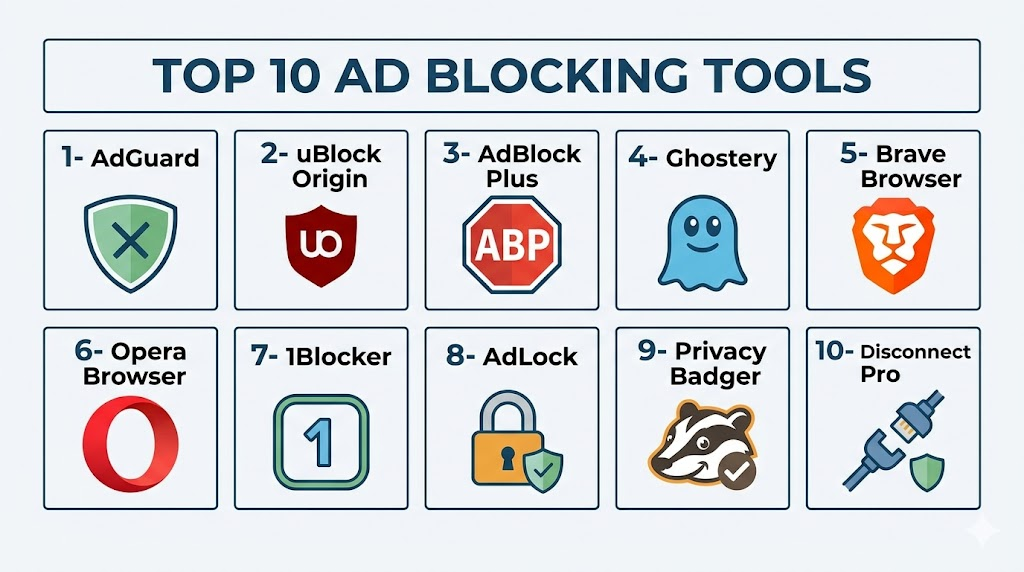
Top 10 Ad Blocking Tools
1- AdGuard
Short description: AdGuard is a flexible ad blocking and privacy protection tool available as browser extensions, mobile apps, desktop apps, and DNS-based protection. It is best for users who want broader coverage than a simple browser extension.
Key Features
- Browser extension ad blocking
- System-wide blocking options through desktop and mobile apps
- Tracker and analytics blocking
- Custom filters, allowlists, and rule controls
- DNS filtering options
- Phishing and malicious site protection features may vary
- Parental and safe browsing features may vary by product
Pros
- Strong coverage across browsers, desktop, mobile, and DNS
- Good fit for users who want system-wide protection
- Flexible enough for beginners and advanced users
Cons
- Some advanced features require paid apps or subscriptions
- Setup can be more detailed than simple extensions
- System-wide filtering may need troubleshooting for certain apps or sites
Platforms / Deployment
Web / Windows / macOS / Linux / iOS / Android
Cloud / Local app / Browser extension / DNS-based options
Security & Compliance
Specific controls should be validated directly. MFA, encryption, audit logs, RBAC, SOC 2, ISO 27001, GDPR, and formal compliance details: Not publicly stated for all items.
Integrations & Ecosystem
AdGuard fits users who want multi-layer ad blocking across browsers, apps, and DNS. It can work as a browser extension, standalone app, or DNS-based blocker depending on user needs.
- Browser extensions
- Desktop apps
- Mobile apps
- DNS filtering
- Custom filters
- Safe browsing features depending on product
Support & Community
AdGuard provides documentation, support resources, product updates, and user community discussion. Buyers should compare extension-only use versus paid app features before choosing.
2- uBlock Origin
Short description: uBlock Origin is a free, open-source, lightweight content blocker known for strong filter control, low resource usage, and advanced blocking features. It is best for Firefox and supported browser users who want powerful blocking without a paid plan.
Key Features
- Free and open-source content blocking
- Multiple filter list support
- Cosmetic filtering and element picker
- Tracker and script blocking
- Custom rules and allowlists
- Dynamic filtering for advanced users
- Lightweight performance-focused design
Pros
- Excellent value and strong community trust
- Powerful blocking for advanced users
- Lightweight compared with many heavier extensions
Cons
- Full version is affected by Chrome Manifest V3 restrictions
- Advanced settings may confuse beginners
- Some sites may require manual exceptions
Platforms / Deployment
Firefox / Edge support may vary / Other supported browsers vary
Browser extension
Security & Compliance
Open-source transparency is a strong trust factor, but enterprise compliance controls are generally not the focus. MFA, encryption, audit logs, RBAC, SOC 2, ISO 27001, GDPR, and HIPAA: Not publicly stated or not applicable.
Integrations & Ecosystem
uBlock Origin works best as a browser extension for users who want control over ads, trackers, scripts, and page elements. Chrome users may need uBlock Origin Lite because of Manifest V3 limitations.
- Filter lists
- Element picker
- Cosmetic filtering
- Script blocking
- Advanced dynamic rules
- Community-maintained ecosystem
Support & Community
uBlock Origin is supported through open-source development and community resources. Users should install it from official extension stores and understand browser-specific limitations.
3- uBlock Origin Lite
Short description: uBlock Origin Lite is the Manifest V3-compatible version designed for Chrome and Chromium environments where the original uBlock Origin is restricted. It is best for Chrome users who want a lightweight blocker that works within newer extension rules.
Key Features
- Manifest V3-compatible blocking
- Predefined filter rules
- Lightweight extension design
- Basic tracker and ad blocking
- Limited custom control compared with full uBlock Origin
- Chrome-focused compatibility
- Simpler permissions model
Pros
- Useful for Chrome users after Manifest V3 changes
- Lightweight and simple to use
- Maintains part of the uBlock-style blocking experience
Cons
- Less powerful than full uBlock Origin
- Filter and cosmetic blocking limitations may apply
- Advanced users may prefer Firefox with full uBlock Origin
Platforms / Deployment
Chrome / Chromium-based browsers support may vary
Browser extension
Security & Compliance
Specific compliance controls are not the focus of this consumer extension. MFA, encryption, audit logs, RBAC, SOC 2, ISO 27001, GDPR, and HIPAA: Not publicly stated or not applicable.
Integrations & Ecosystem
uBlock Origin Lite is designed for the Manifest V3 browser extension environment. It is useful when users want a simple Chrome-compatible option without moving browsers.
- Chrome extension workflow
- Filter rules
- Basic tracker blocking
- Lightweight operation
- Browser-level ad blocking
- Limited advanced customization
Support & Community
Support is community-oriented and tied to the broader uBlock ecosystem. Users should understand that Lite is not a full replacement for the original extension.
4- AdBlock Plus
Short description: AdBlock Plus is a widely known ad blocker that helps block ads, pop-ups, trackers, and unwanted page elements with user-friendly settings. It is best for users who want a familiar, beginner-friendly extension.
Key Features
- Browser ad blocking
- Pop-up and banner blocking
- Tracker blocking options
- Allowlist controls
- Acceptable ads settings
- Custom filter list support
- Chrome Manifest V3-compatible versions may vary
Pros
- Easy for beginners to install and use
- Broad browser support
- Familiar interface and large user base
Cons
- Acceptable ads model may not suit all users
- Power users may prefer uBlock Origin or AdGuard
- Blocking depth may depend on filter settings and browser limits
Platforms / Deployment
Web / Chrome / Firefox / Edge / Safari support varies
Browser extension
Security & Compliance
Specific controls should be validated directly. MFA, encryption, audit logs, RBAC, SOC 2, ISO 27001, GDPR, and formal compliance details: Not publicly stated for all items.
Integrations & Ecosystem
AdBlock Plus is useful for users who want a simple browser extension with mainstream support and minimal configuration.
- Browser extensions
- Filter lists
- Allowlists
- Acceptable ads settings
- Tracker blocking options
- Custom rules
Support & Community
AdBlock Plus provides documentation, support resources, and a large user ecosystem. Users should review acceptable ads settings and privacy preferences after installation.
5- Ghostery
Short description: Ghostery combines ad blocking, tracker blocking, cookie banner reduction, and privacy insights in a browser extension and mobile-friendly experience. It is best for users who care about visibility into trackers and privacy controls.
Key Features
- Ad blocking and tracker blocking
- Tracker visibility and privacy insights
- Cookie banner and consent management features may vary
- Browser extension support
- Mobile and desktop support
- Anti-tracking protections
- Custom site controls
Pros
- Strong privacy-focused positioning
- Useful tracker insights for everyday users
- Good balance of ad blocking and privacy education
Cons
- Some users may prefer more aggressive blocking tools
- Site compatibility may require exceptions
- Feature availability can vary by browser and platform
Platforms / Deployment
Web / Windows / macOS / Linux via browsers / iOS / Android support varies
Browser extension / Mobile app options
Security & Compliance
Ghostery highlights privacy and tracking protection, but formal controls should be validated directly. MFA, encryption, audit logs, RBAC, SOC 2, ISO 27001, GDPR, and other compliance details: Not publicly stated for all items.
Integrations & Ecosystem
Ghostery fits users who want to block ads while understanding which trackers appear on websites. It works well for privacy-focused browsing without heavy technical setup.
- Browser extensions
- Mobile app options
- Tracker database
- Site-level controls
- Cookie banner tools
- Privacy dashboards
Support & Community
Ghostery provides support resources and privacy-focused documentation. Users should test site compatibility and review privacy settings before relying on defaults.
6- Brave Browser
Short description: Brave Browser includes built-in ad blocking, tracker blocking, fingerprinting protection, and privacy-focused browsing features without requiring a separate extension. It is best for users who want ad blocking built into the browser.
Key Features
- Built-in ad and tracker blocking
- Fingerprinting protection
- HTTPS and privacy-focused browsing controls
- Script blocking options
- Private browsing modes
- Cross-platform browser apps
- Optional privacy and rewards features may vary
Pros
- No extension setup required
- Strong default privacy controls
- Good for users who want a simple browser-level solution
Cons
- Requires switching browsers
- Some users may not want Brave-specific features
- Certain sites may need shield adjustments
Platforms / Deployment
Windows / macOS / Linux / iOS / Android
Browser-based
Security & Compliance
Specific enterprise compliance details should be validated directly. MFA, encryption, audit logs, RBAC, SOC 2, ISO 27001, GDPR, and formal compliance controls: Not publicly stated for all items.
Integrations & Ecosystem
Brave is useful for users who want ad blocking, privacy, and browsing in one application. It reduces dependence on external extensions.
- Built-in Shields
- Mobile and desktop browser apps
- Private browsing workflows
- Tracker blocking
- Fingerprinting protection
- Extension support through Chromium ecosystem
Support & Community
Brave provides documentation, community support, and product updates. Users should review Shield settings, sync behavior, and privacy features before switching fully.
7- Opera Browser
Short description: Opera Browser includes built-in ad blocking, tracker blocking, and privacy-oriented browsing features. It is best for users who want an easy browser with blocking features already included.
Key Features
- Built-in ad blocker
- Tracker blocking
- Browser privacy controls
- Speed-focused browsing tools
- Mobile and desktop apps
- Extension support may vary
- Built-in additional browser features depending on platform
Pros
- Simple blocking without extra extension setup
- Good for users who want an all-in-one browser
- Mobile and desktop availability
Cons
- Requires switching browsers
- Blocking depth may be less customizable than specialist tools
- Users should review privacy settings carefully
Platforms / Deployment
Windows / macOS / Linux / iOS / Android
Browser-based
Security & Compliance
Specific controls should be validated directly. MFA, encryption, audit logs, RBAC, SOC 2, ISO 27001, GDPR, and formal compliance details: Not publicly stated for all items.
Integrations & Ecosystem
Opera is useful for users who want a browser with built-in ad blocking and privacy features without installing separate extensions.
- Built-in ad blocker
- Tracker blocking
- Desktop browser
- Mobile browser
- Browser extensions depending on platform
- Integrated browser tools
Support & Community
Opera provides documentation and product support resources. Users should test ad blocking strength, privacy settings, and site compatibility.
8- 1Blocker
Short description: 1Blocker is a Safari-focused content blocker for Apple users, especially iPhone, iPad, and macOS users who want ad, tracker, and annoyance blocking within Apple’s ecosystem. It is best for Safari users who prefer a polished Apple-native experience.
Key Features
- Safari content blocking
- Ad and tracker blocking
- Cookie banner and annoyance blocking features may vary
- Custom rules and allowlists
- iCloud sync support may vary
- iOS, iPadOS, and macOS support
- Low-resource blocking through Safari content blocker model
Pros
- Strong fit for Apple and Safari users
- Good mobile browsing improvement on iPhone and iPad
- Uses Apple-native content blocking approach
Cons
- Best suited to Safari, not all browsers
- Some features may require paid access
- System-wide app blocking is limited compared with DNS or desktop apps
Platforms / Deployment
macOS / iOS / iPadOS / Safari
Safari content blocker
Security & Compliance
Specific controls should be validated directly. MFA, encryption, audit logs, RBAC, SOC 2, ISO 27001, GDPR, and compliance details: Not publicly stated for all items.
Integrations & Ecosystem
1Blocker works best in the Apple ecosystem where Safari content blocking is the main need.
- Safari content blocker
- iCloud sync options
- Custom rules
- Tracker blocking
- Annoyance blocking
- Apple device support
Support & Community
1Blocker provides support resources and app updates. Users should review subscription terms, Safari limitations, and device compatibility.
9- Privacy Badger
Short description: Privacy Badger is a privacy-focused tracker blocker from the Electronic Frontier Foundation that learns to block invisible trackers based on behavior. It is best for users who want simple anti-tracking protection from a privacy advocacy organization.
Key Features
- Tracker blocking based on observed behavior
- Privacy-focused browser extension
- Automatic blocking of third-party trackers
- Cookie and tracking protection
- Simple controls
- Free use
- Open privacy advocacy background
Pros
- Strong privacy advocacy trust factor
- Simple setup for tracker blocking
- Good complement to other privacy tools
Cons
- Not a full ad blocker in the same way as uBlock Origin or AdGuard
- May not block all visual ads
- Advanced ad blocking users may need another tool
Platforms / Deployment
Chrome / Firefox / Edge / Opera support may vary
Browser extension
Security & Compliance
Privacy Badger is privacy-focused, but formal enterprise compliance is not its primary purpose. MFA, encryption, audit logs, RBAC, SOC 2, ISO 27001, GDPR, and HIPAA: Not publicly stated or not applicable.
Integrations & Ecosystem
Privacy Badger is useful as a lightweight anti-tracking layer. It can be paired with a traditional ad blocker for stronger coverage.
- Browser extension
- Tracker blocking
- Privacy-focused controls
- Behavioral learning model
- Simple interface
- Advocacy-driven ecosystem
Support & Community
Privacy Badger is supported through privacy community resources and documentation. Users should understand that it blocks trackers more than it blocks every ad format.
10- AdLock
Short description: AdLock is an ad blocking tool that offers browser and system-level blocking across selected desktop and mobile environments. It is best for users who want broader blocking than a browser extension alone.
Key Features
- Browser ad blocking
- System-wide ad blocking options
- Tracker blocking
- Pop-up and banner blocking
- Malicious site blocking features may vary
- App-level blocking options may vary by platform
- Custom allowlists and filtering controls
Pros
- Useful for users who want app and browser coverage
- Good alternative to extension-only blockers
- Practical for reducing ads across more environments
Cons
- Some features require paid plans
- System-wide filtering can need troubleshooting
- Platform coverage and mobile behavior should be tested
Platforms / Deployment
Windows / macOS / Android / iOS support may vary
Local app / Browser-related filtering / System-wide options
Security & Compliance
Specific controls should be validated directly. MFA, encryption, audit logs, RBAC, SOC 2, ISO 27001, GDPR, and formal compliance details: Not publicly stated for all items.
Integrations & Ecosystem
AdLock fits users who want ad blocking beyond a single browser extension. It may help with ads in apps, desktop browsing, and mobile contexts depending on platform.
- Desktop apps
- Mobile apps
- Browser filtering
- System-wide rules
- Allowlist controls
- Tracker blocking
Support & Community
AdLock provides product support and help resources. Buyers should review device limits, subscription terms, system-wide behavior, and app compatibility before purchase.
Comparison Table
| Tool Name | Best For | Platform(s) Supported | Deployment | Standout Feature | Public Rating |
|---|---|---|---|---|---|
| AdGuard | System-wide blocking | Web / Windows / macOS / Linux / iOS / Android | Cloud / Local / Extension / DNS | Multi-layer ad blocking | N/A |
| uBlock Origin | Firefox and power users | Firefox / Edge varies / Supported browsers vary | Browser extension | Lightweight open-source blocking | N/A |
| uBlock Origin Lite | Chrome Manifest V3 users | Chrome / Chromium varies | Browser extension | Chrome-compatible uBlock-style blocking | N/A |
| AdBlock Plus | Beginners and mainstream users | Chrome / Firefox / Edge / Safari varies | Browser extension | Simple familiar extension | N/A |
| Ghostery | Privacy and tracker visibility | Browser / iOS / Android varies | Extension / Mobile app | Tracker insights plus ad blocking | N/A |
| Brave Browser | No-extension privacy browsing | Windows / macOS / Linux / iOS / Android | Browser-based | Built-in Shields | N/A |
| Opera Browser | Simple built-in blocking | Windows / macOS / Linux / iOS / Android | Browser-based | Built-in ad blocker | N/A |
| 1Blocker | Apple Safari users | macOS / iOS / iPadOS / Safari | Safari content blocker | Apple-native content blocking | N/A |
| Privacy Badger | Tracker blocking | Chrome / Firefox / Edge / Opera varies | Browser extension | Behavior-based tracker blocking | N/A |
| AdLock | App and browser ad blocking | Windows / macOS / Android / iOS varies | Local app / System-wide options | Broader app-level blocking | N/A |
Evaluation & Scoring of Ad Blocking Tools
The scoring below is a comparative buyer-focused model. It is not a public rating, certification score, or vendor-provided score. Scores reflect relative fit for ad blocking based on core blocking strength, usability, integrations, security expectations, performance, support, and value.
| Tool Name | Core 25% | Ease 15% | Integrations 15% | Security 10% | Performance 10% | Support 10% | Value 15% | Weighted Total 0–10 |
|---|---|---|---|---|---|---|---|---|
| AdGuard | 9 | 8 | 9 | 8 | 8 | 8 | 8 | 8.35 |
| uBlock Origin | 9 | 7 | 8 | 9 | 9 | 7 | 10 | 8.50 |
| uBlock Origin Lite | 7 | 9 | 7 | 8 | 9 | 7 | 10 | 8.00 |
| AdBlock Plus | 7 | 9 | 8 | 7 | 8 | 8 | 8 | 7.80 |
| Ghostery | 8 | 8 | 8 | 8 | 8 | 8 | 9 | 8.15 |
| Brave Browser | 8 | 9 | 8 | 8 | 9 | 8 | 9 | 8.45 |
| Opera Browser | 7 | 9 | 7 | 7 | 8 | 7 | 9 | 7.75 |
| 1Blocker | 8 | 8 | 7 | 8 | 9 | 8 | 8 | 8.00 |
| Privacy Badger | 7 | 8 | 7 | 9 | 8 | 7 | 10 | 8.00 |
| AdLock | 8 | 7 | 8 | 7 | 8 | 7 | 7 | 7.55 |
Which Ad Blocking Tool Is Right for You?
Solo / Freelancer
Solo users and freelancers usually need a reliable blocker that reduces distractions, tracking, and page clutter without much setup. uBlock Origin is excellent where fully supported, while uBlock Origin Lite is more relevant for Chrome users under Manifest V3. AdGuard, Ghostery, and Brave Browser are also strong choices for everyday browsing.
SMB
Small teams may need ad blocking for safer browsing, fewer distractions, and lower exposure to malicious ads, but consumer ad blockers are not centralized business security platforms. AdGuard, Brave Browser, and DNS-level filtering can be useful for small environments. For managed business use, internet filtering or secure web gateway tools may be better.
Mid-Market
Mid-market organizations should be careful with unmanaged browser extensions because extensions can introduce security and policy risks. For employee devices, centralized DNS filtering, browser policy management, or endpoint security tools may be more appropriate. If ad blockers are allowed, IT teams should standardize approved tools like uBlock Origin, AdGuard, or Ghostery based on browser policy.
Enterprise
Enterprises should not rely on consumer ad blockers as the primary web security layer. Instead, they should evaluate secure web gateways, DNS filtering, browser isolation, endpoint security, and managed browser policies. Consumer ad blocking tools can help individual users, but enterprise buyers need reporting, policy enforcement, audit logs, SSO, RBAC, and centralized deployment.
Budget vs Premium
Budget-focused users can start with uBlock Origin, uBlock Origin Lite, Privacy Badger, Brave Browser, or built-in browser blocking. These options offer strong value without heavy cost. Premium tools like AdGuard, 1Blocker, and AdLock may be worth it when users need system-wide blocking, mobile support, Safari support, or broader device coverage.
Feature Depth vs Ease of Use
If feature depth matters most, uBlock Origin and AdGuard provide strong filter control and customization. If ease of use matters more, Brave Browser, Opera Browser, AdBlock Plus, and Ghostery are simpler starting points. Users who dislike troubleshooting should choose tools with reliable defaults and easy site exceptions.
Integrations & Scalability
Ad blockers integrate mainly through browsers, operating systems, DNS settings, and mobile content blocker frameworks. Users should check compatibility with Chrome, Firefox, Safari, Edge, Brave, Android, iOS, and desktop apps. For broader coverage, DNS-based or system-wide tools such as AdGuard or AdLock may be more scalable than extension-only blockers.
Security & Compliance Needs
Browser extensions can see or affect web activity, so trust matters. Users should install only reputable blockers from official stores, review permissions, avoid fake extensions, and remove unused tools. Organizations should define approved extension lists and avoid letting employees install unknown ad blockers with broad browser permissions.
Frequently Asked Questions
1. What are Ad Blocking Tools?
Ad Blocking Tools are browser extensions, apps, DNS filters, or built-in browser features that block ads, pop-ups, trackers, and unwanted web elements.
They help make browsing cleaner, faster, and less distracting.
Many tools also block tracking scripts, malicious domains, and scam-related advertising networks.
They are useful for privacy, productivity, and safer browsing.
2. Are ad blockers safe to use?
Reputable ad blockers are generally safe when installed from official stores or trusted vendor sources.
However, fake or malicious extensions can steal data, inject ads, or track browsing activity.
Users should check the developer, permissions, update history, and community trust before installing.
Avoid downloading ad blockers from unknown websites.
3. Which ad blocker is best for Chrome users?
Chrome users should check Manifest V3 compatibility before choosing an ad blocker.
uBlock Origin Lite, AdGuard, Ghostery, and AdBlock Plus are practical options to evaluate.
Full uBlock Origin may be limited or unavailable in standard Chrome because of extension changes.
Testing real browsing behavior is important before depending on one tool.
4. Which ad blocker is best for Firefox users?
Firefox users often prefer uBlock Origin because it offers powerful filtering, customization, and strong performance where fully supported.
AdGuard and Ghostery are also good options for users who want privacy features and easier controls.
The best choice depends on whether the user wants deep customization or simple defaults.
Firefox remains a strong browser for advanced extension-based blocking.
5. Do ad blockers block YouTube ads?
Some ad blockers may block or reduce YouTube ads, but effectiveness changes frequently as platforms update detection and ad delivery methods.
Users may also encounter anti-adblock messages, broken playback, or temporary workarounds.
Browser choice, filter updates, and extension rules can affect results.
No tool should be assumed to block every video ad forever.
6. Do ad blockers improve browsing speed?
Yes, ad blockers can improve browsing speed by preventing heavy ad scripts, trackers, video ads, and third-party requests from loading.
The benefit is most noticeable on ad-heavy websites and slower connections.
However, some blockers with too many filters may use extra memory or cause compatibility issues.
A lightweight, well-maintained tool usually gives the best performance balance.
7. What common mistakes should users avoid?
A common mistake is installing too many ad blockers at the same time, which can cause conflicts and broken websites.
Users should also avoid unknown extensions with broad permissions and poor developer reputation.
Another mistake is never updating filters or ignoring site exceptions when important pages break.
Use one trusted blocker and configure it carefully.
8. Do ad blockers work on mobile devices?
Yes, but mobile support varies by operating system and browser.
Safari on iOS uses content blockers such as 1Blocker, while Android users may use browsers with built-in blocking or apps like AdGuard.
Chrome mobile has more limitations than desktop extension environments.
Users should choose based on their actual device and browser.
9. What is the difference between ad blocking and tracker blocking?
Ad blocking focuses on hiding or preventing advertisements from loading.
Tracker blocking focuses on stopping third-party scripts, pixels, cookies, and analytics tools that follow users across websites.
Many modern tools do both, but some privacy tools focus more on trackers than visual ads.
For best results, users should choose a tool that clearly supports both needs.
10. What alternatives exist to ad blocking tools?
Alternatives include privacy browsers, built-in browser tracking protection, DNS filtering, secure web gateways, reader mode, paid ad-free subscriptions, and operating system privacy controls.
Some users may prefer paying for ad-free services to support publishers directly.
Organizations may use DNS filtering or secure web gateways instead of consumer ad blockers.
The best option depends on privacy needs, device type, browser choice, and browsing habits.
Conclusion
Ad Blocking Tools help users create a cleaner, faster, and more private browsing experience by blocking intrusive ads, trackers, pop-ups, malicious ad scripts, and distracting web elements. The best option depends on browser choice, device ecosystem, privacy expectations, technical comfort, budget, and whether the user needs browser-only or system-wide protection. uBlock Origin remains one of the strongest choices where fully supported, uBlock Origin Lite is more relevant for Chrome’s Manifest V3 environment, AdGuard is strong for system-wide blocking, AdBlock Plus is familiar for beginners, Ghostery is useful for tracker visibility, Brave and Opera offer built-in blocking, 1Blocker fits Safari users, Privacy Badger supports anti-tracking, and AdLock provides broader app-level blocking. The best next step is to shortlist two or three tools, test them on your main browser and mobile device, review permissions, configure allowlists for trusted sites, and keep filters updated for reliable protection.

Find Trusted Cardiac Hospitals
Compare heart hospitals by city and services — all in one place.
Explore Hospitals
I didn’t know ad blockers offered so many different features beyond just removing ads—this was interesting to learn.