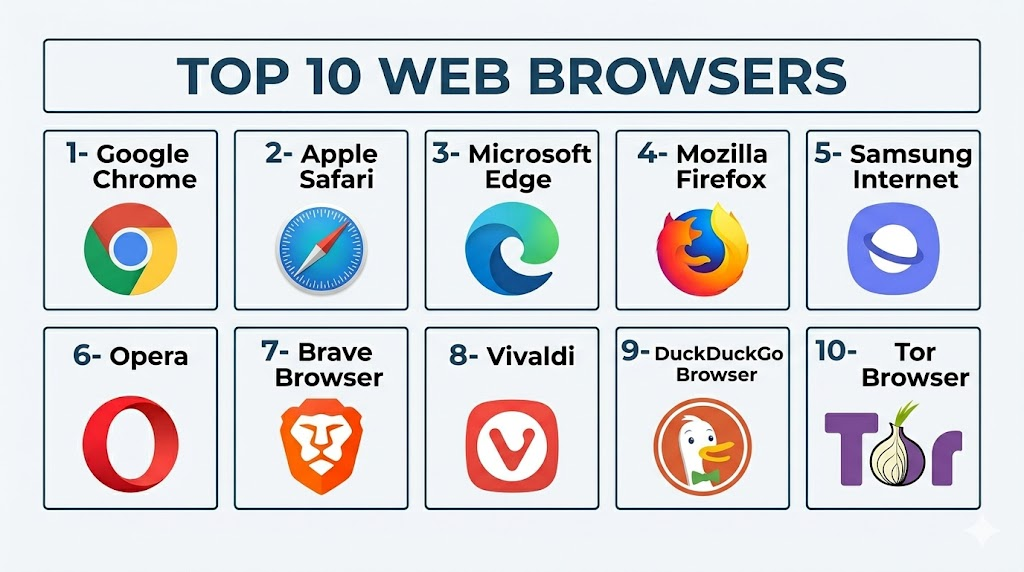
Introduction
Web Browsers are software applications that help users access websites, web apps, search engines, cloud tools, streaming platforms, online banking, social media, learning portals, and business systems from desktop and mobile devices. In 2026, browsers are no longer just basic internet tools; they now include privacy controls, AI assistants, password managers, passkey support, ad blocking, tracking protection, sync, developer tools, and enterprise security features. A good browser can improve browsing speed, reduce online tracking, protect users from phishing, support modern web standards, and work smoothly across devices. Real-world use cases include daily browsing, online research, business app access, secure banking, privacy-focused browsing, developer testing, student learning, and enterprise device management. Buyers should evaluate speed, privacy, security, extension support, AI features, device compatibility, sync, performance, admin controls, and long-term update reliability.
Real-world Use Cases
- Daily internet browsing: Users can access websites, search engines, email, news, entertainment, shopping, banking, and personal accounts from one browser.
- Business and SaaS access: Teams use browsers to run cloud applications such as CRM, ERP, HR tools, collaboration platforms, analytics dashboards, and productivity suites.
- Secure online transactions: Browsers help users access banking, payments, insurance portals, government services, and ecommerce platforms with security warnings and encryption support.
- Privacy-focused browsing: Users can reduce tracking, block third-party cookies, use private windows, control permissions, and choose browsers with stronger privacy defaults.
- Developer testing: Developers use browsers for debugging, responsive design testing, performance analysis, JavaScript inspection, and cross-browser compatibility checks.
- Student and learning workflows: Students use browsers for online classes, research, digital libraries, assessments, assignments, and learning management systems.
- Enterprise device management: IT teams manage browser policies, extensions, updates, security settings, user profiles, and compliance controls across employee devices.
- Mobile-first browsing: Users rely on mobile browsers for quick search, maps, payments, shopping, messaging, and account access while traveling or working remotely.
Evaluation Criteria for Buyers
- Performance and speed: Buyers should test page loading, JavaScript performance, tab handling, startup speed, and memory usage.
- Privacy controls: Look for tracker blocking, cookie controls, fingerprinting protection, private browsing, search privacy, and data collection transparency.
- Security features: Evaluate phishing protection, malware warnings, sandboxing, password alerts, safe browsing, site isolation, and update frequency.
- Extension support: Users should check whether the browser supports productivity, security, developer, ad blocking, password manager, and workflow extensions.
- Cross-platform support: A strong browser should work across Windows, macOS, Linux, iOS, Android, tablets, and sometimes enterprise-managed devices.
- Sync and account features: Check bookmark sync, password sync, history sync, tab sync, profile sync, passkeys, and multi-device continuity.
- AI and productivity features: Some browsers now include AI search, page summarization, writing help, tab organization, shopping support, and research tools.
- Developer tools: Developers should evaluate inspect tools, console performance, network analysis, compatibility testing, and standards support.
- Enterprise controls: Businesses should review policy management, extension control, update channels, identity integration, security baselines, and admin templates.
- Ecosystem fit: The best browser often depends on whether the user is in Google, Apple, Microsoft, privacy-first, developer, or mobile-first ecosystems.
Best for
Best for: General users, professionals, students, developers, remote workers, privacy-focused users, enterprises, and mobile-first users who need fast, secure, and reliable access to the web.
It is useful for anyone who uses cloud apps, online banking, search, email, learning platforms, SaaS tools, social media, or research workflows every day.
It also fits businesses that need browser policy control, secure web access, extension management, and cross-device productivity.
Not ideal for: Users who only need one basic browser already built into their device and do not care about extensions, privacy controls, or cross-device sync.
It may also be less useful to compare browsers deeply if all work is locked inside one company-managed browser environment.
For very simple needs, the default browser on the device may be enough.
Key Trends in Web Browsers
- AI-assisted browsing is becoming mainstream: Browsers increasingly include AI summaries, page explanations, writing help, search assistance, shopping guidance, and tab organization.
- Privacy is now a competitive differentiator: Users are comparing browsers based on tracking protection, cookie controls, fingerprinting resistance, and data collection practices.
- Browser extension rules are changing: Manifest V3 and browser extension policy shifts are affecting ad blockers, privacy extensions, and some advanced customization workflows.
- Passkeys are becoming more important: Browsers are adding stronger passkey support to reduce reliance on traditional passwords and improve phishing resistance.
- Built-in ad and tracker blocking is growing: Brave, Opera, Safari, Firefox, and privacy-focused browsers are pushing more native protection instead of relying only on extensions.
- Enterprise browser management is expanding: Businesses increasingly need centralized browser policy, extension governance, data protection controls, and secure access to SaaS apps.
- Mobile browsing remains critical: Many users browse primarily on phones, making mobile speed, privacy, battery use, and sync more important than desktop-only features.
- Cross-device continuity is expected: Users want bookmarks, passwords, tabs, reading lists, and browsing history to move smoothly across phones, tablets, and laptops.
- Security warnings are becoming smarter: Browsers are improving phishing alerts, malware detection, unsafe download warnings, and compromised password notifications.
- Alternative browsers are gaining niche loyalty: Privacy-first, customization-first, and developer-friendly browsers are attracting users who want alternatives to default mainstream options.
How We Selected These Tools
The tools below were selected using practical buyer-focused evaluation logic for modern web browsers.
- Market adoption and recognition among everyday users, businesses, developers, privacy communities, and mobile users
- Feature completeness across browsing speed, privacy, sync, extensions, security, mobile support, and developer tools
- Security posture signals such as safe browsing, phishing protection, update cadence, sandboxing, and permission controls
- Privacy and data handling including tracker blocking, cookie controls, telemetry settings, and private browsing options
- Platform coverage across Windows, macOS, Linux, iOS, Android, tablets, and enterprise-managed environments
- Ecosystem fit for Google, Apple, Microsoft, privacy-first, customization-first, and mobile-first users
- Extension and web app compatibility for productivity tools, ad blockers, password managers, developer tools, and security add-ons
- Performance and reliability including tab handling, page speed, memory use, battery impact, and crash resistance
- Enterprise readiness including policy controls, managed updates, security baselines, and integration with business workflows
- Long-term value based on free access, update quality, support strength, usability, and future web standards readiness
Top 10 Web Browsers Tools
1- Google Chrome
Short description: Google Chrome is the most widely used modern browser, known for speed, strong web compatibility, large extension support, and deep integration with Google services. It is best for users who want maximum website compatibility, productivity extensions, and smooth syncing across devices.
Key Features
- Fast page rendering and strong JavaScript performance
- Large extension ecosystem
- Google account sync for bookmarks, history, passwords, and tabs
- Built-in Safe Browsing protections
- Multiple profiles for work and personal browsing
- Developer tools for web debugging and performance testing
- Strong support for modern web standards and web apps
Pros
- Excellent compatibility with websites and SaaS tools
- Large extension library for productivity, security, and development
- Strong sync experience for Google ecosystem users
Cons
- Can use more memory than lightweight alternatives
- Privacy-conscious users may prefer less Google-connected browsers
- Extension changes can affect some advanced ad blocking workflows
Platforms / Deployment
Web / Windows / macOS / Linux / iOS / Android
Cloud-synced browser profiles
Security & Compliance
Chrome includes sandboxing, Safe Browsing, automatic updates, site isolation, permission controls, and password warnings. SSO/SAML, MFA, audit logs, RBAC, SOC 2, ISO 27001, GDPR, and HIPAA details depend on broader Google services and enterprise configuration; if unclear, treat as Not publicly stated.
Integrations & Ecosystem
Chrome is strongest for users and businesses already using Google Workspace, Android, Google Search, Gmail, Drive, YouTube, and Chrome extensions.
- Google Workspace
- Chrome Web Store extensions
- Google Password Manager
- Android sync
- Developer tools
- Enterprise browser management policies
Support & Community
Google provides extensive documentation, enterprise resources, browser update channels, developer tools documentation, and a large user community. Businesses can manage Chrome through enterprise policies and admin controls.
2- Apple Safari
Short description: Safari is Apple’s default browser for macOS, iPhone, and iPad, optimized for battery efficiency, privacy, and Apple ecosystem continuity. It is best for Apple users who want fast browsing, strong device integration, and lower battery impact.
Key Features
- Optimized performance for Apple hardware
- Intelligent Tracking Prevention
- iCloud sync for bookmarks, tabs, passwords, and reading list
- Reader Mode for distraction-free reading
- Apple Pay and passkey support
- Strong battery efficiency on MacBooks and mobile devices
- Safari extensions and content blockers
Pros
- Excellent performance and battery efficiency on Apple devices
- Strong privacy features built into the browser
- Seamless integration with iCloud, Apple Pay, and Apple Passwords
Cons
- Limited availability outside Apple devices
- Smaller extension ecosystem than Chrome
- Web developers may still need additional browsers for testing
Platforms / Deployment
macOS / iOS / iPadOS
Cloud sync through iCloud
Security & Compliance
Safari includes sandboxing, privacy protections, tracking prevention, passkey support, and Apple security updates. Enterprise compliance details such as SOC 2, ISO 27001, audit logs, and RBAC depend on Apple business or device-management configuration; if unclear, treat as Not publicly stated.
Integrations & Ecosystem
Safari is best for users inside the Apple ecosystem who want browsing connected with iPhone, iPad, Mac, iCloud, Apple Pay, and Apple Passwords.
- iCloud Keychain
- Apple Pay
- Apple Passwords
- Handoff and Continuity
- Safari extensions
- Reader and Reading List
Support & Community
Apple provides official support, documentation, device-management resources, and security updates. Safari is especially easy for Apple users because it is preinstalled and tightly integrated with the operating system.
3- Microsoft Edge
Short description: Microsoft Edge is a Chromium-based browser with strong Windows integration, Microsoft 365 support, enterprise controls, AI features, and security tools. It is best for Windows users, Microsoft 365 users, and organizations that need managed browser policies.
Key Features
- Chromium-based compatibility with modern websites
- Microsoft account and Microsoft 365 sync
- Built-in SmartScreen protection
- Collections and productivity tools
- Vertical tabs and split-screen features
- Copilot and AI-assisted browsing features
- Enterprise policy management and security controls
Pros
- Strong integration with Windows and Microsoft 365
- Good enterprise management and security controls
- Compatible with many Chrome extensions
Cons
- Some users dislike aggressive Microsoft promotion
- Privacy-conscious users may prefer Firefox, Brave, or Tor
- Feature set may feel busy for users wanting a minimal browser
Platforms / Deployment
Web / Windows / macOS / Linux / iOS / Android
Cloud-synced Microsoft account profiles
Security & Compliance
Edge includes Microsoft Defender SmartScreen, site isolation, sandboxing, password monitoring, and enterprise policy controls. SSO/SAML, MFA, audit logs, RBAC, SOC 2, ISO 27001, GDPR, and HIPAA details depend on Microsoft account, Entra, Microsoft 365, and enterprise setup; if unclear, treat as Not publicly stated.
Integrations & Ecosystem
Edge works well for businesses and users already using Microsoft products and Windows-based workflows.
- Microsoft 365
- Windows security
- Microsoft Defender SmartScreen
- Entra ID and enterprise policy controls
- Chrome extension compatibility
- Copilot features
Support & Community
Microsoft provides enterprise documentation, admin templates, support channels, and regular browser updates. Edge is especially practical in managed Windows environments.
4- Mozilla Firefox
Short description: Mozilla Firefox is an open-source browser known for privacy controls, customization, independent browser engine support, and strong extension flexibility. It is best for users who want a privacy-conscious alternative to Chromium-based browsers.
Key Features
- Enhanced Tracking Protection
- Open-source browser development model
- Firefox Sync for bookmarks, tabs, passwords, and history
- Strong extension support
- Multi-account containers
- Developer tools
- Customizable privacy and security settings
Pros
- Strong privacy controls and independent browser engine
- Good extension flexibility for power users
- Open-source community adds transparency
Cons
- Some websites are optimized mainly for Chromium
- Market share is smaller than Chrome and Safari
- Performance can vary by site and device
Platforms / Deployment
Web / Windows / macOS / Linux / iOS / Android
Cloud sync through Firefox account
Security & Compliance
Firefox includes tracking protection, sandboxing, security updates, private browsing, and permission controls. Formal enterprise compliance details such as SOC 2, ISO 27001, RBAC, audit logs, and HIPAA are Not publicly stated for all items unless validated in a specific deployment.
Integrations & Ecosystem
Firefox is useful for privacy-focused users, developers, open-source supporters, and users who want an alternative browser engine.
- Firefox Add-ons
- Firefox Sync
- Multi-account containers
- Developer tools
- Pocket integration
- Privacy-focused extensions
Support & Community
Mozilla provides documentation, community forums, developer resources, and regular browser updates. Firefox has a strong privacy and open-web community.
5- Samsung Internet
Short description: Samsung Internet is a mobile browser designed mainly for Android and Samsung Galaxy users, offering strong mobile browsing, privacy controls, video features, and extension-like add-on support. It is best for Android users who want a polished mobile browser outside Chrome.
Key Features
- Mobile-first browsing experience
- Smart anti-tracking controls
- Secret Mode for private browsing
- Video assistant features may vary by device
- Support for selected content blockers
- Samsung account sync options
- Optimized experience for Samsung Galaxy devices
Pros
- Strong mobile browsing experience on Samsung devices
- Useful privacy controls and content blocker support
- Good alternative to Chrome on Android
Cons
- Limited desktop presence
- Best experience is on Samsung and Android devices
- Extension ecosystem is narrower than desktop browsers
Platforms / Deployment
Android / Samsung Galaxy ecosystem / Limited support may vary
Mobile browser
Security & Compliance
Samsung Internet includes mobile browser security controls, private browsing, anti-tracking, and content blocker support. Formal controls such as SOC 2, ISO 27001, audit logs, RBAC, and HIPAA are Not publicly stated for general consumer use.
Integrations & Ecosystem
Samsung Internet works best for Samsung and Android users who want a mobile-first browser with privacy and device-level integration.
- Samsung account sync
- Android sharing tools
- Content blockers
- Samsung device features
- Mobile video features
- Secret Mode
Support & Community
Samsung provides app updates, support documentation, and device ecosystem support. Users should review device compatibility and sync behavior before using it as a primary browser.
6- Opera
Short description: Opera is a feature-rich browser with built-in ad blocking, tracker blocking, productivity sidebar tools, messaging shortcuts, and optional privacy features. It is best for users who want convenience features built directly into the browser.
Key Features
- Built-in ad blocker
- Tracker blocking
- Sidebar for messaging and productivity tools
- Battery saver mode
- Workspaces for tab organization
- Built-in VPN-style browser privacy feature may vary
- Mobile and desktop apps
Pros
- Useful built-in tools without many extensions
- Good for users who like sidebar productivity
- Available across desktop and mobile platforms
Cons
- Smaller market share than Chrome, Safari, or Edge
- Some users may prefer browsers with simpler interfaces
- Enterprise adoption is more limited
Platforms / Deployment
Web / Windows / macOS / Linux / iOS / Android
Cloud-synced browser features vary
Security & Compliance
Opera includes private browsing, ad blocking, tracker blocking, and security updates. Formal controls such as SOC 2, ISO 27001, SSO/SAML, RBAC, audit logs, GDPR, and HIPAA are Not publicly stated for all general browser use cases.
Integrations & Ecosystem
Opera is useful for users who want communication shortcuts, productivity tools, and privacy features inside one browser.
- Messaging sidebar
- Workspaces
- Built-in ad blocker
- Mobile sync
- Browser extensions
- Media and shopping tools depending on version
Support & Community
Opera provides documentation, community support, and regular product updates. Users should review privacy settings and feature preferences before making it their default browser.
7- Brave Browser
Short description: Brave Browser is a privacy-focused Chromium-based browser with built-in ad blocking, tracker blocking, fingerprinting protection, and optional Web3 features. It is best for users who want stronger privacy defaults without installing multiple extensions.
Key Features
- Built-in ad and tracker blocking through Brave Shields
- Fingerprinting protection
- Private browsing options
- Chromium extension compatibility
- Built-in crypto wallet features
- Brave Search integration
- Cross-platform sync
Pros
- Strong privacy defaults for everyday users
- Built-in blocking reduces need for extra extensions
- Faster browsing on ad-heavy sites due to blocked trackers
Cons
- Some websites may need Shields adjustments
- Crypto-related features may not appeal to every user
- Enterprise management is less common than Chrome or Edge
Platforms / Deployment
Web / Windows / macOS / Linux / iOS / Android
Cloud sync features vary
Security & Compliance
Brave includes built-in tracking protection, ad blocking, fingerprinting defense, private browsing, and security updates. SOC 2, ISO 27001, RBAC, audit logs, HIPAA, and enterprise compliance details are Not publicly stated for all items.
Integrations & Ecosystem
Brave fits users who want Chromium compatibility with stronger privacy defaults and built-in blocking.
- Brave Shields
- Brave Search
- Chromium extensions
- Brave Wallet
- Sync across devices
- Private browsing features
Support & Community
Brave provides documentation, community forums, and regular updates. Users should understand Shields settings and site-specific exceptions for the best experience.
8- Vivaldi
Short description: Vivaldi is a highly customizable browser built for power users who want control over tabs, panels, layouts, shortcuts, notes, and workflows. It is best for users who want a browser they can deeply personalize.
Key Features
- Advanced tab stacking and tab tiling
- Customizable interface and themes
- Built-in notes and screenshot tools
- Side panels for web apps and tools
- Mouse gestures and keyboard shortcuts
- Built-in tracker and ad blocker
- Chromium extension compatibility
Pros
- Excellent customization for power users
- Strong tab management and productivity features
- Useful for users who want many workflows inside the browser
Cons
- Can feel overwhelming for beginners
- Mobile experience may not match desktop depth
- Smaller ecosystem and market share than mainstream browsers
Platforms / Deployment
Web / Windows / macOS / Linux / Android / iOS support may vary
Cloud sync features vary
Security & Compliance
Vivaldi includes private browsing, tracker blocking, ad blocking, and regular security updates. Formal enterprise controls such as SSO/SAML, MFA, audit logs, RBAC, SOC 2, ISO 27001, GDPR, and HIPAA are Not publicly stated for all items.
Integrations & Ecosystem
Vivaldi is useful for users who want heavy customization, productivity panels, and advanced tab management while still using Chromium extension compatibility.
- Chromium extensions
- Tab stacks and workspaces
- Notes
- Web panels
- Custom shortcuts
- Sync features
Support & Community
Vivaldi provides documentation, community forums, and active product updates. It has a strong power-user community focused on customization and workflow control.
9- DuckDuckGo Browser
Short description: DuckDuckGo Browser is a privacy-focused browser designed to reduce tracking, simplify private search, block trackers, and make privacy controls easier for everyday users. It is best for people who want simple privacy protection without complex settings.
Key Features
- Built-in tracker blocking
- DuckDuckGo private search integration
- Email protection features may vary
- Cookie and tracking protections
- Fire button for clearing browsing data
- Mobile and desktop apps
- Simple privacy-first interface
Pros
- Easy privacy controls for everyday users
- Good fit for users who dislike complex settings
- Strong alignment with private search workflows
Cons
- Extension ecosystem is more limited than Chrome or Firefox
- Power users may want deeper customization
- Some advanced enterprise controls are not the focus
Platforms / Deployment
Web / Windows / macOS / iOS / Android support varies
Cloud features vary
Security & Compliance
DuckDuckGo Browser includes privacy protections, tracker blocking, and private search integration. Formal controls such as SOC 2, ISO 27001, SSO/SAML, audit logs, RBAC, HIPAA, and enterprise compliance details are Not publicly stated for general consumer use.
Integrations & Ecosystem
DuckDuckGo Browser is built around private search and simple privacy controls rather than a large extension ecosystem.
- DuckDuckGo Search
- Tracker blocking
- Email protection features
- Data clearing controls
- Mobile apps
- Desktop browser options
Support & Community
DuckDuckGo provides documentation and support resources. Users should review platform-specific features and understand that it prioritizes privacy simplicity over extension depth.
10- Tor Browser
Short description: Tor Browser is a privacy and anonymity-focused browser that routes traffic through the Tor network to reduce tracking and hide user location from websites. It is best for high-privacy users, journalists, researchers, activists, and people who need stronger anonymity.
Key Features
- Tor network routing
- Anti-fingerprinting protections
- Privacy-focused browser settings
- Access to onion services
- No standard browsing identity by default
- Based on Firefox ESR technology
- Strong resistance to many tracking methods
Pros
- Strong anonymity compared with normal browsers
- Useful for sensitive research and privacy-critical use cases
- Open-source and privacy-community supported
Cons
- Slower browsing due to Tor routing
- Some websites block or challenge Tor traffic
- Not ideal for streaming, banking, or everyday productivity browsing
Platforms / Deployment
Web / Windows / macOS / Linux / Android
Tor network-based browsing
Security & Compliance
Tor Browser is designed for anonymity and privacy, but formal enterprise controls such as SSO/SAML, MFA, audit logs, RBAC, SOC 2, ISO 27001, GDPR, and HIPAA are Not publicly stated or not applicable for general use.
Integrations & Ecosystem
Tor Browser is best used as a specialized privacy browser rather than a daily productivity browser.
- Tor network
- Onion services
- Privacy-focused settings
- Anti-fingerprinting controls
- Open-source ecosystem
- Security-focused browsing workflows
Support & Community
Tor Browser has documentation, community resources, and privacy-focused support materials. Users should understand safe usage practices before relying on it for sensitive browsing.
Comparison Table
| Tool Name | Best For | Platform Supported | Deployment | Standout Feature | Public Rating |
|---|---|---|---|---|---|
| Google Chrome | General users, SaaS users, developers | Windows / macOS / Linux / iOS / Android | Cloud-synced browser | Largest extension ecosystem | N/A |
| Apple Safari | Apple ecosystem users | macOS / iOS / iPadOS | Apple-native browser | Battery efficiency and Apple integration | N/A |
| Microsoft Edge | Windows and Microsoft 365 users | Windows / macOS / Linux / iOS / Android | Cloud-synced browser | Enterprise controls and Copilot features | N/A |
| Mozilla Firefox | Privacy-focused users and developers | Windows / macOS / Linux / iOS / Android | Cloud-synced browser | Independent engine and tracking protection | N/A |
| Samsung Internet | Android and Samsung mobile users | Android / Samsung devices | Mobile browser | Mobile-first browsing and privacy tools | N/A |
| Opera | Built-in feature users | Windows / macOS / Linux / iOS / Android | Cloud-synced browser | Sidebar tools and built-in blocker | N/A |
| Brave Browser | Privacy-first users | Windows / macOS / Linux / iOS / Android | Cloud-synced browser | Built-in ad and tracker blocking | N/A |
| Vivaldi | Power users and customization fans | Windows / macOS / Linux / iOS / Android varies | Cloud-synced browser | Advanced tab and UI customization | N/A |
| DuckDuckGo Browser | Simple privacy-first browsing | Windows / macOS / iOS / Android varies | Privacy browser | Private search and tracker blocking | N/A |
| Tor Browser | Anonymity and high-privacy use cases | Windows / macOS / Linux / Android | Tor network browser | Onion routing and anti-fingerprinting | N/A |
Evaluation & Scoring of Web Browsers
The scoring below is comparative and intended for shortlisting, not as public ratings or official benchmark results.
| Tool Name | Core 25% | Ease 15% | Integrations 15% | Security 10% | Performance 10% | Support 10% | Value 15% | Weighted Total 0–10 |
|---|---|---|---|---|---|---|---|---|
| Google Chrome | 9 | 9 | 10 | 8 | 9 | 9 | 9 | 9.10 |
| Apple Safari | 8 | 9 | 8 | 9 | 9 | 8 | 9 | 8.55 |
| Microsoft Edge | 9 | 8 | 9 | 9 | 9 | 9 | 9 | 8.85 |
| Mozilla Firefox | 8 | 8 | 8 | 9 | 8 | 8 | 9 | 8.30 |
| Samsung Internet | 7 | 9 | 7 | 8 | 8 | 7 | 9 | 7.85 |
| Opera | 8 | 8 | 8 | 8 | 8 | 7 | 9 | 8.00 |
| Brave Browser | 8 | 8 | 8 | 9 | 9 | 8 | 9 | 8.40 |
| Vivaldi | 8 | 7 | 8 | 8 | 8 | 7 | 9 | 7.85 |
| DuckDuckGo Browser | 7 | 9 | 6 | 9 | 8 | 7 | 9 | 7.75 |
| Tor Browser | 7 | 6 | 5 | 10 | 6 | 7 | 9 | 7.05 |
Which Web Browser Is Right for You?
Solo / Freelancer
Solo users and freelancers should choose a browser that supports productivity extensions, password managers, secure browsing, fast search, and cross-device sync. Google Chrome, Microsoft Edge, Firefox, and Brave are strong daily options. If privacy is more important than maximum extension compatibility, Firefox, Brave, or DuckDuckGo Browser may be better.
SMB
Small businesses should prioritize compatibility with SaaS tools, easy employee onboarding, extension control, security updates, and cross-platform support. Google Chrome and Microsoft Edge are practical choices because they work well with business apps and enterprise policies. SMBs with privacy-first cultures may also evaluate Firefox or Brave.
Mid-Market
Mid-market teams need stronger browser governance, managed extensions, identity alignment, and security controls. Microsoft Edge is strong for Microsoft 365 and Windows-heavy environments, while Chrome is strong for Google Workspace and cross-platform teams. Firefox can be useful for developer or privacy-sensitive teams, but policy management should be reviewed.
Enterprise
Enterprises should focus on centralized policy management, managed updates, extension governance, identity integration, secure browsing, and compliance reporting. Microsoft Edge and Google Chrome are the strongest enterprise candidates for managed environments. Safari may be important for Apple fleets, while Firefox may be useful where open-web standards and privacy policies matter.
Budget vs Premium
Most browsers are free, so the real cost is management, training, device compatibility, security policy setup, and productivity impact. For individuals, free browsers such as Chrome, Firefox, Edge, Safari, Brave, Opera, and DuckDuckGo Browser are usually enough. Enterprises may need paid endpoint management, identity, security, or device-management tools around the browser.
Feature Depth vs Ease of Use
If ease of use matters most, Chrome, Safari, Edge, and Samsung Internet are simple starting points. If feature depth matters more, Vivaldi, Firefox, Brave, and Edge provide stronger customization, privacy, or productivity tools. Users should avoid feature-heavy browsers if they only want simple browsing with minimal setup.
Integrations & Scalability
Browser integration matters for password managers, ad blockers, developer tools, SaaS apps, identity providers, mobile sync, and enterprise policy. Chrome and Edge have the strongest enterprise and extension ecosystems, while Safari is best inside Apple environments. Firefox, Brave, and Vivaldi are better for users who value customization or privacy over default ecosystem alignment.
Security & Compliance Needs
Security-focused buyers should check update speed, phishing protection, extension controls, password warnings, sandboxing, site isolation, and admin policies. Enterprises should also review managed browser policies, browser extension approvals, data loss controls, and identity integration. Privacy-focused users should compare telemetry, tracker blocking, cookie controls, and fingerprinting protection before choosing.
Frequently Asked Questions
1. What is a web browser?
A web browser is software that lets users open websites, search the internet, use web apps, stream content, shop online, and access cloud services.
It translates web code into pages users can read and interact with.
Modern browsers also include privacy controls, password tools, security warnings, extensions, and sync features.
Examples include Chrome, Safari, Edge, Firefox, Brave, Opera, and Tor Browser.
2. Which web browser is best for daily use?
For daily use, Google Chrome, Safari, Microsoft Edge, and Firefox are strong choices because they support most websites and devices.
Chrome is best for broad compatibility, Safari is excellent for Apple users, and Edge works well in Windows and Microsoft environments.
Firefox is a strong privacy-focused alternative.
The best choice depends on device ecosystem, privacy preference, and extension needs.
3. Which browser is best for privacy?
Firefox, Brave, DuckDuckGo Browser, and Tor Browser are strong privacy-focused options.
Brave blocks many ads and trackers by default, while Firefox offers strong privacy controls and extension flexibility.
DuckDuckGo Browser is simple for everyday privacy, and Tor Browser is best for anonymity-focused use cases.
Users should choose based on how much privacy and convenience they need.
4. Which browser is best for enterprise use?
Microsoft Edge and Google Chrome are the strongest options for enterprise use because they support managed policies, extension controls, updates, and identity workflows.
Edge is especially practical in Microsoft 365 and Windows environments.
Chrome is strong for Google Workspace and cross-platform organizations.
Enterprises should test security policies, extension management, and admin controls before standardizing.
5. Which browser is fastest?
Speed depends on the device, website, extensions, memory, and operating system.
Chrome and Edge are usually strong for modern web app performance, while Safari is highly optimized on Apple devices.
Brave can feel fast on ad-heavy sites because it blocks trackers and ads by default.
Users should test real workflows instead of relying only on synthetic benchmarks.
6. Are browser extensions safe?
Browser extensions can be useful, but they can also introduce security and privacy risks if they request broad permissions.
Users should install extensions only from trusted developers and official stores.
Businesses should approve extensions through policy controls rather than allowing unrestricted installation.
Removing unused extensions also reduces risk.
7. What browser should developers use?
Developers often use multiple browsers for testing, including Chrome, Firefox, Safari, and Edge.
Chrome and Edge offer strong Chromium-based developer tools, while Firefox has useful developer and privacy tools.
Safari is important for testing Apple ecosystem compatibility.
Cross-browser testing helps prevent layout, performance, and compatibility issues.
8. Is Tor Browser good for everyday browsing?
Tor Browser is excellent for anonymity and privacy-sensitive browsing, but it is not ideal for every daily task.
It can be slower because traffic routes through the Tor network.
Some websites block or challenge Tor users, and streaming or banking may be inconvenient.
Most users should treat Tor as a specialized privacy tool.
9. What is the difference between Chrome and Chromium-based browsers?
Chromium is the open-source browser project used as the base for many browsers, including Chrome, Edge, Brave, Opera, and Vivaldi.
Chrome adds Google services and branding on top of Chromium.
Other Chromium-based browsers add their own privacy, productivity, or enterprise features.
This shared base helps compatibility but does not make all browsers identical.
10. What alternatives exist to mainstream browsers?
Alternatives include Brave, Vivaldi, DuckDuckGo Browser, Tor Browser, LibreWolf, Waterfox, Arc, Floorp, and other niche browsers.
These may offer stronger privacy, customization, design, or workflow-specific features.
However, some alternatives may have smaller support communities or fewer enterprise controls.
Users should test compatibility, security updates, and extension support before switching fully.
Conclusion
Web Browsers are essential tools for everyday internet access, business productivity, secure transactions, research, cloud software, learning, and digital communication. The best browser depends on the user’s device ecosystem, privacy expectations, extension needs, performance priorities, enterprise requirements, and comfort with customization. Google Chrome is strongest for compatibility and extensions, Safari is best for Apple users, Microsoft Edge is strong for Windows and enterprise environments, Firefox remains a privacy-focused independent option, Samsung Internet is useful for Android mobile browsing, Opera and Vivaldi offer built-in productivity features, Brave and DuckDuckGo Browser focus on privacy, and Tor Browser is best for anonymity-focused use cases. The best next step is to shortlist two or three browsers, test them with real websites and daily workflows, review privacy and extension settings, compare sync behavior, and choose the browser that feels secure, fast, and reliable for long-term use.

Find Trusted Cardiac Hospitals
Compare heart hospitals by city and services — all in one place.
Explore Hospitals
I always used the same browser without thinking much about it, but this comparison showed how different their features and strengths can be.