Introduction
Email client software is an essential tool that enables individuals and businesses to manage, send, receive, and organize emails efficiently. In 2026, with remote work, hybrid offices, and increased digital communication, selecting the right email client is crucial for productivity and security. Real-world use cases include managing corporate communications, integrating with calendars and task managers, streamlining customer support, consolidating multiple accounts, and automating workflows for marketing or internal notifications. When evaluating tools, buyers should consider ease of use, cross-platform support, security protocols, AI-driven features, integration capabilities, offline accessibility, spam filtering, performance reliability, and cost-effectiveness.
Best for: professionals, businesses of all sizes, corporate teams, freelancers, and enterprises seeking seamless email organization, productivity features, and secure communications.
Not ideal for: individuals or small users who only need a basic email interface, minimal features, or do not require advanced security or integrations.
Key Trends in Email Client Software
- Increased adoption of AI for automated sorting, smart replies, and predictive scheduling.
- Cross-platform unified inboxes supporting email, chat, and video communication.
- Native integrations with productivity suites and CRM platforms.
- Enhanced privacy features including end-to-end encryption and secure storage.
- Automation of repetitive workflows, such as follow-ups and reminders.
- Cloud-first deployments with offline caching for mobile and desktop use.
- Personalization and context-aware notifications powered by AI.
- Multi-account management with seamless switching and consolidated dashboards.
- Adaptive spam and phishing detection leveraging AI and machine learning.
- Simplified compliance management for HIPAA, GDPR, and corporate policies.
How We Selected These Tools (Methodology)
- Evaluated market adoption and industry mindshare for reliability.
- Assessed core features, usability, and productivity enhancement capabilities.
- Reviewed performance and reliability signals across multiple platforms.
- Analyzed security posture including encryption, authentication, and compliance.
- Examined integration capabilities with productivity, CRM, and automation tools.
- Considered customer fit across different segments: solo, SMB, mid-market, and enterprise.
- Factored in update frequency and support quality from vendor documentation.
- Looked at offline accessibility, cloud synchronization, and cross-device performance.
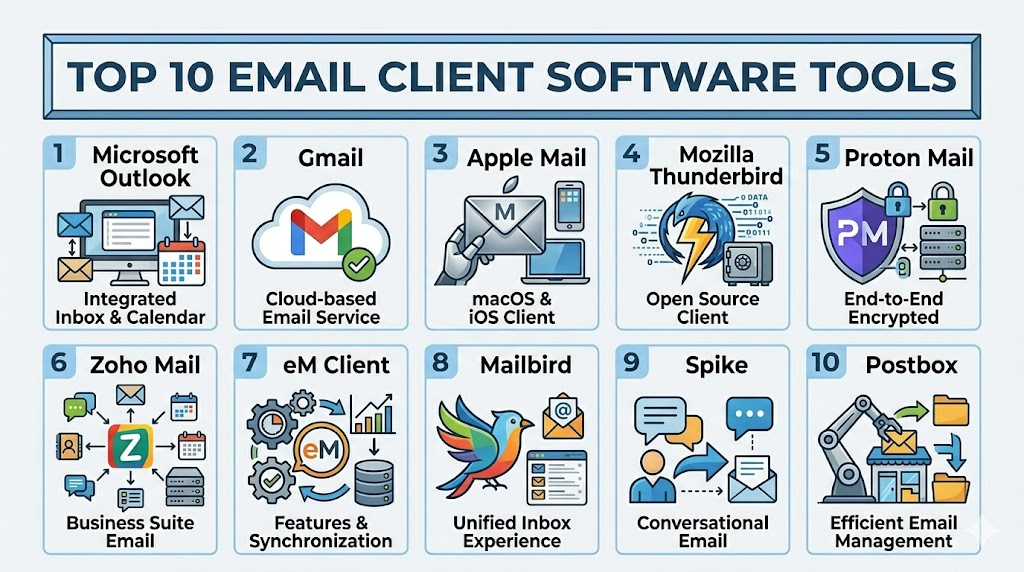
Top 10 Email Client Software Tools
1 — Microsoft Outlook
Short description: A comprehensive email client for business and personal users, integrating email, calendar, and task management.
Key Features
- Unified inbox across multiple accounts.
- Calendar, task, and contact management.
- AI-powered insights and smart scheduling.
- Microsoft 365 integration.
- Rules and automation for email organization.
Pros
- Widely adopted in enterprises.
- Robust security features and compliance support.
Cons
- Can be resource-intensive.
- Interface may feel complex for beginners.
Platforms / Deployment
- Windows, macOS, iOS, Android, Web
- Cloud / Hybrid
Security & Compliance
- MFA, encryption, audit logs
- SOC 2, ISO 27001, GDPR, HIPAA
Integrations & Ecosystem
- Tight integration with Microsoft 365 suite
- APIs for custom workflow automation
- Connectors for third-party apps like Salesforce
Support & Community
- Extensive documentation, enterprise onboarding, active user community
2 — Gmail
Short description: Google’s web-based email client with AI-powered features and seamless integration with Google Workspace.
Key Features
- Smart Compose and auto-reply.
- Spam and phishing protection.
- Labels and threaded conversations.
- Integration with Google Calendar and Drive.
- Offline access on mobile and web.
Pros
- Free and cloud-based with strong reliability.
- Powerful search and categorization tools.
Cons
- Limited advanced desktop features.
- Privacy concerns due to data scanning.
Platforms / Deployment
- Web, iOS, Android
- Cloud
Security & Compliance
- MFA, encryption, OAuth
- GDPR, SOC 2
Integrations & Ecosystem
- Google Workspace apps, third-party extensions
- APIs for automation
Support & Community
- Extensive support documentation and forums
3 — Apple Mail
Short description: Native email client for Apple devices with seamless integration across macOS and iOS ecosystems.
Key Features
- Unified inbox and smart mailboxes.
- Integration with Apple Calendar and Contacts.
- VIP email filtering.
- Handoff for device continuity.
- iCloud syncing.
Pros
- Smooth native integration on Apple devices.
- Intuitive user interface.
Cons
- Limited to Apple ecosystem.
- Fewer advanced productivity features.
Platforms / Deployment
- macOS, iOS
- Hybrid / Cloud
Security & Compliance
- End-to-end encryption for iCloud Mail
- MFA, SSO
Integrations & Ecosystem
- Apple ecosystem apps
- Limited third-party plugin support
Support & Community
- Apple support and forums
4 — Mozilla Thunderbird
Short description: Open-source, feature-rich email client suitable for users seeking customization and privacy.
Key Features
- Multi-account support with IMAP/POP3.
- Customizable interface with add-ons.
- Integrated calendar (Lightning).
- Advanced search and message filtering.
- OpenPGP encryption support.
Pros
- Highly customizable and open-source.
- Strong privacy and security options.
Cons
- Interface can feel outdated.
- Requires setup for advanced features.
Platforms / Deployment
- Windows, macOS, Linux
- Desktop
Security & Compliance
- Encryption support, PGP
- Varies / N/A
Integrations & Ecosystem
- Thunderbird add-ons, calendar plugins
- APIs for automation
Support & Community
- Community-driven support, documentation available
5 — ProtonMail
Short description: Privacy-focused, end-to-end encrypted email client for individuals and businesses.
Key Features
- End-to-end encryption.
- Zero-access architecture.
- Self-destructing emails.
- Proton Calendar integration.
- Web and mobile apps.
Pros
- Strong privacy and security focus.
- No tracking or data mining.
Cons
- Free version has limited features.
- Limited integrations.
Platforms / Deployment
- Web, iOS, Android
- Cloud
Security & Compliance
- End-to-end encryption, GDPR
- MFA, SSO
Integrations & Ecosystem
- Proton apps ecosystem
- Limited third-party integrations
Support & Community
- Support documentation, community forum
6 — Zoho Mail
Short description: Business-oriented email client with integrated productivity suite for SMBs and enterprises.
Key Features
- Ad-free email hosting.
- Calendar, tasks, and notes integration.
- IMAP/POP3 support.
- Collaboration tools (Docs, Chat).
- Email retention and compliance policies.
Pros
- Affordable for SMBs.
- Integrated productivity features.
Cons
- Interface less intuitive for beginners.
- Limited third-party integrations.
Platforms / Deployment
- Web, iOS, Android
- Cloud
Security & Compliance
- Encryption, SSO
- GDPR, SOC 2
Integrations & Ecosystem
- Zoho suite apps
- APIs for automation
Support & Community
- Documentation and chat support
7 — eM Client
Short description: Modern email client for Windows and macOS focused on business and productivity.
Key Features
- Integrated calendar and tasks.
- Contact and chat integration.
- Gmail, Exchange, and Outlook support.
- Email rules and templates.
- PGP encryption support.
Pros
- Easy migration from other clients.
- Modern and clean UI.
Cons
- Windows/macOS only.
- Some advanced features require Pro version.
Platforms / Deployment
- Windows, macOS
- Desktop
Security & Compliance
- PGP, MFA
- Varies / N/A
Integrations & Ecosystem
- Calendar apps, Exchange, Gmail
- Plugin support for productivity
Support & Community
- Email and forum support
8 — Mailbird
Short description: Windows-based email client designed for productivity with unified inbox and app integrations.
Key Features
- Unified inbox for multiple accounts.
- Integration with apps like Slack, Google Drive, Zoom.
- Quick reply and snooze features.
- Customizable layout and themes.
- Contact and task management.
Pros
- Productivity-focused features.
- Modern interface with app integrations.
Cons
- Only available on Windows.
- Limited advanced email rules.
Platforms / Deployment
- Windows
- Desktop
Security & Compliance
- Encryption support, MFA
- Varies / N/A
Integrations & Ecosystem
- Productivity app integrations
- API support limited
Support & Community
- Email support, user forums
9 — Spike
Short description: Conversational email client that converts email threads into chat-like format for teams and individuals.
Key Features
- Chat-style email view.
- Real-time collaboration with attachments.
- Unified inbox for multiple accounts.
- Task and calendar integration.
- Priority inbox and notifications.
Pros
- Innovative interface for team collaboration.
- Reduces email clutter.
Cons
- Less traditional for standard email users.
- Limited offline features.
Platforms / Deployment
- Web, Windows, macOS, iOS, Android
- Cloud
Security & Compliance
- End-to-end encryption, MFA
- Varies / N/A
Integrations & Ecosystem
- Google Workspace, iCloud, Office 365
- Productivity tools API
Support & Community
- Documentation and live chat support
10 — Postbox
Short description: Advanced email client for professionals who need powerful search, organization, and workflow tools.
Key Features
- Tagging and folder management.
- Quick replies and templates.
- Powerful search with filters.
- Multiple account support.
- Message encryption and security.
Pros
- Excellent for managing large volumes of emails.
- Customizable workflows.
Cons
- Paid software.
- Limited mobile support.
Platforms / Deployment
- Windows, macOS
- Desktop
Security & Compliance
- Encryption support
- Varies / N/A
Integrations & Ecosystem
- Calendar apps, productivity tools
- Plugin support
Support & Community
- Documentation and email support
Comparison Table (Top 10)
| Tool Name | Best For | Platform(s) Supported | Deployment | Standout Feature | Public Rating |
|---|---|---|---|---|---|
| Microsoft Outlook | Enterprise, corporate users | Windows, macOS, iOS, Android, Web | Cloud / Hybrid | Calendar & productivity integration | N/A |
| Gmail | Individual & business users | Web, iOS, Android | Cloud | Smart Compose & AI assistance | N/A |
| Apple Mail | Apple ecosystem users | macOS, iOS | Hybrid | Device continuity & iCloud sync | N/A |
| Thunderbird | Open-source enthusiasts | Windows, macOS, Linux | Desktop | Customization & privacy | N/A |
| ProtonMail | Privacy-focused users | Web, iOS, Android | Cloud | End-to-end encryption | N/A |
| Zoho Mail | SMBs and small businesses | Web, iOS, Android | Cloud | Integrated productivity suite | N/A |
| eM Client | Businesses & professionals | Windows, macOS | Desktop | Modern UI & migration tools | N/A |
| Mailbird | Windows productivity users | Windows | Desktop | App integrations & unified inbox | N/A |
| Spike | Teams and collaborative users | Web, Windows, macOS, iOS, Android | Cloud | Chat-like email interface | N/A |
| Postbox | Power users managing high-volume email | Windows, macOS | Desktop | Advanced search & workflow | N/A |
Evaluation & Scoring of Email Client Software
| Tool Name | Core (25%) | Ease (15%) | Integrations (15%) | Security (10%) | Performance (10%) | Support (10%) | Value (15%) | Weighted Total (0–10) |
|---|---|---|---|---|---|---|---|---|
| Microsoft Outlook | 9 | 8 | 9 | 9 | 9 | 8 | 8 | 8.8 |
| Gmail | 8 | 9 | 8 | 8 | 9 | 8 | 9 | 8.7 |
| Apple Mail | 7 | 9 | 7 | 8 | 8 | 7 | 8 | 7.9 |
| Thunderbird | 8 | 7 | 7 | 8 | 8 | 7 | 8 | 7.7 |
| ProtonMail | 7 | 8 | 6 | 10 | 8 | 7 | 7 | 7.7 |
| Zoho Mail | 8 | 7 | 8 | 8 | 8 | 7 | 8 | 7.9 |
| eM Client | 7 | 8 | 7 | 7 | 8 | 7 | 7 | 7.3 |
| Mailbird | 7 | 8 | 7 | 7 | 7 | 7 | 7 | 7.2 |
| Spike | 7 | 8 | 7 | 8 | 7 | 7 | 7 | 7.4 |
| Postbox | 7 | 7 | 6 | 7 | 8 | 7 | 7 | 7.0 |
Which Email Client Software Tool Is Right for You?
Choosing the right email client depends on how your team communicates, how many accounts you manage, what security level you need, and whether email is only a messaging tool or a full productivity workspace. Some users need a simple inbox with search and mobile access, while others need calendar integration, automation, shared workflows, encryption, compliance controls, and enterprise administration. The best email client is not always the one with the most features; it is the one that fits your daily communication style, device ecosystem, and business process without creating extra complexity.
Solo / Freelancer
Solo users and freelancers usually need an email client that is easy to set up, affordable, reliable, and available across devices. If you mainly need email, calendar, search, and mobile access, Gmail, Apple Mail, or Thunderbird can be practical choices. Gmail is strong for users already working with Google Drive, Google Calendar, Meet, and Docs, while Apple Mail is best for users fully inside the Apple ecosystem. Thunderbird is a good fit for users who want a free desktop client with customization and privacy-friendly open-source flexibility.
Freelancers who manage client communication, invoices, proposals, and project timelines may need more than a basic inbox. Microsoft Outlook is useful when calendar scheduling, tasks, contact management, and Microsoft 365 integration matter. eM Client can also work well for freelancers who want a clean desktop experience with multiple account support. If privacy is the top priority, Proton Mail is a better option because it focuses on encrypted communication and secure mailbox management.
SMB
Small and medium-sized businesses need email clients that support team productivity, account management, calendars, mobile access, security, and collaboration without requiring heavy IT administration. Microsoft Outlook is a strong choice for SMBs already using Microsoft 365 because it connects email, calendar, contacts, Teams, OneDrive, and Office apps in one workflow. It is especially useful for sales, operations, HR, finance, and support teams that rely heavily on calendar coordination and document sharing.
Gmail is another strong SMB option, especially for teams using Google Workspace. It works well for businesses that want cloud-first email, powerful search, spam filtering, simple onboarding, and smooth integration with Google Calendar, Drive, Meet, Docs, and Sheets. Zoho Mail is a practical choice for cost-conscious SMBs that want business email with productivity tools, admin controls, and a broader suite of business applications. For teams that want a more conversational communication style, Spike may be useful because it turns email threads into a chat-like experience.
Mid-Market
Mid-market companies often need stronger controls than small teams but may not want the complexity of a large enterprise deployment. At this stage, email client selection should focus on admin controls, account provisioning, integration with productivity suites, mobile access, security settings, user training, and support quality. Microsoft Outlook is a strong fit for mid-market teams using Microsoft 365, especially when employees need shared calendars, meeting scheduling, Teams integration, and centralized IT policies.
Gmail is a strong alternative for cloud-first teams using Google Workspace. It is useful for companies that value fast search, web-first access, collaborative documents, and simple user administration. Zoho Mail can fit mid-market teams that want a more cost-controlled platform with built-in productivity tools. eM Client and Mailbird may work for specific departments or power users, but they are usually better as individual productivity clients than organization-wide email infrastructure choices.
Enterprise
Enterprise buyers need email client software that supports security, compliance, identity management, admin policies, retention, auditability, device management, and integration with existing productivity ecosystems. Microsoft Outlook is one of the strongest enterprise options because it fits deeply with Microsoft 365, Exchange, Entra ID, Teams, SharePoint, OneDrive, compliance workflows, and endpoint management. It is especially suitable for organizations that need centralized control, policy enforcement, legal hold, retention, and enterprise-grade administration.
Gmail through Google Workspace is also a strong enterprise choice for cloud-first organizations. It is useful for teams that rely on Google Drive, Calendar, Meet, Docs, and cloud collaboration. Enterprises that prioritize encrypted communication may evaluate Proton Mail for specific teams, executive communication, journalism, legal work, or privacy-sensitive roles. However, enterprise buyers should carefully validate compliance, admin controls, migration support, data residency, and integration needs before standardizing on any platform.
Budget vs Premium
Budget-focused users should begin with tools such as Gmail, Apple Mail, and Thunderbird because they provide strong everyday email capabilities without high upfront cost. Gmail works well for web-first users, Apple Mail is convenient for Apple users, and Thunderbird is a good free desktop option for users who want open-source flexibility. These tools are suitable when the main needs are sending, receiving, searching, organizing, and syncing email.
Premium tools become more useful when users need advanced business features, better support, productivity integrations, encryption, templates, workflow tools, and enterprise administration. Microsoft Outlook is worth considering when business communication depends on calendars, meetings, tasks, and Microsoft 365 workflows. Proton Mail is worth considering when privacy and encrypted communication matter most. eM Client, Mailbird, Spike, and Postbox may be valuable for users who want a more specialized desktop or productivity-focused email experience.
Feature Depth vs Ease of Use
Users who want simplicity should choose an email client with a clean interface, reliable search, strong spam filtering, and easy mobile access. Gmail, Apple Mail, and Outlook mobile are strong choices for users who do not want to spend time configuring filters, add-ons, and advanced rules. These tools are easy to start with and work well for everyday communication.
Users who need deeper control should look at Outlook, Thunderbird, eM Client, or Postbox. Outlook is strong for rules, calendar workflows, and enterprise productivity. Thunderbird is strong for customization and add-ons. eM Client is useful for people who want a polished desktop client with calendar and contact support. Postbox can fit power users who manage large volumes of email and need better search, tagging, templates, and organization.
Integrations & Scalability
Email does not work alone in modern teams. It usually connects with calendars, file storage, CRM, project management, video meetings, task tools, help desks, and automation systems. Microsoft Outlook is best for teams using Microsoft 365, Teams, SharePoint, OneDrive, and enterprise identity tools. Gmail is best for teams using Google Workspace, Google Calendar, Google Drive, Google Meet, and cloud collaboration workflows.
Zoho Mail is useful for businesses already using Zoho CRM, Zoho Projects, Zoho Desk, or other Zoho business apps. Spike can be useful for teams that want email, chat-like communication, notes, and collaboration in one workspace. For individual users managing multiple providers, Thunderbird, eM Client, and Mailbird can help consolidate Gmail, Outlook, IMAP, POP3, and other accounts into one client.
Security & Compliance Needs
Security should be a major factor when choosing email client software because email often contains contracts, invoices, credentials, customer details, internal decisions, HR information, and sensitive attachments. Businesses should evaluate MFA, encryption, spam filtering, phishing protection, admin controls, device management, retention, audit logs, and access policies. Microsoft Outlook and Gmail are strong choices for organizations that need mature business-grade security and admin controls when used with their business suites.
Privacy-focused users should consider Proton Mail, especially when encrypted communication and reduced data exposure are priorities. Thunderbird can also be useful for privacy-minded users who want desktop control and encryption options, but setup requires more technical comfort. For regulated industries, buyers should not assume compliance based only on brand reputation. They should validate security features, compliance documentation, retention policies, admin settings, and data handling before rollout.
Final Recommendation by Scenario
Choose Microsoft Outlook if your organization depends on Microsoft 365, enterprise calendars, meetings, compliance controls, and structured business workflows. Choose Gmail if your team is cloud-first and already uses Google Workspace for collaboration. Choose Apple Mail if you are an Apple user who wants a simple native email experience. Choose Thunderbird if you want free, open-source, customizable desktop email. Choose Proton Mail if privacy and encrypted communication are your top priorities. Choose Zoho Mail if you need affordable business email inside a broader business suite. Choose eM Client, Mailbird, Spike, or Postbox if your priority is a specialized desktop experience, productivity workflow, chat-style email, or high-volume inbox organization.
Frequently Asked Questions (FAQs)
1. What is the difference between Gmail and Outlook?
Gmail is web-first with AI-based features and cloud integration, whereas Outlook combines desktop and cloud access with advanced calendar and task management for enterprise users.
2. Can I use multiple accounts in a single client?
Yes, most clients like Thunderbird, Outlook, and Gmail support multiple account management, allowing consolidated inboxes and synchronized calendars.
3. How secure are email clients?
Security varies by client; options like ProtonMail offer end-to-end encryption, while Outlook and Gmail support MFA, SSO, and audit logging for enterprises.
4. Do these clients integrate with other productivity apps?
Yes, most offer integrations with calendars, CRM systems, task managers, and cloud storage for streamlined workflows.
5. Are there free versions available?
Clients like Gmail, Thunderbird, and Apple Mail are free, while others like Postbox, eM Client, and Mailbird offer premium tiers with advanced features.
6. Can email clients work offline?
Yes, clients like Outlook, Apple Mail, Thunderbird, and eM Client offer offline access, allowing users to read, compose, and schedule emails without internet.
7. How do AI features help email management?
AI automates sorting, suggests replies, flags important messages, and predicts scheduling, improving productivity and reducing email overload.
8. What platforms are supported?
Most clients support web, Windows, macOS, iOS, and Android, but some like Mailbird are Windows-only and Apple Mail is Apple ecosystem-specific.
9. How do I migrate from one client to another?
Many clients provide import tools to migrate emails, contacts, and calendars from popular clients like Outlook, Gmail, and Apple Mail.
10. Are these clients suitable for enterprise use?
Yes, tools like Outlook, Gmail, Zoho Mail, and Spike are designed for business scalability, compliance, and integration with enterprise systems.
Conclusion
Selecting the right email client is critical for both productivity and security in today’s digital workplace. The “best” choice depends on your team size, workflow complexity, device ecosystem, and security requirements. Solo users and freelancers benefit from simple, intuitive clients like Gmail, Apple Mail, or Thunderbird. SMBs and mid-market teams need robust collaboration, calendar integration, and business tools, making Outlook, Gmail Workspace, or Zoho Mail ideal. Enterprises require advanced admin controls, compliance, and scalability, with Outlook and Gmail leading the pack. Privacy-focused users should consider Proton Mail or desktop-centric solutions for encrypted communication. Evaluating ease of use, feature depth, integrations, and security ensures the client supports daily operations without friction. Start by shortlisting 2–3 options, pilot them with real workflows, and validate integrations and security before final adoption.

Find Trusted Cardiac Hospitals
Compare heart hospitals by city and services — all in one place.
Explore Hospitals
I didn’t realize email clients differ so much in productivity features—this comparison was quite useful.