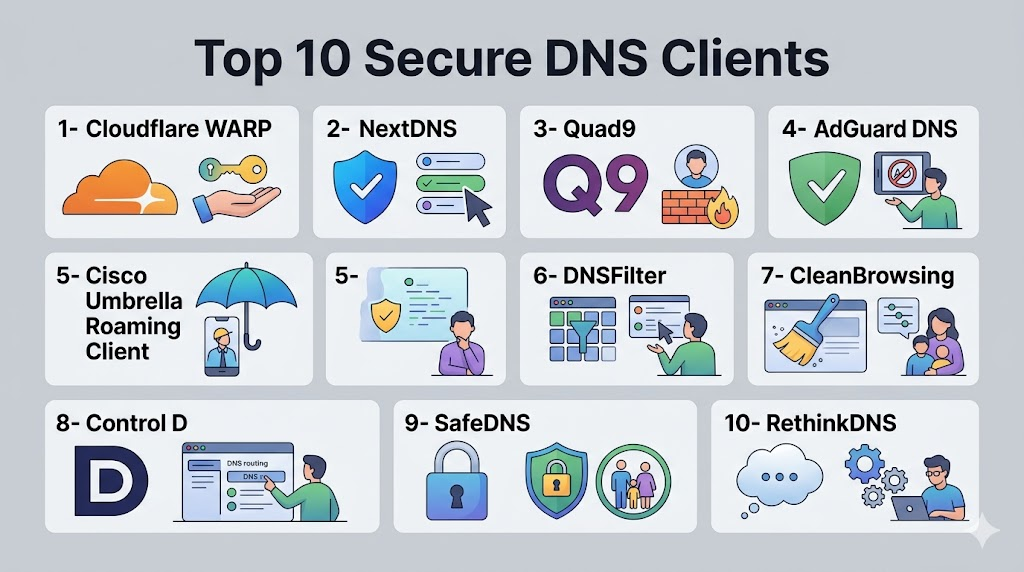
Introduction
Secure DNS clients are tools that allow devices to resolve domain names securely, preventing DNS-based attacks, content filtering bypasses, and data exposure over the internet. Unlike standard DNS resolution, secure DNS clients encrypt queries and provide enhanced privacy, blocking malicious domains, trackers, and phishing attempts. as cyberattacks become more sophisticated, remote work grows, and IoT adoption expands, secure DNS clients are critical for both individuals and organizations. Real-world use cases include protecting enterprise endpoints, ensuring safe public Wi-Fi browsing, enforcing content policies, securing IoT devices, and improving overall network reliability. Buyers should evaluate encryption protocols, filtering capabilities, cross-platform support, ease of deployment, logging and monitoring options, performance, threat intelligence integration, scalability, cost, and vendor support.
Real-world use cases include:
- Enterprise endpoint security: Enforcing DNS-level threat protection and content policies across corporate devices.
- Public Wi-Fi protection: Preventing DNS hijacking and phishing on untrusted networks.
- Content filtering: Controlling access to categories of websites for compliance or productivity reasons.
- IoT device protection: Securing connected devices against DNS-based malware or C2 communications.
- Remote workforce security: Maintaining consistent DNS security across distributed devices.
What buyers should evaluate:
- Encryption support: TLS, HTTPS, or DoH (DNS over HTTPS) protocols.
- Filtering capabilities: Malware, phishing, tracker blocking, content categories.
- Cross-platform availability: Windows, macOS, Linux, iOS, Android.
- Logging and reporting: Auditing, monitoring, and incident response support.
- Performance: Low latency and reliable DNS resolution.
- Threat intelligence integration: Up-to-date malicious domain lists and updates.
- Scalability: Ability to support large numbers of endpoints.
- Deployment model: Cloud, hybrid, or local resolver options.
- Ease of use: Simple installation, configuration, and management.
- Support & documentation: Vendor support and knowledge resources.
Best for: Enterprises, SMBs, IT teams, network administrators, cybersecurity-focused individuals, and privacy-conscious users benefit most from secure DNS clients, especially when managing distributed endpoints or enforcing policies across multiple devices.
Not ideal for: Users who only need basic internet access without security requirements or rely entirely on cloud service provider protections may not need dedicated secure DNS clients. Some organizations may prefer integrated firewall or endpoint solutions with built-in DNS filtering instead of standalone clients.
Key Trends in Secure DNS Clients
- Adoption of DNS over HTTPS (DoH) and DNS over TLS (DoT) to encrypt DNS queries.
- Integration with threat intelligence feeds to block malicious domains in real-time.
- Use of AI-based DNS anomaly detection to detect phishing and malware activity.
- Cloud-managed solutions with centralized reporting for enterprises and SMBs.
- Mobile-first secure DNS clients for iOS and Android endpoints.
- Support for split-horizon DNS and hybrid deployments.
- Enhanced privacy policies, avoiding logs or PII collection.
- Integration with firewall and endpoint security platforms.
- Subscription and freemium pricing models to accommodate personal and business users.
- Expansion of secure DNS for IoT and industrial control networks.
How We Selected These Tools
1- Cloudflare WARP
Short description: Cloudflare WARP is a secure DNS client that encrypts DNS queries and provides fast, privacy-focused browsing for both personal and business users. It simplifies endpoint protection while offering performance optimization.
Key Features
- DNS over HTTPS (DoH) and DNS over TLS (DoT)
- Automatic malware and phishing blocking
- Mobile and desktop client availability
- Zero-trust integration for businesses
- Performance optimization for low-latency DNS resolution
- No-logging policy for enhanced privacy
Pros
- Simple installation and automatic updates
- Strong privacy and anti-tracking features
- Fast and reliable DNS resolution
Cons
- Limited content filtering categories
- Advanced business controls may require enterprise account
Platforms / Deployment
Windows, macOS, Linux, iOS, Android
Cloud
Security & Compliance
Supports encrypted DNS queries, malware protection, and privacy-focused no-log policies.
SOC 2, ISO 27001: Not publicly stated
Integrations & Ecosystem
Integrates with zero-trust platforms, endpoint management, and mobile device management tools.
- Supports DoH and DoT protocols
- Works with Cloudflare for Teams for business policies
- Compatible with common endpoint platforms
- Cloud-managed reporting dashboards
Support & Community
Cloudflare provides documentation, support forums, and enterprise assistance. Varies / Not publicly stated for smaller deployments.
2- NextDNS
Short description: NextDNS is a cloud-based secure DNS client offering customizable filtering, privacy features, and logging for individuals and teams.
Key Features
- DNS over HTTPS and DNS over TLS support
- Block lists for malware, trackers, adult content
- Device and profile-based configuration
- Analytics and query logging
- API access for integrations
- Cross-platform client apps
Pros
- Highly configurable filtering
- Detailed analytics for network queries
- Supports multiple devices and profiles
Cons
- Advanced features may require subscription
- Configuration can be complex for casual users
Platforms / Deployment
Windows, macOS, Linux, iOS, Android
Cloud
Security & Compliance
Encrypted DNS traffic and selective logging configurable by user.
SOC 2, GDPR: Not publicly stated
Integrations & Ecosystem
Integrates with cloud and endpoint systems, supports API access for automation.
- Device-level configuration
- Third-party analytics integration
- Mobile app support
- Compatible with home routers
Support & Community
Documentation and active community support; enterprise support available via paid plans.
3- Quad9
Short description: Quad9 is a free secure DNS client that blocks access to malicious domains using threat intelligence feeds, protecting endpoints from malware and phishing attacks.
Key Features
- DNS over HTTPS/TLS support
- Threat intelligence integration from multiple sources
- Malware and phishing site blocking
- Free to use for personal and SMB users
- No-logging policy for privacy
Pros
- Effective security for endpoints
- No cost for most users
- Privacy-oriented DNS resolution
Cons
- Limited customization for advanced enterprise policies
- Fewer advanced analytics features
Platforms / Deployment
Windows, macOS, Linux, iOS, Android
Cloud
Security & Compliance
Encrypted DNS and integrated threat intelligence.
SOC 2, ISO 27001: Not publicly stated
Integrations & Ecosystem
Works as a DNS resolver for networks, endpoints, and routers.
- Compatible with firewall and endpoint security tools
- Easy setup on personal devices
- Integrates with network routing policies
Support & Community
Community resources, documentation, and online guides; enterprise consulting available separately.
4- AdGuard DNS
Short description: AdGuard DNS provides secure DNS with ad, tracking, and malware blocking. It is useful for individuals and teams who want privacy plus content filtering without installing additional apps.
Key Features
- DNS over HTTPS and TLS
- Malware and ad-blocking features
- Adult content filtering categories
- Minimal latency DNS service
- Configurable per device or network
Pros
- Free and easy to configure
- Blocks ads and trackers at the DNS level
- Supports multiple devices
Cons
- Limited advanced business features
- Analytics and reporting are basic
Platforms / Deployment
Windows, macOS, Linux, iOS, Android
Cloud
Security & Compliance
Encrypted DNS, malware filtering.
SOC 2, ISO 27001: Not publicly stated
Integrations & Ecosystem
- Router-level configuration
- Supports DoH/DoT protocols
- Integrates with AdGuard apps
Support & Community
Documentation and forums available; Varies / Not publicly stated
5- Cisco Umbrella Roaming Client
Short description: Cisco Umbrella Roaming Client provides secure DNS, threat intelligence, and policy enforcement for enterprises with distributed users.
Key Features
- DNS over HTTPS support
- Malware and phishing protection
- Policy enforcement by user, group, and location
- Centralized reporting and analytics
- Integration with Cisco security stack
Pros
- Enterprise-grade protection
- Centralized management for teams
- Real-time threat intelligence
Cons
- Requires Cisco subscription
- More complex for small teams
Platforms / Deployment
Windows, macOS, Linux, iOS, Android
Cloud / Hybrid
Security & Compliance
Encrypted DNS, centralized policy, and threat protection.
SOC 2, ISO 27001, GDPR: Not publicly stated
Integrations & Ecosystem
- Works with Cisco security appliances
- SIEM integration possible
- Endpoint management compatible
Support & Community
Cisco enterprise support and documentation available.
6- DNSFilter
Short description: DNSFilter is a cloud-based secure DNS client with threat intelligence, content filtering, and analytics for SMBs and enterprises.
Key Features
- Malware and phishing protection
- Content filtering policies
- Reporting dashboards and analytics
- Custom block lists
- Cloud-based deployment
Pros
- Centralized management for teams
- Cloud-first approach
- Flexible filtering and reporting
Cons
- Subscription-based
- May require learning for advanced policies
Platforms / Deployment
Windows, macOS, Linux, iOS, Android
Cloud
Security & Compliance
Encrypted DNS and threat protection.
SOC 2: Not publicly stated
Integrations & Ecosystem
- Endpoint and router integration
- API support
- Cloud monitoring tools
Support & Community
Business support and documentation available.
7- CleanBrowsing
Short description: CleanBrowsing is a secure DNS service focused on content filtering and safe browsing for families, schools, and SMBs.
Key Features
- Multiple filtering profiles (Family, Adult, Security)
- DNS over HTTPS/TLS support
- Malware and phishing protection
- Cloud-based reporting
- Simple onboarding
Pros
- Easy to configure and use
- Useful for parental and organizational controls
- Privacy-focused
Cons
- Limited advanced enterprise features
- Reporting may be basic
Platforms / Deployment
Windows, macOS, Linux, iOS, Android
Cloud
Security & Compliance
Encrypted DNS and content filtering.
SOC 2, ISO 27001: Not publicly stated
Integrations & Ecosystem
- Works on routers, devices, and endpoints
- Simple API integration for automation
- Supports educational and small business setups
Support & Community
Documentation and email support; community support via forums.
8- Control D
Short description: Control D provides secure DNS for content filtering, malware protection, and privacy-focused browsing for consumers and SMBs.
Key Features
- DNS over HTTPS/TLS support
- Malware and ad-blocking
- Configurable filtering profiles
- Supports custom DNS rules
- Analytics dashboards
Pros
- Easy setup and configuration
- Flexible filtering policies
- Privacy-focused
Cons
- Limited enterprise features
- Advanced reporting requires subscription
Platforms / Deployment
Windows, macOS, Linux, iOS, Android
Cloud
Security & Compliance
Encrypted DNS and policy enforcement.
SOC 2, ISO 27001: Not publicly stated
Integrations & Ecosystem
- Router and device deployment
- API support for automation
- Supports multi-device use
Support & Community
Documentation and ticket-based support.
9- SafeDNS
Short description: SafeDNS provides cloud-based secure DNS for organizations and personal users with threat protection and filtering.
Key Features
- Malware, phishing, and ad blocking
- Customizable filtering policies
- Analytics and reporting dashboards
- Cloud-based deployment
- Multi-device support
Pros
- Enterprise and SMB-ready
- Centralized policy management
- Easy onboarding
Cons
- Paid subscription required for advanced features
- Configuration learning curve for new users
Platforms / Deployment
Windows, macOS, Linux, iOS, Android
Cloud
Security & Compliance
Encrypted DNS and policy enforcement.
SOC 2: Not publicly stated
Integrations & Ecosystem
- Works with routers and endpoint clients
- API and reporting integration
- Threat intelligence updates
Support & Community
Documentation, email support, and online tutorials.
10- RethinkDNS
Short description: RethinkDNS is an Android-first secure DNS client providing threat protection, ad blocking, and encrypted DNS resolution for mobile users.
Key Features
- DNS over HTTPS/TLS support
- Malware and ad-blocking
- Traffic analytics
- Content filtering and parental controls
- Android optimization
Pros
- Mobile-focused protection
- Easy-to-use interface
- Flexible filtering options
Cons
- Limited desktop support
- Some features may require subscription
Platforms / Deployment
Android
Cloud / Local
Security & Compliance
Encrypted DNS, malware blocking.
SOC 2, ISO 27001: Not publicly stated
Integrations & Ecosystem
- Mobile app deployment
- Supports parental control workflows
- Compatible with device management
Support & Community
Documentation and email support available.
Comparison Table
| Tool Name | Best For | Platform(s) Supported | Deployment | Standout Feature | Public Rating |
|---|---|---|---|---|---|
| Cloudflare WARP | Personal and SMB users | Windows, macOS, Linux, iOS, Android | Cloud | Privacy-focused DNS encryption | N/A |
| NextDNS | Teams and privacy enthusiasts | Windows, macOS, Linux, iOS, Android | Cloud | Configurable filtering & analytics | N/A |
| Quad9 | Security-conscious individuals | Windows, macOS, Linux, iOS, Android | Cloud | Threat-intelligence DNS blocking | N/A |
| AdGuard DNS | Individuals & small orgs | Windows, macOS, Linux, iOS, Android | Cloud | Malware + ad blocking | N/A |
| Cisco Umbrella | Enterprise networks | Windows, macOS, Linux, iOS, Android | Cloud / Hybrid | Centralized policy enforcement | N/A |
| DNSFilter | SMB & enterprise teams | Windows, macOS, Linux, iOS, Android | Cloud | Custom blocklists and reporting | N/A |
| CleanBrowsing | Families, schools, SMBs | Windows, macOS, Linux, iOS, Android | Cloud | Content filtering profiles | N/A |
| Control D | SMB & privacy-focused users | Windows, macOS, Linux, iOS, Android | Cloud | Custom rules and analytics | N/A |
| SafeDNS | Organizations and SMBs | Windows, macOS, Linux, iOS, Android | Cloud | Centralized policy management | N/A |
| RethinkDNS | Mobile users | Android | Cloud / Local | Mobile-focused secure DNS | N/A |
Evaluation & Scoring of Secure DNS Clients
| Tool Name | Core 25% | Ease 15% | Integrations 15% | Security 10% | Performance 10% | Support 10% | Value 15% | Weighted Total |
|---|---|---|---|---|---|---|---|---|
| Cloudflare WARP | 9 | 9 | 8 | 8 | 9 | 8 | 8 | 8.35 |
| NextDNS | 9 | 8 | 9 | 9 | 8 | 8 | 8 | 8.40 |
| Quad9 | 8 | 9 | 7 | 9 | 8 | 7 | 9 | 8.10 |
| AdGuard DNS | 8 | 9 | 7 | 8 | 8 | 7 | 8 | 7.85 |
| Cisco Umbrella | 9 | 8 | 9 | 9 | 9 | 8 | 7 | 8.40 |
| DNSFilter | 9 | 8 | 8 | 8 | 8 | 8 | 7 | 8.10 |
| CleanBrowsing | 8 | 9 | 7 | 8 | 8 | 7 | 8 | 7.90 |
| Control D | 8 | 8 | 8 | 8 | 8 | 7 | 8 | 7.95 |
| SafeDNS | 9 | 8 | 8 | 8 | 8 | 8 | 8 | 8.20 |
| RethinkDNS | 8 | 8 | 7 | 8 | 7 | 7 | 7 | 7.55 |
Which Secure DNS Client Tool Is Right for You?
Solo / Freelancer
Cloudflare WARP, Quad9, and AdGuard DNS provide simple privacy-focused DNS protection for personal browsing, public Wi-Fi, and lightweight threat protection.
SMB
NextDNS, CleanBrowsing, and Control D support team-level policies, analytics, and device filtering suitable for small business networks.
Mid-Market
DNSFilter, SafeDNS, and Cloudflare WARP Teams provide more advanced policies, reporting, threat intelligence, and endpoint management for mid-market IT teams.
Enterprise
Cisco Umbrella and DNSFilter Enterprise provide centralized policy management, real-time threat protection, reporting, and integration with enterprise security stacks.
Budget vs Premium
Free clients like Quad9, AdGuard DNS, and Cloudflare WARP are sufficient for personal and SMB use. Premium solutions like NextDNS, Cisco Umbrella, and DNSFilter offer advanced policies, analytics, and enterprise-level controls.
Feature Depth vs Ease of Use
Consumer-oriented DNS clients prioritize ease of use (Cloudflare WARP, Quad9, AdGuard DNS). Enterprise-focused clients provide deeper policy and threat management (Cisco Umbrella, DNSFilter).
Integrations & Scalability
Enterprise clients integrate with SIEM, endpoint management, firewalls, and MDM tools. SMB-focused clients offer easier setup for small networks but may lack advanced integrations.
Security & Compliance Needs
For businesses, select a solution that supports encrypted DNS, logging controls, threat feeds, policy enforcement, and endpoint compatibility. Personal users can prioritize privacy and malware blocking features.
Frequently Asked Questions
1- What is a secure DNS client?
A secure DNS client protects DNS queries by encrypting them and routing them through a safer DNS resolver. It can also block malicious domains, phishing websites, trackers, ads, and unsafe content based on configured policies. This makes browsing safer and helps reduce DNS-based security risks.
2- Why are secure DNS clients important?
Secure DNS clients are important because many threats begin when users click unsafe links or devices contact malicious domains. DNS filtering can block these requests before a full connection happens. It also improves privacy by reducing exposure of DNS queries on public or untrusted networks.
3- Are secure DNS clients the same as VPNs?
No, secure DNS clients and VPNs are different. A VPN encrypts and routes broader internet traffic through a VPN tunnel, while secure DNS focuses on protecting and filtering DNS lookups. Secure DNS is lighter, but it does not replace all privacy or access features of a VPN.
4- Can secure DNS clients block phishing attacks?
Yes, many secure DNS clients block known phishing domains using threat intelligence and filtering lists. They can stop users from reaching fake login pages, malicious redirects, or scam websites. However, they should be combined with browser protection, email security, MFA, and user training.
5- Which secure DNS client is best for personal use?
Cloudflare WARP, Quad9, AdGuard DNS, NextDNS, and CleanBrowsing are strong options for personal use. Cloudflare WARP and Quad9 are simple, while NextDNS and Control D provide deeper customization. Families may prefer CleanBrowsing or AdGuard DNS for content filtering.
6- Which secure DNS client is best for businesses?
DNSFilter, Cisco Umbrella Roaming Client, SafeDNS, NextDNS, and Cloudflare WARP can fit business use cases depending on company size and security needs. Businesses should prioritize centralized policies, reporting, user management, roaming protection, and support. Existing security stack compatibility is also important.
7- Do secure DNS clients slow down internet speed?
A secure DNS client can slightly affect DNS lookup speed, but good services are usually fast enough for daily use. Performance depends on resolver infrastructure, user location, network quality, and filtering configuration. In some cases, fast DNS resolvers may improve perceived browsing performance.
8- Can secure DNS clients protect mobile devices?
Yes, many secure DNS tools support iOS and Android through apps, profiles, or operating system DNS settings. Mobile protection is useful for remote workers, students, field teams, and users who often connect to public Wi-Fi. RethinkDNS is especially focused on Android privacy and DNS control.
9- What mistakes should buyers avoid?
Common mistakes include choosing only by price, ignoring privacy policies, not testing performance, failing to review logs, and applying overly aggressive filters without testing. Businesses should also avoid deploying DNS filtering without clear user policies, exception processes, and helpdesk documentation.
10- How should a company implement secure DNS clients?
Start by defining policies for malware, phishing, adult content, risky categories, and business exceptions. Pilot the tool with a small group, monitor false positives, validate reports, and test remote user protection. After tuning policies, roll it out in phases and document support procedures.
Conclusion
Secure DNS clients provide a practical and lightweight way to improve online safety, reduce phishing exposure, block malware domains, enforce content policies, and protect users across different networks. The best tool depends on your environment: Cloudflare WARP and Quad9 are strong for simple protection, NextDNS and Control D are excellent for customization, AdGuard DNS and CleanBrowsing are practical for families and small teams, DNSFilter and SafeDNS fit business filtering needs, Cisco Umbrella is suited for enterprise security programs, and RethinkDNS is useful for Android-focused privacy control. No single secure DNS client is perfect for every user because personal privacy, school filtering, SMB management, MSP workflows, and enterprise security all require different levels of control. The best next step is to shortlist two or three tools, test DNS performance and filtering accuracy, review privacy and logging settings, validate platform support, and choose the solution that fits your users, devices, and security goals.

Find Trusted Cardiac Hospitals
Compare heart hospitals by city and services — all in one place.
Explore Hospitals
Secure DNS clients are most valuable when they protect users from malicious domains, tracking, and online threats by encrypting DNS queries and improving privacy. By supporting protocols such as DNS-over-HTTPS (DoH) and DNS-over-TLS (DoT), threat blocking, content filtering, performance optimization, and secure browsing features, these platforms help individuals and organizations enhance internet security, maintain privacy, and reduce exposure to cyber risks.