Introduction
API testing tools help teams verify whether application programming interfaces work correctly, securely, and reliably before they reach production. In simple terms, they allow developers, QA engineers, DevOps teams, and security teams to test requests, responses, authentication, performance, data validation, error handling, and integrations between systems. API testing matters more now because modern software depends heavily on microservices, cloud platforms, mobile apps, third-party integrations, AI workflows, and real-time data exchange. A small API failure can break payments, user login, order processing, analytics, or internal automation. Strong API testing tools reduce release risk and help teams ship faster with better confidence.
Real-world use cases include:
- Functional API testing: Verify endpoints, methods, headers, parameters, and response bodies.
- Regression testing: Re-run API tests after every code change or release.
- Contract testing: Validate whether APIs follow expected schemas and agreements.
- Performance testing: Check API response time, throughput, and reliability under load.
- Security testing: Identify weak authentication, exposed data, and unsafe request handling.
Evaluation Criteria for Buyers:
- Ease of test creation
- Automation and CI/CD support
- REST, SOAP, GraphQL, and gRPC coverage
- Mocking and virtual services
- Team collaboration features
- Reporting and debugging depth
- Security and access controls
- Scalability for enterprise testing
- Integration ecosystem
- Pricing and long-term value
Best for: API testing tools are best for software teams, QA teams, DevOps engineers, platform teams, SaaS companies, fintech teams, e-commerce companies, enterprise IT groups, and organizations building API-first products.
Not ideal for: Very small teams with only one or two simple endpoints may not need a dedicated platform immediately. Basic command-line tools, lightweight scripts, or built-in framework tests may be enough for early prototypes or very small internal services.
Key Trends in API Testing Tools
- AI-assisted test generation: More platforms are adding AI features to suggest test cases, generate assertions, summarize failures, and help teams debug faster.
- Shift-left API quality: API testing is moving earlier into design, development, and pull request workflows instead of waiting until late QA cycles.
- Contract-first development: OpenAPI, GraphQL schemas, and API specifications are becoming central to automated validation and governance.
- Security-aware testing: Teams increasingly expect API testing tools to support authentication checks, negative testing, data exposure checks, and integration with security workflows.
- CI/CD-native execution: Modern API tests must run automatically inside Jenkins, GitHub Actions, GitLab CI, Azure DevOps, Bitbucket, and other delivery pipelines.
- Multi-protocol testing: REST remains common, but enterprise teams also need SOAP, GraphQL, gRPC, WebSocket, Kafka, and message-based testing.
- Mocking and service virtualization: API mocking is becoming important for parallel development, frontend testing, partner testing, and early validation before backend completion.
- Developer-friendly collaboration: Shared workspaces, collections, environments, versioning, pull requests, and documentation are now important buying factors.
- Performance and reliability validation: API testing is no longer only about correctness. Teams also test latency, reliability, timeout behavior, and failure handling.
- Governance and auditability: Enterprises want role-based access, audit logs, SSO, workspace controls, and clear reporting for compliance and release approval.
How We Selected These Tools
The following tools were selected based on practical API testing relevance, market visibility, adoption across software teams, and fit for different buyer segments.
- Market adoption and mindshare: Tools commonly used by developers, QA engineers, and DevOps teams were prioritized.
- Feature completeness: Platforms with functional testing, automation, debugging, mocking, and reporting received stronger consideration.
- Protocol coverage: Tools that support REST, SOAP, GraphQL, gRPC, or performance workflows were evaluated carefully.
- Automation readiness: CI/CD execution, command-line runners, and test reuse were key selection factors.
- Developer experience: Ease of use, learning curve, workspace design, and collaboration features were considered.
- Enterprise readiness: Security controls, governance, team management, and scalability were reviewed where confidently known.
- Open-source value: Developer-first and open-source options were included for flexibility and cost-sensitive teams.
- Integration ecosystem: Tools with strong integrations for DevOps, observability, issue tracking, and documentation were prioritized.
- Use-case diversity: The list balances enterprise platforms, lightweight clients, performance tools, and code-based frameworks.
- Practical buyer fit: Each tool was evaluated for real-world use across solo developers, SMBs, mid-market teams, and large enterprises.
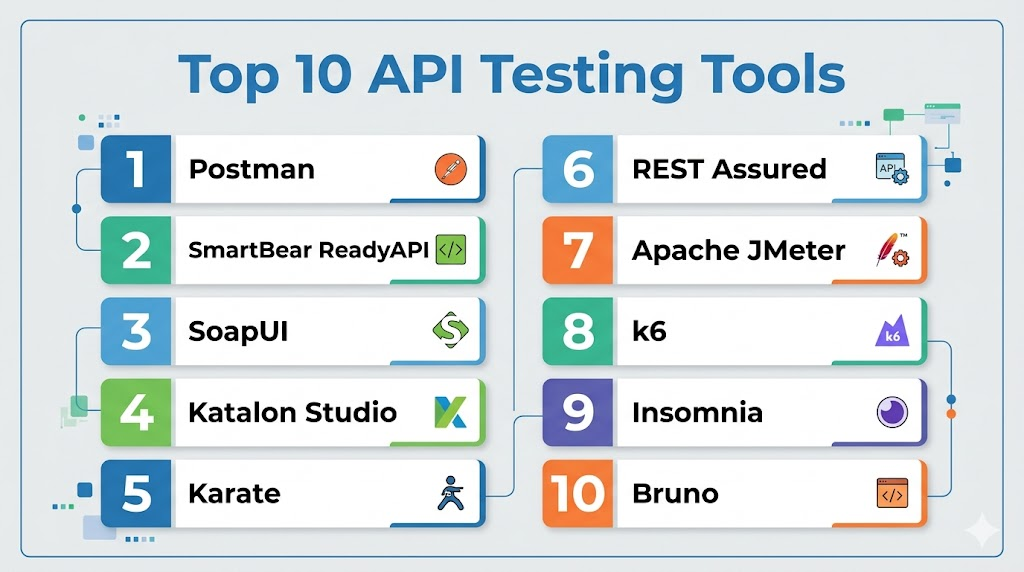
Top 10 API Testing Tools
1 — Postman
Short description: Postman is one of the most widely used API platforms for designing, testing, documenting, mocking, and monitoring APIs. It is suitable for developers, QA teams, DevOps teams, and organizations that want a collaborative API lifecycle workspace.
Key Features
- API client for sending and debugging requests.
- Collections for organizing repeatable API tests.
- Environment variables for different stages such as dev, QA, staging, and production.
- Built-in scripting for pre-request logic and test assertions.
- Mock servers for simulating APIs before backend completion.
- API documentation and sharing features.
- Newman CLI support for CI/CD execution.
Pros
- Easy for beginners while still useful for advanced API workflows.
- Strong collaboration features for cross-functional teams.
- Large ecosystem, community knowledge, and learning resources.
Cons
- Advanced governance and enterprise features may require paid plans.
- Large workspaces can become difficult to manage without naming standards.
- Some teams may prefer code-first testing for complex automation.
Platforms / Deployment
Web / Windows / macOS / Linux
Cloud-first platform with local desktop apps and CLI-based execution.
Security & Compliance
Postman supports common enterprise security controls such as workspace permissions, SSO options, and role-based collaboration features on business-focused plans. Specific compliance availability can vary by plan and region, so buyers should validate requirements directly.
Integrations & Ecosystem
Postman fits well into modern API development workflows because it connects API design, testing, documentation, and automation in one environment. It is commonly used with DevOps pipelines, source control systems, and collaboration platforms.
- GitHub
- GitLab
- Bitbucket
- Jenkins
- Azure DevOps
- Slack
- Jira
Support & Community
Postman has strong documentation, tutorials, community support, and broad adoption among developers and QA teams. Paid plans typically provide more structured team and enterprise support options.
2 — SmartBear ReadyAPI
Short description: SmartBear ReadyAPI is an enterprise-focused API testing platform built for functional, security, performance, and multi-protocol API testing. It is especially useful for QA teams working with complex API ecosystems.
Key Features
- Functional API testing for REST and SOAP services.
- Support for complex enterprise API workflows.
- Data-driven testing capabilities.
- API security testing features.
- API performance and load testing capabilities.
- Test reuse and automation support.
- Strong fit for structured QA organizations.
Pros
- Strong enterprise API testing depth.
- Useful for teams handling SOAP, REST, and complex service validation.
- Better suited for formal QA processes than lightweight API clients.
Cons
- May feel heavier than developer-first tools.
- Learning curve can be higher for new users.
- Cost may be less suitable for very small teams.
Platforms / Deployment
Windows / macOS / Linux
Cloud / Desktop-based usage depending on product setup and team workflow.
Security & Compliance
ReadyAPI includes enterprise-oriented controls and testing capabilities, but buyers should validate specific SSO, audit, encryption, and compliance requirements based on their plan and deployment model.
Integrations & Ecosystem
ReadyAPI is commonly used in enterprise software testing pipelines where API tests need to connect with CI/CD, service virtualization, test management, and reporting workflows.
- Jenkins
- Git
- Jira
- Test management tools
- CI/CD pipelines
- SmartBear ecosystem tools
Support & Community
SmartBear provides product documentation, enterprise support options, onboarding resources, and a mature testing ecosystem. It is well suited for teams that need vendor-backed support.
3 — SoapUI
Short description: SoapUI is a long-standing API testing tool known for SOAP and REST API testing. It is useful for QA teams that need structured API validation, especially in organizations with legacy web services.
Key Features
- SOAP and REST API testing support.
- Functional API test creation.
- Assertion-based validation.
- Data-driven testing support.
- Request and response inspection.
- Mock service capabilities.
- Useful for legacy enterprise API environments.
Pros
- Strong choice for SOAP-heavy environments.
- Mature tool with long-term recognition in API testing.
- Useful for teams needing detailed request and response validation.
Cons
- Interface can feel older compared with newer API tools.
- May not be as collaboration-friendly as modern cloud platforms.
- Advanced enterprise features may require commercial editions or related products.
Platforms / Deployment
Windows / macOS / Linux
Desktop-based tool.
Security & Compliance
Not publicly stated for general open-source usage. Enterprise security and compliance requirements should be validated separately if using commercial SmartBear offerings.
Integrations & Ecosystem
SoapUI is often used by QA teams that test web services in enterprise environments. It can fit into broader testing workflows through command-line execution and related tooling.
- SOAP services
- REST services
- Jenkins
- Maven-based workflows
- Test automation pipelines
- SmartBear ecosystem
Support & Community
SoapUI has a mature community and broad historical adoption. Support depends on whether the team uses the open-source version or commercial SmartBear products.
4 — Katalon Studio
Short description: Katalon Studio is a broader test automation platform that supports API, web, mobile, and desktop testing. It is useful for QA teams that want API testing as part of an end-to-end automation strategy.
Key Features
- API testing for REST and SOAP services.
- Web, mobile, desktop, and API test automation in one platform.
- Low-code and script-based testing options.
- Test recording and reusable test objects.
- CI/CD integration support.
- Reporting and analytics capabilities.
- Suitable for QA teams standardizing automation.
Pros
- Good fit for teams testing APIs alongside web and mobile applications.
- Supports both technical and less technical QA users.
- Helpful for teams moving from manual testing to automation.
Cons
- May be more platform than needed for API-only testing.
- Advanced functionality may require paid plans.
- Teams may need governance to manage large automation suites.
Platforms / Deployment
Windows / macOS / Linux
Cloud / Desktop-based usage depending on selected product components.
Security & Compliance
Katalon offers team and enterprise-oriented capabilities, but specific security and compliance details should be validated by buyers based on plan and deployment needs.
Integrations & Ecosystem
Katalon integrates with common DevOps, test management, and collaboration systems, making it useful for QA teams building centralized automation practices.
- Jenkins
- Git
- Jira
- Azure DevOps
- Test management workflows
- CI/CD tools
Support & Community
Katalon provides documentation, tutorials, support plans, and an active user community. It is especially useful for QA teams that need structured onboarding and learning resources.
5 — Karate
Short description: Karate is an open-source API testing framework designed for readable, behavior-driven API test automation. It is well suited for developers and QA engineers who want powerful tests without heavy scripting.
Key Features
- API testing with simple, readable syntax.
- Supports REST and GraphQL testing.
- Built-in assertions and JSON validation.
- Mocking support.
- Data-driven testing capabilities.
- Parallel execution support.
- Useful for CI/CD automation.
Pros
- Strong developer and QA automation fit.
- Readable test syntax helps collaboration.
- Good open-source value for teams that prefer code-based testing.
Cons
- Requires comfort with framework-based testing.
- Less visual than API client platforms.
- Governance and team collaboration features depend on surrounding tooling.
Platforms / Deployment
Windows / macOS / Linux
Self-hosted / Framework-based execution.
Security & Compliance
Not publicly stated. Security and compliance depend on how teams host, manage, and run the framework inside their own environments.
Integrations & Ecosystem
Karate works well in code-first test automation environments and can be included in CI/CD pipelines like other test frameworks.
- Maven
- Gradle
- Jenkins
- GitHub Actions
- GitLab CI
- Docker-based workflows
Support & Community
Karate has open-source documentation and community support. Enterprise support may vary depending on the services or vendors a team chooses around it.
6 — REST Assured
Short description: REST Assured is a Java-based framework for testing REST APIs. It is ideal for engineering teams that want API tests written directly in code and integrated into existing Java test suites.
Key Features
- Java-based REST API testing.
- Fluent syntax for request and response validation.
- Strong support for assertions.
- Works with common Java testing frameworks.
- Good fit for automated regression testing.
- Supports authentication and header validation.
- Easy integration into build pipelines.
Pros
- Excellent fit for Java engineering teams.
- Strong control for code-first automation.
- Works naturally with existing test frameworks and CI/CD.
Cons
- Not ideal for non-technical users.
- Requires coding knowledge and test maintenance discipline.
- No built-in visual workspace like Postman or ReadyAPI.
Platforms / Deployment
Windows / macOS / Linux
Self-hosted / Code-based framework.
Security & Compliance
Not publicly stated. Compliance depends on the team’s internal development, repository, CI/CD, and access-control practices.
Integrations & Ecosystem
REST Assured fits into Java development environments and works well with common testing and build tools.
- JUnit
- TestNG
- Maven
- Gradle
- Jenkins
- GitHub Actions
- GitLab CI
Support & Community
REST Assured has strong developer community usage and documentation. Support is primarily community-driven unless paired with internal engineering standards or external consulting support.
7 — Apache JMeter
Short description: Apache JMeter is an open-source testing tool widely used for performance and load testing, including API and web service testing. It is useful for teams that need to validate API behavior under traffic.
Key Features
- API load and performance testing.
- HTTP, HTTPS, SOAP, REST, and other protocol support.
- Test plan creation and execution.
- Thread groups for simulating users.
- Assertions and response validation.
- Reporting and result analysis.
- Extensible plugin ecosystem.
Pros
- Strong open-source value.
- Useful for API performance and reliability validation.
- Flexible for technical testing teams.
Cons
- Interface can feel dated.
- Complex test plans may require experienced users.
- Not as focused on API lifecycle collaboration as modern platforms.
Platforms / Deployment
Windows / macOS / Linux
Self-hosted / Desktop and server-based execution.
Security & Compliance
Not publicly stated. Security depends on how JMeter is deployed, configured, and managed within the organization.
Integrations & Ecosystem
JMeter is commonly used in performance engineering workflows and can integrate with CI/CD, monitoring, and reporting tools.
- Jenkins
- Maven
- Gradle
- Grafana
- InfluxDB
- Docker
- CI/CD pipelines
Support & Community
Apache JMeter has a large open-source community, extensive documentation, and a mature plugin ecosystem. Formal support depends on third-party providers or internal expertise.
8 — k6
Short description: k6 is a developer-focused performance testing tool often used for API load testing, reliability testing, and automation in CI/CD pipelines. It is especially useful for engineering teams that prefer scriptable tests.
Key Features
- JavaScript-based performance testing.
- API load testing and stress testing.
- CLI-based execution.
- CI/CD-friendly workflows.
- Cloud and self-managed execution options depending on setup.
- Metrics output for observability workflows.
- Useful for reliability and performance engineering.
Pros
- Strong developer experience.
- Good fit for automated performance testing.
- Easy to include in modern DevOps workflows.
Cons
- Primarily focused on performance rather than full API lifecycle testing.
- Requires scripting knowledge.
- Functional API testing depth may be lower than dedicated platforms.
Platforms / Deployment
Windows / macOS / Linux
Cloud / Self-hosted depending on product setup.
Security & Compliance
Varies / N/A. Buyers should validate enterprise security, SSO, audit, and compliance needs based on the selected k6 offering and deployment model.
Integrations & Ecosystem
k6 fits naturally into DevOps and observability workflows where teams want performance tests to run automatically with builds and releases.
- GitHub Actions
- GitLab CI
- Jenkins
- Docker
- Grafana
- Prometheus-style observability workflows
Support & Community
k6 has strong developer documentation and community adoption. Support options vary depending on whether teams use open-source k6 or commercial/cloud offerings.
9 — Insomnia
Short description: Insomnia is an API client and testing tool used for REST, GraphQL, and gRPC workflows. It is useful for developers who want a clean interface for debugging, testing, and organizing API requests.
Key Features
- API client for REST, GraphQL, and gRPC.
- Request organization and environment management.
- Authentication support for common API workflows.
- Response inspection and debugging.
- Collection-style request management.
- Plugin and extensibility options.
- Useful for developer productivity.
Pros
- Clean and developer-friendly interface.
- Good support for modern API protocols.
- Lightweight compared with heavier enterprise suites.
Cons
- May not provide the same enterprise testing depth as ReadyAPI.
- Collaboration and governance features may depend on plan.
- Less suitable for large QA organizations needing advanced reporting.
Platforms / Deployment
Windows / macOS / Linux
Desktop / Cloud-connected workflows depending on setup.
Security & Compliance
Varies / N/A. Buyers should validate team security, sync, workspace controls, and compliance requirements before enterprise adoption.
Integrations & Ecosystem
Insomnia is commonly used in developer workflows for API debugging, design, and testing. It can support specification-driven and local development practices.
- Git-based workflows
- OpenAPI
- GraphQL
- gRPC
- Plugin ecosystem
- Developer toolchains
Support & Community
Insomnia has documentation and a developer community. Support and enterprise features vary depending on plan and vendor offering.
10 — Bruno
Short description: Bruno is a fast-growing API client designed around local-first workflows and Git-friendly API collections. It is useful for developers and teams that prefer version-controlled API testing without heavy cloud dependency.
Key Features
- Local-first API client experience.
- Git-friendly collection storage.
- REST API request testing.
- Environment management.
- Collection organization.
- Lightweight desktop workflow.
- Useful for teams that prefer source-controlled API assets.
Pros
- Strong fit for privacy-conscious and Git-first teams.
- Lightweight and developer-friendly.
- Good option for teams avoiding overly cloud-dependent workflows.
Cons
- Newer ecosystem compared with Postman or SoapUI.
- Enterprise governance maturity may vary.
- Advanced reporting and large-scale QA features may be limited.
Platforms / Deployment
Windows / macOS / Linux
Desktop / Local-first workflow.
Security & Compliance
Not publicly stated. Security depends heavily on how teams store, share, and manage collections through their repositories and internal systems.
Integrations & Ecosystem
Bruno is useful for teams that want API collections to live close to source code and be reviewed through normal engineering workflows.
- Git
- GitHub
- GitLab
- Bitbucket
- Local developer environments
- CI workflows depending on setup
Support & Community
Bruno has growing developer interest and community momentum. Formal enterprise support and maturity should be validated based on current business needs.
Comparison Table
| Tool Name | Best For | Platform(s) Supported | Deployment | Standout Feature | Public Rating |
|---|---|---|---|---|---|
| Postman | Collaborative API lifecycle testing | Web, Windows, macOS, Linux | Cloud-first | Collections, mocking, monitoring, and collaboration | N/A |
| SmartBear ReadyAPI | Enterprise API functional and security testing | Windows, macOS, Linux | Cloud / Desktop-based | Deep enterprise API testing workflows | N/A |
| SoapUI | SOAP and REST web service testing | Windows, macOS, Linux | Desktop / Self-hosted | Mature SOAP testing support | N/A |
| Katalon Studio | Unified API, web, mobile, and desktop testing | Windows, macOS, Linux | Cloud / Desktop-based | Broad test automation coverage | N/A |
| Karate | Code-based API automation | Windows, macOS, Linux | Self-hosted | Readable API test syntax | N/A |
| REST Assured | Java-based REST API testing | Windows, macOS, Linux | Self-hosted | Fluent Java testing framework | N/A |
| Apache JMeter | API load and performance testing | Windows, macOS, Linux | Self-hosted | Open-source performance testing | N/A |
| k6 | Developer-first API performance testing | Windows, macOS, Linux | Cloud / Self-hosted | JavaScript-based load testing | N/A |
| Insomnia | Developer API debugging and testing | Windows, macOS, Linux | Desktop / Cloud-connected | Clean REST, GraphQL, and gRPC workflow | N/A |
| Bruno | Local-first API client and Git workflows | Windows, macOS, Linux | Desktop / Local-first | Git-friendly API collections | N/A |
Evaluation & Scoring of API Testing Tools
| Tool Name | Core 25% | Ease 15% | Integrations 15% | Security 10% | Performance 10% | Support 10% | Value 15% | Weighted Total 0–10 |
|---|---|---|---|---|---|---|---|---|
| Postman | 9 | 9 | 9 | 8 | 8 | 9 | 8 | 8.65 |
| SmartBear ReadyAPI | 9 | 7 | 8 | 8 | 9 | 8 | 7 | 8.15 |
| SoapUI | 8 | 6 | 7 | 6 | 7 | 7 | 8 | 7.15 |
| Katalon Studio | 8 | 8 | 8 | 7 | 8 | 8 | 8 | 7.85 |
| Karate | 8 | 7 | 8 | 6 | 8 | 7 | 9 | 7.65 |
| REST Assured | 7 | 6 | 8 | 6 | 8 | 7 | 9 | 7.35 |
| Apache JMeter | 8 | 6 | 8 | 6 | 9 | 8 | 9 | 7.85 |
| k6 | 8 | 7 | 8 | 7 | 9 | 8 | 8 | 7.90 |
| Insomnia | 7 | 8 | 7 | 6 | 7 | 7 | 8 | 7.15 |
| Bruno | 6 | 8 | 7 | 6 | 7 | 6 | 9 | 7.00 |
Which API Testing Tool Is Right for You?
Solo / Freelancer
Solo developers and freelancers usually need speed, simplicity, and low setup effort. Postman, Insomnia, and Bruno are strong choices because they help users send requests, debug responses, manage environments, and organize API collections without heavy process overhead.
For code-first developers, REST Assured or Karate may be better if tests need to live inside the same repository as application code. If the work involves performance validation, k6 is a practical lightweight choice.
SMB
Small and mid-sized businesses need tools that balance usability, automation, and cost. Postman is often a strong fit for teams that want collaboration, collections, documentation, and CI/CD execution. Katalon Studio is useful when API testing is part of a broader QA automation program that also includes web or mobile testing.
For budget-conscious teams, Karate, REST Assured, JMeter, and Bruno offer strong value, especially when internal technical skills are available.
Mid-Market
Mid-market teams usually need stronger governance, repeatable automation, reporting, and integrations. Postman, Katalon Studio, ReadyAPI, and k6 are good candidates depending on the testing scope.
Choose ReadyAPI if your API landscape includes complex enterprise services, SOAP, security testing, or formal QA workflows. Choose k6 or JMeter if performance and reliability testing are priorities. Choose Postman if cross-team collaboration and API lifecycle visibility matter most.
Enterprise
Enterprise teams should focus on security, governance, scalability, access control, reporting, and protocol coverage. SmartBear ReadyAPI is a strong option for structured QA teams handling complex API portfolios. Postman is strong for collaborative API lifecycle management across developers, QA, DevOps, and platform teams.
Enterprises with performance engineering needs should evaluate k6 and Apache JMeter. Organizations with strong engineering cultures may use Karate or REST Assured for repository-based automation.
Budget vs Premium
If budget is the main concern, open-source and developer-first tools such as Karate, REST Assured, Apache JMeter, Bruno, and open-source editions of relevant tools can provide strong value. However, these tools may require more internal setup, standards, and maintenance.
Premium platforms like Postman, ReadyAPI, and Katalon Studio may justify their cost when teams need collaboration, governance, reporting, onboarding, and enterprise support.
Feature Depth vs Ease of Use
For ease of use, Postman, Insomnia, and Bruno are strong choices. They help users quickly create and test API requests without heavy setup.
For deeper enterprise API testing, ReadyAPI and Katalon Studio provide broader structured testing capabilities. For code-level control, Karate and REST Assured give developers more flexibility.
Integrations & Scalability
If your API tests must run inside CI/CD pipelines, prioritize tools with CLI execution, automation support, and source control compatibility. Postman with Newman, Karate, REST Assured, JMeter, and k6 all fit automated pipeline workflows.
For larger teams, also evaluate workspace management, environment handling, secrets management, reporting, and test ownership.
Security & Compliance Needs
Security-sensitive organizations should evaluate SSO, MFA, RBAC, audit logs, encryption, workspace controls, data residency, and compliance documentation before choosing a tool.
For regulated teams, ReadyAPI, Postman enterprise plans, and structured internal frameworks may be better than lightweight clients alone. Teams should validate each vendor’s current compliance posture instead of assuming certifications.
Frequently Asked Questions
1. What are API testing tools?
API testing tools help teams test whether APIs behave correctly, securely, and reliably. They validate requests, responses, authentication, schemas, error handling, and performance. They are used before and after release to reduce defects.
2. Which API testing tool is best for beginners?
Postman is often a strong beginner-friendly choice because it has a visual interface, collections, environments, and testing features. Insomnia and Bruno are also simple options for developers who want a clean API client experience.
3. Which API testing tool is best for enterprise teams?
SmartBear ReadyAPI and Postman are strong enterprise candidates, depending on the use case. ReadyAPI is strong for formal QA and complex API testing, while Postman is strong for API collaboration, documentation, and lifecycle workflows.
4. Are open-source API testing tools good enough?
Yes, open-source tools can be excellent when the team has technical skills. Karate, REST Assured, Apache JMeter, and Bruno can provide strong value. However, teams may need to handle governance, reporting, and support internally.
5. What is the difference between functional API testing and performance API testing?
Functional testing checks whether an API returns the correct result. Performance testing checks how the API behaves under load, stress, or repeated usage. Many teams need both because correctness and reliability are equally important.
6. Can API testing tools integrate with CI/CD pipelines?
Yes, many tools support CI/CD execution through CLIs, runners, scripts, or framework-based tests. Postman, Karate, REST Assured, JMeter, and k6 are commonly used in automated delivery pipelines.
7. Do API testing tools support security testing?
Some tools include security-focused features, while others support basic negative testing and authentication validation. For deeper API security testing, teams may need specialized security tools alongside functional API testing platforms.
8. What are common mistakes when choosing an API testing tool?
Common mistakes include choosing only by popularity, ignoring CI/CD needs, overlooking security controls, failing to standardize naming, and not checking protocol support. Teams should run a pilot before committing.
9. How long does API testing tool implementation take?
Simple API clients can be adopted quickly, sometimes within days. Enterprise platforms or framework-based automation may take longer because teams need standards, environments, test data, reporting, and CI/CD integration.
10. Should API tests be written by developers or QA teams?
Both can contribute. Developers often write contract and code-level tests, while QA teams build functional, regression, exploratory, and business-flow tests. The best teams usually share ownership across engineering and QA.
11. Can API testing tools replace manual testing?
They can reduce repetitive manual testing, but they do not remove the need for human judgment. Exploratory testing, edge-case analysis, business validation, and test strategy still require experienced people.
12. What alternatives exist to dedicated API testing tools?
Alternatives include command-line tools, custom scripts, unit test frameworks, browser developer tools, and service-level tests inside application code. These can work for small teams but may become difficult to scale.
Conclusion
API testing tools are now essential for teams building modern software, especially when applications depend on microservices, cloud systems, mobile apps, partner integrations, and real-time data. The best tool depends on your team’s workflow, technical skill level, compliance expectations, automation maturity, and API complexity. Postman is strong for collaboration and API lifecycle workflows, ReadyAPI is strong for enterprise QA depth, Katalon Studio works well for broader test automation, and tools like Karate, REST Assured, JMeter, k6, Insomnia, and Bruno serve specific developer-first and performance-focused needs. A smart next step is to shortlist two or three tools, run a pilot with real APIs, validate CI/CD integration, review security requirements, and choose the platform that fits your team’s daily workflow rather than chasing a universal winner.

Find Trusted Cardiac Hospitals
Compare heart hospitals by city and services — all in one place.
Explore Hospitals
API testing tools are most valuable when they help developers and QA teams validate the functionality, reliability, performance, and security of APIs throughout the software development lifecycle. By supporting automated testing, request validation, load testing, mock services, CI/CD integration, and detailed reporting, these platforms improve API quality, accelerate release cycles, detect issues early, and ensure seamless communication between applications and services.