Introduction
Personal Knowledge Management (PKM) tools are software platforms designed to help individuals and professionals collect, organize, and retrieve information efficiently. In today’s fast-paced knowledge economy, managing the growing volume of personal and professional information has become crucial. PKM tools help users capture ideas, take structured notes, link concepts, track research, and collaborate when needed, making knowledge actionable rather than static. the relevance of PKM tools has expanded further due to AI-assisted note summarization, semantic linking, real-time collaboration, and integration with cloud productivity ecosystems. Professionals across industries—from developers and researchers to marketers and executives—rely on PKM platforms to streamline decision-making, manage projects, and retain organizational knowledge.
Real-world use cases include:
- Organizing research for academic or professional projects.
- Tracking personal productivity and learning goals.
- Capturing ideas during meetings or workshops.
- Linking knowledge from multiple sources into cohesive notes.
- Managing content for blogs, publications, or presentations.
Evaluation criteria for buyers:
- Ease of use and intuitive interface.
- Search and retrieval capabilities.
- Support for multimedia notes and content linking.
- Integration with productivity tools (calendars, cloud storage, email).
- Security, privacy, and compliance features.
- Collaboration capabilities for teams or study groups.
- Customization, templates, and knowledge visualization.
- AI-assisted summarization or knowledge suggestions.
Best for: Knowledge workers, researchers, students, small teams, freelancers, and professionals in fast-paced industries who need structured, accessible knowledge.
Not ideal for: Casual users who primarily use simple note-taking apps or rely on email/document folders; large enterprises that require full-scale enterprise knowledge management platforms with governance features.
Key Trends in Personal Knowledge Management
- AI-powered knowledge organization: Automated tagging, semantic linking, and summarization of notes.
- Cross-platform interoperability: Native support for web, desktop, and mobile platforms.
- Enhanced privacy & compliance: End-to-end encryption, GDPR, and HIPAA compliance where applicable.
- Knowledge visualization: Mind maps, graphs, and concept networks for complex information.
- Collaboration and co-editing: Real-time sharing and commenting features.
- Integration with productivity ecosystems: Cloud storage, email, task management, and calendar tools.
- Offline-first capability: Seamless work without internet connectivity.
- Subscription and pricing flexibility: Freemium to enterprise plans.
- Extensible platforms: Support for plugins, APIs, and automation workflows.
- Data portability: Easy import/export across PKM tools and formats.
How We Selected These Tools (Methodology)
- Evaluated market adoption and user mindshare.
- Reviewed completeness of core and advanced features.
- Verified platform reliability and performance signals.
- Assessed security posture including encryption, access control, and compliance.
- Considered integration breadth with other productivity tools.
- Analyzed suitability across individual, SMB, and enterprise users.
- Checked availability of AI-enhanced capabilities.
- Considered offline and mobile usability.
- Reviewed community engagement and support resources.
- Balanced cost-effectiveness relative to features and scalability.
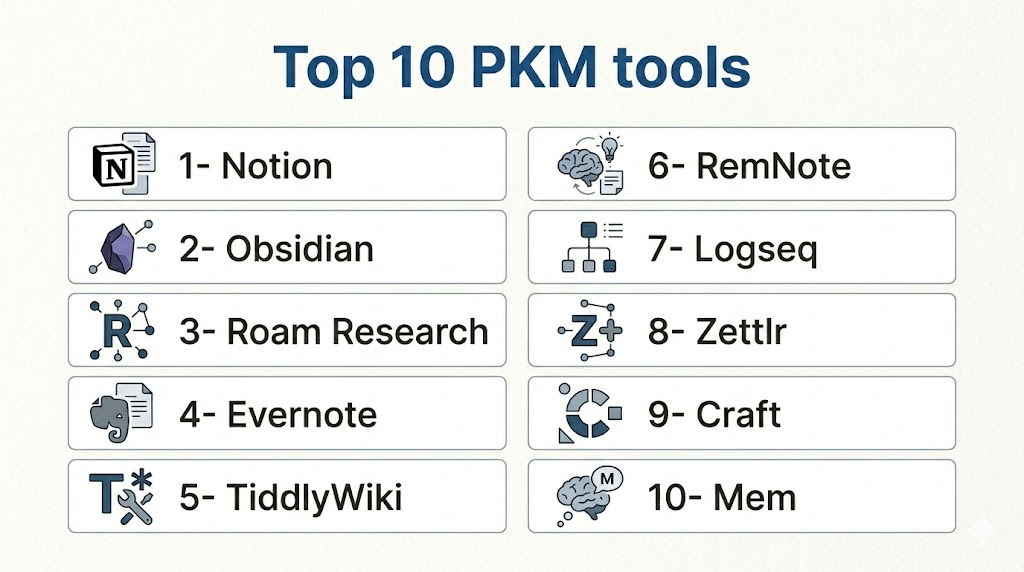
Top 10 Personal Knowledge Management Tools
1- Notion
Short description: Notion is a versatile workspace that combines notes, databases, and project management in one platform for individuals and teams.
Key Features
- Notes, documents, wikis, and databases.
- Drag-and-drop content blocks.
- Kanban boards, calendars, and tables.
- Templates library for different use cases.
- Collaboration with comments and mentions.
- Web clipper and multi-device sync.
- AI-assisted content suggestions.
Pros
- Highly flexible and customizable workspace.
- Strong collaboration features for teams.
- Supports rich media embedding and linking.
Cons
- Can be overwhelming for new users.
- Offline mode has some limitations.
- Performance may lag with very large databases.
Platforms / Deployment
- Web / Windows / macOS / iOS / Android
- Cloud-based
Security & Compliance
- SSO/SAML, MFA, AES-256 encryption
- SOC 2 Type II, GDPR
Integrations & Ecosystem
- Integrates with Slack, Google Drive, Figma, GitHub.
- Supports API for custom workflows.
- Webhooks for automation.
Support & Community
- Extensive documentation, active user community, responsive support.
2- Obsidian
Short description: Obsidian is a markdown-based PKM tool focused on local storage, linking notes, and knowledge graph visualization for individual knowledge workers.
Key Features
- Markdown-native editing.
- Bi-directional linking and graph view.
- Customizable plugins and themes.
- Local-first with offline capability.
- Daily notes and journaling support.
- Tagging and hierarchical folders.
- API for third-party extensions.
Pros
- Local storage ensures privacy and control.
- Strong knowledge visualization with graph maps.
- Rich plugin ecosystem for customization.
Cons
- Steeper learning curve for beginners.
- Collaboration requires third-party sync solutions.
- Some features require paid subscription.
Platforms / Deployment
- Windows / macOS / Linux / iOS / Android
- Local / Cloud sync optional
Security & Compliance
- Local data storage; encryption depends on sync solution.
- Not publicly stated for certifications.
Integrations & Ecosystem
- Plugins for Google Drive, Zotero, Obsidian Sync.
- Extensive community-built templates and automation.
Support & Community
- Active forum and community plugins.
- Documentation extensive; official support limited.
3- Roam Research
Short description: Roam Research focuses on networked thought with bidirectional links, ideal for researchers, writers, and knowledge-heavy workflows.
Key Features
- Bi-directional note linking.
- Graph database visualization.
- Daily notes and bullet journaling.
- Backlink and reference tracking.
- Hierarchical and linked structures.
- Query blocks for dynamic note content.
Pros
- Ideal for creating a knowledge graph.
- Efficient for idea exploration and research.
- Dynamic note relationships.
Cons
- Subscription cost is relatively high.
- Limited offline functionality.
- May feel complex for linear note-taking.
Platforms / Deployment
- Web / Windows / macOS / iOS / Android
- Cloud-based
Security & Compliance
- SSO/MFA, encryption in transit
- Not publicly stated for SOC 2/ISO certifications
Integrations & Ecosystem
- Zapier integrations, Markdown export.
- API in beta; community workflows available.
Support & Community
- Online community strong for workflows.
- Documentation and onboarding materials available.
4- Evernote
Short description: Evernote is a long-standing note-taking and organizational platform with multimedia support and powerful search capabilities.
Key Features
- Rich text editor and attachments.
- Web clipping and mobile capture.
- Tagging and notebook organization.
- Optical character recognition (OCR).
- Search and filtering.
- Templates for productivity.
Pros
- Easy to use and familiar interface.
- Strong search and document retrieval.
- Cross-device synchronization.
Cons
- Free plan limitations on uploads and devices.
- Fewer graph/network features than competitors.
- Some features behind premium plans.
Platforms / Deployment
- Web / Windows / macOS / iOS / Android
- Cloud-based
Security & Compliance
- AES-256 encryption in transit and at rest.
- SOC 2 Type II, GDPR
Integrations & Ecosystem
- Slack, Google Drive, Outlook integrations.
- Supports Zapier and IFTTT workflows.
Support & Community
- Knowledge base, ticket support, active community forums.
5- TiddlyWiki
Short description: TiddlyWiki is a highly customizable, open-source personal wiki that runs in a browser or locally.
Key Features
- Single-file, self-contained wiki.
- Customizable with JavaScript macros.
- Tagging and hierarchical structures.
- Offline and local-first operation.
- Plugins for extensions and styling.
- Exportable content for backup/sharing.
Pros
- Fully offline and self-contained.
- Highly customizable for technical users.
- No vendor lock-in.
Cons
- Steep technical learning curve.
- Minimal native collaboration support.
- UI may feel dated.
Platforms / Deployment
- Web / Windows / macOS / Linux
- Local / Optional cloud sync
Security & Compliance
- Local storage; encryption depends on hosting solution.
- Not publicly stated
Integrations & Ecosystem
- JavaScript plugins, third-party scripts.
- Export to markdown/HTML.
Support & Community
- Community-driven support forums and tutorials.
- Documentation extensive but technical.
6- RemNote
Short description: RemNote is a PKM and spaced repetition tool designed for learners and researchers needing knowledge retention and revision support.
Key Features
- Bi-directional linking and note mapping.
- Flashcards and spaced repetition.
- Document and lecture import.
- Hierarchical document structure.
- Tags and concept linking.
- Search and filter across notes.
Pros
- Excellent for learning and memorization.
- Supports hierarchical and linked knowledge.
- Free and premium plans available.
Cons
- Limited advanced formatting options.
- Collaboration features less mature.
- Mobile apps less polished than desktop.
Platforms / Deployment
- Web / Windows / macOS / iOS / Android
- Cloud-based
Security & Compliance
- SSO/MFA
- Not publicly stated
Integrations & Ecosystem
- Supports PDF imports, Markdown export.
- Zapier for basic integrations.
Support & Community
- Online help articles, active user forums.
- Limited direct support for free tier.
7- Logseq
Short description: Logseq is an open-source, local-first PKM tool focused on outlining, note linking, and knowledge graph visualization.
Key Features
- Local-first Markdown and org-mode support.
- Bidirectional linking and graph view.
- Task management and outlining.
- Plugins for customization.
- Offline-first and cross-platform sync.
- Journaling and daily notes.
Pros
- Privacy-first, local storage model.
- Strong knowledge graph features.
- Active open-source development.
Cons
- Steeper learning curve for non-technical users.
- Collaboration limited compared to cloud-first tools.
- Some features require plugins.
Platforms / Deployment
- Windows / macOS / Linux / iOS / Android
- Local / Optional cloud sync
Security & Compliance
- Local storage; depends on user-hosted sync.
- Not publicly stated
Integrations & Ecosystem
- Plugins for Obsidian-like workflows.
- Markdown export and API support.
Support & Community
- Active GitHub and Discord community.
- Documentation improving but community-driven.
8- Zettlr
Short description: Zettlr is a Markdown-based writing and PKM tool optimized for academic research and writing workflows.
Key Features
- Markdown editor with citation support.
- Zettelkasten note linking.
- Tagging and search capabilities.
- Multi-format export (PDF, DOCX, LaTeX).
- Reference management integration.
- Dark mode and themes.
Pros
- Ideal for academic writing and research.
- Open-source and free to use.
- Strong note-linking and Zettelkasten support.
Cons
- Learning curve for new users.
- Collaboration features limited.
- Occasional bugs reported with export.
Platforms / Deployment
- Windows / macOS / Linux
- Desktop application; local storage
Security & Compliance
- Local storage; encryption depends on OS.
- Not publicly stated
Integrations & Ecosystem
- Zotero integration for references.
- Markdown export for interoperability.
Support & Community
- Community-driven support, GitHub discussions.
- Documentation adequate for setup and usage.
9- Craft
Short description: Craft is a collaborative document editor and PKM platform with a focus on beautiful layouts and team collaboration.
Key Features
- Rich media embedding.
- Bi-directional linking and nested pages.
- Templates for project management.
- Real-time collaboration.
- Multi-device synchronization.
- Markdown and export options.
Pros
- Intuitive, aesthetically pleasing interface.
- Strong collaboration capabilities.
- Multi-device synchronization.
Cons
- Limited free plan features.
- Offline functionality is limited.
- Less suitable for heavy academic research.
Platforms / Deployment
- Web / macOS / iOS / Windows
- Cloud-based
Security & Compliance
- SSO/MFA, encryption in transit and at rest
- Not publicly stated
Integrations & Ecosystem
- Slack, Notion, calendar integrations.
- API access in beta for workflow automation.
Support & Community
- Active documentation, support tickets.
- Growing user community.
10- Mem
Short description: Mem is an AI-assisted PKM tool focused on automated organization, knowledge retrieval, and networked note-taking.
Key Features
- AI-powered note linking and tagging.
- Automated summaries and recommendations.
- Bi-directional linking.
- Cross-device sync and search.
- Smart reminders and tasks.
- Import/export from other platforms.
Pros
- AI assistance accelerates knowledge organization.
- Minimal setup required.
- Strong search and retrieval.
Cons
- AI may misclassify complex content.
- Relatively new platform; feature maturity evolving.
- Collaboration features limited.
Platforms / Deployment
- Web / macOS / Windows / iOS / Android
- Cloud-based
Security & Compliance
- Encryption in transit and at rest
- Not publicly stated
Integrations & Ecosystem
- Zapier, Slack, calendar integrations.
- API for custom workflows.
Support & Community
- Documentation and tutorials available.
- Early-stage community support.
Comparison Table (Top 10)
| Tool Name | Best For | Platform(s) Supported | Deployment | Standout Feature | Public Rating |
|---|---|---|---|---|---|
| Notion | Teams & Individuals | Web, Windows, macOS, iOS, Android | Cloud | Flexible databases & blocks | N/A |
| Obsidian | Local-first knowledge | Windows, macOS, Linux, iOS, Android | Local/Cloud optional | Knowledge graph visualization | N/A |
| Roam Research | Research & Networked thought | Web, Windows, macOS, iOS, Android | Cloud | Bi-directional linking | N/A |
| Evernote | Note-taking & search | Web, Windows, macOS, iOS, Android | Cloud | OCR & search capabilities | N/A |
| TiddlyWiki | Customizable personal wiki | Web, Windows, macOS, Linux | Local/Cloud optional | Single-file wiki | N/A |
| RemNote | Learning & memorization | Web, Windows, macOS, iOS, Android | Cloud | Spaced repetition integration | N/A |
| Logseq | Local-first PKM & outlining | Windows, macOS, Linux, iOS, Android | Local/Cloud optional | Outlining & graph view | N/A |
| Zettlr | Academic writing & research | Windows, macOS, Linux | Local | Zettelkasten linking | N/A |
| Craft | Collaborative documentation | Web, macOS, iOS, Windows | Cloud | Beautiful layout & collaboration | N/A |
| Mem | AI-assisted knowledge | Web, macOS, Windows, iOS, Android | Cloud | AI-powered organization | N/A |
Evaluation & Scoring of Personal Knowledge Management Tools
| Tool Name | Core | Ease | Integrations | Security | Performance | Support | Value | Weighted Total |
|---|---|---|---|---|---|---|---|---|
| Notion | 9 | 8 | 8 | 8 | 8 | 8 | 8 | 8.35 |
| Obsidian | 8 | 7 | 7 | 7 | 8 | 7 | 7 | 7.55 |
| Roam Research | 9 | 7 | 7 | 7 | 8 | 7 | 6 | 7.45 |
| Evernote | 8 | 9 | 7 | 8 | 8 | 8 | 7 | 7.85 |
| TiddlyWiki | 7 | 6 | 6 | 6 | 7 | 6 | 7 | 6.65 |
| RemNote | 8 | 7 | 6 | 7 | 7 | 7 | 7 | 7.25 |
| Logseq | 8 | 7 | 7 | 6 | 7 | 7 | 7 | 7.15 |
| Zettlr | 7 | 6 | 6 | 6 | 7 | 6 | 7 | 6.65 |
| Craft | 8 | 8 | 7 | 7 | 8 | 7 | 7 | 7.55 |
| Mem | 8 | 8 | 7 | 7 | 7 | 7 | 7 | 7.40 |
Which Personal Knowledge Management Tool Is Right for You?
Solo / Freelancer
- Obsidian or Mem for local-first control and AI assistance.
- Craft for visually organized personal projects.
SMB
- Notion or Evernote for collaborative knowledge sharing.
- RemNote for learning-focused small teams.
Mid-Market
- Notion for structured databases and workflow integration.
- Roam Research for knowledge graphs and research-heavy teams.
Enterprise
- Notion with advanced SSO and security.
- Craft for documentation and team collaboration.
Budget vs Premium
- Open-source options: TiddlyWiki, Logseq.
- Premium cloud solutions: Roam, Notion, Mem.
Feature Depth vs Ease of Use
- Deep linking & graph features: Roam, Obsidian.
- Easy, intuitive interface: Notion, Evernote, Craft.
Integrations & Scalability
- Teams needing ecosystem integration: Notion, Craft.
- Developers & technical users: Obsidian, Logseq.
Security & Compliance Needs
- Cloud-based SSO/MFA: Notion, Evernote.
- Local-first or encrypted: Obsidian, TiddlyWiki, Logseq.
Frequently Asked Questions (FAQs)
1. What is the typical pricing model for PKM tools?
Most PKM tools offer a freemium plan with basic features.
Paid subscriptions unlock advanced capabilities, AI tools, and team collaboration.
Pricing may vary monthly or annually depending on the provider.
2. How do I migrate notes between PKM tools?
Many tools support Markdown, PDF, or CSV export for transferring content.
Open-source tools like Obsidian and TiddlyWiki allow local file migration.
Cloud-based platforms may provide import/export utilities for seamless transfer.
3. Can PKM tools support team collaboration?
Yes, platforms like Notion, Craft, and Evernote allow real-time editing and commenting.
Shared workspaces enable teams to co-author and organize notes efficiently.
Local-first tools like Obsidian are more suited for individual workflows.
4. Are PKM tools secure for sensitive data?
Security varies by platform. Cloud solutions often provide encryption, SSO, and MFA.
Local-first tools give full control over data storage.
Always evaluate compliance for GDPR, HIPAA, or internal policies.
5. Do these tools integrate with other productivity apps?
Most PKM platforms integrate with calendars, cloud storage, task managers, and email.
Open-source options rely on plugins or APIs.
Integration ensures smooth workflows across apps and tools.
6. How steep is the learning curve for PKM tools?
Ease of use varies across platforms.
Notion and Evernote are beginner-friendly, while graph-based tools like Roam may require more learning.
Proper onboarding helps reduce the learning curve.
7. Can PKM tools handle multimedia content?
Yes, images, PDFs, audio, and video are commonly supported.
Notion and Craft allow rich media embedding within notes.
Multimedia enhances retention and context for knowledge management.
8. How do AI features improve PKM tools?
AI automates tagging, summarization, and content linking.
Platforms like Mem and Notion AI provide context-aware suggestions.
AI reduces manual organization, especially for large knowledge bases.
9. Are PKM tools suitable for academic research?
Yes, Zettlr, RemNote, Roam, and Obsidian excel for linking concepts and managing references.
They support citations, note graphs, and structured outlines.
Ideal for students, researchers, and knowledge-intensive projects.
10.What are common mistakes when using PKM tools?
Overloading notes without structure leads to clutter.
Ignoring linking, tagging, or duplicate content reduces efficiency.
Skipping backups can risk data loss; maintain a structured workflow.
Conclusion
Personal Knowledge Management tools are essential for organizing, retrieving, and leveraging information efficiently. Choosing the right tool depends on your workflow, team size, collaboration needs, and security requirements. Solo users may prefer local-first tools like Obsidian, while teams can benefit from Notion or Craft’s collaborative ecosystems. AI features are becoming increasingly importantfor summarization and semantic organization. A practical next step is to shortlist 2–3 tools, run a pilot with real content, validate integrations, and assess security and performance before committing.

Find Trusted Cardiac Hospitals
Compare heart hospitals by city and services — all in one place.
Explore Hospitals
Personal knowledge management tools are most valuable when they help users capture, organize, and connect information in a way that supports long-term learning and productivity. By combining note-taking, tagging, search, and knowledge linking, these platforms make it easier to retrieve insights, manage ideas, and turn information into actionable knowledge.