Introduction
Wayfinding Software is a digital platform designed to help people navigate complex physical environments, such as airports, hospitals, campuses, malls, or corporate offices. These tools provide interactive maps, turn-by-turn directions, and location-based services to improve visitor experiences, reduce congestion, and enhance operational efficiency. with increased demand for smart buildings, hybrid work environments, and accessibility requirements, wayfinding software has become essential for both large enterprises and public facilities. Modern solutions combine AI-driven navigation, mobile app integration, and real-time data from IoT sensors to provide adaptive, personalized navigation.
Real-world use cases include:
- Guiding patients and visitors through hospitals or medical campuses.
- Directing employees and guests across multi-building corporate offices.
- Helping shoppers locate stores or amenities in large malls.
- Navigating airports, train stations, and transportation hubs.
- Supporting accessibility with routes for individuals with mobility challenges.
What buyers should evaluate:
- Map accuracy and real-time updates.
- Mobile app and kiosk integration.
- Indoor positioning system (IPS) and GPS compatibility.
- AI-powered routing and personalized directions.
- Accessibility features for differently-abled users.
- Analytics and visitor behavior tracking.
- Integration with building management systems, calendars, or directories.
- Ease of content management and updating.
Best for: Facility managers, operations teams, hospital administrators, airport authorities, mall operators, and corporate real estate managers.
Not ideal for: Small venues, static buildings, or locations with minimal foot traffic where static signage suffices.
Key Trends in Wayfinding Software
- AI-driven adaptive routing based on crowd density and real-time conditions.
- Integration with mobile apps and digital kiosks for seamless navigation.
- IoT-enabled indoor positioning and beacon technology.
- Personalized wayfinding experiences based on user profiles or preferences.
- Accessibility-first navigation for individuals with disabilities.
- Cloud-based map management with real-time updates.
- Data analytics for visitor flow optimization and operational insights.
- AR (augmented reality) overlays for immersive indoor navigation.
- Multi-language support for global visitor populations.
- Modular pricing models and SaaS-based deployment for flexibility.
How We Selected These Tools (Methodology)
- Evaluated global market adoption and mindshare in public facilities and enterprises.
- Assessed feature completeness including mobile apps, kiosks, AI routing, and accessibility.
- Reviewed reliability, performance, and uptime signals from real deployments.
- Analyzed security posture, encryption, and compliance for visitor data.
- Checked integration capabilities with building management systems and directories.
- Considered user experience and ease of updating maps and content.
- Factored in scalability for large campuses and multi-building environments.
- Evaluated analytics and reporting functionality for operational insights.
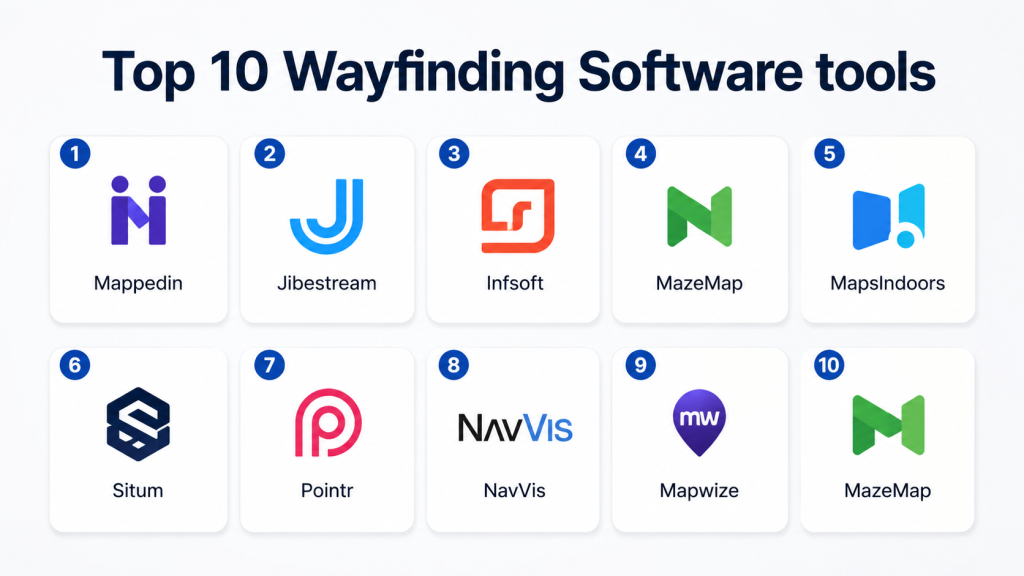
Top 10 Wayfinding Software Tools
1- Mappedin
Short description: Mappedin provides interactive indoor mapping and wayfinding solutions for retail, corporate, and public venues, enabling seamless navigation via mobile apps and kiosks.
Key Features
- Indoor mapping and 3D visualizations
- Turn-by-turn directions and routing
- Mobile and kiosk integration
- Analytics dashboards for visitor behavior
- Multi-language support
Pros
- Strong visualization and map accuracy
- Scalable for large venues
Cons
- Premium pricing for full-feature deployments
- Requires technical setup for integration
Platforms / Deployment
- Web, iOS, Android
- Cloud
Security & Compliance
- Not publicly stated
Integrations & Ecosystem
Supports directories, building management systems, and APIs for custom apps.
- Mobile app SDKs
- Kiosk interfaces
- IoT positioning devices
Support & Community
- Customer onboarding and support portal
- Varies / Not publicly stated
2- Jibestream
Short description: Jibestream offers enterprise-grade indoor mapping and wayfinding software with analytics, real-time positioning, and mobile app integration for hospitals, campuses, and malls.
Key Features
- 2D and 3D interactive maps
- Indoor positioning with beacons and sensors
- Personalized navigation and routing
- Analytics for visitor flow and usage
- Mobile SDK for iOS and Android
Pros
- Enterprise-ready for multi-floor and multi-building environments
- Strong analytics and IoT integration
Cons
- Complexity for small venues
- Higher learning curve for content management
Platforms / Deployment
- Web, iOS, Android
- Cloud / Hybrid
Security & Compliance
- Not publicly stated
Integrations & Ecosystem
- Beacon and sensor networks
- CMS and building directories
- APIs for mobile and kiosk applications
Support & Community
- Professional support and onboarding
- Active enterprise community
3- Infsoft
Short description: Infsoft provides indoor navigation and wayfinding solutions for airports, hospitals, and corporate campuses with real-time tracking and AI-driven routing.
Key Features
- Indoor positioning with BLE and Wi-Fi
- Interactive maps and AR overlays
- Personalized routing and notifications
- Visitor flow analytics
- Multi-device support (mobile, kiosk, web)
Pros
- Accurate real-time positioning
- Supports complex multi-floor buildings
Cons
- Requires hardware deployment for IPS
- May involve higher setup costs
Platforms / Deployment
- Web, iOS, Android
- Cloud / Hybrid
Security & Compliance
- Not publicly stated
Integrations & Ecosystem
- CMS for map management
- Integration with building management systems
- API for mobile apps and kiosks
Support & Community
- Onboarding, support portal
- Varies / Not publicly stated
4- MazeMap
Short description: MazeMap delivers indoor mapping and wayfinding for campuses, hospitals, and corporate spaces, with mobile apps and kiosk deployment for visitor navigation.
Key Features
- Campus and building mapping
- Turn-by-turn indoor navigation
- Multi-language support
- Analytics for utilization and wayfinding efficiency
- Mobile and kiosk deployment
Pros
- Simple interface and ease of use
- Strong for university and hospital environments
Cons
- Limited advanced AI optimization
- Fewer enterprise integrations
Platforms / Deployment
- Web, iOS, Android
- Cloud
Security & Compliance
- Not publicly stated
Integrations & Ecosystem
- Mobile apps and kiosk integration
- CMS for map updates
- APIs for custom applications
Support & Community
- Customer support, documentation
- Varies / Not publicly stated
5- MapsIndoors
Short description: MapsIndoors offers indoor navigation and mapping solutions for enterprises and public venues, with route optimization and analytics features.
Key Features
- Indoor mapping with 2D/3D views
- Turn-by-turn navigation and routing
- Real-time occupancy tracking
- Analytics and reporting dashboards
- Multi-platform support
Pros
- Flexible integration options
- Scalable for multi-building campuses
Cons
- Initial setup can be technical
- Premium pricing for full functionality
Platforms / Deployment
- Web, iOS, Android
- Cloud
Security & Compliance
- Not publicly stated
Integrations & Ecosystem
- IoT sensors and beacons
- CMS for content management
- APIs for mobile and kiosks
Support & Community
- Support portal, training resources
- Varies / Not publicly stated
6- Situm
Short description: Situm provides indoor positioning and navigation with hybrid GPS, Wi-Fi, and BLE technologies, targeting hospitals, airports, and large campuses.
Key Features
- Multi-technology indoor positioning
- Turn-by-turn directions and wayfinding
- Route optimization and shortest path calculation
- Analytics dashboards
- Mobile SDK for integration
Pros
- High positioning accuracy
- Supports multiple building types
Cons
- Requires deployment of positioning infrastructure
- Complex for smaller venues
Platforms / Deployment
- Web, iOS, Android
- Cloud
Security & Compliance
- Not publicly stated
Integrations & Ecosystem
- APIs for mobile apps and kiosks
- CMS for map content
- Integration with directory and building systems
Support & Community
- Customer support and documentation
- Varies / Not publicly stated
7- Pointr
Short description: Pointr delivers indoor navigation and wayfinding for enterprises, airports, and retail, with AI-assisted routing and visitor analytics.
Key Features
- AI-based routing and path optimization
- Indoor positioning via beacons and Wi-Fi
- Interactive maps for mobile and kiosks
- Analytics on foot traffic and usage
- Multi-building support
Pros
- AI-driven route optimization
- Supports complex multi-floor environments
Cons
- Hardware-dependent IPS
- Higher implementation costs
Platforms / Deployment
- Web, iOS, Android
- Cloud / Hybrid
Security & Compliance
- Not publicly stated
Integrations & Ecosystem
- CMS for map updates
- Building management and directory systems
- APIs for mobile and kiosk integration
Support & Community
- Professional onboarding, support portal
- Varies / Not publicly stated
8- NavVis
Short description: NavVis provides indoor mapping, 3D visualization, and wayfinding solutions for enterprises and industrial environments with mobile and kiosk support.
Key Features
- 3D indoor mapping and visualization
- Real-time navigation and routing
- Multi-floor and multi-building support
- Visitor flow analytics
- AR-assisted mobile wayfinding
Pros
- Advanced visualization and AR support
- Enterprise-ready for large campuses
Cons
- Requires NavVis hardware for optimal results
- Higher cost and complexity
Platforms / Deployment
- Web, iOS, Android
- Cloud / Hybrid
Security & Compliance
- Not publicly stated
Integrations & Ecosystem
- CAD/BIM import/export
- API for mobile and kiosk applications
- CMS for map management
Support & Community
- Onboarding, training, and support
- Varies / Not publicly stated
9- Mapwize
Short description: Mapwize provides indoor mapping and wayfinding software for offices, campuses, and public buildings with multi-platform support.
Key Features
- Indoor maps and floor plans
- Route planning and turn-by-turn navigation
- Multi-language support
- Analytics and usage reporting
- Mobile and kiosk integration
Pros
- Easy-to-use for small and mid-size venues
- Flexible deployment
Cons
- Limited AI and predictive routing
- Less suited for very large enterprises
Platforms / Deployment
- Web, iOS, Android
- Cloud
Security & Compliance
- Not publicly stated
Integrations & Ecosystem
- CMS for maps
- Directory and calendar systems
- API for apps and kiosks
Support & Community
- Documentation and email support
- Varies / Not publicly stated
10- MazeMap
Short description: MazeMap delivers indoor navigation for campuses, hospitals, and large office environments with real-time wayfinding and mobile integration.
Key Features
- Interactive maps and floor plans
- Turn-by-turn navigation
- Mobile and web app support
- Accessibility features
- Analytics for visitor flow
Pros
- Focus on campuses and hospitals
- Easy mobile navigation
Cons
- Limited AI optimization features
- Smaller integrations ecosystem
Platforms / Deployment
- Web, iOS, Android
- Cloud
Security & Compliance
- Not publicly stated
Integrations & Ecosystem
- CMS for content management
- APIs for mobile and kiosks
- Directory and building system integration
Support & Community
- Support portal and onboarding
- Varies / Not publicly stated
Comparison Table (Top 10)
| Tool Name | Best For | Platform(s) Supported | Deployment | Standout Feature | Public Rating |
|---|---|---|---|---|---|
| Mappedin | Retail, corporate venues | Web, iOS, Android | Cloud | 3D interactive floor plans | N/A |
| Jibestream | Hospitals, airports | Web, iOS, Android | Cloud / Hybrid | Enterprise-grade IPS | N/A |
| Infsoft | Multi-floor campuses | Web, iOS, Android | Cloud / Hybrid | Real-time positioning | N/A |
| MazeMap | Universities, hospitals | Web, iOS, Android | Cloud | Campus navigation focus | N/A |
| MapsIndoors | Enterprise buildings | Web, iOS, Android | Cloud | Multi-building support | N/A |
| Situm | Airports, hospitals | Web, iOS, Android | Cloud | High-accuracy positioning | N/A |
| Pointr | Airports, retail, offices | Web, iOS, Android | Cloud / Hybrid | AI-based routing | N/A |
| NavVis | Industrial, enterprise | Web, iOS, Android | Cloud / Hybrid | 3D visualization and AR | N/A |
| Mapwize | Offices, small/mid campuses | Web, iOS, Android | Cloud | Flexible deployment | N/A |
| MazeMap | Campuses, hospitals | Web, iOS, Android | Cloud | Mobile-first wayfinding | N/A |
Evaluation & Scoring of Wayfinding Software
| Tool Name | Core (25%) | Ease (15%) | Integrations (15%) | Security (10%) | Performance (10%) | Support (10%) | Value (15%) | Weighted Total |
|---|---|---|---|---|---|---|---|---|
| Mappedin | 9 | 8 | 8 | 7 | 8 | 7 | 7 | 7.9 |
| Jibestream | 9 | 7 | 8 | 7 | 8 | 7 | 7 | 7.8 |
| Infsoft | 9 | 7 | 8 | 7 | 8 | 7 | 7 | 7.8 |
| MazeMap | 8 | 8 | 7 | 7 | 7 | 7 | 7 | 7.4 |
| MapsIndoors | 8 | 8 | 7 | 7 | 7 | 7 | 7 | 7.4 |
| Situm | 9 | 7 | 7 | 7 | 8 | 7 | 7 | 7.7 |
| Pointr | 9 | 7 | 8 | 7 | 8 | 7 | 7 | 7.8 |
| NavVis | 9 | 7 | 8 | 7 | 8 | 7 | 7 | 7.8 |
| Mapwize | 8 | 8 | 7 | 7 | 7 | 7 | 7 | 7.4 |
| MazeMap | 8 | 8 | 7 | 7 | 7 | 7 | 7 | 7.4 |
Interpretation: Scores are comparative across features, usability, integrations, security, performance, support, and value. Higher weighted totals indicate stronger overall suitability, but scenario-specific needs may adjust priorities.
Which Wayfinding Software Tool Is Right for You?
Solo / Freelancer
- Small venues or consultancies: Mapwize or MazeMap for simplicity and mobile-friendly deployment.
SMB
- Mid-sized offices, campuses, or malls: Mappedin or Infsoft for flexible mapping and analytics.
Mid-Market
- Multi-floor corporate buildings: Jibestream or Pointr for AI-assisted routing and IPS.
Enterprise
- Large hospitals, airports, or industrial campuses: NavVis, Situm, MapsIndoors for 3D mapping, AR, and IoT integrations.
Budget vs Premium
- Budget: MazeMap, Mapwize
- Premium: Mappedin, Jibestream, NavVis, Situm
Feature Depth vs Ease of Use
- Ease of Use: MazeMap, Mapwize
- Feature Depth: NavVis, Mappedin, Jibestream
Integrations & Scalability
- Multi-building or enterprise deployments: Situm, NavVis, Pointr
Security & Compliance Needs
- Enterprise users should verify encryption, audit logs, SSO/MFA, and SOC 2 or ISO compliance with vendors.
Frequently Asked Questions (FAQs)
1- What pricing models do wayfinding software tools use?
Most use subscription-based pricing, often per location, per user, or per device, with modular add-ons for kiosks or AR features.
2- How long does deployment take?
Small venues can deploy in 2–4 weeks, while enterprise campuses may require 2–3 months for mapping, hardware, and integration.
3- Are mobile apps required?
Yes, mobile apps are critical for real-time navigation and interactive wayfinding.
4- Do these tools support AR navigation?
Several platforms like NavVis and Infsoft offer AR overlays for immersive navigation experiences.
5- How is indoor positioning handled?
Through BLE beacons, Wi-Fi triangulation, or hybrid GPS for real-time location tracking.
6- Can these tools integrate with building systems?
Yes, most enterprise tools integrate with directories, calendars, building management, and IoT sensors.
7- Are analytics included?
Yes, platforms provide dashboards for visitor flow, usage patterns, and occupancy reporting.
8- Is AI used in wayfinding?
Yes, AI assists with route optimization, crowd management, and personalized navigation.
9- What are common implementation mistakes?
Common implementation mistakes include neglecting integrations, skipping onboarding, and ignoring security and compliance.
10- Can small venues benefit from wayfinding software?
Yes, lightweight tools like MazeMap or Mapwize provide simplified mapping and navigation for smaller spaces.
Conclusion
Wayfinding Software is essential for enhancing visitor experiences, optimizing foot traffic, and improving operational efficiency in complex facilities. Selection depends on building size, traffic volume, and integration needs. Organizations should shortlist 2–3 platforms, run pilots in key locations, and validate mobile, AR, and IoT functionality. Proper adoption can reduce visitor frustration, improve accessibility, and provide actionable analytics for facilities management.

Find Trusted Cardiac Hospitals
Compare heart hospitals by city and services — all in one place.
Explore Hospitals
I want to learn more about wayfinding software, and this blog helped me understand the topic better. Thanks for sharing.