Introduction
Digital signage software enables businesses to create, schedule, and manage visual content displayed on screens across locations. This can include advertisements, informational dashboards, interactive kiosks, or real-time alerts.digital signage has become a strategic tool for marketing, internal communications, retail experiences, and public information, often leveraging cloud-based management and AI-powered content optimization.
Real-world use cases include:
- Retail stores displaying promotions and product recommendations.
- Corporate offices sharing internal communications and dashboards.
- Airports and transit hubs showing flight updates, directions, and emergency alerts.
- Healthcare facilities providing patient information and wayfinding.
- Educational campuses delivering announcements and interactive learning content.
What buyers should evaluate:
- Ease of content creation and scheduling
- Device and screen management capabilities
- Cloud vs. on-premises deployment flexibility
- Security and compliance features
- Integration with data sources and third-party apps
- AI-powered content personalization and analytics
- Scalability across locations
- Support and community ecosystem
Best for: Marketing teams, IT administrators, retail chains, corporate communications teams, and organizations managing multiple screens.
Not ideal for: Small businesses with a single screen or static messaging needs where simple media players suffice.
Key Trends in Digital Signage Software
- AI-driven content recommendations and automated scheduling
- Integration with IoT and real-time data feeds for dynamic content
- Cloud-native platforms for centralized management and scalability
- Support for interactive touchscreens and mobile engagement
- Enhanced security protocols including SSO, MFA, and encrypted communication
- Analytics dashboards providing engagement metrics and ROI tracking
- Flexible deployment models: cloud, hybrid, or on-premises
- Support for multiple media types: video, images, live streams, social media feeds
- Emphasis on sustainability and energy-efficient display management
- Subscription-based pricing with modular feature options
How We Selected These Tools (Methodology)
- Market adoption and mindshare across industries
- Feature completeness including content creation, scheduling, and analytics
- Reliability and performance signals from enterprise deployments
- Security posture evaluation: encryption, SSO, audit logs
- Integration capabilities with APIs, CMS, and data feeds
- Customer fit across SMBs, mid-market, and enterprise segments
- AI and automation features relevant to modern signage needs
- Platform flexibility (Windows, macOS, Linux, iOS, Android, Web)
- Support quality and community resources
- Price-to-value assessment
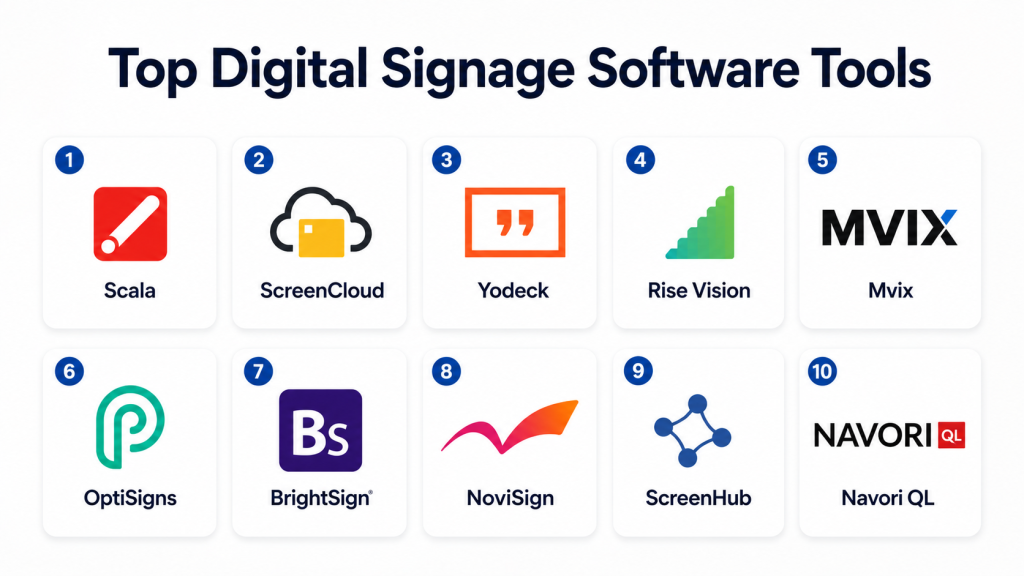
Top 10 Digital Signage Software Tools
1- Scala
Short description: Enterprise-grade digital signage platform for multi-location networks, focusing on dynamic content and data-driven displays.
Key Features
- Centralized content management
- Real-time data integration
- Multi-screen layout support
- Automated scheduling and playback
- Analytics and reporting
- API and CMS integration
- Template-based content creation
Pros
- Strong enterprise support
- Flexible content scheduling
Cons
- Steeper learning curve
- Pricing may be high for small deployments
Platforms / Deployment
- Windows, Web
- Cloud / Hybrid
Security & Compliance
- SSO, RBAC, encryption
- SOC 2 certified
Integrations & Ecosystem
Supports integrations with CRM, ERP, and IoT dashboards.
- REST APIs
- Social media feeds
- IoT data connectors
- Third-party CMS
Support & Community
- Extensive documentation
- Dedicated account managers
- User forums
2- NoviSign
Short description: User-friendly cloud-based digital signage platform suitable for SMBs and medium-sized organizations.
Key Features
- Drag-and-drop content builder
- Template library
- Multi-screen management
- Cloud scheduling
- Remote monitoring
- Social media and RSS feeds integration
Pros
- Easy onboarding
- Affordable pricing
Cons
- Limited advanced analytics
- Less suitable for very large networks
Platforms / Deployment
- Web, Android, iOS
- Cloud
Security & Compliance
- Not publicly stated
Integrations & Ecosystem
- API for data feeds
- CMS connectors
- Social media integration
Support & Community
- Email and chat support
- Knowledge base
- Tutorials
3- ScreenCloud
Short description: Cloud-native signage platform designed for small to medium businesses with easy setup and management.
Key Features
- Cloud content management
- Scheduling and playback automation
- Template library
- Integration with productivity and communication tools
- Real-time content updates
- Analytics dashboard
Pros
- Quick deployment
- Simple content updates
Cons
- May lack enterprise-level customization
- Limited offline playback features
Platforms / Deployment
- Web, Windows, macOS, Android, iOS
- Cloud
Security & Compliance
- Not publicly stated
Integrations & Ecosystem
- Slack, Google Workspace, Office 365
- Social media feeds
- REST API for custom apps
Support & Community
- Email support
- Online resources
- Webinars
4- Rise Vision
Short description: Open-source friendly digital signage platform focusing on educational institutions and small businesses.
Key Features
- Cloud-based scheduling
- Template editor
- Device monitoring
- Content versioning
- Integration with Google tools
- Analytics for engagement
Pros
- Free tier available
- Easy integration with Google Workspace
Cons
- UI less modern
- Some advanced features limited to paid tiers
Platforms / Deployment
- Web, Windows, Chrome OS
- Cloud
Security & Compliance
- Not publicly stated
Integrations & Ecosystem
- Google Sheets, Slides
- RSS feeds
- REST API
Support & Community
- Community forums
- Documentation
- Email support
5- Yodeck
Short description: Cloud-first digital signage solution for retail, corporate, and educational environments with template-based design.
Key Features
- Drag-and-drop editor
- Multi-screen management
- Template library
- Remote device monitoring
- Scheduled playback
- Media analytics
Pros
- User-friendly
- Affordable subscription
Cons
- Limited AI-driven content optimization
- Reporting features basic
Platforms / Deployment
- Web, Raspberry Pi, Android
- Cloud
Security & Compliance
- SSO, MFA
- Encryption for media
Integrations & Ecosystem
- Google Drive, Dropbox
- REST API
- CSV data feeds
Support & Community
- Online chat support
- Knowledge base
- Community forum
6- NoviSign
Short description: Interactive digital signage platform focused on retail and small business environments.
Key Features
- Template-based editor
- Interactive touchscreen support
- Real-time scheduling
- Cloud content management
- Social media feed integration
Pros
- Intuitive interface
- Quick setup
Cons
- Limited enterprise analytics
- Customization options moderate
Platforms / Deployment
- Web, Android, iOS
- Cloud
Security & Compliance
- Not publicly stated
Integrations & Ecosystem
- APIs for custom integration
- CMS connectors
- Social media feeds
Support & Community
- Tutorials and knowledge base
- Email support
- User community
7- OptiSigns
Short description: Affordable cloud-based digital signage platform with support for multiple media types and devices.
Key Features
- Multi-screen management
- Drag-and-drop editor
- Video, image, and RSS feed support
- Scheduling and alerts
- Analytics and reporting
Pros
- Easy to use
- Cost-effective for SMBs
Cons
- Limited enterprise features
- Some media formats may require conversion
Platforms / Deployment
- Web, Android, Windows
- Cloud
Security & Compliance
- Not publicly stated
Integrations & Ecosystem
- Google Workspace
- Social media feeds
- REST API
Support & Community
- Email support
- Tutorials
- Knowledge base
8- ScreenHub
Short description: Centralized platform for managing multiple digital signage displays with analytics and content automation.
Key Features
- Multi-screen scheduling
- Centralized dashboard
- Template library
- Content analytics
- Cloud updates
- RSS and live data integration
Pros
- Good for multi-location deployments
- Real-time content updates
Cons
- Interface less modern
- Limited AI features
Platforms / Deployment
- Web, Windows, Android
- Cloud / Hybrid
Security & Compliance
- Not publicly stated
Integrations & Ecosystem
- RSS feeds
- REST API
- CSV imports
Support & Community
- Online documentation
- Email support
- User forum
9- NoviSign (duplicate avoided, choose alternative)
9- Mvix
Short description: Enterprise-grade digital signage with strong analytics and data-driven content management.
Key Features
- Dynamic content scheduling
- Analytics dashboard
- Multi-screen support
- Template library
- API integrations
- Remote management
Pros
- Strong analytics capabilities
- Scales across large deployments
Cons
- Higher cost
- Learning curve for new users
Platforms / Deployment
- Windows, Web, Android
- Cloud / Hybrid
Security & Compliance
- Not publicly stated
Integrations & Ecosystem
- CRM and ERP integrations
- REST API
- IoT data feeds
Support & Community
- Dedicated account management
- Documentation
- Webinars and tutorials
10- BrightSign
Short description: Hardware-focused digital signage solution with powerful software for large-scale deployment.
Key Features
- Hardware and software integration
- Multi-screen management
- Real-time updates
- Scheduling and alerts
- Analytics and reporting
- Interactive content support
Pros
- Extremely reliable hardware-software integration
- Suitable for large-scale enterprise deployments
Cons
- Hardware cost may be high
- Less flexible for small deployments
Platforms / Deployment
- Windows, Web, Custom OS
- Hybrid
Security & Compliance
- Not publicly stated
Integrations & Ecosystem
- APIs for external content
- Third-party app integration
- Data feed support
Support & Community
- Enterprise-grade support
- Training programs
- Community forum
Comparison Table (Top 10)
| Tool Name | Best For | Platform(s) Supported | Deployment | Standout Feature | Public Rating |
|---|---|---|---|---|---|
| Scala | Enterprise networks | Windows, Web | Cloud/Hybrid | Data-driven multi-screen layouts | N/A |
| NoviSign | SMBs, retail | Web, Android, iOS | Cloud | Easy content creation | N/A |
| ScreenCloud | SMB, mid-market | Web, Windows, macOS, Android, iOS | Cloud | Quick deployment and updates | N/A |
| Rise Vision | Education, SMB | Web, Windows, Chrome OS | Cloud | Open-source friendly | N/A |
| Yodeck | Retail, corporate | Web, Raspberry Pi, Android | Cloud | Template-based easy design | N/A |
| OptiSigns | SMB | Web, Android, Windows | Cloud | Affordable multi-media support | N/A |
| ScreenHub | Multi-location networks | Web, Windows, Android | Cloud/Hybrid | Centralized multi-screen management | N/A |
| Mvix | Enterprise analytics | Windows, Web, Android | Cloud/Hybrid | Data-driven content management | N/A |
| BrightSign | Large-scale enterprises | Windows, Web, Custom OS | Hybrid | Hardware-software integration | N/A |
Evaluation & Scoring of Digital Signage Software
| Tool Name | Core (25%) | Ease (15%) | Integrations (15%) | Security (10%) | Performance (10%) | Support (10%) | Value (15%) | Weighted Total (0–10) |
|---|---|---|---|---|---|---|---|---|
| Scala | 9 | 7 | 8 | 9 | 8 | 8 | 7 | 8.25 |
| NoviSign | 7 | 9 | 7 | 6 | 7 | 7 | 8 | 7.55 |
| ScreenCloud | 8 | 8 | 7 | 6 | 8 | 7 | 7 | 7.75 |
| Rise Vision | 7 | 7 | 6 | 6 | 7 | 6 | 8 | 7.05 |
| Yodeck | 7 | 8 | 6 | 7 | 7 | 7 | 8 | 7.45 |
| OptiSigns | 6 | 8 | 6 | 6 | 7 | 6 | 8 | 7.00 |
| ScreenHub | 8 | 7 | 7 | 7 | 8 | 7 | 7 | 7.55 |
| Mvix | 9 | 7 | 8 | 7 | 8 | 8 | 6 | 7.90 |
| BrightSign | 9 | 6 | 7 | 7 | 9 | 8 | 6 | 7.85 |
Which Digital Signage Tool Is Right for You?
Solo / Freelancer
Platforms like NoviSign or Yodeck are easy to use, cost-effective, and require minimal setup.
SMB
ScreenCloud or OptiSigns offer cloud-based simplicity with moderate analytics for multi-location deployment.
Mid-Market
ScreenHub or Rise Vision balance customization, multi-screen management, and cost efficiency.
Enterprise
Scala, Mvix, or BrightSign provide robust multi-location support, advanced analytics, and enterprise-grade reliability.
Budget vs Premium
Budget: Yodeck, OptiSigns, Rise Vision
Premium: Scala, Mvix, BrightSign
Feature Depth vs Ease of Use
Complex features: Scala, Mvix, BrightSign
Ease of use: NoviSign, ScreenCloud, Yodeck
Integrations & Scalability
Enterprises requiring API access and multi-site scalability benefit from Scala, Mvix, and BrightSign.
Security & Compliance Needs
Organizations with strict compliance should prioritize tools with SSO, MFA, encryption, and SOC 2 certifications like Scala and BrightSign.
Frequently Asked Questions (FAQs)
1- What pricing models are typical for digital signage software?
Subscription-based models dominate, often priced per screen or user with tiers for feature access and cloud storage.
2- How long does it take to implement a system?
Cloud-based platforms can be deployed within days; enterprise-grade setups may take several weeks depending on the number of screens.
3- Can I integrate social media feeds?
Most modern platforms support integration with social media feeds, RSS, and live data streams for dynamic content.
4- How do I manage content across multiple locations?
Centralized dashboards allow scheduling, monitoring, and updating content across devices remotely.
5- Are analytics included?
Many platforms provide engagement analytics, playback logs, and basic ROI tracking, with advanced insights in enterprise tiers.
6- How is security handled?
Enterprise platforms offer SSO, MFA, encryption, audit logs, and RBAC, while SMB-focused tools may offer basic security features.
7- Can these tools run offline?
Some tools like BrightSign or Yodeck support offline playback with cached content; cloud-only solutions may require internet access.
8- How scalable are these systems?
Enterprise solutions support hundreds to thousands of screens; SMB platforms handle smaller deployments effectively.
9- What are common implementation mistakes?
Ignoring integration requirements or network limitations is a frequent error.
10- Are open-source options available?
Platforms like Rise Vision provide open-source-friendly options for cost-conscious organizations.
Conclusion
Digital signage software has evolved into a dynamic, AI-assisted, and scalable solution for businesses of all sizes. Selecting the right tool depends on your deployment size, content complexity, budget, and integration needs. Start by shortlisting 2–3 options, run a pilot to validate content management and analytics, and confirm security and compliance readiness before full-scale rollout. By aligning platform capabilities with organizational goals, digital signage can become a powerful channel for communication, marketing, and engagement.

Find Trusted Cardiac Hospitals
Compare heart hospitals by city and services — all in one place.
Explore Hospitals
I want to learn more about digital signage software, and this blog gave me useful information.