Introduction
Geographic Information Systems (GIS) are platforms that capture, store, analyze, and visualize geographic and spatial data to support decision-making across industries. GIS integrates layers of data with maps, enabling users to identify patterns, relationships, and trends that would otherwise be difficult to see. GIS has become an indispensable tool for urban planning, environmental management, utilities, transportation, and disaster response. Modern GIS platforms leverage AI, cloud computing, and real-time IoT data to provide actionable insights and predictive analytics for governments, enterprises, and researchers.
Real-world use cases include:
- Urban planning and smart city initiatives
- Environmental monitoring and conservation projects
- Utilities and infrastructure management
- Transportation and logistics route optimization
- Disaster risk analysis and emergency management
What buyers should evaluate:
- Spatial analysis and mapping capabilities
- Integration with IoT and real-time data sources
- Cloud vs on-premise deployment
- GIS APIs and developer tools
- Mobile access and field data collection
- Data visualization and dashboard features
- Interoperability with enterprise software and GIS standards
- Security and compliance
- Scalability for large datasets and multi-region coverage
- Ease of use for technical and non-technical staff
Best for: urban planners, governments, utility companies, transportation agencies, environmental organizations, and research institutions.
Not ideal for: organizations with minimal geospatial needs or small datasets; lightweight mapping tools may suffice.
Key Trends in GIS
- AI-powered spatial analysis and predictive modeling
- Cloud-native GIS platforms for scalability and remote access
- Integration with IoT sensors for real-time environmental and operational data
- 3D and augmented reality (AR) visualization of geographic data
- Open GIS standards for interoperability across organizations
- Mobile and field GIS applications for data collection
- SaaS subscription models replacing legacy on-premise systems
- Real-time traffic, disaster, and environmental monitoring
- Integration with business intelligence (BI) and analytics platforms
- Crowdsourced GIS data and citizen engagement platforms
How We Selected These Tools (Methodology)
- Evaluated market adoption and global recognition
- Assessed feature completeness, including mapping, analytics, and spatial data management
- Reviewed reliability and performance under high-volume data processing
- Checked security and compliance with industry standards
- Considered integration and API capabilities
- Analyzed customer fit for enterprises, government agencies, and developers
- Evaluated scalability for large spatial datasets and multi-user collaboration
- Reviewed support, documentation, and community strength
- Prioritized modern architecture and AI/analytics-ready platforms
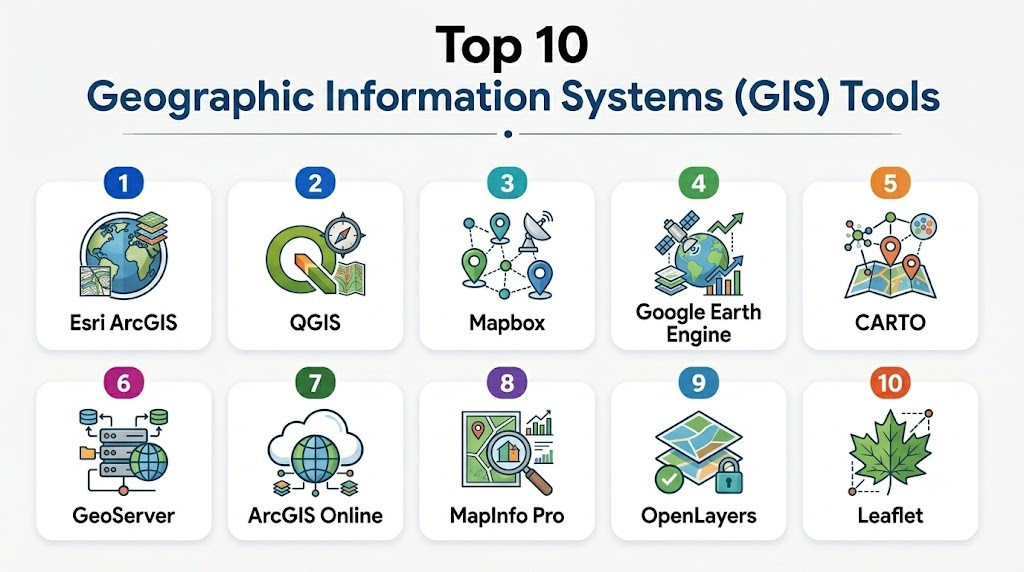
Top 10 Geographic Information Systems Tools
1- Esri ArcGIS
Short description: Enterprise-grade GIS platform offering comprehensive mapping, spatial analysis, and data visualization for organizations worldwide.
Key Features
- Advanced mapping and spatial analytics
- Real-time data integration
- 3D and AR visualization
- Mobile GIS for field data collection
- GIS APIs for developers
- Dashboards and reporting
- Cloud and on-premise deployment options
Pros
- Industry-leading GIS capabilities
- Strong support and extensive documentation
Cons
- High cost for smaller organizations
- Complex setup and training required
Platforms / Deployment
- Web, Windows, iOS, Android
- Cloud / Self-hosted / Hybrid
Security & Compliance
- Role-based access control
- SOC 2, ISO 27001 compliance
- Encryption for data in transit and at rest
Integrations & Ecosystem
- IoT platforms
- BI and analytics software
- ERP and CRM systems
- Custom APIs
Support & Community
Extensive vendor support, global user community, training programs
2- QGIS
Short description: Open-source GIS platform offering desktop, server, and cloud solutions for spatial data analysis and mapping.
Key Features
- Comprehensive spatial analysis
- Multi-format GIS data support
- Plugins for customization
- 3D mapping and visualization
- Field data collection apps
- Web GIS deployment
- Developer-friendly APIs
Pros
- Free and open-source
- Highly customizable
Cons
- Limited vendor support
- Requires technical expertise
Platforms / Deployment
- Windows, macOS, Linux, Web
- Self-hosted / Cloud (Varies)
Security & Compliance
Varies / N/A
Integrations & Ecosystem
- GRASS GIS and SAGA GIS tools
- Web mapping servers
- Open APIs and plugins
Support & Community
Strong open-source community, forums, online documentation
3- Mapbox
Short description: Cloud-based GIS platform for interactive mapping, geospatial analytics, and location-based applications.
Key Features
- Real-time interactive maps
- Location analytics and geocoding
- Mobile SDKs for apps
- Custom map styles
- GIS APIs for developers
- Data visualization dashboards
- Cloud hosting and scaling
Pros
- Excellent for app developers and web mapping
- Cloud-native and scalable
Cons
- Subscription cost for large-scale usage
- Less suited for traditional enterprise GIS workflows
Platforms / Deployment
- Web, iOS, Android
- Cloud
Security & Compliance
Not publicly stated
Integrations & Ecosystem
- GIS data sources
- IoT and mobile apps
- Analytics and BI platforms
Support & Community
Vendor support and developer community
4- Google Earth Engine
Short description: Cloud-based GIS and remote sensing platform for environmental monitoring, geospatial analysis, and big data mapping.
Key Features
- Satellite imagery analysis
- Large-scale geospatial computation
- Time-series data visualization
- Cloud APIs for developers
- Integration with GIS datasets
- Collaboration features
- Visualization and dashboards
Pros
- Handles massive datasets efficiently
- Strong for environmental research
Cons
- Requires scripting knowledge
- Less suited for municipal GIS management
Platforms / Deployment
- Web
- Cloud
Security & Compliance
Not publicly stated
Integrations & Ecosystem
- Earth observation data
- Remote sensing datasets
- API integration with GIS tools
Support & Community
Online documentation, research community forums
5- CARTO
Short description: Cloud GIS platform for spatial data analysis, visualization, and location intelligence for enterprises.
Key Features
- Interactive maps and dashboards
- Spatial analytics and routing
- Mobile and web mapping
- GIS APIs and SDKs
- Data import/export
- Real-time analytics
- Cloud-native infrastructure
Pros
- Developer-friendly
- Advanced location intelligence
Cons
- Premium pricing
- Learning curve for complex analytics
Platforms / Deployment
- Web, iOS, Android
- Cloud
Security & Compliance
Not publicly stated
Integrations & Ecosystem
- BI platforms
- IoT and location datasets
- APIs and custom connectors
Support & Community
Vendor support, tutorials, and developer forums
6- GeoServer
Short description: Open-source server software for sharing, processing, and editing geospatial data via web services.
Key Features
- Supports WMS, WFS, WCS standards
- Web GIS deployment
- Data publishing and editing
- Integration with multiple spatial databases
- Custom styling and visualization
- REST APIs
- Scalable for enterprise deployment
Pros
- Open-source and extensible
- Industry standard web services support
Cons
- Requires technical expertise for setup
- Minimal out-of-the-box visualization
Platforms / Deployment
- Windows, Linux, macOS, Web
- Self-hosted / Cloud (Varies)
Security & Compliance
Varies / N/A
Integrations & Ecosystem
- QGIS, PostGIS
- OpenLayers, Leaflet
- Custom GIS applications
Support & Community
Open-source community, online documentation
7- ESRI ArcGIS Online
Short description: Cloud-first GIS platform providing mapping, analytics, and collaborative spatial data solutions.
Key Features
- Web GIS and mapping
- Spatial analysis and 3D visualization
- Mobile field data collection
- Collaboration tools
- GIS API and SDK access
- Cloud scalability
- Dashboard and reporting
Pros
- Seamless cloud access
- Enterprise collaboration features
Cons
- Subscription cost
- Advanced analytics may require training
Platforms / Deployment
- Web, iOS, Android
- Cloud
Security & Compliance
- Role-based access
- SOC 2, ISO 27001 (Varies by region)
Integrations & Ecosystem
- IoT platforms
- Data analytics and BI tools
- APIs for developers
Support & Community
Vendor support, global community, training programs
8- MapInfo Pro
Short description: Desktop GIS software for mapping, spatial analytics, and location intelligence across industries.
Key Features
- Advanced mapping and visualization
- Spatial analytics and query tools
- Geo-database integration
- 3D mapping
- Mobile and cloud extensions
- Data export in multiple formats
- Analytical dashboards
Pros
- Rich desktop GIS capabilities
- Industry-standard in utilities and telecom
Cons
- Higher learning curve
- Limited collaboration tools
Platforms / Deployment
- Windows, Web
- Hybrid
Security & Compliance
Not publicly stated
Integrations & Ecosystem
- ERP and utility systems
- GIS databases
- Analytics platforms
Support & Community
Vendor support and online resources
9- OpenLayers
Short description: Open-source JavaScript library for displaying map data and building web GIS applications.
Key Features
- Map rendering and visualization
- Support for multiple map sources
- Custom layers and styling
- Integration with GIS web services
- Interactive user interface
- Mobile web support
- API for developers
Pros
- Highly flexible for web GIS apps
- Free and open-source
Cons
- Requires web development skills
- Not a full enterprise GIS out-of-the-box
Platforms / Deployment
- Web
- Self-hosted
Security & Compliance
Varies / N/A
Integrations & Ecosystem
- GeoServer, PostGIS
- Leaflet and other mapping libraries
- REST APIs
Support & Community
Open-source community and forums
10- Leaflet
Short description: Lightweight open-source JavaScript library for building interactive maps for web applications.
Key Features
- Interactive map rendering
- Mobile-friendly
- Custom markers and popups
- Supports plugins for extensions
- Multiple map tile providers
- Layer control and interactivity
- Integration with web GIS services
Pros
- Lightweight and easy to use
- Large developer community
Cons
- Not full GIS suite
- Limited advanced analytics
Platforms / Deployment
- Web
- Self-hosted
Security & Compliance
Varies / N/A
Integrations & Ecosystem
- GeoServer, OpenStreetMap
- REST APIs
- Mapping plugins
Support & Community
Open-source community and online tutorials
Comparison Table (Top 10)
| Tool Name | Best For | Platform(s) Supported | Deployment | Standout Feature | Public Rating |
|---|---|---|---|---|---|
| Esri ArcGIS | Enterprise GIS | Web, Windows, iOS, Android | Cloud / Self-hosted / Hybrid | Advanced spatial analytics | N/A |
| QGIS | Open-source GIS | Windows, macOS, Linux | Cloud / Self-hosted | Customizable & free | N/A |
| Mapbox | Developer GIS | Web, iOS, Android | Cloud | Interactive maps & SDK | N/A |
| Google Earth Engine | Environmental GIS | Web | Cloud | Remote sensing & big data | N/A |
| CARTO | Location intelligence | Web, iOS, Android | Cloud | Spatial analytics & visualization | N/A |
| GeoServer | Web GIS | Windows, Linux, macOS | Self-hosted / Cloud | Standards-based web services | N/A |
| ArcGIS Online | Cloud GIS | Web, iOS, Android | Cloud | Enterprise collaboration | N/A |
| MapInfo Pro | Enterprise GIS | Windows, Web | Hybrid | Desktop GIS & analytics | N/A |
| OpenLayers | Web GIS dev | Web | Self-hosted | Flexible JS library | N/A |
| Leaflet | Web GIS dev | Web | Self-hosted | Lightweight interactive maps | N/A |
Evaluation & Scoring of GIS Platforms
| Tool Name | Core (25%) | Ease (15%) | Integrations (15%) | Security (10%) | Performance (10%) | Support (10%) | Value (15%) | Weighted Total |
|---|---|---|---|---|---|---|---|---|
| Esri ArcGIS | 9 | 8 | 8 | 8 | 8 | 7 | 7 | 7.9 |
| QGIS | 8 | 7 | 7 | 7 | 7 | 7 | 8 | 7.4 |
| Mapbox | 8 | 8 | 7 | 7 | 8 | 7 | 7 | 7.5 |
| Google Earth Engine | 9 | 7 | 7 | 7 | 8 | 7 | 7 | 7.6 |
| CARTO | 8 | 8 | 7 | 7 | 8 | 7 | 7 | 7.5 |
| GeoServer | 8 | 7 | 7 | 7 | 8 | 7 | 7 | 7.4 |
| ArcGIS Online | 9 | 8 | 8 | 8 | 8 | 7 | 7 | 7.9 |
| MapInfo Pro | 8 | 7 | 7 | 7 | 7 | 7 | 7 | 7.3 |
| OpenLayers | 7 | 7 | 7 | 7 | 7 | 7 | 7 | 7.0 |
| Leaflet | 7 | 8 | 6 | 7 | 7 | 7 | 7 | 7.0 |
Which GIS Tool Is Right for You?
Solo / Freelancer
Open-source GIS like QGIS, OpenLayers, or Leaflet are ideal for small projects and developers.
SMB
Organizations can adopt Mapbox or CARTO for lightweight GIS analytics and visualization.
Mid-Market
Municipal agencies or research institutes can leverage ArcGIS Online, GeoServer, or MapInfo Pro for mapping and spatial analytics.
Enterprise
Large corporations and government agencies should consider Esri ArcGIS or Google Earth Engine for full-scale spatial analysis and geospatial intelligence.
Budget vs Premium
Open-source tools reduce cost but require technical setup; premium GIS platforms provide enterprise support, cloud scalability, and advanced analytics.
Feature Depth vs Ease of Use
Enterprise GIS platforms provide advanced analysis, dashboards, and collaboration; open-source GIS is flexible but requires expertise.
Integrations & Scalability
Platforms with APIs and cloud support enable integration with IoT, BI, and analytics platforms for scalable deployment.
Security & Compliance Needs
Enterprise GIS platforms include encryption, access control, and compliance with ISO standards for sensitive spatial data.
Frequently Asked Questions (FAQs)
1- What pricing models exist?
Open-source GIS platforms are free; enterprise GIS platforms typically use subscription or license-based models.
2- How long does implementation take?
Small-scale GIS can be implemented in weeks; large enterprise deployments require months for configuration and training.
3- Can these GIS tools handle real-time data?
Yes, cloud GIS platforms like ArcGIS Online and Mapbox support real-time mapping and data updates.
4- Are mobile apps supported?
Yes, most modern GIS platforms have iOS/Android apps for field data collection and visualization.
5- Are APIs available?
Yes, enterprise and developer-focused GIS platforms provide APIs for integration and custom applications.
6- Can GIS integrate with BI or ERP systems?
Yes, integration with analytics, ERP, and IoT systems is supported on enterprise GIS platforms.
7- Are visualization dashboards included?
Most GIS platforms provide interactive maps, charts, and dashboards.
8- Can they handle large datasets?
Enterprise GIS platforms can manage large-scale spatial data and multi-layer mapping.
9- Are open-source options viable for enterprises?
Yes, but they require technical expertise for customization and deployment.
10- Which GIS is best for environmental or urban planning?
ArcGIS, Google Earth Engine, and QGIS are widely used for environmental monitoring and urban planning.
Conclusion
GIS platforms enable spatial analysis, mapping, and geospatial intelligence critical for decision-making across industries. Selecting the right GIS depends on organizational size, technical expertise, and budget. Pilot projects help validate integrations, visualization, and field data collection. Staff training ensures effective adoption and usage. Open-source GIS tools are flexible but require technical knowledge, while enterprise GIS offers advanced features and cloud scalability. Agencies and organizations should balance usability, feature depth, and integration capabilities. The right GIS platform enhances spatial analysis, operational efficiency, and informed decision-making.

Find Trusted Cardiac Hospitals
Compare heart hospitals by city and services — all in one place.
Explore Hospitals
Geographic Information Systems (GIS) become most valuable when they combine spatial data with real-world business and environmental insights. By integrating mapping, analytics, and visualization into a single platform, GIS solutions help organizations improve planning, optimize operations, and make more informed location-based decisions.