Introduction
Remote Sensing & Satellite Image Analysis refers to the practice of capturing, processing, and interpreting images of the Earth’s surface and atmosphere from satellites, drones, or airborne sensors. These systems allow organizations to monitor environmental changes, assess land use, optimize resource management, and support decision-making across various industries. the importance of these tools has grown significantly due to the convergence of high-resolution satellite imagery, cloud computing, and AI-powered analytics. Businesses, governments, and researchers increasingly rely on remote sensing to gain timely insights for agriculture, urban planning, disaster management, environmental monitoring, and infrastructure development.
Real-world use cases include:
- Agriculture: Monitoring crop health, predicting yields, and detecting pest outbreaks.
- Urban Planning: Assessing urban sprawl, planning infrastructure, and managing zoning regulations.
- Environmental Monitoring: Tracking deforestation, water quality, and air pollution levels.
- Disaster Management: Analyzing flood zones, wildfire progression, and earthquake impacts.
- Energy & Infrastructure: Inspecting pipelines, power lines, and solar/wind farms for operational efficiency.
Evaluation Criteria for Buyers:
- Image resolution and coverage
- Temporal frequency (how often data is updated)
- AI and machine learning analytics capabilities
- Data interoperability and integration
- Cloud vs on-premises deployment
- Security & compliance standards
- Pricing and licensing models
- User interface and ease of use
- Support and community strength
- Platform scalability
Best for: Geospatial analysts, agricultural companies, environmental agencies, urban planners, energy infrastructure firms, and government research bodies.
Not ideal for: Organizations needing only basic maps or static imagery without advanced analysis; small teams with limited technical expertise may prefer simpler GIS tools.
Key Trends in Remote Sensing & Satellite Image Analysis
- Integration of AI and ML for automated image classification and anomaly detection.
- Increased use of high-resolution commercial satellites for real-time monitoring.
- Adoption of cloud-based platforms enabling scalable data processing and storage.
- Edge computing integration for on-site drone and UAV data processing.
- Growing focus on sustainability analytics and climate monitoring.
- Interoperable APIs allowing seamless integration with GIS and enterprise software.
- Hybrid deployment models combining on-premises and cloud storage.
- Expansion of subscription and pay-as-you-go pricing models for small-to-medium enterprises.
- Multispectral and hyperspectral imaging for precise agricultural and environmental assessments.
- Emphasis on data security and compliance, including GDPR and ISO 27001 standards.
How We Selected These Tools (Methodology)
- Evaluated market adoption and mindshare among enterprises, governments, and research institutions.
- Assessed feature completeness, including image processing, analytics, and reporting.
- Analyzed reliability and performance, focusing on uptime, speed, and scalability.
- Considered security posture, including encryption, authentication, and audit capabilities.
- Reviewed integration capabilities with GIS platforms, ERP, and cloud ecosystems.
- Measured customer fit across sectors: agriculture, urban planning, energy, and disaster management.
- Examined ease of use, including UI/UX, onboarding, and documentation.
- Compared AI analytics depth and automation features.
- Evaluated vendor support and community engagement.
- Considered pricing flexibility for SMBs, enterprises, and research teams.
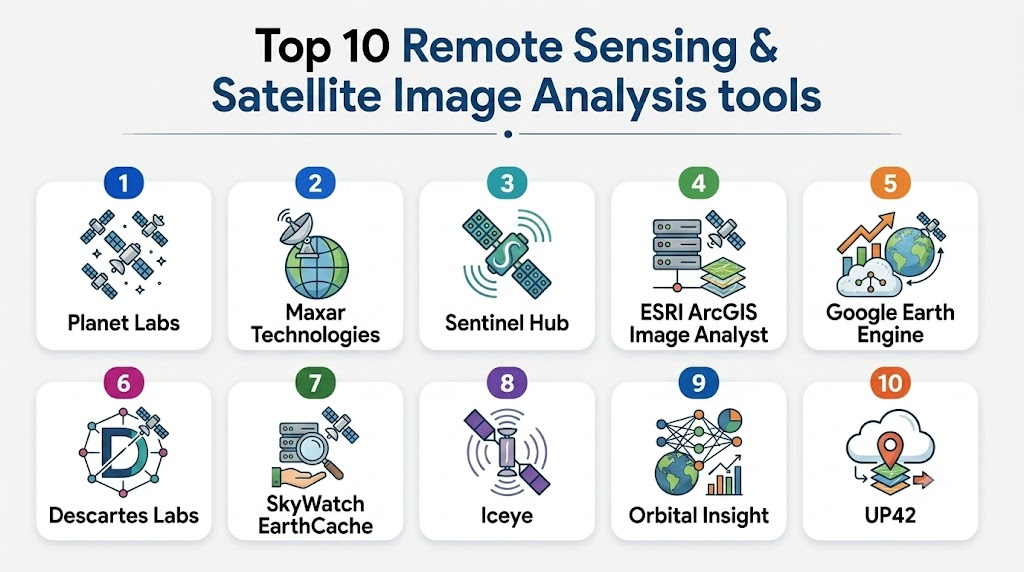
Top 10 Remote Sensing & Satellite Image Analysis Tools
1- Planet Labs
Short description: Planet Labs offers high-resolution satellite imagery and automated analytics for global monitoring, catering to enterprises, researchers, and government agencies.
Key Features
- Daily global imaging coverage
- AI-based land classification
- Change detection and trend analysis
- API access for seamless integration
- Multi-spectral imaging
- Cloud-based processing
- Custom analytics dashboards
Pros
- High temporal resolution
- Scalable cloud-based platform
- Extensive dataset coverage
Cons
- Subscription cost can be high
- Requires technical expertise for advanced analytics
Platforms / Deployment
- Web / Cloud
Security & Compliance
- Not publicly stated
Integrations & Ecosystem
Planet provides APIs and SDKs enabling integration with GIS platforms and analytics pipelines.
- GIS software compatibility
- Python/R SDKs
- REST APIs
- Cloud storage integration
- Custom workflows
Support & Community
- Comprehensive documentation
- Tiered support plans
- Active user community and webinars
2- Maxar Technologies
Short description: Maxar delivers satellite imagery and geospatial intelligence for defense, mapping, and environmental monitoring with advanced analytics.
Key Features
- High-resolution optical and radar imaging
- AI-powered image interpretation
- Global change monitoring
- Geospatial data visualization tools
- Cloud-hosted data access
- Custom analytics solutions
- Historical imagery archives
Pros
- Extremely high image resolution
- Wide variety of sensor data
- Strong enterprise and defense adoption
Cons
- Complex pricing
- Steeper learning curve for beginners
Platforms / Deployment
- Web / Cloud / Hybrid
Security & Compliance
- Not publicly stated
Integrations & Ecosystem
- GIS platforms
- API access for custom tools
- Cloud storage options
- Enterprise analytics suites
- Python SDKs
Support & Community
- Enterprise-grade support
- Technical training resources
- Community forums for developers
3- Sentinel Hub
Short description: Sentinel Hub provides satellite data processing and analysis services using open-access Sentinel datasets, suitable for research, agriculture, and environmental monitoring.
Key Features
- Multi-sensor data support (Sentinel-1/2, Landsat)
- Cloud-based imagery processing
- AI and ML-ready APIs
- Customizable visualizations
- Time-series analysis
- Scripting and workflow automation
- GIS-ready exports
Pros
- Free and open datasets
- Flexible API and scripting
- Good for academic and research use
Cons
- Limited high-resolution commercial imagery
- Requires coding skills for advanced use
Platforms / Deployment
- Web / Cloud
Security & Compliance
- Not publicly stated
Integrations & Ecosystem
- Python and JavaScript APIs
- GIS export support
- Third-party visualization tools
- Workflow automation
Support & Community
- Active open-source community
- Documentation and tutorials
- User forums and GitHub repositories
4- ESRI ArcGIS Image Analyst
Short description: ArcGIS Image Analyst extends ESRI’s GIS platform with advanced satellite and aerial image analysis capabilities for enterprises.
Key Features
- Multi-dimensional image analysis
- Machine learning and deep learning integration
- Image classification and segmentation
- Temporal change detection
- Cloud and on-premises deployment
- Raster analytics tools
- Integration with ArcGIS ecosystem
Pros
- Strong GIS integration
- Mature enterprise ecosystem
- Advanced ML and AI analytics
Cons
- High cost for full suite
- Requires ArcGIS knowledge
Platforms / Deployment
- Windows / Web / Cloud / Hybrid
Security & Compliance
- Not publicly stated
Integrations & Ecosystem
- ArcGIS ecosystem
- Python and R integration
- REST APIs
- Enterprise GIS systems
Support & Community
- Extensive documentation
- Enterprise support tiers
- Strong professional user community
5- Google Earth Engine
Short description: Google Earth Engine is a cloud-native platform for planetary-scale geospatial analysis, ideal for research and environmental monitoring.
Key Features
- Access to petabytes of satellite data
- Cloud computing for large-scale analytics
- JavaScript and Python APIs
- AI/ML model integration
- Time-series analysis and visualization
- Multi-sensor compatibility
- Global environmental datasets
Pros
- Massive dataset availability
- Free for research and non-commercial use
- Scalable cloud processing
Cons
- Steeper learning curve for new users
- Limited commercial licensing options
Platforms / Deployment
- Web / Cloud
Security & Compliance
- Not publicly stated
Integrations & Ecosystem
- Python and JavaScript APIs
- GIS export options
- Cloud processing pipelines
- ML/AI frameworks
Support & Community
- Community forums
- Extensive tutorials
- Academic support resources
6- Descartes Labs
Short description: Descartes Labs offers AI-driven geospatial analytics, transforming satellite imagery into actionable insights for agriculture, energy, and environmental monitoring.
Key Features
- AI-powered predictive analytics
- Multi-source imagery processing
- Time-series and trend analysis
- API-first platform
- Custom dashboards
- Cloud-native processing
- High-performance computing
Pros
- Powerful AI capabilities
- Flexible APIs for developers
- Rapid insights from large datasets
Cons
- Pricing varies / N/A
- Requires technical proficiency
Platforms / Deployment
- Web / Cloud
Security & Compliance
- Not publicly stated
Integrations & Ecosystem
- Python and REST APIs
- Cloud storage systems
- GIS tool integration
- Custom analytics pipelines
Support & Community
- Technical documentation
- Enterprise support
- Developer community
7- SkyWatch EarthCache
Short description: EarthCache provides easy access to satellite imagery through APIs, simplifying integration for developers and enterprises needing timely remote sensing data.
Key Features
- API access to multi-vendor imagery
- On-demand satellite data
- Cloud-based analytics
- Temporal and spatial filtering
- Integration with GIS platforms
- Automated data delivery
- Developer-friendly SDKs
Pros
- Simplified API integration
- Rapid access to imagery
- Supports multi-sensor sources
Cons
- Limited advanced analytics
- Data coverage may vary by region
Platforms / Deployment
- Web / Cloud
Security & Compliance
- Not publicly stated
Integrations & Ecosystem
- REST API
- GIS software
- Python SDK
- Workflow automation tools
Support & Community
- Developer support
- Documentation and tutorials
- Community forums
8- Iceye
Short description: Iceye specializes in synthetic aperture radar (SAR) satellite imagery, offering day/night and all-weather monitoring for various industries.
Key Features
- SAR imaging for all-weather coverage
- High-resolution Earth observation
- Rapid revisit times
- API and cloud access
- Analytics dashboards
- Time-series monitoring
- Disaster and risk management tools
Pros
- Weather-independent imagery
- Frequent revisits for timely insights
- Strong in disaster monitoring
Cons
- SAR interpretation can be complex
- Limited optical imagery
Platforms / Deployment
- Web / Cloud
Security & Compliance
- Not publicly stated
Integrations & Ecosystem
- API access
- GIS system compatibility
- Cloud storage
- Custom analytics workflows
Support & Community
- Technical documentation
- Enterprise support tiers
- Community engagement for developers
9- Orbital Insight
Short description: Orbital Insight uses AI to analyze satellite and aerial imagery for commercial, industrial, and urban analytics applications.
Key Features
- AI-driven image analysis
- Building and infrastructure detection
- Market intelligence analytics
- Time-series trend analysis
- Cloud-based platform
- API access
- Dashboard visualization
Pros
- Strong AI analytics capabilities
- Rapid insights for business applications
- Integration-friendly platform
Cons
- Pricing not publicly stated
- May require technical expertise
Platforms / Deployment
- Web / Cloud
Security & Compliance
- Not publicly stated
Integrations & Ecosystem
- REST APIs
- GIS integration
- Cloud analytics pipelines
- Dashboard connectors
Support & Community
- Documentation and onboarding
- Enterprise support tiers
- Professional community
10- UP42
Short description: UP42 provides a marketplace for satellite imagery, geospatial analytics, and algorithmic processing for developers and enterprises.
Key Features
- Satellite and aerial imagery marketplace
- Analytics and AI algorithm marketplace
- Workflow orchestration tools
- API-first platform
- Multi-sensor support
- Cloud-native processing
- Custom dashboard and reporting
Pros
- Developer-friendly API ecosystem
- Flexible imagery sources
- Modular analytics workflows
Cons
- Requires technical setup
- Pricing varies by data and computation
Platforms / Deployment
- Web / Cloud
Security & Compliance
- Not publicly stated
Integrations & Ecosystem
- REST APIs
- GIS integration
- Cloud storage
- Custom workflow pipelines
Support & Community
- Documentation and SDKs
- Developer forums
- Enterprise support tiers
Comparison Table (Top 10)
| Tool Name | Best For | Platform(s) Supported | Deployment | Standout Feature | Public Rating |
|---|---|---|---|---|---|
| Planet Labs | Enterprise monitoring | Web | Cloud | Daily global imagery | N/A |
| Maxar Technologies | High-res mapping | Web | Cloud / Hybrid | High-resolution optical & radar | N/A |
| Sentinel Hub | Research & environment | Web | Cloud | Open-access Sentinel datasets | N/A |
| ArcGIS Image Analyst | GIS professionals | Windows / Web | Hybrid | Integrated AI analytics | N/A |
| Google Earth Engine | Research & academia | Web | Cloud | Planetary-scale analysis | N/A |
| Descartes Labs | Agriculture & energy | Web | Cloud | AI-driven predictive analytics | N/A |
| SkyWatch EarthCache | Developers & SMBs | Web | Cloud | Simplified API access | N/A |
| Iceye | Disaster & risk management | Web | Cloud | SAR all-weather imaging | N/A |
| Orbital Insight | Market intelligence | Web | Cloud | AI-driven urban analytics | N/A |
| UP42 | Developers & enterprises | Web | Cloud | Analytics & imagery marketplace | N/A |
Evaluation & Scoring of Remote Sensing & Satellite Image Analysis
| Tool Name | Core (25%) | Ease (15%) | Integrations (15%) | Security (10%) | Performance (10%) | Support (10%) | Value (15%) | Weighted Total (0–10) |
|---|---|---|---|---|---|---|---|---|
| Planet Labs | 9 | 8 | 8 | 7 | 9 | 8 | 7 | 8.3 |
| Maxar Technologies | 10 | 7 | 8 | 7 | 9 | 8 | 6 | 8.2 |
| Sentinel Hub | 7 | 7 | 8 | 6 | 8 | 7 | 9 | 7.5 |
| ArcGIS Image Analyst | 9 | 7 | 9 | 7 | 8 | 8 | 6 | 7.9 |
| Google Earth Engine | 8 | 6 | 8 | 6 | 8 | 7 | 9 | 7.4 |
| Descartes Labs | 9 | 7 | 8 | 7 | 9 | 7 | 7 | 8.0 |
| SkyWatch EarthCache | 7 | 8 | 7 | 6 | 7 | 7 | 8 | 7.3 |
| Iceye | 8 | 7 | 7 | 7 | 8 | 7 | 6 | 7.5 |
| Orbital Insight | 8 | 7 | 7 | 6 | 8 | 7 | 6 | 7.3 |
| UP42 | 8 | 7 | 8 | 6 | 8 | 7 | 7 | 7.6 |
Which Remote Sensing & Satellite Image Analysis Tool Is Right for You?
Solo / Freelancer
- Use Sentinel Hub or Google Earth Engine for low-cost access to datasets and analytics with cloud processing.
SMB
- SkyWatch EarthCache or UP42 offer accessible APIs and marketplaces for small teams with limited budgets.
Mid-Market
- Descartes Labs or Planet Labs provide enterprise-grade AI analytics and data coverage suitable for industry applications.
Enterprise
- Maxar Technologies and ArcGIS Image Analyst deliver high-resolution imagery, advanced analytics, and robust GIS integration.
Budget vs Premium
- Budget: Sentinel Hub, Google Earth Engine
- Premium: Maxar Technologies, Planet Labs, Iceye
Feature Depth vs Ease of Use
- Feature Depth: Maxar Technologies, ArcGIS Image Analyst
- Ease of Use: Planet Labs, UP42
Integrations & Scalability
- Cloud-native platforms (UP42, Planet Labs, Descartes Labs) scale easily and integrate with enterprise workflows.
Security & Compliance Needs
- Enterprises handling sensitive data should prioritize tools with audit logs, SSO, and encryption. Confirm with vendor directly.
Frequently Asked Questions (FAQs)
1- What types of satellites are commonly used in remote sensing?
Satellites include optical, radar (SAR), multispectral, and hyperspectral sensors, each providing unique data types for analysis.
2- How often is imagery updated?
It varies: some commercial satellites provide daily coverage, while research satellites may update weekly or monthly.
3- Can AI automatically analyze satellite imagery?
Yes, many modern platforms integrate AI/ML for image classification, anomaly detection, and predictive analytics.
4- Are there free options for research?
Google Earth Engine and Sentinel Hub offer open-access datasets suitable for academic and research purposes.
5- What deployment options exist?
Most platforms are cloud-native, some offer hybrid solutions, and a few require local desktop installation for heavy GIS analytics.
6- How secure is my satellite data?
Security depends on the platform; enterprises should check for encryption, SSO, RBAC, and compliance with standards like ISO 27001.
7- How easy is integration with GIS software?
APIs and SDKs allow integration with ArcGIS, QGIS, and other GIS platforms for workflow automation.
8- Are historical satellite images available?
Many platforms offer archives for temporal analysis, ranging from months to decades, depending on sensor type and provider.
9- Can these tools monitor disasters in real-time?
Yes, SAR-based systems like Iceye and AI platforms like Descartes Labs can provide near real-time alerts for disasters.
10- How should I choose the right tool?
Select based on priorities: budget, AI analytics, imagery resolution, ease of integration, and compliance needs. A pilot or trial can help confirm suitability.
Conclusion
Remote Sensing & Satellite Image Analysis has become indispensable for agriculture, environmental monitoring, urban planning, and disaster management. AI integration, cloud scalability, and diverse sensor options empower organizations to make timely, data-driven decisions. Choosing the best platform depends on your technical expertise, budget, data resolution needs, and integration requirements. Start by shortlisting 2–3 tools that align with your use cases, run a pilot to validate performance, and ensure security and scalability before full adoption.

Find Trusted Cardiac Hospitals
Compare heart hospitals by city and services — all in one place.
Explore Hospitals
Remote sensing platforms provide the greatest value when they transform satellite imagery into actionable insights rather than simply displaying images. Advanced analytics, AI-driven feature detection, and time-series analysis help organizations monitor environmental changes, manage resources more effectively, and make faster, data-driven decisions across industries.