Introduction
Service Catalog Platforms are centralized systems that allow organizations to define, manage, and deliver IT services and business offerings to users efficiently. In plain terms, they serve as a digital menu where employees, customers, or partners can browse, request, and track services ranging from hardware provisioning to software subscriptions and support requests. As enterprises increasingly embrace hybrid IT environments, cloud adoption, and automation, having a modern service catalog is essential for reducing operational complexity and improving user satisfaction.
Real-world use cases include:
- Automating IT service requests and approvals across departments.
- Standardizing onboarding/offboarding processes for employees.
- Facilitating self-service portals for internal and external users.
- Enabling service-level tracking and reporting for compliance.
- Integrating with ITSM and workflow automation tools to improve efficiency.
Key criteria for buyers to evaluate include:
- Ease of use and user experience.
- Integration with ITSM, ERP, and HR systems.
- Automation and workflow capabilities.
- Security and compliance support.
- Reporting and analytics capabilities.
- Scalability and multi-tenant support.
- AI-driven recommendations or request guidance.
- Cost and licensing models.
- Flexibility to manage custom and standard services.
- Platform deployment options (cloud, on-prem, hybrid).
Best for: IT managers, operations teams, HR departments, mid-market and enterprise organizations looking to standardize service delivery and improve self-service capabilities.
Not ideal for: Small businesses with simple service needs where manual tracking or lightweight ticketing systems suffice.
Key Trends in Service Catalog Platforms
- AI-powered service recommendations and request auto-routing.
- Hyper-automation of workflows across IT, HR, and facilities.
- Low-code/no-code interfaces for catalog creation and customization.
- Integration-first architecture to connect with ITSM, ERP, and SaaS tools.
- Enhanced analytics and SLA monitoring dashboards.
- Multi-cloud and hybrid IT support for complex infrastructures.
- Personalized user experiences with adaptive portals.
- Security-first implementations with RBAC, MFA, and audit logging.
- Modular pricing and subscription-based models for scalability.
- Incorporation of IT governance and compliance tracking (ISO, SOC, GDPR).
How We Selected These Tools (Methodology)
- Evaluated market adoption and industry mindshare.
- Assessed breadth and depth of service catalog features.
- Reviewed performance and reliability signals from customer feedback.
- Verified security posture and compliance capabilities.
- Considered ecosystem integrations and API support.
- Analyzed fit for SMB, mid-market, and enterprise use cases.
- Factored deployment flexibility: cloud, on-prem, or hybrid.
- Checked self-service, automation, and AI-enhanced functionalities.
- Examined vendor support structures and documentation quality.
- Cross-validated capabilities against recent technology trends.
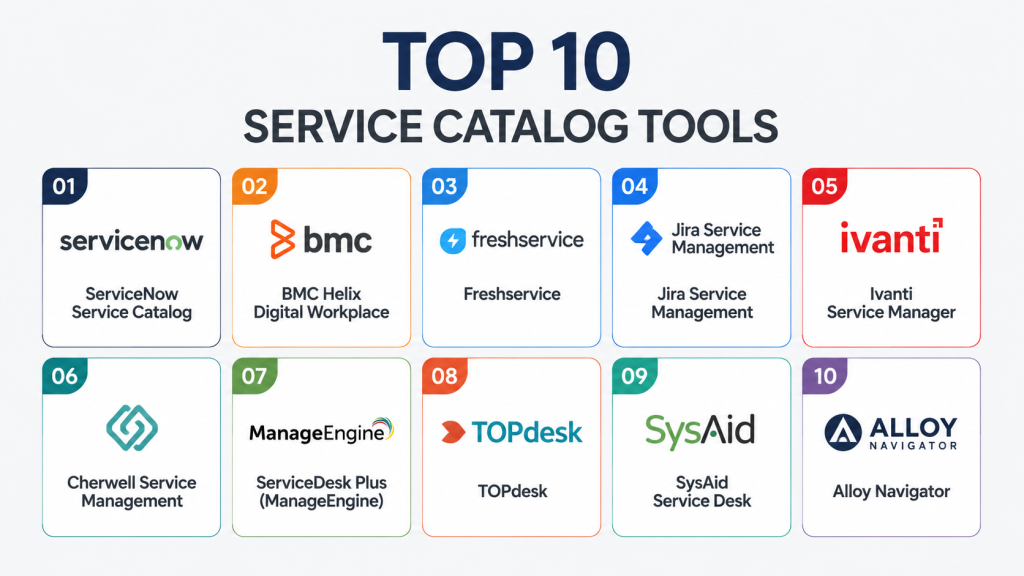
Top 10 Service Catalog Platforms
1- ServiceNow Service Catalog
Short description: Enterprise-grade platform for IT and business service automation. Ideal for large organizations seeking a robust catalog with workflow automation.
Key Features
- Prebuilt templates and workflows for IT, HR, and facilities.
- Integration with ITSM, CMDB, and external SaaS apps.
- AI-driven request recommendations and auto-routing.
- Multi-language and multi-tenant support.
- SLA tracking and advanced analytics.
- Low-code workflow customization.
- Mobile self-service portal.
Pros
- Comprehensive enterprise capabilities.
- Strong integration ecosystem.
- Highly configurable for diverse use cases.
Cons
- High licensing cost.
- Complex setup for smaller organizations.
- Customization can be time-consuming.
Platforms / Deployment
- Web, iOS, Android
- Cloud / Hybrid
Security & Compliance
- SSO/SAML, MFA, RBAC
- SOC 2, ISO 27001, GDPR
Integrations & Ecosystem
Integrates with ITSM, ERP, HR, and DevOps tools. Supports REST APIs and connectors.
- Jira, Azure AD, Slack
- Salesforce, Workday
- AWS, Azure, GCP
Support & Community
- Extensive documentation and community forums.
- Enterprise support tiers.
- Onboarding resources and certifications.
2- BMC Helix Digital Workplace
Short description: Provides a modern service catalog with AI-guided self-service for enterprise users.
Key Features
- AI-driven recommendations and natural language search.
- Self-service portal for IT and non-IT services.
- Multi-channel access (web, mobile, chat).
- Workflow automation and approval management.
- Integration with ITSM and asset management.
- Advanced analytics and dashboards.
Pros
- Strong AI features for service discovery.
- Supports complex enterprise workflows.
- Modern, user-friendly interface.
Cons
- Can be expensive for mid-market companies.
- Customization requires professional services.
- Steep learning curve for admins.
Platforms / Deployment
- Web, iOS, Android
- Cloud / Hybrid
Security & Compliance
- SSO/SAML, MFA, RBAC
- SOC 2, ISO 27001
Integrations & Ecosystem
Supports ITSM, asset, and ERP tools. REST APIs enable extensibility.
- ServiceNow, SAP, Jira
- Slack, Teams
- Cloud connectors for AWS/Azure
Support & Community
- Documentation and knowledge base.
- Enterprise support options.
- Active community for best practices.
3- Ivanti Service Manager
Short description: Flexible platform for IT and business service catalogs, with automation and analytics capabilities.
Key Features
- Centralized service catalog with request templates.
- Workflow automation for approvals and task routing.
- Mobile-friendly self-service portal.
- Reporting and SLA dashboards.
- Integrates with ITSM and endpoint management tools.
- Customizable service workflows.
Pros
- Strong workflow automation.
- Flexible for mid-size to large organizations.
- Analytics and SLA tracking built-in.
Cons
- UI may feel dated compared to competitors.
- Advanced customization requires expertise.
- Some integrations need additional licensing.
Platforms / Deployment
- Web, Windows
- Cloud / On-prem / Hybrid
Security & Compliance
- Not publicly stated
Integrations & Ecosystem
Connects with ITSM, endpoint, and cloud tools.
- Jira, Active Directory
- Endpoint management solutions
- REST API for custom integrations
Support & Community
- Standard documentation.
- Professional services for implementation.
- Community forum available.
4- Cherwell Service Management
Short description: IT service catalog platform with low-code design for business users and IT teams.
Key Features
- Drag-and-drop service designer.
- Automation workflows and approvals.
- AI-assisted service recommendations.
- Reporting and analytics.
- Integration with ITSM and ERP.
- Mobile self-service portal.
Pros
- Low-code customization.
- Strong automation capabilities.
- Suitable for mid-market and enterprise.
Cons
- UI can be less intuitive.
- Advanced integrations may require technical expertise.
- Pricing varies with modules.
Platforms / Deployment
- Web, iOS, Android
- Cloud / On-prem / Hybrid
Security & Compliance
- Not publicly stated
Integrations & Ecosystem
- ITSM systems, HR, ERP
- REST APIs for workflow extensions
- Cloud service integrations
Support & Community
- Documentation, training resources
- Professional support tiers
- Community forum
5- Freshservice
Short description: Cloud-native IT service management platform with a modern service catalog for SMBs and enterprises.
Key Features
- Intuitive self-service portal.
- Workflow automation and approval chains.
- AI-powered service suggestions.
- Asset and configuration management integration.
- Multi-channel support (email, chat, portal).
- Reporting dashboards and SLA tracking.
Pros
- Easy to implement and use.
- AI-assisted service recommendations.
- Cloud-native with rapid deployment.
Cons
- Limited on-prem capabilities.
- May lack advanced enterprise integrations.
- Some advanced features require higher plans.
Platforms / Deployment
- Web, iOS, Android
- Cloud
Security & Compliance
- SSO/SAML, MFA
- Not publicly stated
Integrations & Ecosystem
- ITSM, cloud apps, communication tools
- Slack, Teams, Jira
- REST API for custom integrations
Support & Community
- Knowledge base and tutorials.
- Support tiers available.
- Active online community.
6- ServiceDesk Plus by ManageEngine
Short description: IT service management tool with integrated service catalog for SMBs and mid-market.
Key Features
- Centralized catalog for IT and business services.
- Workflow automation and approval routing.
- SLA and reporting dashboards.
- Multi-language support.
- Asset management integration.
- Self-service portal and mobile app.
Pros
- Affordable and scalable.
- Integrated ITSM features.
- Easy setup for mid-sized teams.
Cons
- UI can be less modern.
- Advanced automation requires configuration.
- Limited AI capabilities.
Platforms / Deployment
- Web, iOS, Android
- Cloud / On-prem / Hybrid
Security & Compliance
- Not publicly stated
Integrations & Ecosystem
- Active Directory, ERP tools
- APIs for custom workflow
- Email and chat integrations
Support & Community
- Documentation and support.
- Community forums available.
- Training and webinars offered.
7- TOPdesk
Short description: IT service management and business service catalog platform focusing on self-service and workflow efficiency.
Key Features
- Service catalog with request templates.
- Automation and approval workflows.
- Multi-channel self-service portal.
- Knowledge base integration.
- Analytics and SLA reporting.
- Cloud and on-prem support.
Pros
- Strong self-service focus.
- Flexible deployment options.
- Easy for end-users.
Cons
- Enterprise features may be limited.
- Some integrations require additional effort.
- Customization may be less extensive.
Platforms / Deployment
- Web, iOS, Android
- Cloud / On-prem / Hybrid
Security & Compliance
- Not publicly stated
Integrations & Ecosystem
- ITSM, ERP, communication tools
- REST API for integrations
- Cloud connectors
Support & Community
- Documentation and onboarding guides.
- Standard support plans.
- Community forum available.
8- Jira Service Management
Short description: Developer-friendly platform with a robust service catalog for IT and business teams.
Key Features
- Service request templates and forms.
- Workflow automation and SLA management.
- Integration with Jira projects and DevOps pipelines.
- Knowledge base and self-service portal.
- Reporting and dashboards.
- API and marketplace for custom extensions.
Pros
- Tight integration with Jira and DevOps tools.
- Flexible workflow automation.
- Developer-oriented customization.
Cons
- Not as intuitive for non-technical users.
- Advanced automation requires Jira knowledge.
- UI can be complex for large catalogs.
Platforms / Deployment
- Web
- Cloud / On-prem / Hybrid
Security & Compliance
- SSO/SAML, MFA
- Not publicly stated
Integrations & Ecosystem
- Jira, Confluence, GitHub, Slack
- REST API for workflow automation
- Marketplace add-ons
Support & Community
- Documentation and tutorials.
- Active Atlassian community.
- Support tiers available.
9- SysAid Service Desk
Short description: ITSM platform with a built-in service catalog, suited for SMBs.
Key Features
- Central service catalog and request management.
- Automation workflows for approvals.
- SLA monitoring and reporting.
- Knowledge base integration.
- Multi-language support.
- Mobile portal access.
Pros
- Easy to use and deploy.
- Affordable for small to mid-size teams.
- Basic automation and analytics.
Cons
- Limited enterprise features.
- Fewer integrations than competitors.
- UI may feel dated.
Platforms / Deployment
- Web, iOS, Android
- Cloud / On-prem / Hybrid
Security & Compliance
- Not publicly stated
Integrations & Ecosystem
- ITSM tools and ERP connectors
- APIs for extensions
- Email and chat integrations
Support & Community
- Documentation and community forums.
- Standard support plans.
- Limited professional services.
10- Alloy Navigator
Short description: IT service management and catalog platform with automation for SMB and mid-market.
Key Features
- Centralized service catalog and request management.
- Automation of approvals and notifications.
- SLA dashboards and analytics.
- Asset and configuration management integration.
- Customizable workflows.
- Self-service portal for employees.
Pros
- Affordable for small and mid-sized businesses.
- Flexible workflow customization.
- Integration with ITSM and assets.
Cons
- Limited AI capabilities.
- User interface less modern.
- Smaller community support.
Platforms / Deployment
- Web
- Cloud / On-prem / Hybrid
Security & Compliance
- Not publicly stated
Integrations & Ecosystem
- Active Directory, ITSM tools
- REST API for custom workflows
- Asset management connectors
Support & Community
- Documentation available.
- Standard support options.
- Limited community engagement.
Comparison Table (Top 10)
| Tool Name | Best For | Platform(s) Supported | Deployment | Standout Feature | Public Rating |
|---|---|---|---|---|---|
| ServiceNow Service Catalog | Enterprise IT & business | Web, iOS, Android | Cloud / Hybrid | Prebuilt workflows + AI recommendations | N/A |
| BMC Helix Digital Workplace | Enterprise AI self-service | Web, iOS, Android | Cloud / Hybrid | AI-driven service suggestions | N/A |
| Ivanti Service Manager | Mid to large orgs | Web, Windows | Cloud / On-prem / Hybrid | Flexible workflows | N/A |
| Cherwell Service Management | Mid-market / IT teams | Web, iOS, Android | Cloud / On-prem / Hybrid | Low-code catalog design | N/A |
| Freshservice | SMBs & enterprises | Web, iOS, Android | Cloud | Intuitive self-service + AI | N/A |
| ServiceDesk Plus | SMBs / mid-market | Web, iOS, Android | Cloud / On-prem / Hybrid | Affordable ITSM + catalog | N/A |
| TOPdesk | IT & business teams | Web, iOS, Android | Cloud / On-prem / Hybrid | Strong self-service portal | N/A |
| Jira Service Management | Developer & IT teams | Web | Cloud / On-prem / Hybrid | Jira integration | N/A |
| SysAid Service Desk | SMB IT teams | Web, iOS, Android | Cloud / On-prem / Hybrid | Easy to deploy | N/A |
| Alloy Navigator | SMB / mid-market | Web | Cloud / On-prem / Hybrid | Automation & asset integration | N/A |
Evaluation & Scoring of Service Catalog Platforms
| Tool Name | Core | Ease | Integrations | Security | Performance | Support | Value | Weighted Total |
|---|---|---|---|---|---|---|---|---|
| ServiceNow Service Catalog | 10 | 8 | 9 | 9 | 9 | 8 | 7 | 8.8 |
| BMC Helix Digital Workplace | 9 | 8 | 8 | 8 | 8 | 8 | 7 | 8.1 |
| Ivanti Service Manager | 8 | 7 | 7 | 7 | 8 | 7 | 8 | 7.6 |
| Cherwell Service Management | 8 | 7 | 7 | 7 | 7 | 7 | 7 | 7.3 |
| Freshservice | 7 | 9 | 7 | 7 | 7 | 8 | 8 | 7.7 |
| ServiceDesk Plus | 7 | 8 | 6 | 6 | 7 | 7 | 9 | 7.3 |
| TOPdesk | 7 | 8 | 6 | 7 | 7 | 7 | 7 | 7.1 |
| Jira Service Management | 8 | 7 | 8 | 7 | 8 | 7 | 7 | 7.5 |
| SysAid Service Desk | 6 | 8 | 6 | 6 | 7 | 6 | 8 | 6.8 |
| Alloy Navigator | 6 | 7 | 6 | 6 | 7 | 6 | 7 | 6.7 |
Which Service Catalog Tool Is Right for You?
Solo / Freelancer
- Freshservice or Alloy Navigator for simple catalogs and self-service requests.
SMB
- Freshservice, ServiceDesk Plus, or SysAid for affordable, cloud-first deployment.
Mid-Market
- Cherwell, Ivanti, or TOPdesk for robust workflows and moderate automation.
Enterprise
- ServiceNow or BMC Helix for extensive enterprise features, AI-driven guidance, and compliance support.
Budget vs Premium
- Budget: Freshservice, ServiceDesk Plus, SysAid
- Premium: ServiceNow, BMC Helix, Cherwell
Feature Depth vs Ease of Use
- Deep features: ServiceNow, BMC Helix
- Ease of use: Freshservice, Alloy Navigator
Integrations & Scalability
- Integrate ITSM, ERP, HR: ServiceNow, BMC Helix
- Smaller integration needs: Freshservice, SysAid
Security & Compliance Needs
- Strict compliance: ServiceNow, BMC Helix
- Standard SMB security: Freshservice, Alloy Navigator
Frequently Asked Questions (FAQs)
1- What pricing models do service catalog platforms use?
Most platforms offer subscription-based pricing with tiers based on users, services, or features. Enterprise deployments may require custom quotes.
2- How long does implementation take?
Implementation can range from a few weeks for SMB cloud solutions to several months for enterprise deployments with complex workflows.
3- Can small companies benefit from service catalogs?
Yes, modern cloud-native platforms like Freshservice provide streamlined catalogs suitable for smaller teams with minimal IT overhead.
4- Are these platforms secure for sensitive data?
Top platforms implement SSO, MFA, encryption, and audit logs. Always verify compliance for GDPR, SOC 2, or HIPAA if handling sensitive data.
5- Can I integrate with existing ITSM or ERP tools?
Most tools offer APIs, connectors, or native integrations with popular ITSM, ERP, HR, and cloud platforms for seamless workflow automation.
6- How customizable are workflows?
Low-code or drag-and-drop designers enable admins to create custom approval paths, request forms, and SLA management tailored to business needs.
7- What are common mistakes when adopting a service catalog?
Common issues include overcomplicating the catalog, insufficient user training, lack of clear SLAs, and not integrating with core systems.
8- How scalable are these platforms?
Enterprise solutions scale to thousands of users with multi-tenant capabilities, while SMB platforms can efficiently handle smaller teams with simpler catalogs.
9- How do AI features improve service catalogs?
AI assists users with recommended requests, auto-routing approvals, and predictive analytics to optimize service delivery and reduce manual tasks.
10- Can I switch platforms easily if needed?
Migration depends on data export/import capabilities and workflow complexity. Planning, proper mapping, and vendor support are essential for smooth transitions.
Conclusion
hoosing the right Service Catalog Platform depends on your organization’s size, complexity, and integration needs. SMBs benefit from cloud-native, easy-to-use platforms like Freshservice or Alloy Navigator. Mid-market companies should consider Cherwell, Ivanti, or TOPdesk for flexible workflows and automation. Enterprises gain the most from ServiceNow or BMC Helix with advanced AI, compliance, and multi-tenant support. Prioritize ease of use, integration capabilities, and security when evaluating options. Consider your budget versus feature depth to match business needs effectively. A pilot or trial can help validate usability and integration. Start by shortlisting 2–3 tools and testing them with real service workflows before full-scale adoption.

Find Trusted Cardiac Hospitals
Compare heart hospitals by city and services — all in one place.
Explore Hospitals
A well-designed service catalog can do more than organize requests—it can shape how employees interact with IT and business services. Platforms that make services easy to discover and request often reduce confusion, improve adoption, and free support teams to focus on higher-value work.