Introduction
Customer Support Knowledge Management Platforms are specialized software solutions that help organizations create, organize, distribute, and maintain a centralized repository of information for customer support teams. These systems enable teams to deliver consistent, accurate, and fast responses to customers by providing support agents and end users with access to FAQs, troubleshooting guides, how‑tos, and contextual help content. In plain English, they are the backbone of modern support operations, powering self‑service portals, chatbots, agent desktops, and integrated help widgets. the importance of knowledge management platforms continues to grow as customers expect swift, accurate answers across digital channels and support teams look to reduce ticket volumes. Artificial intelligence, natural language search, and automation have elevated these systems from static document stores to dynamic, personalized intelligence engines that improve both agent productivity and customer satisfaction.
Real‑world use cases include:
- Empowering customer support teams with searchable, up‑to‑date internal knowledge.
- Offering self‑service portals that reduce support tickets by guiding customers to answers.
- Powering AI chatbots and virtual assistants with contextual help content.
- Streamlining new agent onboarding with curated learning paths.
- Integrating with support channels (email, chat, social) to present relevant articles automatically.
Buyers should evaluate:
- Search relevance and AI‑driven recommendations
- Ease of authoring and content maintenance
- Multi‑channel publishing capabilities
- Integration with support, CRM, and chatbot systems
- Analytics on usage, gaps, and content performance
- Access controls and security compliance
- Multilingual content support
- Workflow automation and versioning
- Scalability and enterprise readiness
- Pricing flexibility and total cost of ownership
Best for: Support leaders, customer experience teams, knowledge managers, IT managers, product teams, and organizations with moderate to large support volumes or complex products.
Not ideal for: Very small teams with minimal support content, companies without documented support workflows, or businesses that rely exclusively on human‑only support without emphasis on self‑service.
Key Trends in Customer Support Knowledge Management Platforms
- AI‑Enhanced Search: Natural language understanding (NLU) powers relevant search results, even with vague queries.
- Automated Content Suggestions: Platforms recommend knowledge articles based on ticket trends and chatbot interactions.
- Self‑Service Everywhere: Knowledge content embedded into apps, widgets, and omnichannel touchpoints, enabling customers to self‑resolve.
- Personalized Help: AI tailors article suggestions based on user profile, region, and past interactions.
- Integration with Chatbots: Seamless linkage with virtual assistants and automated responders.
- Analytics and Gap Detection: AI highlights missing articles based on recurring support queries.
- Collaborative Authoring: Multi‑editor workflows with review, approval, and version control.
- SaaS and Modular Architectures: Cloud‑centric platforms with hybrid capabilities for enterprises.
- Compliance and Data Security: Built‑in controls for GDPR, SOC 2, RBAC, and audit trails.
- Multilingual Support and Localization: Built‑in translation and regional content variants.
How We Selected These Tools (Methodology)
- Market adoption and visibility among customer support and knowledge management buyers.
- Feature completeness across authoring, publishing, search, AI, and analytics.
- Reliability and performance signals including uptime and search responsiveness.
- Security posture and compliance support relevant to enterprise usage.
- Integration ecosystem breadth with CRM, ticketing, chatbot, and collaboration tools.
- Customer fit across SMB, mid‑market, and enterprise segments.
- Innovation in AI and automation that drives better self‑service outcomes.
- Documentation quality and support resources available.
- Scalability and configurability for evolving support needs.
- Ease of onboarding and daily usage for content creators and support agents.
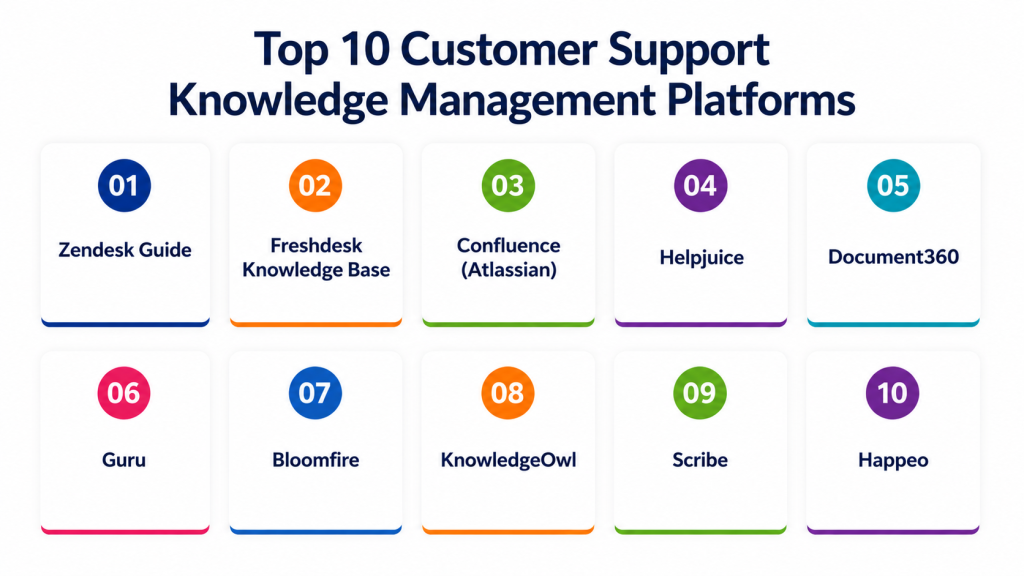
Top 10 Customer Support Knowledge Management Platforms
1 — Zendesk Guide
Short description: A knowledge management module integrated into the Zendesk support suite, designed to help support teams build and maintain self‑service content.
Key Features
- AI‑assisted content suggestions
- Guide output in help center and internal agent view
- Automatic article recommendations in support workflows
- Customizable themes and roles
- Content versioning and publishing workflows
- Analytics on article usage and search trends
Pros
- Seamless integration with Zendesk ticketing
- Familiar interface for existing Zendesk users
Cons
- Best value when used within the Zendesk ecosystem
- Advanced AI features require higher pricing tiers
Platforms / Deployment
- Web
- Cloud
Security & Compliance
- SSO/SAML, RBAC
- GDPR compliance
- Not publicly stated: SOC 2
Integrations & Ecosystem
Zendesk Guide works best with Zendesk’s ecosystem but offers APIs for extended use:
- Zendesk Support and Chat
- CRM systems via integrations
- Collaboration tools (Slack, Teams)
- APIs for custom content connectors
Support & Community
- Comprehensive vendor documentation
- Zendesk community forums
- Onboarding support resources
2 — Freshdesk Knowledge Base
Short description: Part of the Freshworks service suite, enabling support teams to build searchable help centers and internal knowledge repositories.
Key Features
- Customizable knowledge base structure
- AI search optimization
- Multilingual support
- Access controls for internal or public content
- Reporting on views and search terms
- Integration with ticketing workflows
Pros
- Affordable for SMB and mid‑market teams
- Easy to set up and manage
Cons
- Less robust AI compared to specialized platforms
- Analytics are basic compared to enterprise tools
Platforms / Deployment
- Web
- Cloud
Security & Compliance
- Role‑based access control
- GDPR support
- Not publicly stated: SOC 2, ISO 27001
Integrations & Ecosystem
Freshdesk Knowledge Base slots into Freshworks and external tools:
- Freshdesk support ticketing
- Collaboration platforms (Teams, Slack)
- CRM and communication tools
- API access for custom workflows
Support & Community
- Vendor support channels
- Freshworks community
- Knowledge base and help articles
3 — Confluence (Atlassian)
Short description: Enterprise content collaboration tool widely used for knowledge management in support and engineering teams alike.
Key Features
- Rich text and multimedia article authoring
- Page hierarchy and templating
- Granular access controls
- Powerful search and indexing
- Integration with Jira for context‑aware help
- Labeling and categorization for content discovery
Pros
- Extremely flexible for structured knowledge
- Strong enterprise collaboration capabilities
Cons
- Not purpose‑built for customer help centers
- Requires configuration for support use cases
Platforms / Deployment
- Web / Windows / macOS / Linux / iOS / Android
- Cloud / Self‑hosted
Security & Compliance
- SSO/SAML, RBAC
- GDPR
- ISO 27001 (varies by plan)
Integrations & Ecosystem
Atlassian ecosystem is extensive:
- Jira Service Management and Jira Software
- Team collaboration tools
- Third‑party macros and add‑ons
- APIs for custom usage
Support & Community
- Large user community
- Atlassian documentation and learning paths
- Marketplace support content
4 — Helpjuice
Short description: Dedicated knowledge base platform focused on advanced search and analytics for both internal and external support content.
Key Features
- AI‑assisted search
- Advanced custom styling and branding
- Role‑based access and internal knowledge spaces
- Detailed analytics on content performance
- Content suggestions based on gaps
- Multilingual support
Pros
- Strong search relevance and customization
- Reports that highlight content gaps
Cons
- Standalone platform with limited ticketing tie‑ins
- Learning curve for advanced configurations
Platforms / Deployment
- Web
- Cloud
Security & Compliance
- SSO/SAML
- Encryption
- Not publicly stated: SOC 2, GDPR
Integrations & Ecosystem
Helpjuice integrates with a range of systems and provides APIs:
- CRM and support ticket systems
- Chatbots and search widgets
- Analytics and tracking tools
- Custom API connections
Support & Community
- Dedicated support
- Documentation and setup guides
- Onboarding consultancy services
5 — Document360
Short description: Knowledge base platform for technical documentation and customer help content with strong versioning and search.
Key Features
- Markdown and rich text support
- Version history and rollback
- AI‑augmented search
- Content categorization and tags
- Analytics dashboards
- Public and private portals
Pros
- Excellent version control
- Flexible authoring for technical content
Cons
- Some features may be complex for small teams
- Pricing tied to usage limits
Platforms / Deployment
- Web
- Cloud
Security & Compliance
- SSO/SAML, MFA
- GDPR compliance
- Not publicly stated: SOC 2
Integrations & Ecosystem
Document360 supports integrations and extensibility via:
- Support ticketing APIs
- Search widget embedding
- Collaboration tools
- Analytics platforms
Support & Community
- Vendor support plans
- Documentation and tutorials
- Community knowledge resources
6 — Guru
Short description: Knowledge management solution with AI enhancements focused on capturing, verifying, and surfacing internal knowledge.
Key Features
- AI cards for instant verification
- Browser and app extensions for on‑the‑fly access
- Confidence scores and article validation
- Content lifecycle workflows
- Search analytics
- Role‑based content control
Pros
- Excellent inline knowledge delivery
- AI helps keep content accurate
Cons
- Best suited for internal knowledge
- Public help centers require additional configuration
Platforms / Deployment
- Web / Windows / macOS / iOS / Android
- Cloud
Security & Compliance
- SSO/SAML, MFA
- RBAC
- GDPR support
- Not publicly stated: SOC 2
Integrations & Ecosystem
Guru connects into tools where knowledge is needed most:
- CRM and ticketing tools
- Collaboration platforms (Slack, Teams)
- Browser extensions
- APIs for custom integrations
Support & Community
- Vendor training and support
- Documentation and community forums
7 — Bloomfire
Short description: Enterprise knowledge sharing platform designed for support, sales, and operations teams.
Key Features
- AI search and recommendations
- Q&A knowledge contributions
- Multimedia content support
- Access controls and permissions
- Analytics on engagement and gaps
- Integration widgets
Pros
- Interactive knowledge sharing
- Strong analytics
Cons
- Complex for small teams
- Broader than pure support use case
Platforms / Deployment
- Web / iOS / Android
- Cloud
Security & Compliance
- SSO/SAML
- RBAC
- GDPR support
- Not publicly stated: SOC 2
Integrations & Ecosystem
Bloomfire interfaces with enterprise systems:
- CRM and ticketing
- Collaboration apps
- Custom API access
- Analytics tools
Support & Community
- Vendor support tiers
- Knowledge base and resources
- Customer community
8 — KnowledgeOwl
Short description: Flexible knowledge base platform ideal for customer help centers and documentation portals.
Key Features
- Customizable content presentation
- Search engine optimization features
- User‑friendly editor
- Content versioning
- Multi‑portal support
- Reporting and analytics
Pros
- Intuitive authoring
- Strong scoring on search relevance
Cons
- Less automation than AI‑centric platforms
- Smaller enterprise footprint
Platforms / Deployment
- Web
- Cloud
Security & Compliance
- SSO/SAML
- RBAC
- GDPR support
- Not publicly stated: SOC 2
Integrations & Ecosystem
KnowledgeOwl supports:
- Search widgets and mobile access
- CRM and ticketing system bridges
- API connections
- Analytics platform integration
Support & Community
- Vendor support channels
- Tutorials and knowledge base
- Community content
9 — Scribe
Short description: Simple platform that captures workflows and knowledge as step‑by‑step visual guides, ideal for tech support and onboarding content.
Key Features
- Workflow automation capture
- Step‑by‑step guide creation
- Screen captures and annotation
- Searchable repository
- Export to multiple formats
- User permission controls
Pros
- Excellent for process documentation
- Visual aids reduce support confusion
Cons
- Not a full help center platform
- Best as a supplement to core KM systems
Platforms / Deployment
- Web
- Cloud
Security & Compliance
- Not publicly stated
Integrations & Ecosystem
Scribe integrates with:
- Knowledge bases for content export
- Team collaboration tools
- Documentation repositories
Support & Community
- Vendor support
- Tutorials and examples
10 — Happeo
Short description: Modern internal knowledge hub combining social knowledge sharing with searchable content for cross‑functional support.
Key Features
- AI‑enhanced search
- Social knowledge feeds
- Role‑based content access
- Analytics and engagement insights
- Integration widgets
- Mobile access
Pros
- Blends social collaboration with knowledge
- Strong discovery features
Cons
- More suited to internal employee knowledge than customer help centers
- May require configuration for external support
Platforms / Deployment
- Web / iOS / Android
- Cloud
Security & Compliance
- SSO/SAML
- RBAC
- GDPR support
- Not publicly stated: SOC 2
Integrations & Ecosystem
Happeo integrates broadly with enterprise systems:
- Collaboration and productivity tools
- CRM and ticketing bridges
- Custom API usage
Support & Community
- Vendor support
- Documentation and community
Comparison Table (Top 10)
| Tool Name | Best For | Platform(s) Supported | Deployment | Standout Feature | Public Rating |
|---|---|---|---|---|---|
| Zendesk Guide | Zendesk ecosystem support | Web | Cloud | AI‑assisted content suggestions | N/A |
| Freshdesk KB | SMB/Mid‑market support | Web | Cloud | Affordable multi‑channel KB support | N/A |
| Confluence | Enterprise structured knowledge | Web, Windows, macOS, Linux | Cloud/Self‑hosted | Deep collaboration workflows | N/A |
| Helpjuice | Deep search and analytics | Web | Cloud | Advanced search analytics | N/A |
| Document360 | Technical documentation | Web | Cloud | Versioning and rollback | N/A |
| Guru | Internal inline knowledge | Web, Windows, macOS, iOS/Android | Cloud | AI‑powered verification and cards | N/A |
| Bloomfire | Interactive enterprise knowledge | Web, iOS/Android | Cloud | Q&A contributions and analytics | N/A |
| KnowledgeOwl | Customer help centers | Web | Cloud | Custom presentation and SEO | N/A |
| Scribe | Visual step‑by‑step guides | Web | Cloud | Workflow capturing | N/A |
| Happeo | Internal knowledge hub | Web, iOS/Android | Cloud | Social knowledge discovery | N/A |
Evaluation & Scoring of Customer Support Knowledge Management Platforms
| Tool Name | Core (25%) | Ease (15%) | Integrations (15%) | Security (10%) | Performance (10%) | Support (10%) | Value (15%) | Weighted Total |
|---|---|---|---|---|---|---|---|---|
| Zendesk Guide | 9 | 8 | 9 | 8 | 9 | 8 | 7 | 8.4 |
| Freshdesk KB | 8 | 9 | 8 | 8 | 8 | 8 | 8 | 8.3 |
| Confluence | 9 | 7 | 9 | 8 | 8 | 7 | 7 | 8.1 |
| Helpjuice | 8 | 8 | 8 | 7 | 8 | 7 | 7 | 7.7 |
| Document360 | 8 | 8 | 8 | 8 | 8 | 7 | 8 | 8.0 |
| Guru | 8 | 8 | 8 | 8 | 8 | 7 | 7 | 7.8 |
| Bloomfire | 8 | 7 | 8 | 8 | 8 | 7 | 7 | 7.7 |
| KnowledgeOwl | 7 | 9 | 7 | 8 | 7 | 7 | 8 | 7.8 |
| Scribe | 7 | 8 | 7 | 7 | 7 | 7 | 7 | 7.2 |
| Happeo | 7 | 8 | 8 | 8 | 8 | 7 | 7 | 7.8 |
Interpretation: Scores reflect a comparative view of core features, ease of use, integrations, security, performance, support, and overall value. Higher totals indicate stronger overall suitability, while closely clustered scores show multiple viable options.
Which Customer Support Knowledge Management Tool Is Right for You?
Solo / Freelancer
Choose KnowledgeOwl or Freshdesk KB for intuitive authoring, ease of setup, and affordable pricing.
SMB
Freshdesk KB, Document360, and Helpjuice balance cost, search relevance, and publishing flexibility.
Mid‑Market
Zendesk Guide, Confluence, and Guru provide strong search capabilities, integrations, and collaborative workflows.
Enterprise
Zendesk Guide, Confluence, and Bloomfire scale with complex content needs, multi‑team control, and analytics.
Budget vs Premium
- Budget: KnowledgeOwl, Freshdesk KB
- Premium: Zendesk Guide, Confluence, Bloomfire
Feature Depth vs Ease of Use
- Feature Depth: Confluence, Zendesk Guide, Helpjuice
- Ease of Use: Freshdesk KB, KnowledgeOwl, Scribe
Integrations & Scalability
- Strong Integrations: Zendesk Guide, Confluence, Bloomfire
- Scalable Knowledge: Document360, Guru
Security & Compliance Needs
- Enterprise Compliance: Confluence, Zendesk Guide
- GDPR & Access Control: Freshdesk KB, KnowledgeOwl
Frequently Asked Questions (FAQs)
1- What are common pricing models?
Most platforms use subscription tiers based on seats, knowledge bases, or features. Enterprise plans often include advanced AI and analytics.
2- How long does onboarding take?
Small teams may onboard in days, while organizations with complex taxonomies and integrations may take weeks.
3- Do these tools support multilingual content?
Many platforms support multiple languages, either natively or through plugins.
4- Can knowledge content power chatbots?
Yes, AI chatbots often use knowledge repositories as the source for automated responses.
5- Are these platforms secure?
Security varies; enterprise platforms typically support SSO, RBAC, encryption, and compliance with GDPR.
6- Can knowledge management reduce support tickets?
Yes, effective self‑service portals and article recommendations often significantly lower ticket volume.
7- Do they integrate with CRM systems?
Most integrate with CRMs or offer APIs to sync customer context with support content.
8- What are common mistakes in adoption?
Neglecting content maintenance, failing to structure taxonomies, and ignoring analytics are frequent mistakes.
9- How do I choose between internal vs public knowledge base?
Internal knowledge bases focus on agent enablement, while public ones serve customers directly; some tools support both.
10- Are there alternatives to these platforms?
Shared drives or documentation tools can be alternatives, but lack AI search and multi‑channel publishing.
Conclusion
Customer Support Knowledge Management Platforms are essential for any organization seeking to deliver consistent, accurate, and scalable support experiences. From lightweight tools like KnowledgeOwl and Freshdesk KB to enterprise‑ready options like Zendesk Guide and Confluence, the right platform depends on team size, integration needs, and content strategy. To choose effectively, shortlist 2–3 tools that align with your workflow, run a pilot with real support queries, and ensure integrations with your CRM and support systems are validated. Well‑implemented knowledge management improves agent productivity, elevates self‑service, and drives customer satisfaction in measurable ways.

Find Trusted Cardiac Hospitals
Compare heart hospitals by city and services — all in one place.
Explore Hospitals
The effectiveness of a knowledge management platform often depends on how easily information can be kept accurate and up to date. Even a large knowledge base loses value if support teams struggle to find, maintain, or trust the content during customer interactions.