Introduction
Computer-Assisted Translation (CAT) tools are software applications designed to help human translators work faster, more consistently, and more accurately by leveraging translation memory, terminology databases, and productivity-enhancing workflows. Unlike machine translation, CAT tools do not replace human translators—instead, they assist them by suggesting previously translated segments, enforcing terminology consistency, and managing large multilingual projects efficiently. CAT tools are becoming central to global content operations. As companies scale into multiple markets, translation volume has increased dramatically across software, e-commerce, legal, healthcare, and gaming industries. CAT tools now integrate AI suggestions, cloud collaboration, and real-time QA checks to support continuous localization pipelines.
Real-world use cases:
- Translating software UI strings across multiple languages
- Localizing marketing campaigns and landing pages
- Translating legal and compliance documents
- Managing multilingual product documentation
- Supporting game localization with consistent narrative tone
Key evaluation criteria:
- Translation memory efficiency and accuracy
- Terminology management capabilities
- AI-assisted translation suggestions
- File format support (XLIFF, JSON, XML, etc.)
- Collaboration workflows for translators and reviewers
- Integration with TMS and localization platforms
- Cloud vs desktop flexibility
- Performance with large translation projects
- Security and enterprise readiness
- Ease of use for professional linguists
Best for: Professional translators, localization teams, language service providers, enterprises managing multilingual content, and developers working with internationalized software.
Not ideal for: Single-language content creators or casual translation needs without structured workflows.
Key Trends in CAT Tools
- AI-assisted translation suggestions integrated directly into CAT editors
- Cloud-first CAT environments replacing desktop-only tools
- Real-time collaborative translation with multiple linguists working simultaneously
- Deep integration with translation management systems (TMS)
- Context-aware translation using UI screenshots and live previews
- Automated terminology enforcement during translation
- Improved support for low-resource languages via AI models
- API-first CAT tools for developer-driven localization pipelines
- Enhanced QA automation for linguistic consistency
- Subscription-based pricing replacing perpetual licensing models
How We Selected These Tools
- Market adoption across professional translation and localization industries
- Depth of CAT-specific features like translation memory and segmentation
- Integration capability with modern localization ecosystems
- Reliability in handling large multilingual projects
- Balance of usability and professional-grade functionality
- Security and enterprise readiness signals
- Support for multiple file formats and workflows
- Presence in enterprise and freelance translation ecosystems
- Cloud and hybrid deployment flexibility
- Long-term relevance in 2026+ translation workflows
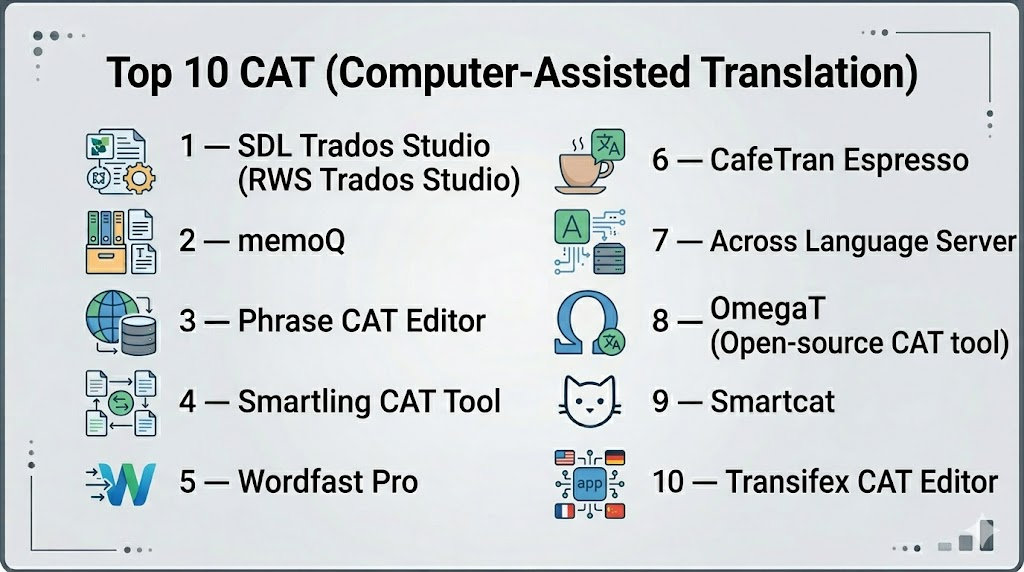
Top 10 CAT Tools
1 — SDL Trados Studio (RWS Trados Studio)
SDL Trados Studio is one of the most widely used professional CAT tools in the world, known for its powerful translation memory and enterprise-grade workflows.
Key Features
- Advanced translation memory system for reuse of previous translations
- Segment-based translation editor for precision control
- Terminology management integration
- Extensive file format support (software, legal, technical content)
- QA checks for consistency and formatting
- Project management tools for large translation jobs
- Review and collaboration workflows
Pros
- Industry standard in professional translation
- Extremely powerful translation memory engine
- High accuracy and consistency for large projects
Cons
- Steep learning curve for beginners
- Desktop-heavy workflow compared to modern cloud tools
Platforms / Deployment
- Windows / Hybrid
Security & Compliance
- Not publicly stated
Integrations & Ecosystem
Trados integrates widely with enterprise localization ecosystems and translation pipelines.
- TMS platforms
- CMS systems
- File-based localization workflows
- API and plugin ecosystem
Support & Community
Strong global user base, extensive documentation, and professional training resources.
2 — memoQ
memoQ is a professional CAT tool widely used by translators and localization teams for high-quality translation workflows.
Key Features
- Translation memory with context-aware suggestions
- Terminology database integration
- Live collaboration for translation teams
- Quality assurance checks
- Project management tools
- File format flexibility
- Alignment tools for legacy translations
Pros
- Strong linguistic accuracy
- Excellent collaboration features
- Balanced usability for professionals
Cons
- Desktop-oriented experience
- Advanced setup required for enterprise workflows
Platforms / Deployment
- Windows / Cloud / Hybrid
Security & Compliance
- Not publicly stated
Integrations & Ecosystem
- TMS systems
- CMS platforms
- API integrations
- Localization pipelines
Support & Community
Strong translator community and structured support options.
3 — Phrase CAT Editor
Phrase offers a modern cloud-based CAT environment integrated within its localization platform.
Key Features
- Cloud-based translation editor
- Real-time collaboration between translators
- Translation memory integration
- Terminology enforcement
- Context preview for UI strings
- AI-assisted translation suggestions
- Workflow automation tools
Pros
- Fully cloud-native experience
- Strong collaboration features
- Easy integration with modern stacks
Cons
- Less powerful offline workflows
- Dependent on platform ecosystem
Platforms / Deployment
- Web / Cloud
Security & Compliance
- Not publicly stated
Integrations & Ecosystem
- Git-based systems
- CMS integrations
- Developer APIs
- Localization pipelines
Support & Community
Strong enterprise onboarding and documentation support.
4 — Smartling CAT Tool
Smartling provides an in-context CAT environment designed for enterprise localization workflows.
Key Features
- In-context translation editor for web and apps
- Translation memory and glossary enforcement
- Automated workflow routing
- AI-assisted translation suggestions
- QA checks for consistency
- API-driven content integration
- Real-time collaboration tools
Pros
- Excellent enterprise workflow automation
- Strong in-context translation experience
- Scales well for large organizations
Cons
- Not ideal for freelancers
- Complex platform structure
Platforms / Deployment
- Web / Cloud
Security & Compliance
- Not publicly stated
Integrations & Ecosystem
- CMS systems
- Enterprise APIs
- Localization platforms
- Developer toolchains
Support & Community
Enterprise-grade support with onboarding assistance.
5 — Wordfast Pro
Wordfast Pro is a widely used CAT tool offering a balance between affordability and professional translation capabilities.
Key Features
- Translation memory engine
- Terminology management system
- Segment-based translation editor
- File format support for multiple industries
- Offline and online modes
- Project management tools
- QA validation checks
Pros
- Lightweight compared to enterprise tools
- Affordable for freelancers and SMBs
- Easy to learn
Cons
- Less powerful than enterprise CAT systems
- Limited advanced automation
Platforms / Deployment
- Windows / macOS / Hybrid
Security & Compliance
- Not publicly stated
Integrations & Ecosystem
- TMS compatibility
- File-based workflows
- Plugin-based integrations
- API support
Support & Community
Active freelancer community and standard documentation.
6 — CafeTran Espresso
CafeTran Espresso is a flexible CAT tool popular among freelance translators due to its customization and affordability.
Key Features
- Translation memory support
- Terminology management
- Multi-format file handling
- Machine translation integration support
- Custom workflow configuration
- Alignment tools
- Offline translation capabilities
Pros
- Highly customizable
- Affordable for freelancers
- Lightweight system requirements
Cons
- UI less modern
- Requires manual configuration for advanced workflows
Platforms / Deployment
- Windows / macOS / Hybrid
Security & Compliance
- Not publicly stated
Integrations & Ecosystem
- MT engines
- File-based workflows
- API integrations (limited)
Support & Community
Smaller but active user community.
7 — Across Language Server
Across is a professional CAT tool focusing on enterprise translation workflows and centralized terminology control.
Key Features
- Centralized translation memory
- Server-based collaboration
- Terminology management integration
- Workflow automation
- Quality assurance tools
- Role-based project control
- File format support
Pros
- Strong enterprise collaboration
- Centralized linguistic control
- Good for structured workflows
Cons
- Complex deployment
- Less flexible for freelancers
Platforms / Deployment
- Windows / Hybrid
Security & Compliance
- Not publicly stated
Integrations & Ecosystem
- Enterprise CMS systems
- TMS integrations
- API-based workflows
Support & Community
Enterprise-focused support and onboarding.
8 — OmegaT (Open Source CAT Tool)
OmegaT is a free, open-source CAT tool widely used by freelancers and small translation teams.
Key Features
- Translation memory system
- Glossary support
- File format compatibility (XLIFF, DOCX, HTML)
- Segment-based translation interface
- Cross-platform support
- Plugin extensibility
- Project-based workflow
Pros
- Completely free and open-source
- Lightweight and fast
- Strong community support
Cons
- Less polished UI
- Limited enterprise features
Platforms / Deployment
- Windows / macOS / Linux
Security & Compliance
- Not publicly stated
Integrations & Ecosystem
- Plugin-based extensions
- File workflows
- External MT integration
Support & Community
Community-driven support model.
9 — Smartcat CAT Platform
Smartcat combines CAT capabilities with AI translation and collaboration features in a cloud-based environment.
Key Features
- Cloud-based CAT editor
- AI-assisted translation suggestions
- Translation memory system
- Freelancer collaboration marketplace
- Real-time editing and review
- Workflow automation
- API integration support
Pros
- Easy to use and accessible
- Strong AI-assisted workflows
- Good for distributed teams
Cons
- Limited advanced CAT customization
- Marketplace dependency in some workflows
Platforms / Deployment
- Web / Cloud
Security & Compliance
- Not publicly stated
Integrations & Ecosystem
- CMS tools
- APIs
- Translation workflows
- External integrations
Support & Community
Good documentation and community-based support.
10 — Transifex CAT Editor
Transifex offers a cloud-based CAT environment focused on continuous localization workflows.
Key Features
- Cloud-based translation editor
- Real-time content synchronization
- Translation memory integration
- Terminology enforcement
- API-driven workflows
- Collaboration tools
- Version control support
Pros
- Strong continuous localization support
- Good developer integration
- Scalable cloud architecture
Cons
- Limited offline functionality
- Advanced features require higher tiers
Platforms / Deployment
- Web / Cloud
Security & Compliance
- Not publicly stated
Integrations & Ecosystem
- GitHub / Bitbucket
- CMS platforms
- Developer APIs
- Localization systems
Support & Community
Standard enterprise support and documentation.
Comparison Table (Top 10)
| Tool Name | Best For | Platform(s) Supported | Deployment | Standout Feature | Public Rating |
|---|---|---|---|---|---|
| SDL Trados Studio | Professional translators | Windows | Hybrid | Translation memory engine | N/A |
| memoQ | Localization teams | Windows/Web | Hybrid | Collaboration tools | N/A |
| Phrase CAT Editor | SaaS teams | Web | Cloud | Cloud-native CAT | N/A |
| Smartling | Enterprises | Web | Cloud | In-context translation | N/A |
| Wordfast Pro | Freelancers | Desktop | Hybrid | Lightweight CAT system | N/A |
| CafeTran Espresso | Freelancers | Desktop | Hybrid | Custom workflows | N/A |
| Across | Enterprises | Windows | Hybrid | Centralized TM control | N/A |
| OmegaT | Freelancers | Desktop | Self-hosted | Open-source CAT tool | N/A |
| Smartcat | SMB teams | Web | Cloud | AI + marketplace | N/A |
| Transifex | Dev teams | Web | Cloud | Continuous localization | N/A |
Evaluation & Scoring of CAT Tools
| Tool Name | Core (25%) | Ease (15%) | Integrations (15%) | Security (10%) | Performance (10%) | Support (10%) | Value (15%) | Weighted Total |
|---|---|---|---|---|---|---|---|---|
| Trados Studio | 9 | 6 | 8 | 8 | 9 | 8 | 7 | 8.0 |
| memoQ | 8 | 7 | 8 | 7 | 8 | 8 | 8 | 7.9 |
| Phrase | 8 | 9 | 9 | 7 | 8 | 8 | 8 | 8.3 |
| Smartling | 9 | 8 | 9 | 7 | 9 | 8 | 7 | 8.4 |
| Wordfast Pro | 7 | 9 | 7 | 7 | 7 | 7 | 9 | 7.8 |
| CafeTran | 7 | 8 | 7 | 7 | 7 | 7 | 9 | 7.6 |
| Across | 8 | 6 | 8 | 8 | 8 | 8 | 7 | 7.9 |
| OmegaT | 7 | 8 | 7 | 7 | 7 | 7 | 10 | 7.9 |
| Smartcat | 7 | 9 | 8 | 7 | 7 | 7 | 9 | 7.9 |
| Transifex | 8 | 8 | 8 | 7 | 8 | 7 | 8 | 8.0 |
Which CAT Tool Is Right for You?
Solo / Freelancer
OmegaT, Wordfast Pro, and CafeTran Espresso are ideal for affordability and simplicity.
SMB
Smartcat, Phrase, and Wordfast Pro offer balanced workflows and usability.
Mid-Market
memoQ, Transifex, and Smartling provide scalability and structured collaboration.
Enterprise
SDL Trados Studio, Smartling, and Across are best for governance-heavy translation environments.
Budget vs Premium
- Budget-friendly: OmegaT, Wordfast Pro
- Premium enterprise: Trados Studio, Smartling, memoQ
Feature Depth vs Ease of Use
- Deep control: Trados Studio, Across, memoQ
- Easy to use: Phrase, Smartcat, Wordfast Pro
Integrations & Scalability
- Best integrations: Phrase, Transifex, Smartling
- Best scalability: Smartling, memoQ, Trados Studio
Security & Compliance Needs
Enterprise teams should validate compliance directly with vendors as many certifications are not publicly stated.
Frequently Asked Questions (FAQs)
1. What is a CAT tool?
A CAT tool helps human translators translate content more efficiently using translation memory, terminology databases, and automation features.
2. Is CAT software the same as machine translation?
No. CAT tools assist human translators, while machine translation automatically generates translations without human input.
3. Who uses CAT tools?
Professional translators, localization teams, enterprises, and language service providers.
4. Are CAT tools expensive?
Prices vary widely from free tools like OmegaT to enterprise platforms with subscription-based pricing.
5. Do CAT tools use AI?
Yes, modern CAT tools often include AI-powered translation suggestions and quality checks.
6. Can CAT tools work offline?
Yes, desktop tools like Trados, memoQ, and OmegaT support offline workflows.
7. What file formats do CAT tools support?
Most support formats like XLIFF, JSON, XML, DOCX, HTML, and software localization files.
8. Are CAT tools suitable for beginners?
Some tools like Wordfast Pro and Smartcat are beginner-friendly, while others require training.
9. Can CAT tools integrate with Git or CI/CD?
Yes, many modern CAT tools integrate with developer workflows for continuous localization.
10. What is translation memory?
It is a database of previously translated segments that CAT tools reuse to improve speed and consistency.
Conclusion
CAT (Computer-Assisted Translation) tools are essential for modern translation workflows, enabling faster, more consistent, and scalable multilingual content production. As global content demands continue to rise, these tools are evolving with AI, cloud collaboration, and automation-driven pipelines. The right choice depends on your workflow needs, budget, and technical complexity. A practical approach is to shortlist 2–3 tools, test them with real translation projects, and evaluate their integration, usability, and translation accuracy before full adoption.

Find Trusted Cardiac Hospitals
Compare heart hospitals by city and services — all in one place.
Explore Hospitals
Great article. I am learning about computer-assisted translation tools, and this content helped me understand how different platforms can improve translation quality, consistency, and workflow efficiency.