Introduction
Citation & Reference Managers are software tools that help researchers, students, and professionals organize, store, and cite sources efficiently. In plain English, they act as digital libraries for all your research materials, making it easier to manage references, create bibliographies, and maintain consistency across academic or professional documents. the importance of these tools has grown due to increasing research output, collaborative workflows, and the need for AI-driven recommendations. They now often integrate with word processors, cloud storage, and AI assistants to streamline the writing and citation process.
Real-world use cases include:
- Academic researchers managing hundreds of journal articles and papers.
- Students writing essays or dissertations with proper citations.
- Professional writers ensuring compliance with industry citation standards.
- Legal professionals maintaining accurate references to cases and statutes.
- Marketing or technical teams documenting sources for reports and whitepapers.
What buyers should evaluate:
- Ease of importing/exporting references.
- Integration with word processors and writing tools.
- Support for citation styles (APA, MLA, Chicago, etc.).
- Collaboration features for team projects.
- Cloud synchronization and cross-device access.
- AI-powered recommendations or smart tagging.
- Security and compliance for sensitive research data.
- Offline access and mobile support.
- Pricing model and scalability.
- Community and support resources.
Best for: Academic researchers, students, legal professionals, technical writers, marketing teams, and organizations handling frequent reference-heavy documentation.
Not ideal for: Casual users with minimal citation needs or those relying on manual reference management without the need for advanced collaboration or AI features.
Key Trends in Citation & Reference Managers
- AI-powered literature discovery and citation suggestions.
- Seamless integration with collaborative platforms and cloud storage.
- Real-time collaboration for research teams across geographies.
- Automated formatting across multiple citation styles.
- Enhanced PDF annotation and metadata extraction.
- Cross-device synchronization with offline capabilities.
- Security-focused design with GDPR and academic compliance in mind.
- Support for non-traditional references such as datasets, code repositories, and web content.
- Modular pricing with free tiers suitable for students and premium enterprise plans.
- API-driven integrations allowing custom workflows and automation.
How We Selected These Tools (Methodology)
- Evaluated market adoption and user mindshare.
- Analyzed feature completeness, including citation automation, library organization, and AI recommendations.
- Considered reliability and performance signals across platforms.
- Checked security posture including encryption, SSO, and compliance certifications.
- Assessed ecosystem and integrations with writing and collaboration tools.
- Reviewed customer fit across segments (solo, SMB, enterprise).
- Prioritized platforms offering multi-device access and cloud sync.
- Examined community engagement, support quality, and onboarding ease.
- Compared pricing flexibility and value proposition.
- Factored in innovation and adaptability to emerging citation standards.
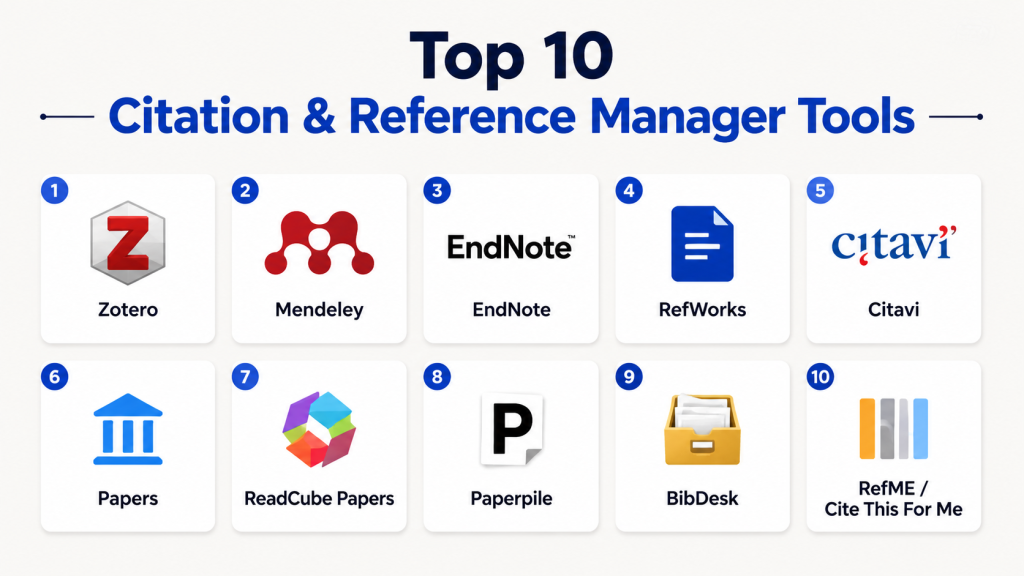
Top 10 Citation & Reference Manager Tools
1- Zotero
Short description: Open-source reference manager ideal for students and researchers seeking a free, highly customizable tool for organizing citations and PDFs.
Key Features
- Browser plugin for one-click reference capture.
- PDF management with annotation support.
- Supports thousands of citation styles.
- Tagging and folder organization.
- Cloud sync and backup options.
- Group libraries for collaborative research.
Pros
- Free and open-source with active community.
- Highly extensible via plugins.
Cons
- Limited cloud storage without paid plan.
- Interface can feel dated for some users.
Platforms / Deployment
- Windows / macOS / Linux / iOS / Android
- Cloud / Desktop hybrid
Security & Compliance
- Not publicly stated
Integrations & Ecosystem
Zotero integrates with word processors and other research tools.
- Microsoft Word & LibreOffice plugins
- Browser extensions
- API for custom workflows
- Export to BibTeX, RIS
Support & Community
- Strong user community and forums
- Online documentation and tutorials
- Varies for direct customer support
2- Mendeley
Short description: Research-focused reference manager with built-in academic networking and collaborative features for universities and institutions.
Key Features
- PDF library with annotation tools.
- Academic networking for collaboration.
- Citation plugin for Word and LibreOffice.
- Cloud storage and sync.
- Advanced search and filtering options.
Pros
- Integrated social and collaborative features.
- Easy citation insertion into documents.
Cons
- Owned by a large corporation, raising privacy concerns.
- Sync limitations on free plan.
Platforms / Deployment
- Windows / macOS / Linux / iOS / Android
- Cloud / Desktop hybrid
Security & Compliance
- Not publicly stated
Integrations & Ecosystem
- Microsoft Word plugin
- Web import of PDFs and references
- API access for developers
Support & Community
- Knowledge base and community forums
- Email support for premium plans
3- EndNote
Short description: Enterprise-grade reference manager popular with academic institutions and research organizations, focusing on advanced bibliographic management.
Key Features
- Extensive citation style library.
- Reference organization and PDF annotation.
- Integration with Word for seamless bibliography creation.
- Cloud sync and team collaboration.
- Advanced search and duplicate detection.
Pros
- Reliable for large-scale research projects.
- Strong institutional support and training resources.
Cons
- Expensive for individual users.
- Steeper learning curve than simpler tools.
Platforms / Deployment
- Windows / macOS / iOS
- Cloud / Desktop hybrid
Security & Compliance
- Not publicly stated
Integrations & Ecosystem
- Microsoft Word plugin
- RIS/BibTeX import/export
- API for workflow automation
Support & Community
- Dedicated support for institutions
- Training webinars and user guides
4- RefWorks
Short description: Cloud-based reference manager targeting universities and research institutions with collaborative and team-oriented capabilities.
Key Features
- Web-based access with cloud storage.
- Collaborative folders for team projects.
- Citation style management and formatting.
- PDF management with annotation.
- Direct export to Word and Google Docs.
Pros
- Easy web access without desktop installation.
- Good for collaborative research projects.
Cons
- Subscription-based, can be costly.
- Limited offline access.
Platforms / Deployment
- Web / Windows / macOS / iOS / Android
- Cloud
Security & Compliance
- Not publicly stated
Integrations & Ecosystem
- Word and Google Docs plugins
- Export to various bibliographic formats
- APIs for institutional integration
Support & Community
- Email and chat support for subscribers
- Institutional onboarding
5- Citavi
Short description: Comprehensive reference management tool combining citation organization with knowledge management for researchers.
Key Features
- Reference management with task planning.
- PDF annotation and tagging.
- Knowledge organization for research notes.
- Citation style library.
- Cloud sync for multi-device use.
Pros
- Combines project management with reference management.
- Excellent for structured research workflows.
Cons
- Windows-only desktop client.
- Paid license required for full features.
Platforms / Deployment
- Windows / Web / iOS
- Cloud / Desktop hybrid
Security & Compliance
- Not publicly stated
Integrations & Ecosystem
- Word integration for citation insertion
- Cloud sync
- API and export options
Support & Community
- Online tutorials and guides
- Customer support via email
6- Papers
Short description: Reference manager emphasizing discovery and organization of scientific literature, suitable for researchers and academics.
Key Features
- Literature search within the platform.
- PDF library and annotation.
- Citation insertion into Word and Google Docs.
- Collaboration and shared libraries.
- Cloud storage and syncing.
Pros
- Strong discovery and research organization tools.
- Intuitive interface for researchers.
Cons
- Limited offline capabilities.
- Subscription-based pricing.
Platforms / Deployment
- Windows / macOS / iOS
- Cloud / Desktop hybrid
Security & Compliance
- Not publicly stated
Integrations & Ecosystem
- Word and Google Docs integration
- Export to BibTeX, RIS
- Cloud syncing
Support & Community
- Email support
- Knowledge base articles
7- ReadCube Papers
Short description: Advanced reference manager combining literature discovery, annotation, and AI-powered research suggestions.
Key Features
- AI-assisted paper recommendations.
- PDF annotation and highlighting.
- Citation style management.
- Cloud library and syncing.
- Collaboration on shared libraries.
Pros
- AI-driven research insights.
- Cross-platform accessibility.
Cons
- Premium pricing required for full features.
- Learning curve for beginners.
Platforms / Deployment
- Windows / macOS / iOS / Android
- Cloud / Desktop hybrid
Security & Compliance
- Not publicly stated
Integrations & Ecosystem
- Word and Google Docs plugins
- Export to common bibliographic formats
- API for institutional integration
Support & Community
- Support via email and chat
- Tutorials and community forum
8- Paperpile
Short description: Web-based citation manager tailored for Google Workspace users, focused on simplicity and collaborative research.
Key Features
- Google Docs integration for citation insertion.
- Cloud-based PDF library with annotation.
- Citation style management.
- Real-time collaboration on shared references.
- Cross-device access via web and mobile.
Pros
- Seamless Google Docs experience.
- Cloud-native with automatic sync.
Cons
- Limited standalone desktop functionality.
- Paid subscription required.
Platforms / Deployment
- Web / Chrome extension / iOS / Android
- Cloud
Security & Compliance
- Not publicly stated
Integrations & Ecosystem
- Google Docs and Drive integration
- Zotero import/export
- APIs for workspace automation
Support & Community
- Online guides and tutorials
- Email support for subscribers
9- BibDesk
Short description: Open-source reference manager for macOS users, ideal for academics needing BibTeX integration for LaTeX documents.
Key Features
- BibTeX library management.
- PDF organization and metadata extraction.
- Smart groups and search functions.
- LaTeX integration.
- Tagging and note-taking features.
Pros
- Free and open-source.
- Optimized for LaTeX users.
Cons
- macOS-only platform.
- Limited cloud and collaboration features.
Platforms / Deployment
- macOS only
- Desktop
Security & Compliance
- Not publicly stated
Integrations & Ecosystem
- LaTeX and BibTeX workflow integration
- Export to other bibliographic formats
- Plugin support
Support & Community
- Community-driven forums
- Documentation available online
10- RefME (now Cite This For Me)
Short description: Simple, cloud-based citation manager suitable for students and early-stage researchers needing quick bibliography generation.
Key Features
- Browser-based citation generation.
- Supports multiple citation styles.
- Mobile app for on-the-go reference capture.
- Cloud sync across devices.
- Export to Word, PDF, and BibTeX.
Pros
- Quick and easy for students.
- Mobile-friendly for research on the go.
Cons
- Limited advanced features for large-scale research.
- Dependent on internet connectivity.
Platforms / Deployment
- Web / iOS / Android
- Cloud
Security & Compliance
- Not publicly stated
Integrations & Ecosystem
- Word and Google Docs export
- API not publicly stated
- Cloud storage integration
Support & Community
- Online guides and tutorials
- Email support
Comparison Table (Top 10)
| Tool Name | Best For | Platform(s) Supported | Deployment | Standout Feature | Public Rating |
|---|---|---|---|---|---|
| Zotero | Students, researchers | Windows / macOS / Linux / iOS / Android | Cloud / Desktop | Browser plugin capture | N/A |
| Mendeley | Academics, universities | Windows / macOS / Linux / iOS / Android | Cloud / Desktop | Academic networking | N/A |
| EndNote | Institutions, researchers | Windows / macOS / iOS | Cloud / Desktop | Advanced bibliographic management | N/A |
| RefWorks | Teams, institutions | Web / Windows / macOS / iOS / Android | Cloud | Collaborative folders | N/A |
| Citavi | Structured research | Windows / Web / iOS | Cloud / Desktop | Knowledge management | N/A |
| Papers | Researchers, academics | Windows / macOS / iOS | Cloud / Desktop | Literature discovery | N/A |
| ReadCube Papers | Advanced research teams | Windows / macOS / iOS / Android | Cloud / Desktop | AI-powered recommendations | N/A |
| Paperpile | Google Workspace users | Web / Chrome / iOS / Android | Cloud | Google Docs integration | N/A |
| BibDesk | LaTeX users | macOS only | Desktop | BibTeX management | N/A |
| RefME / Cite This For Me | Students, early-stage researchers | Web / iOS / Android | Cloud | Quick bibliography generation | N/A |
Evaluation & Scoring of Citation & Reference Managers
| Tool Name | Core (25%) | Ease (15%) | Integrations (15%) | Security (10%) | Performance (10%) | Support (10%) | Value (15%) | Weighted Total (0–10) |
|---|---|---|---|---|---|---|---|---|
| Zotero | 9 | 8 | 8 | 7 | 8 | 8 | 9 | 8.45 |
| Mendeley | 8 | 8 | 7 | 7 | 8 | 7 | 8 | 7.85 |
| EndNote | 9 | 7 | 8 | 8 | 9 | 8 | 7 | 8.25 |
| RefWorks | 8 | 8 | 7 | 7 | 8 | 7 | 7 | 7.55 |
| Citavi | 8 | 7 | 7 | 7 | 8 | 7 | 7 | 7.45 |
| Papers | 8 | 8 | 7 | 7 | 8 | 7 | 7 | 7.55 |
| ReadCube Papers | 8 | 8 | 8 | 7 | 8 | 7 | 7 | 7.65 |
| Paperpile | 7 | 9 | 8 | 7 | 8 | 7 | 7 | 7.75 |
| BibDesk | 7 | 7 | 6 | 7 | 8 | 7 | 9 | 7.25 |
| RefME / Cite This For Me | 7 | 9 | 7 | 7 | 7 | 7 | 8 | 7.55 |
Which Citation & Reference Manager Tool Is Right for You?
Solo / Freelancer
- Zotero or Paperpile for lightweight, free, or cloud-integrated management.
- Focus on ease of use and cloud syncing for mobility.
SMB
- Mendeley or Papers for team collaboration and cloud storage.
- AI-assisted recommendations are useful for ongoing research.
Mid-Market
- EndNote or Citavi for structured workflows and multi-project management.
- Prioritize advanced search, PDF management, and integration with Word.
Enterprise
- RefWorks, ReadCube Papers, or EndNote for institutional deployment.
- Centralized collaboration, compliance, and team-based citation standards.
Budget vs Premium
- Budget: Zotero, BibDesk, or RefME for free or low-cost options.
- Premium: EndNote, ReadCube Papers for comprehensive, enterprise-grade features.
Feature Depth vs Ease of Use
- Depth: EndNote, Citavi, ReadCube Papers for advanced workflows.
- Ease: Paperpile, Zotero for simple, fast adoption.
Integrations & Scalability
- Paperpile or ReadCube for Google Docs and cloud workflows.
- EndNote and RefWorks for larger institutions needing multi-user scalability.
Security & Compliance Needs
- Evaluate cloud encryption, SSO, and data policies, especially for institutional deployments.
- Enterprise tools generally offer better compliance support.
Frequently Asked Questions (FAQs)
1. What is a citation manager?
A citation manager is a software tool that helps you organize, store, and format references for your research. It automatically generates bibliographies and citations in different styles. These tools save time and ensure consistency. Most support PDF storage, annotation, and tagging. They also integrate with word processors like Word and Google Docs.
2. How do I choose the right citation manager?
Consider your workflow, team size, and preferred writing tools. Look for ease of use, cloud syncing, and citation style support. Check collaboration features if working in groups. Also, evaluate integrations with Word, Google Docs, or LaTeX. Finally, consider pricing and platform compatibility.
3. Can I collaborate with others using these tools?
Yes, many managers like Mendeley, RefWorks, and Paperpile support shared libraries. You can assign roles, share folders, and work on references together in real-time. Cloud-based tools make collaboration easier across devices and locations. Open-source tools may require extra setup for sharing. Always check permissions and sync options.
4. Are citation managers secure?
Security depends on the platform. Look for cloud encryption, MFA, and SSO support. Enterprise tools often provide audit logs and compliance with GDPR or academic privacy standards. Open-source or free tools may rely on user-managed security. Always back up critical research data.
5. Do they work offline?
Some tools like Zotero and EndNote allow offline access to your library. Cloud-only platforms, like Paperpile, require an internet connection for syncing. Offline access is useful for research on-the-go or in low-connectivity areas. Changes sync automatically once connected. Always confirm offline features before choosing a tool.
6. Can I import/export references easily?
Yes, most support standard formats like BibTeX, RIS, and XML. This allows migration between tools or sharing references with collaborators. Importing PDFs or web sources is typically automated. Exporting ensures compatibility with different word processors or LaTeX. Check if metadata is preserved during transfers.
7. Are AI features available?
Modern tools like ReadCube Papers offer AI-driven paper suggestions and smart tagging. Some provide automated citation recommendations and literature discovery. AI can help identify relevant sources quickly. Not all tools have AI support, so check features for research productivity.
8. Which platforms are supported?
Most managers support Windows, macOS, iOS, Android, and web access. Some, like BibDesk, are macOS-only. Cloud-based tools offer cross-device syncing. Choose a tool compatible with your operating system and workflow.
9. How do citation styles work?
Tools support APA, MLA, Chicago, and thousands of journal-specific styles. Some allow custom style creation. Styles apply automatically when inserting citations into documents. Ensure your preferred style is supported before adopting a tool.
10. Can students use these tools for free?
Many offer free tiers for individual use, like Zotero or RefME. Some limit cloud storage or collaboration features in free plans. Paid or premium plans provide more storage, advanced analytics, and team collaboration. Evaluate free vs premium based on research needs and team size
Conclusion
Choosing the right Citation & Reference Manager depends on your workflow, team size, and research requirements. Solo researchers and students may benefit from free or lightweight tools like Zotero or Paperpile, while larger teams or institutions may prefer EndNote, RefWorks, or ReadCube Papers for advanced features and collaboration. Consider integrations with Word, Google Docs, or LaTeX, as well as AI-powered recommendations and library organization. Security, cloud syncing, and offline access are critical for protecting and managing research data. Evaluate pricing tiers based on storage, collaboration, and premium capabilities. Start by shortlisting 2–3 tools and running pilot tests to see which fits your workflow best. Ultimately, the “best” tool is the one that balances ease of use, functionality, and team requirements effectively.

Find Trusted Cardiac Hospitals
Compare heart hospitals by city and services — all in one place.
Explore Hospitals
Citation and reference managers are most effective when they simplify the organization of research sources and automate citation formatting across multiple writing styles. By managing references, generating bibliographies, and integrating with popular word processors, these tools help students and researchers save time, improve accuracy, and maintain consistency throughout the writing process.