Introduction
Customer Feedback Tools (CFTs) are software solutions designed to capture, analyze, and act on feedback from customers. They help businesses understand customer sentiment, measure satisfaction, and make data-driven decisions to enhance products, services, and overall customer experience.
In today’s competitive landscape, customer feedback is a critical driver of business growth. Organizations use these tools to proactively identify issues, improve engagement, and reduce churn. Real-world use cases include collecting post-purchase surveys, monitoring net promoter scores (NPS), analyzing product feature satisfaction, enabling in-app feedback, and supporting customer support teams with real-time insights.
Key evaluation criteria for selecting a CFT include:
- Survey and feedback collection capabilities (NPS, CSAT, CES)
- Real-time feedback and in-app surveys
- Analytics and reporting dashboards
- Multi-channel collection (web, mobile, email, chat)
- Integrations with CRM, helpdesk, and marketing tools
- Automation for routing and escalation
- Personalization and targeting of surveys
- Compliance with data privacy regulations
- Ease of deployment and scalability
- Pricing and value for team size
Best for: Customer experience teams, product managers, support teams, and marketing departments aiming to capture actionable insights and improve customer satisfaction.
Not ideal for: Businesses with very small customer bases, low interaction channels, or where manual feedback collection suffices.
Key Trends in Customer Feedback Tools
- AI-driven sentiment analysis and predictive insights
- Real-time and in-app feedback collection
- Multi-channel survey deployment and analytics
- Automated routing and escalation of critical feedback
- Integration with CRM, support, and analytics platforms
- Personalization and segmentation of feedback campaigns
- Gamification to increase survey completion rates
- Mobile-first feedback collection
- Subscription-based SaaS pricing models
- Enhanced security and GDPR-compliant data handling
How We Selected These Tools (Methodology)
- Market adoption and customer recognition across industries
- Feature completeness: feedback collection, analytics, automation
- Reliability and scalability for SMB and enterprise use
- Security and compliance posture
- Integration capabilities with CRM, support, and marketing tools
- Ease of use and administrator onboarding
- Multi-device accessibility
- AI and automation capabilities
- Customer support and community resources
- Pricing transparency and value for money
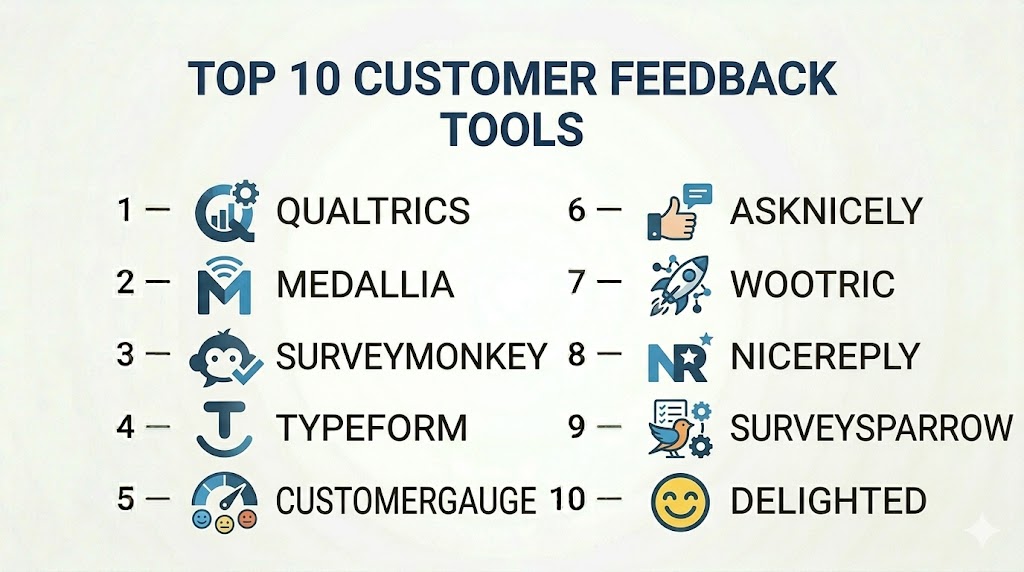
Top 10 Customer Feedback Tools
#1 — Qualtrics
Short description: Qualtrics offers an advanced feedback management platform with tools for surveys, NPS, CSAT, and employee experience. Ideal for large enterprises needing detailed analytics and integrations.
Key Features
- NPS, CSAT, and CES surveys
- Real-time analytics dashboards
- Multi-channel survey distribution
- AI-powered insights and predictions
- Integration with Salesforce, SAP, and other CRM systems
- Automated alerts and workflow routing
Pros
- Advanced analytics and predictive capabilities
- Enterprise-grade scalability
Cons
- Higher pricing for SMBs
- Can be complex to configure
Platforms / Deployment
- Web / iOS / Android
- Cloud
Security & Compliance
- SSO, MFA, encryption, audit logs
- SOC 2, GDPR, ISO 27001
Integrations & Ecosystem
- Salesforce, HubSpot, SAP
- APIs for custom integrations
- Marketing and analytics tools
Support & Community
- Enterprise support tiers
- Knowledge base and tutorials
- Community forums
#2 — Medallia
Short description: Medallia provides real-time customer experience management with feedback collection, analytics, and action automation, suitable for enterprise-scale deployment.
Key Features
- In-app and web feedback capture
- Sentiment analysis and AI insights
- Multi-channel surveys
- Integration with CRM and support systems
- Automated notifications and workflows
Pros
- Strong real-time analytics
- AI-driven sentiment insights
Cons
- Complex setup for smaller teams
- Premium pricing
Platforms / Deployment
- Web / iOS / Android
- Cloud
Security & Compliance
- SSO, encryption, MFA
- GDPR, SOC 2
Integrations & Ecosystem
- Salesforce, ServiceNow
- API access for custom integrations
- Analytics dashboards
Support & Community
- Enterprise support
- Tutorials and knowledge base
- Active community
#3 — SurveyMonkey
Short description: SurveyMonkey enables businesses to create and deploy surveys easily across multiple channels, with real-time analytics and reporting.
Key Features
- NPS, CSAT, and custom surveys
- Drag-and-drop survey builder
- Multi-channel distribution
- Analytics and reporting dashboards
- Integration with CRM and marketing platforms
Pros
- Easy to use and deploy
- Cost-effective for SMBs
Cons
- Limited advanced analytics
- Less suited for enterprise-scale automation
Platforms / Deployment
- Web / iOS / Android
- Cloud
Security & Compliance
- Encryption, SSO
- GDPR
Integrations & Ecosystem
- Salesforce, HubSpot, Slack
- API for custom integrations
- Reporting tools
Support & Community
- Customer support
- Tutorials and webinars
- Community forum
#4 — Typeform
Short description: Typeform specializes in engaging, conversational surveys and feedback forms, ideal for increasing response rates and customer engagement.
Key Features
- Interactive survey builder
- Conditional logic for personalized questions
- Multi-channel distribution
- Analytics dashboard
- Integration with CRM and marketing tools
Pros
- High engagement surveys
- Intuitive user interface
Cons
- Limited enterprise workflow automation
- Some analytics require premium plan
Platforms / Deployment
- Web / iOS / Android
- Cloud
Security & Compliance
- SSO, encryption
- GDPR
Integrations & Ecosystem
- Salesforce, HubSpot, Slack
- Zapier and APIs
- Analytics dashboards
Support & Community
- Tutorials and knowledge base
- Customer support
- Community forum
#5 — CustomerGauge
Short description: CustomerGauge is an NPS-focused platform providing feedback capture, analytics, and follow-up automation for SaaS and subscription businesses.
Key Features
- NPS surveys and reporting
- Automated follow-ups and alerts
- Multi-channel survey deployment
- Customer segmentation
- Integration with CRM and support systems
Pros
- Strong focus on NPS
- Actionable insights for subscription businesses
Cons
- Limited feature depth beyond NPS
- Enterprise deployment requires premium plan
Platforms / Deployment
- Web / iOS / Android
- Cloud
Security & Compliance
- SSO, encryption
- GDPR, SOC 2
Integrations & Ecosystem
- Salesforce, HubSpot
- APIs for custom workflows
- Reporting dashboards
Support & Community
- Customer support
- Knowledge base
- Community forum
#6 — AskNicely
Short description: AskNicely specializes in real-time NPS collection and customer feedback automation, enhancing engagement for SaaS and subscription services.
Key Features
- NPS surveys via email, SMS, and web
- Real-time feedback alerts
- Integration with CRM platforms
- Analytics and reporting dashboards
- Automation for follow-ups
Pros
- Rapid deployment and real-time insights
- User-friendly interface
Cons
- Limited survey customization
- Analytics are basic compared to enterprise platforms
Platforms / Deployment
- Web / iOS / Android
- Cloud
Security & Compliance
- SSO, encryption
- GDPR
Integrations & Ecosystem
- Salesforce, HubSpot, Zendesk
- API access
- Analytics dashboards
Support & Community
- Customer support
- Tutorials
- Community forum
#7 — Wootric
Short description: Wootric offers customer experience feedback tools with NPS, CSAT, and CES surveys, delivering insights via real-time dashboards and analytics.
Key Features
- NPS, CSAT, and CES surveys
- In-app, email, and mobile surveys
- Analytics and reporting
- Customer segmentation
- CRM integrations
Pros
- Lightweight and easy to deploy
- Multi-channel survey options
Cons
- Limited workflow automation
- Advanced analytics require premium plan
Platforms / Deployment
- Web / iOS / Android
- Cloud
Security & Compliance
- SSO, encryption
- GDPR
Integrations & Ecosystem
- Salesforce, HubSpot, Zendesk
- API access
- Reporting tools
Support & Community
- Customer support
- Knowledge base
- Community forums
#8 — Nicereply
Short description: Nicereply enables post-interaction feedback collection with CSAT, NPS, and CES surveys to optimize customer support experience.
Key Features
- Feedback after support interactions
- CSAT, NPS, CES tracking
- Analytics dashboards
- Integration with helpdesk platforms
- Automated follow-ups
Pros
- Easy feedback collection post-support
- Quick insights for support teams
Cons
- Limited enterprise-scale features
- Analytics depth is basic
Platforms / Deployment
- Web / iOS / Android
- Cloud
Security & Compliance
- Encryption, SSO
- GDPR
Integrations & Ecosystem
- Zendesk, Freshdesk, Salesforce
- API access
- Reporting tools
Support & Community
- Customer support
- Tutorials
- Community forum
#9 — SurveySparrow
Short description: SurveySparrow provides conversational surveys and feedback collection with multi-channel delivery and analytics dashboards for engagement optimization.
Key Features
- Conversational surveys
- Multi-channel distribution
- NPS, CSAT, and CES tracking
- Analytics and reporting
- CRM and marketing integration
Pros
- Engaging surveys increase completion rates
- Easy to create and deploy
Cons
- Limited automation for enterprise workflows
- Advanced reporting requires premium plan
Platforms / Deployment
- Web / iOS / Android
- Cloud
Security & Compliance
- SSO, encryption
- GDPR
Integrations & Ecosystem
- Salesforce, HubSpot, Slack
- API access
- Analytics dashboards
Support & Community
- Customer support
- Tutorials
- Community forum
#10 — Delighted
Short description: Delighted provides simple NPS, CSAT, and CES surveys for collecting feedback across multiple channels with actionable insights.
Key Features
- NPS, CSAT, CES surveys
- Multi-channel distribution
- Real-time analytics dashboards
- Integration with CRM and support tools
- Automated notifications
Pros
- Quick deployment and simple to use
- Real-time reporting
Cons
- Limited customization and automation
- May not suit complex enterprise workflows
Platforms / Deployment
- Web / iOS / Android
- Cloud
Security & Compliance
- SSO, encryption
- GDPR
Integrations & Ecosystem
- Salesforce, Zendesk, HubSpot
- API access
- Reporting dashboards
Support & Community
- Customer support
- Tutorials
- Community forums
Comparison Table (Top 10)
| Tool Name | Best For | Platform(s) Supported | Deployment | Standout Feature | Public Rating |
|---|---|---|---|---|---|
| Qualtrics | Enterprise | Web / iOS / Android | Cloud | Advanced analytics + surveys | N/A |
| Medallia | Enterprise | Web / iOS / Android | Cloud | Real-time feedback insights | N/A |
| SurveyMonkey | SMB / Mid-market | Web / iOS / Android | Cloud | Easy survey creation | N/A |
| Typeform | SMB | Web / iOS / Android | Cloud | Conversational surveys | N/A |
| CustomerGauge | SaaS | Web / iOS / Android | Cloud | NPS-focused insights | N/A |
| AskNicely | SaaS / SMB | Web / iOS / Android | Cloud | Real-time NPS | N/A |
| Wootric | SMB / Mid-market | Web / iOS / Android | Cloud | Multi-channel feedback | N/A |
| Nicereply | SMB | Web / iOS / Android | Cloud | Post-interaction CSAT | N/A |
| SurveySparrow | SMB | Web / iOS / Android | Cloud | Conversational surveys | N/A |
| Delighted | SMB | Web / iOS / Android | Cloud | Quick NPS, CSAT collection | N/A |
Evaluation & Scoring of Customer Feedback Tools
| Tool Name | Core (25%) | Ease (15%) | Integrations (15%) | Security (10%) | Performance (10%) | Support (10%) | Value (15%) | Weighted Total |
|---|---|---|---|---|---|---|---|---|
| Qualtrics | 9 | 8 | 8 | 9 | 8 | 8 | 7 | 8.3 |
| Medallia | 9 | 8 | 8 | 9 | 8 | 8 | 7 | 8.3 |
| SurveyMonkey | 8 | 9 | 7 | 8 | 7 | 7 | 8 | 7.9 |
| Typeform | 8 | 9 | 7 | 8 | 7 | 7 | 7 | 7.7 |
| CustomerGauge | 8 | 8 | 7 | 8 | 7 | 7 | 7 | 7.6 |
| AskNicely | 8 | 8 | 7 | 8 | 7 | 7 | 7 | 7.6 |
| Wootric | 8 | 8 | 7 | 8 | 7 | 7 | 7 | 7.6 |
| Nicereply | 7 | 8 | 7 | 8 | 7 | 7 | 7 | 7.3 |
| SurveySparrow | 8 | 9 | 7 | 8 | 7 | 7 | 7 | 7.7 |
| Delighted | 7 | 9 | 7 | 8 | 7 | 7 | 7 | 7.4 |
Interpretation: Weighted totals provide a comparative view of feature richness, usability, integrations, security, support, and value. Higher scores indicate more comprehensive solutions suitable for various organization sizes.
Which Customer Feedback Tools Tool Is Right for You?
Solo / Freelancer
Delighted, Nicereply, and Typeform provide lightweight, easy-to-use feedback collection for small teams.
SMB
SurveyMonkey, SurveySparrow, and AskNicely balance survey deployment, analytics, and engagement workflows.
Mid-Market
Wootric, CustomerGauge, and SurveySparrow offer advanced analytics and multi-channel feedback collection.
Enterprise
Qualtrics, Medallia, and CustomerGauge provide enterprise-scale analytics, workflow automation, and AI-driven insights.
Budget vs Premium
Small teams benefit from Delighted, Nicereply, or Typeform, while enterprises require Qualtrics, Medallia, or CustomerGauge for advanced analytics and workflow automation.
Feature Depth vs Ease of Use
Enterprises may prioritize depth and predictive insights, whereas SMBs prioritize intuitive interfaces and rapid deployment.
Integrations & Scalability
Ensure integration with CRM, support, and analytics platforms, and the ability to scale across multiple teams and regions.
Security & Compliance Needs
Platforms should comply with GDPR, SOC 2, and provide encryption, SSO, and MFA for secure feedback handling.
Frequently Asked Questions (FAQs)
1. What pricing models do customer feedback tools use?
Most platforms offer subscription-based pricing, per-user or per-survey, with enterprise options for large organizations.
2. How long does implementation take?
SMBs can deploy surveys in days, while enterprise setups may require weeks due to integrations and workflow configurations.
3. Are these platforms mobile-friendly?
Yes, all top tools provide web and mobile support for capturing feedback across devices.
4. Can these tools predict customer churn?
AI-driven analytics and sentiment analysis help identify at-risk customers.
5. How is customer data secured?
Tools implement encryption, SSO/MFA, and adhere to GDPR and SOC 2 standards.
6. Can feedback be automated?
Yes, automated triggers can route feedback for follow-ups or alerts based on responses.
7. Are there open-source alternatives?
Few exist; enterprise-grade solutions are typically SaaS platforms.
8. Can multiple teams collaborate in the tool?
Yes, cloud-based platforms support multi-user collaboration, reporting, and workflow management.
9. How is ROI measured?
By tracking survey response rates, engagement, NPS scores, and improvements in customer satisfaction.
10. Can these tools integrate with CRM?
Yes, most platforms integrate with Salesforce, HubSpot, Zendesk, and other support systems.
Conclusion
Customer Feedback Tools are essential for organizations aiming to improve customer satisfaction, reduce churn, and drive product and service enhancements. Small teams benefit from Delighted, Nicereply, and Typeform, while enterprise organizations rely on Qualtrics, Medallia, and CustomerGauge for advanced analytics, automation, and predictive insights. Choosing the right platform requires evaluating features, usability, integrations, scalability, security, and overall value. Shortlist suitable solutions, implement pilot surveys, and leverage feedback workflows to drive actionable insights and improve customer experience.

Find Trusted Cardiac Hospitals
Compare heart hospitals by city and services — all in one place.
Explore Hospitals
Customer feedback is most useful when teams close the loop after receiving it. Users are more likely to share useful feedback when they can see that their concerns are being reviewed or acted on. Tracking common issues and sharing what changed can turn feedback into real product improvements.