Introduction
Document Management Systems (DMS) are platforms that allow organizations to store, organize, track, and secure documents electronically. They provide centralized repositories with version control, search functionality, access permissions, and collaboration tools, replacing traditional paper-based or scattered digital file storage.
DMS is critical for enterprises, SMBs, and regulated industries to maintain compliance, improve workflow efficiency, and enable remote collaboration. Modern DMS platforms increasingly integrate AI for intelligent document tagging, automated workflow routing, and advanced search capabilities.
Real-world use cases:
- Centralized storage and retrieval for legal or financial documents
- Version-controlled collaboration for remote teams
- Workflow automation for approvals, signatures, and compliance
- Knowledge management and audit trail tracking
- Integration with ERP, CRM, and productivity tools
Evaluation criteria for buyers:
- Core document storage and versioning
- Search, indexing, and retrieval speed
- Workflow and automation features
- Security and compliance capabilities
- Collaboration and access control
- Integrations with productivity and enterprise software
- Cloud vs on-prem deployment options
- Scalability and performance
- Ease of use and adoption
- Pricing and licensing flexibility
Best for: Legal, financial, healthcare, engineering, and enterprises with regulatory compliance needs.
Not ideal for: Small teams without extensive document workflows or organizations that rely on simple cloud storage without structured management.
Key Trends in Document Management Systems
- AI-powered document classification, metadata tagging, and search
- Cloud-first deployment models with hybrid options
- Enhanced workflow automation for approvals and routing
- Integration with collaboration, ERP, CRM, and productivity tools
- Real-time collaboration and mobile access
- Compliance-ready features: SOC 2, ISO 27001, HIPAA, GDPR
- Subscription-based pricing with flexible tiering
- Enhanced security features: encryption, MFA, audit logs, RBAC
- User-friendly interfaces and templates for quick onboarding
How We Selected These Tools (Methodology)
- Market adoption and mindshare analysis
- Feature completeness and differentiation
- Performance and reliability in enterprise use
- Security posture including compliance with standards
- Integration capabilities with productivity and enterprise tools
- Customer fit across solo, SMB, and enterprise segments
- Cross-platform and mobile support
- Pricing, onboarding, and support quality
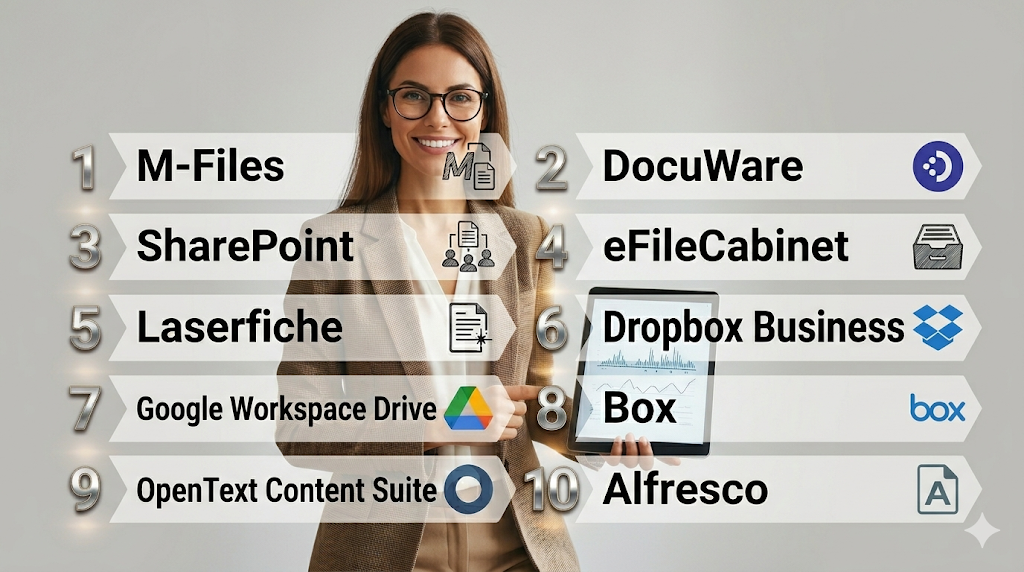
Top 10 Document Management Systems Tools
1- M-Files
Short description: Intelligent document management platform using metadata to organize, secure, and automate workflows for enterprises.
Key Features
- Metadata-driven document organization
- Automated workflow routing
- Version control and audit trail
- Cloud and on-prem deployment
- Compliance management
Pros
- Efficient metadata search and retrieval
- Strong automation and workflow capabilities
- Enterprise-grade security
Cons
- Premium pricing
- Complexity for small teams
- Learning curve for advanced features
Platforms / Deployment
- Windows / Web / macOS / iOS / Android
- Cloud / On-prem / Hybrid
Security & Compliance
- SOC 2, ISO 27001, GDPR, MFA, RBAC
Integrations & Ecosystem
Integrates with ERP, CRM, and productivity tools.
- Microsoft 365
- Salesforce
- SAP
Support & Community
Documentation, online support, and enterprise customer success teams.
2- DocuWare
Short description : Cloud and on-prem DMS designed for document storage, workflow automation, and compliance for SMBs and enterprises.
Key Features
- Automated document workflows
- Cloud and on-prem deployment
- Indexing and search
- Role-based access control
- Digital signatures
Pros
- Flexible deployment options
- Strong compliance support
- Easy workflow automation
Cons
- Premium pricing for full features
- May require training for admins
- Interface can feel complex
Platforms / Deployment
- Windows / Web / iOS / Android
- Cloud / On-prem / Hybrid
Security & Compliance
- SOC 2, ISO 27001, GDPR, MFA
Integrations & Ecosystem
Integrates with accounting, ERP, and office productivity tools.
- Microsoft 365
- Salesforce
- SAP
Support & Community
Training, helpdesk, and user forums.
3- SharePoint
Short description : Microsoft’s enterprise platform for document management, collaboration, and intranet workflows.
Key Features
- Version control and co-authoring
- Cloud and on-prem collaboration
- Integration with Office 365
- Automated workflows with Power Automate
- Permissions and access control
Pros
- Tight integration with Microsoft ecosystem
- Scalable for large organizations
- Rich collaboration features
Cons
- Steep learning curve
- Customization requires IT support
- Can be complex for small teams
Platforms / Deployment
- Web / Windows / macOS / iOS / Android
- Cloud / On-prem / Hybrid
Security & Compliance
- SOC 2, ISO 27001, GDPR, MFA, encryption
Integrations & Ecosystem
Works seamlessly with Microsoft 365 apps and third-party enterprise tools.
- Teams, OneDrive, Outlook
- Dynamics 365
- Power BI
Support & Community
Microsoft documentation, forums, and enterprise support.
4- eFileCabinet
Short description : DMS focused on file storage, workflow automation, and secure document sharing for SMBs.
Key Features
- Cloud and on-prem storage
- Automated workflows and routing
- Version control and audit logs
- Role-based access
- Integration with accounting software
Pros
- Affordable for SMBs
- Easy to deploy
- User-friendly interface
Cons
- Limited enterprise scalability
- Customization options are restricted
- Fewer advanced AI features
Platforms / Deployment
- Windows / Web / iOS / Android
- Cloud / On-prem / Hybrid
Security & Compliance
- SOC 2, encryption, RBAC
Integrations & Ecosystem
Integrates with productivity and accounting tools.
- QuickBooks
- Microsoft 365
- Zapier
Support & Community
Email support, documentation, and online tutorials.
5- Laserfiche
Short description: Enterprise-focused DMS for document capture, workflow automation, and regulatory compliance.
Key Features
- Capture and digitize documents
- Workflow automation and routing
- Audit trails and compliance reporting
- Cloud and on-prem deployment
- Integration with enterprise apps
Pros
- Enterprise-grade compliance
- Strong workflow automation
- Scalable for large organizations
Cons
- High pricing
- Complex setup for small teams
- Requires trained admins
Platforms / Deployment
- Windows / Web / iOS / Android
- Cloud / On-prem / Hybrid
Security & Compliance
- SOC 2, ISO 27001, HIPAA, MFA
Integrations & Ecosystem
Integrates with ERP, CRM, and productivity suites.
- Microsoft 365
- Salesforce
- SAP
Support & Community
Training, support tiers, and user community.
6- Dropbox Business
Short description (2–3 lines): Cloud-based document storage and sharing with team collaboration features.
Key Features
- Cloud file storage
- File sharing and permissions
- Version control
- Collaboration tools
- Integration with productivity apps
Pros
- Simple and fast setup
- Cross-platform access
- Team collaboration features
Cons
- Limited workflow automation
- Security relies on cloud setup
- Not feature-rich for enterprise DMS
Platforms / Deployment
- Windows / macOS / Linux / iOS / Android / Web
- Cloud
Security & Compliance
- SOC 2, encryption, MFA
Integrations & Ecosystem
Integrates with Office 365, Google Workspace, Slack, and project management apps.
- Microsoft Office
- Slack
- Zoom
Support & Community
Documentation, online tutorials, and business support plans.
7- Google Workspace Drive
Short description (2–3 lines): Cloud-based document storage and collaboration tool integrated into Google Workspace.
Key Features
- Cloud storage and sharing
- Real-time collaboration
- File versioning and audit logs
- Integration with Google apps
- Mobile access
Pros
- Seamless collaboration
- Familiar interface
- Cloud-first and cross-device
Cons
- Limited workflow automation
- Enterprise compliance features may vary
- Less advanced DMS capabilities
Platforms / Deployment
- Web / Windows / macOS / iOS / Android
- Cloud
Security & Compliance
- SOC 2, GDPR, MFA
Integrations & Ecosystem
Works with Gmail, Docs, Sheets, and third-party apps.
- Slack
- Asana
- Zapier
Support & Community
Google documentation and enterprise support.
8- Box
Short description (2–3 lines): Enterprise cloud content management platform for secure storage, collaboration, and workflow automation.
Key Features
- Cloud storage and secure sharing
- Workflow automation
- Version control
- Compliance and access control
- Integrations with enterprise apps
Pros
- Strong security and compliance
- Scalable for large organizations
- Collaborative workspace
Cons
- Costly for small teams
- Complex setup
- Learning curve for advanced features
Platforms / Deployment
- Windows / macOS / Linux / iOS / Android / Web
- Cloud
Security & Compliance
- SOC 2, ISO 27001, HIPAA, MFA
Integrations & Ecosystem
Integrates with productivity, ERP, and CRM tools.
- Microsoft 365
- Salesforce
- Slack
Support & Community
Documentation, webinars, and support tiers.
9- OpenText Content Suite
Short description (2–3 lines): Enterprise content management system for secure document handling, workflow, and compliance.
Key Features
- Enterprise content management
- Workflow and automation
- Versioning and audit logs
- Security and compliance
- Integration with enterprise apps
Pros
- Highly scalable
- Regulatory compliance
- Strong workflow automation
Cons
- High pricing
- Complex implementation
- Requires IT support
Platforms / Deployment
- Windows / Web / iOS / Android
- Cloud / On-prem / Hybrid
Security & Compliance
- SOC 2, ISO 27001, GDPR, HIPAA
Integrations & Ecosystem
Integrates with ERP, CRM, and productivity apps.
- SAP
- Salesforce
- Microsoft 365
Support & Community
Enterprise support and training programs.
10- Alfresco
Short description (2–3 lines): Open-source and enterprise DMS for document storage, collaboration, and workflow automation.
Key Features
- Content repository and versioning
- Workflow and automation
- Role-based access control
- Cloud and on-prem deployment
- Collaboration features
Pros
- Open-source flexibility
- Enterprise workflow features
- Cloud and on-prem support
Cons
- Setup complexity
- Requires IT knowledge for advanced features
- Community support varies
Platforms / Deployment
- Windows / macOS / Linux / iOS / Android / Web
- Cloud / On-prem / Hybrid
Security & Compliance
- SOC 2, ISO 27001, MFA, encryption
Integrations & Ecosystem
Supports ERP, productivity, and collaboration apps.
- Microsoft 365
- Salesforce
- SAP
Support & Community
Documentation, community forums, and enterprise support tiers.
Comparison Table (Top 10)
| Tool Name | Best For | Platform(s) Supported | Deployment | Standout Feature | Public Rating |
|---|---|---|---|---|---|
| M-Files | Metadata-driven DMS | Windows / Web / macOS / iOS / Android | Cloud / On-prem / Hybrid | Intelligent metadata organization | N/A |
| DocuWare | SMB & enterprise | Windows / Web / iOS / Android | Cloud / On-prem / Hybrid | Workflow automation | N/A |
| SharePoint | Enterprise collaboration | Web / Windows / macOS / iOS / Android | Cloud / On-prem / Hybrid | Office 365 integration | N/A |
| eFileCabinet | SMBs | Windows / Web / iOS / Android | Cloud / On-prem / Hybrid | File storage & workflow | N/A |
| Laserfiche | Enterprise | Windows / Web / iOS / Android | Cloud / On-prem / Hybrid | Compliance & workflow | N/A |
| Dropbox Business | Team collaboration | Windows / macOS / Linux / iOS / Android / Web | Cloud | Cloud file sharing & sync | N/A |
| Google Workspace Drive | Cloud-first | Web / Windows / macOS / iOS / Android | Cloud | Real-time collaboration | N/A |
| Box | Enterprise cloud | Windows / macOS / Linux / iOS / Android / Web | Cloud | Security & compliance | N/A |
| OpenText Content Suite | Enterprise | Windows / Web / iOS / Android | Cloud / On-prem / Hybrid | Regulatory compliance | N/A |
| Alfresco | Open-source / Enterprise | Windows / macOS / Linux / iOS / Android / Web | Cloud / On-prem / Hybrid | Open-source flexibility | N/A |
Evaluation & Scoring of Document Management Systems
| Tool Name | Core (25%) | Ease (15%) | Integrations (15%) | Security (10%) | Performance (10%) | Support (10%) | Value (15%) | Weighted Total (0–10) |
|---|---|---|---|---|---|---|---|---|
| M-Files | 10 | 8 | 9 | 9 | 9 | 8 | 7 | 8.7 |
| DocuWare | 9 | 8 | 8 | 8 | 8 | 8 | 7 | 8.1 |
| SharePoint | 10 | 7 | 9 | 9 | 9 | 8 | 7 | 8.4 |
| eFileCabinet | 8 | 8 | 7 | 7 | 8 | 7 | 8 | 7.6 |
| Laserfiche | 10 | 7 | 8 | 9 | 9 | 8 | 7 | 8.4 |
| Dropbox Business | 7 | 9 | 8 | 8 | 8 | 7 | 9 | 8.0 |
| Google Workspace Drive | 8 | 9 | 8 | 8 | 8 | 8 | 8 | 8.1 |
| Box | 9 | 8 | 8 | 9 | 8 | 8 | 7 | 8.0 |
| OpenText Content Suite | 10 | 7 | 8 | 9 | 9 | 8 | 7 | 8.3 |
| Alfresco | 9 | 7 | 8 | 8 | 8 | 8 | 8 | 8.0 |
Interpretation: Weighted scores compare core features, usability, integrations, security, performance, support, and value. Higher totals indicate stronger overall suitability.
Which Document Management System Tool Is Right for You?
Solo / Freelancer
- Dropbox Business or Google Workspace Drive for simple cloud storage and collaboration.
SMB
- eFileCabinet, DocuWare, or M-Files for workflow automation and team collaboration.
Mid-Market
- Laserfiche, Box, or SharePoint for compliance, workflow, and enterprise features.
Enterprise
- M-Files, SharePoint, OpenText Content Suite, or Alfresco for large-scale document control, integrations, and security.
Budget vs Premium
- Budget: Google Workspace Drive, Dropbox Business
- Premium: M-Files, Laserfiche, Box, SharePoint
Feature Depth vs Ease of Use
- Feature depth: M-Files, Laserfiche, SharePoint
- Ease of use: Dropbox Business, Google Workspace Drive, eFileCabinet
Integrations & Scalability
- Enterprise tools like M-Files, SharePoint, Box, and OpenText integrate with ERP, CRM, and productivity apps, supporting large-scale deployment.
Security & Compliance Needs
- M-Files, Laserfiche, SharePoint, and Box offer enterprise-grade compliance; smaller tools may require additional management for regulated industries.
Frequently Asked Questions (FAQs)
1. Which DMS is best for small teams?
eFileCabinet, Dropbox Business, and Google Workspace Drive are ideal for SMBs. They offer straightforward document storage, basic workflow automation, and easy team collaboration without complex setup.
2. Can DMS integrate with ERP and CRM?
Yes, enterprise tools like M-Files, SharePoint, Box, and OpenText support integration with major ERP, CRM, and productivity platforms. This ensures seamless workflows and document-linked business processes.
3. Are there cloud and on-prem options?
Many DMS tools, including M-Files, Alfresco, and SharePoint, offer hybrid deployment options. Dropbox and Google Drive are cloud-only, while enterprise on-prem solutions provide tighter control for sensitive data.
4. Do these systems support workflow automation?
Yes, tools like M-Files, DocuWare, and Laserfiche allow automated approvals, routing, and task assignment. This reduces manual work, ensures compliance, and accelerates document-related processes.
5. Are these tools secure for sensitive data?
Enterprise DMS platforms provide SOC 2, ISO 27001, HIPAA compliance, encryption, and multi-factor authentication. Cloud-only systems rely on provider-level security and access controls.
6. Can multiple users collaborate in real-time?
Yes, SharePoint, Google Workspace Drive, Box, and DocuWare allow simultaneous editing, version tracking, and commenting, enabling teams to work on documents together efficiently.
7. Are there free or freemium options?
Google Workspace Drive and Dropbox Business offer basic free tiers suitable for small teams or individuals. Most enterprise-grade DMS platforms require paid licenses for advanced features.
8. How scalable are these systems?
Enterprise solutions like M-Files, SharePoint, Laserfiche, and OpenText can support thousands of users and handle large volumes of documents. SMB-focused platforms may have limitations on storage or user numbers.
9. Do these systems support mobile access?
Most modern DMS platforms offer iOS and Android apps, allowing users to access, edit, and collaborate on documents from mobile devices securely.
10. How do I choose the right DMS?
Evaluate your organization’s size, deployment preference, workflow needs, security requirements, and integrations. Shortlist 2–3 platforms, test their workflows, and validate compliance before full-scale adoption.
Conclusion
Document Management Systems are essential for modern organizations to store, manage, and secure documents efficiently. Small teams may rely on Dropbox Business or Google Workspace Drive for cloud-based simplicity. SMBs benefit from eFileCabinet, DocuWare, or M-Files for workflow automation and collaboration. Mid-market and enterprises require Laserfiche, SharePoint, Box, or OpenText for compliance, integrations, and scalable operations. The right tool depends on your organization’s size, workflow complexity, and security requirements. Next steps: shortlist 2–3 tools, pilot document workflows, and validate integrations and compliance before enterprise-wide adoption.

Find Trusted Cardiac Hospitals
Compare heart hospitals by city and services — all in one place.
Explore Hospitals
Document management systems are explained clearly, and the comparison helps in understanding how organizations can store, organize, and manage files securely and efficiently.