Introduction
Document Management Systems (DMS) are no longer just file storage tools—they are the control center for your organization’s information flow. In a world where data is growing exponentially, businesses need more than folders and shared drives—they need structure, security, automation, and instant access.
A modern DMS transforms chaos into clarity. It helps teams capture documents, organize them intelligently, automate workflows, and ensure compliance—all from a centralized system. Whether you’re managing contracts, invoices, HR files, or compliance records, a DMS ensures that your documents are always accessible, secure, and actionable.
Today’s platforms go further with AI-powered search, workflow automation, metadata tagging, and deep integrations, making them essential for scaling operations efficiently.
Common use cases include:
- Centralized document storage and organization
- Workflow automation and approval processes
- Secure file sharing and collaboration
- Compliance tracking and audit readiness
- Records management and long-term archiving
What buyers should evaluate:
- Search accuracy and document retrieval speed
- Version control and audit tracking
- Role-based access and security controls
- Workflow automation capabilities
- Integration with CRM, ERP, and productivity tools
- Cloud vs on-premise deployment flexibility
- Scalability for growing data volumes
- Compliance readiness (GDPR, etc.)
- Backup and disaster recovery
- Ease of adoption and user experience
Best for: Enterprises, SMBs, legal teams, finance departments, healthcare providers, and any organization managing high volumes of critical documents.
Not ideal for: Individuals or teams with minimal file management needs or basic storage requirements.
Key Trends in Document Management Systems
- AI-powered document classification and intelligent search
- Automated workflows replacing manual approvals
- Cloud-first platforms enabling remote access
- Advanced security layers (encryption, MFA, role-based access)
- Metadata-driven organization for smarter retrieval
- Integration with business ecosystems (CRM, ERP, HR tools)
- Real-time collaboration and document editing
- OCR and data extraction from scanned documents
- Compliance-driven lifecycle management
- Mobile-first access for distributed teams
How We Selected These Tools (Methodology)
- Strong adoption across industries and company sizes
- Robust core features (storage, search, versioning, security)
- Proven performance in real-world business environments
- Integration with modern SaaS ecosystems
- Security and compliance readiness
- Balance between usability and advanced capabilities
- Innovation in AI and automation
- Scalability from SMB to enterprise
- Vendor ecosystem strength and support quality
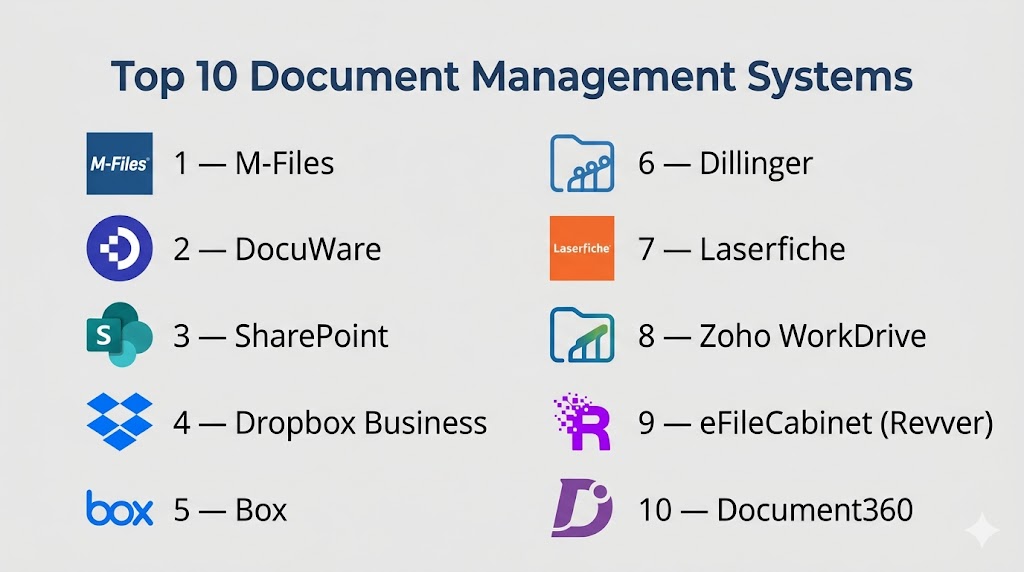
Top 10 Document Management Systems
#1 — M-Files
Short description: A smart, metadata-driven DMS that transforms how documents are organized and accessed.
Key Features
- Metadata-based document organization
- AI-powered search and classification
- Workflow automation
- Version control
- Compliance management
- Duplicate detection
- Integration capabilities
Pros
- Highly intelligent document organization
- Strong compliance and automation features
Cons
- Complex implementation
- Premium pricing
Platforms / Deployment
Cloud / On-prem / Hybrid
Security & Compliance
Role-based access, audit trails (details not publicly stated)
Integrations & Ecosystem
M-Files connects deeply with enterprise systems.
- Microsoft Office
- Salesforce
- CRM platforms
Support & Community
Strong enterprise-grade support.
#2 — DocuWare
Short description: A scalable cloud DMS focused on automation, secure storage, and digital workflows.
Key Features
- Document capture and indexing
- Workflow automation
- Secure cloud storage
- Version control
- Audit trails
- Mobile access
Pros
- Excellent workflow automation
- Scales well with business growth
Cons
- Pricing not transparent
- Requires onboarding effort
Platforms / Deployment
Cloud / Hybrid
Security & Compliance
Encryption and access controls (details not publicly stated)
Integrations & Ecosystem
- ERP systems
- CRM tools
- Office platforms
Support & Community
Strong enterprise adoption.
#3 — SharePoint
Short description: A powerful Microsoft platform combining document management, collaboration, and enterprise content control.
Key Features
- Document libraries
- Version control
- Permission management
- Workflow automation
- Advanced search
- Collaboration tools
Pros
- Deep Microsoft ecosystem integration
- Highly scalable
Cons
- Complex configuration
- Steep learning curve
Platforms / Deployment
Cloud / On-prem
Security & Compliance
Enterprise-grade controls (details not publicly stated)
Integrations & Ecosystem
- Microsoft 365
- Teams
- OneDrive
Support & Community
Extensive enterprise ecosystem.
#4 — Dropbox Business
Short description: A user-friendly DMS focused on file sharing, collaboration, and accessibility.
Key Features
- Cloud storage
- File sharing
- Version history
- Collaboration tools
- File recovery
- Access control
Pros
- Simple and intuitive
- Strong sharing capabilities
Cons
- Limited workflow automation
- Not a full enterprise DMS
Platforms / Deployment
Cloud / Web / Mobile
Security & Compliance
Encryption and permissions (details not publicly stated)
Integrations & Ecosystem
- Slack
- Zoom
- Google Workspace
Support & Community
Large global user base.
#5 — Box
Short description: A secure cloud content management platform built for enterprise collaboration and governance.
Key Features
- Secure file sharing
- Workflow automation
- Version control
- Content governance
- API integrations
- Collaboration tools
Pros
- Strong security features
- Enterprise-ready
Cons
- Expensive
- Requires setup
Platforms / Deployment
Cloud
Security & Compliance
Encryption, MFA, access controls (details not publicly stated)
Integrations & Ecosystem
- Salesforce
- Microsoft
- Google Workspace
Support & Community
Strong enterprise support.
#6 — Google Drive (Workspace)
Short description: A widely adopted platform for cloud storage and real-time document collaboration.
Key Features
- Cloud storage
- Real-time editing
- Version history
- File sharing
- Search functionality
- Workspace integration
Pros
- Extremely easy to use
- Strong collaboration features
Cons
- Limited advanced DMS capabilities
- Less granular enterprise control
Platforms / Deployment
Cloud / Web / Mobile
Security & Compliance
Access controls and permissions
Integrations & Ecosystem
- Google Docs
- Gmail
- Workspace tools
Support & Community
Massive global adoption.
#7 — Laserfiche
Short description: An enterprise-focused DMS built for compliance, automation, and digital transformation.
Key Features
- Workflow automation
- Document indexing
- Records management
- Secure storage
- Analytics tools
- Integration capabilities
Pros
- Strong compliance support
- Scalable for enterprises
Cons
- Complex implementation
- Higher cost
Platforms / Deployment
Cloud / On-prem
Security & Compliance
Not publicly stated
Integrations & Ecosystem
- ERP systems
- Business applications
Support & Community
Strong enterprise presence.
#8 — Zoho WorkDrive
Short description: A collaborative document platform designed for teams within the Zoho ecosystem.
Key Features
- Team folders
- File sharing
- Version control
- Collaboration tools
- Access permissions
- Cloud storage
Pros
- Affordable and easy to use
- Good for SMBs
Cons
- Limited enterprise features
- Smaller ecosystem
Platforms / Deployment
Cloud
Security & Compliance
Not publicly stated
Integrations & Ecosystem
- Zoho apps
- Business tools
Support & Community
Growing adoption.
#9 — eFileCabinet (Revver)
Short description: A DMS tailored for SMBs needing secure storage and workflow automation.
Key Features
- Secure file storage
- Workflow automation
- Version control
- Audit trails
- File sharing
Pros
- Good for SMB workflows
- Strong automation
Cons
- Limited scalability
- UI improvements needed
Platforms / Deployment
Cloud
Security & Compliance
Not publicly stated
Integrations & Ecosystem
- Accounting tools
- Business systems
Support & Community
Moderate support.
#10 — Document360
Short description: A knowledge-focused platform designed for documentation and structured content management.
Key Features
- Knowledge base management
- Version control
- Collaboration tools
- Search functionality
- Analytics
- Content workflows
Pros
- Excellent for documentation
- Easy to use
Cons
- Limited general DMS capabilities
- Niche focus
Platforms / Deployment
Cloud
Security & Compliance
Not publicly stated
Integrations & Ecosystem
- Developer tools
- Knowledge platforms
Support & Community
Growing ecosystem.
Comparison Table (Top 10)
| Tool Name | Best For | Platform(s) Supported | Deployment | Standout Feature | Public Rating |
|---|---|---|---|---|---|
| M-Files | Enterprise | Multi-platform | Hybrid | Metadata system | N/A |
| DocuWare | Automation | Web | Cloud | Workflow automation | N/A |
| SharePoint | Enterprise | Multi-platform | Hybrid | Microsoft ecosystem | N/A |
| Dropbox Business | SMB | Web, Mobile | Cloud | File sharing | N/A |
| Box | Enterprise | Web | Cloud | Security | N/A |
| Google Drive | Teams | Web, Mobile | Cloud | Collaboration | N/A |
| Laserfiche | Compliance | Multi-platform | Hybrid | Automation | N/A |
| Zoho WorkDrive | SMB | Web | Cloud | Affordability | N/A |
| eFileCabinet | SMB | Web | Cloud | Workflow automation | N/A |
| Document360 | Docs | Web | Cloud | Knowledge base | N/A |
Evaluation & Scoring of Document Management Systems
| Tool Name | Core | Ease | Integrations | Security | Performance | Support | Value | Weighted Total |
|---|---|---|---|---|---|---|---|---|
| M-Files | 10 | 7 | 9 | 9 | 9 | 9 | 7 | 8.8 |
| DocuWare | 9 | 8 | 8 | 8 | 8 | 8 | 8 | 8.2 |
| SharePoint | 10 | 7 | 10 | 9 | 9 | 9 | 7 | 8.9 |
| Dropbox Business | 7 | 9 | 8 | 8 | 8 | 8 | 9 | 8.1 |
| Box | 9 | 8 | 9 | 9 | 8 | 8 | 7 | 8.4 |
| Google Drive | 7 | 10 | 9 | 8 | 8 | 8 | 10 | 8.5 |
| Laserfiche | 9 | 7 | 8 | 9 | 9 | 8 | 7 | 8.3 |
| Zoho WorkDrive | 7 | 9 | 7 | 7 | 8 | 7 | 9 | 7.9 |
| eFileCabinet | 8 | 8 | 7 | 8 | 8 | 7 | 8 | 8.0 |
| Document360 | 8 | 9 | 7 | 7 | 8 | 7 | 8 | 7.9 |
How to interpret scores:
These scores are relative benchmarks—not absolute winners. A higher score reflects stronger overall capability, but the right choice depends on your workflow, compliance requirements, and team size. Always evaluate tools in real-world scenarios before finalizing.
Which Document Management System Is Right for You?
Solo / Freelancer
Google Drive or Dropbox offer simple, fast, and effective document handling.
SMB
Zoho WorkDrive and eFileCabinet provide affordable scalability and workflow automation.
Mid-Market
DocuWare and Box balance automation, security, and usability.
Enterprise
SharePoint and M-Files dominate with scalability, integrations, and governance.
Budget vs Premium
Google Drive offers strong free value, while M-Files delivers enterprise-grade intelligence.
Feature Depth vs Ease of Use
M-Files offers deep automation; Dropbox offers simplicity and speed.
Integrations & Scalability
SharePoint leads with unmatched ecosystem integration.
Security & Compliance Needs
Laserfiche and Box are strong choices for compliance-heavy industries.
Frequently Asked Questions (FAQs)
1. What is a Document Management System?
A system that stores, organizes, secures, and manages digital documents.
2. Why is a DMS important?
It improves efficiency, security, and collaboration across teams.
3. What features should I look for?
Search, version control, security, and workflow automation.
4. Are DMS cloud-based?
Most modern systems are cloud-first, but hybrid options exist.
5. Can a DMS improve compliance?
Yes, through audit trails and access controls.
6. What is version control?
Tracking changes and maintaining document history.
7. Do DMS tools integrate with other apps?
Yes, with CRM, ERP, and productivity tools.
8. Are DMS tools scalable?
Yes, most support growing data and teams.
9. What industries use DMS?
Legal, healthcare, finance, and more.
10. How do I choose the right DMS?
Focus on your workflow, compliance needs, and scalability requirements.
Conclusion
Document Management Systems have evolved into mission-critical platforms that power how modern organizations operate. They bring structure to chaos, automate workflows, and ensure that every document is secure, accessible, and actionable. Whether you choose a simple platform like Google Drive or a powerful enterprise solution like SharePoint or M-Files, the right DMS can transform how your business handles information. The smartest move is to shortlist a few tools, test them with real workflows, and choose the one that makes your document processes faster, smarter, and more secure.

Find Trusted Cardiac Hospitals
Compare heart hospitals by city and services — all in one place.
Explore Hospitals
This explains how document management systems help store, organize, and access files easily in one place.