Introduction
GPU cluster scheduling tools are specialized software solutions that help organizations manage, allocate, and optimize GPU resources across multiple servers and clusters. These platforms are critical for handling high-performance computing workloads, AI training, deep learning inference, simulation, and rendering tasks that demand massive GPU power. with AI and machine learning workloads growing exponentially, efficient GPU scheduling has become crucial to reduce idle GPU time, lower costs, and maintain high throughput.
Real-world use cases include:
- Training large deep learning models across multi-node GPU clusters in AI labs.
- Distributing high-performance simulation workloads in engineering and scientific research.
- Real-time rendering pipelines for visual effects and gaming studios.
- Edge-to-cloud AI orchestration for large-scale inference tasks.
- Resource allocation for hybrid AI/ML workloads in enterprise data centers.
Evaluation criteria for buyers:
- Multi-cluster GPU scheduling capability
- Resource utilization efficiency and load balancing
- Integration with cloud providers and on-prem infrastructure
- Support for containerized workloads (Docker, Kubernetes)
- Job prioritization and preemption capabilities
- Monitoring, logging, and analytics
- User access controls and role-based management
- Scalability for thousands of GPUs
- Pricing and licensing flexibility
- Vendor support and community engagement
Best for: AI researchers, IT managers, cloud architects, and enterprise organizations running multi-node GPU workloads in AI, ML, rendering, and HPC environments.
Not ideal for: Small teams with limited GPU needs, single-server deployments, or workloads that do not require high concurrency or GPU optimization.
Key Trends in GPU Cluster Scheduling Tools
- Cloud-native GPU scheduling with hybrid cloud/on-prem orchestration.
- Kubernetes integration for containerized AI/ML pipelines.
- AI-driven predictive scheduling to optimize GPU utilization.
- GPU sharing and multi-tenant resource allocation for cost efficiency.
- Real-time monitoring dashboards with GPU health, memory, and performance analytics.
- Support for multi-framework AI workloads (TensorFlow, PyTorch, MXNet, JAX).
- Enhanced security with RBAC, encryption, and audit logs.
- Integration with auto-scaling cloud GPU instances for dynamic workloads.
- Energy-aware scheduling for greener GPU cluster operations.
- Marketplace plugins and APIs for extensibility and workflow automation.
How We Selected These Tools (Methodology)
- Evaluated market adoption and brand recognition in AI/HPC sectors.
- Assessed feature completeness, including GPU allocation, queuing, and scheduling policies.
- Analyzed reliability and performance signals in large-scale multi-node deployments.
- Reviewed security and compliance posture for enterprise deployments.
- Considered integrations with cloud, on-prem, and container platforms.
- Tested support for hybrid, cloud-native, and AI-focused workloads.
- Prioritized tools with strong community and vendor support.
- Focused on 2026 relevance with modern AI/ML cluster demands.
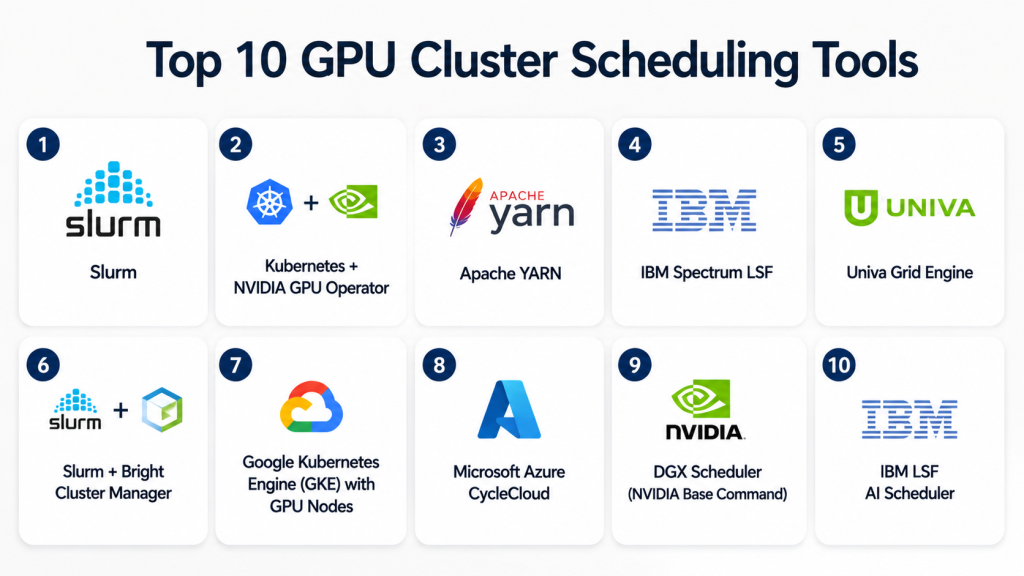
Top 10 GPU Cluster Scheduling Tools
1- Slurm
Short description: Open-source GPU cluster scheduler widely used in HPC, AI research, and scientific computing environments.
Key Features
- Job queuing and prioritization for GPUs and CPUs.
- Multi-cluster scheduling and federation support.
- GPU resource reservation and fair-share allocation.
- Extensive scripting and plugin support.
- Monitoring and accounting for usage analytics.
Pros
- Proven reliability in HPC environments.
- Highly configurable and extensible.
- Large user community and open-source support.
Cons
- Steeper learning curve for beginners.
- Advanced features may require custom scripting.
- Integration with cloud requires additional setup.
Platforms / Deployment
- Linux / Cloud / Self-hosted
Security & Compliance
- Not publicly stated
Integrations & Ecosystem
Works with HPC frameworks and AI pipelines.
- Python and Bash job scripts
- Kubernetes integration via plugins
- Monitoring with Ganglia and Prometheus
Support & Community
Extensive documentation; large open-source community; enterprise support via SchedMD.
2- Kubernetes + NVIDIA GPU Operator
Short description: Combines Kubernetes orchestration with NVIDIA GPU Operator for containerized GPU workload scheduling and management.
Key Features
- GPU-aware pod scheduling.
- Automatic driver and runtime installation.
- Multi-framework container support.
- Dynamic GPU allocation for multi-tenant clusters.
- Observability via Kubernetes metrics and dashboards.
Pros
- Ideal for AI/ML containerized pipelines.
- Seamless scaling in hybrid cloud setups.
- Integrates with modern DevOps workflows.
Cons
- Requires Kubernetes expertise.
- Overhead for small GPU clusters.
- Advanced GPU sharing may need additional tools.
Platforms / Deployment
- Linux / Cloud / Hybrid
Security & Compliance
Not publicly stated
Integrations & Ecosystem
- Helm charts and Kubernetes API
- ML frameworks: TensorFlow, PyTorch
- Monitoring: Prometheus, Grafana
- Cloud GPU scaling
Support & Community
Backed by NVIDIA and Kubernetes; active GitHub community.
3- Apache YARN
Short description: Resource manager and scheduler for cluster workloads, extended for GPU-aware AI/ML scheduling.
Key Features
- Centralized resource allocation.
- GPU-aware job scheduling.
- Integration with Hadoop and Spark workloads.
- Multi-tenant cluster management.
- Fine-grained resource monitoring and logs.
Pros
- Strong integration with Big Data pipelines.
- Mature enterprise tool with extensive documentation.
- Handles mixed CPU/GPU workloads efficiently.
Cons
- Less modern than Kubernetes for containerized AI workflows.
- Setup and configuration can be complex.
- GPU support limited compared to NVIDIA-specific solutions.
Platforms / Deployment
- Linux / Self-hosted / Cloud
Security & Compliance
Not publicly stated
Integrations & Ecosystem
- Hadoop, Spark, TensorFlow integration
- REST APIs for scheduling automation
- Resource analytics dashboards
Support & Community
Mature open-source community; enterprise support via vendors.
4- IBM Spectrum LSF
Short description: Enterprise-grade GPU scheduler for HPC and AI workloads with advanced job management and analytics.
Key Features
- AI-aware GPU scheduling policies.
- Job prioritization, preemption, and queue management.
- Multi-cluster and hybrid cloud support.
- Integrated monitoring and usage reporting.
- SLA and cost management for GPU resources.
Pros
- Robust enterprise features and analytics.
- Optimized for multi-tenant HPC environments.
- Strong hybrid cloud support.
Cons
- Licensing cost is high.
- Complexity requires trained administrators.
- Limited community support outside IBM ecosystem.
Platforms / Deployment
- Linux / Cloud / Self-hosted / Hybrid
Security & Compliance
Not publicly stated
Integrations & Ecosystem
- Cloud resource managers
- AI frameworks: PyTorch, TensorFlow
- Prometheus/Grafana monitoring
Support & Community
Enterprise-level support; extensive IBM documentation.
5- Univa Grid Engine
Short description: GPU-aware scheduler for HPC and AI clusters, optimized for high throughput and resource efficiency.
Key Features
- Job queuing and GPU scheduling.
- Multi-cluster support and federation.
- GPU resource reservation.
- Monitoring and reporting dashboards.
- Policy-based scheduling for AI workloads.
Pros
- Efficient GPU allocation.
- Flexible policy management.
- Stable and proven in enterprise HPC.
Cons
- Open-source version limited compared to Univa Enterprise.
- Learning curve for new users.
- Less focus on container-native workloads.
Platforms / Deployment
- Linux / Cloud / Self-hosted
Security & Compliance
Not publicly stated
Integrations & Ecosystem
- Python API for job submission
- Integration with AI pipelines
- Logging and monitoring tools
Support & Community
Vendor support available; active enterprise users.
6- Slurm + Bright Cluster Manager
Short description: Combines Slurm scheduling with Bright Cluster Manager for GPU resource management, monitoring, and deployment automation.
Key Features
- Centralized GPU scheduling and resource allocation.
- Cluster provisioning and node management.
- Job prioritization and GPU sharing policies.
- Monitoring, reporting, and alerting tools.
- Integration with hybrid cloud GPU clusters.
Pros
- Simplifies complex GPU cluster management.
- Visual dashboards for cluster metrics.
- Strong enterprise support options.
Cons
- Higher total cost with Bright license.
- Complex setup for large heterogeneous clusters.
- Requires ongoing maintenance and monitoring.
Platforms / Deployment
- Linux / Cloud / Hybrid
Security & Compliance
Not publicly stated
Integrations & Ecosystem
- Slurm scheduler plugins
- APIs for monitoring and automation
- GPU-aware job scripts
Support & Community
Enterprise vendor support; active documentation resources.
7- Google Kubernetes Engine (GKE) with GPU Nodes
Short description: Managed Kubernetes platform with GPU scheduling for AI and ML workloads in cloud-native environments.
Key Features
- Auto-scaling GPU nodes.
- Kubernetes-native GPU scheduling.
- Integrated ML frameworks support.
- Logging, monitoring, and alerting.
- Hybrid GPU cluster orchestration with Anthos.
Pros
- Fully managed cloud solution.
- Scales elastically based on workload.
- Supports containerized AI workloads seamlessly.
Cons
- Cloud dependency; limited offline/on-prem options.
- Pricing can escalate with large GPU clusters.
- Less control over underlying infrastructure.
Platforms / Deployment
- Linux / Cloud / Hybrid
Security & Compliance
Not publicly stated
Integrations & Ecosystem
- Kubernetes ecosystem
- TensorFlow, PyTorch, ONNX support
- Cloud monitoring and logging
Support & Community
Google Cloud support plans; Kubernetes community support.
8- Microsoft Azure CycleCloud
Short description: GPU cluster orchestration and scheduler for AI, ML, and HPC workloads, with hybrid cloud capabilities.
Key Features
- Multi-cluster GPU scheduling and orchestration.
- Hybrid and multi-cloud support.
- Job queue management and GPU allocation.
- Integrated monitoring and cost tracking.
- Automation via scripts and APIs.
Pros
- Strong integration with Azure services.
- Supports both cloud and on-prem GPU clusters.
- Good monitoring and reporting tools.
Cons
- Vendor lock-in to Azure ecosystem.
- Complexity in large heterogeneous clusters.
- Licensing cost can be high.
Platforms / Deployment
- Linux / Cloud / Hybrid
Security & Compliance
Not publicly stated
Integrations & Ecosystem
- Azure AI/ML services
- Kubernetes support for containers
- APIs for automation and monitoring
Support & Community
Enterprise-level Azure support; documentation extensive.
9- NVIDIA DGX Scheduler (NVIDIA Base Command)
Short description: Enterprise GPU scheduling for NVIDIA DGX systems, designed for AI model training and multi-node HPC clusters.
Key Features
- Optimized GPU resource allocation on DGX nodes.
- Integration with AI frameworks: TensorFlow, PyTorch.
- Job prioritization and preemption.
- Real-time monitoring and metrics dashboards.
- Hybrid cloud extension support.
Pros
- High-performance scheduling on NVIDIA GPUs.
- Tight integration with AI/ML workloads.
- Scales across multi-node DGX clusters.
Cons
- Requires NVIDIA hardware.
- Focused on AI workloads, less flexible for generic HPC.
- Licensing cost can be significant.
Platforms / Deployment
- Linux / Cloud / Self-hosted
Security & Compliance
Not publicly stated
Integrations & Ecosystem
- NVIDIA GPU ecosystem
- ML frameworks integration
- DGX management APIs
Support & Community
Supported via NVIDIA enterprise support; active DGX forums.
10- IBM LSF AI Scheduler
Short description: Enterprise GPU scheduler for AI and HPC workloads, providing advanced analytics, multi-cluster scheduling, and job optimization.
Key Features
- AI-aware GPU scheduling policies.
- Multi-cluster management and federation.
- Job prioritization, GPU reservation, and preemption.
- Monitoring, reporting, and SLA tracking.
- Containerized workload support.
Pros
- Strong analytics and reporting.
- Supports large-scale AI workloads.
- Hybrid cloud and multi-tenant support.
Cons
- Enterprise-focused, not suitable for small clusters.
- Costly licensing.
- Requires trained administrators.
Platforms / Deployment
- Linux / Cloud / Hybrid
Security & Compliance
Not publicly stated
Integrations & Ecosystem
- AI frameworks support
- Hybrid cloud orchestration
- REST APIs for automation
Support & Community
Enterprise-level IBM support; documentation extensive.
Comparison Table (Top 10)
| Tool Name | Best For | Platform(s) Supported | Deployment | Standout Feature | Public Rating |
|---|---|---|---|---|---|
| Slurm | HPC/AI | Linux | Self-hosted | Open-source, highly configurable | N/A |
| Kubernetes + NVIDIA GPU Operator | Containerized AI | Linux | Cloud/Hybrid | GPU-aware pod scheduling | N/A |
| Apache YARN | Big Data + AI | Linux | Self-hosted/Cloud | GPU-aware scheduling | N/A |
| IBM Spectrum LSF | Enterprise HPC | Linux | Hybrid | SLA-aware GPU scheduling | N/A |
| Univa Grid Engine | AI/HPC | Linux | Self-hosted | Policy-based GPU allocation | N/A |
| Slurm + Bright Cluster Manager | Enterprise HPC | Linux | Hybrid | GPU cluster management & monitoring | N/A |
| Google Kubernetes Engine (GKE) | Cloud-native AI | Linux | Cloud | Auto-scaling GPU nodes | N/A |
| Azure CycleCloud | AI/HPC hybrid | Linux | Cloud/Hybrid | Multi-cluster GPU orchestration | N/A |
| NVIDIA DGX Scheduler | NVIDIA DGX clusters | Linux | Self-hosted | Optimized DGX GPU scheduling | N/A |
| IBM LSF AI Scheduler | Enterprise AI/HPC | Linux | Hybrid | AI-aware multi-cluster GPU scheduling | N/A |
Evaluation & Scoring of GPU Cluster Scheduling Tools
| Tool Name | Core (25%) | Ease (15%) | Integrations (15%) | Security (10%) | Performance (10%) | Support (10%) | Value (15%) | Weighted Total |
|---|---|---|---|---|---|---|---|---|
| Slurm | 10 | 7 | 8 | 7 | 9 | 8 | 9 | 8.6 |
| Kubernetes + NVIDIA GPU Operator | 9 | 8 | 9 | 7 | 8 | 7 | 8 | 8.3 |
| Apache YARN | 8 | 7 | 7 | 7 | 7 | 6 | 8 | 7.5 |
| IBM Spectrum LSF | 9 | 7 | 8 | 8 | 9 | 8 | 7 | 8.3 |
| Univa Grid Engine | 8 | 7 | 7 | 7 | 8 | 7 | 8 | 7.7 |
| Slurm + Bright Cluster Manager | 9 | 7 | 8 | 8 | 8 | 8 | 7 | 8.1 |
| GKE with GPU Nodes | 8 | 8 | 9 | 7 | 8 | 7 | 8 | 8.0 |
| Azure CycleCloud | 8 | 7 | 8 | 8 | 8 | 7 | 7 | 7.8 |
| NVIDIA DGX Scheduler | 9 | 7 | 8 | 7 | 9 | 8 | 7 | 8.1 |
| IBM LSF AI Scheduler | 9 | 7 | 8 | 8 | 9 | 8 | 7 | 8.2 |
Which GPU Cluster Scheduling Tool Is Right for You?
Solo / Freelancer
Slurm or Edge solutions (like Bright Cluster Manager for small clusters) are suitable for experimentation and smaller GPU setups.
SMB
Kubernetes + NVIDIA GPU Operator or Univa Grid Engine balance ease of deployment with performance.
Mid-Market
IBM Spectrum LSF, Azure CycleCloud, and Slurm + Bright provide enterprise-class multi-cluster GPU management with analytics.
Enterprise
IBM LSF AI Scheduler and NVIDIA DGX Scheduler optimize GPU-heavy AI workflows across hybrid and large-scale HPC environments.
Budget vs Premium
Open-source Slurm or Apache YARN fit tight budgets. Premium solutions like IBM Spectrum LSF, Bright Cluster Manager, or DGX Scheduler target high-performance, enterprise-scale use.
Feature Depth vs Ease of Use
DGX Scheduler and Spectrum LSF provide advanced features but require trained operators. Kubernetes + NVIDIA GPU Operator offers a good balance for containerized workflows.
Integrations & Scalability
GKE, Azure CycleCloud, and Kubernetes + NVIDIA Operator integrate with cloud, container, and orchestration tools to scale workloads dynamically.
Security & Compliance Needs
Enterprise platforms offer role-based access control, audit logging, and enterprise-grade security, suitable for regulated AI and HPC workloads.
Frequently Asked Questions (FAQs)
1- What is a GPU cluster scheduler?
A GPU cluster scheduler allocates and manages GPU resources across multiple nodes to maximize utilization and efficiency for AI and HPC workloads.
2- Can these tools handle multi-framework AI workloads?
Yes, most tools support TensorFlow, PyTorch, ONNX, and sometimes MXNet or JAX, depending on configuration.
3- Are cloud-based GPU schedulers better than on-prem?
It depends on workload scale, latency requirements, and cost. Cloud offers elastic scaling, while on-prem provides predictable performance.
4- How do GPU schedulers improve utilization?
By intelligently queuing, prioritizing, and distributing jobs, they minimize idle GPUs and prevent resource contention.
5- Do they support containerized workloads?
Most modern schedulers integrate with Kubernetes or Docker for containerized AI/ML pipelines.
6- Can I schedule across multiple clusters?
Yes, enterprise solutions like IBM LSF, Azure CycleCloud, and Slurm support multi-cluster scheduling.
7- Is there open-source GPU scheduling software?
Yes, Slurm, Apache YARN, and Kubernetes with GPU Operator are widely used open-source options.
8- How complex is deployment?
Complexity varies: Slurm and YARN require expertise; Kubernetes and cloud-managed solutions are easier for containerized workloads.
9- Are GPU cluster schedulers cost-effective?
They maximize GPU utilization, lowering wasted resources, which can offset licensing or cloud costs.
10- Can small teams benefit from GPU scheduling tools?
Yes, even small clusters benefit from structured scheduling, but full enterprise tools may be
Conclusion
GPU cluster scheduling tools are essential for maximizing efficiency and performance in AI, ML, and HPC workloads. They enable organizations to allocate resources intelligently, reduce idle GPU time, and scale across multi-node clusters effectively. Selection depends on workload type, cluster size, and deployment environment, whether on-prem, cloud, or hybrid. Open-source tools like Slurm and Kubernetes suit cost-conscious teams, while enterprise solutions like IBM LSF or NVIDIA DGX Scheduler offer advanced analytics and hybrid capabilities. Integration with containerized AI pipelines and cloud platforms is increasingly critical . Security, monitoring, and multi-tenant support remain key considerations for enterprises. Piloting 2–3 platforms helps evaluate real-world performance and compatibility. Ultimately, the “best” scheduler aligns with your infrastructure, budget, and workload complexity.

Find Trusted Cardiac Hospitals
Compare heart hospitals by city and services — all in one place.
Explore Hospitals
One important operational challenge in GPU cluster scheduling tools is efficient utilization under fragmented workloads. When jobs require different GPU memory sizes or mixed compute profiles, avoiding underutilized GPUs while still maintaining fair scheduling and low queue latency becomes a constant optimization problem.