Introduction
Digital Audio Workstations (DAWs) are software platforms that allow users to record, edit, mix, and produce music or audio projects with professional-grade precision. DAWs have become essential tools for musicians, producers, sound designers, and podcasters, offering both creative flexibility and technical accuracy. Modern DAWs provide multi-track recording, MIDI sequencing, real-time effects, and integration with virtual instruments, enabling streamlined workflows for both solo creators and professional studios.
Real-world use cases include music production for singles and albums, podcast recording and editing, voiceover and sound design for film or video games, live performance setup and automation, and audio post-production for multimedia content. Buyers should evaluate ease of use, cross-platform compatibility, plugin support, workflow automation, AI features, scalability, collaboration tools, audio quality, security, and customer support.
Best for: Musicians, recording engineers, studios, and content creators seeking powerful, versatile DAWs for professional audio production.
Not ideal for: Users who only need basic recording or simple audio editing, or prefer lightweight free alternatives with minimal features.
Key Trends in Digital Audio Workstations .
- AI-assisted mixing and mastering for optimized sound
- Cloud collaboration for remote recording and editing
- Expanded plugin and virtual instrument marketplaces
- Cross-platform DAW availability, including mobile companions
- Real-time automation and workflow enhancements
- Subscription and modular pricing models
- Enhanced support for spatial and immersive audio formats
- Integration with video production and streaming tools
- Higher performance and low-latency processing
- Focus on community and tutorial ecosystems
How We Selected These Tools (Methodology)
- Evaluated market adoption and professional mindshare
- Reviewed feature completeness, including MIDI, audio, effects, and automation
- Assessed reliability and performance through user reports and testing
- Considered security and compliance, including access control and encryption
- Checked integration capabilities with plugins, controllers, and third-party software
- Evaluated customer fit across solo creators, small teams, and studios
- Verified cross-platform support and deployment flexibility
- Factored scalability for large projects
- Reviewed support resources and community engagement
- Balanced value versus cost
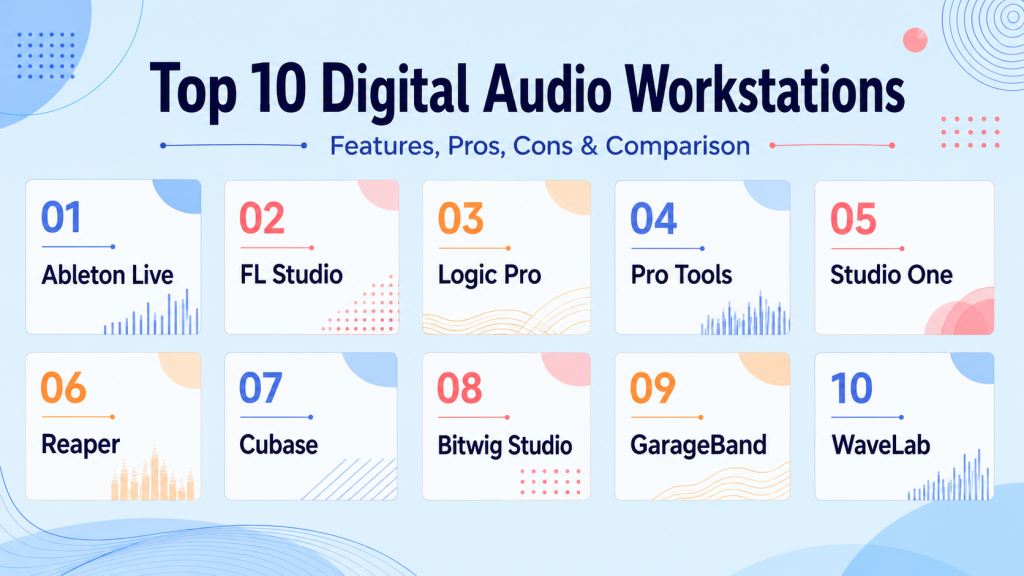
Top 10 Digital Audio Workstations (DAWs) Tools
1- Ableton Live
Key Features
- Session and arrangement views for live performance
- Extensive MIDI and audio editing
- Integrated instruments and effects
- Real-time warping and stretching
- Support for Max for Live extensions
Pros
- Ideal for live performances and electronic music
- Flexible workflow for creative experimentation
- Strong community and tutorials
Cons
- Can be expensive for full versions
- Initial learning curve for beginners
Platforms / Deployment
- Windows, macOS / Desktop
Security & Compliance
- Not publicly stated
Integrations & Ecosystem
- VST/AU plugin support
- Integration with controllers and external instruments
- Max for Live extensibility
Support & Community
- Active forums, tutorials, and official support
2- FL Studio
Key Features
- Pattern-based sequencing
- Step sequencer and piano roll
- Virtual instruments and plugin support
- Mixer automation and effects chains
- Real-time audio recording
Pros
- Excellent for electronic music and beat-making
- Lifetime free updates
- Large online community
Cons
- macOS version less stable
- Some advanced features require add-ons
Platforms / Deployment
- Windows, macOS / Desktop
Security & Compliance
- Not publicly stated
Integrations & Ecosystem
- VST/AU plugin support
- Controller integration
- Cloud project sharing
Support & Community
- Tutorials and online forums
3- Logic Pro
Key Features
- Advanced MIDI and audio editing
- Smart tempo and Flex Time
- Integrated instruments and loops
- Multi-touch mixing console
- AI-assisted drum and instrument patterns
Pros
- One-time purchase
- Optimized for macOS
- Extensive sound libraries
Cons
- macOS only
- Limited collaboration features
Platforms / Deployment
- macOS / Desktop
Security & Compliance
- Not publicly stated
Integrations & Ecosystem
- AU plugin support
- Integration with GarageBand
- External MIDI controller compatibility
Support & Community
- Apple support and forums
4- Pro Tools
Key Features
- Advanced multitrack editing and mixing
- Cloud collaboration and session sharing
- Integrated virtual instruments
- High-resolution audio support
- Automation and plugin management
Pros
- Industry-standard for studios
- Professional-grade mixing and mastering
- Reliable performance
Cons
- High licensing cost
- Steep learning curve
Platforms / Deployment
- Windows, macOS / Hybrid
Security & Compliance
- Not publicly stated
Integrations & Ecosystem
- AAX plugin support
- Integration with DAWs and video software
- Cloud collaboration
Support & Community
- Tutorials, forums, and enterprise support
5- Studio One
Key Features
- Drag-and-drop workflow
- Advanced MIDI and audio editing
- Integrated mastering suite
- Multi-instrument support
- Cloud project sharing
Pros
- Intuitive workflow
- Strong mastering tools
- Versatile for multiple genres
Cons
- Licensing cost
- Smaller plugin marketplace than competitors
Platforms / Deployment
- Windows, macOS / Desktop
Security & Compliance
- Not publicly stated
Integrations & Ecosystem
- VST/AU plugin support
- MIDI controller integration
- Cloud collaboration
Support & Community
- Tutorials, forums, official support
6- Reaper
Key Features
- Multi-track recording
- Customizable interface
- Low-latency performance
- Extensive plugin support
- Automation tools
Pros
- Affordable
- Lightweight and customizable
- Good performance for indie producers
Cons
- Learning curve for beginners
- Limited built-in instruments
Platforms / Deployment
- Windows, macOS, Linux / Desktop
Security & Compliance
- Not publicly stated
Integrations & Ecosystem
- Supports VST, JS, AU plugins
- Extensive scripting support
Support & Community
- Tutorials and forums
7- Cubase
Key Features
- Professional MIDI and audio sequencing
- Advanced editing tools
- VST plugin support
- Audio warp and pitch correction
- Integrated scoring and notation tools
Pros
- Strong for music composition and production
- Flexible workflow for studio projects
- Reliable and stable
Cons
- Higher cost
- Can be complex for beginners
Platforms / Deployment
- Windows, macOS / Desktop
Security & Compliance
- Not publicly stated
Integrations & Ecosystem
- VST/AU plugin support
- Controller integration
- Third-party virtual instruments
Support & Community
- Tutorials, forums, and official guides
8- Bitwig Studio
Key Features
- Modular sound design
- Multi-touch and cross-platform support
- Advanced MIDI and automation
- Real-time editing and sequencing
- Plugin sandboxing
Pros
- Innovative workflow for electronic music
- Cross-platform support
- Flexible modular system
Cons
- Smaller community than Ableton or FL Studio
- Steeper learning curve
Platforms / Deployment
- Windows, macOS, Linux / Desktop
Security & Compliance
- Not publicly stated
Integrations & Ecosystem
- VST/AU plugin support
- Controller and MIDI integration
- Modular extensions
Support & Community
- Tutorials, forums, and official documentation
9- GarageBand
Key Features
- Touch-based audio control
- Loops and instrument library
- Basic MIDI and audio recording
- Logic Pro integration
- Performance capture
Pros
- Beginner-friendly
- Free on macOS/iOS
- Good for learning production
Cons
- Limited advanced features
- macOS/iOS only
Platforms / Deployment
- macOS, iOS / Desktop & Mobile
Security & Compliance
- Not publicly stated
Integrations & Ecosystem
- Logic Pro integration
- Basic MIDI support
Support & Community
- Apple tutorials and forums
10- WaveLab
Key Features
- Professional mastering and editing
- Audio restoration
- Multi-channel support
- Batch processing
- High-resolution output
Pros
- Excellent for post-production
- Advanced mastering tools
- Industry-standard audio quality
Cons
- Steep learning curve
- Desktop only
Platforms / Deployment
- Windows, macOS / Desktop
Security & Compliance
- Not publicly stated
Integrations & Ecosystem
- VST plugin support
- DAW workflow integration
Support & Community
- Tutorials and support forums
Comparison Table (Top 10)
| Tool Name | Best For | Platform(s) Supported | Deployment | Standout Feature | Public Rating |
|---|---|---|---|---|---|
| Ableton Live | Live performance, electronic music | Windows, macOS | Desktop | Session and arrangement views | N/A |
| FL Studio | Beat-making and electronic production | Windows, macOS | Desktop | Pattern-based sequencing | N/A |
| Logic Pro | Music production and composition | macOS | Desktop | Smart tempo & Flex Time | N/A |
| Pro Tools | Studio and professional mixing | Windows, macOS | Hybrid | Industry-standard DAW | N/A |
| Studio One | Professional multi-genre production | Windows, macOS | Desktop | Integrated mastering suite | N/A |
| Reaper | Indie producers and small studios | Windows, macOS, Linux | Desktop | Lightweight & customizable | N/A |
| Cubase | Music composition and scoring | Windows, macOS | Desktop | Advanced MIDI & audio sequencing | N/A |
| Bitwig Studio | Modular electronic music design | Windows, macOS, Linux | Desktop | Modular sound design | N/A |
| GarageBand | Beginners and macOS/iOS users | macOS, iOS | Desktop & Mobile | Loops and instrument library | N/A |
| WaveLab | Mastering and post-production | Windows, macOS | Desktop | Professional mastering tools | N/A |
Evaluation & Scoring of DAWs
| Tool Name | Core (25%) | Ease (15%) | Integrations (15%) | Security (10%) | Performance (10%) | Support (10%) | Value (15%) | Weighted Total (0–10) |
|---|---|---|---|---|---|---|---|---|
| Ableton Live | 9 | 8 | 8 | 7 | 9 | 8 | 7 | 8.3 |
| FL Studio | 8 | 8 | 7 | 6 | 8 | 7 | 8 | 7.7 |
| Logic Pro | 9 | 9 | 7 | 7 | 8 | 8 | 8 | 8.2 |
| Pro Tools | 10 | 7 | 8 | 7 | 9 | 8 | 6 | 8.2 |
| Studio One | 9 | 8 | 8 | 7 | 8 | 8 | 7 | 8.0 |
| Reaper | 8 | 8 | 8 | 6 | 8 | 7 | 9 | 7.9 |
| Cubase | 9 | 7 | 7 | 6 | 8 | 7 | 7 | 7.6 |
| Bitwig Studio | 8 | 7 | 7 | 6 | 8 | 7 | 7 | 7.3 |
| GarageBand | 6 | 10 | 6 | 6 | 6 | 7 | 9 | 7.3 |
| WaveLab | 9 | 7 | 7 | 6 | 9 | 7 | 6 | 7.6 |
Which DAW Tool Is Right for You?
Solo / Freelancer
- GarageBand and Reaper are ideal for beginners or budget-conscious creators.
- Logic Pro offers professional features for solo Mac users.
SMB
- FL Studio or Ableton Live provide collaboration and feature depth for small teams.
- Studio One is strong for multi-genre production projects.
Mid-Market
- Cubase and Logic Pro scale well for mid-sized music or multimedia teams.
- Pro Tools is suitable for integration with professional audio/video setups.
Enterprise
- Pro Tools and WaveLab deliver high-end mastering and studio-grade production.
- Enterprise support, collaboration, and high-resolution output are key advantages.
Budget vs Premium
- Budget: GarageBand, Reaper
- Premium: Pro Tools, Ableton Live, Logic Pro
Feature Depth vs Ease of Use
- Feature-heavy: Pro Tools, Cubase, Bitwig Studio
- Ease of use: GarageBand, Reaper
Integrations & Scalability
- Ableton Live and Studio One integrate well with plugins, controllers, and video tools, supporting growing teams.
Security & Compliance Needs
- Enterprise-level DAWs with SSO, encryption, and controlled access recommended for studios handling sensitive projects.
Frequently Asked Questions (FAQs)
1. What DAW is best for beginners?
Answer: GarageBand and Reaper provide simple interfaces, essential editing tools, and low-cost access.
2. Can DAWs be used for live performance?
Answer: Yes, Ableton Live and FL Studio support real-time session views and live audio triggering.
3. Are DAWs cross-platform?
Answer: Many support Windows, macOS, and Linux, though Logic Pro and GarageBand are Mac/iOS exclusive.
4. Do DAWs include AI features?
Answer: Platforms like Logic Pro and Ableton Live include AI-assisted pattern recognition, drum sequencing, and auto-mixing tools.
5. Can I collaborate remotely with DAWs?
Answer: Pro Tools, Studio One, and Ableton Live allow cloud session sharing and collaboration.
6. Are plugins compatible across DAWs?
Answer: Most support VST, AU, and third-party plugins, expanding instruments and effects.
7. How is pricing structured for DAWs?
Answer: Some offer one-time purchases like Logic Pro, while others like Ableton Live and Pro Tools use subscription models.
8. Which DAWs are best for professional studios?
Answer: Pro Tools, Cubase, and WaveLab are widely used in recording studios and post-production environments.
9. Can I use DAWs for video post-production?
Answer: Yes, many DAWs integrate with video editing software for audio sync, soundtracks, and voiceovers.
10. Do DAWs support MIDI and virtual instruments?
Answer: Yes, all major DAWs include MIDI sequencing and virtual instrument integration, essential for music production.
Conclusion
Choosing the right Digital Audio Workstation depends on your creative workflow, technical needs, and team size. Beginners can start with GarageBand or Reaper, while Logic Pro, FL Studio, and Ableton Live suit small to mid-sized teams needing advanced features and collaboration. Professional studios rely on Pro Tools, Cubase, or WaveLab for high-end production, mastering, and integration with multimedia workflows.
Evaluate ease of use, cross-platform support, AI-assisted features, plugin compatibility, collaboration capabilities, and security. A practical approach is to shortlist 2–3 tools, run a pilot project, and confirm that the chosen DAW fits your workflow and integration requirements. Selecting the right software ensures efficient production, high-quality sound, and scalability for all creative projects.

Find Trusted Cardiac Hospitals
Compare heart hospitals by city and services — all in one place.
Explore Hospitals
Digital audio workstations (DAWs) are explained clearly, and the comparison helps in understanding music recording, editing, and production workflows for beginners and professionals.