Introduction
Color grading software is a specialized suite of tools designed to adjust and enhance the color, tone, and mood of video content. By providing precise control over brightness, contrast, saturation, and hue, these tools help filmmakers, video editors, and content creators achieve cinematic visuals, maintain visual consistency, and evoke desired emotional responses from viewers.
Modern content production demands high-quality visuals across multiple platforms, from film and television to streaming and social media. Color grading software has evolved to support AI-assisted enhancements, real-time collaboration, LUTs (Look-Up Tables), and hardware acceleration, making it an essential part of professional post-production workflows.
Real-world use cases include:
- Enhancing cinematic storytelling in films and TV shows.
- Matching color profiles across different camera sources for consistent sequences.
- Correcting lighting issues or color casts in raw footage.
- Creating stylistic looks for advertisements, music videos, or social media content.
- Maintaining brand color consistency in corporate videos.
Evaluation criteria for buyers include:
- Ease of use and learning curve.
- AI-powered automation and color suggestions.
- Real-time preview and performance with high-resolution footage.
- Integration with video editing platforms (Adobe Premiere, Final Cut, DaVinci Resolve).
- Support for multiple color spaces and LUT workflows.
- GPU acceleration and hardware compatibility.
- Collaborative workflow support for teams.
- Pricing model and licensing flexibility.
- Technical support and community resources.
Best for: filmmakers, video editors, post-production studios, content creators, advertising agencies.
Not ideal for: casual video hobbyists or users needing only simple filters, where built-in video editors may suffice.
Key Trends in Color Grading Software
- AI-driven color correction and automated grading suggestions.
- Real-time collaboration and cloud-based grading workflows.
- Integration of HDR, Dolby Vision, and wide color gamut support.
- GPU acceleration for faster rendering of high-resolution footage.
- LUT marketplace expansion for creative color styles.
- Node-based and layer-based grading for more flexible workflows.
- Support for remote editing teams and multi-location projects.
- Increasing focus on color consistency across multiple cameras and formats.
- Subscription-based pricing alongside perpetual licenses.
- Enhanced interoperability with VFX and compositing software.
How We Selected These Tools (Methodology)
- Evaluated market adoption and industry mindshare.
- Reviewed feature completeness, including grading, LUTs, HDR, and AI tools.
- Assessed reliability and performance under heavy workloads.
- Considered security, licensing compliance, and privacy signals.
- Examined integration ecosystems with editing, compositing, and storage platforms.
- Considered suitability across professional, SMB, and freelance workflows.
- Analyzed support quality, documentation, and training resources.
- Balanced cost/value against feature depth and scalability.
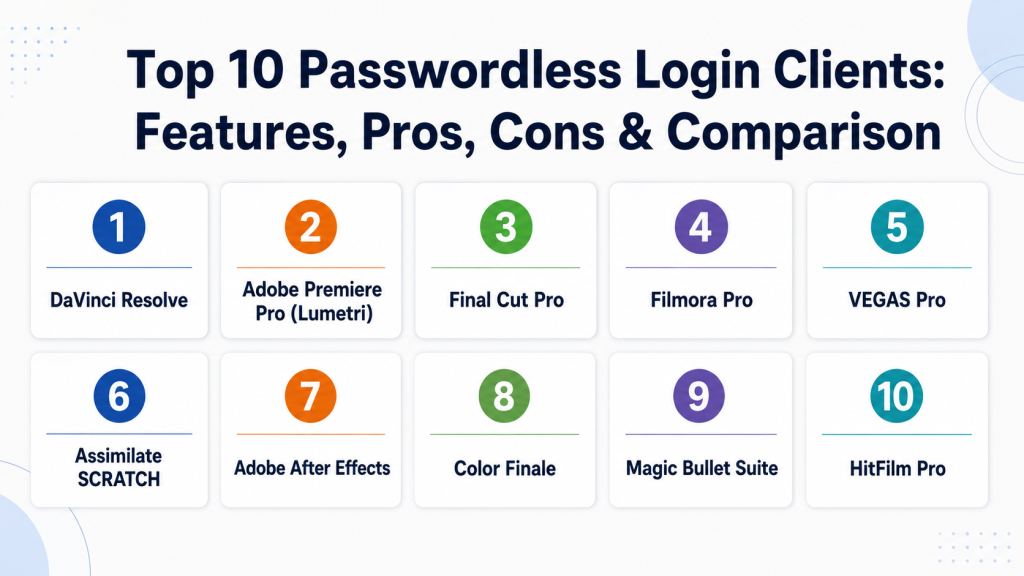
Top 10 Color Grading Software Tools
1 — DaVinci Resolve
Short description: Industry-standard color grading and post-production software for professional filmmakers and editors. Offers a full suite of grading, editing, VFX, and audio tools.
Key Features
- Node-based color grading workflow.
- AI-assisted color matching and auto corrections.
- HDR and Dolby Vision support.
- Advanced color wheels and curves.
- Fusion visual effects integration.
- Fairlight audio tools built-in.
Pros
- Professional-grade color accuracy.
- All-in-one post-production suite.
- Strong free version available.
Cons
- Steeper learning curve for beginners.
- High system requirements for large projects.
- Occasional interface complexity.
Platforms / Deployment
- Windows, macOS, Linux
- Desktop / On-prem
Security & Compliance
- Not publicly stated
Integrations & Ecosystem
DaVinci Resolve integrates seamlessly with major editing, VFX, and media management software.
- Adobe Premiere Pro via XML/AAF exports
- Fusion for compositing
- Blackmagic hardware panels
- LUT libraries
Support & Community
- Extensive documentation and video tutorials.
- Active user forums and community support.
- Paid Studio version includes technical support.
2 — Adobe Premiere Pro (Lumetri)
Short description: Popular video editing platform with integrated Lumetri color grading tools for creative adjustments.
Key Features
- Lumetri Color panel for grading and correction.
- Preset and custom LUT support.
- Real-time color scopes and waveforms.
- Integration with After Effects and Photoshop.
- GPU-accelerated rendering.
Pros
- Seamless Adobe Creative Cloud ecosystem.
- Intuitive interface for editors familiar with Premiere.
- Strong tutorial and community support.
Cons
- Subscription-based pricing.
- Limited node-based flexibility compared to DaVinci.
- Performance depends on hardware.
Platforms / Deployment
- Windows, macOS
- Desktop / Cloud sync
Security & Compliance
- Not publicly stated
Integrations & Ecosystem
- Adobe Creative Cloud apps
- Third-party LUTs and plugins
- Stock footage and asset libraries
Support & Community
- Adobe help center and forums.
- Extensive online tutorials and courses.
- Enterprise support available for CC subscribers.
3 — Final Cut Pro
Short description: Professional-grade video editing software for macOS with powerful color grading and effects tools.
Key Features
- Color wheels, curves, and hue/saturation controls.
- LUT support and color presets.
- Real-time HDR workflow.
- Integrated motion graphics and audio editing.
- Optimized for Apple hardware with Metal acceleration.
Pros
- Fast performance on Mac systems.
- One-time purchase license.
- Integrated workflow for Mac users.
Cons
- macOS only; no Windows/Linux support.
- Less widespread than Adobe or DaVinci for team collaboration.
- Limited third-party plugin ecosystem.
Platforms / Deployment
- macOS
- Desktop
Security & Compliance
- Not publicly stated
Integrations & Ecosystem
- Motion graphics templates
- Third-party LUTs
- Audio plugins and stock footage libraries
Support & Community
- Apple support and knowledge base.
- Strong community tutorials and forums.
- Official training and certification available.
4 — Filmora Pro
Short description: User-friendly editing and color grading software targeting creators and small studios.
Key Features
- Advanced color wheels and LUTs.
- Keyframe-based color adjustments.
- Integrated audio mixing tools.
- Motion graphics and visual effects.
- GPU-accelerated rendering.
Pros
- Lower learning curve for beginners.
- Affordable pricing.
- Intuitive interface.
Cons
- Not as feature-rich as DaVinci or Premiere.
- Limited HDR and professional broadcast support.
- Smaller community compared to Adobe or Resolve.
Platforms / Deployment
- Windows, macOS
- Desktop
Security & Compliance
- Not publicly stated
Integrations & Ecosystem
- Third-party LUTs
- Plugin support for effects
- Export formats for YouTube, Vimeo, and broadcast
Support & Community
- Online tutorials and knowledge base.
- Email support.
- Active social media community.
5 — VEGAS Pro
Short description: Advanced video editing software with integrated color grading tools for professional editors.
Key Features
- HDR color grading and color curves.
- LUT support and presets.
- Real-time preview with GPU acceleration.
- VFX and compositing tools.
- Multi-camera editing support.
Pros
- Strong timeline and workflow flexibility.
- Powerful color grading tools.
- Fast rendering options.
Cons
- Windows-only software.
- Steep learning curve for beginners.
- Subscription and one-time purchase options can be confusing.
Platforms / Deployment
- Windows
- Desktop
Security & Compliance
- Not publicly stated
Integrations & Ecosystem
- OFX plugins for effects
- Audio editing tools
- Third-party LUT libraries
Support & Community
- Documentation, online tutorials, and forums.
- Email support and user community.
- Professional training options available.
6 — Assimilate SCRATCH
Short description: High-end post-production software focusing on color grading and finishing for cinematic projects.
Key Features
- Real-time grading and color correction.
- HDR and ACES color pipeline support.
- Node-based grading workflow.
- Advanced media management.
- Supports high-resolution and RAW formats.
Pros
- Professional-grade color control.
- Optimized for film production.
- Robust media management.
Cons
- Expensive for small studios or freelancers.
- Limited learning resources for newcomers.
- Requires powerful hardware.
Platforms / Deployment
- Windows, macOS
- Desktop / On-prem
Security & Compliance
- Not publicly stated
Integrations & Ecosystem
- VFX and compositing software
- LUTs and third-party color plugins
- Support for RAW camera formats
Support & Community
- Official support and documentation.
- Professional training workshops.
- Small but dedicated user community.
7 — Adobe After Effects
Short description: Motion graphics and compositing software with advanced color grading features for creative projects.
Key Features
- Lumetri color grading panel.
- Keyframe-based adjustments and effects.
- HDR support and LUT integration.
- Extensive visual effects and compositing tools.
- GPU acceleration for faster rendering.
Pros
- Deep integration with Adobe ecosystem.
- Powerful VFX and color capabilities.
- Extensive tutorials and community.
Cons
- Requires subscription.
- Not a dedicated color grading tool; editing workflow less efficient.
- High system requirements.
Platforms / Deployment
- Windows, macOS
- Desktop
Security & Compliance
- Not publicly stated
Integrations & Ecosystem
- Adobe Premiere, Photoshop, Audition
- Third-party plugins and LUTs
- Stock assets from Adobe libraries
Support & Community
- Adobe tutorials, forums, and help center.
- Large community for scripts, presets, and workflows.
- Enterprise support options.
8 — Color Finale
Short description: Color grading plugin for Final Cut Pro, enhancing grading capabilities with professional tools.
Key Features
- Layer-based color grading.
- LUT and film emulation support.
- Vector scopes and waveform monitors.
- GPU acceleration.
- Integration with Final Cut Pro timeline.
Pros
- Extends FCP with advanced grading tools.
- Fast and responsive interface.
- Affordable compared to standalone software.
Cons
- Requires Final Cut Pro.
- Limited to macOS.
- Fewer collaborative features.
Platforms / Deployment
- macOS
- Plugin / Desktop
Security & Compliance
- Not publicly stated
Integrations & Ecosystem
- Final Cut Pro
- LUT libraries and third-party plugins
- Export to multiple formats
Support & Community
- Online tutorials and knowledge base.
- Email support.
- Active user forums for FCP plugins.
9 — Magic Bullet Suite
Short description: Color grading and finishing plugin suite for Adobe and Premiere Pro users, focusing on cinematic looks.
Key Features
- Color correction and stylization presets.
- Film looks and LUTs.
- Skin tone correction tools.
- Real-time preview with GPU acceleration.
- Integration with Premiere and After Effects.
Pros
- Quick cinematic grading options.
- Easy to use for editors.
- Frequent updates and LUT packs.
Cons
- Plugin-dependent; not standalone.
- Less flexible than node-based workflows.
- Paid upgrade cycles.
Platforms / Deployment
- Windows, macOS
- Plugin / Desktop
Security & Compliance
- Not publicly stated
Integrations & Ecosystem
- Adobe Premiere, After Effects
- LUT packs and third-party effects
- Compatible with common video formats
Support & Community
- Red Giant tutorials and forums.
- Active support for plugins.
- User communities for creative presets.
10 — HitFilm Pro
Short description: Video editing and VFX software with color grading tools suitable for filmmakers and content creators.
Key Features
- Color wheels and curves.
- LUT support and grading presets.
- Integrated compositing and VFX tools.
- GPU-accelerated rendering.
- HDR and wide color gamut support.
Pros
- All-in-one editing and VFX suite.
- Affordable for small studios.
- Strong community tutorials.
Cons
- Learning curve for beginners.
- Less professional grading precision than Resolve.
- Windows-centric; macOS support limited.
Platforms / Deployment
- Windows, macOS
- Desktop
Security & Compliance
- Not publicly stated
Integrations & Ecosystem
- Supports third-party LUTs
- Plugin marketplace for effects
- Export options for streaming and broadcast
Support & Community
- Online tutorials and documentation.
- Active user forum.
- Paid support available.
Comparison Table (Top 10)
| Tool Name | Best For | Platform(s) Supported | Deployment | Standout Feature | Public Rating |
|---|---|---|---|---|---|
| DaVinci Resolve | Professional filmmakers | Windows, macOS, Linux | Desktop | Node-based grading | N/A |
| Adobe Premiere Pro (Lumetri) | Editors in Adobe ecosystem | Windows, macOS | Desktop / Cloud | Lumetri color panel | N/A |
| Final Cut Pro | Mac-based editors | macOS | Desktop | Integrated grading & motion graphics | N/A |
| Filmora Pro | Small studios / creators | Windows, macOS | Desktop | Intuitive interface | N/A |
| VEGAS Pro | Professional editors | Windows | Desktop | Multi-camera & GPU acceleration | N/A |
| Assimilate SCRATCH | Cinematic post-production | Windows, macOS | Desktop / On-prem | Real-time HDR grading | N/A |
| Adobe After Effects | VFX & motion graphics | Windows, macOS | Desktop | Deep VFX integration | N/A |
| Color Finale | FCP plugin users | macOS | Plugin / Desktop | Layer-based grading | N/A |
| Magic Bullet Suite | Editors wanting cinematic LUTs | Windows, macOS | Plugin / Desktop | Film looks & skin tone tools | N/A |
| HitFilm Pro | Creators + VFX | Windows, macOS | Desktop | All-in-one grading & VFX | N/A |
Evaluation & Scoring of Color Grading Software
| Tool | Core (25%) | Ease (15%) | Integrations (15%) | Security (10%) | Performance (10%) | Support (10%) | Value (15%) | Weighted Total |
|---|---|---|---|---|---|---|---|---|
| DaVinci Resolve | 10 | 7 | 8 | 8 | 9 | 9 | 10 | 9.0 |
| Premiere Pro | 9 | 8 | 9 | 8 | 8 | 9 | 7 | 8.3 |
| Final Cut Pro | 8 | 9 | 7 | 7 | 9 | 8 | 8 | 8.1 |
| Filmora Pro | 7 | 9 | 6 | 7 | 8 | 7 | 9 | 7.7 |
| VEGAS Pro | 8 | 7 | 7 | 7 | 8 | 7 | 8 | 7.7 |
| SCRATCH | 10 | 6 | 8 | 7 | 9 | 6 | 6 | 7.6 |
| After Effects | 9 | 7 | 9 | 7 | 8 | 8 | 7 | 7.8 |
| Color Finale | 7 | 9 | 6 | 6 | 8 | 7 | 8 | 7.4 |
| Magic Bullet Suite | 8 | 8 | 7 | 6 | 7 | 7 | 8 | 7.4 |
| HitFilm Pro | 7 | 8 | 6 | 6 | 7 | 7 | 8 | 7.2 |
Interpretation: Scores are comparative across top 10 tools. Weighted total considers feature depth, usability, integrations, security, performance, support, and value. Higher score indicates stronger overall suitability for professional workflows.
Which Color Grading Tool Is Right for You?
Solo / Freelancer
- Filmora Pro or HitFilm Pro for affordability and ease of use.
- Color Finale if using Final Cut Pro.
SMB
- Premiere Pro or VEGAS Pro for team editing and moderate budgets.
- DaVinci Resolve Studio for growing production quality.
Mid-Market
- DaVinci Resolve or After Effects for higher production values and team collaboration.
- Magic Bullet Suite for cinematic LUTs integration.
Enterprise
- DaVinci Resolve Studio or Assimilate SCRATCH for large-scale post-production pipelines.
- Adobe Creative Cloud ecosystem for multi-department integration.
Budget vs Premium
- Budget: Filmora Pro, HitFilm Pro, Color Finale.
- Premium: DaVinci Resolve Studio, SCRATCH, Adobe Suite.
Feature Depth vs Ease of Use
- Node-based workflows (Resolve, SCRATCH) offer maximum depth.
- Panel-based or plugin workflows (Color Finale, Magic Bullet) offer faster ramp-up.
Integrations & Scalability
- Premiere and After Effects integrate widely with VFX and asset pipelines.
- DaVinci Resolve supports collaborative workflows and multi-camera projects.
Security & Compliance Needs
- For enterprise or confidential content, choose tools with enterprise licensing and on-prem deployment options.
- GPU-accelerated workflows should be tested for networked or cloud collaboration security.
Frequently Asked Questions (FAQs)
1. What is the best software for cinematic color grading?
DaVinci Resolve is widely considered the industry standard for cinematic grading due to its node-based workflow, HDR support, and professional-grade tools.
2. Can I use color grading plugins with Final Cut Pro?
Yes, tools like Color Finale and Magic Bullet Suite integrate directly as plugins with Final Cut Pro, extending grading capabilities and providing advanced color tools.
3. Are AI features available in color grading software?
Some tools, like DaVinci Resolve and Filmora Pro, offer AI-assisted color matching and auto corrections to speed up workflows and ensure visual consistency.
4. What hardware do I need for professional grading?
A high-performance GPU, fast CPU, ample RAM, and calibrated monitors are recommended, especially for high-resolution, HDR, or RAW workflows.
5. Can these tools handle multiple camera sources?
Yes, software like DaVinci Resolve, VEGAS Pro, and SCRATCH support multi-camera workflows and consistent color matching across all sources.
6. How steep is the learning curve?
DaVinci Resolve and SCRATCH require more training and practice; Filmora Pro, HitFilm Pro, and Color Finale are more beginner-friendly with intuitive interfaces.
7. Do these tools support LUTs and film emulations?
Yes, most professional tools support LUTs, color presets, and film emulations for consistent or creative color grading looks.
8. Is subscription required?
Adobe tools require a subscription; DaVinci Resolve offers both free and paid Studio versions. Other tools vary depending on licensing, including one-time purchase and plugin models.
9. Can I collaborate with a team in real time?
DaVinci Resolve Studio supports collaborative workflows, allowing multiple editors and colorists to work on the same project simultaneously. Others may rely on file sharing or version control systems.
10. Are these tools suitable for social media content?
Yes, Filmora Pro, HitFilm Pro, and Premiere Pro are ideal for creators producing content for social media platforms with quick grading and export options.
11. Can I use these tools for live streaming or real-time content?
Most professional color grading software is designed for post-production. Some tools like DaVinci Resolve Studio can integrate into live workflows with the right hardware setup.
12. Are there options for automatic color matching across multiple shots?
Yes, AI-assisted tools in DaVinci Resolve, Filmora Pro, and Premiere Pro can automatically match color and lighting across clips, saving time and maintaining visual consistency.
Conclusion
Choosing the right color grading software can significantly impact the quality and efficiency of your video production. Professional studios may prefer DaVinci Resolve or Assimilate SCRATCH for advanced grading, HDR support, and collaborative workflows, while freelancers and small studios often benefit from Filmora Pro, HitFilm Pro, or plugin-based tools like Color Finale and Magic Bullet Suite. Consider integrations with your editing and VFX software, hardware requirements, GPU acceleration, and real-time performance to ensure smooth workflows. Licensing, subscription models, and support options should align with your budget and security needs. Balancing creative flexibility with operational efficiency is key to consistent, high-quality results. Next steps: shortlist 2–3 tools, run a pilot to test workflows, and verify that the software meets both creative and technical requirements. This approach ensures that your team can produce professional, visually consistent content across all platforms.

Find Trusted Cardiac Hospitals
Compare heart hospitals by city and services — all in one place.
Explore Hospitals
Color grading software is explained clearly, and the comparison helps in understanding how different tools improve video quality, cinematic look, and overall editing workflow.