Introduction
Document Management Systems (DMS) are platforms that help organizations securely store, organize, track, and manage digital documents. They simplify collaboration, improve regulatory compliance, and enhance overall information security. In modern businesses, the volume of digital documents—from contracts and invoices to project files and reports—is growing exponentially, making efficient document management essential for operational efficiency and knowledge retention.
Real-world use cases:
- Legal firms managing contracts and case files efficiently.
- Healthcare providers storing patient records and medical documentation securely.
- Financial institutions maintaining regulatory documents and audit trails.
- Enterprises organizing internal knowledge, policies, and HR documentation.
- Educational institutions managing research papers, theses, and administrative records.
Evaluation Criteria for Buyers:
When selecting a DMS, consider:
- Ease of document capture, organization, and retrieval
- Integration with existing enterprise systems
- Workflow automation and collaboration capabilities
- Security, access control, and compliance features
- Scalability and deployment flexibility
- User interface and overall usability
- Audit trails and reporting
- Vendor support and ecosystem
Best for:
- Enterprises and SMBs requiring centralized document storage
- Industries with strict compliance requirements like healthcare, finance, and legal
- Teams seeking enhanced collaboration and workflow automation
Not ideal for:
- Small businesses with minimal document volume
- Organizations relying primarily on basic cloud storage without workflow needs
Key Trends in Document Management Systems.
- AI-powered document classification and optical character recognition (OCR) for faster indexing
- Cloud-native platforms enabling remote work and global access
- Integrated collaboration tools with version control, comments, and notifications
- Enhanced compliance features addressing GDPR, HIPAA, and financial regulations
- Automated workflows for approvals, routing, and task assignments
- Advanced search with metadata tagging and semantic search capabilities
- Seamless integrations with CRM, ERP, HRIS, and productivity tools
- Mobile-friendly applications for on-the-go document access
- Low-code customization to automate specific business processes
- Subscription-based pricing models for cost efficiency and scalability
How We Selected These Tools (Methodology)
- Evaluated market adoption and mindshare across industries
- Assessed feature completeness including automation, search, and collaboration
- Reviewed reliability and performance signals based on uptime and user feedback
- Verified security posture, encryption standards, and compliance certifications
- Evaluated integrations with enterprise applications
- Considered scalability for SMBs, mid-market, and enterprise use cases
- Analyzed user experience, onboarding, and training requirements
- Assessed vendor support, community engagement, and documentation quality
- Reviewed AI and automation capabilities for future-readiness
- Compared pricing models and total cost of ownership relative to features
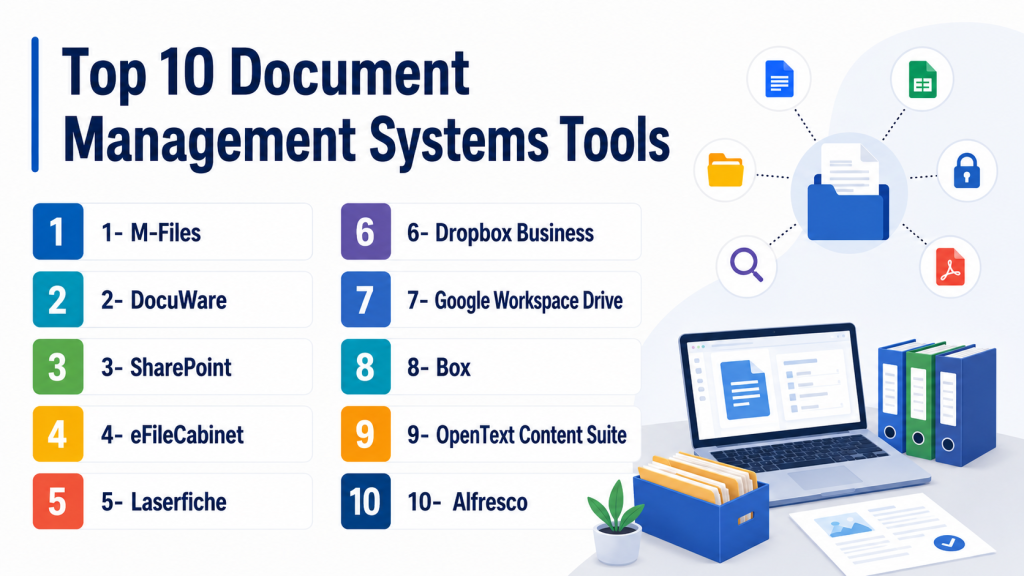
Top 10 Document Management Systems Tools
1- M-Files
Short description: Enterprise-grade DMS designed to improve workflows, compliance, and document searchability.
Real-world use cases:
- Automating contract approvals in legal departments
- Managing HR documents with secure access controls
- Organizing financial statements and audit documentation
Key Features
- Metadata-driven document organization
- Automated workflows and approval processes
- Version control with audit logs
- Integration with Microsoft Office and CRM systems
- Mobile access with cloud synchronization
Pros
- Streamlines document retrieval and management
- Strong compliance and audit capabilities
- Flexible deployment options
Cons
- Steep learning curve for complex workflows
- Licensing costs may be high for SMBs
- Limited customization outside standard templates
Platforms / Deployment
Windows, Web, iOS, Android
Cloud / On-prem / Hybrid
Security & Compliance
SSO/SAML, MFA, RBAC
SOC 2, GDPR, HIPAA
Integrations & Ecosystem
Supports major enterprise applications with APIs for custom integrations:
- Microsoft 365
- Salesforce CRM
- SAP
Support & Community
- 24/7 enterprise support
- Comprehensive documentation and training
- Active user community
2- DocuWare
Short description: Cloud and on-prem DMS for automated workflows and secure document storage.
Real-world use cases:
- Invoice approvals in accounting teams
- Storing medical forms with full audit trails
- Centralizing HR records for multi-location businesses
Key Features
- Workflow automation and e-forms
- Intelligent AI-powered indexing
- Document versioning and approval routing
- Mobile and web access
- Audit and compliance tracking
Pros
- Efficient workflow automation
- Strong security and compliance
- Flexible cloud and on-prem deployment
Cons
- Interface can be complex for new users
- Some advanced features require extra licensing
- Limited customization without consulting
Platforms / Deployment
Windows, Web, iOS, Android
Cloud / On-prem / Hybrid
Security & Compliance
AES encryption, MFA, SSO
GDPR, HIPAA, ISO 27001
Integrations & Ecosystem
Integrates with major enterprise systems:
- Microsoft 365
- SAP
- Salesforce
- REST API for custom workflows
Support & Community
- 24/7 support and training
- Active user forums
3- SharePoint
Short description: Microsoft collaboration-focused DMS for document storage and team workflows.
Real-world use cases:
- Corporate intranets for knowledge management
- Team-based document collaboration for projects
- Compliance tracking for enterprise documents
Key Features
- Document libraries with versioning
- Workflow automation via Power Automate
- Integration with Microsoft 365 applications
- Granular access permissions
- Web and mobile access
Pros
- Deep Microsoft ecosystem integration
- Scalable for large enterprises
- Strong collaboration features
Cons
- Complex configuration for first-time users
- Large libraries can be challenging to manage
- Interface can feel cluttered
Platforms / Deployment
Web, Windows, iOS, Android
Cloud / On-prem / Hybrid
Security & Compliance
SSO, MFA, encryption
SOC 2, ISO 27001, GDPR
Integrations & Ecosystem
- Microsoft Teams
- Power BI
- Dynamics 365
- Third-party add-ins
Support & Community
- Microsoft enterprise support
- Extensive documentation
- Large user community
4- eFileCabinet
Short description: SMB-focused DMS offering document storage and workflow automation.
Real-world use cases:
- Small accounting firms managing invoices and receipts
- HR teams storing employee records securely
- Service providers managing contracts for clients
Key Features
- Drag-and-drop document storage
- Custom metadata fields
- Automated approval workflows
- Version control and audit logs
- Cloud and on-prem deployment
Pros
- Easy to use for SMBs
- Strong compliance features
- Affordable pricing tiers
Cons
- Less scalable for large enterprises
- Limited AI-driven automation
- Integration ecosystem smaller than enterprise tools
Platforms / Deployment
Windows, Web, iOS, Android
Cloud / On-prem
Security & Compliance
AES encryption, MFA
HIPAA, SOC 2
Integrations & Ecosystem
- Microsoft 365
- QuickBooks
- API for custom integrations
Support & Community
- Online support and tutorials
- Email and phone support
5- Laserfiche
Short description: Enterprise DMS specializing in workflow automation and compliance.
Real-world use cases:
- Automating approvals for financial audits
- Records management in public sector agencies
- Legal departments managing contracts and agreements
Key Features
- Document capture and scanning
- Automated approval routing
- Compliance and audit trails
- ERP and CRM integrations
- AI-driven document classification
Pros
- Strong workflow automation
- Highly customizable
- Comprehensive compliance features
Cons
- Implementation complexity
- Higher cost for small teams
- Steep learning curve
Platforms / Deployment
Windows, Web, iOS, Android
Cloud / On-prem / Hybrid
Security & Compliance
SSO, MFA, RBAC
SOC 2, ISO 27001, HIPAA, GDPR
Integrations & Ecosystem
- Microsoft 365
- Salesforce
- SAP
- Custom API connectors
Support & Community
- 24/7 enterprise support
- Online documentation
- Active community
6- Dropbox Business
Short description: Cloud-first DMS for file storage, sharing, and collaboration.
Real-world use cases:
- Marketing teams sharing media assets across global teams
- Freelancers managing client files securely
- SMBs coordinating internal document collaboration
Key Features
- Cloud storage with versioning
- Team folders and sharing
- File request and approvals
- Productivity app integrations
- Mobile access
Pros
- Easy setup and use
- Strong cloud sync
- Collaboration-friendly
Cons
- Limited workflow automation
- Security features less robust than enterprise DMS
- Pricing scales for large teams
Platforms / Deployment
Web, Windows, macOS, iOS, Android
Cloud
Security & Compliance
SSO, MFA, AES encryption
SOC 2, GDPR
Integrations & Ecosystem
- Microsoft 365
- Slack
- Zoom
- Google Workspace
Support & Community
- Email and chat support
- Online help center
- User forums
7- Google Workspace Drive
Short description: Cloud-based storage and collaboration platform integrated with Google apps.
Real-world use cases:
- Remote teams collaborating on documents in real time
- Educational institutions sharing research and course materials
- SMBs managing day-to-day internal documentation
Key Features
- File storage and sharing
- Version history and access controls
- Integration with Docs, Sheets, Slides
- Team Drives for collaboration
- Mobile and web access
Pros
- Seamless collaboration
- Easy access anywhere
- Strong search capabilities
Cons
- Limited advanced workflows
- Compliance features weaker for regulated industries
- Limited customization
Platforms / Deployment
Web, iOS, Android
Cloud
Security & Compliance
MFA, SSO, encryption
SOC 2, GDPR, HIPAA
Integrations & Ecosystem
- Google Workspace apps
- Third-party productivity tools
- API for custom integrations
Support & Community
- Online documentation
- Support via Workspace plans
- Community forums
8- Box
Short description: Enterprise cloud DMS focused on secure file storage and collaboration.
Real-world use cases:
- Global teams managing legal documents
- Enterprise finance departments storing audit-ready files
- Product teams collaborating on design documentation
Key Features
- Cloud storage with advanced security
- Workflow automation and task assignments
- Document versioning and approvals
- Enterprise application integrations
- Mobile access
Pros
- Strong security and compliance
- Enterprise-grade collaboration
- Rich integration ecosystem
Cons
- Higher pricing for small teams
- Learning curve for advanced workflows
- Limited offline functionality
Platforms / Deployment
Web, Windows, macOS, iOS, Android
Cloud
Security & Compliance
SSO, MFA, encryption
SOC 2, ISO 27001, HIPAA, GDPR
Integrations & Ecosystem
- Microsoft 365
- Salesforce
- Slack
- API for custom apps
Support & Community
- 24/7 enterprise support
- Training and documentation
- Active user forums
9- OpenText Content Suite
Short description: Enterprise DMS offering document management, compliance, and content lifecycle capabilities.
Real-world use cases:
- Large enterprises managing regulatory documents
- Financial institutions maintaining records for audits
- Global companies managing internal knowledge bases
Key Features
- Enterprise content management
- Workflow automation
- Records management and audit trails
- ERP and CRM integrations
- Mobile access
Pros
- Comprehensive enterprise capabilities
- Strong compliance and security
- Scalable for large organizations
Cons
- Deployment complexity
- Higher cost
- Requires training
Platforms / Deployment
Windows, Web, iOS, Android
Cloud / On-prem / Hybrid
Security & Compliance
SSO, MFA, encryption
SOC 2, ISO 27001, GDPR, HIPAA
Integrations & Ecosystem
- SAP, Salesforce, Microsoft 365
- API and custom connectors
- Workflow integration
Support & Community
- Enterprise support plans
- Extensive documentation
- Professional community
10- Alfresco
Short description: Open-source and enterprise DMS with workflow automation, collaboration, and compliance features.
Real-world use cases:
- Global enterprises managing content lifecycle
- Legal teams collaborating on case documentation
- IT departments automating internal approvals
Key Features
- Document versioning and audit trails
- Workflow automation
- Collaboration and commenting
- Enterprise application integrations
- Mobile and web access
Pros
- Flexible deployment options
- Open-source community edition available
- Strong workflow capabilities
Cons
- Implementation complexity
- Support depends on edition
- Steep learning curve
Platforms / Deployment
Windows, Linux, Web, iOS, Android
Cloud / On-prem / Hybrid
Security & Compliance
SSO, MFA, encryption
SOC 2, ISO 27001, GDPR
Integrations & Ecosystem
- Microsoft 365
- Salesforce
- SAP
- REST API for custom integrations
Support & Community
- Enterprise support available
- Documentation and training
- Active open-source community
Comparison Table (Top 10)
| Tool Name | Best For | Platform(s) Supported | Deployment | Standout Feature | Public Rating |
|---|---|---|---|---|---|
| M-Files | Enterprise document workflows | Windows, Web, iOS, Android | Cloud / On-prem / Hybrid | Metadata-driven organization | N/A |
| DocuWare | Mid-large businesses | Windows, Web, iOS, Android | Cloud / On-prem / Hybrid | AI indexing and automation | N/A |
| SharePoint | Enterprise collaboration | Web, Windows, iOS, Android | Cloud / On-prem / Hybrid | Microsoft 365 integration | N/A |
| eFileCabinet | SMBs | Windows, Web, iOS, Android | Cloud / On-prem | Easy workflow automation | N/A |
| Laserfiche | Enterprise | Windows, Web, iOS, Android | Cloud / On-prem / Hybrid | Workflow automation and compliance | N/A |
| Dropbox Business | SMB / Teams | Web, Windows, macOS, iOS, Android | Cloud | Cloud-first storage | N/A |
| Google Workspace Drive | Teams / SMB | Web, iOS, Android | Cloud | Google app integration | N/A |
| Box | Enterprise | Web, Windows, macOS, iOS, Android | Cloud | Secure collaboration | N/A |
| OpenText Content Suite | Enterprise | Windows, Web, iOS, Android | Cloud / On-prem / Hybrid | Full content lifecycle | N/A |
| Alfresco | Enterprise / Open-source | Windows, Linux, Web, iOS, Android | Cloud / On-prem / Hybrid | Open-source flexibility | N/A |
Evaluation & Scoring of Document Management Systems
| Tool Name | Core | Ease | Integrations | Security | Performance | Support | Value | Weighted Total |
|---|---|---|---|---|---|---|---|---|
| M-Files | 9 | 8 | 9 | 9 | 9 | 8 | 7 | 8.6 |
| DocuWare | 8 | 7 | 8 | 9 | 8 | 8 | 7 | 8.0 |
| SharePoint | 8 | 6 | 10 | 8 | 9 | 7 | 7 | 8.1 |
| eFileCabinet | 7 | 9 | 6 | 8 | 7 | 7 | 8 | 7.6 |
| Laserfiche | 9 | 7 | 9 | 9 | 9 | 8 | 7 | 8.5 |
| Dropbox Business | 6 | 10 | 7 | 7 | 8 | 7 | 7 | 7.5 |
| Google Workspace Drive | 6 | 9 | 8 | 7 | 8 | 7 | 7 | 7.5 |
| Box | 8 | 7 | 9 | 9 | 8 | 8 | 7 | 8.2 |
| OpenText Content Suite | 9 | 6 | 9 | 9 | 9 | 8 | 6 | 8.1 |
| Alfresco | 8 | 6 | 8 | 8 | 8 | 7 | 7 | 7.8 |
Decision Guide: Which DMS Tool Is Right for You?
Solo / Freelancer
- Google Workspace Drive or Dropbox Business for simple storage, collaboration, and version control
SMB
- M-Files, eFileCabinet, and DocuWare for scalable workflows, automation, and compliance
Mid-Market
- Box, SharePoint, and Laserfiche for enterprise collaboration, integrations, and moderate compliance
Enterprise
- OpenText Content Suite, M-Files, and Alfresco for full content lifecycle, advanced automation, and audit-ready workflows
Budget vs Premium
- Cloud-native tools are affordable and easy to deploy
- Enterprise DMS solutions provide depth, integrations, and compliance at higher costs
Feature Depth vs Ease of Use
- Basic document management: Google Workspace, Dropbox
- Complex workflows and approvals: M-Files, Laserfiche, SharePoint
Integrations & Scalability
- SharePoint, Box, and OpenText integrate with ERP, CRM, HRIS and scale globally
- Cloud-first tools suitable for quick deployment but may require API integration
Security & Compliance Needs
- Laserfiche, M-Files, and OpenText provide encryption, MFA, RBAC, and audit trails
Frequently Asked Questions (FAQs)
What is a DMS and why do I need one?
A DMS stores, organizes, and secures documents while enabling collaboration and workflow automation. It reduces errors, ensures compliance, and allows quick access to critical files.
How do DMS pricing models work?
Pricing varies by user count, storage, and feature set. Cloud solutions often use subscription pricing, while on-prem systems may require upfront licenses and maintenance fees.
Can DMS integrate with other business systems?
Yes, leading DMS tools integrate with CRM, ERP, productivity suites, and other enterprise applications to streamline document workflows.
How secure are DMS platforms?
Security features include encryption, MFA, SSO, access controls, and audit logs. Compliance with GDPR, HIPAA, SOC 2, and ISO 27001 is standard.
Are there DMS options for small businesses?
Dropbox Business, Google Workspace Drive, and eFileCabinet are suitable for SMBs with lighter document needs.
How long does implementation take?
Cloud-native tools deploy in days, enterprise implementations may take weeks including workflow setup and training.
Can I automate workflows in a DMS?
Yes, modern DMS platforms provide automation for approvals, notifications, and document lifecycle management.
What happens if I switch DMS providers?
Migration involves exporting documents, metadata, and permissions. Vendors usually provide tools to ensure smooth transitions.
How do DMS systems handle version control?
DMS platforms maintain version histories, track changes, and allow rollback to previous versions.
Is mobile access supported?
Yes, most DMS platforms provide web and mobile apps for secure access on-the-go.
Conclusion
Document Management Systems are essential for organizing, securing, and streamlining access to organizational documents. Choosing the right DMS depends on company size, workflow complexity, integration needs, and compliance requirements. SMBs benefit from simple, cloud-based solutions, while enterprises require robust automation, audit trails, and advanced security. To make the right choice, shortlist 2–3 tools that match your workflows, run a pilot to evaluate usability and integrations, and ensure security and compliance features meet organizational standards. Implementing the right DMS improves efficiency, collaboration, and risk management across the organization.

Find Trusted Cardiac Hospitals
Compare heart hospitals by city and services — all in one place.
Explore Hospitals