Introduction
Document Automation Tools are platforms designed to streamline the creation, management, and processing of documents by automating repetitive tasks. an organizations are increasingly relying on automation to accelerate document workflows, reduce errors, and ensure compliance across various departments. Modern document automation tools leverage AI to handle template-based generation, dynamic form filling, approval routing, and data integration.
Real-world use cases:
- Automating contract creation for legal and procurement teams
- Generating invoices, quotes, and proposals for finance and sales departments
- Streamlining onboarding forms and HR documentation
- Dynamic report generation for analytics and compliance purposes
- Integration with ERP, CRM, and document management systems
Evaluation Criteria for Buyers:
- Template flexibility and dynamic field management
- Workflow and approval automation
- Integration capabilities with CRM, ERP, and DMS
- Security and compliance features
- Ease of use and adoption across teams
- AI-powered content generation
- Reporting and audit logs
- Scalability and deployment options
- Cost and licensing flexibility
Best for: Enterprises and SMBs that handle high volumes of recurring documents, legal, finance, HR, and sales teams, and organizations seeking workflow efficiency and regulatory compliance.
Not ideal for: Teams with minimal document processing needs or organizations using only simple static templates; manual editing or lightweight office software may suffice.
Key Trends in Document Automation Tools
- AI-assisted document generation and dynamic data population
- Cloud-first and hybrid deployment models for accessibility
- Integration with CRM, ERP, DMS, and workflow automation tools
- Automated approval routing and multi-level authorization
- Compliance-focused automation for GDPR, SOC 2, HIPAA
- Semantic search and intelligent template recommendations
- Mobile and remote document processing capabilities
- Real-time analytics and reporting dashboards
- Template libraries and collaborative editing features
- Subscription-based pricing and usage-based plans
How We Selected These Tools (Methodology)
- Evaluated market adoption and enterprise mindshare
- Assessed feature completeness and automation depth
- Reviewed performance and reliability metrics
- Verified security and compliance posture
- Analyzed integration capabilities with CRM, ERP, DMS, and productivity tools
- Considered customer fit across SMB, mid-market, and enterprise
- Examined AI-assisted generation and dynamic template handling
- Evaluated onboarding, training, and ease of adoption
- Reviewed support tiers and community engagement
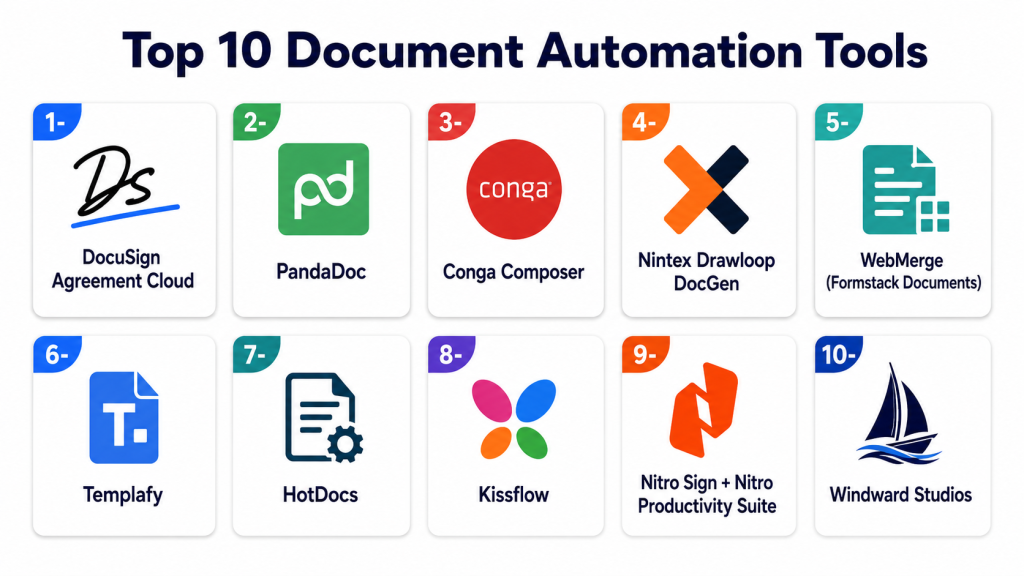
Top 10 Document Automation Tools
1- DocuSign Agreement Cloud
Key Features
- Contract and agreement automation
- Dynamic template management
- eSignature workflows
- Integration with CRM and ERP systems
- AI-assisted clause recommendations
Pros
- Streamlines contract creation and signing
- Extensive integration ecosystem
- Scalable for large teams
Cons
- Higher pricing for advanced modules
- Complexity in configuration for some workflows
Platforms / Deployment
- Web / Windows / macOS / iOS / Android
- Cloud
Security & Compliance
- Encryption, MFA, SSO
- SOC 2, ISO 27001, GDPR, HIPAA
Integrations & Ecosystem
Integrates with Salesforce, SAP, Microsoft 365, and custom APIs.
- Salesforce
- SAP
- Microsoft 365
- REST APIs
Support & Community
Professional support tiers, documentation, and user community.
2- PandaDoc
Key Features
- Proposal and document generation
- Interactive templates
- Approval workflow automation
- Real-time collaboration and tracking
- Payment and eSignature integration
Pros
- Intuitive interface for teams
- Strong sales proposal automation
- Cloud-based accessibility
Cons
- Limited offline capabilities
- Some advanced analytics require premium plans
Platforms / Deployment
- Web / Windows / macOS / iOS / Android
- Cloud
Security & Compliance
- Encryption, SSO, MFA
- SOC 2, GDPR
Integrations & Ecosystem
Integrates with CRMs, eSignature tools, and cloud storage.
- Salesforce
- HubSpot
- DocuSign
- Google Workspace
Support & Community
Documentation, live support, and online training resources.
3- Conga Composer
Key Features
- Dynamic document and report generation
- Integration with Salesforce and CRM systems
- Template library management
- Automated delivery and distribution
- Data-driven document creation
Pros
- Deep Salesforce integration
- Automates complex document workflows
- Scales across mid to large organizations
Cons
- Requires familiarity with Salesforce
- Some features require additional licenses
Platforms / Deployment
- Web / Windows / macOS
- Cloud / Hybrid
Security & Compliance
- Encryption, MFA
- SOC 2, GDPR
Integrations & Ecosystem
CRM and ERP connectors for dynamic content generation.
- Salesforce
- Microsoft Dynamics
- ERP connectors
Support & Community
Documentation, support tickets, and Salesforce community resources.
4- Nintex Drawloop DocGen
Key Features
- Automated document generation for Salesforce
- Template and workflow automation
- Multi-format export
- Approval routing and eSignature integration
- Version control and audit logging
Pros
- Strong workflow and template automation
- Reduces manual document creation errors
- Supports multiple document formats
Cons
- Salesforce dependency
- Learning curve for complex templates
Platforms / Deployment
- Web / Windows / macOS
- Cloud / Hybrid
Security & Compliance
- Encryption, SSO, audit logs
- SOC 2, GDPR
Integrations & Ecosystem
- Salesforce
- DocuSign
- ERP connectors
Support & Community
Vendor support, training, and active Salesforce community.
5- WebMerge (Formstack Documents)
Key Features
- Merge data into templates automatically
- PDF and document generation
- Workflow automation and delivery
- Cloud storage integration
- API for custom automation
Pros
- Flexible automation for forms and contracts
- Integrates with multiple platforms
- Easy to configure templates
Cons
- Cloud-only deployment
- Some features limited to premium plans
Platforms / Deployment
- Web / Windows / macOS / iOS / Android
- Cloud
Security & Compliance
- Encryption, SSO
- GDPR, SOC 2
Integrations & Ecosystem
- Salesforce
- HubSpot
- Google Workspace
- Zapier
Support & Community
Documentation, email support, and community forums.
6- Templafy
Key Features
- Enterprise document creation automation
- Template and brand compliance
- Workflow and approval automation
- Integration with Office 365 and Google Workspace
- Centralized content management
Pros
- Ensures brand and compliance consistency
- Enterprise scalability
- Strong workflow automation
Cons
- Higher cost for smaller teams
- Requires setup for template standardization
Platforms / Deployment
- Web / Windows / macOS / iOS / Android
- Cloud / Hybrid
Security & Compliance
- Encryption, MFA, SSO
- SOC 2, ISO 27001, GDPR
Integrations & Ecosystem
- Microsoft 365
- Google Workspace
- Salesforce
- ERP systems
Support & Community
Professional support, documentation, and online training.
7- HotDocs
Key Features
- Document automation and template management
- Conditional logic and variable fields
- Compliance and regulatory content management
- Integration with CRM and DMS
- Cloud and on-premises deployment
Pros
- Supports complex legal and financial documents
- Workflow automation and version control
- Scalable for enterprise use
Cons
- Steep learning curve
- Customization requires technical expertise
Platforms / Deployment
- Web / Windows / macOS
- Cloud / On-premises / Hybrid
Security & Compliance
- Encryption, audit logs, MFA
- SOC 2, ISO 27001, GDPR, HIPAA
Integrations & Ecosystem
- Salesforce
- DocuSign
- Microsoft 365
Support & Community
Professional services, documentation, and user community.
8- Kissflow
Key Features
- Document generation and workflow automation
- Approval routing
- Template management
- Multi-format exports
- Cloud-based workflow management
Pros
- Simple interface
- Quick deployment
- Integrates workflow and document automation
Cons
- Limited offline support
- Some advanced features require premium plans
Platforms / Deployment
- Web / Windows / macOS / iOS / Android
- Cloud
Security & Compliance
- Encryption, SSO, MFA
- SOC 2, GDPR
Integrations & Ecosystem
- Salesforce
- Google Workspace
- Slack
- ERP connectors
Support & Community
Documentation, email support, and community forums.
9- Nitro Sign + Nitro Productivity Suite
Key Features
- Document creation, editing, and eSignature
- Template management
- Workflow automation
- Audit and reporting
- Cloud collaboration
Pros
- Integrates editing and signing
- Simple UI for SMBs and enterprise
- Strong PDF and document editing capabilities
Cons
- Limited AI-assisted generation
- Some enterprise features require premium licenses
Platforms / Deployment
- Web / Windows / macOS / iOS / Android
- Cloud / Hybrid
Security & Compliance
- Encryption, SSO, MFA
- SOC 2, GDPR
Integrations & Ecosystem
- Microsoft 365
- Salesforce
- Google Workspace
Support & Community
Documentation, support tiers, and training materials.
10- Windward Studios
Key Features
- Template-driven document automation
- Data-driven reporting and generation
- Conditional logic for documents
- Multi-format output (PDF, DOCX)
- API integration for automated workflows
Pros
- Advanced template automation
- Ideal for reporting and complex documents
- Integration-ready for enterprise
Cons
- Requires technical knowledge for template design
- Smaller community compared to larger platforms
Platforms / Deployment
- Web / Windows / macOS / Linux
- Cloud / On-premises / Hybrid
Security & Compliance
- Encryption, audit logging
- SOC 2, GDPR
Integrations & Ecosystem
- ERP systems
- CRM platforms
- REST API for custom integrations
Support & Community
Professional support, online documentation, and enterprise consulting.
Comparison Table (Top 10)
| Tool Name | Best For | Platform(s) Supported | Deployment | Standout Feature | Public Rating |
|---|---|---|---|---|---|
| DocuSign Agreement Cloud | Contracts & eSignatures | Web, Windows, macOS, iOS, Android | Cloud | eSignature & dynamic agreements | N/A |
| PandaDoc | Proposals & invoices | Web, Windows, macOS, iOS, Android | Cloud | Interactive templates | N/A |
| Conga Composer | Salesforce integration | Web, Windows, macOS | Cloud / Hybrid | Dynamic report/document generation | N/A |
| Nintex Drawloop DocGen | Salesforce automation | Web, Windows, macOS | Cloud / Hybrid | Automated document workflows | N/A |
| WebMerge (Formstack) | Forms & document merge | Web, Windows, macOS, iOS, Android | Cloud | Merge data into templates | N/A |
| Templafy | Enterprise document automation | Web, Windows, macOS, iOS, Android | Cloud / Hybrid | Brand-compliant automation | N/A |
| HotDocs | Legal & financial documents | Web, Windows, macOS | Cloud / On-prem / Hybrid | Conditional logic templates | N/A |
| Kissflow | Workflow & document automation | Web, Windows, macOS, iOS, Android | Cloud | Workflow-driven document generation | N/A |
| Nitro Sign + Nitro Productivity Suite | Editing & signing | Web, Windows, macOS, iOS, Android | Cloud / Hybrid | Document editing + eSignature | N/A |
| Windward Studios | Reporting & templates | Web, Windows, macOS, Linux | Cloud / On-prem / Hybrid | Data-driven template automation | N/A |
Evaluation & Scoring of Document Automation Tools
| Tool Name | Core (25%) | Ease (15%) | Integrations (15%) | Security (10%) | Performance (10%) | Support (10%) | Value (15%) | Weighted Total (0–10) |
|---|---|---|---|---|---|---|---|---|
| DocuSign Agreement Cloud | 9 | 8 | 8 | 9 | 8 | 8 | 7 | 8.5 |
| PandaDoc | 8 | 9 | 7 | 8 | 8 | 7 | 7 | 7.9 |
| Conga Composer | 9 | 7 | 8 | 8 | 8 | 7 | 7 | 8.0 |
| Nintex Drawloop DocGen | 8 | 7 | 7 | 8 | 8 | 7 | 7 | 7.7 |
| WebMerge (Formstack) | 8 | 8 | 7 | 8 | 7 | 7 | 7 | 7.6 |
| Templafy | 9 | 7 | 8 | 8 | 8 | 7 | 7 | 8.0 |
| HotDocs | 9 | 6 | 7 | 8 | 8 | 7 | 6 | 7.6 |
| Kissflow | 8 | 8 | 7 | 8 | 7 | 7 | 7 | 7.5 |
| Nitro Sign + Nitro Productivity Suite | 8 | 8 | 7 | 8 | 7 | 7 | 7 | 7.5 |
| Windward Studios | 9 | 7 | 8 | 8 | 8 | 7 | 7 | 8.0 |
Interpretation: Weighted totals provide a comparative view of each tool’s strengths in core features, usability, integration, security, performance, support, and value. Higher scores indicate stronger overall capabilities for document automation in enterprise and SMB contexts.
Which Document Automation Tool Is Right for You?
Solo / Freelancer
PandaDoc, WebMerge, or Nitro Sign offer lightweight, easy-to-use automation for small teams with limited budgets.
SMB
DocuSign, PandaDoc, Templafy, or Kissflow provide scalable automation and workflow features suitable for growing businesses.
Mid-Market
Conga Composer, Nintex Drawloop, HotDocs, or Windward Studios offer deeper integration, AI-assisted generation, and enterprise workflow capabilities.
Enterprise
DocuSign Agreement Cloud, Templafy, Conga Composer, and HotDocs deliver robust automation, compliance management, and global scaling capabilities.
Budget vs Premium
Cloud-first SaaS tools like PandaDoc, WebMerge, and Kissflow are cost-effective. Enterprise-grade solutions like DocuSign, Conga, and HotDocs are premium.
Feature Depth vs Ease of Use
Enterprise tools provide deep automation capabilities, AI assistance, and integrations. Smaller tools focus on simplicity, fast deployment, and usability.
Integrations & Scalability
DocuSign, Conga Composer, and Templafy integrate with CRM, ERP, and DMS platforms and scale across large organizations.
Security & Compliance Needs
DocuSign, Templafy, HotDocs, and Windward offer strong encryption, audit trails, and compliance with SOC 2, GDPR, and HIPAA.
Frequently Asked Questions (FAQs)
1. What pricing models are used?
Most platforms offer subscription pricing for cloud services; on-premises enterprise licensing varies by vendor and features.
2. How long does implementation take?
Implementation ranges from a few weeks for SMBs to several months for enterprise-scale automation, depending on workflow complexity.
3. Are these tools secure?
Yes, top solutions provide encryption, MFA, SSO, audit logs, and regulatory compliance features.
4. Can these tools integrate with existing systems?
Most offer APIs or native connectors for CRM, ERP, DMS, and productivity platforms.
5. How do they improve workflow efficiency?
Automation reduces manual document creation, approval delays, and human errors, accelerating productivity.
6. What common mistakes occur during adoption?
Skipping training, poorly defined templates, and ignoring workflow optimization are frequent issues.
7. Are these solutions scalable?
Enterprise tools like DocuSign, Conga, and Templafy support thousands of users and multi-department deployments.
8. Can SMBs benefit?
Yes, PandaDoc, WebMerge, and Kissflow provide cost-effective automation with minimal IT overhead.
9. How does AI enhance automation?
AI assists with intelligent field population, template suggestions, and document classification to reduce manual effort.
10. How easy is migration between tools?
Migration requires planning, template mapping, and workflow adaptation; vendor support is typically available.
Conclusion
Document Automation Tools are essential for increasing efficiency, reducing errors, and maintaining compliance in document-heavy processes. SMBs gain from PandaDoc, WebMerge, and Kissflow for ease of use and affordability. Mid-market teams benefit from Conga Composer, Nintex Drawloop, and Windward for deeper automation and integration. Enterprises achieve maximum efficiency with DocuSign, Templafy, HotDocs, and Conga Composer, which provide AI-assisted workflows, compliance tracking, and global scalability. Key considerations include integrations, user adoption, and security. Organizations should shortlist 2–3 tools, run a pilot, and validate workflows and compliance before enterprise-wide deployment to ensure the best fit.

Find Trusted Cardiac Hospitals
Compare heart hospitals by city and services — all in one place.
Explore Hospitals
I learned that document automation tools can reduce manual work and improve efficiency. I’d like to understand more about how businesses use them in daily operations.