Introduction
Document Generation Software automates the creation of business-critical documents, transforming how organizations produce contracts, proposals, reports, and recurring forms. with the growing need for operational efficiency and regulatory compliance, these tools are essential for reducing manual errors, accelerating workflows, and improving collaboration across departments. Companies use document generation software to streamline contract approvals, automate invoice creation, manage HR forms, and generate compliance reports with minimal human intervention. Modern platforms also integrate with CRM, ERP, and DMS systems, enabling seamless data-driven document production. Buyers should evaluate template flexibility, AI-assisted automation, workflow integration, security and compliance, scalability, reporting, and ease of adoption. Choosing the right solution ensures faster turnaround, consistent formatting, and reduced operational risk.
Real-world use cases:
- Automating contract and agreement generation for legal teams
- Generating invoices, quotes, and proposals for sales and finance teams
- Dynamic report creation for analytics and compliance
- HR onboarding document generation
- Integration with CRM, ERP, and DMS systems
Evaluation Criteria for Buyers:
- Template flexibility and dynamic field mapping
- Workflow and approval automation
- Integration with CRM, ERP, and DMS
- Security and compliance features
- AI-assisted content generation
- Reporting and audit capabilities
- Ease of use and adoption
- Scalability and deployment options
- Cost and licensing
Best for: Enterprises and SMBs that generate high volumes of recurring documents, legal, finance, HR, and sales teams, and organizations seeking workflow efficiency and compliance.
Not ideal for: Teams with minimal document generation needs or organizations using static templates or manual processes.
Key Trends in Document Generation Software
- AI-assisted template creation and dynamic content population
- Cloud-first and hybrid deployment options for accessibility
- Integration with CRM, ERP, and workflow platforms
- Automated approval and eSignature routing
- Compliance management for GDPR, SOC 2, and HIPAA
- Semantic search and intelligent template suggestions
- Mobile and remote document generation capabilities
- Real-time analytics and reporting
- Collaborative editing and centralized template management
- Subscription and usage-based pricing models
How We Selected These Tools (Methodology)
- Assessed market adoption and enterprise mindshare
- Evaluated feature completeness and automation depth
- Reviewed reliability and performance signals
- Verified security posture and compliance certifications
- Analyzed integrations with CRM, ERP, DMS, and productivity tools
- Considered suitability across SMB, mid-market, and enterprise
- Examined AI-assisted generation and dynamic template handling
- Evaluated onboarding, training, and ease of adoption
- Reviewed support tiers and community engagement
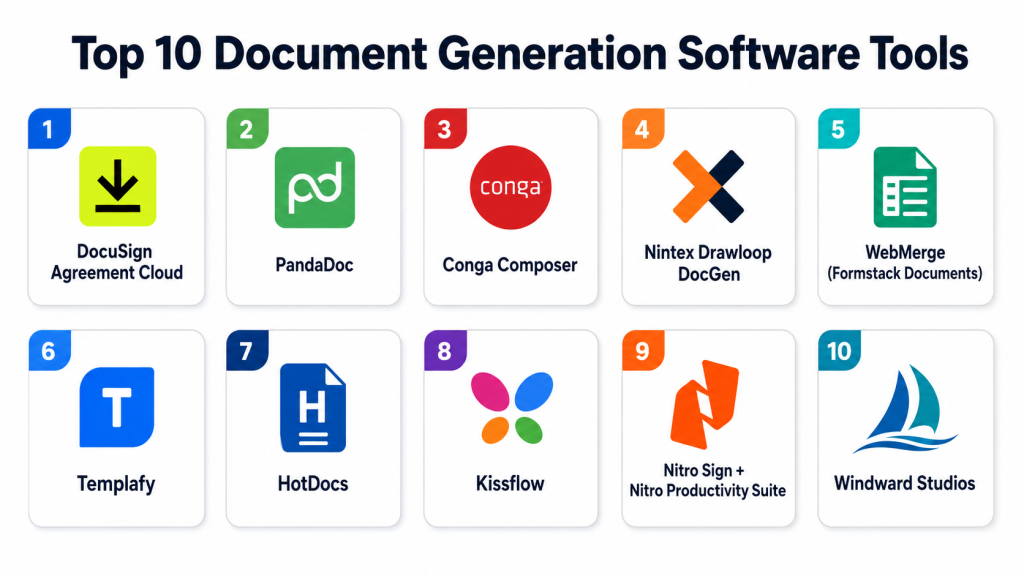
Top 10 Document Generation Software Tools
1- DocuSign Agreement Cloud
Key Features
- Contract and agreement automation
- Dynamic templates and clause recommendations
- eSignature integration
- Workflow and approval routing
- CRM and ERP integrations
Pros
- Accelerates contract creation and signing
- Extensive integration ecosystem
- Scalable for enterprise
Cons
- Advanced modules increase cost
- Configuration can be complex
Platforms / Deployment
- Web / Windows / macOS / iOS / Android
- Cloud
Security & Compliance
- Encryption, MFA, SSO
- SOC 2, ISO 27001, GDPR, HIPAA
Integrations & Ecosystem
Connects with Salesforce, SAP, Microsoft 365, and APIs.
- Salesforce
- SAP
- Microsoft 365
- REST APIs
Support & Community
Professional support tiers, documentation, and user community.
2- PandaDoc
Key Features
- Proposal and document generation
- Interactive templates and approval workflows
- eSignature and payment integration
- Real-time collaboration and tracking
- Reporting and analytics
Pros
- User-friendly interface
- Streamlines sales and finance workflows
- Cloud-based access
Cons
- Limited offline functionality
- Advanced analytics require premium plans
Platforms / Deployment
- Web / Windows / macOS / iOS / Android
- Cloud
Security & Compliance
- Encryption, SSO, MFA
- SOC 2, GDPR
Integrations & Ecosystem
- Salesforce
- HubSpot
- DocuSign
- Google Workspace
Support & Community
Documentation, live support, and online training.
3- Conga Composer
Key Features
- Dynamic document and report generation
- Salesforce integration
- Template library management
- Automated delivery and distribution
- Data-driven document creation
Pros
- Deep Salesforce integration
- Handles complex workflows
- Scales for mid to large enterprises
Cons
- Salesforce-dependent
- Licensing for advanced features
Platforms / Deployment
- Web / Windows / macOS
- Cloud / Hybrid
Security & Compliance
- Encryption, MFA
- SOC 2, GDPR
Integrations & Ecosystem
- Salesforce
- Microsoft Dynamics
- ERP connectors
Support & Community
Documentation, support tickets, and Salesforce community resources.
4- Nintex Drawloop DocGen
Key Features
- Automated document generation
- Salesforce workflow integration
- Multi-format export
- Approval routing and eSignature
- Version control and audit logging
Pros
- Reduces errors in complex documents
- Automates approval workflows
- Scales for enterprises
Cons
- Salesforce dependency
- Steep learning curve
Platforms / Deployment
- Web / Windows / macOS
- Cloud / Hybrid
Security & Compliance
- Encryption, SSO, audit logs
- SOC 2, GDPR
Integrations & Ecosystem
- Salesforce
- DocuSign
- ERP connectors
Support & Community
Vendor support, documentation, and Salesforce community.
5- WebMerge (Formstack Documents)
Key Features
- Merge data into document templates
- Automated document delivery
- Cloud storage integration
- API for custom automation
- Workflow automation
Pros
- Flexible for forms, contracts, and reports
- Quick setup for SMBs
- Integrates with multiple platforms
Cons
- Cloud-only
- Some advanced features require premium plans
Platforms / Deployment
- Web / Windows / macOS / iOS / Android
- Cloud
Security & Compliance
- Encryption, SSO
- SOC 2, GDPR
Integrations & Ecosystem
- Salesforce
- HubSpot
- Google Workspace
- Zapier
Support & Community
Documentation, email support, and forums.
6- Templafy
Key Features
- Enterprise document automation
- Template and brand compliance
- Workflow and approval automation
- Integration with Microsoft 365 and Google Workspace
- Centralized content management
Pros
- Ensures brand compliance
- Scalable for large teams
- Strong workflow automation
Cons
- Costly for smaller teams
- Template standardization setup needed
Platforms / Deployment
- Web / Windows / macOS / iOS / Android
- Cloud / Hybrid
Security & Compliance
- Encryption, MFA, SSO
- SOC 2, ISO 27001, GDPR
Integrations & Ecosystem
- Microsoft 365
- Google Workspace
- Salesforce
- ERP systems
Support & Community
Professional support, documentation, and online training.
7- HotDocs
Key Features
- Template management for complex documents
- Conditional logic and variables
- Compliance content management
- Integration with CRM/DMS
- Cloud and on-premises deployment
Pros
- Handles complex legal/financial documents
- Workflow automation
- Enterprise scalability
Cons
- Learning curve
- Customization requires technical expertise
Platforms / Deployment
- Web / Windows / macOS
- Cloud / On-prem / Hybrid
Security & Compliance
- Encryption, audit logs, MFA
- SOC 2, ISO 27001, GDPR, HIPAA
Integrations & Ecosystem
- Salesforce
- DocuSign
- Microsoft 365
Support & Community
Professional services, documentation, and community.
8- Kissflow
Key Features
- Document generation and workflow automation
- Approval routing
- Template management
- Multi-format exports
- Cloud workflow management
Pros
- Simple UI
- Rapid deployment
- Integrates workflow and document automation
Cons
- Limited offline support
- Advanced features require premium plan
Platforms / Deployment
- Web / Windows / macOS / iOS / Android
- Cloud
Security & Compliance
- Encryption, SSO, MFA
- SOC 2, GDPR
Integrations & Ecosystem
- Salesforce
- Google Workspace
- Slack
- ERP connectors
Support & Community
Documentation, email support, and community forums.
9- Nitro Sign + Nitro Productivity Suite
Key Features
- Document editing and eSignature
- Template management
- Workflow automation
- Audit and reporting
- Cloud collaboration
Pros
- Combines editing and signing
- Easy adoption for SMBs
- Strong PDF editing
Cons
- Limited AI-assisted generation
- Premium license needed for enterprise features
Platforms / Deployment
- Web / Windows / macOS / iOS / Android
- Cloud / Hybrid
Security & Compliance
- Encryption, SSO, MFA
- SOC 2, GDPR
Integrations & Ecosystem
- Microsoft 365
- Salesforce
- Google Workspace
Support & Community
Documentation, support tiers, and training.
10- Windward Studios
Key Features
- Data-driven template automation
- Reporting and document generation
- Conditional logic in templates
- Multi-format output (PDF, DOCX)
- API integration
Pros
- Advanced template automation
- Ideal for reporting
- Enterprise integration-ready
Cons
- Requires technical knowledge
- Smaller community
Platforms / Deployment
- Web / Windows / macOS / Linux
- Cloud / On-prem / Hybrid
Security & Compliance
- Encryption, audit logging
- SOC 2, GDPR
Integrations & Ecosystem
- ERP and CRM systems
- REST API
- Custom integrations
Support & Community
Professional support and documentation.
Comparison Table (Top 10)
| Tool Name | Best For | Platform(s) Supported | Deployment | Standout Feature | Public Rating |
|---|---|---|---|---|---|
| DocuSign Agreement Cloud | Contracts & eSignatures | Web, Windows, macOS, iOS, Android | Cloud | Dynamic agreements & eSignature | N/A |
| PandaDoc | Proposals & Invoices | Web, Windows, macOS, iOS, Android | Cloud | Interactive templates | N/A |
| Conga Composer | Salesforce Integration | Web, Windows, macOS | Cloud / Hybrid | Dynamic report/document generation | N/A |
| Nintex Drawloop DocGen | Salesforce Automation | Web, Windows, macOS | Cloud / Hybrid | Automated document workflows | N/A |
| WebMerge (Formstack) | Forms & Merges | Web, Windows, macOS, iOS, Android | Cloud | Data merge into templates | N/A |
| Templafy | Enterprise Automation | Web, Windows, macOS, iOS, Android | Cloud / Hybrid | Brand-compliant templates | N/A |
| HotDocs | Legal & Financial Docs | Web, Windows, macOS | Cloud / On-prem / Hybrid | Conditional logic templates | N/A |
| Kissflow | Workflow & Automation | Web, Windows, macOS, iOS, Android | Cloud | Workflow-driven document generation | N/A |
| Nitro Sign + Nitro Productivity Suite | Editing & Signing | Web, Windows, macOS, iOS, Android | Cloud / Hybrid | Document editing + eSignature | N/A |
| Windward Studios | Reporting & Templates | Web, Windows, macOS, Linux | Cloud / On-prem / Hybrid | Data-driven template automation | N/A |
Evaluation & Scoring of Document Generation Tools
| Tool Name | Core (25%) | Ease (15%) | Integrations (15%) | Security (10%) | Performance (10%) | Support (10%) | Value (15%) | Weighted Total (0–10) |
|---|---|---|---|---|---|---|---|---|
| DocuSign Agreement Cloud | 9 | 8 | 8 | 9 | 8 | 8 | 7 | 8.5 |
| PandaDoc | 8 | 9 | 7 | 8 | 8 | 7 | 7 | 7.9 |
| Conga Composer | 9 | 7 | 8 | 8 | 8 | 7 | 7 | 8.0 |
| Nintex Drawloop DocGen | 8 | 7 | 7 | 8 | 8 | 7 | 7 | 7.7 |
| WebMerge (Formstack) | 8 | 8 | 7 | 8 | 7 | 7 | 7 | 7.6 |
| Templafy | 9 | 7 | 8 | 8 | 8 | 7 | 7 | 8.0 |
| HotDocs | 9 | 6 | 7 | 8 | 8 | 7 | 6 | 7.6 |
| Kissflow | 8 | 8 | 7 | 8 | 7 | 7 | 7 | 7.5 |
| Nitro Sign + Nitro Productivity Suite | 8 | 8 | 7 | 8 | 7 | 7 | 7 | 7.5 |
| Windward Studios | 9 | 7 | 8 | 8 | 8 | 7 | 7 | 8.0 |
Which Document Generation Tool Is Right for You?
Solo / Freelancer
PandaDoc, WebMerge, or Nitro Sign offer lightweight, easy-to-use automation for small teams.
SMB
DocuSign, PandaDoc, Templafy, or Kissflow provide scalable automation and workflow features.
Mid-Market
Conga Composer, Nintex Drawloop, HotDocs, or Windward Studios offer deeper integration, AI-assisted generation, and enterprise workflow capabilities.
Enterprise
DocuSign Agreement Cloud, Templafy, Conga Composer, and HotDocs deliver robust automation, compliance management, and global scaling capabilities.
Budget vs Premium
Cloud-first SaaS tools like PandaDoc, WebMerge, and Kissflow are cost-effective. Enterprise-grade solutions like DocuSign, Conga, and HotDocs are premium.
Feature Depth vs Ease of Use
Enterprise tools provide deep automation capabilities, AI assistance, and integrations. Smaller tools focus on simplicity and fast deployment.
Integrations & Scalability
DocuSign, Conga Composer, and Templafy integrate with CRM, ERP, and DMS platforms and scale across large organizations.
Security & Compliance Needs
DocuSign, Templafy, HotDocs, and Windward offer strong encryption, audit trails, and compliance with SOC 2, GDPR, and HIPAA.
Frequently Asked Questions (FAQs)
1. What pricing models are used for document generation software?
Most platforms offer subscription-based pricing for cloud services, while enterprise on-premises deployments may require annual or perpetual licensing. Costs typically depend on the number of users, templates, and advanced automation features.
2. How long does implementation take?
Implementation timelines vary by organization size and complexity. Small to mid-sized deployments can be set up in a few weeks, while enterprise-wide solutions may take several months due to workflow integrations and template migration.
3. Are these tools secure for sensitive documents?
Yes, leading solutions offer encryption, multi-factor authentication, SSO, audit logs, and role-based access controls. Many also comply with SOC 2, GDPR, ISO 27001, and HIPAA standards, ensuring enterprise-grade security.
4. Can these tools integrate with existing systems?
Most document generation platforms provide APIs or native connectors for CRM, ERP, DMS, and productivity tools. This enables seamless data flow and automation across multiple enterprise applications.
5. How do these tools improve workflow efficiency?
Automation eliminates repetitive manual document creation, reduces errors, and accelerates approvals. Teams can focus on higher-value tasks while ensuring documents are accurate and compliant.
6. What common mistakes occur during adoption?
Common pitfalls include inadequate template standardization, skipping staff training, and ignoring workflow optimization. Proper onboarding and planning are essential to maximize tool benefits.
7. Are these solutions scalable?
Yes, enterprise-grade tools like DocuSign, Conga Composer, and Templafy support thousands of users, multiple departments, and high-volume document processing while maintaining performance and compliance.
8. Can SMBs benefit from document generation software?
Absolutely. SMBs gain efficiency and cost savings with tools like PandaDoc, WebMerge, and Kissflow. These platforms provide automation, cloud access, and integration capabilities without requiring large IT teams.
9. How does AI enhance document generation?
AI assists in intelligent field population, template recommendations, and automatic clause or content insertion. This reduces manual effort and increases document accuracy and consistency.
10. How easy is migration between tools?
Migration requires planning, mapping existing templates, and configuring workflows in the new platform. Most vendors provide migration support, ensuring minimal disruption during the transition.
Conclusion
Document Generation Software is critical for improving efficiency, accuracy, and compliance in document-heavy processes. SMBs benefit from PandaDoc, WebMerge, and Kissflow for simplicity and affordability. Mid-market teams achieve deeper automation with Conga Composer, Nintex Drawloop, and Windward Studios. Enterprises maximize efficiency with DocuSign, Templafy, HotDocs, and Conga Composer, leveraging AI-assisted workflows and compliance capabilities. Key considerations include integrations, user adoption, and security. Organizations should shortlist 2–3 tools, run a pilot, and validate workflows and compliance before full deployment to ensure the best fit for their document generation strategy.

Find Trusted Cardiac Hospitals
Compare heart hospitals by city and services — all in one place.
Explore Hospitals
I learned that document generation software can save time by automating reports and business documents. I’d like to understand more about how companies use these tools in daily workflows.