Introduction
Content Management Systems (CMS) are platforms that allow organizations to create, manage, and deliver digital content efficiently. CMS solutions are crucial for enterprises, SMBs, and digital-first companies to streamline website management, e-commerce, intranets, and content workflows. Modern CMS platforms support omnichannel delivery, integrate AI-driven personalization, and provide robust analytics for content performance. Typical use cases include publishing marketing websites, managing corporate intranets, hosting e-commerce platforms, delivering educational content, and creating interactive knowledge bases. Buyers should evaluate customization and template flexibility, multi-channel publishing, workflow automation, integration capabilities, security, scalability, performance, mobile responsiveness, AI-enhanced features, and cost efficiency.
Best for: Marketing teams, IT managers, content teams, and developers in SMBs to large enterprises, across industries requiring scalable digital content delivery.
Not ideal for: Organizations that only require simple static websites or internal document storage, where lightweight website builders may suffice.
Key Trends in CMS.
- AI-assisted content recommendations and personalization
- Headless and decoupled CMS architectures for omnichannel delivery
- Cloud-first deployment with hybrid options for enterprise flexibility
- Multi-language support and global compliance features
- Integration with marketing automation, CRM, and analytics platforms
- Low-code/no-code builders for rapid page creation
- Workflow automation for approvals and publishing
- API-first platforms enabling custom applications and microservices
- Security enhancements including SSO, MFA, and role-based access
- Subscription, SaaS, and usage-based pricing models
How We Selected These Tools (Methodology)
- Evaluated market adoption and enterprise mindshare
- Reviewed feature completeness including content authoring, delivery, and analytics
- Analyzed performance, uptime, and reliability signals
- Verified security posture and compliance certifications
- Assessed integration capabilities and ecosystem support
- Considered suitability across SMB, mid-market, and enterprise segments
- Evaluated ease of use, onboarding, and training resources
- Reviewed AI-assisted content management capabilities
- Checked vendor support tiers, documentation, and community engagement
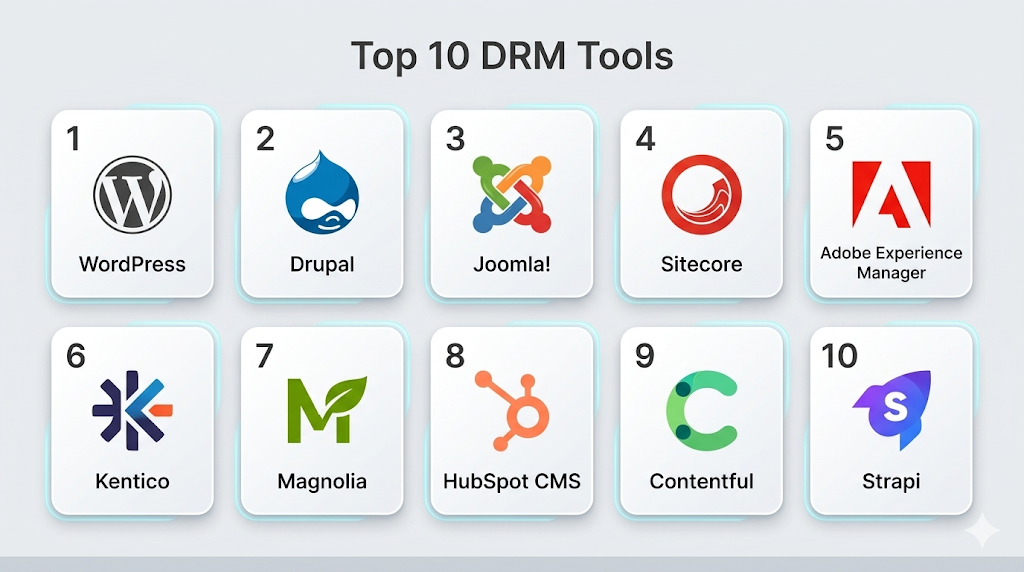
Top 10 CMS Tools
1- WordPress
Short description (2–3 lines): Popular open-source CMS for blogs, corporate websites, and e-commerce, suitable for SMBs and developers.
Key Features
- Plugin ecosystem for extended functionality
- Template/theme customization
- Media library management
- Multi-user roles and permissions
- SEO optimization tools
Pros
- Highly flexible and customizable
- Large community support
- Free core platform
Cons
- Security depends on plugin quality
- Can be resource-heavy for large sites
Platforms / Deployment
- Web, Windows, macOS
- Cloud / Self-hosted
Security & Compliance
- Encryption, user authentication
- Not publicly stated
Integrations & Ecosystem
Integrates with WooCommerce, HubSpot, Google Analytics.
- WooCommerce
- HubSpot
- Google Analytics
- REST API
Support & Community
Large community, forums, extensive documentation.
2- Drupal
Short description (2–3 lines): Enterprise-grade open-source CMS with strong scalability, security, and customization.
Key Features
- Advanced content modeling
- Role-based access control
- API-first and headless CMS support
- Multi-language and multi-site management
- Extensive module ecosystem
Pros
- Highly secure and scalable
- Flexible for complex enterprise workflows
- Strong community contributions
Cons
- Steep learning curve
- Requires technical expertise for advanced setups
Platforms / Deployment
- Web, Windows, macOS
- Cloud / Self-hosted / Hybrid
Security & Compliance
- SSO, MFA, RBAC
- SOC 2, ISO 27001
Integrations & Ecosystem
- Salesforce, HubSpot, Marketing Automation
- REST API
- Analytics platforms
Support & Community
Professional support vendors, community modules, training resources.
3- Joomla
Short description (2–3 lines): Flexible open-source CMS for medium to large websites, with built-in multilingual support.
Key Features
- Extension marketplace
- Template management
- Access control levels
- Multi-language content
- SEO-friendly architecture
Pros
- Good balance of usability and flexibility
- Active developer community
- Multi-language support
Cons
- Smaller plugin ecosystem than WordPress
- Updates can sometimes break extensions
Platforms / Deployment
- Web, Windows, macOS
- Cloud / Self-hosted
Security & Compliance
- User authentication, encryption
- Not publicly stated
Integrations & Ecosystem
- Social media integrations
- E-commerce extensions
- APIs for custom integrations
Support & Community
Community forums, online tutorials, vendor support available.
4- Sitecore
Short description (2–3 lines): Enterprise CMS with strong personalization, digital marketing, and analytics capabilities.
Key Features
- AI-powered personalization
- Multi-site and multi-channel management
- Marketing automation integration
- Workflow automation and approvals
- Analytics and reporting
Pros
- Enterprise-grade features
- Advanced personalization and analytics
- Strong multi-channel support
Cons
- High cost
- Complex implementation
Platforms / Deployment
- Web
- Cloud / Hybrid
Security & Compliance
- SSO, MFA, encryption
- SOC 2, ISO 27001
Integrations & Ecosystem
- CRM and marketing automation
- Analytics platforms
- REST APIs
Support & Community
Vendor support, professional training, documentation.
5- Adobe Experience Manager (AEM)
Short description (2–3 lines): Enterprise CMS with headless capabilities, personalization, and marketing automation integration.
Key Features
- Headless CMS and API-first architecture
- Personalization and targeting
- Workflow automation
- Multi-channel content delivery
- Analytics integration
Pros
- Robust enterprise features
- Seamless marketing automation integration
- Scalable for global deployments
Cons
- High licensing cost
- Complex to implement
Platforms / Deployment
- Web
- Cloud / Hybrid
Security & Compliance
- Encryption, SSO, MFA
- SOC 2, ISO 27001, GDPR
Integrations & Ecosystem
- Adobe Marketing Cloud, CRM systems, analytics
- API and SDK support
Support & Community
Enterprise-level vendor support, professional training.
6- Kentico
Short description (2–3 lines): All-in-one CMS, e-commerce, and online marketing platform for mid-market to enterprise organizations.
Key Features
- Web content and e-commerce management
- Marketing automation
- Personalization
- API and developer tools
- Multi-site support
Pros
- Combines CMS, e-commerce, and marketing
- Good for mid-market and enterprise
- Flexible deployment
Cons
- Licensing cost for full features
- Learning curve for developers
Platforms / Deployment
- Web
- Cloud / Self-hosted
Security & Compliance
- Encryption, user authentication
- GDPR
Integrations & Ecosystem
- Payment gateways, CRM, analytics
- APIs for custom solutions
Support & Community
Professional support, community forums, training.
7- Magnolia
Short description (2–3 lines): Enterprise CMS with headless capabilities and strong personalization.
Key Features
- Headless CMS
- Personalization and targeting
- Workflow automation
- Multi-channel content delivery
- APIs for integration
Pros
- Enterprise scalability
- Flexible architecture
- Strong integration capabilities
Cons
- High cost
- Requires developer expertise
Platforms / Deployment
- Web
- Cloud / Self-hosted / Hybrid
Security & Compliance
- SSO, encryption, MFA
- SOC 2, GDPR
Integrations & Ecosystem
- Marketing automation, analytics, CRM
- REST API and SDKs
Support & Community
Vendor support, documentation, training programs.
8- HubSpot CMS
Short description (2–3 lines): Cloud-based CMS integrated with HubSpot CRM and marketing tools, designed for SMBs and marketing teams.
Key Features
- Drag-and-drop page builder
- SEO recommendations
- Personalization
- Integrated CRM
- Multi-channel publishing
Pros
- Easy to use for marketers
- Tight integration with CRM
- SaaS deployment, low IT overhead
Cons
- Limited headless capabilities
- Customization constrained compared to open-source
Platforms / Deployment
- Web
- Cloud
Security & Compliance
- Encryption, MFA, SSO
- SOC 2, GDPR
Integrations & Ecosystem
- HubSpot Marketing, CRM, email automation
- API for custom integrations
Support & Community
Documentation, onboarding, customer support.
9- Contentful
Short description (2–3 lines): Headless CMS for developers and enterprise teams, enabling multi-channel content delivery.
Key Features
- API-first headless architecture
- Multi-channel content delivery
- Role-based access
- Versioning and workflow
- Extensible with apps and integrations
Pros
- Flexible for developers
- Cloud-native, scalable
- Multi-channel delivery
Cons
- Not as beginner-friendly
- Pricing scales with usage
Platforms / Deployment
- Web
- Cloud
Security & Compliance
- SSO, encryption
- SOC 2, ISO 27001
Integrations & Ecosystem
- Salesforce, Shopify, analytics, marketing platforms
- REST and GraphQL APIs
Support & Community
Documentation, enterprise support, developer community.
10- Strapi
Short description (2–3 lines): Open-source headless CMS for developers, providing full API control and flexibility.
Key Features
- API-first CMS
- Custom content types
- Role-based access
- Cloud and self-hosted deployment
- Extensible plugins
Pros
- Developer-friendly and flexible
- Open-source, customizable
- Supports multi-channel delivery
Cons
- Requires technical expertise
- No native drag-and-drop editor
Platforms / Deployment
- Web
- Self-hosted / Cloud
Security & Compliance
- Encryption, RBAC
- Not publicly stated
Integrations & Ecosystem
- REST/GraphQL APIs
- Analytics, e-commerce, and marketing integrations
- Custom plugins
Support & Community
Open-source community, documentation, professional support options.
Comparison Table (Top 10)
| Tool Name | Best For | Platform(s) Supported | Deployment | Standout Feature | Public Rating |
|---|---|---|---|---|---|
| WordPress | Blogs & SMB websites | Web, Windows, macOS | Cloud / Self-hosted | Large plugin ecosystem | N/A |
| Drupal | Enterprise websites | Web, Windows, macOS | Cloud / Self-hosted / Hybrid | Enterprise scalability & security | N/A |
| Joomla | Medium to large websites | Web, Windows, macOS | Cloud / Self-hosted | Multi-language support | N/A |
| Sitecore | Enterprise digital marketing | Web | Cloud / Hybrid | Personalization & analytics | N/A |
| Adobe Experience Manager | Enterprise marketing | Web | Cloud / Hybrid | Headless CMS & marketing integration | N/A |
| Kentico | Mid-market & enterprise | Web | Cloud / Self-hosted | CMS + e-commerce + marketing | N/A |
| Magnolia | Enterprise & multi-channel | Web | Cloud / Self-hosted / Hybrid | Headless CMS & personalization | N/A |
| HubSpot CMS | SMB & marketing | Web | Cloud | CRM & marketing integration | N/A |
| Contentful | Developer-first & enterprise | Web | Cloud | API-first headless CMS | N/A |
| Strapi | Developers & multi-channel | Web | Self-hosted / Cloud | Open-source headless CMS | N/A |
Evaluation & Scoring of CMS
| Tool Name | Core (25%) | Ease (15%) | Integrations (15%) | Security (10%) | Performance (10%) | Support (10%) | Value (15%) | Weighted Total (0–10) |
|---|---|---|---|---|---|---|---|---|
| WordPress | 9 | 8 | 8 | 7 | 8 | 8 | 9 | 8.3 |
| Drupal | 9 | 7 | 8 | 9 | 8 | 7 | 8 | 8.1 |
| Joomla | 8 | 8 | 7 | 7 | 7 | 7 | 8 | 7.5 |
| Sitecore | 9 | 7 | 8 | 8 | 8 | 7 | 7 | 7.9 |
| Adobe Experience Manager | 9 | 7 | 8 | 8 | 8 | 7 | 7 | 7.9 |
| Kentico | 8 | 8 | 7 | 7 | 8 | 7 | 7 | 7.6 |
| Magnolia | 9 | 7 | 8 | 8 | 8 | 7 | 7 | 7.9 |
| HubSpot CMS | 7 | 9 | 7 | 7 | 7 | 7 | 7 | 7.4 |
| Contentful | 8 | 7 | 8 | 8 | 8 | 7 | 7 | 7.7 |
| Strapi | 8 | 7 | 8 | 7 | 7 | 7 | 8 | 7.5 |
Interpretation: Weighted totals compare CMS capabilities across core features, ease of use, integrations, security, performance, support, and value. Higher totals indicate stronger overall capabilities.
Which CMS Tool Is Right for You?
Solo / Freelancer
WordPress, Strapi, HubSpot CMS for lightweight, flexible content management.
SMB
WordPress, Joomla, HubSpot CMS for easy deployment and multi-channel publishing.
Mid-Market
Kentico, Contentful, Magnolia for more advanced workflow, personalization, and multi-site management.
Enterprise
Drupal, Sitecore, Adobe Experience Manager, Magnolia for enterprise-grade security, scalability, and marketing integrations.
Budget vs Premium
Open-source CMS like WordPress, Joomla, and Strapi are cost-effective. Enterprise CMS like Sitecore and Adobe Experience Manager are premium.
Feature Depth vs Ease of Use
Enterprise CMS provides deep personalization, workflows, and headless capabilities. SMB CMS focuses on ease, templates, and fast deployment.
Integrations & Scalability
Enterprise CMS integrates with CRM, marketing, e-commerce, and analytics platforms and scales to multi-site and global deployments.
Security & Compliance Needs
Enterprise CMS such as Drupal, Sitecore, and AEM offer SSO, MFA, encryption, RBAC, and regulatory compliance for secure operations.
Frequently Asked Questions (FAQs)
1. What pricing models are typical?
CMS pricing varies by platform: open-source CMS are free to self-host; enterprise solutions require licensing/subscription. Costs scale with users, sites, and features.
2. How long does implementation take?
Small deployments can be completed in days; enterprise-grade CMS require weeks or months due to customization, integrations, and content migration.
3. Are CMS platforms secure?
Leading CMS offer encryption, SSO, MFA, role-based access, and regular updates. Enterprise solutions provide compliance with GDPR, SOC 2, ISO 27001.
4. Can CMS integrate with other systems?
Yes, most CMS offer APIs, plugins, or modules for ERP, CRM, marketing automation, analytics, and e-commerce platforms.
5. How do CMS tools improve workflow efficiency?
CMS centralizes content creation, approval, and publishing. Multi-user roles, automation, and templates reduce manual tasks and accelerate publishing.
6. What common mistakes occur during adoption?
Poor template planning, skipping training, ignoring workflow automation, or failing to monitor performance can hinder CMS adoption.
7. Are CMS platforms scalable?
Yes, enterprise CMS can manage multi-site, multilingual content, and support thousands of concurrent users.
8. Can SMBs benefit?
Absolutely. WordPress, Joomla, and HubSpot CMS are affordable, easy to use, and provide essential features for small to mid-sized teams.
9. How does headless CMS enhance content delivery?
Headless CMS separates content storage from presentation, allowing content to be delivered across web, mobile, and IoT platforms efficiently.
10. How easy is migration between CMS platforms?
Migration requires content mapping, theme/template adaptation, and workflow reconfiguration. Many vendors offer migration tools and support.
Conclusion
Content Management Systems are critical for digital content creation, management, and delivery in 2026. SMBs can leverage WordPress, Joomla, and HubSpot CMS for fast deployment and low-cost solutions. Mid-market teams benefit from Kentico, Contentful, and Magnolia for advanced workflows, personalization, and multi-site management. Enterprises rely on Drupal, Sitecore, and Adobe Experience Manager for scalability, security, and multi-channel content delivery. Key considerations include integrations, workflow automation, user adoption, and security compliance. Organizations should shortlist 2–3 tools, run a pilot, and validate integrations and content workflows before enterprise-wide adoption. Choosing the right CMS ensures efficient content management, scalable delivery, and measurable ROI.

Find Trusted Cardiac Hospitals
Compare heart hospitals by city and services — all in one place.
Explore Hospitals
I learned that CMS platforms make it much easier to manage website content without much technical work. I’d like to understand more about which CMS is best for beginners.