Introduction
Feature flag management tools allow development teams to control the release of software features without deploying new code. By toggling features on or off in real time, teams can experiment, mitigate risk, and roll out updates gradually. these platforms are critical for organizations embracing continuous delivery, experimentation-driven development, and personalized user experiences. They support safer deployments, A/B testing, and dynamic feature targeting across web, mobile, and cloud applications.
Real-world use cases include:
- Gradual rollout of new product features to subsets of users.
- Conducting A/B tests and measuring engagement differences.
- Quickly disabling faulty features without a rollback.
- Customizing experiences for user segments or geographies.
- Supporting continuous integration and DevOps pipelines.
Evaluation criteria for buyers:
- Ease of feature toggling and targeting
- Platform support and deployment flexibility
- Integration with CI/CD and observability tools
- Security, compliance, and audit capabilities
- Performance and reliability under high traffic
- Usability for developers and product managers
- Support, documentation, and community
- Cost efficiency and pricing transparency
Best for: Product teams, DevOps engineers, SaaS companies, startups, and enterprises seeking controlled feature rollouts and risk mitigation.
Not ideal for: Organizations with minimal deployment frequency or those that do not require granular user targeting; alternatives may include simple configuration flags or staged releases.
Key Trends in Feature Flag Management Tools
- Increasing adoption of AI-driven feature targeting based on user behavior and engagement metrics.
- Integration with observability and analytics platforms for real-time impact measurement.
- Emphasis on security and compliance, including GDPR, SOC 2, and ISO 27001 certifications.
- Support for multi-platform deployments across web, mobile, and serverless environments.
- Hybrid and self-hosted deployment options gaining traction alongside cloud-native solutions.
- Enhanced collaboration features for product managers, developers, and QA teams.
- Automation in CI/CD pipelines, allowing flags to be tied to specific release stages.
- Pricing models shifting to usage-based and value-based rather than flat subscriptions.
- Open-source feature flag frameworks becoming more mature and enterprise-ready.
- Growth in enterprise-grade audit and governance capabilities for regulated industries.
How We Selected These Tools (Methodology)
- Evaluated market adoption and mindshare among leading tech organizations.
- Assessed feature completeness, including targeting, experimentation, and rollout capabilities.
- Considered reliability and performance signals in high-traffic environments.
- Reviewed security and compliance posture, focusing on encryption, RBAC, and audit logs.
- Analyzed integrations and ecosystem, including SDKs, APIs, and CI/CD compatibility.
- Considered customer fit across segments: SMB, mid-market, and enterprise.
- Focused on ease of use for developers and non-technical product managers.
- Reviewed support, documentation, and community strength.
- Evaluated pricing transparency and value proposition relative to features.
- Prioritized tools with modern architecture that support cloud-native deployments.
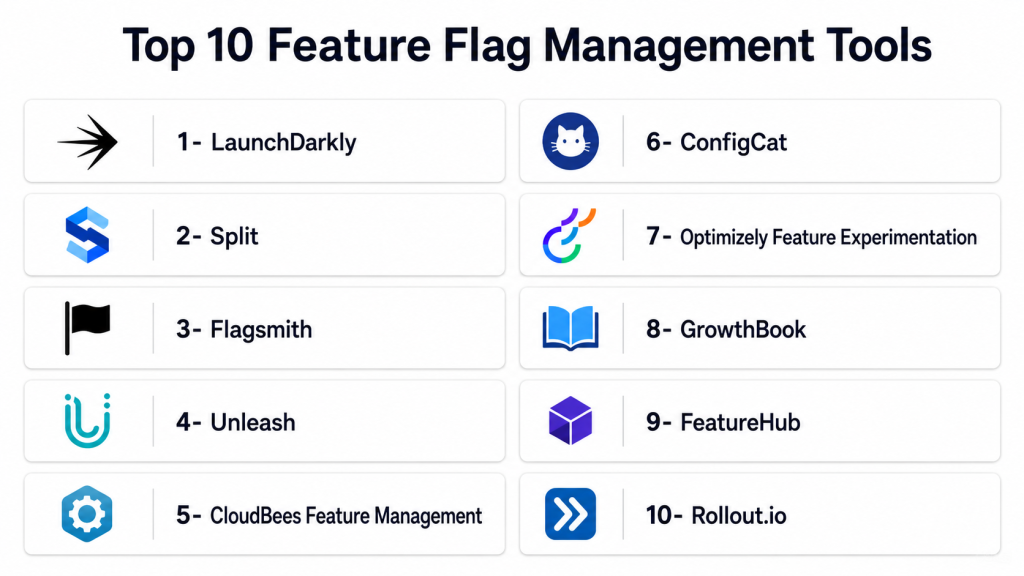
Top 10 Feature Flag Management Tools
1- LaunchDarkly
Short description: LaunchDarkly is a comprehensive feature management platform for enterprises and developers enabling controlled feature releases and experimentation.
Key Features
- Real-time feature flag toggling across platforms
- Granular user segmentation and targeting
- Multivariate experimentation and A/B testing
- SDK support for multiple languages and frameworks
- Integration with CI/CD pipelines and analytics
- Audit logs and compliance support
- Progressive rollout capabilities
Pros
- Robust enterprise-grade security and compliance
- Scales well for high-traffic applications
- Strong ecosystem and integrations
Cons
- Higher pricing for small teams
- Can have steep learning curve for non-technical users
- Limited offline capabilities
Platforms / Deployment
- Web / Windows / macOS / Linux / iOS / Android
- Cloud
Security & Compliance
- SOC 2, ISO 27001, GDPR
- SSO/SAML, MFA, encryption, RBAC
Integrations & Ecosystem
LaunchDarkly integrates with CI/CD, observability, and analytics tools.
- Slack, Jira, GitHub, Datadog, Segment
- REST and GraphQL APIs
- Webhooks for event notifications
- SDKs for all major languages
Support & Community
Comprehensive documentation, dedicated enterprise support, active developer community.
2- Split
Short description: Split provides feature flagging and experimentation solutions focused on data-driven rollouts for product and engineering teams.
Key Features
- Feature flags with targeting rules
- Experimentation and analytics integration
- SDKs for web, mobile, and backend services
- Audit logging and compliance tracking
- Multi-environment management
- Progressive delivery controls
Pros
- Strong analytics and experimentation focus
- Reliable SDK support across platforms
- Easy integration with data pipelines
Cons
- Pricing may be complex for smaller teams
- Some advanced features require enterprise plan
- Initial setup can be time-intensive
Platforms / Deployment
- Web / Windows / macOS / Linux / iOS / Android
- Cloud
Security & Compliance
- SOC 2, GDPR
- Encryption, audit logging, RBAC
Integrations & Ecosystem
- Jira, GitHub, Segment, Datadog, Slack
- REST APIs and Webhooks
- CI/CD plugin integrations
Support & Community
Active developer community, documentation library, enterprise support available.
3- Flagsmith
Short description: Flagsmith is an open-source feature flag and remote config platform enabling developers and product teams to control releases across multiple environments.
Key Features
- Open-source and cloud-hosted options
- Multi-environment flag management
- User segmentation and targeting rules
- SDKs for web, mobile, and backend
- Remote configuration support
- Audit logs and versioning
Pros
- Open-source flexibility and transparency
- Cost-effective for SMBs and developers
- Supports hybrid deployment models
Cons
- Fewer enterprise-grade features
- Community support may require self-resolution
- Advanced analytics limited compared to competitors
Platforms / Deployment
- Web / Windows / macOS / Linux / iOS / Android
- Cloud / Self-hosted
Security & Compliance
Not publicly stated
Integrations & Ecosystem
- GitHub, Slack, Segment
- REST APIs
- CI/CD integration support
Support & Community
Active open-source community, documentation available, commercial support optional.
4- Unleash
Short description: Unleash is an open-source feature management platform that emphasizes developer-first capabilities and flexible deployment options.
Key Features
- Self-hosted and cloud options
- Advanced targeting rules and strategies
- Multiple SDKs for web and mobile
- A/B testing and experimentation
- Audit logging and version control
- Progressive rollouts
Pros
- Open-source, highly customizable
- Strong developer adoption
- Flexible deployment
Cons
- Requires technical setup for self-hosted deployments
- Enterprise features require paid plan
- Limited analytics
Platforms / Deployment
- Web / Windows / macOS / Linux / iOS / Android
- Cloud / Self-hosted / Hybrid
Security & Compliance
Not publicly stated
Integrations & Ecosystem
- CI/CD pipelines
- API and SDK support
- Webhooks
Support & Community
Active developer community, documentation extensive, enterprise support available.
5- CloudBees Feature Management
Short description: CloudBees offers enterprise-grade feature flagging with a focus on CI/CD integration and secure progressive delivery.
Key Features
- Feature flagging with targeting
- Progressive rollout management
- CI/CD integration with Jenkins and other tools
- Audit and compliance logging
- Multivariate experimentation
- API and SDK support
Pros
- Strong CI/CD alignment
- Secure enterprise-grade deployment
- Extensive SDK coverage
Cons
- Cost may be high for SMBs
- Some features require full enterprise plan
- Complexity for smaller teams
Platforms / Deployment
- Web / Windows / macOS / Linux / iOS / Android
- Cloud / Self-hosted / Hybrid
Security & Compliance
- SOC 2, ISO 27001
- Encryption, RBAC, audit logs
Integrations & Ecosystem
- Jenkins, GitHub, GitLab, Slack
- REST APIs and Webhooks
- Analytics platform integration
Support & Community
Enterprise support, detailed documentation, active user forums.
6- ConfigCat
Short description: ConfigCat is a SaaS and developer-focused feature flag platform offering fast setup and easy integrations for product teams.
Key Features
- Cloud-hosted with multiple SDKs
- Targeting and user segmentation
- A/B testing support
- Audit logs and change history
- Multi-environment management
- Progressive rollouts
Pros
- Quick setup and lightweight SDKs
- Cost-effective for SMBs and startups
- Simple, intuitive UI
Cons
- Limited enterprise-grade analytics
- Fewer integrations than large competitors
- Advanced security features limited
Platforms / Deployment
- Web / Windows / macOS / Linux / iOS / Android
- Cloud
Security & Compliance
- Not publicly stated
Integrations & Ecosystem
- Slack, Jira, GitHub
- REST APIs
- Webhooks
Support & Community
Documentation available, email support, smaller but active community.
7- Optimizely Feature Experimentation
Short description: Optimizely combines feature flagging with experimentation capabilities for data-driven product development and experimentation.
Key Features
- Feature flags with audience targeting
- A/B and multivariate testing
- Analytics-driven decision support
- Progressive rollouts
- SDK support across platforms
- Audit and version tracking
Pros
- Strong experimentation analytics
- Enterprise-grade security and compliance
- Good multi-platform support
Cons
- Higher pricing tier for full features
- Steep learning curve for non-technical users
- Integration setup can be complex
Platforms / Deployment
- Web / Windows / macOS / Linux / iOS / Android
- Cloud
Security & Compliance
- SOC 2, GDPR
- Encryption, SSO, RBAC
Integrations & Ecosystem
- Analytics platforms, Jira, Slack
- REST APIs and Webhooks
- CI/CD integrations
Support & Community
Enterprise support, training programs, active documentation.
8- GrowthBook
Short description: GrowthBook is a modern experimentation and feature flag platform designed for agile teams and rapid experimentation.
Key Features
- Open-source core with cloud-hosted option
- Feature flagging with targeting
- A/B testing support
- SDKs for multiple environments
- Progressive rollout and kill switches
- Analytics integration
Pros
- Cost-effective, open-source option
- Rapid experimentation workflow
- Flexible SDK and API support
Cons
- Smaller enterprise support ecosystem
- Limited compliance certifications
- Some features still maturing
Platforms / Deployment
- Web / Windows / macOS / Linux / iOS / Android
- Cloud / Self-hosted
Security & Compliance
Not publicly stated
Integrations & Ecosystem
- Segment, Slack, GitHub
- REST APIs
- CI/CD integrations
Support & Community
Community-driven support, documentation, optional commercial support.
9- FeatureHub
Short description: FeatureHub is an enterprise-ready feature flag and remote configuration platform supporting progressive delivery and experimentation.
Key Features
- Enterprise-grade feature flagging
- Progressive rollouts and kill switches
- Multi-environment management
- SDKs for web, mobile, backend
- Audit logs and governance controls
- Analytics integration
Pros
- Enterprise-ready security and compliance
- Scales for large organizations
- Flexible SDK support
Cons
- Pricing may be high for SMBs
- Setup complexity for small teams
- Limited public community
Platforms / Deployment
- Web / Windows / macOS / Linux / iOS / Android
- Cloud / Self-hosted / Hybrid
Security & Compliance
- Not publicly stated
Integrations & Ecosystem
- Slack, GitHub, CI/CD pipelines
- REST API and Webhooks
- Analytics platform integrations
Support & Community
Enterprise support, documentation available, community limited.
10- Rollout.io
Short description: Rollout.io provides mobile-first feature flagging and experimentation tools for developers and product teams focused on app releases.
Key Features
- Feature flagging for iOS and Android apps
- Progressive delivery and targeting
- Experimentation and A/B testing
- SDKs for mobile and backend
- Analytics and monitoring integrations
- Audit and version control
Pros
- Mobile-focused, easy to integrate
- Rapid rollout control
- Simple SDK deployment
Cons
- Less focus on web/enterprise applications
- Limited integrations
- Compliance certifications not widely advertised
Platforms / Deployment
- iOS / Android / Web / Backend
- Cloud
Security & Compliance
Not publicly stated
Integrations & Ecosystem
- Analytics tools, CI/CD pipelines, Slack
- REST API
- Webhooks
Support & Community
Documentation, email support, small developer community.
Comparison Table (Top 10)
| Tool Name | Best For | Platform(s) Supported | Deployment | Standout Feature | Public Rating |
|---|---|---|---|---|---|
| LaunchDarkly | Enterprise teams | Web, Windows, macOS, Linux, iOS, Android | Cloud | Robust feature flagging + targeting | N/A |
| Split | Data-driven rollouts | Web, Windows, macOS, Linux, iOS, Android | Cloud | Analytics-driven experimentation | N/A |
| Flagsmith | Open-source flexibility | Web, Windows, macOS, Linux, iOS, Android | Cloud/Self-hosted | Open-source + hybrid deployment | N/A |
| Unleash | Developer-first | Web, Windows, macOS, Linux, iOS, Android | Cloud/Self-hosted/Hybrid | Customizable open-source | N/A |
| CloudBees Feature Management | Enterprise CI/CD | Web, Windows, macOS, Linux, iOS, Android | Cloud/Self-hosted/Hybrid | Progressive delivery in CI/CD | N/A |
| ConfigCat | SMB-friendly | Web, Windows, macOS, Linux, iOS, Android | Cloud | Quick setup + lightweight SDKs | N/A |
| Optimizely Feature Experimentation | Experimentation focus | Web, Windows, macOS, Linux, iOS, Android | Cloud | Feature flagging + analytics | N/A |
| GrowthBook | Agile teams | Web, Windows, macOS, Linux, iOS, Android | Cloud/Self-hosted | Open-source experimentation | N/A |
| FeatureHub | Enterprise governance | Web, Windows, macOS, Linux, iOS, Android | Cloud/Self-hosted/Hybrid | Progressive delivery + audit | N/A |
| Rollout.io | Mobile-first | iOS, Android, Web, Backend | Cloud | Mobile feature flags | N/A |
Evaluation & Scoring of Feature Flag Management Tools
| Tool Name | Core (25%) | Ease (15%) | Integrations (15%) | Security (10%) | Performance (10%) | Support (10%) | Value (15%) | Weighted Total (0–10) |
|---|---|---|---|---|---|---|---|---|
| LaunchDarkly | 10 | 9 | 9 | 10 | 10 | 9 | 8 | 9.6 |
| Split | 9 | 8 | 9 | 9 | 9 | 8 | 8 | 8.8 |
| Flagsmith | 8 | 8 | 7 | 7 | 8 | 7 | 9 | 8.0 |
| Unleash | 8 | 7 | 8 | 7 | 8 | 7 | 8 | 7.9 |
| CloudBees | 9 | 8 | 9 | 9 | 9 | 8 | 7 | 8.7 |
| ConfigCat | 7 | 9 | 7 | 7 | 7 | 7 | 9 | 7.9 |
| Optimizely | 9 | 7 | 8 | 9 | 8 | 8 | 7 | 8.2 |
| GrowthBook | 8 | 8 | 7 | 7 | 8 | 7 | 8 | 7.8 |
| FeatureHub | 9 | 7 | 8 | 8 | 9 | 8 | 7 | 8.1 |
| Rollout.io | 8 | 8 | 7 | 7 | 8 | 7 | 8 | 7.8 |
Interpretation: Scores are comparative across tools. Higher scores reflect better feature coverage, usability, integrations, and enterprise readiness. Weighted totals highlight overall suitability depending on team size, deployment needs, and security requirements.
Which Feature Flag Management Tool Is Right for You?
Solo / Freelancer
Choose lightweight and easy-to-setup platforms like ConfigCat or GrowthBook. These provide fast experimentation without enterprise overhead.
SMB
Flagsmith or LaunchDarkly offers flexible plans, solid SDKs, and moderate analytics to support growth and risk mitigation.
Mid-Market
Split or Optimizely delivers strong experimentation analytics, multi-environment support, and progressive rollouts for mid-sized organizations.
Enterprise
LaunchDarkly, CloudBees Feature Management, and FeatureHub offer enterprise-grade security, compliance, scalability, and CI/CD integration.
Budget vs Premium
Open-source or small SaaS solutions like Flagsmith, GrowthBook, and ConfigCat are cost-efficient. Premium platforms like LaunchDarkly or Optimizely provide advanced analytics, governance, and enterprise-grade support.
Feature Depth vs Ease of Use
Balance is key: GrowthBook and ConfigCat are easy to adopt but limited in features, while LaunchDarkly and Split provide rich functionality with steeper learning curves.
Integrations & Scalability
Enterprise tools with robust API ecosystems and SDKs (LaunchDarkly, CloudBees, Optimizely) enable seamless scaling and integration into complex CI/CD pipelines.
Security & Compliance Needs
For regulated industries, prioritize SOC 2, ISO 27001, and GDPR-compliant platforms like LaunchDarkly, Split, and CloudBees to ensure auditability and governance.
Frequently Asked Questions (FAQs)
- What is the typical pricing model for feature flag tools?
Most platforms offer subscription-based pricing, often based on the number of users, flags, or environments. Open-source tools may be free with optional commercial support for enterprises. - How long does it take to implement a feature flag platform?
Setup ranges from a few hours for lightweight cloud-hosted tools to several days for enterprise deployments involving CI/CD and audit integration. - Can feature flags be used for mobile apps?
Yes. Platforms like Rollout.io and LaunchDarkly provide SDKs for iOS and Android, enabling targeted feature toggling in mobile environments. - How do feature flags improve deployment safety?
They allow gradual rollouts, instant rollback of problematic features, and targeted testing, reducing the risk of impacting all users at once. - What integrations should I look for?
Integrations with CI/CD pipelines, analytics, observability tools, and project management platforms streamline workflows and enhance experimentation insights. - Are feature flags secure?
Top platforms provide encryption, RBAC, SSO/SAML, and audit logs. Enterprise tools often have compliance certifications like SOC 2, ISO 27001, and GDPR. - Can multiple teams use the same feature flag platform?
Yes. Platforms support multi-team collaboration with environment separation, access control, and comprehensive audit logging. - How do I choose between open-source and enterprise tools?
Open-source tools offer flexibility and cost savings, while enterprise solutions provide governance, compliance, advanced analytics, and dedicated support. - Can feature flags support A/B testing?
Yes. Most modern platforms integrate experimentation, enabling teams to measure feature impact and user engagement across different segments. - Is it possible to switch feature flag platforms mid-project?
Yes, but migrating requires updating SDKs, reconfiguring flags, and ensuring consistency across all environments to prevent disruption.
Conclusion
Feature flag management tools are essential for modern software teams to safely deliver and experiment with features. They reduce risk, enable progressive rollouts, and support data-driven decision-making. The right platform depends on team size, budget, platform coverage, and compliance needs. Solo developers may prefer lightweight, easy-to-adopt options, while enterprises benefit from comprehensive, secure, and scalable platforms. Consider evaluating 2–3 tools, running a pilot to test integrations, and validating security and observability features before full-scale deployment. A structured approach ensures that feature flagging enhances product development without introducing operational risks.

Find Trusted Cardiac Hospitals
Compare heart hospitals by city and services — all in one place.
Explore Hospitals
Personalization engines are explained in a clear and simple way, and the comparison helps in understanding how AI is used to deliver more relevant and user-focused digital experiences.