Introduction
Wikis are collaborative platforms that allow teams to create, edit, and share structured content in a central repository. They are particularly valuable for knowledge management, documentation, and internal collaboration. In 2026, wikis continue to play a critical role in enabling remote work, multi-team coordination, and organizational knowledge retention.
Real-world use cases include:
- Development teams documenting APIs, architecture, and technical guides.
- HR teams managing policies, onboarding content, and training resources.
- Project teams maintaining centralized project plans and workflows.
- Customer support teams compiling troubleshooting guides and FAQs.
- Research teams sharing data, methodologies, and collaborative findings.
Evaluation criteria for buyers:
- Ease of content creation and editing
- Version control and history tracking
- Search and navigation capabilities
- Integration with collaboration and productivity tools
- Role-based access and permissions
- Analytics and reporting
- Scalability and performance
- AI or automation features for content suggestions
- Cloud, on-prem, or hybrid deployment options
- Cost and total value delivered
Best for: development, operations, project management, HR, and research teams in SMBs and enterprises.
Not ideal for: teams needing only simple document storage or those using alternative collaboration platforms like Confluence or knowledge bases.
Key Trends in Wikis for
- AI-powered content suggestions and auto-linking.
- Real-time collaborative editing for distributed teams.
- Integration with chat, task management, and project tools.
- Semantic search for faster information retrieval.
- Multi-language support for global teams.
- Enhanced access controls and compliance tracking.
- Cloud-native solutions with offline access options.
- Low-code customization for workflows and dashboards.
- Analytics to track knowledge usage and gaps.
- Headless wiki architectures supporting external applications.
How We Selected These Tools (Methodology)
- Market adoption and customer base.
- Completeness of features for content, collaboration, and search.
- Reliability and performance indicators.
- Security and compliance posture.
- Integration capabilities with collaboration, CRM, and analytics tools.
- Suitability for different team sizes and business segments.
- Availability of AI features and automation.
- Usability and learning curve for teams.
- Vendor support and documentation quality.
- Total cost of ownership and value delivered.
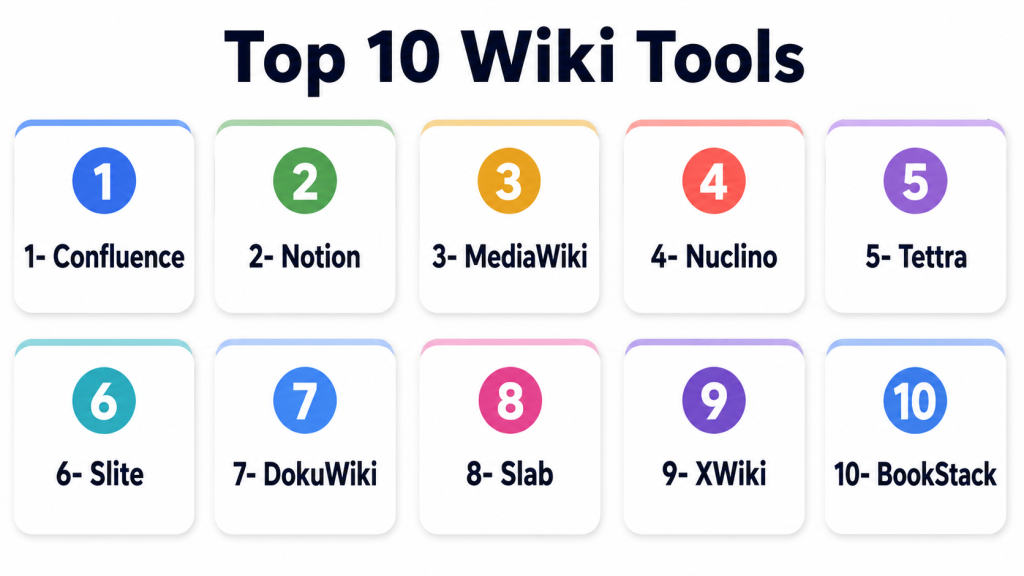
Top 10 Wiki Tools
1 — Confluence
Short description: Enterprise collaboration wiki with deep integration into Atlassian suite for project and team documentation.
Key Features
- Rich text and multimedia support
- Version control and history
- Page hierarchies and templates
- Workflow and approvals
- Integration with Jira, Trello, and Slack
Pros
- Enterprise-grade scalability
- Tight Atlassian ecosystem integration
- Strong collaboration features
Cons
- Complexity for small teams
- Higher cost
- Requires Atlassian familiarity
Platforms / Deployment
Web, Cloud, On-prem
Security & Compliance
SOC 2, ISO 27001, GDPR
Integrations & Ecosystem
Atlassian suite, Slack, analytics tools
- APIs for customization
- Plugin marketplace
- Reporting integrations
Support & Community
Enterprise support, detailed documentation, active user forums
2 — Notion
Short description: All-in-one workspace for notes, tasks, and wikis suitable for SMBs and remote teams.
Key Features
- Drag-and-drop page editor
- Nested pages and databases
- Real-time collaboration
- Templates for knowledge management
- Task and project integration
Pros
- Intuitive and easy to use
- Flexible content structure
- Cross-platform access
Cons
- Limited advanced workflows
- Offline access can be restricted
- Scaling for large teams may require enterprise plan
Platforms / Deployment
Web, Windows, macOS, iOS, Android, Cloud
Security & Compliance
SOC 2, ISO 27001, GDPR
Integrations & Ecosystem
Slack, Google Workspace, Jira
- Zapier automation
- API access for developers
- Embed external media
Support & Community
Email support, tutorials, active community
3 — MediaWiki
Short description: Open-source wiki platform powering Wikipedia and suitable for technical and knowledge-heavy projects.
Key Features
- Open-source and customizable
- Page versioning and history
- Template and category support
- Extension ecosystem
- Multi-language capabilities
Pros
- Free and highly flexible
- Proven at scale
- Large community support
Cons
- Requires technical setup
- Limited out-of-the-box collaboration features
- UI is not modern
Platforms / Deployment
Web, Self-hosted
Security & Compliance
Not publicly stated
Integrations & Ecosystem
Extensions, plugins, API integrations
- Custom authentication
- Analytics plugins
Support & Community
Large developer community, forums, documentation
4 — Nuclino
Short description: Lightweight collaborative wiki for teams with visual graph-based navigation.
Key Features
- Real-time collaboration
- Graph and list view for pages
- Inline comments and mentions
- Tags and categories
- Searchable content
Pros
- Simple and intuitive
- Visual knowledge mapping
- Fast setup for small teams
Cons
- Limited enterprise features
- Integrations less extensive
- Offline functionality limited
Platforms / Deployment
Web, Windows, macOS, iOS, Android, Cloud
Security & Compliance
SOC 2, GDPR
Integrations & Ecosystem
Slack, Google Workspace, task tools
- API access
- Webhooks
Support & Community
Email support, tutorials, community forum
5 — Tettra
Short description: Wiki platform focused on internal knowledge sharing integrated with Slack and other collaboration tools.
Key Features
- Slack integration
- Page templates and approvals
- Searchable content
- Role-based access
- Analytics dashboards
Pros
- Seamless Slack collaboration
- Quick onboarding
- Simple knowledge management
Cons
- Limited external wiki support
- Smaller feature set than enterprise tools
- Not ideal for large documentation projects
Platforms / Deployment
Web, Cloud
Security & Compliance
SOC 2, GDPR
Integrations & Ecosystem
Slack, Google Workspace, Office 365
- API for custom integration
- Analytics and reporting
Support & Community
Email support, documentation, small community
6 — Slite
Short description: Team wiki and documentation platform designed for knowledge sharing and collaboration.
Key Features
- Real-time collaboration
- Templates for documentation
- Version history
- Search and tagging
- Task assignment
Pros
- Easy-to-use interface
- Collaboration-focused
- Cost-effective for SMBs
Cons
- Limited enterprise features
- Less integration with complex workflows
- Offline support limited
Platforms / Deployment
Web, Cloud, iOS, Android
Security & Compliance
SOC 2, GDPR
Integrations & Ecosystem
Slack, Google Workspace, Zapier
- APIs for developers
- Embed multimedia
Support & Community
Documentation, email support, online community
7 — DokuWiki
Short description: Open-source wiki with simple syntax and strong community, ideal for technical documentation.
Key Features
- File-based storage
- Access control lists
- Extensive plugin system
- Versioning and revision history
- Multi-language support
Pros
- Free and lightweight
- Flexible and extensible
- Easy to maintain
Cons
- Outdated UI
- Requires technical setup
- Limited modern integrations
Platforms / Deployment
Web, Self-hosted
Security & Compliance
Not publicly stated
Integrations & Ecosystem
Plugins, APIs
- LDAP/SSO integrations
- Analytics plugins
Support & Community
Developer community, forums, documentation
8 — Slab
Short description: Wiki and knowledge sharing platform for team documentation with focus on search and collaboration.
Key Features
- AI-powered search
- Rich text editor
- Page hierarchies and linking
- Analytics for content usage
- Integrations with tools
Pros
- Strong search and content discovery
- Modern and clean UI
- Collaboration-friendly
Cons
- Limited offline access
- Fewer custom workflows
- Price for larger teams
Platforms / Deployment
Web, Cloud
Security & Compliance
SOC 2, GDPR
Integrations & Ecosystem
Slack, Google Workspace, GitHub
- API support
- Zapier integrations
Support & Community
Documentation, email support, active community
9 — XWiki
Short description: Enterprise-ready open-source wiki with flexible structured content management.
Key Features
- Page templates and structured data
- Access control and roles
- Versioning and history
- Scripting and automation
- Multi-language support
Pros
- Highly customizable
- Open-source flexibility
- Suitable for complex documentation
Cons
- Requires technical expertise
- UI can feel dated
- Integration setup requires effort
Platforms / Deployment
Web, Cloud, Self-hosted
Security & Compliance
SOC 2, GDPR
Integrations & Ecosystem
CRM, collaboration, analytics
- API and extensions
- Custom scripting
Support & Community
Enterprise support, developer community, documentation
10 — BookStack
Short description: Open-source wiki focused on simplicity, organization, and ease of use for teams.
Key Features
- Book, chapter, and page organization
- Markdown editor
- Role-based access
- Searchable content
- Multi-language support
Pros
- Easy to deploy and maintain
- Simple and clean interface
- Free and open-source
Cons
- Limited advanced features
- Fewer integrations
- Smaller community than enterprise tools
Platforms / Deployment
Web, Self-hosted, Cloud (via third-party hosting)
Security & Compliance
Not publicly stated
Integrations & Ecosystem
API for custom integration
- LDAP/SSO support
- Limited plugin system
Support & Community
Documentation, GitHub community, community forums
Comparison Table (Top 10)
| Tool Name | Best For | Platform(s) Supported | Deployment | Standout Feature | Public Rating |
|---|---|---|---|---|---|
| Confluence | Enterprise documentation | Web | Cloud / On-prem | Atlassian integration | N/A |
| Notion | SMBs and remote teams | Web, Windows, macOS, iOS, Android | Cloud | Flexible all-in-one workspace | N/A |
| MediaWiki | Open-source scalable wiki | Web | Self-hosted | Proven at scale | N/A |
| Nuclino | Lightweight collaboration | Web, Windows, macOS, iOS, Android | Cloud | Visual graph navigation | N/A |
| Tettra | Internal knowledge sharing | Web | Cloud | Slack integration | N/A |
| Slite | Team documentation | Web, iOS, Android | Cloud | Collaboration-friendly | N/A |
| DokuWiki | Technical documentation | Web | Self-hosted | Lightweight and extensible | N/A |
| Slab | Modern team wiki | Web | Cloud | AI-powered search | N/A |
| XWiki | Enterprise structured wiki | Web | Cloud / Self-hosted | Flexible structured content | N/A |
| BookStack | Simple open-source wiki | Web | Self-hosted | Easy organization | N/A |
Evaluation & Scoring of Wikis
| Tool Name | Core (25%) | Ease (15%) | Integrations (15%) | Security (10%) | Performance (10%) | Support (10%) | Value (15%) | Weighted Total (0–10) |
|---|---|---|---|---|---|---|---|---|
| Confluence | 10 | 7 | 9 | 9 | 9 | 8 | 7 | 8.7 |
| Notion | 8 | 9 | 7 | 8 | 8 | 8 | 9 | 8.2 |
| MediaWiki | 9 | 6 | 8 | 8 | 9 | 7 | 9 | 8.1 |
| Nuclino | 7 | 9 | 7 | 8 | 7 | 7 | 8 | 7.7 |
| Tettra | 7 | 8 | 7 | 8 | 7 | 7 | 8 | 7.7 |
| Slite | 7 | 9 | 7 | 8 | 7 | 7 | 8 | 7.8 |
| DokuWiki | 8 | 6 | 6 | 7 | 7 | 6 | 9 | 7.3 |
| Slab | 7 | 8 | 7 | 8 | 7 | 7 | 8 | 7.7 |
| XWiki | 8 | 7 | 8 | 8 | 8 | 7 | 8 | 7.9 |
| BookStack | 7 | 8 | 6 | 7 | 7 | 6 | 9 | 7.4 |
Interpretation: Weighted totals reflect how well a tool balances core features, usability, integrations, security, performance, support, and value. Organizations should select based on scale, complexity, and integration needs.
Which Wiki Tool Is Right for You?
Solo / Freelancer
BookStack or Nuclino are lightweight, easy-to-use, and cost-effective.
SMB
Notion, Slite, or Tettra offer flexibility and collaboration features at reasonable cost.
Mid-Market
Slab or Confluence provide structured collaboration and workflow support.
Enterprise
Confluence, XWiki, and MediaWiki support scalability, compliance, and complex content structures.
Budget vs Premium
Open-source solutions like MediaWiki or BookStack reduce costs. Paid tools like Confluence or Slab deliver enterprise-grade features and integrations.
Feature Depth vs Ease of Use
Balance is key: Notion and Slite prioritize usability, while Confluence and XWiki prioritize advanced features and control.
Integrations & Scalability
Enterprise teams require integration with CRM, analytics, and task management tools for long-term adoption.
Security & Compliance Needs
Look for SOC 2, GDPR, SSO/MFA options for internal wikis and sensitive data access.
Frequently Asked Questions (FAQs)
- What is a wiki?
A wiki is a collaborative platform that allows teams to create, edit, and manage content in a central repository. - How are wikis different from knowledge bases?
Wikis focus on collaborative content creation, while knowledge bases emphasize structured customer-facing documentation. - Are wikis suitable for SMBs?
Yes, lightweight tools like Notion, Nuclino, or BookStack are easy to deploy and cost-effective for small teams. - Can wikis integrate with other tools?
Most wikis support API integrations, connectors, or plugin systems to connect with project management, CRM, or analytics platforms. - Do wikis support real-time collaboration?
Yes, modern wikis provide real-time editing, version history, and simultaneous collaboration for teams. - Can wikis be used externally?
While some wikis can be made public, most are designed for internal collaboration; open access depends on deployment and security settings. - Are wikis secure for sensitive data?
Enterprise-grade wikis offer access control, SSO, MFA, and encryption, though open-source solutions may require additional configuration. - How do wikis help remote teams?
Wikis centralize knowledge, provide collaborative editing, and ensure distributed teams can access consistent information. - What is the difference between open-source and commercial wikis?
Open-source wikis offer flexibility and cost savings but may need technical setup, while commercial wikis provide support, integrations, and enterprise features. - What should I consider when selecting a wiki?
Consider usability, integrations, scalability, security, workflow capabilities, and cost relative to team size and content complexity.
Conclusion
Wikis remain an essential tool for collaborative knowledge management, internal documentation, and team coordination. SMBs can leverage lightweight solutions like BookStack and Nuclino, while enterprises may require Confluence or XWiki for advanced workflows and compliance. Evaluating usability, integrations, scalability, and security ensures the wiki aligns with team needs. Organizations should shortlist 2–3 tools, pilot them with real workflows, and validate integration and access controls. Ongoing analytics and monitoring ensure knowledge remains current and accessible. A well-implemented wiki improves productivity, reduces duplication, and strengthens institutional knowledge.

Find Trusted Cardiac Hospitals
Compare heart hospitals by city and services — all in one place.
Explore Hospitals
I didn’t realize wikis are so useful for team collaboration and knowledge sharing. I’d like to learn more about how companies use them in real projects.