Introduction
Knowledge Base Software is designed to centralize, organize, and make information easily accessible for both employees and customers. It allows organizations to create, manage, and deliver documentation, FAQs, troubleshooting guides, and internal resources from a single platform. businesses are increasingly relying on knowledge bases to improve self-service, reduce support ticket volume, and streamline internal knowledge workflows.
Real-world use cases include:
- Customer support teams delivering instant answers via public-facing portals.
- IT and operations teams documenting internal processes and SOPs.
- HR teams managing policy and onboarding documentation.
- Product teams creating technical guides and release notes.
- Sales teams accessing product and pricing information quickly.
Evaluation criteria for buyers:
- Ease of content creation and editing
- Search functionality and knowledge retrieval
- AI-driven suggestions and automation
- Multi-language support and localization
- Role-based access and permissions
- Analytics and reporting
- Integration with support, CRM, and collaboration tools
- Security and compliance
- Scalability and deployment options
- Pricing and total value
Best for: customer support, IT, product, HR teams, SMBs to large enterprises.
Not ideal for: organizations with minimal documentation needs or that rely entirely on email or chat-based support systems.
Key Trends in Knowledge Base Software
- AI-driven content suggestions and auto-categorization for faster knowledge updates.
- Integration with chatbots and virtual assistants for automated self-service.
- Advanced search capabilities including natural language and semantic search.
- Multi-channel publishing to web, mobile apps, and internal portals.
- Role-based content visibility and secure internal knowledge access.
- Analytics dashboards for insights into content usage and gaps.
- Cloud-native deployment with hybrid options for sensitive data.
- Low-code/no-code customization for workflow automation.
- Localization and multi-language support for global teams.
- Integration with CRM, ticketing, and collaboration platforms.
How We Selected These Tools (Methodology)
- Market adoption and brand awareness.
- Feature completeness covering creation, search, automation, and analytics.
- Reliability, uptime, and performance signals.
- Security posture including encryption, access controls, and compliance certifications.
- Integration capabilities with support, CRM, and productivity tools.
- Fit for SMB, mid-market, and enterprise users.
- AI and automation features for knowledge suggestions and search.
- Ease of deployment and maintenance.
- Vendor support quality and documentation.
- Pricing and value delivered relative to capabilities.
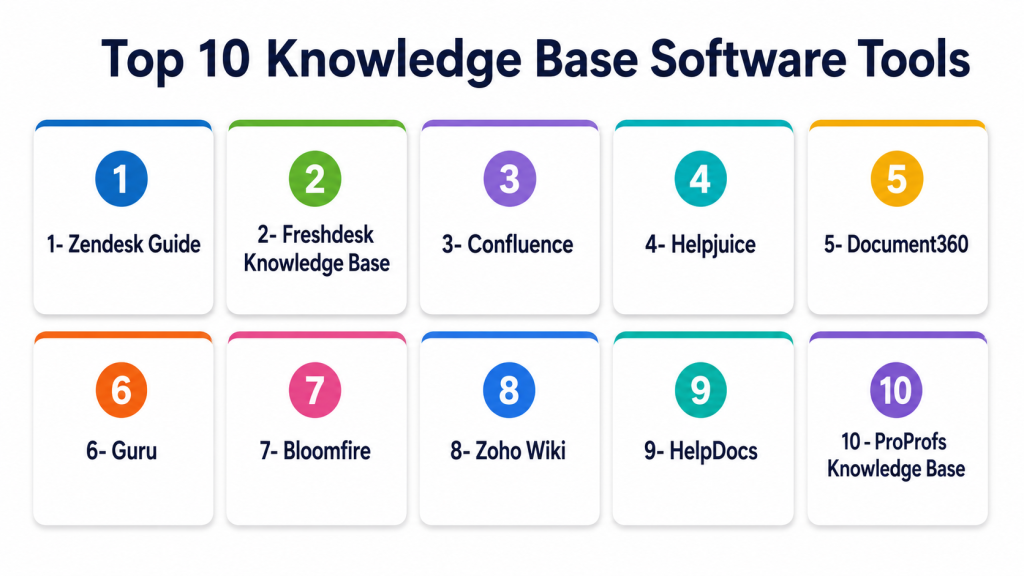
Top 10 Knowledge Base Software Tools
1 — Zendesk Guide
Short description: Centralized knowledge base platform integrated with Zendesk support suite, suitable for customer-facing and internal documentation.
Key Features
- AI-powered content suggestions
- Multi-channel publishing
- Advanced analytics and reporting
- Role-based access controls
- Integration with Zendesk Support
Pros
- Seamless integration with Zendesk suite
- Strong AI-driven search
- Scalable for large organizations
Cons
- Higher cost for smaller teams
- Limited customization outside Zendesk ecosystem
- Learning curve for advanced features
Platforms / Deployment
Web, Cloud
Security & Compliance
SOC 2, GDPR, SSO/SAML
Integrations & Ecosystem
Integrates with Zendesk Support, CRM, and chat tools
- REST API for custom integration
- Marketplace apps and plugins
- Collaboration tools
Support & Community
Comprehensive documentation, enterprise support tiers, active community forum
2 — Freshdesk Knowledge Base
Short description: User-friendly knowledge base designed for customer support with multi-brand support and AI-powered article suggestions.
Key Features
- AI-driven content recommendations
- Multi-brand support
- Role-based permissions
- Analytics for article usage
- Mobile-friendly interface
Pros
- Easy setup and use
- Good AI assistance for content
- Cost-effective for SMBs
Cons
- Limited advanced workflow features
- Customization can be restricted
- Integration options fewer than enterprise tools
Platforms / Deployment
Web, Cloud, iOS, Android
Security & Compliance
SOC 2, GDPR, MFA
Integrations & Ecosystem
CRM, ticketing systems, collaboration tools
- REST APIs
- Zapier and third-party integrations
- Analytics platforms
Support & Community
Responsive support, extensive knowledge base, online community
3 — Confluence
Short description: Enterprise-grade collaboration and knowledge management platform with robust documentation and workflow features.
Key Features
- Rich text and multimedia documentation
- Hierarchical page organization
- Powerful search functionality
- Workflow automation
- Integration with Jira and other Atlassian products
Pros
- Excellent for internal documentation
- Tight integration with Atlassian ecosystem
- Strong collaboration tools
Cons
- Less intuitive for external-facing KB
- Can become complex with large teams
- Requires Atlassian familiarity
Platforms / Deployment
Web, Cloud, On-prem
Security & Compliance
SOC 2, ISO 27001, GDPR
Integrations & Ecosystem
Atlassian suite, third-party plugins
- APIs for customization
- Reporting and analytics integrations
- Collaboration tools
Support & Community
Active user community, enterprise support, detailed documentation
4 — Helpjuice
Short description: Knowledge base software focused on enhancing customer support and internal team knowledge management.
Key Features
- AI search suggestions
- Analytics on article usage
- Customizable branding
- Role-based access
- Multi-language support
Pros
- Excellent for internal and external KB
- Strong search functionality
- Easy content management
Cons
- Limited integration options
- Higher price for smaller teams
- Mobile experience could be improved
Platforms / Deployment
Web, Cloud
Security & Compliance
SOC 2, GDPR
Integrations & Ecosystem
CRM and support tools integration
- REST APIs for extensions
- Third-party plugin support
Support & Community
Good support team, documentation, and customer success resources
5 — Document360
Short description: Knowledge base platform for documentation, FAQs, and self-service portals with strong analytics.
Key Features
- AI-assisted search
- Version control and revision history
- Multi-language support
- Role-based access control
- Analytics dashboards
Pros
- Comprehensive versioning and content tracking
- Flexible portal design
- Strong search functionality
Cons
- Advanced features can be complex
- Limited free plan options
- Integrations may require custom setup
Platforms / Deployment
Web, Cloud
Security & Compliance
SOC 2, GDPR
Integrations & Ecosystem
CRM, support, and collaboration tools
- API support for custom workflows
- Third-party analytics connectors
Support & Community
Email and chat support, documentation, community forums
6 — Guru
Short description: AI-driven knowledge base focused on delivering verified knowledge to teams within workflows.
Key Features
- AI suggestions and verification
- Slack and email integration
- Role-based access
- Analytics and usage tracking
- Browser extension for in-context guidance
Pros
- Contextual knowledge delivery
- AI-assisted content validation
- Strong workflow integration
Cons
- Limited external-facing KB options
- Price can scale with team size
- Learning curve for AI features
Platforms / Deployment
Web, Cloud, Browser extensions
Security & Compliance
SOC 2, GDPR, SSO/SAML
Integrations & Ecosystem
Slack, email, CRM, workflow tools
- Browser extension
- APIs for custom integration
- Analytics and reporting
Support & Community
Active support, technical documentation, online community
7 — Bloomfire
Short description: Knowledge sharing platform with focus on internal collaboration and social learning.
Key Features
- AI-powered search
- Video and multimedia support
- Social collaboration features
- Analytics dashboards
- Role-based permissions
Pros
- Strong internal knowledge sharing
- Multimedia support
- Good analytics
Cons
- Not ideal for customer-facing KB
- Smaller third-party integration ecosystem
- Price on higher side for SMBs
Platforms / Deployment
Web, Cloud, iOS, Android
Security & Compliance
SOC 2, GDPR
Integrations & Ecosystem
Collaboration tools, CRM connectors
- APIs for custom solutions
- Reporting integrations
Support & Community
Support via email and chat, knowledge resources, community forum
8 — Zoho Wiki
Short description: Simple knowledge base solution for SMBs, part of Zoho productivity suite.
Key Features
- Page-based documentation
- Role-based access
- Basic search functionality
- Versioning and tracking
- Integration with Zoho apps
Pros
- Cost-effective for SMBs
- Easy to set up and use
- Integrates with Zoho ecosystem
Cons
- Limited advanced analytics
- Basic AI and search capabilities
- Not suitable for large enterprises
Platforms / Deployment
Web, Cloud
Security & Compliance
Not publicly stated
Integrations & Ecosystem
Zoho apps, CRM, email
- API support
- Limited third-party integrations
Support & Community
Email support, documentation, online community
9 — HelpDocs
Short description: Knowledge base software for creating self-service portals and FAQs.
Key Features
- Custom branding
- Analytics on article usage
- Multi-language support
- Role-based permissions
- AI search assistance
Pros
- Easy to implement and manage
- Clean interface
- Effective search and analytics
Cons
- Limited enterprise integrations
- Advanced workflows require add-ons
- Smaller partner ecosystem
Platforms / Deployment
Web, Cloud
Security & Compliance
SOC 2, GDPR
Integrations & Ecosystem
CRM, support tools
- REST APIs
- Analytics connectors
- Zapier integrations
Support & Community
Email support, knowledge base, community forum
10 — ProProfs Knowledge Base
Short description: SaaS knowledge management tool for creating public or internal self-service portals.
Key Features
- AI suggestions
- Customizable templates
- Analytics and reporting
- Role-based access
- Multi-channel publishing
Pros
- Easy-to-use interface
- Flexible content management
- Strong analytics for content effectiveness
Cons
- Limited advanced automation
- Pricing scales with users
- Integrations less extensive than enterprise tools
Platforms / Deployment
Web, Cloud
Security & Compliance
SOC 2, GDPR
Integrations & Ecosystem
CRM, ticketing systems, collaboration apps
- API support
- Third-party analytics
- Zapier integrations
Support & Community
Live chat and email support, documentation, user forums
Comparison Table (Top 10)
| Tool Name | Best For | Platform(s) Supported | Deployment | Standout Feature | Public Rating |
|---|---|---|---|---|---|
| Zendesk Guide | Customer support KB | Web | Cloud | AI-powered content suggestions | N/A |
| Freshdesk Knowledge Base | Multi-brand customer KB | Web, iOS, Android | Cloud | AI article recommendations | N/A |
| Confluence | Enterprise internal documentation | Web | Cloud / On-prem | Atlassian integration | N/A |
| Helpjuice | Customer and internal KB | Web | Cloud | Advanced search analytics | N/A |
| Document360 | Documentation and self-service portals | Web | Cloud | Versioning and analytics | N/A |
| Guru | In-context knowledge delivery | Web, Browser | Cloud | AI verification and workflow | N/A |
| Bloomfire | Internal knowledge sharing | Web, iOS, Android | Cloud | Multimedia support | N/A |
| Zoho Wiki | SMB knowledge management | Web | Cloud | Simple setup and integration | N/A |
| HelpDocs | Self-service portals | Web | Cloud | Clean interface, search analytics | N/A |
| ProProfs Knowledge Base | Public or internal portals | Web | Cloud | AI suggestions and templates | N/A |
Evaluation & Scoring of Knowledge Base Software
| Tool Name | Core (25%) | Ease (15%) | Integrations (15%) | Security (10%) | Performance (10%) | Support (10%) | Value (15%) | Weighted Total (0–10) |
|---|---|---|---|---|---|---|---|---|
| Zendesk Guide | 10 | 8 | 9 | 9 | 9 | 8 | 7 | 8.8 |
| Freshdesk Knowledge Base | 8 | 9 | 8 | 8 | 8 | 8 | 9 | 8.3 |
| Confluence | 9 | 7 | 9 | 9 | 9 | 8 | 7 | 8.4 |
| Helpjuice | 8 | 8 | 7 | 8 | 8 | 8 | 8 | 8.0 |
| Document360 | 9 | 8 | 8 | 8 | 8 | 8 | 8 | 8.2 |
| Guru | 8 | 7 | 7 | 9 | 8 | 8 | 7 | 7.7 |
| Bloomfire | 7 | 8 | 7 | 8 | 7 | 7 | 7 | 7.4 |
| Zoho Wiki | 6 | 9 | 6 | 7 | 7 | 7 | 8 | 7.2 |
| HelpDocs | 7 | 9 | 7 | 8 | 8 | 8 | 8 | 7.9 |
| ProProfs Knowledge Base | 7 | 8 | 7 | 8 | 7 | 7 | 8 | 7.7 |
Interpretation: Weighted totals indicate a tool’s balance of features, usability, integration capability, security, performance, support, and value. Organizations should compare according to their size, documentation needs, and support complexity.
Which Knowledge Base Tool Is Right for You?
Solo / Freelancer
Zoho Wiki or HelpDocs offer lightweight, affordable, and easy-to-implement options.
SMB
Freshdesk Knowledge Base, Helpjuice, or Document360 provide scalability and multi-brand support.
Mid-Market
Zendesk Guide or Guru deliver robust AI search and integration capabilities.
Enterprise
Confluence, Bloomfire, or ProProfs Knowledge Base support enterprise-scale documentation, analytics, and security.
Budget vs Premium
SMBs can benefit from Zoho Wiki and HelpDocs, while enterprises may require Zendesk Guide, Confluence, or Document360 for advanced features.
Feature Depth vs Ease of Use
Balance is key; advanced features like AI search or workflow automation are often paired with higher complexity.
Integrations & Scalability
Ensure the tool connects with CRM, ticketing, collaboration, and analytics platforms for long-term scalability.
Security & Compliance Needs
Prioritize SOC 2, GDPR, and SSO/MFA options for regulated industries and internal knowledge protection.
Frequently Asked Questions (FAQs)
- What is Knowledge Base Software?
A platform to centralize documentation, FAQs, and guides for employees or customers, improving self-service and internal knowledge management. - How does AI enhance knowledge bases?
AI assists with search relevance, content suggestions, categorization, and automated workflows, making knowledge retrieval faster and more accurate. - Are knowledge bases suitable for small businesses?
Yes, lightweight and cloud-based tools like Zoho Wiki or HelpDocs provide cost-effective and quick deployment for SMBs. - Can knowledge bases integrate with CRM or support tools?
Most platforms offer APIs, plugins, and pre-built integrations for CRMs, ticketing systems, and collaboration tools to streamline workflows. - What is the difference between internal and external knowledge bases?
Internal KBs are for employees and include sensitive SOPs, while external KBs target customers to reduce support requests. - How long does implementation typically take?
Implementation can range from a few days for SMBs to several weeks for enterprises requiring custom workflows and multi-language support. - Can knowledge bases support multiple languages?
Yes, many platforms offer localization and multi-language publishing for global teams and customer portals. - Are knowledge bases secure?
Enterprise-grade tools include encryption, SSO/SAML, MFA, role-based access, SOC 2, and GDPR compliance. - How can I measure knowledge base effectiveness?
Platforms provide analytics on article usage, search queries, feedback ratings, and ticket deflection metrics. - What should I consider when choosing a knowledge base?
Consider integration needs, search capabilities, AI features, scalability, security, usability, and total cost of ownership.
Conclusion
Knowledge Base Software is critical for organizations seeking to improve customer self-service, streamline internal processes, and reduce support overhead. Selection depends on team size, content complexity, integration requirements, and security needs. SMBs can start with lightweight, cloud-based solutions, while enterprises benefit from AI-powered, scalable platforms. Prioritize ease of use, search relevance, and workflow automation for maximum impact. Organizations should shortlist 2–3 tools, run pilots to evaluate integrations, and confirm security and compliance alignment. Monitoring usage and analytics ensures knowledge remains relevant and actionable. Investing in the right knowledge base improves productivity, reduces support costs, and enhances overall customer and employee experience.

Find Trusted Cardiac Hospitals
Compare heart hospitals by city and services — all in one place.
Explore Hospitals
I learned that knowledge base software can really improve team support and information sharing. I’d like to understand more about which tool works best for small businesses.