Introduction
Website builders are software platforms that allow users to create, customize, and manage websites without requiring extensive coding knowledge. They provide templates, drag-and-drop editors, and integrated tools to simplify design, content management, and publishing. website builders have evolved to include AI-assisted design, automated SEO optimization, and advanced integrations with marketing and e-commerce tools, making them crucial for businesses, creators, and developers alike.
Businesses today rely on an online presence to attract customers, generate leads, and manage digital operations. Website builders empower small businesses, startups, and freelancers to launch professional websites quickly while ensuring scalability and compliance.
Real-world use cases:
- A local coffee shop creating an online ordering page and loyalty program to increase foot traffic and repeat sales.
- A freelancer launching a portfolio site to showcase work and generate client leads.
- A mid-sized retail brand building an e-commerce store with multi-channel sales capabilities.
- A digital agency managing client websites with templates and automated SEO tools.
- An event organizer setting up a website with ticketing, registration forms, and integrated marketing campaigns.
Evaluation Criteria for Buyers:
- Ease of use and learning curve for team members
- Template and design flexibility to match brand identity
- SEO and marketing capabilities
- E-commerce features including payment gateways and inventory management
- Integration ecosystem and API support
- Security, compliance, and data protection standards
- Mobile responsiveness and performance across devices
- Scalability for future growth or multiple sites
- Pricing model and value for features included
- Customer support and community resources
Best for: Small businesses, startups, digital agencies, freelancers, and enterprises seeking fast website deployment with limited technical overhead.
Not ideal for: Organizations needing fully custom web applications, highly complex integrations, or deep backend control. Traditional development or CMS platforms may be better suited in such cases.
Key Trends in Website Builders
- AI-assisted design: Automated layouts, image generation, and copywriting help accelerate site creation.
- Headless CMS integration: Separation of content management from presentation layers improves flexibility.
- Multi-channel publishing: Builders support websites, mobile apps, email campaigns, and social media in a unified workflow.
- E-commerce automation: Advanced payment gateways, inventory management, and AI-driven product recommendations.
- Enhanced security & compliance: GDPR, SOC 2, and ISO standards are increasingly included by default.
- Responsive and progressive web apps: Mobile-first design and PWA support is standard.
- Workflow automation: Automated SEO audits, content scheduling, and analytics dashboards.
- Custom integrations: APIs and marketplaces enable seamless connection with marketing, CRM, and analytics tools.
- Subscription and membership management: Direct monetization options embedded into sites.
- Sustainable and eco-friendly hosting: Growing adoption of energy-efficient hosting solutions.
How We Selected These Tools (Methodology)
- Evaluated market adoption and mindshare across SMB, enterprise, and developer communities.
- Assessed feature completeness including AI tools, SEO, e-commerce, and template variety.
- Reviewed performance and reliability based on uptime, speed, and user feedback.
- Verified security posture including encryption, access controls, and compliance certifications.
- Considered integration ecosystems and API extensibility for marketing and analytics.
- Measured ease of onboarding, learning curve, and support documentation.
- Analyzed scalability and suitability across different business sizes and industries.
- Compared pricing models and value for money relative to capabilities.
- Observed innovation and adaptation to trends like headless CMS and AI-assisted design.
- Balanced mix of cloud-first, hybrid, and open-source options.
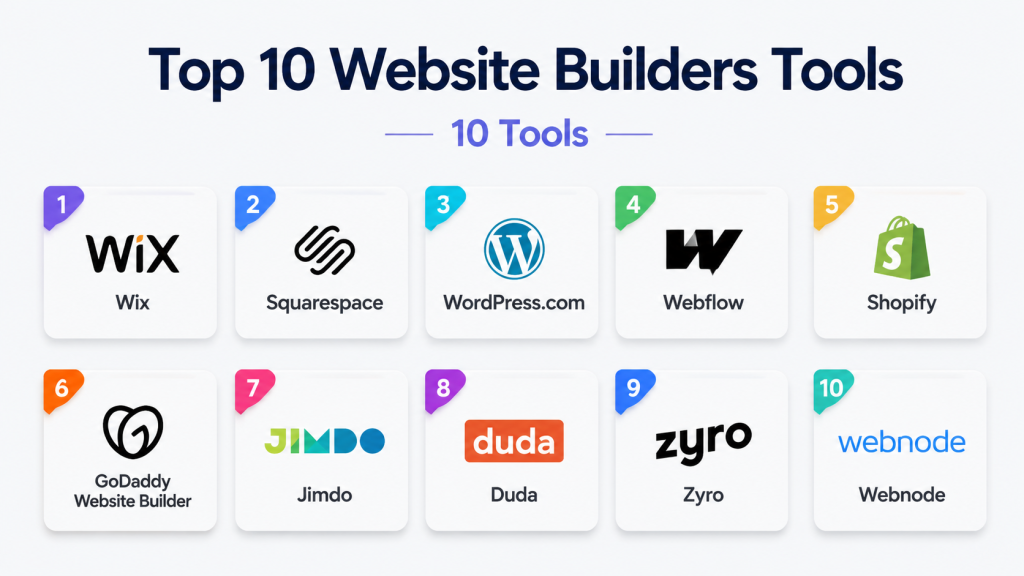
Top 10 Website Builders Tools
1 — Wix
Short description : Wix is a versatile, drag-and-drop website builder designed for small businesses, freelancers, and creatives who need fast, visually appealing websites.
Key Features
- AI-driven site creation (Wix ADI)
- Hundreds of responsive templates
- Built-in SEO and marketing tools
- E-commerce support with multiple payment options
- Custom domain and hosting included
- App marketplace with integrations
- Blogging and social media connectivity
Pros
- Intuitive drag-and-drop editor
- Extensive template library
- Quick deployment with AI assistance
Cons
- Limited backend customization
- Advanced features can be add-on paid plans
- Heavier sites may affect load times
Platforms / Deployment
- Web / iOS / Android
- Cloud
Security & Compliance
- SSL included, GDPR compliant, Not publicly stated for SOC 2
Integrations & Ecosystem
Wix supports various apps and APIs for marketing, CRM, and e-commerce automation.
- Payment gateways
- Email marketing tools
- Social media integrations
- Analytics dashboards
Support & Community
- Extensive documentation, tutorials, and 24/7 support
- Active community forums
2 — Squarespace
Short description : Squarespace is a design-focused platform ideal for creatives, agencies, and SMBs, offering elegant templates and integrated e-commerce capabilities.
Key Features
- Award-winning responsive templates
- Built-in e-commerce and subscription support
- Blogging and podcasting tools
- SEO and analytics features
- Integrated marketing automation
- Image and video optimization tools
Pros
- High-quality, modern design templates
- Strong integrated e-commerce features
- Reliable hosting and support
Cons
- Limited flexibility for complex customizations
- Slightly steeper learning curve for beginners
- Add-on integrations are limited compared to competitors
Platforms / Deployment
- Web / iOS / Android
- Cloud
Security & Compliance
- SSL, GDPR compliant, Not publicly stated for SOC 2 or ISO
Integrations & Ecosystem
- Email marketing and CRM apps
- Payment gateways like Stripe and PayPal
- Social media scheduling and analytics
Support & Community
- 24/7 email support, chat support, and extensive tutorials
- Community templates and developer forums
3 — WordPress.com
Short description : WordPress.com is a managed CMS platform providing flexibility, scalability, and vast plugin ecosystem for bloggers, SMBs, and enterprises.
Key Features
- Hosted WordPress environment with automatic updates
- Access to thousands of plugins and themes
- E-commerce support with WooCommerce
- Blogging and media management tools
- Advanced SEO tools
- Integrations with analytics and marketing platforms
Pros
- Flexible and scalable
- Massive plugin and theme ecosystem
- Strong content management capabilities
Cons
- Requires learning curve for advanced customization
- Free plan is limited in features
- Plugin compatibility issues possible
Platforms / Deployment
- Web / iOS / Android
- Cloud
Security & Compliance
- SSL included, GDPR compliance, Not publicly stated for SOC 2
Integrations & Ecosystem
Supports third-party apps, email marketing tools, and CRM systems.
- WooCommerce
- Mailchimp
- Google Analytics
- Zapier
Support & Community
- Extensive community forums, tutorials, and paid support tiers
4 — Webflow
Short description : Webflow is a visual development platform for designers and developers, offering fine-grained control over layout, interactions, and CMS.
Key Features
- Visual drag-and-drop with CSS, HTML, and JavaScript control
- CMS for dynamic content
- E-commerce platform for SMBs
- SEO optimization tools
- Hosting and site performance monitoring
Pros
- High design flexibility and customization
- Powerful CMS features
- Scalable for agencies and SMBs
Cons
- Steeper learning curve for beginners
- Pricing higher for advanced features
- Limited third-party app integrations
Platforms / Deployment
- Web
- Cloud
Security & Compliance
- SSL, Not publicly stated for SOC 2 or ISO
Integrations & Ecosystem
- Zapier, Stripe, Google Analytics
- Limited compared to open CMS systems
Support & Community
- Extensive documentation, forums, and tutorials
- Webflow University for learning resources
5 — Shopify
Short description : Shopify is an e-commerce-focused website builder for businesses of all sizes seeking online stores with robust payment, shipping, and inventory management.
Key Features
- Online store creation with customizable templates
- Payment gateway integrations
- Inventory and order management
- Marketing and SEO tools
- Multi-channel selling across social and marketplaces
- App marketplace for extended functionality
Pros
- Industry-leading e-commerce features
- Scalable from SMBs to enterprise
- Reliable hosting and payment processing
Cons
- Limited non-commerce website flexibility
- Monthly subscription cost
- Transaction fees without Shopify Payments
Platforms / Deployment
- Web / iOS / Android
- Cloud
Security & Compliance
- PCI DSS compliant, SSL, Not publicly stated for SOC 2
Integrations & Ecosystem
- Email marketing, accounting, shipping, and CRM
- App Store extensions for inventory, analytics, and loyalty programs
Support & Community
- 24/7 support, tutorials, forums, and Shopify Academy
6 — GoDaddy Website Builder
Short description : GoDaddy Website Builder is a simplified platform targeting SMBs and personal users for quick website deployment and domain management.
Key Features
- AI-powered site creation
- Drag-and-drop editor
- Integrated marketing and SEO tools
- Online store capabilities
- Domain registration and hosting included
Pros
- Quick setup and simple interface
- All-in-one solution for SMBs
- Affordable pricing plans
Cons
- Limited design flexibility
- Advanced e-commerce features require higher-tier plans
- Fewer integrations compared to competitors
Platforms / Deployment
- Web / iOS / Android
- Cloud
Security & Compliance
- SSL, GDPR, Not publicly stated for SOC 2
Integrations & Ecosystem
- Payment gateways
- Marketing automation tools
- Email marketing integrations
Support & Community
- 24/7 support and knowledge base
- Varies / Not publicly stated community presence
7 — Jimdo
Short description : Jimdo is a user-friendly website builder ideal for freelancers and small businesses needing fast, simple sites with built-in SEO and e-commerce.
Key Features
- AI-assisted site building
- Responsive design templates
- SEO optimization tools
- E-commerce and subscription support
- Custom domain and hosting
Pros
- Very beginner-friendly
- Quick website setup
- Affordable plans for SMBs
Cons
- Limited template and design flexibility
- Fewer integrations than enterprise solutions
- Basic e-commerce features
Platforms / Deployment
- Web / iOS / Android
- Cloud
Security & Compliance
- SSL included, GDPR compliance
- Not publicly stated for SOC 2
Integrations & Ecosystem
- Email marketing, payment gateways, analytics tools
Support & Community
- Email and chat support, tutorials, and FAQ resources
8 — Duda
Short description : Duda is a professional website builder for agencies and SMBs, offering client management, multi-language support, and responsive templates.
Key Features
- Drag-and-drop editor with code access
- Multi-language website support
- Team collaboration and client management
- SEO and analytics integration
- White-label solutions for agencies
Pros
- Strong agency and client workflow tools
- Multi-language capabilities
- Flexible design options
Cons
- Higher pricing for advanced features
- Steeper learning curve than basic builders
- Fewer third-party integrations
Platforms / Deployment
- Web
- Cloud
Security & Compliance
- SSL, GDPR, Not publicly stated for SOC 2 or ISO
Integrations & Ecosystem
- CRM, marketing, analytics, email automation
- Zapier and API access
Support & Community
- Tutorials, live chat, and email support
- Varies / Not publicly stated for community forums
9 — Zyro
Short description : Zyro is an AI-driven website builder for startups and SMBs, focusing on rapid deployment, e-commerce, and integrated marketing tools.
Key Features
- AI website builder and content generator
- Pre-designed templates
- E-commerce support with payment integration
- SEO and marketing tools
- Analytics dashboards
Pros
- AI-assisted design reduces setup time
- Affordable pricing plans
- Easy-to-use drag-and-drop editor
Cons
- Limited template customization
- Smaller integration ecosystem
- Basic analytics and reporting
Platforms / Deployment
- Web / iOS / Android
- Cloud
Security & Compliance
- SSL, GDPR
- Not publicly stated for SOC 2
Integrations & Ecosystem
- Payment gateways, email marketing, analytics
- API access for developers
Support & Community
- Email and live chat support, knowledge base
10 — Webnode
Short description : Webnode is a simple website builder suitable for SMBs and personal projects, offering multilingual sites, e-commerce, and fast deployment.
Key Features
- Multi-language support
- Responsive templates
- E-commerce with payment options
- SEO-friendly structure
- Drag-and-drop editor
Pros
- Fast website creation
- Supports multiple languages
- Simple interface for beginners
Cons
- Limited advanced design capabilities
- Smaller integration ecosystem
- Less suited for complex enterprise websites
Platforms / Deployment
- Web / iOS / Android
- Cloud
Security & Compliance
- SSL, GDPR
- Not publicly stated for SOC 2
Integrations & Ecosystem
- Email marketing, payment gateways
- Analytics tools
Support & Community
- Tutorials, email support, FAQ resources
Comparison Table (Top 10)
| Tool Name | Best For | Platform(s) Supported | Deployment | Standout Feature | Public Rating |
|---|---|---|---|---|---|
| Wix | Small businesses, creatives | Web / iOS / Android | Cloud | AI-assisted site creation | N/A |
| Squarespace | Creatives, agencies | Web / iOS / Android | Cloud | Design-focused templates | N/A |
| WordPress.com | Bloggers, SMBs, enterprise | Web / iOS / Android | Cloud | Extensive plugin ecosystem | N/A |
| Webflow | Designers, developers | Web | Cloud | Visual dev with CMS | N/A |
| Shopify | E-commerce businesses | Web / iOS / Android | Cloud | Scalable e-commerce | N/A |
| GoDaddy Website Builder | SMBs, personal | Web / iOS / Android | Cloud | Quick AI setup | N/A |
| Jimdo | Freelancers, SMBs | Web / iOS / Android | Cloud | AI-assisted simple sites | N/A |
| Duda | Agencies, SMBs | Web | Cloud | Multi-language support | N/A |
| Zyro | Startups, SMBs | Web / iOS / Android | Cloud | AI-powered design | N/A |
| Webnode | SMBs, personal | Web / iOS / Android | Cloud | Multi-language deployment | N/A |
Evaluation & Scoring of Website Builders
| Tool Name | Core (25%) | Ease (15%) | Integrations (15%) | Security (10%) | Performance (10%) | Support (10%) | Value (15%) | Weighted Total (0–10) |
|---|---|---|---|---|---|---|---|---|
| Wix | 9 | 9 | 8 | 7 | 8 | 8 | 8 | 8.4 |
| Squarespace | 8 | 8 | 7 | 7 | 8 | 8 | 7 | 7.7 |
| WordPress.com | 9 | 7 | 9 | 7 | 8 | 8 | 8 | 8.1 |
| Webflow | 9 | 7 | 7 | 7 | 8 | 7 | 7 | 7.6 |
| Shopify | 10 | 8 | 8 | 8 | 9 | 8 | 8 | 8.6 |
| GoDaddy Website Builder | 7 | 9 | 6 | 7 | 7 | 7 | 8 | 7.5 |
| Jimdo | 7 | 9 | 6 | 7 | 7 | 7 | 8 | 7.5 |
| Duda | 8 | 8 | 7 | 7 | 8 | 8 | 7 | 7.8 |
| Zyro | 8 | 9 | 6 | 7 | 7 | 7 | 8 | 7.7 |
| Webnode | 7 | 8 | 6 | 7 | 7 | 7 | 7 | 7.2 |
Interpretation: Weighted totals indicate relative strengths across core features, usability, integrations, security, performance, support, and value. Scores are comparative; higher values show stronger alignment with modern website builder needs.
Which Website Builder Tool Is Right for You
Solo / Freelancer
- Wix, Squarespace, or Jimdo for quick, visually appealing sites with minimal setup.
SMB
- Shopify for e-commerce, Duda for multilingual or multi-location businesses, Wix or Zyro for fast deployment.
Mid-Market
- Webflow or WordPress.com for CMS flexibility, design control, and integration capabilities.
Enterprise
- WordPress.com with enterprise hosting, Shopify Plus, or Duda for multi-site management and client workflows.
Budget vs Premium
- Budget: Wix, Jimdo, Webnode – cost-effective, fast to deploy
- Premium: Shopify, Webflow, Duda – richer features, scalability, agency-level support
Feature Depth vs Ease of Use
- Deep customization: Webflow, WordPress.com
- Ease of use: Wix, Squarespace, Zyro
Integrations & Scalability
- For marketing, CRM, and analytics: Shopify, WordPress.com, Webflow
- Agencies and client management: Duda
Security & Compliance Needs
- SMBs with basic needs: Wix, Squarespace
- Enterprises requiring advanced compliance: Shopify, Webflow, WordPress.com
Frequently Asked Questions (FAQs)
1. What pricing models do website builders typically use?
Most website builders operate on subscription plans with tiered pricing based on features, storage, e-commerce capabilities, and support levels. Some offer free plans with limited functionality.
2. How long does it take to build a website using these platforms?
With AI-assisted tools and pre-designed templates, beginners can launch a basic site in hours, while more complex setups may take days to customize and integrate features.
3. Can I switch my website builder later if needed?
Yes, but migrating content and design may require effort, particularly if moving from proprietary systems to open CMS platforms.
4. Are these website builders secure for e-commerce?
Most platforms provide SSL, GDPR compliance, and PCI-ready infrastructure, making them safe for online transactions. Advanced compliance should be verified for enterprise needs.
5. Do I need coding skills?
For basic sites, no coding is required. Platforms like Webflow and WordPress.com allow advanced users to customize with code if needed.
6. Can I sell products or services directly on these platforms?
Yes. Platforms like Shopify, Wix, and Squarespace include built-in e-commerce tools for payments, inventory, and order management.
7. How customizable are the templates?
Customization varies by platform. Wix, Webflow, and WordPress.com offer significant flexibility, while simpler tools like GoDaddy Website Builder and Jimdo provide more guided customization.
8. Do these builders support multi-language websites?
Yes, Duda, Webnode, and Webflow provide multi-language support, ideal for international audiences.
9. What integrations are available for marketing and analytics?
Most platforms integrate with email marketing, CRM, analytics, and social media tools. Shopify, Webflow, and WordPress.com offer the broadest ecosystem.
10. How do I choose the right builder for my business?
Consider your technical skill level, desired features, scale of operations, budget, and future growth. Test free trials to evaluate usability and alignment with business needs.
Conclusion
Selecting the right website builder in 2026 requires balancing ease of use, design flexibility, integrations, and scalability. AI-assisted design, multi-channel publishing, and e-commerce automation have become standard features across top platforms. Beginners may prioritize Wix, Squarespace, or Jimdo for rapid deployment, while mid-market and enterprise organizations may benefit from Webflow, Shopify, or WordPress.com for deeper customization and integration capabilities. Evaluate tools against real-world needs, technical expertise, and future growth.

Find Trusted Cardiac Hospitals
Compare heart hospitals by city and services — all in one place.
Explore Hospitals
I now understand how website builders make it easier to create and manage websites without heavy coding. I’d like to explore which platform is best for long-term scalability.