Introduction
Video conferencing tools have become essential communication platforms for modern businesses, remote teams, educational institutions, healthcare providers, and global enterprises. These platforms allow users to conduct virtual meetings, webinars, team collaboration sessions, online training, customer consultations, and large-scale digital events through secure cloud-based communication systems. As hybrid work environments continue expanding, organizations increasingly depend on reliable video conferencing platforms to maintain productivity, improve collaboration, reduce travel costs, and support distributed workforces. Modern video conferencing solutions now combine AI-powered meeting assistance, team messaging, webinar management, collaboration workspaces, and enterprise-grade security into unified communication ecosystems.
Real-world use cases include:
- Remote team collaboration
- Virtual client meetings and sales demos
- Online education and training
- Telehealth and virtual consultations
- Enterprise webinars and digital events
Evaluation Criteria for Buyers
- Video and audio quality
- Reliability and meeting stability
- AI meeting and automation features
- Security and compliance capabilities
- Scalability for large organizations
- Integration ecosystem strength
- Ease of use and onboarding
- Webinar and event management features
- Mobile and cross-platform support
- Pricing flexibility and licensing
Best for: Enterprises, remote teams, educational institutions, SMBs, healthcare providers, customer support organizations, and globally distributed businesses.
Not ideal for: Organizations with minimal remote collaboration needs or teams only requiring basic internal communication.
Key Trends in Video Conferencing Tools
- AI-generated meeting summaries are becoming standard capabilities.
- Real-time transcription and multilingual translation features are expanding.
- Hybrid workplace collaboration tools continue evolving rapidly.
- Video conferencing platforms are integrating deeper workflow automation.
- Security and compliance requirements are becoming stricter in enterprise environments.
- Webinar and virtual event capabilities are converging with collaboration platforms.
- Browser-based communication experiences are improving.
- AI-powered noise cancellation and video enhancement are becoming common.
- Unified communication ecosystems are replacing standalone meeting platforms.
- Enterprise analytics and meeting intelligence features are growing rapidly.
How We Selected These Tools
The following platforms were selected using practical SaaS and enterprise collaboration evaluation criteria:
- Market adoption and enterprise visibility
- Reliability and meeting quality
- Collaboration and webinar capabilities
- AI and automation readiness
- Security and governance maturity
- Integration ecosystem strength
- Scalability across industries and organization sizes
- Mobile and hybrid workforce support
- Administrative controls and reporting
- Customer support and onboarding quality
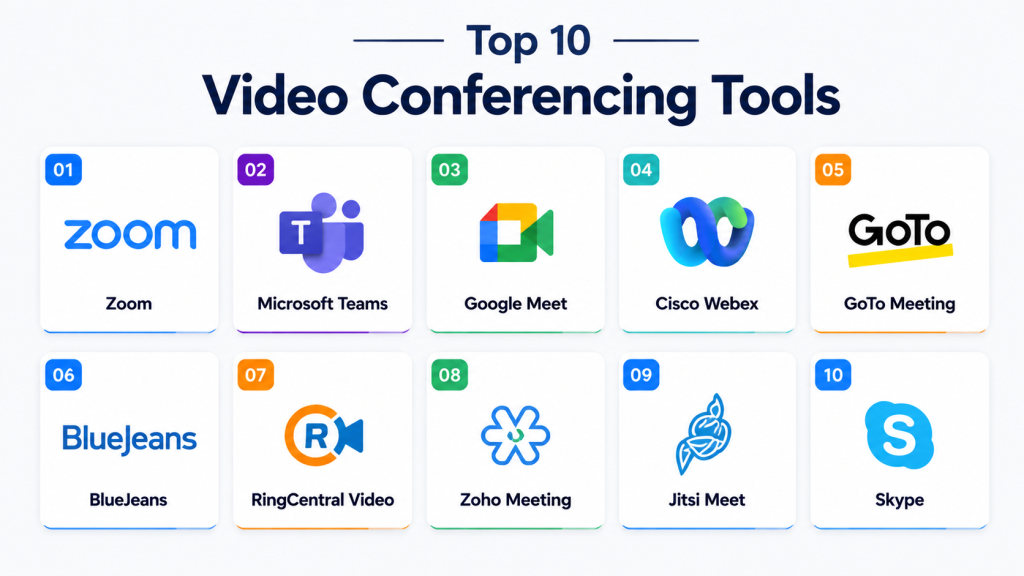
Top 10 Video Conferencing Tools
1 — Zoom
Short description: Popular video conferencing platform designed for remote meetings, webinars, hybrid collaboration, and enterprise communication.
Key Features
- HD video conferencing
- Webinar and virtual event hosting
- AI meeting summaries
- Breakout rooms
- Cloud recording
- Team chat and collaboration
- Screen sharing and whiteboarding
Pros
- Excellent video quality
- Easy onboarding
- Strong scalability
Cons
- Advanced features require premium plans
- Webinar licensing can increase costs
Platforms / Deployment
Cloud
Security & Compliance
SSO/SAML, MFA, encryption, audit logs, RBAC, GDPR, SOC 2
Integrations & Ecosystem
Supports integrations with productivity and collaboration platforms.
- Microsoft 365
- Google Workspace
- Slack
- Salesforce
Support & Community
Strong enterprise support with extensive onboarding and documentation.
2 — Microsoft Teams
Short description: Enterprise collaboration platform combining video meetings, messaging, file sharing, and productivity tools.
Key Features
- Video conferencing and collaboration
- AI Copilot support
- Team messaging
- File sharing and collaboration
- Webinar hosting
- Enterprise calling
- Meeting recording and transcription
Pros
- Deep Microsoft integration
- Strong enterprise governance
- Unified collaboration environment
Cons
- Interface can feel complex
- Licensing structure may confuse some users
Platforms / Deployment
Cloud / Hybrid
Security & Compliance
SSO/SAML, MFA, encryption, audit logs, RBAC, GDPR, ISO 27001
Integrations & Ecosystem
Supports enterprise workflow and productivity integrations.
- Outlook
- SharePoint
- OneDrive
- Salesforce
Support & Community
Large enterprise support ecosystem with extensive documentation.
3 — Google Meet
Short description: Browser-based video conferencing solution built for simple and secure remote collaboration.
Key Features
- Browser-based meetings
- Real-time captions
- AI noise cancellation
- Google Workspace integration
- Mobile collaboration
- Secure meeting controls
- Screen sharing
Pros
- Easy to use
- Excellent browser compatibility
- Strong Workspace integration
Cons
- Limited webinar capabilities
- Smaller ecosystem than Zoom
Platforms / Deployment
Cloud
Security & Compliance
SSO, MFA, encryption, audit logs, GDPR
Integrations & Ecosystem
Supports integrations within the Google productivity ecosystem.
- Gmail
- Google Calendar
- Google Drive
- Google Chat
Support & Community
Strong support for Google Workspace customers.
4 — Cisco Webex
Short description: Enterprise-grade conferencing and collaboration platform focused on secure communication and hybrid work.
Key Features
- Enterprise video meetings
- AI meeting intelligence
- Business messaging
- Webinar support
- Collaboration devices ecosystem
- Contact center integration
- Security controls
Pros
- Strong enterprise security
- Reliable meeting infrastructure
- Mature governance capabilities
Cons
- Enterprise-focused pricing
- Interface can feel complex
Platforms / Deployment
Cloud / Hybrid
Security & Compliance
SSO/SAML, MFA, encryption, audit logs, RBAC, SOC 2, GDPR
Integrations & Ecosystem
Supports enterprise collaboration and communication integrations.
- Microsoft 365
- Salesforce
- ServiceNow
- Google Workspace
Support & Community
Global enterprise support and onboarding ecosystem.
5 — GoTo Meeting
Short description: Reliable online meeting platform designed for SMB communication and virtual collaboration.
Key Features
- HD video meetings
- Webinar hosting
- Screen sharing
- Cloud recording
- Mobile conferencing
- Meeting transcription
- Collaboration tools
Pros
- Easy onboarding
- Reliable performance
- Good SMB usability
Cons
- Limited AI capabilities
- Smaller ecosystem
Platforms / Deployment
Cloud
Security & Compliance
SSO, MFA, encryption, GDPR
Integrations & Ecosystem
Supports integrations with productivity and scheduling platforms.
- Microsoft 365
- Google Workspace
- Slack
- Salesforce
Support & Community
Responsive SMB-oriented support experience.
6 — BlueJeans
Short description: Enterprise video conferencing solution known for strong audio quality and collaboration capabilities.
Key Features
- HD video conferencing
- Dolby Voice audio
- Webinar support
- Cloud recording
- Smart analytics
- Collaboration integrations
- Mobile conferencing
Pros
- Excellent audio quality
- Reliable enterprise performance
- Good webinar functionality
Cons
- Smaller ecosystem
- Limited AI innovation
Platforms / Deployment
Cloud
Security & Compliance
SSO, MFA, encryption, GDPR
Integrations & Ecosystem
Supports collaboration and communication integrations.
- Slack
- Microsoft Teams
- Salesforce
- Google Workspace
Support & Community
Enterprise-focused onboarding and customer support.
7 — RingCentral Video
Short description: Unified communication platform combining video meetings, messaging, and business collaboration.
Key Features
- Video conferencing
- Team messaging
- Webinar hosting
- AI meeting summaries
- Cloud recording
- File sharing
- Collaboration tools
Pros
- Strong UCaaS ecosystem
- Good remote collaboration support
- Integrated communication workflows
Cons
- Advanced functionality may require upgrades
- Interface may feel enterprise-heavy
Platforms / Deployment
Cloud
Security & Compliance
SSO, MFA, encryption, audit logs, GDPR
Integrations & Ecosystem
Supports integrations with communication and CRM platforms.
- Salesforce
- Microsoft 365
- Google Workspace
- Zendesk
Support & Community
Strong enterprise support and onboarding resources.
8 — Zoho Meeting
Short description: Affordable online meeting and webinar platform designed for SMBs and remote teams.
Key Features
- Browser-based meetings
- Webinar hosting
- Screen sharing
- Meeting recording
- Team collaboration
- Scheduling tools
- Mobile conferencing
Pros
- Affordable pricing
- Easy to use
- Strong Zoho ecosystem integration
Cons
- Smaller enterprise ecosystem
- Limited advanced AI capabilities
Platforms / Deployment
Cloud
Security & Compliance
MFA, encryption, GDPR
Integrations & Ecosystem
Supports integrations with the Zoho productivity ecosystem.
- Zoho CRM
- Zoho Projects
- Microsoft 365
- Google Workspace
Support & Community
Good SMB onboarding and support experience.
9 — Jitsi Meet
Short description: Open-source video conferencing platform designed for secure and customizable online meetings.
Key Features
- Open-source conferencing
- Self-hosted deployment
- Screen sharing
- Browser-based meetings
- Secure communication
- Lightweight collaboration
- Custom deployment support
Pros
- Open-source flexibility
- Strong privacy control
- Free self-hosted options
Cons
- Smaller integration ecosystem
- Requires technical administration
Platforms / Deployment
Self-hosted / Cloud
Security & Compliance
Encryption, GDPR, self-hosted security controls
Integrations & Ecosystem
Supports developer-focused customization and integrations.
- APIs
- Browser integrations
- Open-source tooling
- Custom deployments
Support & Community
Active open-source community with self-service resources.
10 — Skype
Short description: Popular communication platform offering video calls, messaging, and cross-platform collaboration.
Key Features
- Video calling
- Messaging support
- Group meetings
- File sharing
- Screen sharing
- International calling
- Cross-platform communication
Pros
- Familiar user experience
- Easy setup
- Broad device compatibility
Cons
- Limited enterprise momentum
- Smaller collaboration ecosystem
Platforms / Deployment
Cloud
Security & Compliance
Encryption, MFA, GDPR
Integrations & Ecosystem
Supports lightweight communication integrations.
- Outlook
- Microsoft ecosystem
- Mobile integrations
- APIs
Support & Community
Standard support documentation with broad historical user adoption.
Comparison Table
| Tool Name | Best For | Platforms Supported | Deployment | Standout Feature | Public Rating |
|---|---|---|---|---|---|
| Zoom | Hybrid collaboration | Web, Desktop, Mobile | Cloud | Video quality and scalability | N/A |
| Microsoft Teams | Enterprise collaboration | Web, Desktop, Mobile | Cloud, Hybrid | Deep Microsoft integration | N/A |
| Google Meet | Browser-based meetings | Web, Mobile | Cloud | Workspace simplicity | N/A |
| Cisco Webex | Enterprise security | Web, Desktop, Mobile | Cloud, Hybrid | Enterprise governance | N/A |
| GoTo Meeting | SMB collaboration | Web, Desktop, Mobile | Cloud | Reliability and simplicity | N/A |
| BlueJeans | Enterprise conferencing | Web, Desktop, Mobile | Cloud | Dolby Voice quality | N/A |
| RingCentral Video | UCaaS communication | Web, Desktop, Mobile | Cloud | Unified communications | N/A |
| Zoho Meeting | SMB affordability | Web, Mobile | Cloud | Affordable webinars | N/A |
| Jitsi Meet | Open-source conferencing | Web, Desktop, Mobile | Self-hosted, Cloud | Self-hosted flexibility | N/A |
| Skype | Lightweight communication | Web, Desktop, Mobile | Cloud | Familiar communication experience | N/A |
Evaluation & Scoring of Video Conferencing Tools
| Tool Name | Core 25% | Ease 15% | Integrations 15% | Security 10% | Performance 10% | Support 10% | Value 15% | Weighted Total |
|---|---|---|---|---|---|---|---|---|
| Zoom | 9.5 | 9 | 9 | 8.5 | 9.5 | 9 | 8 | 9.0 |
| Microsoft Teams | 9.5 | 8 | 9.5 | 9.5 | 9 | 9 | 8.5 | 9.0 |
| Google Meet | 8.5 | 9 | 7.5 | 8.5 | 8.5 | 8 | 8.5 | 8.4 |
| Cisco Webex | 9 | 7.5 | 8 | 9.5 | 9 | 8.5 | 7 | 8.4 |
| GoTo Meeting | 8 | 8.5 | 7 | 8 | 8 | 8 | 8.5 | 8.0 |
| BlueJeans | 8 | 7.5 | 7 | 8 | 8.5 | 8 | 7.5 | 7.9 |
| RingCentral Video | 8.5 | 8 | 8 | 8.5 | 8.5 | 8.5 | 8 | 8.3 |
| Zoho Meeting | 7.5 | 8.5 | 7 | 7.5 | 7.5 | 7.5 | 9 | 7.9 |
| Jitsi Meet | 7.5 | 7 | 6.5 | 8 | 7.5 | 7 | 9.5 | 7.6 |
| Skype | 7 | 8 | 6.5 | 7 | 7 | 7 | 8 | 7.2 |
These scores are comparative rather than absolute. Enterprise-focused platforms generally perform better in governance, integrations, and scalability, while SMB-focused or open-source tools often provide stronger affordability and deployment flexibility. Buyers should prioritize meeting quality, collaboration workflows, integration requirements, and security needs when evaluating platforms.
Which Video Conferencing Tool Is Right for You?
Solo / Freelancer
Google Meet, Zoho Meeting, and Skype work well for freelancers and small teams due to their simplicity and low-cost accessibility.
SMB
Zoom, GoTo Meeting, and RingCentral Video provide balanced usability, scalability, and collaboration functionality for growing businesses.
Mid-Market
Microsoft Teams and Zoom are strong choices for organizations needing integrated collaboration, governance, and productivity workflows.
Enterprise
Cisco Webex, Microsoft Teams, and Zoom are ideal for enterprises requiring governance, compliance, large-scale meetings, and hybrid collaboration.
Budget vs Premium
Budget-focused organizations should evaluate Zoho Meeting and Jitsi Meet, while enterprises seeking advanced AI, webinar, and governance capabilities may prefer Teams or Zoom.
Feature Depth vs Ease of Use
Zoom and Teams provide deeper enterprise functionality, while Google Meet prioritizes simplicity and fast onboarding.
Integrations & Scalability
Organizations with complex SaaS ecosystems should prioritize Teams, Zoom, or RingCentral due to stronger APIs and workflow integrations.
Security & Compliance Needs
Highly regulated industries should prioritize Cisco Webex, Teams, or self-hosted deployment flexibility through Jitsi Meet.
Frequently Asked Questions
1. What are video conferencing tools used for?
Video conferencing tools help organizations conduct virtual meetings, webinars, online collaboration, training, and remote communication.
2. Which video conferencing platform is best for enterprises?
Zoom, Microsoft Teams, and Cisco Webex are widely used for enterprise-scale communication and collaboration environments.
3. Are video conferencing platforms secure?
Most enterprise-grade platforms support encryption, MFA, SSO, audit logging, and compliance-focused security controls.
4. What features should businesses prioritize?
Important features include video quality, reliability, integrations, security, webinar support, AI capabilities, and scalability.
5. Do modern platforms support AI features?
Yes. Many platforms now include AI-generated summaries, transcription, smart meeting analytics, and workflow automation.
6. Which platform is best for webinars?
Zoom, Cisco Webex, and RingCentral Video provide strong webinar and virtual event capabilities.
7. Are open-source video conferencing platforms reliable?
Open-source platforms such as Jitsi Meet can be highly effective when properly configured and maintained.
8. Can video conferencing tools integrate with CRM systems?
Yes. Most leading platforms integrate with Salesforce, HubSpot, Microsoft 365, Google Workspace, and workflow tools.
9. What are common mistakes when selecting a platform?
Common mistakes include overlooking scalability, ignoring governance needs, underestimating integration requirements, and focusing only on pricing.
10. Are browser-based meeting platforms practical for enterprises?
Yes. Browser-based platforms continue improving and can simplify onboarding and device compatibility across organizations.
Conclusion
Video conferencing tools have evolved far beyond simple online meeting applications and now serve as foundational collaboration platforms for modern organizations. Platforms such as Zoom, Microsoft Teams, and Cisco Webex continue leading the market with enterprise-grade security, AI-powered collaboration, webinar capabilities, and integrated communication ecosystems, while solutions like Google Meet, Zoho Meeting, and Jitsi Meet provide strong alternatives for SMBs, educational institutions, and privacy-focused deployments. The best platform ultimately depends on your organization’s collaboration style, scalability requirements, integration ecosystem, governance expectations, and communication workflows. Before making a final decision, businesses should shortlist a few platforms, test meeting quality and usability, validate integrations and compliance controls, and run pilot deployments to ensure long-term operational alignment.

Find Trusted Cardiac Hospitals
Compare heart hospitals by city and services — all in one place.
Explore Hospitals
It helped me understand how video conferencing tools improve communication and remote collaboration. I’d like to explore which platform fits best for teams and virtual meetings.