Introduction
Remote Access Software allows users to securely connect to computers, servers, devices, and enterprise systems from virtually anywhere. These platforms enable IT administrators, support teams, managed service providers, hybrid employees, developers, and business users to remotely control systems, troubleshoot issues, transfer files, collaborate, and maintain operational continuity. As hybrid work, distributed infrastructure, cloud operations, and global collaboration continue expanding, remote access tools have become essential business infrastructure rather than optional productivity utilities. Modern solutions now include advanced security controls, unattended access, session recording, remote monitoring, automation, mobile device support, and enterprise identity integration.
Common Real-world use cases include:
- IT help desk and remote troubleshooting
- Hybrid workforce access to office systems
- Server administration and DevOps operations
- MSP remote client management
- Secure vendor and third-party support access
When Evaluating Remote Access Software, buyers should assess:
- Security and encryption standards
- Ease of deployment and usability
- Cross-platform compatibility
- Performance and connection stability
- Unattended access capabilities
- Session recording and auditing
- Multi-user collaboration features
- Identity and access management integration
- Scalability for enterprise operations
- Pricing and licensing flexibility
Best for: IT teams, MSPs, enterprises, remote workforce environments, technical support organizations, and businesses managing distributed infrastructure.
Not ideal for: Organizations that only need lightweight collaboration or basic file sharing without full remote desktop control capabilities.
Key Trends in Remote Access Software
- Zero-trust remote access models are becoming standard in enterprise deployments.
- AI-assisted troubleshooting and diagnostics are beginning to appear in enterprise remote support platforms.
- Browser-based remote access is growing rapidly for simplified deployment.
- Cloud-native remote management continues replacing VPN-heavy legacy models.
- Advanced identity integration with SSO, MFA, and conditional access is becoming mandatory.
- Session recording and compliance auditing are increasingly required in regulated industries.
- Remote device management convergence is blending RMM and remote access platforms.
- Cross-platform mobile support is now expected for hybrid work environments.
- Low-latency optimization for remote graphics and multimedia workloads continues improving.
- Third-party vendor access governance is becoming a major enterprise priority.
How We Selected These Tools
The tools in this list were selected using practical enterprise and SMB evaluation criteria focused on real-world operational performance and security requirements.
Selection criteria included:
- Market adoption and brand recognition
- Security and encryption capabilities
- Ease of use and onboarding
- Reliability and session performance
- Cross-platform compatibility
- Enterprise scalability
- Automation and remote management features
- Integration ecosystem and extensibility
- Support quality and documentation
- Suitability for SMB, mid-market, and enterprise deployments
The final selection balances enterprise platforms, SMB-friendly solutions, developer-focused tools, and modern cloud-native remote access providers.
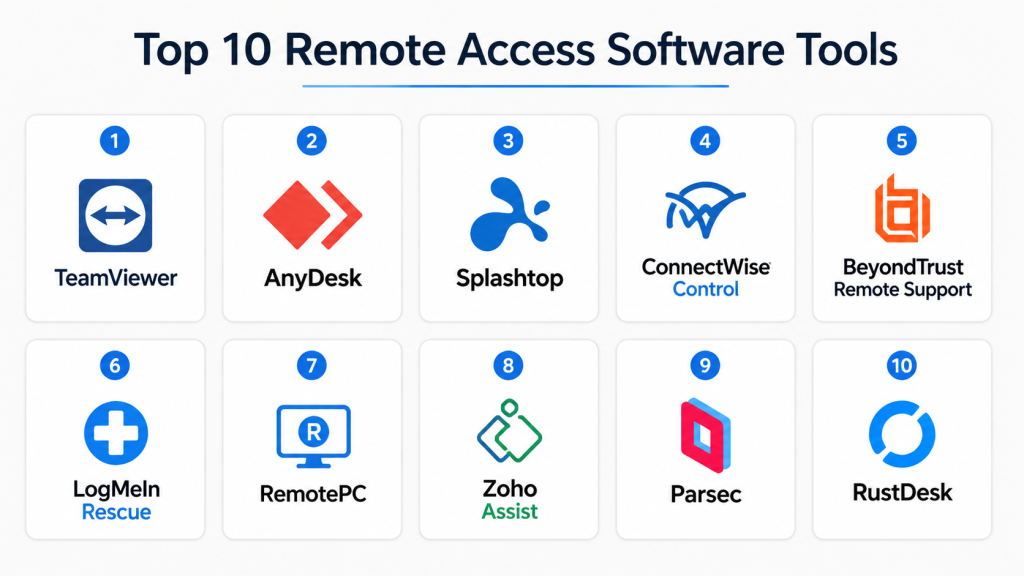
Top 10 Remote Access Software Tools
1- TeamViewer
Short Description:
TeamViewer is one of the most widely recognized remote access platforms for IT support, enterprise remote operations, and cross-device collaboration. It is commonly used by enterprises, MSPs, and support organizations because of its global infrastructure, ease of deployment, and broad device compatibility.
Key Features
- Remote desktop access
- Multi-platform compatibility
- Unattended device management
- File transfer and remote printing
- Session recording
- Multi-user collaboration
- Mobile device support
Pros
- Extremely easy deployment
- Broad global adoption
- Strong cross-platform support
Cons
- Premium enterprise pricing
- Licensing complexity for some organizations
- Can consume significant resources during sessions
Platforms / Deployment
Windows / macOS / Linux / iOS / Android / Web / Cloud
Security & Compliance
Supports MFA, SSO, encryption, RBAC, audit logging, and enterprise security management features.
Integrations & Ecosystem
TeamViewer integrates with enterprise IT operations and remote support ecosystems.
- Microsoft Teams integration
- ServiceNow compatibility
- Salesforce integration
- API access
- Remote monitoring support
Support & Community
Strong enterprise support organization with large community adoption and extensive documentation.
2- AnyDesk
Short Description:
AnyDesk is a lightweight remote desktop platform known for fast performance, low latency, and efficient resource usage. It is widely adopted by SMBs, freelancers, technical support teams, and organizations requiring responsive remote connectivity.
Key Features
- High-performance remote access
- Lightweight deployment
- Low-bandwidth optimization
- Unattended access
- Session recording
- File transfer support
- Mobile remote control
Pros
- Excellent performance efficiency
- Fast session responsiveness
- Easy deployment and onboarding
Cons
- Enterprise governance features are less mature
- Advanced integrations are more limited
- Reporting capabilities can vary by plan
Platforms / Deployment
Windows / macOS / Linux / Android / iOS / Cloud
Security & Compliance
Supports TLS encryption, MFA, access controls, and secure session management.
Integrations & Ecosystem
AnyDesk focuses primarily on streamlined remote operations rather than extensive enterprise orchestration.
- Mobile device support
- API integrations
- Lightweight deployment workflows
- Cross-platform compatibility
Support & Community
Growing enterprise support ecosystem with strong SMB adoption and user-friendly documentation.
3- Splashtop
Short Description:
Splashtop is a remote access and support platform designed for businesses seeking affordable high-performance remote desktop capabilities. It is especially popular among educational institutions, SMBs, IT support teams, and hybrid work environments.
Key Features
- Remote desktop access
- High-definition streaming support
- File transfer
- Multi-monitor support
- Remote reboot and wake-on-LAN
- Endpoint management
- Session recording
Pros
- Strong value for SMBs
- Reliable remote performance
- Competitive pricing structure
Cons
- Enterprise feature depth is lower than some competitors
- Some integrations require premium plans
- Limited advanced automation
Platforms / Deployment
Windows / macOS / Linux / iOS / Android / Cloud
Security & Compliance
Supports MFA, device authentication, encryption, and secure remote access controls.
Integrations & Ecosystem
Splashtop integrates with support and endpoint management workflows.
- Microsoft integrations
- PSA integrations
- RMM compatibility
- API access
- Endpoint management support
Support & Community
Strong SMB support presence with onboarding documentation and responsive customer assistance.
4- ConnectWise Control
Short Description:
ConnectWise Control is an enterprise-grade remote support and unattended access platform designed for MSPs, IT support teams, and enterprise administration environments. It emphasizes deep customization and operational flexibility.
Key Features
- Unattended remote access
- Multi-session management
- Custom branding
- Session auditing
- Role-based permissions
- Remote command execution
- File transfer capabilities
Pros
- Excellent MSP functionality
- Strong customization options
- Scalable operational management
Cons
- Steeper learning curve
- UI may feel technical for beginners
- Advanced features require configuration effort
Platforms / Deployment
Windows / macOS / Linux / Web / Cloud / Self-hosted
Security & Compliance
Supports MFA, SSO, audit logs, RBAC, and encrypted remote sessions.
Integrations & Ecosystem
ConnectWise Control integrates deeply into MSP and enterprise support ecosystems.
- ConnectWise ecosystem
- PSA integrations
- Ticketing systems
- Automation tools
- API access
Support & Community
Strong MSP-focused support network with extensive documentation and active technical community.
5- BeyondTrust Remote Support
Short Description:
BeyondTrust Remote Support is a security-focused enterprise remote access platform designed for privileged access management, secure vendor access, and compliance-driven remote administration workflows.
Key Features
- Privileged remote access
- Session recording and auditing
- Vendor access management
- Granular permissions
- Secure credential handling
- Compliance reporting
- Enterprise policy enforcement
Pros
- Excellent security posture
- Strong compliance capabilities
- Advanced privileged access controls
Cons
- Premium enterprise pricing
- Complex implementation for smaller teams
- More advanced than SMBs may require
Platforms / Deployment
Windows / macOS / Linux / Web / Cloud / Hybrid
Security & Compliance
Supports MFA, SSO, RBAC, audit logging, privileged access governance, and enterprise security controls.
Integrations & Ecosystem
BeyondTrust integrates into enterprise identity and security infrastructure.
- SIEM integrations
- Active Directory
- PAM workflows
- Enterprise APIs
- Security orchestration tools
Support & Community
Strong enterprise support organization with implementation assistance and security-focused documentation.
6- LogMeIn Rescue
Short Description:
LogMeIn Rescue is an enterprise remote support platform designed for customer support operations, IT service desks, and remote troubleshooting teams requiring scalable support management.
Key Features
- Remote support sessions
- Multi-platform support
- Technician collaboration
- Session recording
- Remote diagnostics
- File transfer
- Mobile device support
Pros
- Strong enterprise support workflows
- Reliable remote diagnostics
- Good technician collaboration tools
Cons
- Expensive licensing structure
- Interface modernization needed
- Some advanced features require higher-tier plans
Platforms / Deployment
Windows / macOS / iOS / Android / Web / Cloud
Security & Compliance
Supports encryption, access controls, session logging, and enterprise authentication capabilities.
Integrations & Ecosystem
LogMeIn Rescue integrates into enterprise support and service management operations.
- CRM integrations
- Help desk systems
- API access
- Mobile support workflows
Support & Community
Enterprise-focused support resources with onboarding and operational guidance.
7- RemotePC
Short Description:
RemotePC is a cost-effective remote desktop platform focused on simplicity, remote workforce productivity, and SMB accessibility. It is widely used by small businesses and distributed teams needing reliable remote connectivity.
Key Features
- Always-on remote access
- File transfer support
- Multi-monitor compatibility
- Remote printing
- Session recording
- Mobile access
- Web-based remote control
Pros
- Affordable pricing
- Easy setup process
- Good remote workforce support
Cons
- Fewer enterprise administration features
- Limited deep automation
- Reporting features are more basic
Platforms / Deployment
Windows / macOS / Linux / iOS / Android / Web / Cloud
Security & Compliance
Supports encryption, MFA, secure access authentication, and session protection.
Integrations & Ecosystem
RemotePC focuses on lightweight remote productivity and business continuity workflows.
- Web browser access
- Mobile compatibility
- File transfer systems
- Remote collaboration tools
Support & Community
Good SMB-focused support with straightforward onboarding resources.
8- Zoho Assist
Short Description:
Zoho Assist is a cloud-based remote support and unattended access solution designed for SMBs, IT support teams, and organizations already using the Zoho business ecosystem.
Key Features
- Browser-based remote access
- Unattended remote support
- File transfer
- Session scheduling
- Multi-monitor navigation
- Remote reboot
- Technician collaboration
Pros
- Strong value for SMBs
- Simple cloud deployment
- Good integration with Zoho ecosystem
Cons
- Enterprise feature depth is limited
- Fewer advanced governance capabilities
- Complex enterprise workflows may require alternatives
Platforms / Deployment
Windows / macOS / Linux / iOS / Android / Web / Cloud
Security & Compliance
Supports MFA, encryption, secure browser sessions, and access management controls.
Integrations & Ecosystem
Zoho Assist integrates naturally into Zoho’s broader business operations ecosystem.
- Zoho Desk integration
- Zoho CRM support
- API access
- Help desk workflows
Support & Community
Strong SMB onboarding resources with cloud-focused documentation and support.
9- Parsec
Short Description:
Parsec is a high-performance remote desktop platform originally optimized for low-latency streaming and graphical workloads. It is widely used by creative professionals, developers, and gaming-oriented remote collaboration teams.
Key Features
- Ultra-low latency streaming
- High-frame-rate remote sessions
- Multi-user collaboration
- Secure peer connections
- Cross-platform support
- Remote productivity optimization
- Cloud workstation support
Pros
- Excellent graphics performance
- Very low latency
- Strong collaboration experience
Cons
- Less enterprise governance
- Limited compliance tooling
- Not optimized for traditional IT support workflows
Platforms / Deployment
Windows / macOS / Linux / Android / Cloud
Security & Compliance
Supports encrypted sessions and secure authentication. Enterprise compliance capabilities are not publicly emphasized.
Integrations & Ecosystem
Parsec focuses heavily on creative and high-performance remote workflows.
- Cloud workstation support
- GPU acceleration
- Creative software workflows
- Collaboration environments
Support & Community
Strong community adoption among creators and technical users with active documentation resources.
10- RustDesk
Short Description:
RustDesk is an open-source remote desktop platform designed for organizations seeking self-hosted remote access flexibility and privacy-focused remote management. It is gaining popularity among technical teams and privacy-conscious businesses.
Key Features
- Open-source architecture
- Self-hosted deployment
- Cross-platform remote access
- File transfer support
- Lightweight deployment
- Encryption support
- Unattended access
Pros
- Strong self-hosting flexibility
- Open-source transparency
- Cost-effective deployment model
Cons
- Smaller ecosystem
- Enterprise support maturity varies
- Advanced enterprise governance features are limited
Platforms / Deployment
Windows / macOS / Linux / Android / iOS / Self-hosted
Security & Compliance
Supports encrypted remote access and self-hosted operational control. Broader compliance certifications are not publicly stated.
Integrations & Ecosystem
RustDesk focuses on privacy-focused and infrastructure-controlled remote access environments.
- Self-hosted infrastructure
- Open-source customization
- Lightweight deployment workflows
- Cross-platform support
Support & Community
Growing open-source community with active developer engagement and expanding documentation resources.
Comparison Table
| Tool Name | Best For | Platform(s) Supported | Deployment | Standout Feature | Public Rating |
|---|---|---|---|---|---|
| TeamViewer | Enterprise support | Windows, macOS, Linux, Mobile | Cloud | Global enterprise adoption | N/A |
| AnyDesk | Fast lightweight access | Windows, macOS, Linux, Mobile | Cloud | Low-latency performance | N/A |
| Splashtop | SMB remote work | Windows, macOS, Linux, Mobile | Cloud | Strong value pricing | N/A |
| ConnectWise Control | MSP operations | Windows, macOS, Linux, Web | Hybrid | Deep customization | N/A |
| BeyondTrust Remote Support | Enterprise security | Windows, macOS, Linux, Web | Hybrid | Privileged access controls | N/A |
| LogMeIn Rescue | Enterprise support desks | Windows, macOS, Mobile | Cloud | Technician collaboration | N/A |
| RemotePC | SMB productivity | Windows, macOS, Linux, Mobile | Cloud | Affordable deployment | N/A |
| Zoho Assist | Zoho ecosystem users | Windows, macOS, Linux, Mobile | Cloud | Browser-based access | N/A |
| Parsec | Creative workloads | Windows, macOS, Linux | Cloud | High-performance streaming | N/A |
| RustDesk | Open-source deployments | Windows, macOS, Linux, Mobile | Self-hosted | Open-source flexibility | N/A |
Evaluation & Scoring of Remote Access Software
| Tool Name | Core 25% | Ease 15% | Integrations 15% | Security 10% | Performance 10% | Support 10% | Value 15% | Weighted Total |
|---|---|---|---|---|---|---|---|---|
| TeamViewer | 9 | 9 | 8 | 9 | 8 | 9 | 7 | 8.5 |
| AnyDesk | 8 | 9 | 7 | 8 | 9 | 7 | 9 | 8.2 |
| Splashtop | 8 | 8 | 7 | 8 | 8 | 8 | 9 | 8.1 |
| ConnectWise Control | 9 | 7 | 9 | 9 | 8 | 8 | 7 | 8.2 |
| BeyondTrust Remote Support | 10 | 7 | 9 | 10 | 9 | 9 | 6 | 8.8 |
| LogMeIn Rescue | 8 | 8 | 8 | 8 | 8 | 8 | 6 | 7.8 |
| RemotePC | 7 | 9 | 6 | 7 | 7 | 7 | 9 | 7.6 |
| Zoho Assist | 7 | 8 | 8 | 7 | 7 | 8 | 9 | 7.8 |
| Parsec | 8 | 8 | 6 | 7 | 10 | 7 | 8 | 7.9 |
| RustDesk | 7 | 7 | 6 | 8 | 7 | 6 | 10 | 7.4 |
These scores are comparative evaluations based on real-world operational priorities. Enterprise organizations typically prioritize governance, auditing, integrations, and privileged access security, while SMBs often focus more heavily on usability, deployment simplicity, and pricing flexibility. Technical teams may prioritize performance, scripting support, and infrastructure control over beginner-friendly interfaces.
Which Remote Access Software Is Right for You?
Solo / Freelancer
AnyDesk, RemotePC, and RustDesk are excellent choices for individuals and freelancers because they provide affordable remote connectivity with relatively simple deployment and good performance.
SMB
Splashtop, Zoho Assist, and RemotePC work well for SMBs needing straightforward remote support and hybrid workforce productivity without enterprise-level complexity.
Mid-Market
ConnectWise Control and TeamViewer provide stronger administration, scalability, and operational visibility for growing organizations managing distributed support environments.
Enterprise
BeyondTrust Remote Support and TeamViewer are better suited for enterprises requiring advanced governance, privileged access controls, audit logging, and enterprise-scale administration.
Budget vs Premium
RustDesk and AnyDesk offer excellent value-focused remote access experiences, while enterprise-grade platforms justify premium pricing through governance, security, and operational management capabilities.
Feature Depth vs Ease of Use
TeamViewer and Splashtop balance usability and enterprise capability effectively. ConnectWise Control and BeyondTrust provide deeper functionality but require more configuration expertise.
Integrations & Scalability
Organizations heavily dependent on ITSM, SIEM, and enterprise identity platforms should prioritize solutions with mature API ecosystems and enterprise integrations.
Security & Compliance Needs
Highly regulated organizations should prioritize MFA, SSO, RBAC, audit logging, session recording, privileged access management, and vendor access governance capabilities.
Frequently Asked Questions FAQs
1. What is Remote Access Software used for?
Remote Access Software allows users to securely connect to computers and devices from another location for troubleshooting, administration, collaboration, and remote work operations.
2. Is Remote Access Software secure?
Most modern platforms use encryption, MFA, RBAC, and secure authentication mechanisms. Enterprise-grade platforms also provide audit logging and session recording capabilities.
3. Which remote access tool is best for enterprises?
BeyondTrust Remote Support and TeamViewer are commonly selected for enterprise deployments because of their governance, scalability, and advanced security controls.
4. Are open-source remote access tools reliable?
Yes. Platforms such as RustDesk are increasingly popular for organizations prioritizing self-hosting, privacy, and infrastructure control.
5. What features should buyers prioritize?
Organizations should prioritize security controls, unattended access, session reliability, cross-platform support, integrations, and compliance capabilities.
6. Can remote access tools support mobile devices?
Yes. Most modern platforms support Android and iOS remote access capabilities for mobile administration and support workflows.
7. Which tools are best for MSPs?
ConnectWise Control is especially popular among MSPs because of its customization, multi-session management, and operational integration capabilities.
8. Is cloud deployment better than self-hosted deployment?
Cloud deployment simplifies management and scalability, while self-hosted deployment provides more infrastructure control and customization flexibility.
9. Can remote access platforms integrate with ITSM tools?
Yes. Many enterprise solutions integrate with ticketing systems, CRMs, SIEM tools, PSA platforms, and identity management systems.
10. When should businesses upgrade to enterprise remote access platforms?
Organizations should upgrade when they require centralized governance, advanced security, privileged access controls, compliance auditing, and large-scale operational management.
Conclusion
Remote Access Software has evolved into critical infrastructure for hybrid work, IT operations, enterprise support, and secure distributed administration. While lightweight platforms such as AnyDesk, RemotePC, and RustDesk provide excellent flexibility and value for SMBs and technical teams, enterprise organizations increasingly require advanced governance, privileged access management, auditing, and centralized visibility offered by platforms such as BeyondTrust Remote Support and TeamViewer. The best platform ultimately depends on operational scale, security priorities, infrastructure complexity, and integration requirements. Some businesses prioritize ease of deployment and affordability, while others require enterprise-grade compliance and operational orchestration. Before making a final decision, organizations should shortlist several platforms, validate real-world performance, test integration compatibility, confirm security alignment, and evaluate long-term scalability for future operational growth.

Find Trusted Cardiac Hospitals
Compare heart hospitals by city and services — all in one place.
Explore Hospitals
It helped me understand how remote access tools improve secure connectivity and team productivity. I’d like to explore which tool fits best for remote work and IT support.