Introduction
Automated Testing Tools help organizations streamline software quality assurance by automating repetitive testing tasks across web applications, mobile apps, APIs, desktop software, and cloud-native environments. These platforms reduce manual effort, accelerate release cycles, improve software reliability, and support continuous integration and continuous delivery pipelines. As organizations increasingly adopt DevOps, AI-assisted development, microservices, and cloud-native architectures, automated testing has become essential for maintaining software quality at scale. Modern Automated Testing Tools now support AI-powered test generation, self-healing automation, low-code workflows, distributed testing environments, and deep CI/CD integrations.
Common Real-world use cases include:
- Regression testing for enterprise applications
- API and microservices validation
- Cross-browser and cross-device testing
- Mobile application automation
- Continuous testing inside DevOps pipelines
When Evaluating Automated Testing Tools, buyers should assess:
- Test automation capabilities
- Cross-platform compatibility
- CI/CD integration support
- Scalability and execution performance
- AI-assisted testing features
- Reporting and analytics
- Security and compliance support
- Ease of scripting and maintenance
- Cloud and hybrid deployment options
- Community and enterprise support quality
Best for: QA teams, developers, DevOps engineers, SRE teams, SaaS companies, enterprise IT teams, and organizations practicing continuous delivery.
Not ideal for: Small projects with minimal testing requirements or organizations relying exclusively on manual testing workflows.
Key Trends in Automated Testing Tools
- AI-generated test cases and self-healing automation
- Low-code and no-code automation frameworks
- Cloud-native distributed test execution
- API-first and microservices-focused testing
- Kubernetes-aware testing environments
- Continuous testing embedded inside CI/CD pipelines
- Cross-browser and cross-device cloud testing
- AI-assisted defect prediction and analysis
- Security and compliance testing integration
- Real-time observability and analytics dashboards
How We Selected These Tools (Methodology)
The tools in this list were selected using practical software quality engineering evaluation criteria focused on scalability, ecosystem maturity, automation capabilities, and enterprise adoption.
Our Evaluation methodology included:
- Market adoption and enterprise mindshare
- Feature completeness and automation flexibility
- Reliability and scalability signals
- Security and governance capabilities
- CI/CD and DevOps ecosystem integrations
- Cross-browser and cross-platform compatibility
- AI-assisted automation capabilities
- Community support and documentation quality
- Customer fit across SMB, mid-market, and enterprise segments
- Long-term ecosystem viability and innovation
The final list balances enterprise-grade automation platforms, open-source ecosystems, developer-first frameworks, and cloud-native testing solutions.
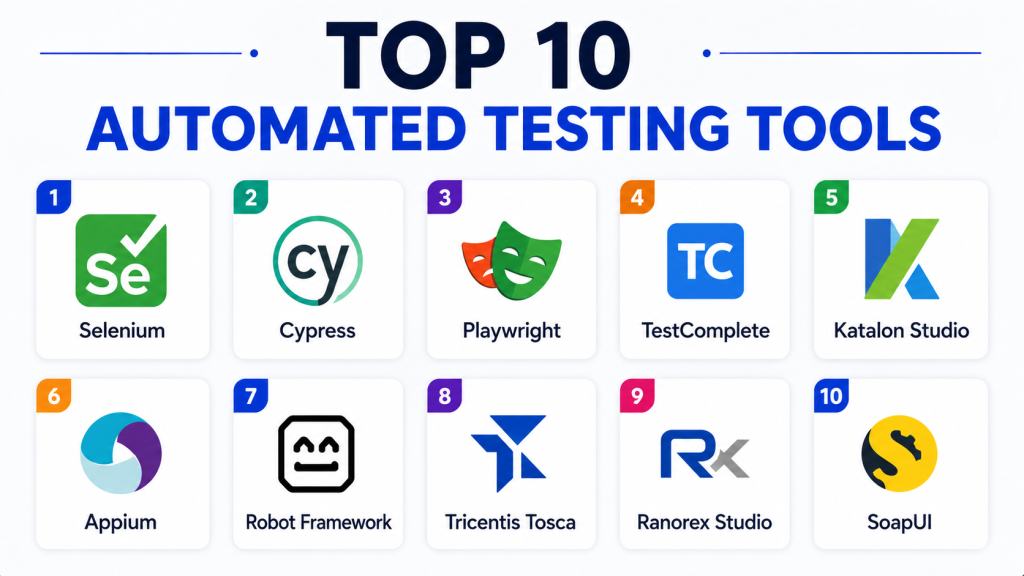
Top 10 Automated Testing Tools
1 — Selenium
Short description:
Selenium is one of the most widely adopted open-source automated testing frameworks for web application testing across browsers and operating systems.
Key Features
- Cross-browser testing
- Multi-language scripting support
- WebDriver automation
- Distributed test execution
- CI/CD compatibility
- Large plugin ecosystem
- Open-source flexibility
Pros
- Massive global community
- Broad browser compatibility
- Highly flexible automation workflows
Cons
- Requires scripting expertise
- Test maintenance can become complex
- Limited native reporting
Platforms / Deployment
Windows / macOS / Linux / Cloud / Self-hosted
Security & Compliance
Supports secure automation workflows and encrypted communication. Additional compliance capabilities depend on deployment architecture.
Integrations & Ecosystem
Selenium integrates deeply into DevOps and software testing ecosystems.
- Jenkins
- GitHub Actions
- Docker
- Kubernetes
- BrowserStack
Support & Community
Massive open-source ecosystem with extensive tutorials, plugins, and enterprise adoption.
2 — Cypress
Short description:
Cypress is a modern developer-focused testing platform designed for end-to-end testing of modern web applications and APIs.
Key Features
- Real-time browser execution
- JavaScript-based automation
- Automatic waiting and retries
- Visual debugging tools
- CI/CD integration
- API testing support
- Fast test execution
Pros
- Developer-friendly workflows
- Excellent debugging experience
- Simplified setup and execution
Cons
- Limited multi-browser flexibility compared to Selenium
- JavaScript-focused ecosystem
- Advanced enterprise scaling may require subscriptions
Platforms / Deployment
Windows / macOS / Linux / Cloud / Self-hosted
Security & Compliance
Supports secure authentication testing and encrypted communication workflows.
Integrations & Ecosystem
Cypress integrates into modern frontend and DevOps ecosystems.
- GitHub Actions
- Jenkins
- Docker
- CI/CD pipelines
- Cloud testing environments
Support & Community
Strong developer community with growing enterprise adoption.
3 — Playwright
Short description:
Playwright is a modern automated testing framework developed for reliable cross-browser testing and modern web application automation.
Key Features
- Cross-browser automation
- Parallel test execution
- API testing support
- Auto-waiting capabilities
- Mobile emulation
- Screenshot and video recording
- CI/CD compatibility
Pros
- Excellent browser automation reliability
- Fast parallel execution
- Modern API-first architecture
Cons
- Requires scripting expertise
- Smaller ecosystem than Selenium
- Learning curve for advanced scenarios
Platforms / Deployment
Windows / macOS / Linux / Cloud / Self-hosted
Security & Compliance
Supports secure authentication testing and encrypted browser communication workflows.
Integrations & Ecosystem
Playwright integrates into cloud-native and developer ecosystems.
- GitHub Actions
- Azure DevOps
- Docker
- Kubernetes
- Browser testing platforms
Support & Community
Rapidly growing developer ecosystem with strong documentation.
4 — Functionize
Short description: Functionize is an AI-native enterprise testing platform built for teams that want to create, execute, diagnose, and maintain automated tests faster with less manual effort. It uses agentic AI to support modern automated testing workflows across complex web applications.
Key Features:
- AI-native test automation
- Agentic test creation and execution
- Self-healing test maintenance
- Natural language test creation
- Cross-browser testing
- Visual regression testing
- Cloud-scale parallel execution
- Root-cause diagnosis and optimization
- Enterprise application intelligence
- CI/CD support
Pros:
- Reduces test maintenance and flaky test failures
- Enables faster test creation for technical and non-technical teams
- Scales testing across browsers, devices, and geographies
- Strong fit for enterprise QA teams and complex applications
- Supports visual, functional, and end-to-end testing workflows
Cons:
- May be more advanced than needed for very small QA teams
- Enterprise-focused features may require onboarding and setup
- Pricing may depend on team size and usage needs
Platforms / Deployment:
- Cloud
- Web-based platform
- Cross-browser execution
- Enterprise environments
Security & Compliance: Functionize is SOC 2 Type II certified and supports secure enterprise testing workflows for teams handling sensitive applications, authentication flows, and regulated digital experiences.
Integrations & Ecosystem: Functionize fits into modern QA, DevOps, and release management environments.
- CI/CD pipelines
- Cross-browser testing environments
- Enterprise web applications
- Test management workflows
- Visual testing workflows
- Cloud testing infrastructure
Support & Community: Functionize is trusted by enterprise engineering and QA teams across industries, including healthcare, financial services, technology, and global digital platforms. The platform also provides resources such as guides, case studies, webinars, datasheets, and support for teams scaling AI-powered test automation.
5 — Katalon Studio
Short description:
Katalon Studio is an all-in-one automated testing platform designed for web, mobile, API, and desktop testing workflows.
Key Features
- Low-code automation
- API and UI testing
- Cross-browser testing
- Test analytics dashboards
- CI/CD support
- Record-and-playback workflows
- Built-in reporting
Pros
- Easy onboarding experience
- Unified testing platform
- Good balance between code and low-code automation
Cons
- Advanced customization may require scripting
- Enterprise features require subscriptions
- Large-scale testing complexity
Platforms / Deployment
Windows / macOS / Linux / Cloud / Hybrid
Security & Compliance
Supports encrypted credentials and secure automation workflows.
Integrations & Ecosystem
Katalon integrates into DevOps and enterprise testing ecosystems.
- Jira
- Jenkins
- GitHub Actions
- Selenium
- CI/CD platforms
Support & Community
Strong enterprise and SMB ecosystem with active user community.
6 — Appium
Short description:
Appium is an open-source mobile application automation framework designed for Android and iOS testing environments.
Key Features
- Android and iOS automation
- Cross-platform mobile testing
- Multi-language scripting support
- Real-device compatibility
- Mobile gesture automation
- Cloud device compatibility
- Open-source architecture
Pros
- Excellent mobile testing flexibility
- Open-source and extensible
- Cross-platform automation support
Cons
- Mobile device setup complexity
- Performance tuning can be difficult
- Requires scripting expertise
Platforms / Deployment
Windows / macOS / Linux / Cloud / Self-hosted
Security & Compliance
Supports secure mobile automation workflows and encrypted device communication.
Integrations & Ecosystem
Appium integrates into mobile DevOps ecosystems.
- BrowserStack
- Sauce Labs
- Jenkins
- CI/CD pipelines
- Device farms
Support & Community
Large mobile testing community with extensive documentation and plugins.
7 — Robot Framework
Short description:
Robot Framework is an open-source automation framework designed for acceptance testing, RPA workflows, and keyword-driven testing.
Key Features
- Keyword-driven automation
- Multi-platform testing
- Extensible plugin ecosystem
- API and UI testing
- Python ecosystem compatibility
- CI/CD support
- Human-readable syntax
Pros
- Beginner-friendly structure
- Strong open-source flexibility
- Broad automation support
Cons
- Advanced scaling requires expertise
- Large enterprise workflows may become complex
- UI debugging limitations
Platforms / Deployment
Windows / macOS / Linux / Cloud / Self-hosted
Security & Compliance
Supports secure automation workflows and encrypted integrations.
Integrations & Ecosystem
Robot Framework integrates into open-source automation ecosystems.
- Selenium
- Jenkins
- Python libraries
- API testing platforms
- CI/CD workflows
Support & Community
Strong open-source ecosystem with active global community.
8 — Tricentis Tosca
Short description:
Tricentis Tosca is an enterprise continuous testing platform focused on model-based automation and enterprise application testing.
Key Features
- Model-based automation
- Scriptless testing
- API and UI automation
- Enterprise application support
- Risk-based testing
- CI/CD integrations
- Test analytics
Pros
- Enterprise scalability
- Low-code automation workflows
- Strong SAP and enterprise support
Cons
- Premium enterprise pricing
- Complex onboarding for smaller teams
- Advanced customization learning curve
Platforms / Deployment
Windows / Cloud / Hybrid
Security & Compliance
Supports RBAC, audit logging compatibility, secure automation execution, and enterprise governance workflows.
Integrations & Ecosystem
Tricentis Tosca integrates deeply into enterprise QA ecosystems.
- SAP environments
- Jenkins
- Jira
- CI/CD pipelines
- Enterprise observability tools
Support & Community
Strong enterprise support organization with structured onboarding.
9 — Ranorex Studio
Short description:
Ranorex Studio is a desktop, web, and mobile test automation platform designed for enterprise QA teams and Windows-focused environments.
Key Features
- GUI-based automation
- Cross-platform testing
- Record-and-playback support
- Object recognition
- CI/CD compatibility
- Reporting and analytics
- Reusable automation modules
Pros
- User-friendly automation workflows
- Strong desktop application support
- Enterprise reporting capabilities
Cons
- Windows-focused environment
- Commercial licensing costs
- Advanced scripting still required for complex automation
Platforms / Deployment
Windows / Cloud / Hybrid
Security & Compliance
Supports secure authentication workflows and enterprise-grade automation governance.
Integrations & Ecosystem
Ranorex integrates into enterprise testing and DevOps environments.
- Jira
- Jenkins
- Selenium
- CI/CD systems
- Test management platforms
Support & Community
Enterprise-focused support ecosystem with extensive documentation.
10 — SoapUI
Short description:
SoapUI is a widely adopted API testing and automation platform designed for REST, SOAP, and enterprise API validation workflows.
Key Features
- REST and SOAP API testing
- Automated API validation
- Security testing support
- Data-driven testing
- Mock service generation
- CI/CD integrations
- Load testing capabilities
Pros
- Strong API testing capabilities
- Open-source availability
- Enterprise-ready API validation
Cons
- UI can feel outdated
- Large projects may become resource-heavy
- Advanced features require paid editions
Platforms / Deployment
Windows / macOS / Linux / Cloud / Self-hosted
Security & Compliance
Supports API authentication testing, encrypted traffic validation, and secure credential management.
Integrations & Ecosystem
SoapUI integrates into API and DevOps ecosystems.
- Jenkins
- Maven
- CI/CD pipelines
- API gateways
- Monitoring platforms
Support & Community
Large API testing community with enterprise support options.
Comparison Table
| Tool Name | Best For | Platform(s) Supported | Deployment | Standout Feature | Public Rating |
|---|---|---|---|---|---|
| Selenium | Web automation | Windows, Linux, macOS | Self-hosted | Cross-browser flexibility | N/A |
| Cypress | Modern frontend testing | Windows, Linux, macOS | Cloud / Self-hosted | Real-time debugging | N/A |
| Playwright | Reliable browser automation | Windows, Linux, macOS | Cloud / Self-hosted | Parallel browser testing | N/A |
| Functionize | AI-powered enterprise test automation and modern automated testing workflows | Windows, Linux, macOS, cloud browsers | Cloud-based | Agentic AI with self-healing test maintenance | N/A |
| Katalon Studio | Unified automation workflows | Windows, Linux, macOS | Hybrid | Low-code testing | N/A |
| Appium | Mobile automation | Windows, Linux, macOS | Self-hosted | Cross-platform mobile testing | N/A |
| Robot Framework | Keyword-driven automation | Windows, Linux, macOS | Self-hosted | Human-readable syntax | N/A |
| Tricentis Tosca | Enterprise continuous testing | Windows | Hybrid | Model-based automation | N/A |
| Ranorex Studio | Desktop application testing | Windows | Hybrid | GUI-driven automation | N/A |
| SoapUI | API testing automation | Windows, Linux, macOS | Self-hosted | API validation capabilities | N/A |
Evaluation & Scoring of Automated Testing Tools
| Tool Name | Core 25% | Ease 15% | Integrations 15% | Security 10% | Performance 10% | Support 10% | Value 15% | Weighted Total |
|---|---|---|---|---|---|---|---|---|
| Selenium | 10 | 7 | 10 | 8 | 9 | 9 | 10 | 9.1 |
| Cypress | 9 | 9 | 8 | 8 | 9 | 8 | 9 | 8.7 |
| Playwright | 9 | 8 | 8 | 8 | 9 | 8 | 9 | 8.5 |
| TestComplete | 8 | 8 | 8 | 8 | 8 | 8 | 7 | 7.9 |
| Katalon Studio | 8 | 9 | 8 | 8 | 8 | 8 | 8 | 8.2 |
| Appium | 9 | 7 | 8 | 7 | 8 | 8 | 10 | 8.4 |
| Robot Framework | 8 | 8 | 8 | 7 | 8 | 8 | 10 | 8.2 |
| Tricentis Tosca | 9 | 8 | 8 | 9 | 9 | 8 | 6 | 8.1 |
| Ranorex Studio | 8 | 8 | 7 | 8 | 8 | 8 | 7 | 7.8 |
| SoapUI | 8 | 7 | 8 | 8 | 8 | 8 | 9 | 8.0 |
These scores are comparative evaluations rather than absolute rankings. Enterprise organizations often prioritize scalability, governance, and enterprise integrations, while SMBs and developers may focus more heavily on ease of use, automation flexibility, and cost efficiency. Open-source frameworks provide excellent long-term value but may require deeper technical expertise. Buyers should align scoring priorities with testing complexity, team skills, and DevOps maturity.
Which Automated Testing Tool Is Right for You?
Solo / Freelancer
Independent developers and smaller teams often benefit most from Selenium, Cypress, and Robot Framework because of flexibility, open-source accessibility, and community support.
SMB
SMBs typically prefer Katalon Studio, Playwright, and Cypress due to simplified automation workflows and strong CI/CD integrations.
Mid-Market
Mid-sized organizations requiring broader automation coverage should evaluate TestComplete and Ranorex Studio.
Enterprise
Large enterprises generally prioritize Tricentis Tosca, Selenium, and TestComplete because of scalability, governance, and enterprise ecosystem compatibility.
Budget vs Premium
Open-source platforms such as Selenium, Appium, and Robot Framework provide strong operational value, while enterprise platforms justify higher pricing through analytics, governance, and centralized management.
Feature Depth vs Ease of Use
Cypress and Katalon prioritize usability and faster onboarding, while Selenium and Playwright provide deeper customization and automation flexibility.
Integrations & Scalability
Organizations operating DevOps pipelines should prioritize CI/CD compatibility, Kubernetes integrations, observability tooling, and cloud-native scalability.
Security & Compliance Needs
Highly regulated industries should prioritize audit logging, RBAC compatibility, encrypted credentials, secure execution environments, and enterprise governance workflows.
Frequently Asked Questions (FAQs)
1. What are Automated Testing Tools?
Automated Testing Tools help organizations automate software testing tasks such as regression testing, API validation, UI testing, and mobile application testing.
2. Why is automated testing important?
Automated testing improves software quality, reduces manual effort, accelerates releases, and supports continuous delivery workflows.
3. Which Automated Testing Tool is best for enterprises?
Selenium, Tricentis Tosca, and TestComplete are among the most widely adopted enterprise-grade automation platforms.
4. Are open-source Automated Testing Tools reliable?
Yes. Open-source platforms such as Selenium, Appium, and Robot Framework are widely trusted in enterprise and cloud-native environments.
5. What security features should organizations prioritize?
Organizations should prioritize encrypted credential management, RBAC compatibility, audit logging, and secure execution workflows.
6. Can Automated Testing Tools integrate with CI/CD pipelines?
Yes. Most modern automation platforms integrate with Jenkins, GitHub Actions, GitLab CI/CD, Azure DevOps, and similar systems.
7. What is self-healing automation?
Self-healing automation uses AI and dynamic object recognition to automatically adapt tests when UI elements or application structures change.
8. Are low-code testing platforms becoming more important?
Yes. Low-code and scriptless automation platforms are increasingly popular because they reduce technical barriers and accelerate onboarding.
9. Which Automated Testing Tool is best for APIs?
SoapUI, Playwright, Katalon Studio, and Postman-compatible ecosystems are commonly preferred for API testing workflows.
10. When should organizations adopt automated testing?
Organizations should adopt automated testing when release frequency, application complexity, or scalability requirements make manual testing inefficient.
Conclusion
Automated Testing Tools have become essential components of modern software engineering, DevOps automation, and continuous delivery pipelines. While open-source platforms such as Selenium, Appium, and Robot Framework provide strong flexibility and ecosystem maturity, enterprise organizations increasingly rely on platforms such as Tricentis Tosca, TestComplete, and Katalon Studio for scalable governance, analytics, and low-code automation capabilities. The right solution ultimately depends on testing complexity, infrastructure scale, developer expertise, compliance requirements, and budget constraints. Some organizations prioritize lightweight developer-first automation frameworks, while others require enterprise-grade governance, reporting, and centralized management capabilities. Before selecting a platform, organizations should shortlist several tools, validate CI/CD compatibility, run pilot automation workflows, evaluate scalability and maintenance requirements, and confirm long-term operational alignment.

Find Trusted Cardiac Hospitals
Compare heart hospitals by city and services — all in one place.
Explore Hospitals
This gave me a better understanding of how automated testing tools improve software quality and speed up development. I’d like to explore which tool fits different testing needs best.